An inside look: Adobe's upcoming Acrobat 9 Pro for Mac
 Ron Freedom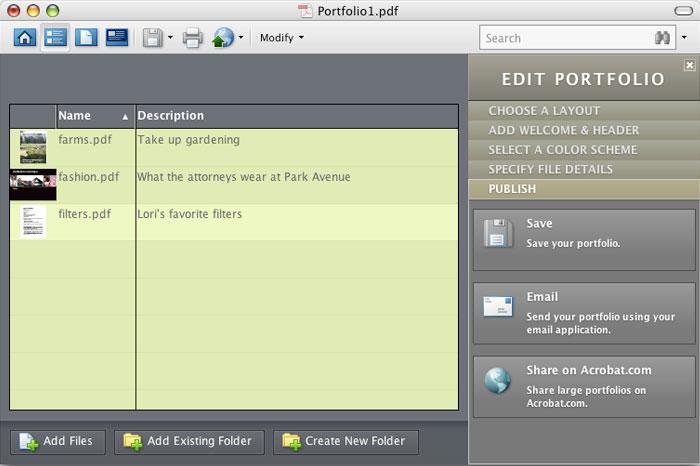
What's New in Acrobat 9
The short answer: surprisingly little. Adobe has renamed some features that have been around for quite some time, added a few enhancements to existing features, and baked in other features previously available from third party developers. Overall, my initial impressions are that Acrobat 9 falls far short of groundbreaking.
While Adobe lists many features as "new", most of them are little more than existing features in a new wrapper, or features you could buy from third-party developers as plug-ins to Acrobat. Here's a comprehensive list of what Adobe is touting as new along with my take on it:
PDF portfolios
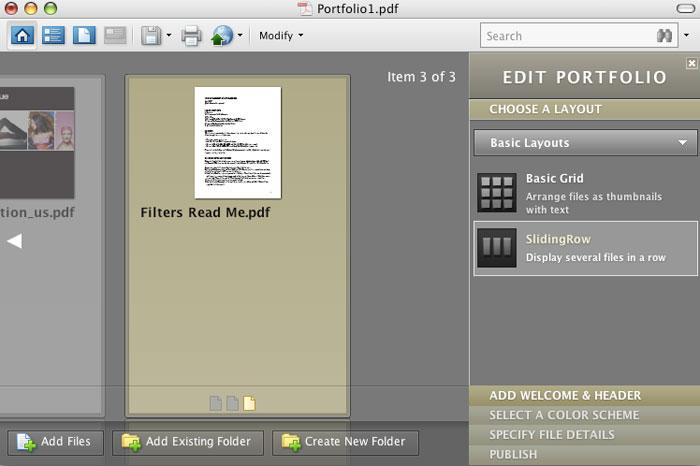
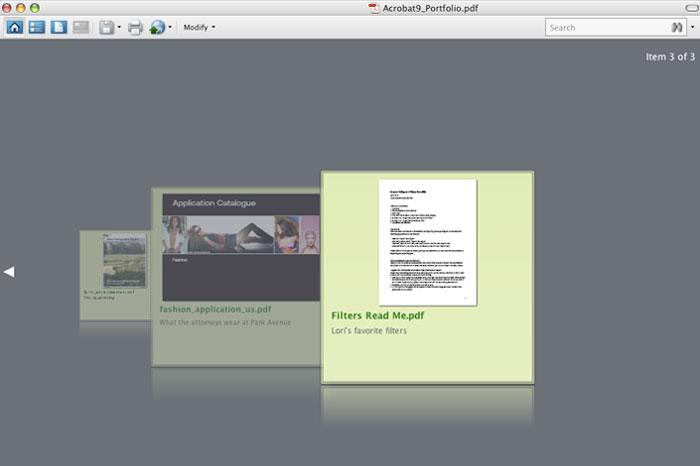
This renamed feature was called Packages in previous versions of Acrobat. It does have an updated interface, and some splashy graphics allow you to cycle through the various PDF files that are housed inside of the PDF portfolio. You can change color schemes, so the portfolios can be more customized and look more visually appealing. The core functionality of merging together multiple PDF files remains unchanged from previous versions.
Convert paper documents to PDF
This feature has been around since version 3 of Acrobat, so there is nothing new here except a new engine powering the Optical Character Recognition (OCR) of scanned text, which can help make scanned PDF searchable.
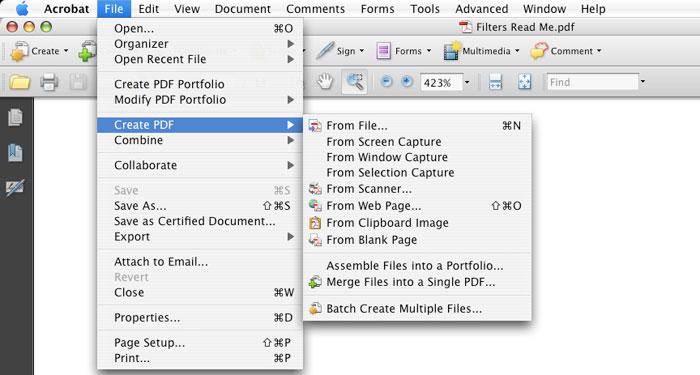
Convert web pages to PDF
Another long-time feature that has been around for more than a decade. It never worked very well, so if they've finally gotten it to function correctly, it's difficult to justify charging users to upgrade.
Compare PDF documents
Another feature that surfaced way-back-when, is also being listed as new. The only thing new about this feature is that it now sports a wizard to walk you through the process, and the end-product report showing what has changed has been updated slightly.
Search across multiple PDFs
While the interface is slightly modified, search capabilities are basically unchanged from version 8 to version 9.
Use Acrobat.com for shared reviews
Acrobat 9 adds the capability to use Adobe's servers to facilitate the review of PDF files. You can upload the file to be reviewed to Acrobat.com, and then reviewers can download the file and add comments to it. This will be great for small business owners who need to facilitate reviews with users, but large business are unlikely to send their sensitive data to Adobe's servers for hosting.
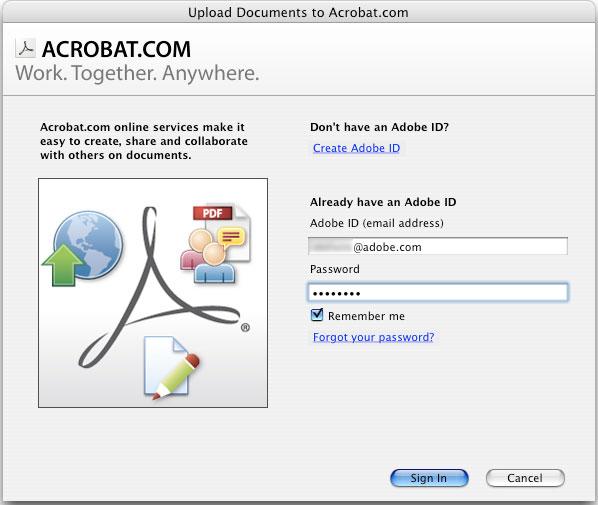
This feature uses the same capabilities available now on Adobe's Share service, which will become fully functional when Acrobat 9 ships in June.
Collaborating in online meetings
Adobe will launch alongside a new version of Connect, which was previously known as Breeze under the Macromedia brand. ConnectNow is described by Adobe as "a personal web-conference tool, to conduct real-time meetings on your desktop."
This feature already exists in Acroabat 8, and except for the new name, it remains little more than Adobe's way of trying to nudge your into their Connect product, hoping you will use it instead of products such as LiveMeeting, WebEx or GotoMeeting.com.
Use Acrobat.com to upload and share large documents
This is a new feature, and lets you use Adobe's server in place of an FTP server. The cool thing is that it works from both the paid version of Acroabt and from the free Adobe Reader. Large business that are security sensitive may not like to share their files on Adobe's servers, but this will certainly be appealing to many smaller businesses.
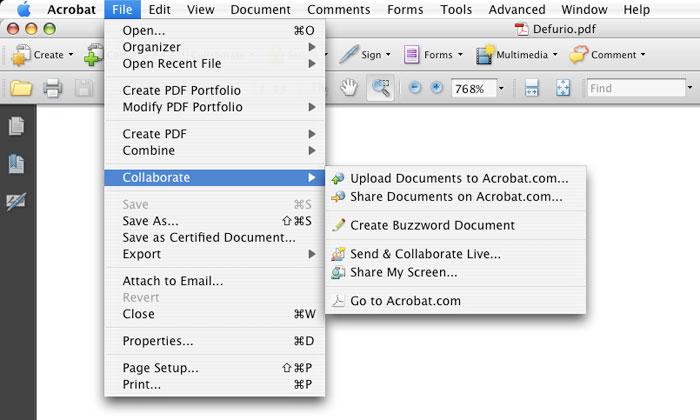
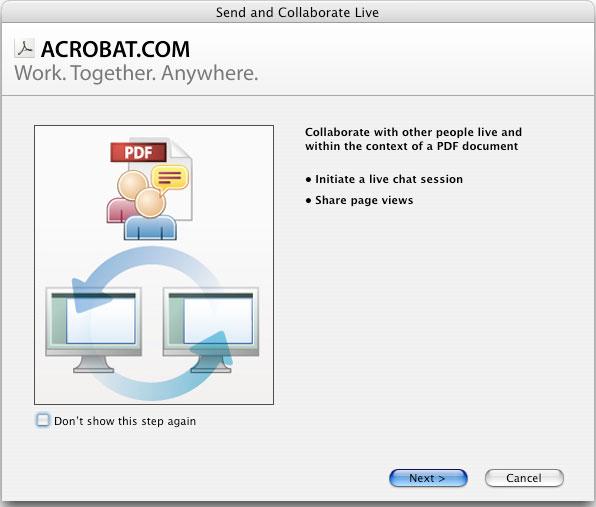
Collaborate Live
A real-time review and chat session lets you share your document with others, once again using Adobe's servers to host the sharing.
Electronic forms
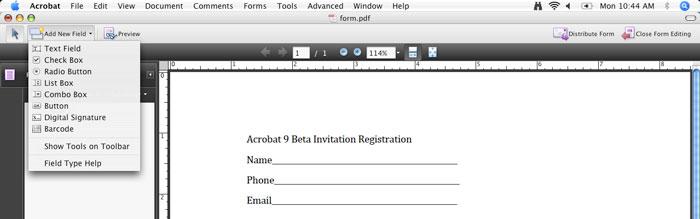
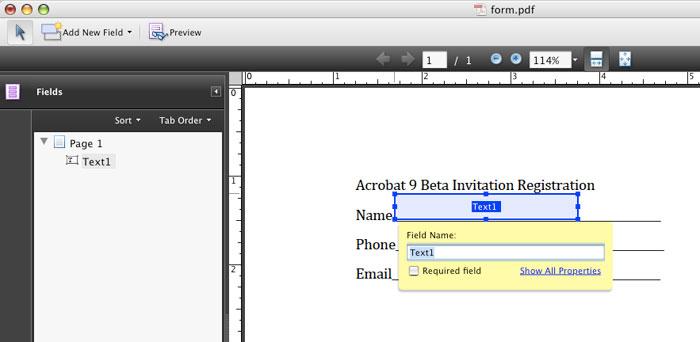
Acrobat 9 will also let you create PDF forms and convert scanned documents to PDF. Acrobat 8 already automatically recognizes form fields. As such, Adobe has simply updated the interface and made it a more refined step-by-step process to change the way forms are created.
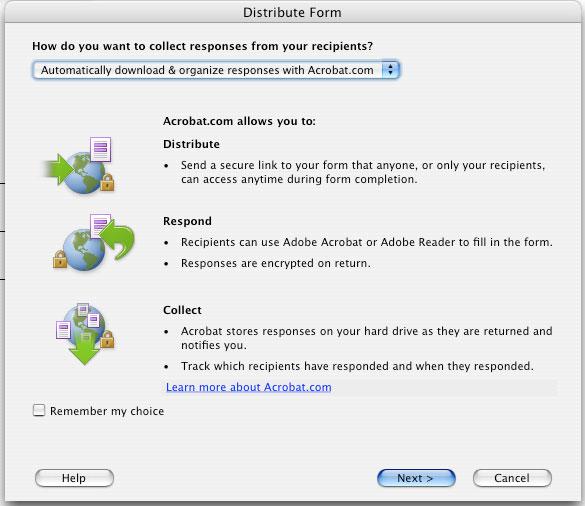
Collect form data
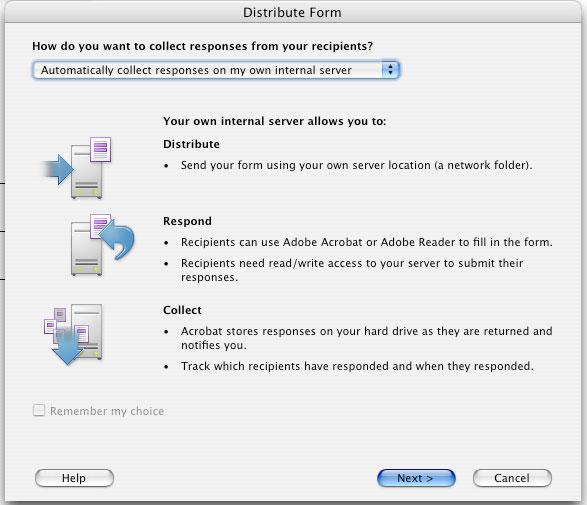
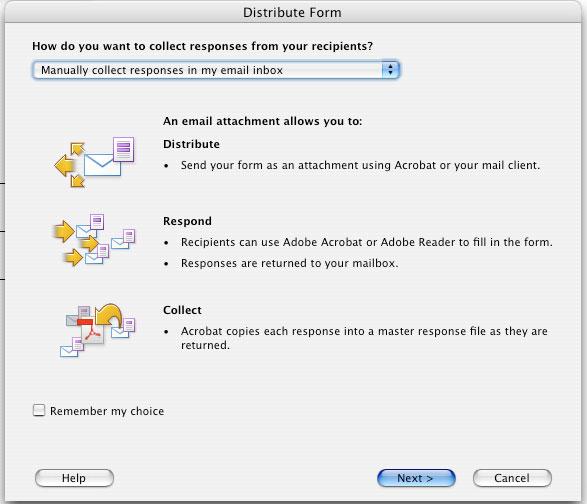
You can now route your form data through Adobe's servers, making it easier to collect data from PDF forms that you have distributed. But, like many "new" features, this has been available for many years from a third-party software developer, Form Router. Adobe's implementation works only with PDF forms, while Form Router's lets you work with all types of forms such as HTML or Info Path. It's a great feature for small to mid-sized businesses, but large corporations are not likely to want their form data sitting on Adobe's servers.
On page 2 of 2: Track forms; Include Flash content in PDFs; Add comments to videos; Create interactive presentations; 3D; View and interact with PDF maps; Redaction; and Should you upgrade?
If you share a form, you can determine who has completed and returned it. This could be useful for HR departments or compliance forms that require completion from a larger group.
Include Flash content in PDFs
Adobe has enhanced the support for multimedia files created in the .swf format. This is an enhancement of an existing feature in Acrobat 8.
Add comments to videos
If you use Adobe video editing products, you know that you can comment and annotate video frames using PDF annotations. Acrobat adds this capability. While it is cool, I don't see too many production houses or movie studios rushing to adopt Acrobat as a result of this enhancement, and the average user doesn't generally want to add a sticky note to a particular frame of a movie.
Create interactive presentations
Adobe has combined several pre-existing capabilities to make it easier to create multimedia presentations delivered in the PDF file format. This makes it easier to create PDF files with narration, movies, and video. But if you've ever seen the work of PDF Pictures, you'll know that most of these options can be achieved with the current version of Acrobat.
3D
Adobe has added a 3D Reviewer to combine multiple CAD formats into one PDF file for reviewing. With Acrobat 3D sales being slow, and Adobe needing to drop the price of its stand-alone Acrobat 3D product, it is no surprise to see these features added here.
View and interact with PDF maps
Adobe appears to be eying Google Maps and Microsoft Virtual Earth. They've added the ability to search, measure, and mark up geospatially-enabled PDF maps. This feature had been available through a third party developer for a number of years, and Adobe has now built it into Acrobat.
Redaction
Acrobat 8 added redaction features that were essentially a copy of those available from third-party plug-in developer Appligent. Acrobat 9 expands these features by borrowing from InDesign, allowing it to find things like patterns of Social Security numbers and permanently remove them from a PDF file. Lawyers and courts can get this feature much less expensively by sticking with the current version of Acrobat and getting the plug-in from Appligent.
Should you upgrade?
If you are already using Acrobat 8, you'll likely find few compelling new features in Acrobat 9 to warrant an upgrade. Acrobat 9 may have been better labeled as Acrobat 8.5. It's not worthy of a full release, and lacks the type of innovation you would expect from a major revision coming from an industry leader such as Adobe.
If you are thinking about buying Acrobat 8, you'd benefit from waiting a few weeks until you can get a free upgrade to version 9. If you don't already have the professional or standard version of Acrobat, it's still a good tool to own — but this latest upgrade really appears to fall short of its mark.
Ron Freedom is a new contributor to AppleInsider. His views and opinions are solely his and do not necessarily represent the views and opinions of AppleInsider.









 William Gallagher

 Malcolm Owen
 Mike Wuerthele