Inside OS X 10.8 Mountain Lion GM: AirPlay Mirroring
 Daniel Eran Dilger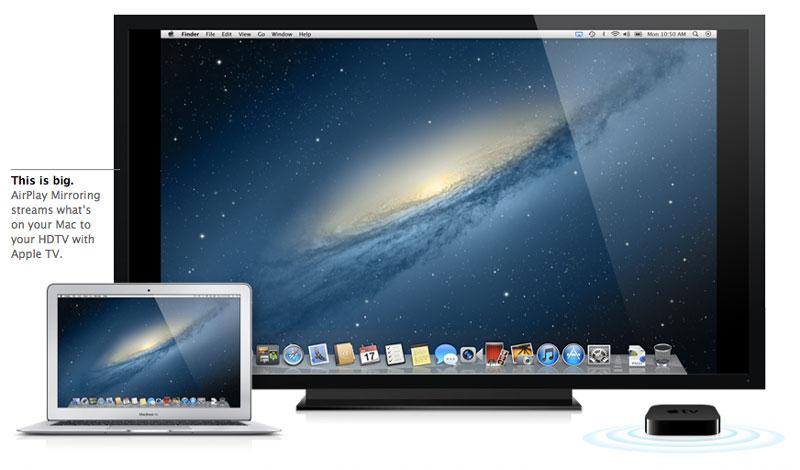
AirPlay, originally named AirTunes when Apple debuted it in 2004 as a way to wirelessly stream audio from iTunes to speakers connected to the AirPort Express base station, had its name changed by Steve Jobs in 2010 after the technology was expanded to include video and photo streaming to the then-new, $99 iOS-based Apple TV.
While iTunes currently has the ability to stream both audio and video playback to Apple TV, OS X can't deliver audio or video from other apps. Additionally, because AirPlay involves encryption of streamed data, it's not easy for third party developers to send data to AirPlay devices.
New AirPlay Mirroring
All that is changing in Mountain Lion. The most obvious benefit is that hardware-compliant Macs can now do the same AirPlay Mirroring trick as last year's new iOS devices (iPhone 4S and iPad 2 or newer): anything on the screen can be mirrored to an Apple TV-connected display.
As with iOS devices, Macs need special hardware to support AirPlay Mirroring. It doesn't work on the Mid 2010 MacBook Pro, for example, but does work on early 2011 MacBook Pros, as well as mid 2011 or newer MacBook Air, iMac or Mac mini systems.
These systems are the oldest machines capable of supporting AirPlay Mirroring because they are the first to deliver dedicated hardware encoding for H.264. Without a CPU capable of crunching this task using specialized hardware, earlier Macs simply can't transmit video fast enough without a lot of heat and screaming fans.
Older Macs can already send video from iTunes to Apple TV via AirPlay, but they stop local playback while doing this. Mirroring requires the system to produce two video images, one driving the local display and one to be wirelessly delivered to the external screen.
AirPlay doesn't just relay video from the computer (or iOS device) to Apple TV. It scales down the video to fit on an HDTV resolution, and has to convert the colorspace from the computer's RGB to the native YUV that televisions use. Both tasks require a lot of processing resources, so without the extra hardware available on newer Macs, mirroring isn't possible.
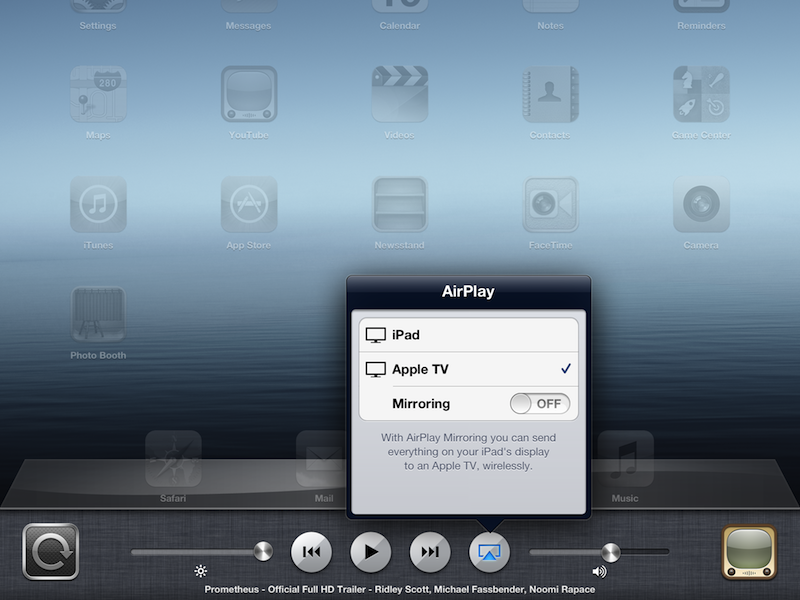
Using AirPlay Mirroring on supported Macs with Mountain Lion is very easy: simply pull down the AirPlay menu and select the local Apple TV you want to mirror your display on. The options are populated via Bonjour, just as they currently are within iTunes. This quite a lot more obvious and discoverable than on the iPad, where you have to double click on the Home button and swipe to the right to find AirPlay controls (below).
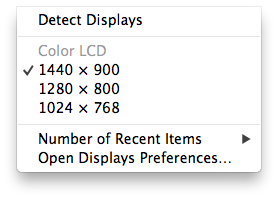
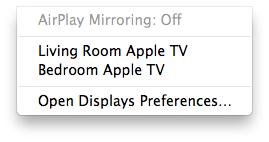
The default Menu Bar options for Displays now focuses on AirPlay options, rather than the old fashioned "detect displays" and manually setting a resolution. Below, the simpler menu of Mountain Lion (right) compared to today's Lion (left). On Macs that don't support AirPlay Mirroring, this menu simply offers only to open the Displays pane in System Preferences.
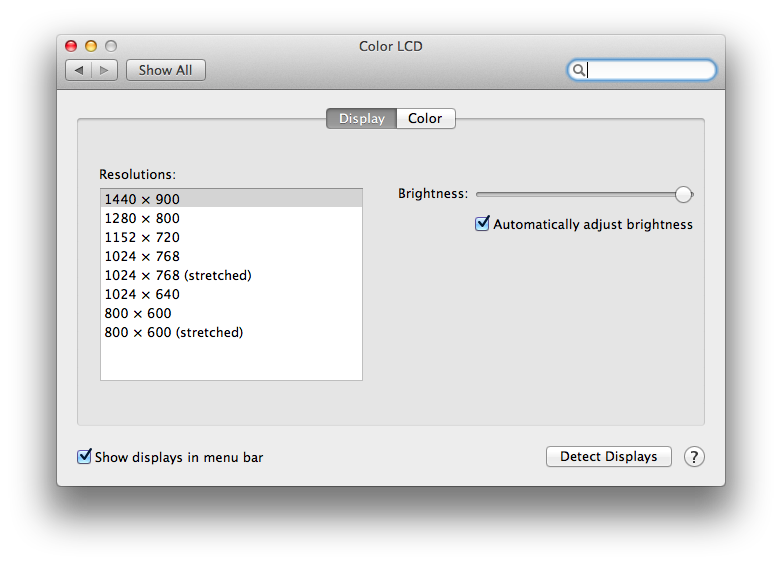
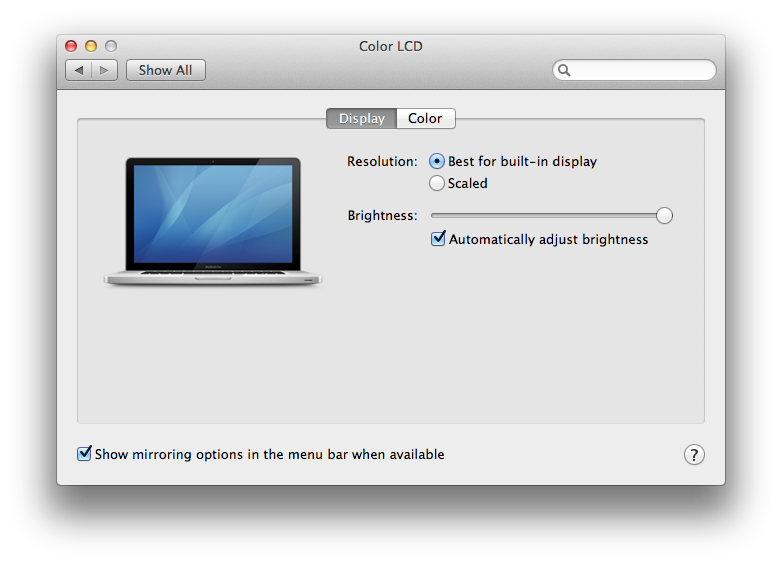
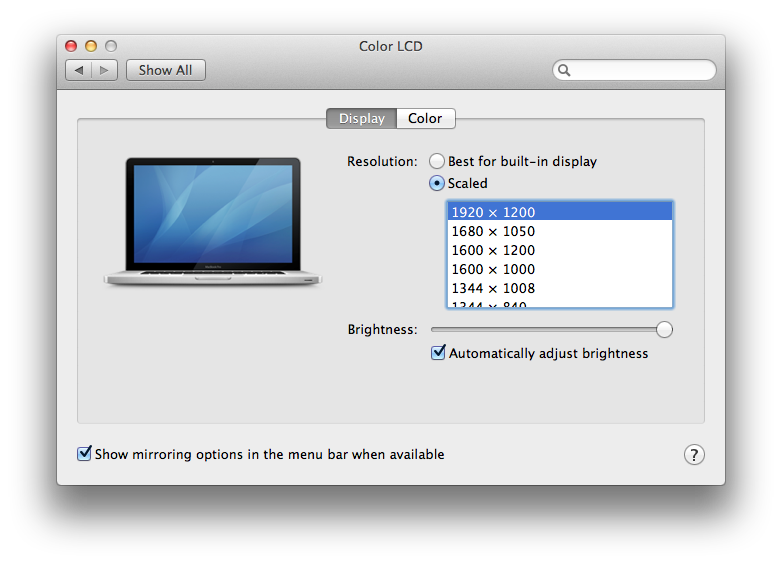
Apple has also updated the Displays pane in System Preferences in Mountain Lion, even for Macs too old to support AirPlay Mirroring. Rather the offering a selection of resolutions (as today's Lion does, below top), Displays now simply defaults to the resolution "Best for built-in display," although you can manually select a non-standard resolution by clicking Scaled.
Using AirPlay Mirroring on supported Macs
You can readily identify a Mac that supports AirPlay Mirroring because it gets the AirPlay icon in the Menu Bar (and its drop down options are different too).
Once AirPlay Mirroring is initiated with a specific Apple TV unit from the Menu Bar, the Displays configuration automatically changes to the resolution "Best for AirPlay," with an option to turn on Overscan correction (usually only necessary if you're using an older CRT television; most modern flat panel displays won't cut of portions of the display because of overscan). Note that brightness controls only have an effect on the built in display.
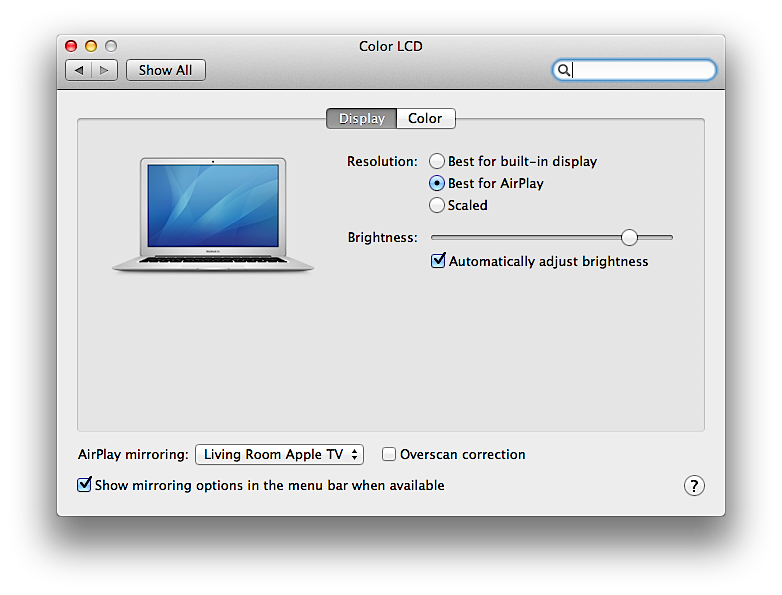
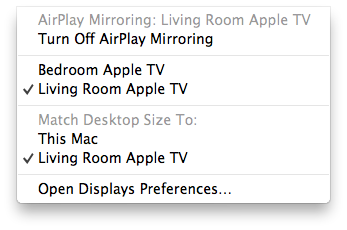
You can manually select a different resolution from Displays, or select the resolution you want to mirror from the AirPlay Menu Bar pulldown, picking either This Mac or the name of the Apple TV you're mirroring the display to from the "Match Desktop Size To:" options.
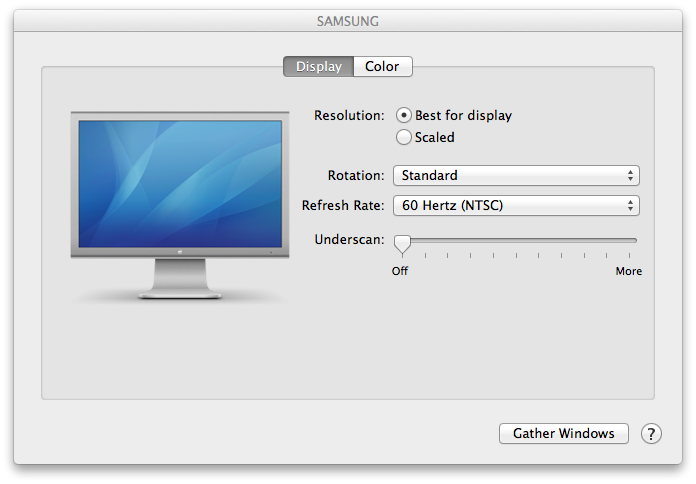
But wait, that's not all. You can still initiate AirPlay Mirroring while connected to a secondary display. Under Mountain Lion, connecting to an external monitor works virtually the same, apart from the fact that the system, by default, pics the resolution for you. Plugged directly to my HDTV via an HDMI cable, the Displays pane for each of the two displays picks a "best for display" resolution, although either can be scaled.
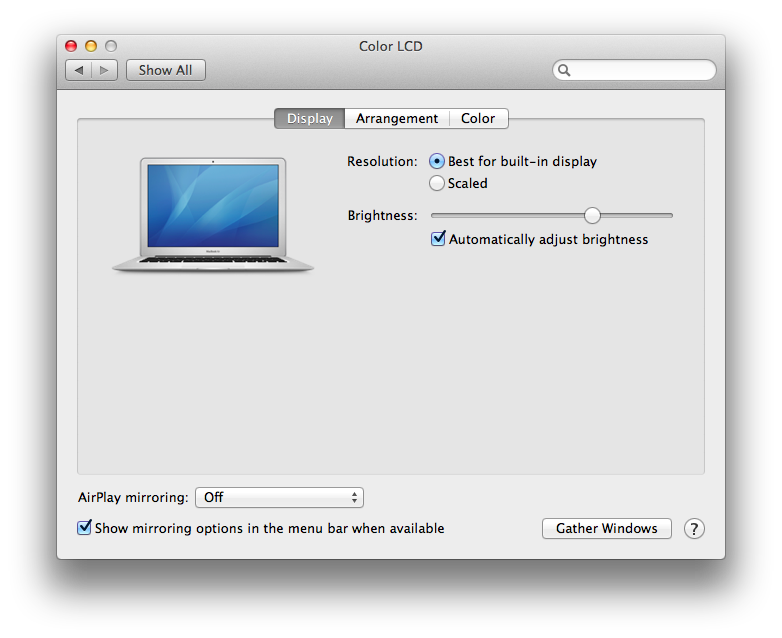
The built in display supplies an option to adjust brightness (above) while the HDTV pane (below) presents options to rotate the display in 90 degree increments, set a refresh rate, and configure underscan (which creates a black margin around the image on your television to prevent elements close to the edge of the screen from being clipped off; again, this is not usually necessary to set on modern HDTVs).
Even with an external display attached (mirrored or expanding the desktop), AirPlay Mirroring is still available. The pulldown AirPlay menu changes to reflect additional options, as you can now mirror the display with your external monitor independently from mirroring your display to however many Apple TV devices you have on your local network (below).

Because AirPlay Mirroring is a function of the system (dependent upon CPU video encoding hardware), it doesn't count against the number of directly-connected displays your video hardware can support.
New AirPlay features for older Macs
While Macs that are more than a year and a half old don't have the hardware to support wireless video mirroring, they can still make use of audio AirPlay features in Mountain Lion. Currently, under the Sound pane in System Preferences, the only Outputs available are hardware devices, such as internal speakers, headphones, or USB or line-out speakers (below).
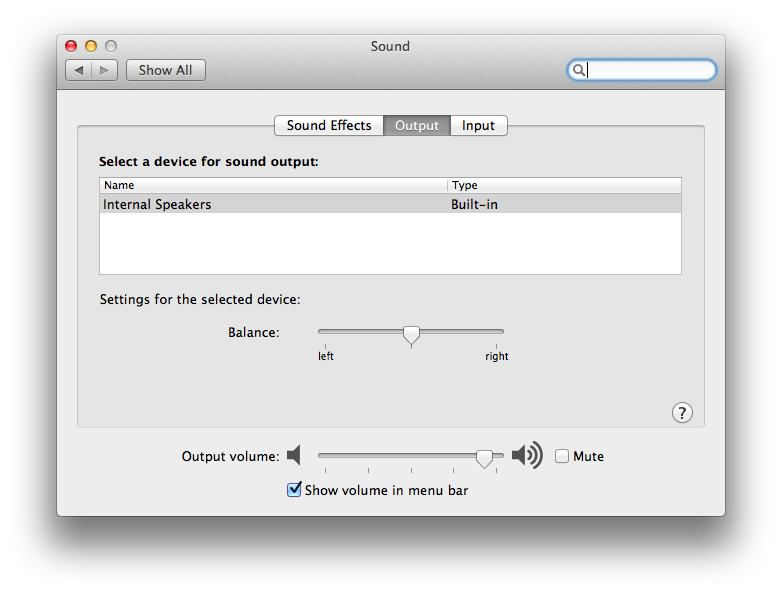
Under Mountain Lion, even Macs that can't support AirPlay Mirroring can support wireless audio output (below) to designated Apple TV, AirPort Express units or other AirPlay compliant devices (including devices and receivers from Audyssey, B&W, Denon, iHome, JBL, Klipsch, Marantz, Philips, Pioneer, Samsung, Sony and Yamaha), allowing users to, for example, play games where the audio is sent out through a home stereo system.
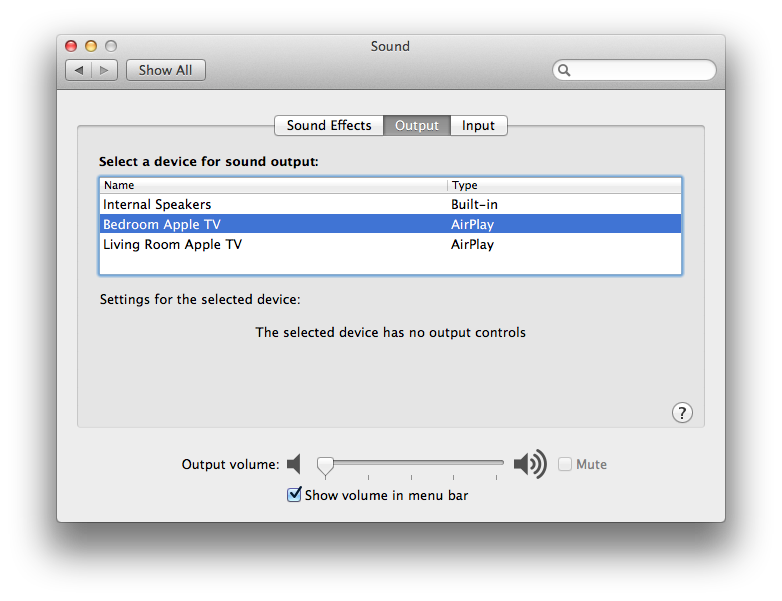
However, unlike iTunes, the Sound Output controls don't allow you to stream audio to multiple sets of speakers at once. That means if you set system audio output to an AirPlay device, the local speakers will be muted.
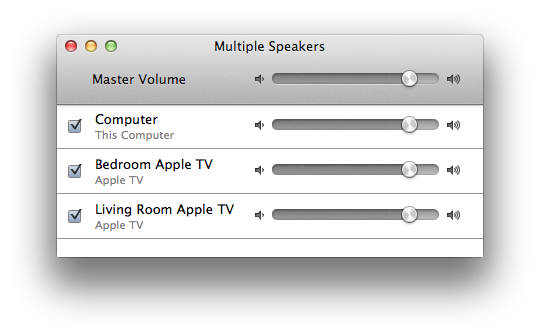
Older Macs can of course still play videos to Apple TV connected screens via AirPlay within iTunes, and play audio from iTunes to multiple speakers through iTunes' "Multiple Speakers" feature (above).








 Malcolm Owen
 William Gallagher and Mike Wuerthele
 Christine McKee
 William Gallagher

 Marko Zivkovic