New phishing scam targets MobileMe users
 Prince McLean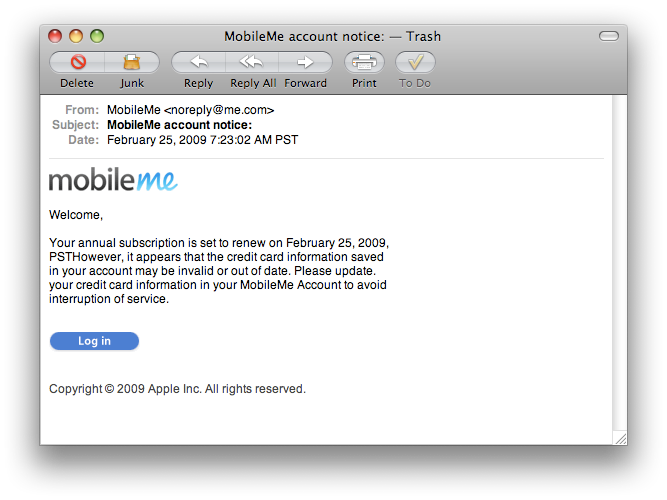
The phony email
While sent with a spoofed sender address of [email protected], the spam's headers indicate that it actually appears to originate from gamma.oxyhosts.com, a server operated by a web hosting outfit from the UK. The email contains formatting errors that should immediately tip off users, and directs to a sketchy URL: http.apple-billing.me.uk. The email's headers that indicate it was sent using Outlook Express, but those are only visible when the user examines the phony email's raw headers.
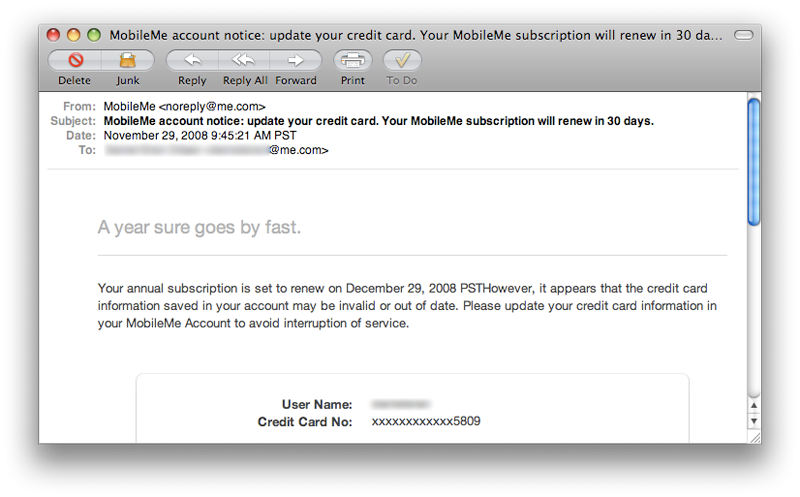
Of course, Apple itself has also sent out official MobileMe notices containing the same formatting error (below). Apple also doesn't sign or encrypt its official emails to users, a step that might help in thwarting the regular phishing attempts that target MobileMe users. While Apple pioneered certificate based security in iChat messaging for its MobileMe users, it has been a laggard in making it easy for users to sign and encrypt their MobileMe email using certificates issued by Apple, despite support in Mail and most other modern email clients to handle this.
The significant difference in the real message from Apple over the phony spam is that Apple's official email cites the account's User Name, the ending digits of their credit card number, and directs the user to navigate to MobileMe themselves to correct their information within the online account section, rather than providing a link to follow. Doing so would result in the user initiating a MobileMe web session secured via SSL before they are ever prompted to enter their private account information.
The phony website
There is no SSL security on the fake site users are directed to by the spam (pictured below). The fraud site is hosted by me.uk, a domain not affiliated with Apple, but which might sound reasonably correct to many users. The domain appears to be registered to "Nike Jegart, co 9 Vista Estrella South, Lamy, NM 87540."
Were the site to attempt to initiate an SSL connection, the EV (Extended Validation) phishing filters in most modern browsers might flag the site as suspicious, but that type of safeguard does nothing when no SSL session is even attempted. The formatting of the phony Apple Store page does raise some obvious red flags, but users shouldn't expect spammers to continue to flub in their phishing efforts.
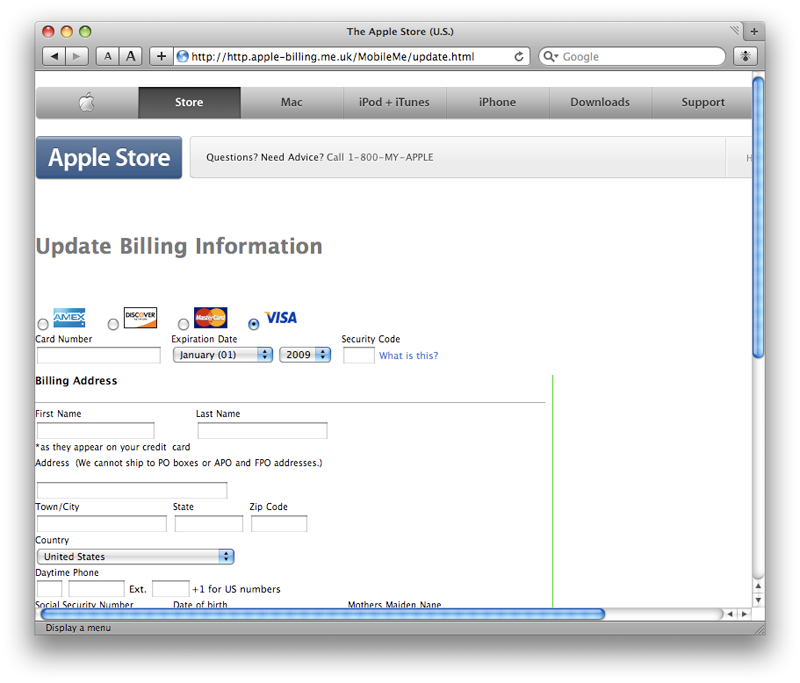
As with any unsolicited email-based requests for identity or billing information, users should be cautious and suspicious. Verify that the browser has initiated an SSL connection and that the URL appears correct (although it can be easy to spoof the URL itself so that it appears to be legitimate). The best practice is to navigate to the billing site yourself rather than following an email-supplied link, even if the email appears to be legitimate.
In related news, Apple this week announced a number of improvements to MobileMe's web applications, which were detailed on AppleInsider's backpage blogs on Wednesday.











 Malcolm Owen
 Chip Loder

 William Gallagher
 Christine McKee
 Michael Stroup
 William Gallagher and Mike Wuerthele