Inside OS X 10.8 Mountain Lion: Enhanced Printing & Scanning
 AppleInsider Staff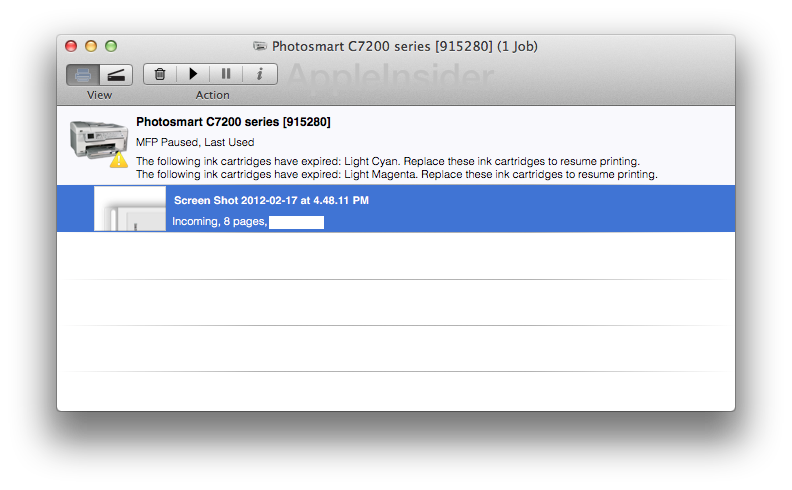
Replacing the Aqua-inspired customizable toolbar of the printer queue, Mountain Lion now offers a utilitarian menu bar with fewer, fixed icons that look more like those of Preview, Safari or Mail.
In the Printer view, Mountain Lion shows the same printer status and jobs information, but includes a thumbnail of your current job, which you can double click to view via Quick Look (Command Y also works).
The printer queue's Quick Look window sports a Sharing Sheet you can use to email, message or AirDrop the printer preview document.
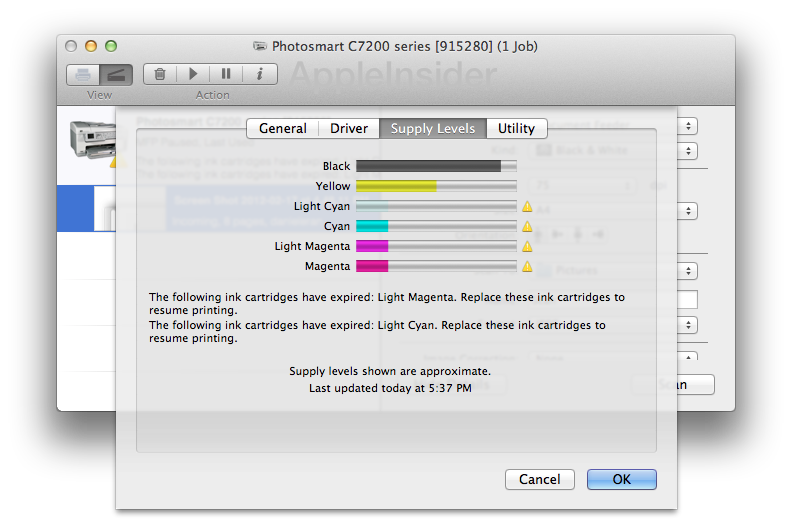
In place of the large colored toolbar icons of previous OS X releases, Mountain Lion presents just four action buttons: delete, resume, pause and information. Rather than providing job information, this button pulls down the sheet formerly presented by the Printer Setup button (and essentially duplicated by the old Supply Levels button).
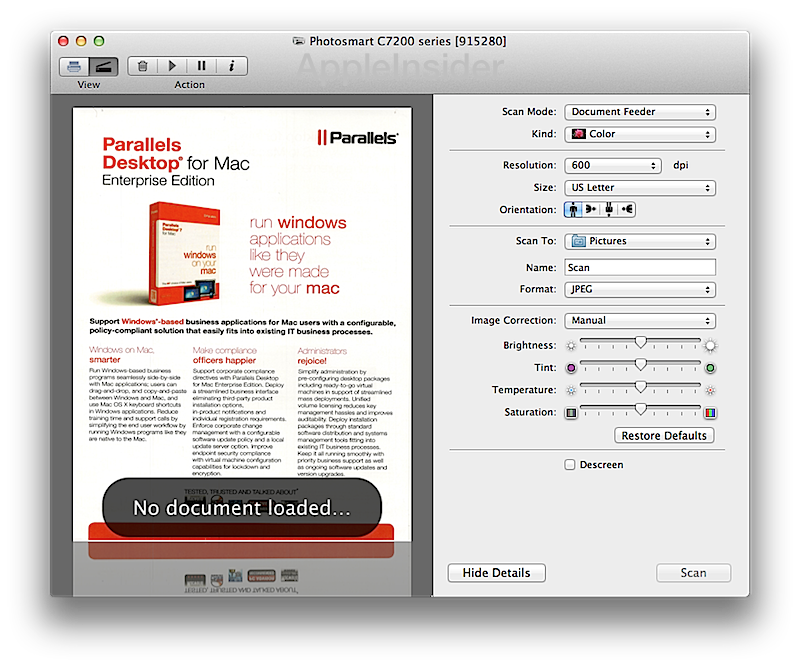
The scanning features of Lion are also enhanced in Mountain Lion, with a simple, automated scan interface presented when you click on the scanner button of a supported multifunction device.
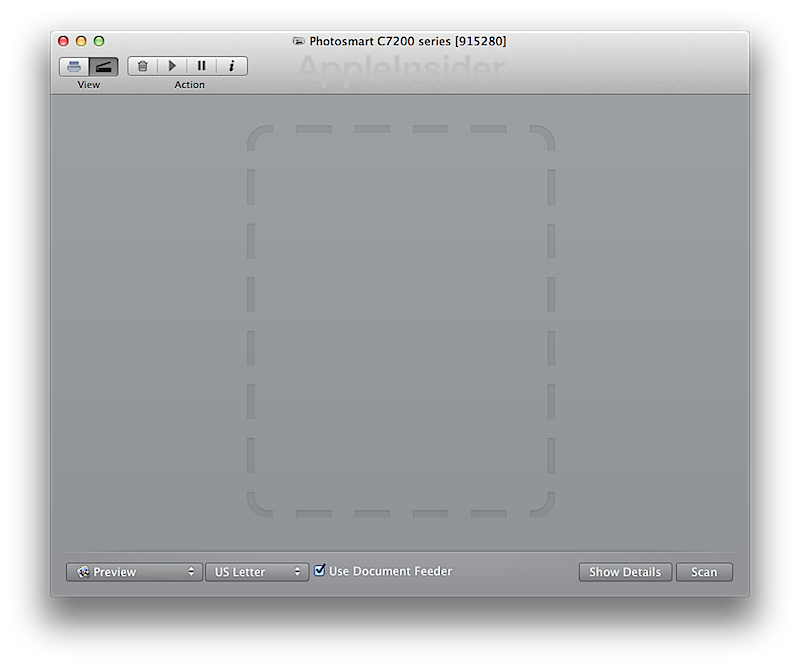
Click Show Details and Mountain Lion presents the full scanner interface, with image correction and resolution settings, depicted below scanning an product page from Parallels.








 Malcolm Owen
 Chip Loder

 William Gallagher
 Christine McKee
 Michael Stroup
 William Gallagher and Mike Wuerthele