Amazon Kindle app updated for Retina Display iPad
 AppleInsider Staff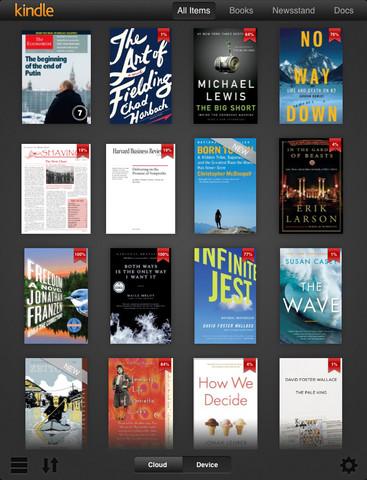
Amazon was among the numerous companies that rolled out app updates on Thursday, the eve of the new iPad's debut, to ensure that its Kindle e-reader software would be Retina Display-compatible.
Kindle 3.0 for iPad brings optimization for the new tablet's high pixel density and features a redesigned user interface, among unseen backend bug fixes.
The Kindle reader app was released for iPad well before the launch of the Kindle Fire tablet, and many users have opted to stay with the Apple device rather than move over to Amazon's offering.
Despite having its own tablet, Amazon continues to update its iOS app for users of the platform mostly due to the huge installed customer base. The move to continue iOS support should come as no surprise, as the content-driven app is nothing but a money maker for the online sales giant.
In a previous report, Amazon was said to be taking a $50 loss on every unit sold, gambling on content purchases to make up for the initial hit.
Alongside the Kindle app update, popular iOS apps like Vimeo and Evernote also received similar updates on Thursday.








 Malcolm Owen
 Chip Loder

 William Gallagher
 Christine McKee
 Michael Stroup
 William Gallagher and Mike Wuerthele