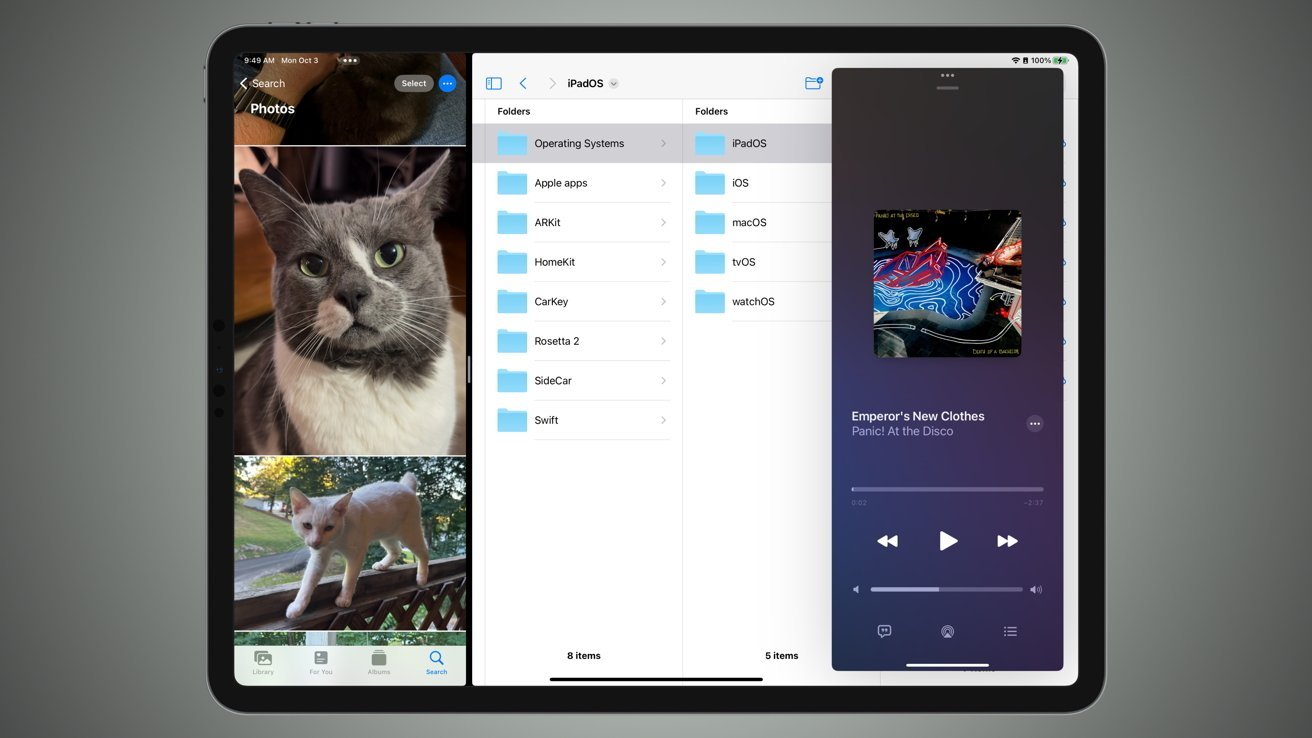
Apple has released iPadOS 26.2 to the public, with the changes including more tweaks to the now-returned Slide Over.
The latest iteration of developer beta testing has concluded with Apple releasing an update to iPadOS, bringing it to version 26.2 alongside its other operating systems.
While the iPadOS 26.1 update brought with it a lot of post-launch changes, iPadOS 26.2 is naturally a little less feature-packed. But there are still features to be enjoyed by iPad users.
Slide Over revisited
The iPadOS 26.1 update revived Slide Over, a productivity feature from iPadOS 18 that didn't make it into iPadOS 26 for some reason. The initial implementation was brought back as an option, with users able to use the green application icon to "Enter Slide Over."
However, it didn't allow apps to be quickly shown in Slide Over by a drag-and-drop gesture, as it previously worked. Under iPadOS 26.2, the drag-and-drop element has been restored to its former glory.
AirDrop
The introduction of AirDrop codes gives a way for users to more securely share files with users who are not stored on their contact list. All without exposing themselves to files sent from other members of the public, nor needing to actually add the contact to your personal list.
It also eliminates the temporary exposure from setting AirDrop to work with "Everyone for 10 Minutes."
The option can be accessed via Settings > General > AirDrop and tapping Manage Known AirDrop Contacts.
A one-time code will be generated, which can be shared with another party to allow AirDrop transfers to happen. After 30 days, access will be terminated.
Liquid Glass
Like its iOS 26.2 counterpart, iPadOS 26.2 has some small tweaks relating to Apple Glass.
For a start, there's now a new slider when customizing the Lock Screen to determine how transparent or opaque the clock is. You'll also see smaller changes to Liquid Glass animations, including bouncier elements in some areas, such as Photos.
As Apple's new UI concept, it will continue to be adjusted to meet consumer demand and complaints.
Reminders
If you're making an urgent reminder in Reminders, you can now make a more obvious alert for it when it is due. A reminder can be marked as "Urgent," which will ask if you want Reminders to schedule alarms and timers.
The result is Reminders creating an alarm when it is due.
Podcasts
Podcasts now adds a number of new changes to make listening to shows easier.
The app will now automatically generate chapters, dividing the podcast up into segments that you can quickly navigate to in the app. You could make manual chapters before, but now it's automated.
Users can also see and follow mentioned podcasts directly from the player and transcript, as well as access links shared on an episode page.
Games
Users of the Games app can now filter their library by category, size, and other options to find the game they want to play or download again from the App Store.
For multiplayer games, you can now track the scores of challenges in real-time, allowing for intense leaderboard battles to take place.
Lastly, there's now controller support. This now allows users to navigate the app using their controllers, instead of needing to touch the display to make changes.
How to update to iPadOS 26.2
A manual update to iPadOS 26.2 is available by opening the Settings app, then selecting General, followed by Software Update. If the update is available to you, it can be installed from here.
This is not needed if you have enabled Automatic Updates, available from the same Software Update options.