Flashforge has an excellent 3D printer that produces high-quality objects and makes multi-color printing simple, but there are tradeoffs at this price.
Let's get this out of the way at the top — I've never owned a 3D printer before. I researched other products and went through trial and error trying to make my initial builds, and the Flashforge AD5X made the process pretty frictionless.
If you're like me and were always curious about 3D printing but never knew where to start, I can say this is as good a place as any. I didn't need to know anything about nozzle size, plate temperatures, or filament types to go from zero to a cute Bulbasaur planter.
Flashforge provided a few rainbow-colored filaments for me to try out, but I discovered I'm pretty picky in how I want the final product to look. It's not enough that it's the shape of a toy, animal, or fictional character, it needs to at least be close to the colors.
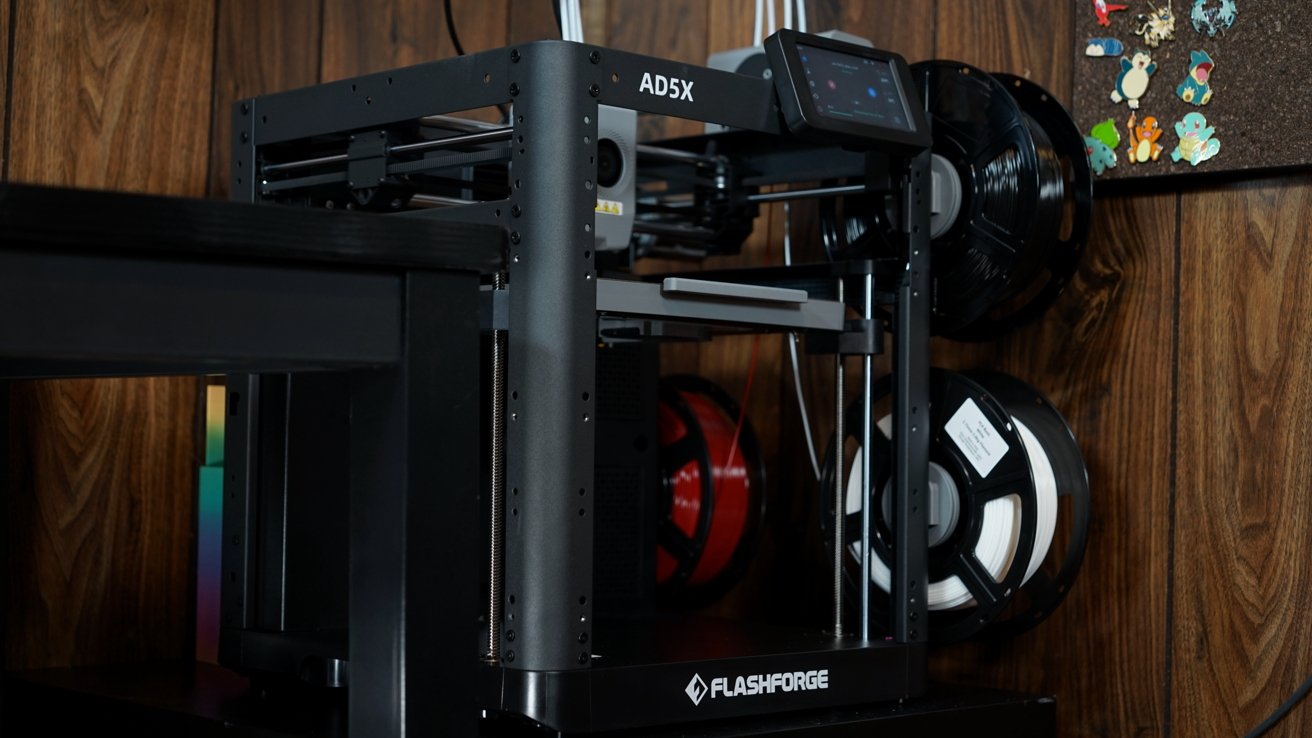
So, in addition to the filaments Flashforge sent, I ordered black, white, gray, and red for more specific kinds of builds. The spools attach to motorized arms on the outside of the printer, but there's no enclosure.
Overall, you get quite a lot for the low entry price, especially when it is on sale for under $400. Let's dive into my experience with the AD5X so far.
Flashforge AD5X review: Design & setup
Normally, I'd spend a lot of time describing the design of an object I'm reviewing, but it's a bit different with a piece of machinery. As far as utilitarian devices go, the AD5X is inoffensive and industrial-looking, though the optional enclosure kit makes it less fun to look at.
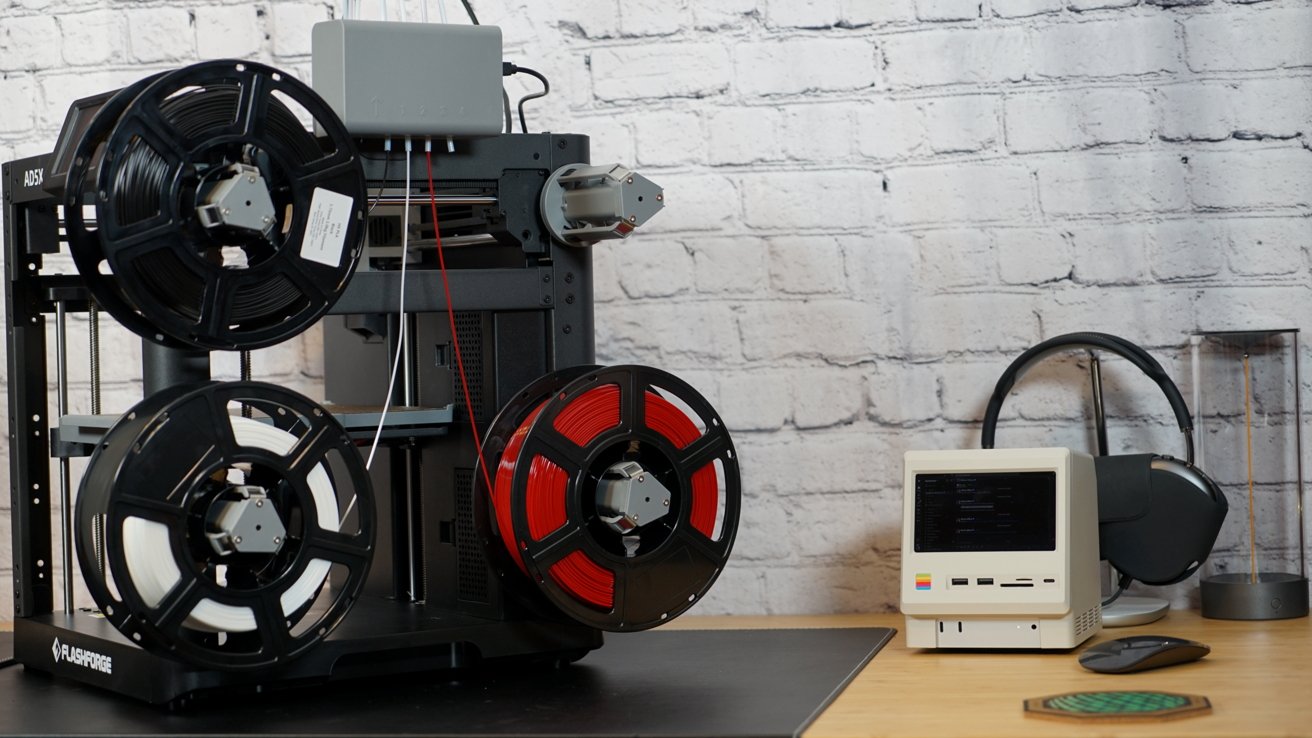
Flashforge AD5X 3D printer review: four spools for multi-color
There's a camera accessory you can add to watch 3D prints live or view time lapses after the fact. Flashforge didn't include the enclosure or the camera for this review, but this review may be updated later if I get my hands on them.
The printer is pretty much assembled in the box. You just have to remove all of the foam, then attach the extruder lines, nozzle, and display.
The AD5X is out of the box and powered on in just a few minutes. It does a level check, and you're ready to attach filament spools and thread it into the extruder.
The touchscreen interface is a bit awkward, and all you have to go off of is little images of the function you're activating. A little help from the manual and the attached spools are color-coded to their position in the extruder, numbered 1 through 4.
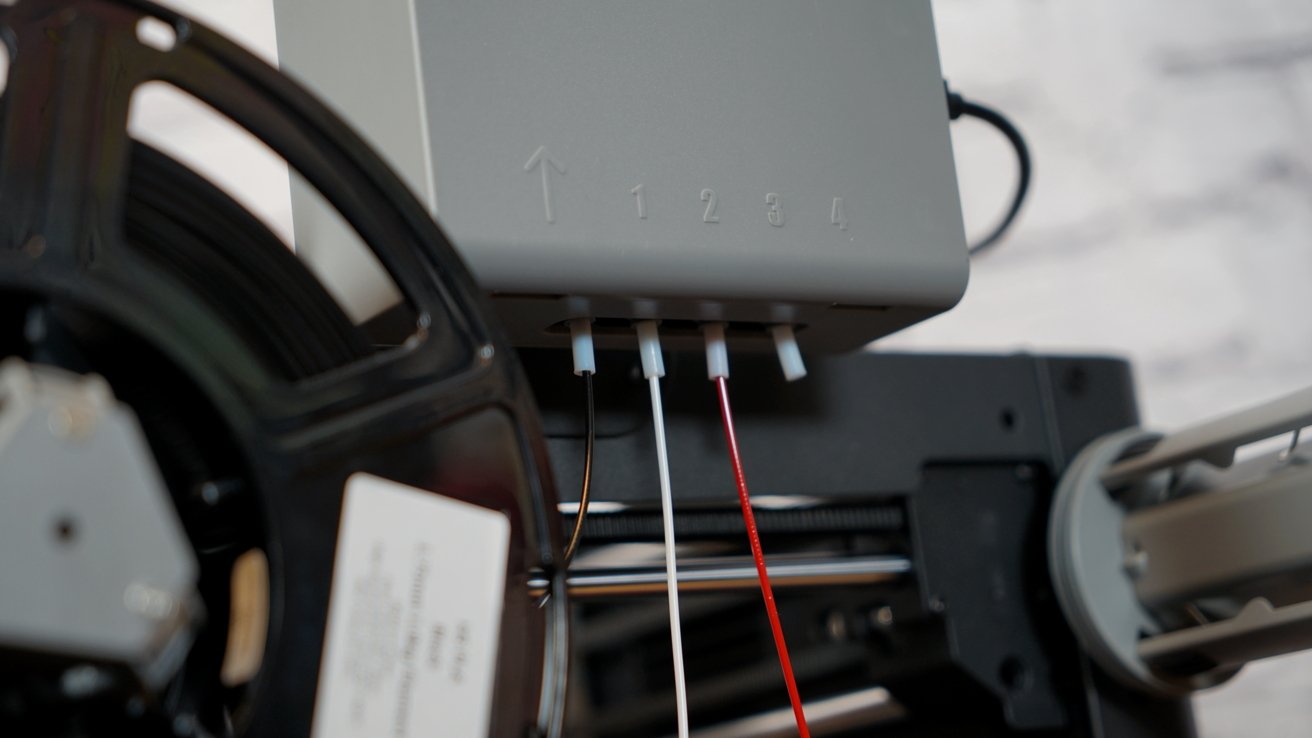
Flashforge AD5X 3D printer review: feed in the filament and configure it in settings
You can get pretty in-depth with selecting color and type of filament, and there's not always a perfect representation of the color you've attached — like the multi-color filaments. So just remember the color you select when setting up a printing job.
Of course, it is important to select the type of filament. I use the Flashforge HS PLA filament available on their website and Amazon store.
3D printing causes a lot of vibration and motion, so ensure you've got a sturdy surface to place the printer on. Also, ensure there's plenty of space for ventilation so the exhaust does its job.
When you're 3D printing, especially multi-color print jobs, you'll run into something called printer poop. Basically, since there's a single nozzle, it needs to eject the unused material from the extruder.
That ejected material is tossed out of a hole in the rear of the printer and will quickly litter your workstation and floor if you've not got something to catch it. One of my initial prints was a poop box someone designed specifically for the AD5X.
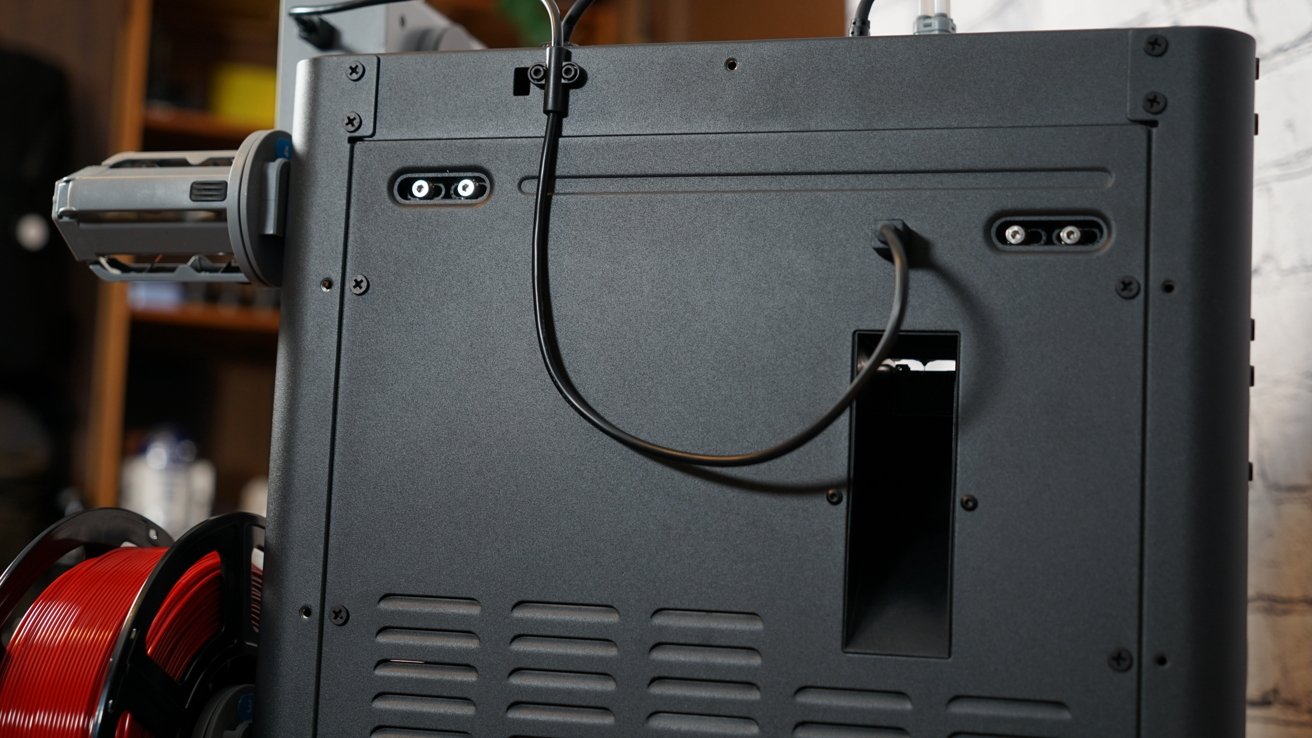
Flashforge AD5X 3D printer review: discarded filament will just fall out of the back
One important thing to note for beginners — you can't leave your filament out in the open when it's not in use. Some filaments are more sensitive than others, but in general, moisture in the air will absorb into the filament and make it less performant.
So, plan on removing the spools and placing them in a container of some kind with some silica beads. I've chosen a simple storage tote that doesn't have air holes, though some filaments will need full-on humidity control.
That's where more expensive 3D printers come in. Many have what is called an "Automatic Material System" or AMS that is fully enclosed and has a controlled environment.
I'm happy that the AD5X has the ability to attach four spools, because otherwise it would be up to the user to find a solution. However, it would have been nice if it was built in a way that allowed an external cover or something to remove the need to remove the spools for storage.
Flashforge AD5X review: Features and specs
The maximum print size is 8.66 inches in height, length, and depth. So, if you wanted to, you could print an 8.66-inch cube, though that would be a waste. It has a max travel speed of about 23 inches per second.
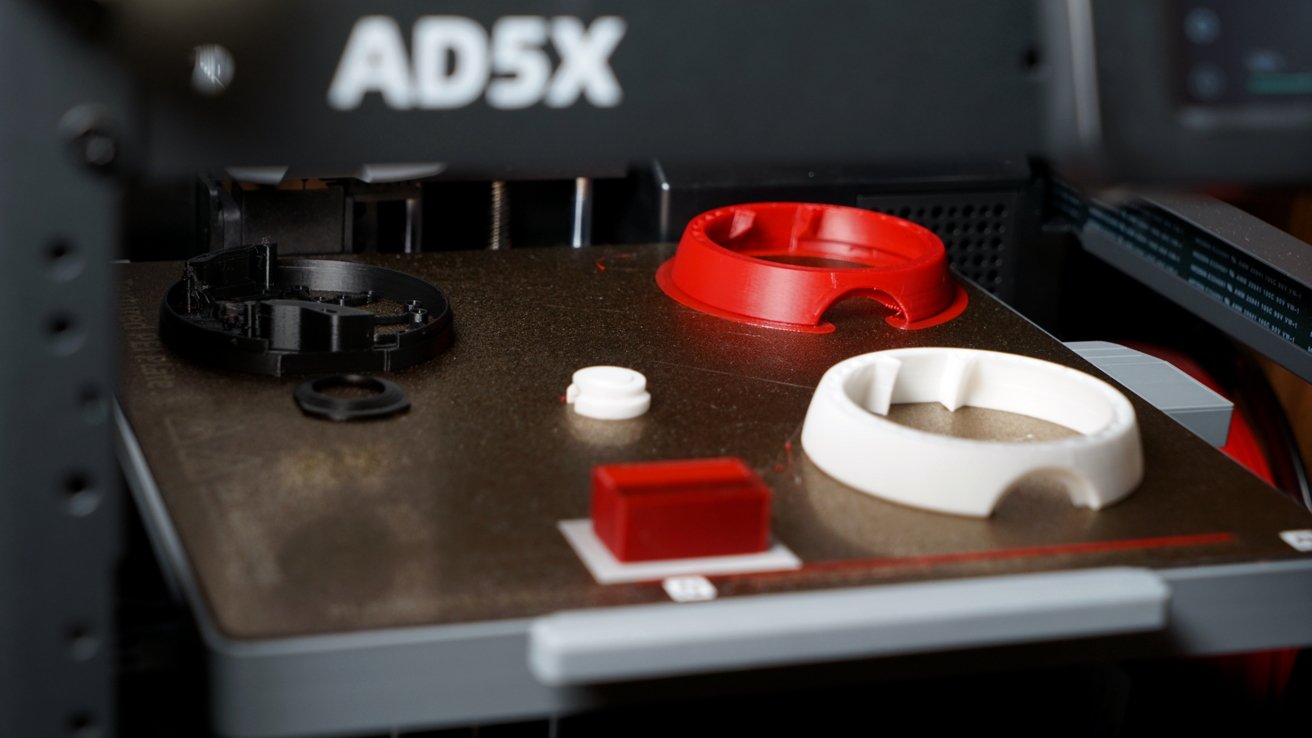
Flashforge AD5X 3D printer review: print multiple objects onto the plate
Flashforge qualifies the AD5X as a fast printer that can output four-color items faster than competitors. The speed and acceleration of the printer affirm that, though I have no real-world testing to prove it.
The included nozzle is 0.4mm, which is a standard size. A 0.6mm, 0.8mm, and 0.25mm nozzle can also be attached.
The quick-release nozzle is a good design element since it can be swapped without replacing the entire head. That's great for saving on new parts, or just simple access for cleaning.
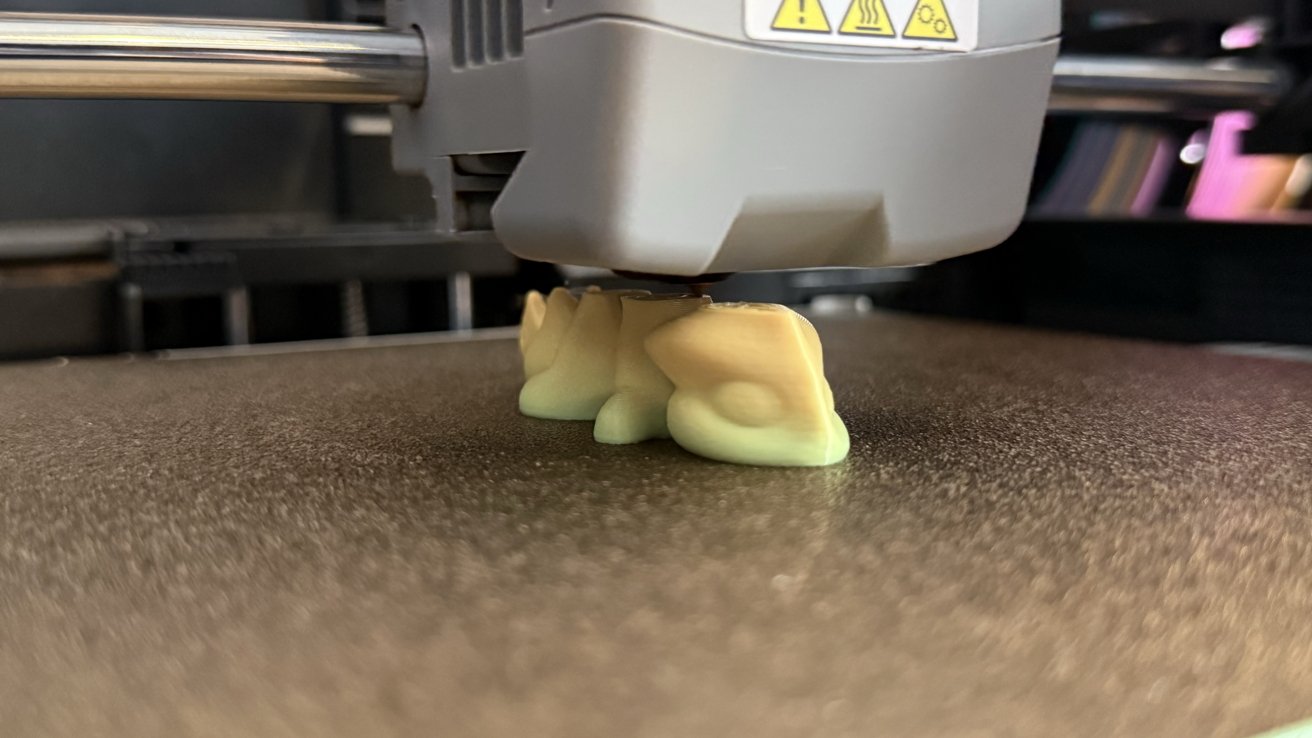
Flashforge AD5X 3D printer review: objects are printed onto a removable magnetic plate
The extruder is direct drive and can heat up to 572 degrees Fahrenheit. The build plate is a PEI-coated flexible steel plate.
The packaging includes some tools for cutting any excess filament off or removing scaffolding. There's also a glue stick to ensure prints adhere to the plate to prevent mishap mid-print.
The Flashforge AD5X supports multiple filament types — PLA, PETG, TPU, PLA-CF, PETG-CF, and ASA/ABS when used with the enclosure. Be sure to set up the printer and app with the right settings per filament type.
The power cable is in the base by the power switch in the back. There's also an Ethernet jack if you'd like to hard-wire the printer to your network or computer.
Flashforge AD5X review: Orca Slicer & iPhone app
Flashforge includes a link to the Orca Slicer for Mac or PC and the Flashforge app for iPhone. The iPhone app is just a monitoring tool and can't slice models.
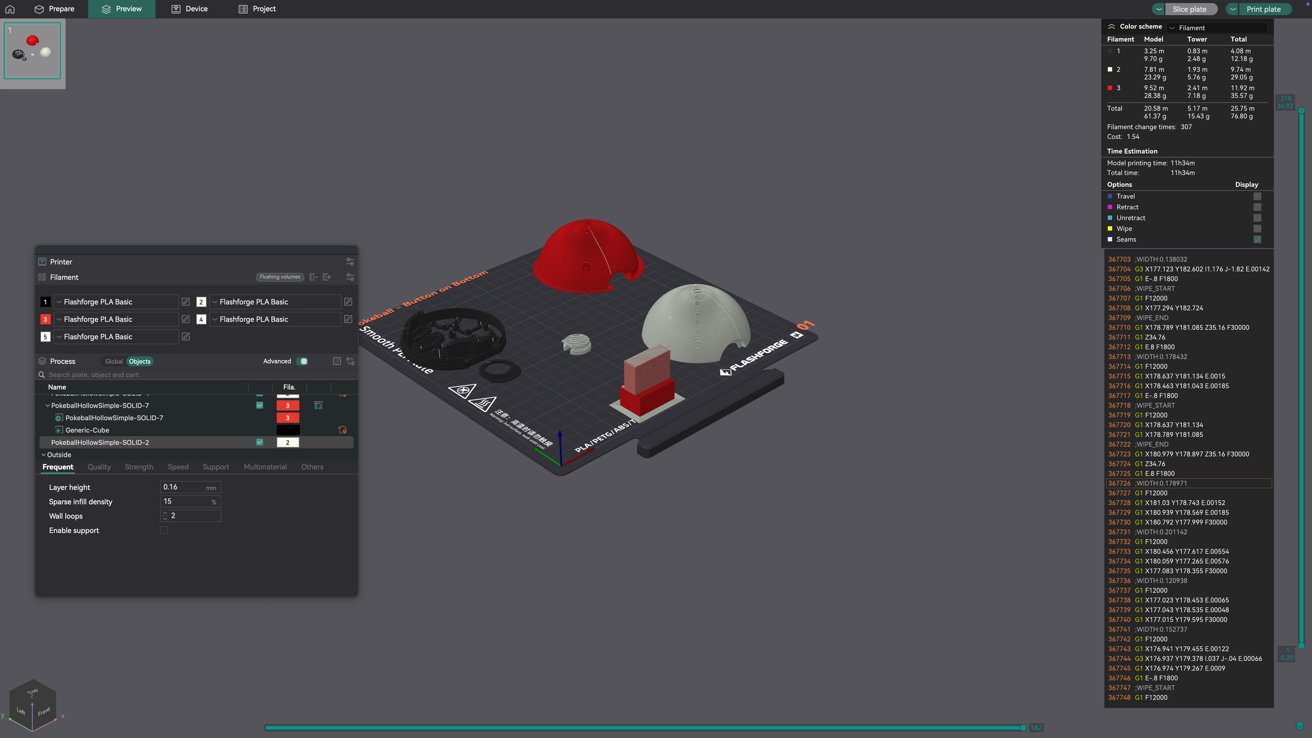
Flashforge AD5X 3D printer review: Flashforge Orca is a straightforward slicer
The Flashforge app is useful to monitor the progress of a print job, especially if you have the camera attachment. It also notifies the user when a job is done.
Other apps and software can access the printer, but I've stuck with the Orca Slicer on my Mac mini. It's a straightforward app that didn't take much for me to understand as a beginner.
I simply find a 3D printer model online among one of the big communities, like Thingiverse, Printables, Makerworld, and Cults3D. Then I load the file into Orca Slicer as a new project, ensure it has the right printer profile selected, slice to and check for errors, then hit print.
There's a bit more to it, of course. Orca Slicer has a multitude of settings for controlling wall thickness, operating temperatures, and more.
However, the 3D model file should contain all of the needed data for this. Those with more experience will be able to note things like if wall thickness is too low and make changes.
So far, I've gotten by with the bare minimum of knowledge in this space. Of course, as I have more time to build models and learn the ins and outs, I expect I'll pick up on more details.
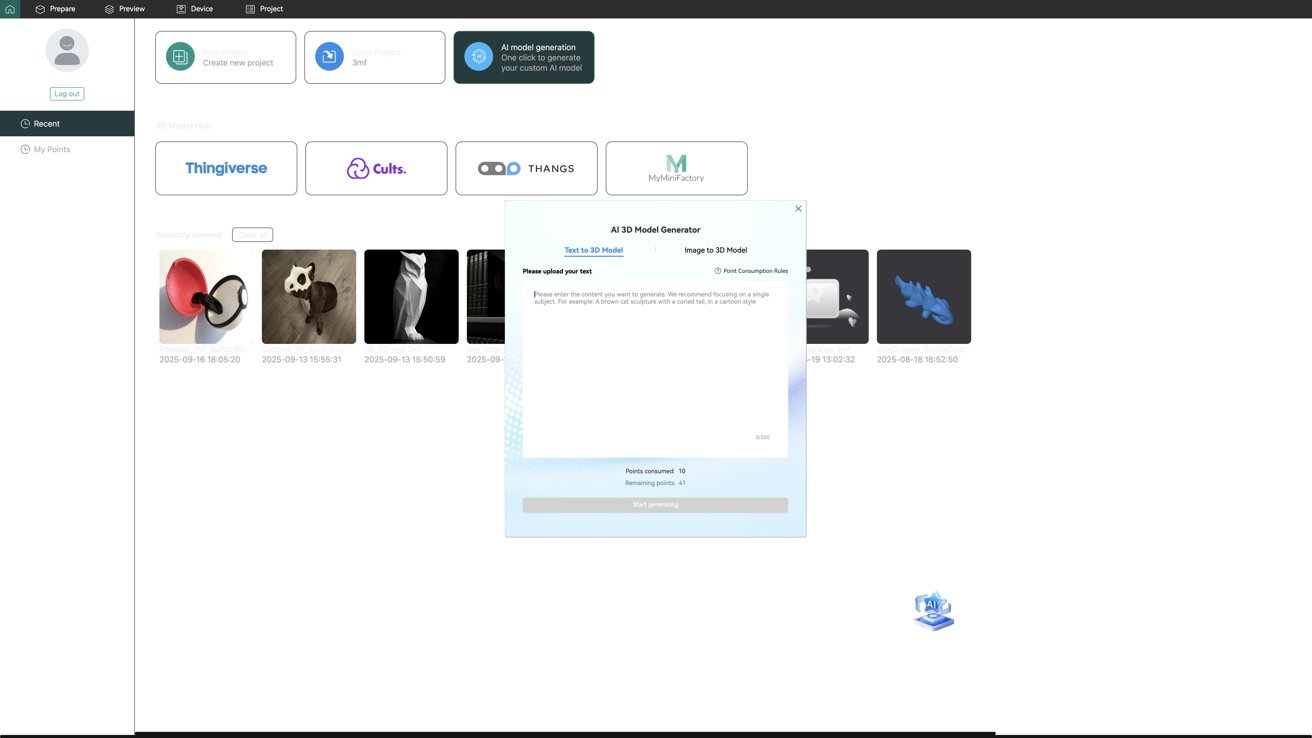
Flashforge AD5X 3D printer review: AI doesn't understand 3D printing
Flashforge sent me an invite to a new version of Orca that can use artificial intelligence to generate models. In its initial iteration, it's awful and I can't recommend even trying unless you plan to print single-color objects.
I tried a few prompts around a 3-colored dragon statue and it kept splotching color in random spaces, creating models that need more than a day and 900 filament changes for a single print. Clearly the AI model doesn't understand that these models need solid colors distributed evenly.
Thankfully the AI stuff is optional and confined to the specific app. I'll continue relying on human creators making free and paid models I can get around the web.
Using the Flashforge AD5X 3D printer
I've gotten lucky with all the prints I've done so far, minus one. They've all successfully printed with no intervention needed on my part.
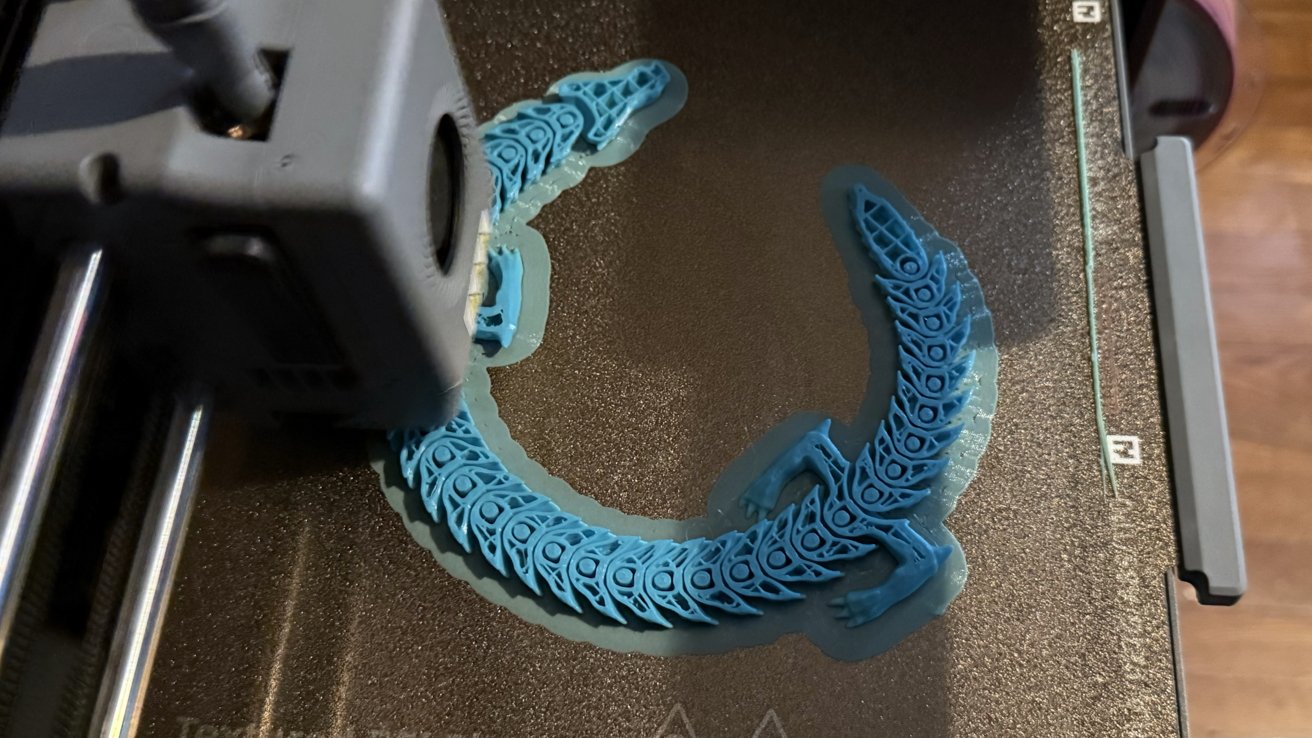
Flashforge AD5X 3D printer review: printing an articulating dragon
Well, except for an owl statue I tried twice to print, but it would just fall over mid-print, and the head would be a ball of string. It is likely a problem with the model itself.
So far, I've printed little figures, an articulating dragon, some risers for my keyboard, a tiny Pikachu, a controller stand, and a Cubone mask that's big enough for small pets to wear. I plan to try some of the drawer sorting and desktop solutions soon, but I limit printing time to when I'm out of the office so I don't have to worry about noise or fumes.
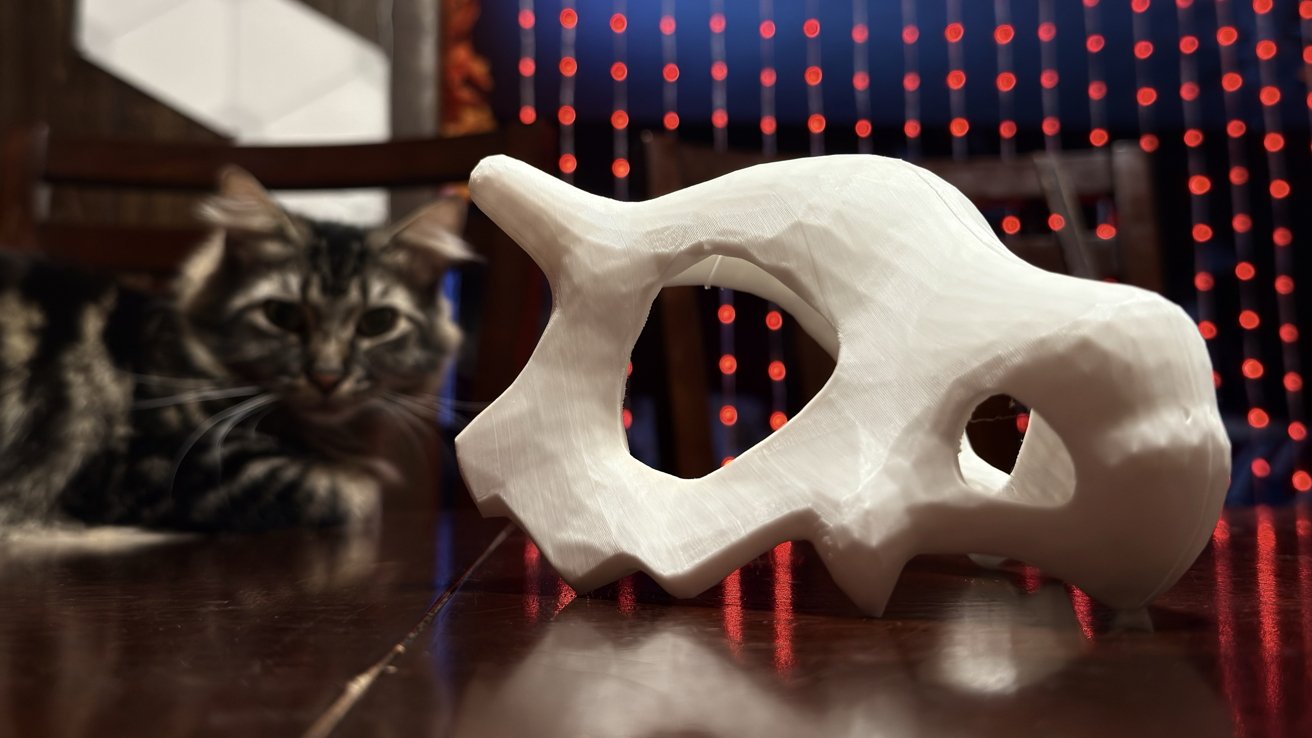
Flashforge AD5X 3D printer review: pets won't always accept what you've made for them
I'm likely going to invest in the enclosure kit, which reduces noise and traps fumes to be filtered at the exhaust. That will be a project in itself, which requires parts of the structure to be 3D printed.
I've measured about 75 decibels of audio at the printer's loudest moments. The fan operates at a regular 60 decibel interval, while ejecting filament or quick movements can get louder.
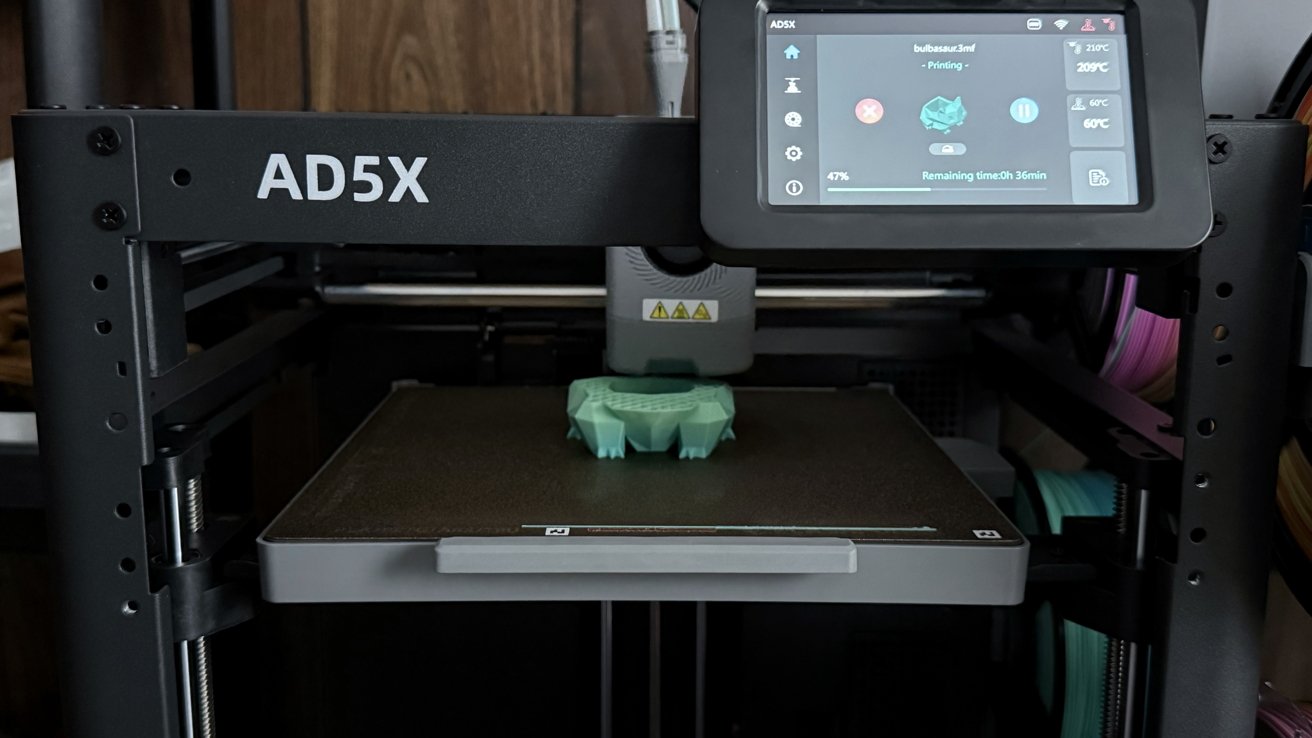
Flashforge AD5X 3D printer review: touchscreen controls keep things simple
It's not so loud or distracting that it's difficult to block out. AirPods Pro ANC is enough.
The printer poop catcher I made works great, though it is funny that it is necessary in the first place. A lot of the 3D printing community seems to be built around DIY projects, even to the point that important parts aren't even included with the equipment.
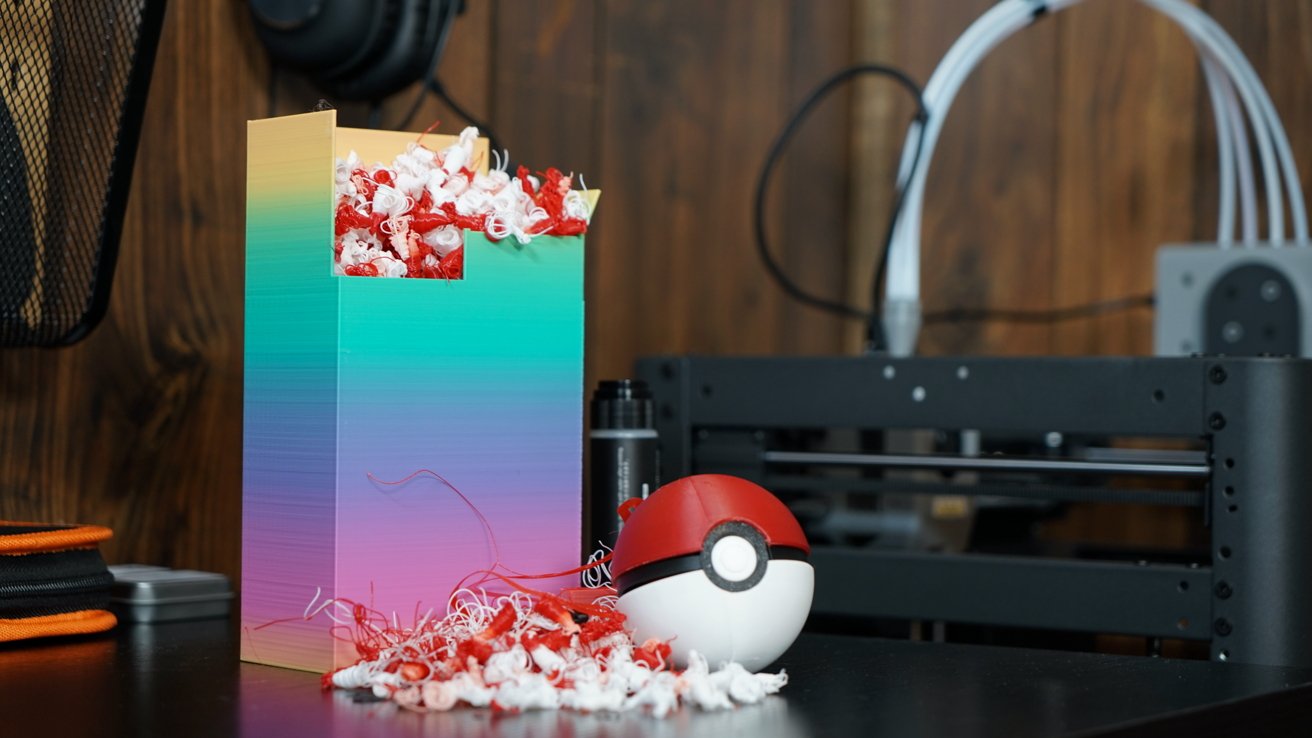
Flashforge AD5X 3D printer review: one 3-color Pokeball print resulted in a lot of trash
I went ahead and ordered a few odds and ends, like files and scraping tools. I also snagged some tiny magnets to try my hand at making fridge magnets.
The Flashforge AD5X has ignited some creativity in me, especially with the tech-adjacent lean. I'm only just beginning to think of ways to utilize this printer in my office and around my home.
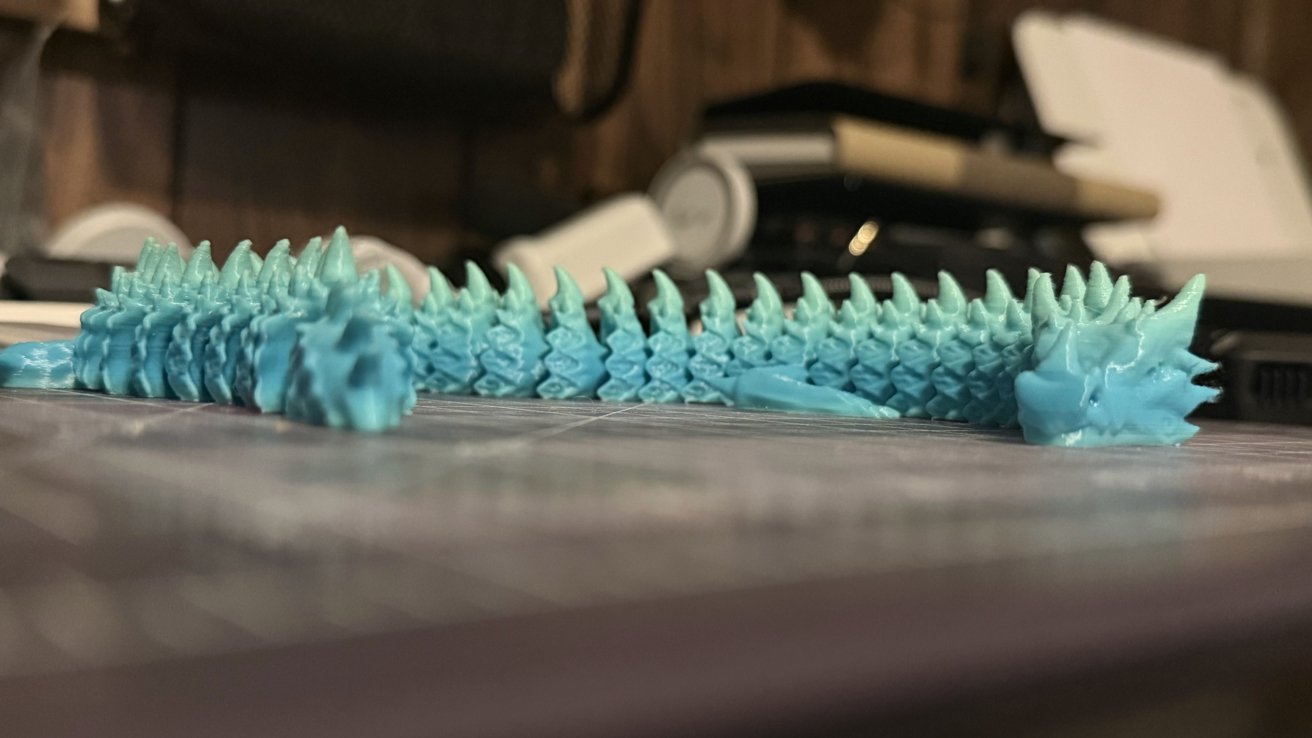
Flashforge AD5X 3D printer review: people sell these for $20 apparently
At the least, it'll make a great way to make some gifts for friends and family. I also expect I may use it for creating small decorations for my upcoming wedding.
I only have one small complaint about the general design of the product. First, there's not really a sleep mode — it's on or off.
So, in-between print jobs you'll have to reach behind the printer and turn off the switch, which isn't always easy depending on where it is situated. It's not a huge deal, just inconvenient.
A balance of price and features
I may not have a lot of experience in 3D printing, but my time with the AD5X has proven it's a good model for a first-timer. I'll also admit that I may be more worried than I should be about filament storage, especially since PLA might be fine, but I'd rather be safe than sorry.
Flashforge AD5X 3D printer review: print multiple objects onto the plate
It's incredible that a few hundred bucks for a printer and some inexpensive filament can create so many interesting little trinkets, gadgets, and objects. It also makes me side-eye all the flea market booths hawking 3D printed dragons for $20 each (almost the price of an entire spool of basic PLA).
As 3D printers become more inexpensive, it feels like one of those products that could just exist in many households, like a paper printer. It's certainly a luxury, but one that provides a lot of utility.
Flashforge AD5X - Pros
- Minimal setup, easy to use
- Printing software is mostly plug-and-play
- Print up to four colors at once
- Easy to clean and replace nozzle
- Produces high-quality prints with minimal layering visibility
Flashforge AD5X - Pros
- Multi-color printing leads to a lot of waste, longer printing times
- The DIY accessory ecosystem is fun, but more complete kits should be available as well
- No place to store filament, which must be removed when not in use
- Awkward power switch placement given it is needed before and after each use
Rating: 4 out of 5
The Flashforge AD5X is a good entry model with multi-color printing support. It serves as a good baseline for future reviews in the space.
Where to buy the Flashforge AD5X 3D printer
The Flashforge AD5X 3D printer retails for $499, but it's discounted to $379 at Amazon at the time of publication.
You can also order it directly from Flashforge for $369 thanks to a $30 in-cart discount at the time of publication.
The enclosure kit is $39.99 on Amazon. The HS PLA mentioned in this review is available in multiple colors starting at $18.39.