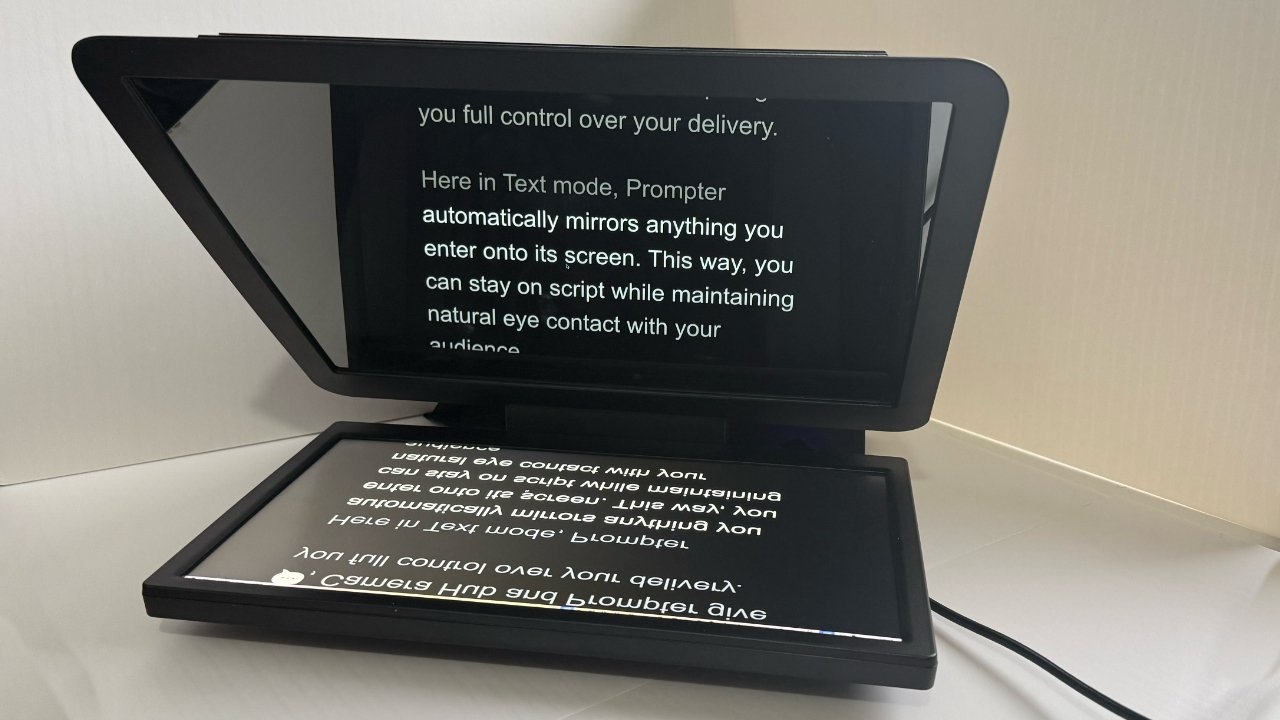
The Elgato Prompter XL teleprompter builds on the excellent original and brings a larger screen, plus refinements to everything else in hardware, but the software still needs a little work.
This should be a 5-star review. Not every product is for everyone, and not every price point is for every budget, but for those for whom this is aimed, this ought to be a 5-star review.
And it would be if this were solely about the hardware, but while that is exceptional, Elgato's software is still a little problematic. It only pulls the review down to 4 stars, but it does pull it down.
Once the software is all installed and working, though, this is not a system that you are likely to be putting up and taking down. So after some small initial setup juggles — real enough to be annoying but ultimately minor — overall, the Elgato Prompter XL is extraordinarily good.
Previously on Elgato...
This is the company's second Prompter, following the unexpected launch of the first one in 2023. That was roundly praised — including by AppleInsider — as frankly game-changing.
That was because the original Prompter brought teleprompting — the ability to have a script in front of your camera — to more people. It was great hardware at a great price, and truly, the price was key because it was so dramatically cheaper than previous similar teleprompters.
There had been plenty of even cheaper teleprompters, but Elgato's had the quality of much more costly models. It was also a complete system where other low-cost ones required users to mount their iPhones or iPads to use as the script display.
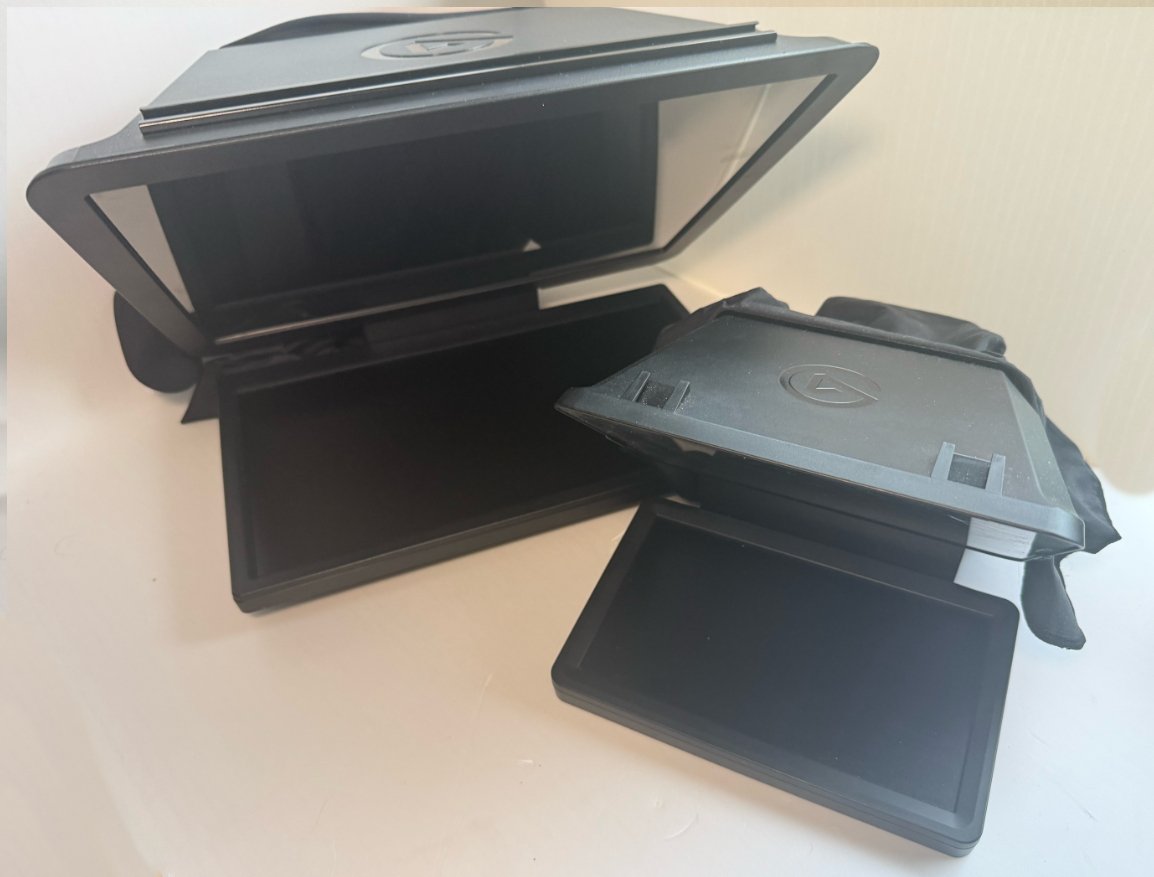
The original Prompter (right) in front of the Prompter XL
What seems to invariably happen when a second version of anything successful comes out, though, is that everyone who praised the first one now criticises it. Suddenly, everyone points out previously unmentioned flaws when the manufacturer releases a better model.
This time, there's very little of that, however, because both the original and this new model are excellent at what they do. Both continue to be sold too, so it's not as if the $600 Prompter XL is a replacement for the $300 Prompter.
But there are differences, and they are improvements.
Elgato Prompter XL review — what's new
The most significant improvement is that the Prompter XL is simply larger than the original Prompter. The first model had a 9-inch screen at 1024x600 pixels resolution, while this new one is 15.6 inches at 1920x1080 pixels.
Along with the size, there is an increase in weight. Prompter weighs 1.5lbs, while Prompter XL is 6.6lbs. In use, perhaps surprisingly, you don't especially notice the difference, but it does mean Prompter XL needs a tripod that can take that weight.
Size makes a noticeable difference, more than the specifications alone might suggest. While the original model performed well as a teleprompter, some of its additional features could feel cramped.
Teleprompters display your script on a screen that is then reflected by a sheet of glass. The text of your script is shown directly in your eye line, meaning you see it as you look directly into the camera.
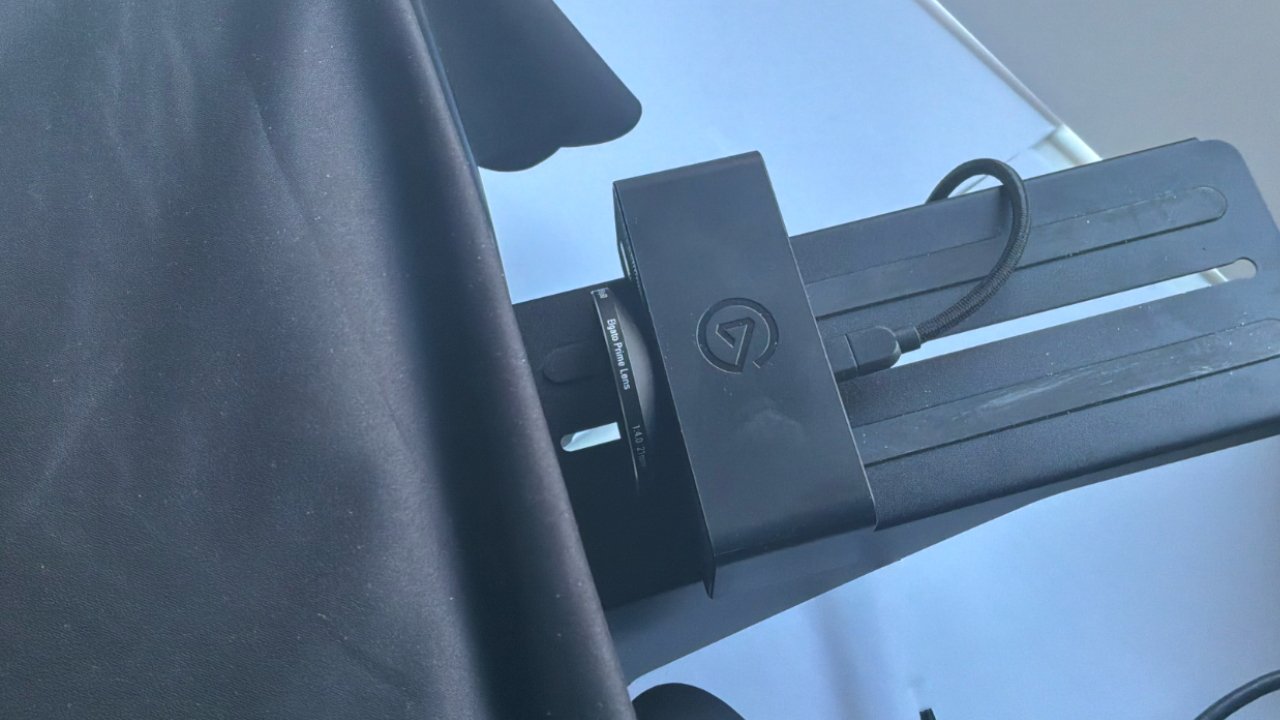
DSLRs, iPhones, or - as here - an Elgato Facecam can be fitted to the rear of the Prompter
You don't really need a large screen for this; you can make the text of the script large. Or you can just pull the whole unit closer to you.
Plus, both the original and the new Prompter have always had the benefit that you could treat their screen as any extra monitor. You can extend your Mac desktop onto it, and you can watch films and TV.
The original one was small for doing this, but it also seemed particularly sharp and higher resolution because of that little screen.
So, for using as a teleprompter, or as a second monitor for some users, the original Prompter was superb — and it remains so.
But if you were doing, say, live YouTube sessions using it, then the small size became a problem because of comments. You don't tend to have a script when you're doing a livestream; you have YouTube showing on the monitor.
You could drag the screen to rearrange it so that the comments were centered, but the text was still small.
And now that problem is completely removed by the larger size of the Prompter XL.
Elgato Prompter XL review — size is and isn't everything
The way that the original Prompter was built, it was small enough to carry around, but you wouldn't. The monitor and the reflector, the space where the reflective glass was, were a single unit.
It was shaped like a clamshell that was permanently open to about 45 degrees. It was an awkward shape to carry, and you would be concerned about potentially damaging it.
One of the changes Elgato has made for the Prompter XL is that the monitor detaches. There is still an open clamshell-like profile, but it's like there's the glass reflector and a stubby tongue where the monitor sits.
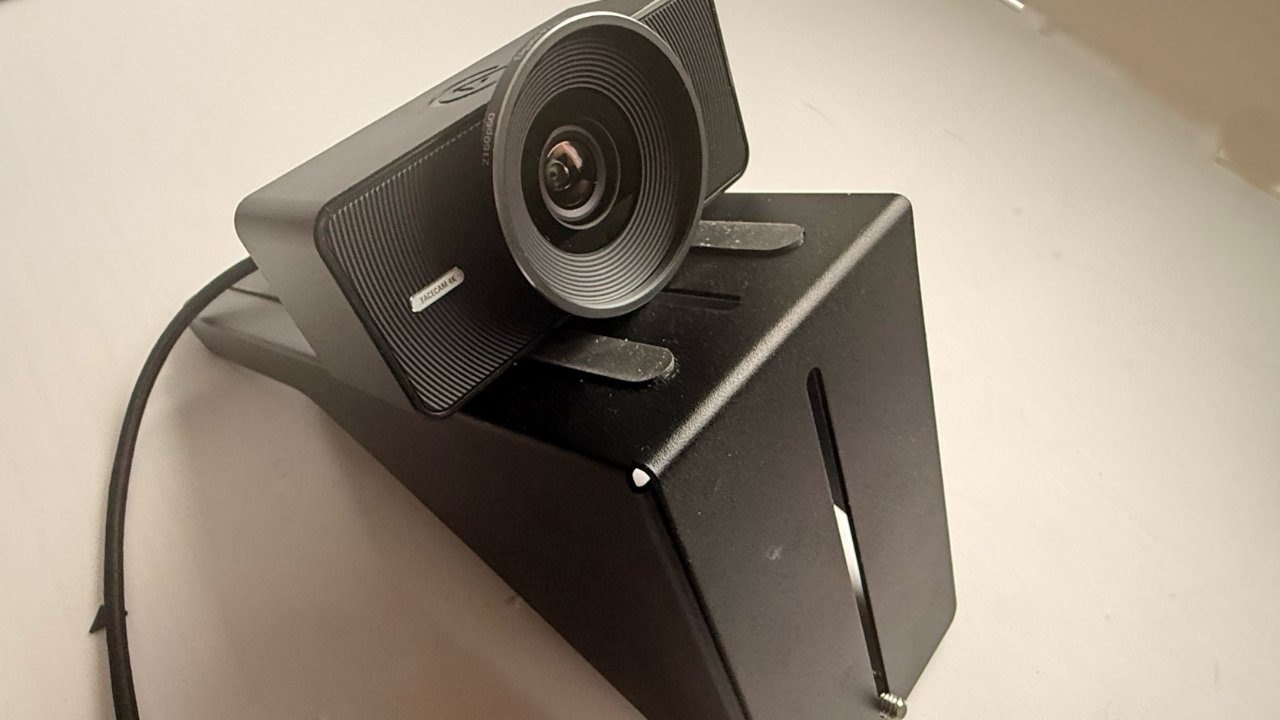
Also detachable is the camera mount that goes in the back of the Prompter. Here an Elgato Facecam is attached.
Now the monitor comes off for transport — or for just using as a regular, second display.
As well as being just convenient for storage and for using it as a second display, the Prompter XL's detachable monitor is particularly well done. It attaches magnetically, and once you are holding it close enough to the tongue of the unit, it feels as if Prompter XL snatches it out of your hand.
Then it doesn't take a lot of effort to detach it, but it takes a positive one — you're not going to knock the monitor off the Prompter XL by accident.
Still, if the original Prompter was probably always going to stay in a studio, Prompter XL is certainly built to do just that. This is a studio setup system rather than a mobile one.
And the only problem with this is that the next time you're shooting outdoors, you'll wish you had the Prompter XL.
Elgato Prompter XL review — key physical differences
The lid of the clamshell-like profile is a housing for a camera, and has a slot for the glass that's needed to reflect the teleprompter script. This glass has to be slotted into place at first, and then whenever you need to clean it.
With the previous model, the glass was permanently affixed, which meant you could only easily clean the outside. The housing for the camera is really a hole to which you fit both your camera and one of the very many camera mounts that Elgato provides.
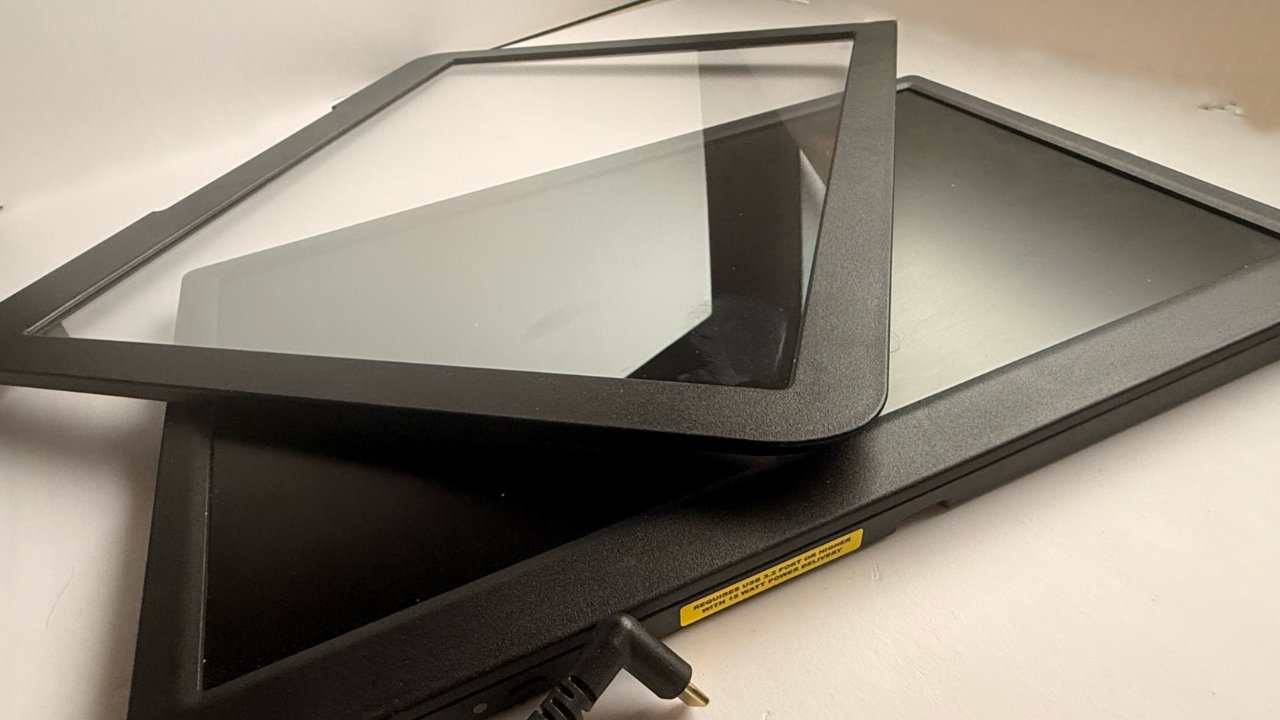
A significant improvement is that the glass reflector (top) and monitor (bottom) are now detachable for cleaning
The hole is also covered, on both versions, by a cloth. So while the back of the glass is theoretically open to the air, it is most often covered and doesn't get that dirty.
Nonetheless, being able to slide out the whole glass and clean both sides is a boon.
Compared to the way that the monitor slots in magnetically, fitting the glass is a little more awkward the first time you do it. That's really on me, though, as every subsequent time I've done it, fitting the glass has been exceptionally straightforward.
So the glass and the monitor are removable. But as well as the monitor now being made detachable, it now has a power switch.
It's still powered by a single cable that runs both data and power from your computer, but the monitor itself has an off button. Previously, it stayed powered until you pulled out the cable, so this is smoother and greener.
Elgato Prompter XL review — software
That cable means that the Prompter XL's display initially acts as a second monitor for your Mac. But you then run the Elgato Camera Hub, and when you click on the Prompter tab in that app, the screen turns into a teleprompter.
The problem with the software, though, is that it's quite delicate. It can take a couple of restarts of your Mac and a couple of re-launches of the app before it seems to work.
Also, if for any reason there isn't sufficient power going from the Mac to the Prompter XL, the software may run but incompletely. A faulty MacBook Pro left us staring at a display that could be a second monitor, that could show the app, but only showed a blank screen instead of text.
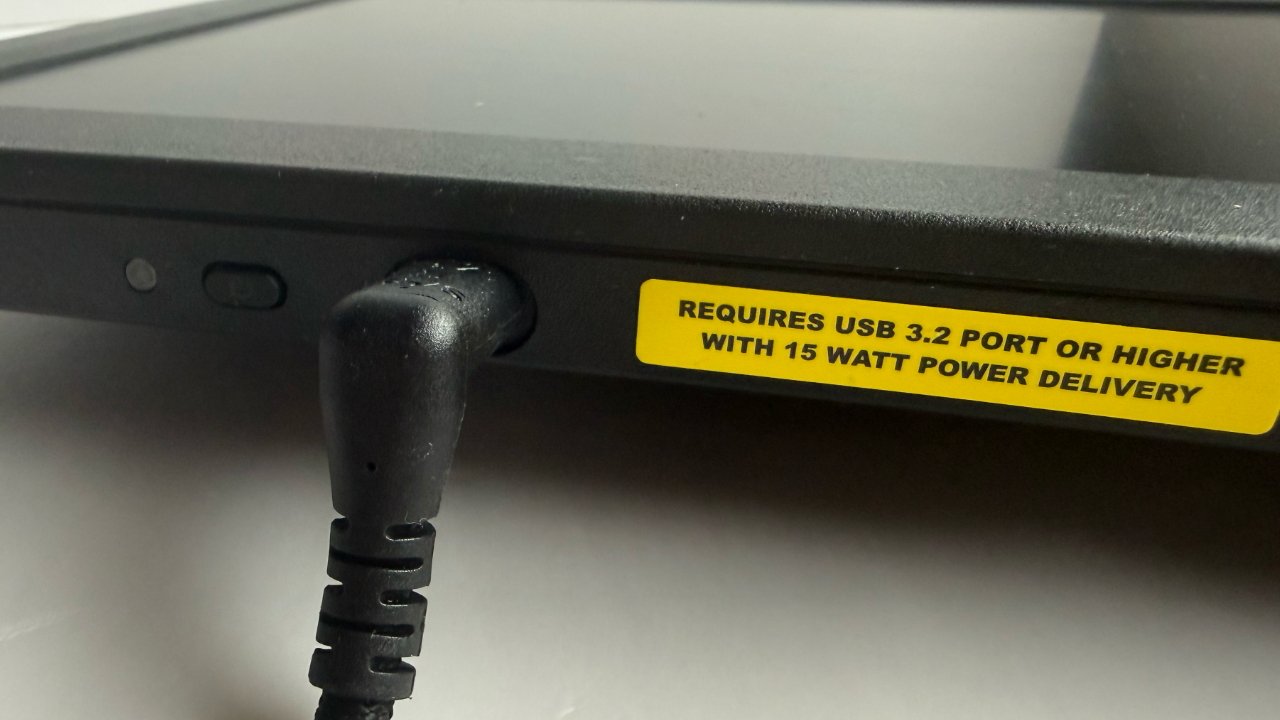
If the Prompter XL doesn't work as expected, the first thing to check is that it's getting enough power.
The faulty MacBook Pro is on us, of course, but having the app partly work was peculiar and sent us down all sorts of rabbit holes until we found the problem. Given that the app would often say the Prompter wasn't connected when it was, it was just odd that it would connect when it couldn't do what it was supposed to.
Sometimes the Elgato Camera Hub will display an error saying that it can't be launched, but then it launches. Once or twice, we had it saying that the beta version had expired and we must download the shipping version — but it was already the shipping version we were running.
At times, the app will launch with the Prompter tab still greyed out. Even with the Prompter XL connected, the tab can remain unavailable, preventing access to its controls.
Once you are in the Prompter section of Elgato Camera Hub, you get a long column of options to the left, and space for your script at the right. You paste in a script you've already written and do it either as one long run, or in sections that mean you can skip back and forth through segments later on.
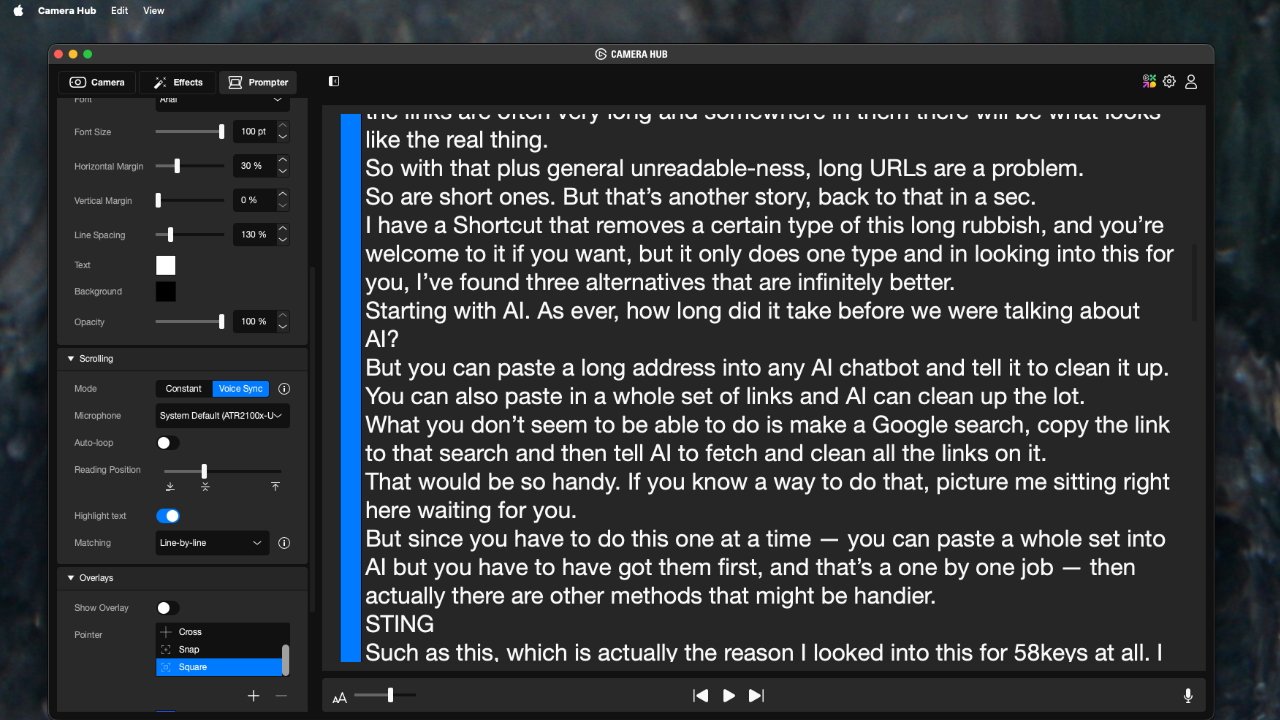
The Prompter's software — Elgato Camera Hub — has comprehensive controls, but is the only weak part of the package
The controls are where you set what the font and size of text are that you're going to see on your teleprompter screen. It also has controls for the speed at which the text runs by, but — superbly — the text can be set to automatically follow your speaking speed.
That's impressive, though it can also be a little jerky — it doesn't scroll the text so much as jump it up line by line. Occasionally, that jumping isn't quite fast enough, too.
There are also some oddities in the controls. There's an option, for instance, to flip the text, and by default, it's set the wrong way around.
It would be good to have more control than you do over the size of text, but also, sometimes the slider for the scrolling speed doesn't seem to be consistent.
That said, what all of this means is that the very first time you set up the Prompter XL, you need to take some time. And once again, this is not a setup you will be striking every day.
If you can set it up once in your studio, you may never come across any of these issues ever again.
Plus, one thing the software does very well is let you adjust the framing of the output from your camera. If the edges of the Prompter XL chassis are in view, you can adjust what you see and what gets recorded.
Elgato Prompter XL review — fitting cameras
That framing is most likely to be an issue if you use the Prompter XL with an iPhone. You certainly can use an iPhone, and all of our testing was done with one, but the Prompter XL is really intended for more professional cameras.
Just as with the original one, Elgato's Prompter XL comes with a whole series of connectors for fitting the camera to the teleprompter. But there is a significant difference this time.
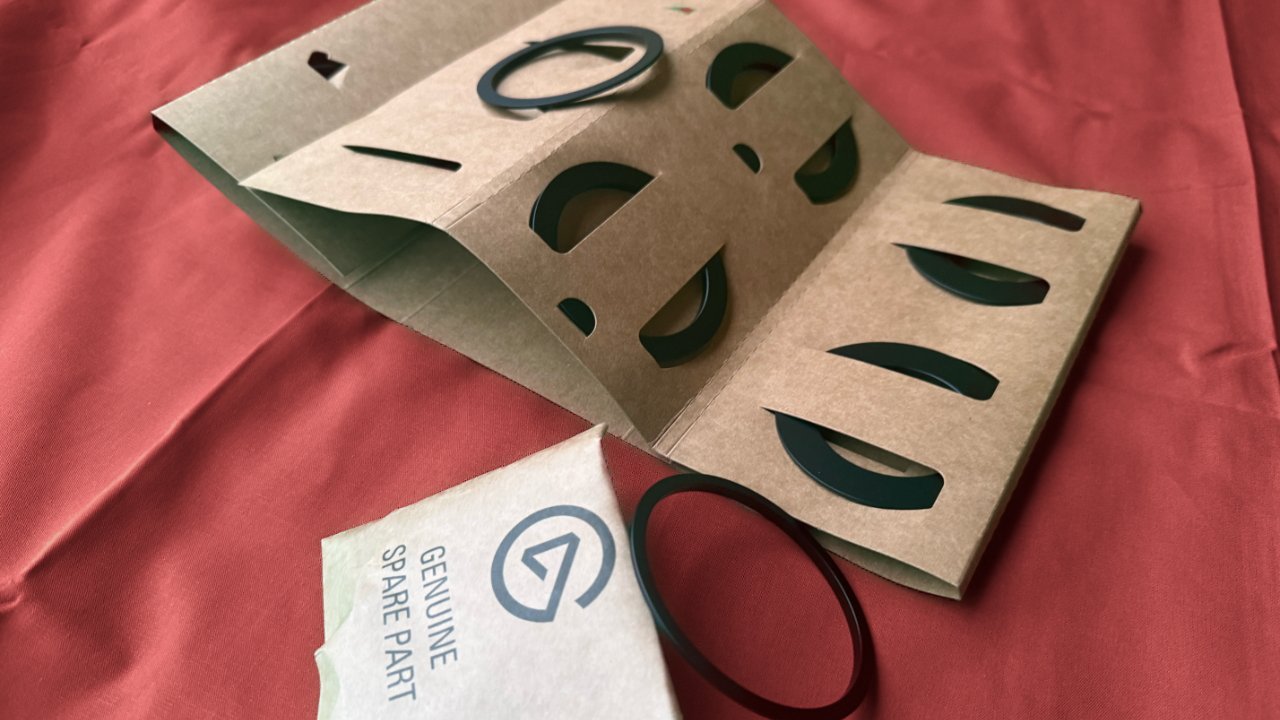
Elgato provides camera adaptors for an impressive range of sizes and types
Previously, when you used the original Prompter with a DSLR or other camera, you were really hanging the whole unit off that camera. Now with Prompter XL, it's the other way around — you are fitting the camera to the back of the teleprompter.
What this means is that the Prompter XL can still be used with myriad different cameras, even though it's a significantly heavier device.
The base of the Prompter XL has a standard tripod mount, so all of the weight goes through that. There is still an issue that adding the camera and the Elgato camera connector will alter the center of balance of the whole unit.
So it's a question of choosing the right connector for your camera, and then ensuring that your tripod can bear the overall weight.
As we say, Elgato provides many connectors, but it does not include one for the iPhone. The way the Prompter XL chassis is designed, though, it has a rear platform for sliding cameras on, and that's particularly flexible.
We ended up using the positioning screws that Elgato provides, and the same kind of iPhone mounting bracket that we've previously used when filming with a tripod, but no teleprompter. We used a no-brand bracket that happened to be around, and buying a new one would probably cost around five dollars.
Elgato Prompter XL review — unexpected benefits
We keep saying that you're going to set this up once in your studio and leave it. But in practice, while we've not transported either Prompter to a new location, we have pulled both closer across the office studio in order to watch movies.
With the Prompter XL, though, the fact that you can tug to detach the display has made this handier. It's also a larger display, so while it needs propping up when not on its Prompter stand, it's a better viewing experience.
Elgato Prompter XL review — should you buy
If you need a teleprompter, this is the one to get. The older Prompter is also excellent, but if you can afford the Prompter XL, it is better.
Plus, you're never likely to want to go to a smaller screen from the Prompter XL, where you might want to go to a larger one than the original Prompter.
The software is a problem with both models, but we can't overstate the issues and understate just how exceptionally well it all works when you've got it set up correctly.
Elgato Prompter XL review — pros
- Extremely well constructed
- Large screen
- Glass reflector can be removed for cleaning
- Display detaches for use as a separate screen
- Comes with very many connectors for DSLR and other cameras
- Can be used with an iPhone with a separately sold mount
- Software can scroll at the speed of your voice
Elgato Prompter XL review — cons
- The price edges this nearer to studio teleprompter costs
- Software is a little flaky on Macs
- Can take time to set up
- Needs a third-party mount to use with an iPhone
Take this as a summary, though. Once you've set up Prompter XL, you don't want to take it down and use anything else. Actually, not ever again.
Elgato Prompter X review rating: 4 out of 5
Where to buy
Elgato Prompter XL is currently available from B&H for $599.99.
The smaller $300 Prompter is available from B&H, and also through Amazon.