
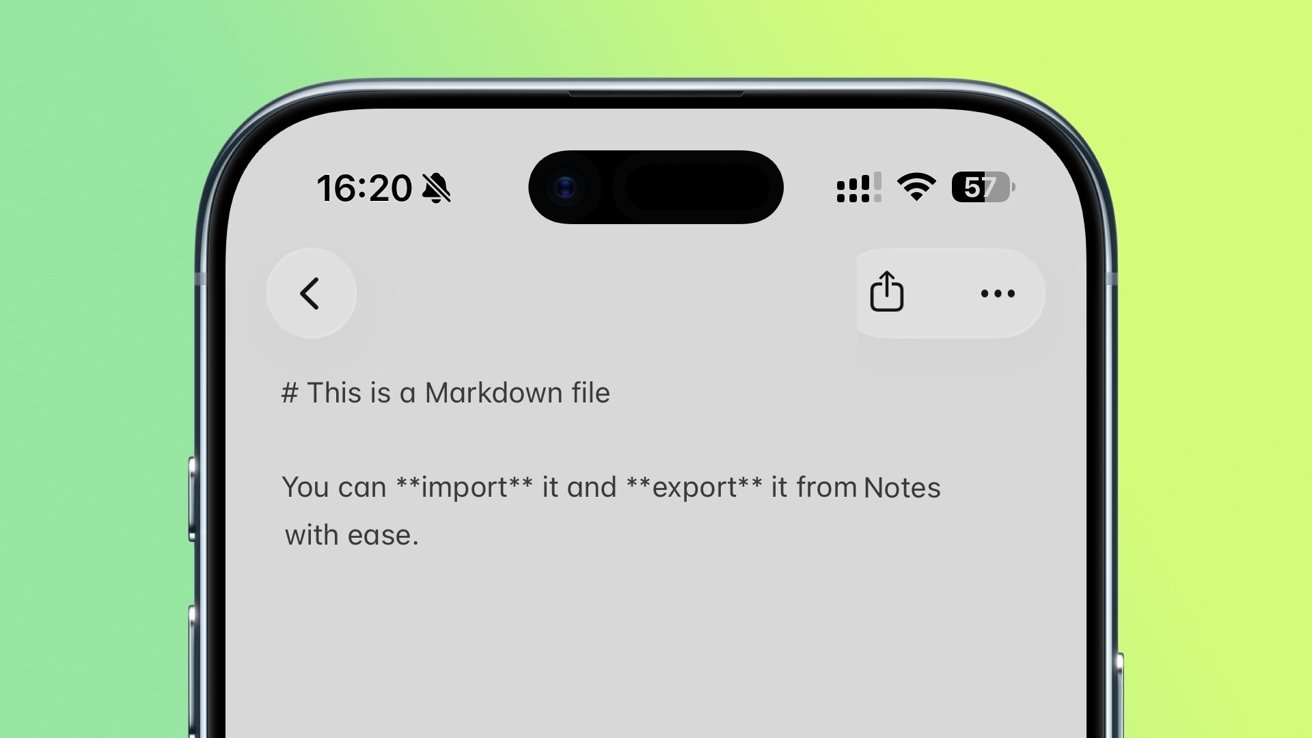
Apple Notes iOS 26 iPhones can import and export Markdown-formatted documents, offering an easy way to move plain text to other apps and services.
The Notes app has come preinstalled on all iPhones since the first one launched in 2007. But in recent years, it's received some significant updates, and the release of iOS 26 was no different.
One of the key updates means that people who write in Markdown can now more easily import and export their notes.
This plain text system allows writers to use special characters to depict rich formatting of text, even in plain text documents that don't support, for instance, heading styles. In a Markdown editor, placing two "*" around a word makes it bold, for example, while a '#' becomes a heading.
Later when you put that text into a blog or onto a website, the Markdown formatting is converted to feature the full headings, bold and italic, and so on. It means writers don't need to learn HTML codes, which compared to Markdown, are more complex.
By using Markdown, bloggers, app developers, and writers of all types can format their text with ease. And with the ability to import and export text with Markdown, Notes users can now get in on the act as well.
Importing markdown notes in the Notes app
Importing Markdown files into the Notes app on an iPhone running iOS 26 is quick and easy.
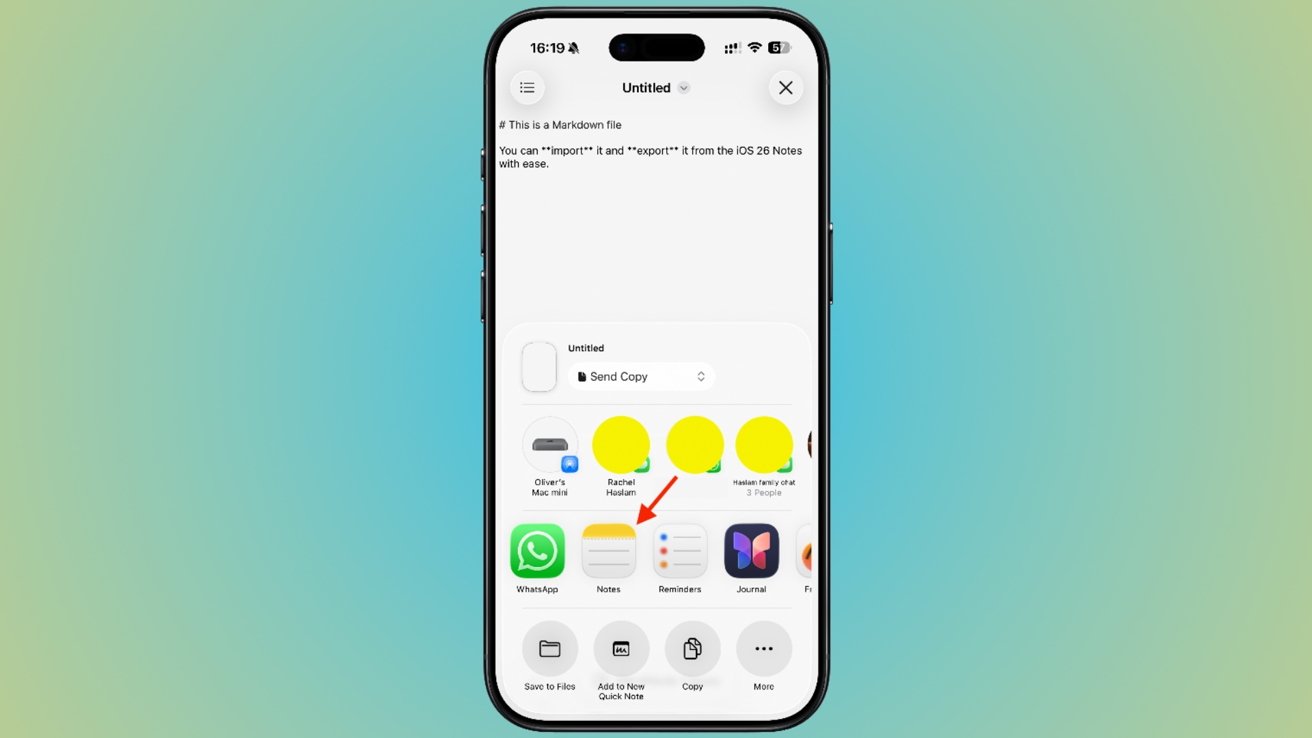
You can import Markdown text from any app straight into Notes
- Open the Markdown-formatted file that you want to import, either in the Files app or another text editor.
- Tap Share and then tap the Notes icon.
- Tap Import when asked to confirm the action.
The Notes app will then open, and your Markdown text will be added to a new, blank note, with its formatting intact. Despite Notes being able to show bold, it retains the Markdown formatting so that you can edit or add to it.
Exporting markdown notes from the Notes app
If you write using Markdown in Apple's Notes app, you can quickly and easily export them for use elsewhere. In this case, you can even be starting with a regular Notes document, rather than one written in Markdown format.
The exported version of the note will be in Markdown. So this is a new and quick way to use a Note as the start of an online blog post.
To export the Note, the process works in much the same way as sharing any other document or file. It begins with the Notes app itself.
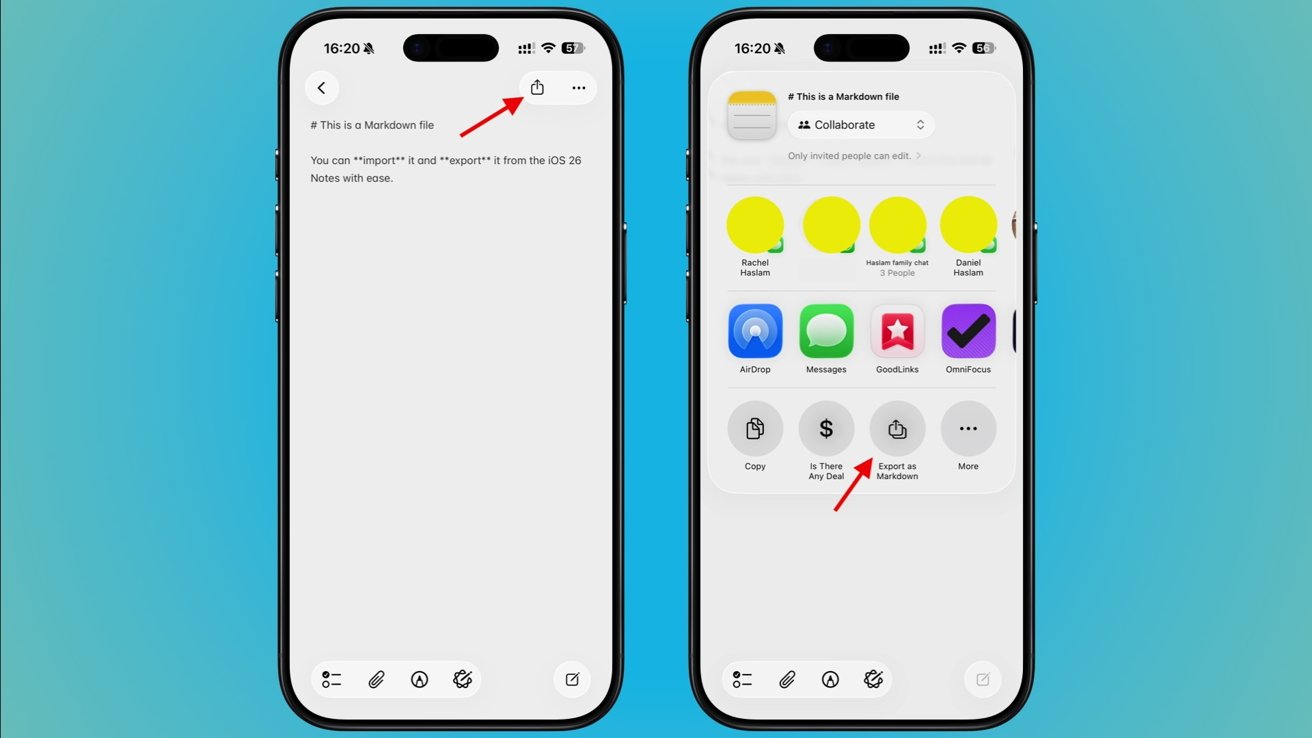
Exporting Markdown from Notes takes just a few taps
- Open the Notes app and select the note that you want to export
- Tap Share and then tap the Export as Markdown.
- Tap the app that you want to save the exported note to. That could be the Files app, an iMessage recipient, or any other app that can receive text.
The note will be exported with all of the Markdown formatting in place, just as you'd expect.
Future improvements
While Apple's support for Markdown in the Notes app is welcome, it still isn't perfect. The Notes app only supports the most basic of Markdown features, something that could be a problem for power users.
The biggest downside to Apple's support is the lack of any kind of preview feature. Text editing apps that support Markdown normally offer a preview mode that converts the plain text formatting into rich text — Notes does not.
Hopefully, Apple will look to add a similar rich text previewing feature to the Notes app in the future. Apple is expected to preview iOS 27 during WWDC 2026, so fingers crossed.