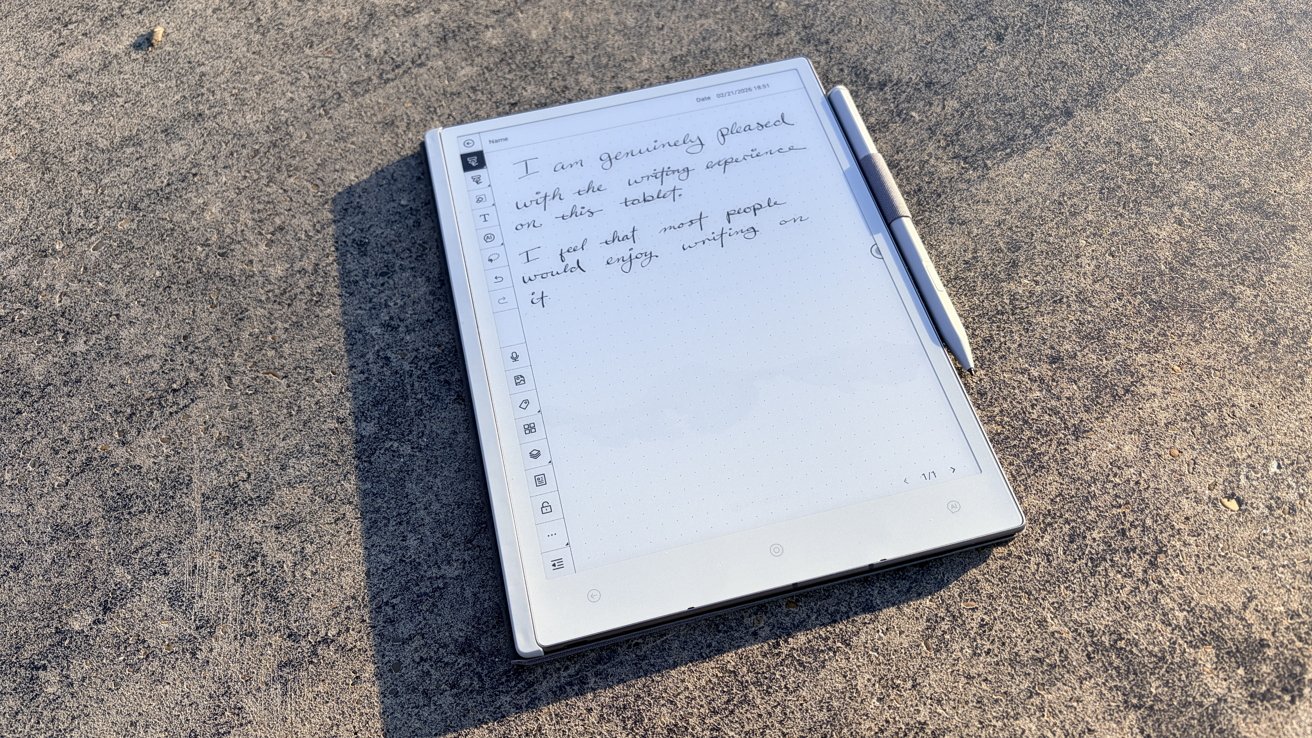
Viwoods wants you to embrace artificial intelligence with its AiPaper e-reader — but I think it's actually banking on the wrong features.
The e-book reader market is growing, with plenty of companies offering their own takes on the genre.
Some, like most of Boox's lineup, offer an option that lies somewhere between a Kindle and an iPad. Others, like Durobo's Krono, want you to focus on portability over all else.
Viwoods has another option in the form of the AiPaper: an e-reader that aims to use the power of AI to help you throughout your day. However, I think they actually may have incidentally invented a near-perfect e-ink notebook instead.
Viwoods AiPaper review: Wafer thin
Let's start strong, here. The aesthetics of the tablet are fantastic.
First off, it comes in white, which is a huge draw for me, personally. While I don't mind a stealthy black or a sleek gray piece of tech, there's something about a crisp white tablet that I really appreciate.
I think it feels more airy than its more utilitarian counterparts. A graphite gray tablet feels tactical and professional, something you'd read quarterly reports on — and that's not really my vibe.
Trust me, I do understand that this is a personal preference.
Weirdly specific thoughts on design choice aside, I think the most special thing about what Viwoods has done with this tablet is making it incredibly thin. And it's done so without it feeling even remotely cheap.
It's got a 300PPI Carta 1300 display, which means it's pretty much identical to Boox offerings. I like Boox's offerings, so no complaints from me.
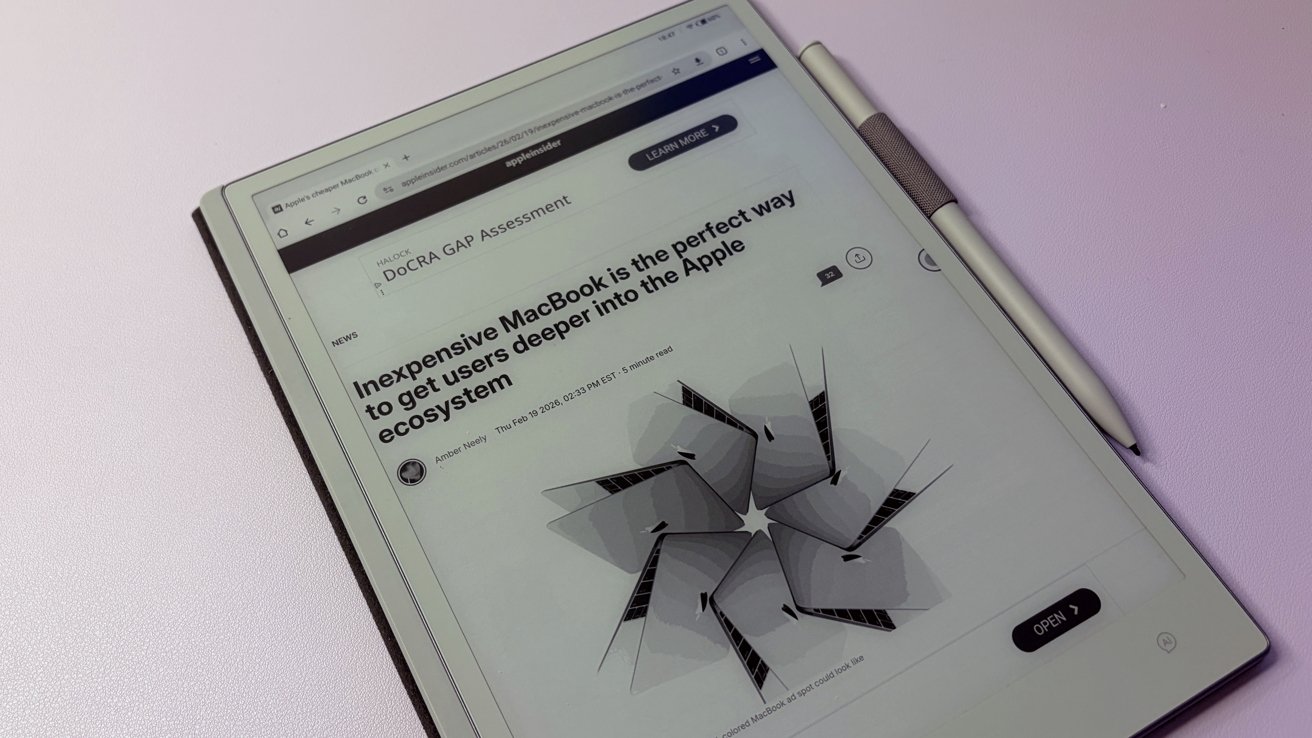
Viwoods AiPaper review: Browsing the web on the Viwoods AiPaper is a solid experience
This is a black and white tablet, so the text is nice and crispy. However, if you absolutely need color, you're going to need to look somewhere else.
The screen size is an interesting choice. Most tablets in this bracket tend to be about 10.3" on the diagonal.
That's not the case with Viwoods AiPaper. It's a 10.65" display — a bit taller than the ones you'd compare it to.
Ultimately, I don't think you're going to notice that extra third inch. It's just something I found interesting.
Reading on the Viwoods AiPaper is a joy. Everything is crisp, the surface doesn't really have any glare to speak of — again, if you've ever used a halfway-decent e-ink display, you already know what I'm talking about.
There is one major drawback to the design that I was genuinely startled to find: there's no light. The screen does not light up at all.
This means that if you're looking for a bedtime companion, this may not be the best choice. To be fair, I don't think ViWoods is expecting this to compete with a Kindle or other similar bedtime-friendly e-readers.
But I know, for me specifically, being able to read in bed without needing to turn on every single light in the room is a plus. Especially if you share a room with another person.
Viwoods AiPaper review: Lurking below
Running the show is a 2.0 octal-core processor with 4GB of RAM. It runs Android 13, which is a bit aged for my personal preference.
I should state, performance-wise, it's a pretty zippy little e-reader. I don't have any complaints about speed.
Popping between apps is plenty fast enough, and flipping through long documents isn't arduous. There's a decent amount of ghosting, but that's to be expected with anything e-ink.
My main concern is purely that Android 13 was released in August 2022, which means it's nearly four years old. Support is set to fall off in 2026, making this tablet feel a little risky, security-wise.
It's got a 4,100mAh battery, which, like all e-reader devices, should last you a decent while. As always, it'll really heavily depend on what you're using it for.
If you're just reading, you'll get days of long reading sessions without needing a charge. However, if you write a lot, which arguably is what Viwoods expects you to do, you may need to charge it a bit more often.
Overall, for basic e-ink reader tasks, the Viwoods AiPaper is a solid tablet.
Viwoods AiPaper review: Super-powered note taking
Perhaps one of the best things about the Viwoods AiPaper is how nice it is to write on. Which is great, because that's the entire point of the device.
The stylus is comfortable to hold, and there's a near-perfect amount of friction between the tip of the stylus and the screen. I will say that it's more akin to a felt-tip pen, think something like a micron, versus a ball-point.
You'll sacrifice a little bit of speed, but the stability you get is well worth it. I found that my usually messy handwriting certainly didn't look any worse than usual.
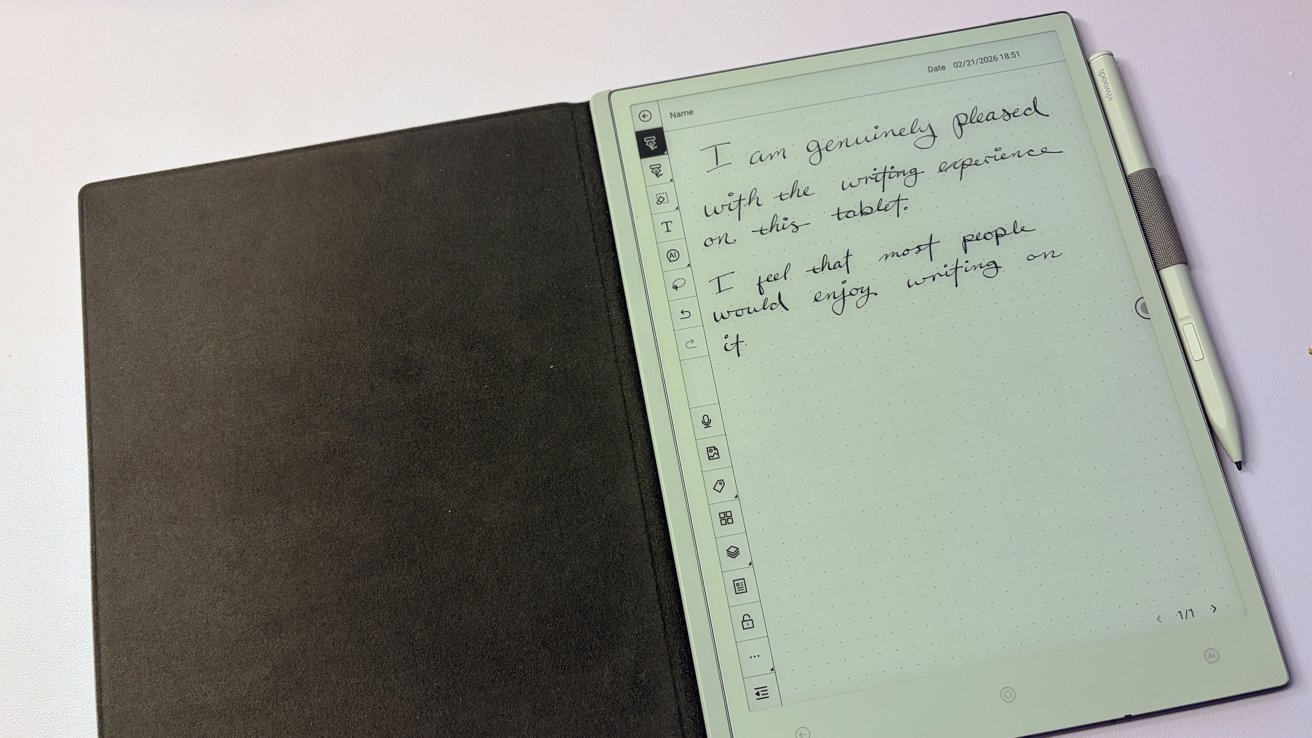
Viwoods AiPaper review: This thing is fantastic to write on
The stylus itself has 4,096 levels of pressure — similar to that of some Wacom tablets — and 60-degree tilt sensitivity. There are a bunch of different brushes and stroke widths to choose from, which I adored.
There are a ton of templates to choose from, too. There are ones for drawing, for note-taking, for brainstorming — clearly, whoever was in charge of that has sat down and thought about all the ways you might want to use a digital notepad.
And even though this is a black-and-white tablet, I could see it being useful as an on-the-go sketching device for rough-drafting ideas. Sure, you're not going to complete a whole art project on it, but that was never really the purpose of sketchbooks anyway.
And while I may have said annotating documents isn't my personal vibe, this is actually the perfect device to do just that. Write in the margins, highlight, circle, underline — pretty much anything you'd need to do.
While I still don't think it feels better to write on than the Boox Note, I would argue that the Viwoods AiPaper actually is the better note-taking device. I think that Viwoods actually put a lot of thought into making this a handwriting-first device.
Viwoods AiPaper review: Could I interest you in yet another serving of artificial intelligence?
This is where I get personal again. Sort of.
I think of e-readers and e-ink notepads as places to step back from the onslaught of invasive technology. Sure, I don't get all the speed I'd come to expect from an iPad, but it's a nice half-step between a book and a fuller-functionality tablet.
Shoehorning in an AI feature seems like a great way to add in more compromises, not less. Now, not only am I using a slower device, but that device feels more invasive.
As far as how well they work, I mean, it works fine. It runs GPT 4o, so if you've ever used ChatGPT in the past, you know what you're going to get.
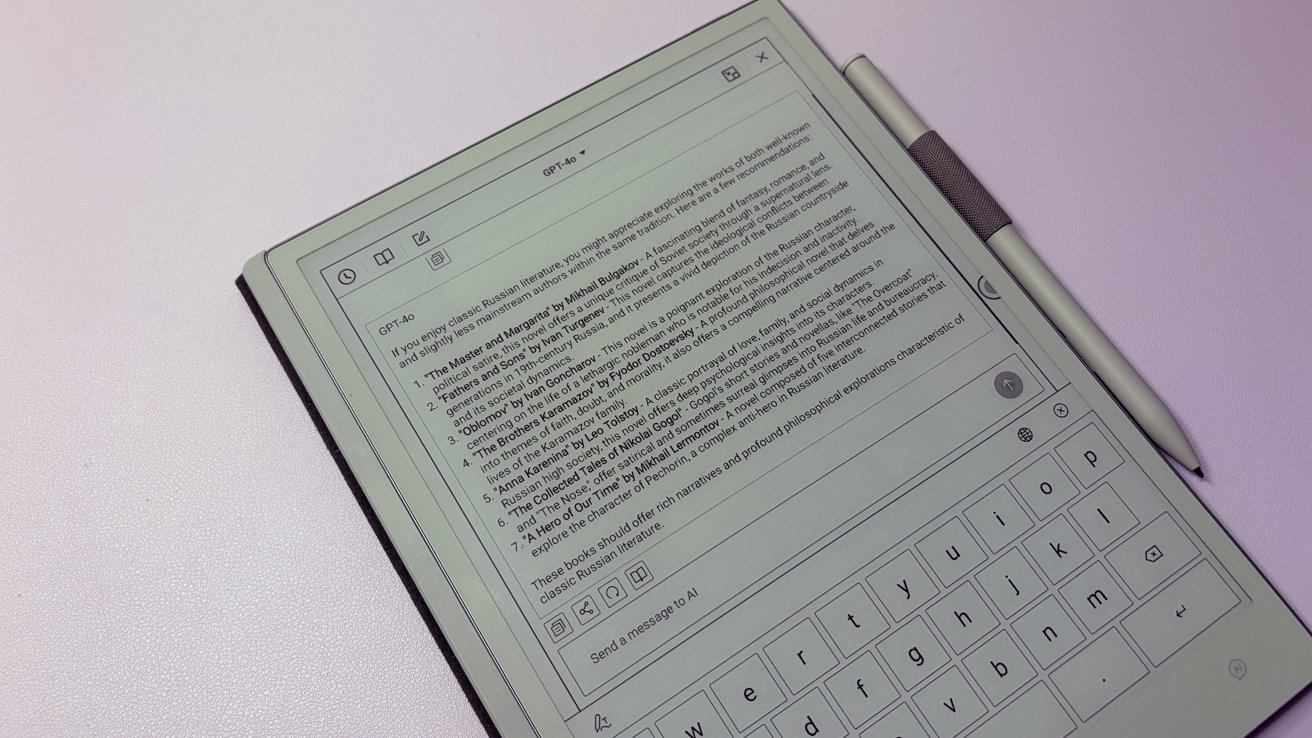
Viwoods AiPaper review: I will say that it did make decent literature suggestions, at least.
Of course, I'm not entirely sure why you'd need this in the first place. Viwoods suggests that you can use it to analyze your handwriting, though I'm not entirely sure why you'd need it to analyze something you wrote.
It can summarize articles you tell it to, which is fine. I'm still not particularly impressed with AI article summarization, and because it's on a tablet, it's hard to directly compare it with the original text.
This is made all the more frustrating because this is all on an e-reader. It's not like you're going to be able to easily transfer this information from one device to the next.
You're not going to code or do long research-heavy sessions because saving the information out is nigh impossible.
Again, this is somewhat personal — I've long been wary of AI features in most things. But this is another case where I don't think the device was improved in any fashion with its inclusion.
Viwoods AiPaper review: Who's it for
If you're a note taker, this is a fantastic tablet. It's genuinely a joy to use in that regard — it might actually be the best tablet I've tested for note-taking.
If you're a person who is purely looking for a device to read on, you'll be better suited nearly anywhere else.
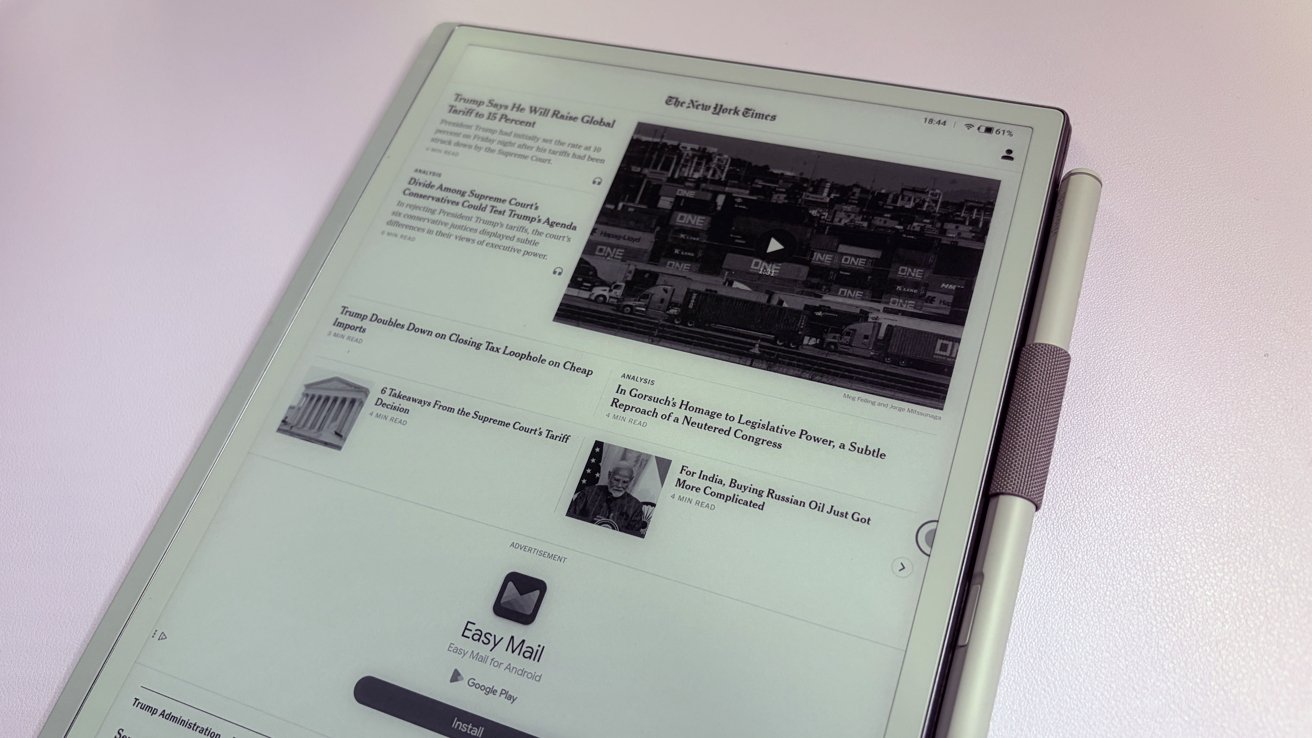
Viwoods AiPaper review: It really is a slick looking tablet
If you fall anywhere in between, it becomes harder to recommend. The lack of a front light makes its use limited to bright environments, meaning it may not be the best companion for night owls.
The inclusion of AI isn't a selling point, but it also isn't exactly a detractor, either.
The aging Android 13 framework is still plenty zippy, and the tablet is responsive in all the ways you could hope for with an e-ink display. However, with support falling off this year, I do hesitate slightly when it comes to recommending an internet-connected device that will likely stop receiving security updates.
I can't tell you if this is the right tablet for you specifically, but I can tell you that it is a good enough tablet as far as e-ink devices go.
Viwoods AiPaper: Pros
- AI features feel optional
- Thin, light design
- Fantastic writing experience
- Surprisingly zippy
Viwoods AiPaper: Cons
- Runs on Android 13
- AI features feel tacked on
- No frontlight
- Not exactly the cheapest option
Viwoods AiPaper rating: 3.5 out of 5
Where to buy
Viwoods AiPaper can be purchased on Amazon for $549.99.