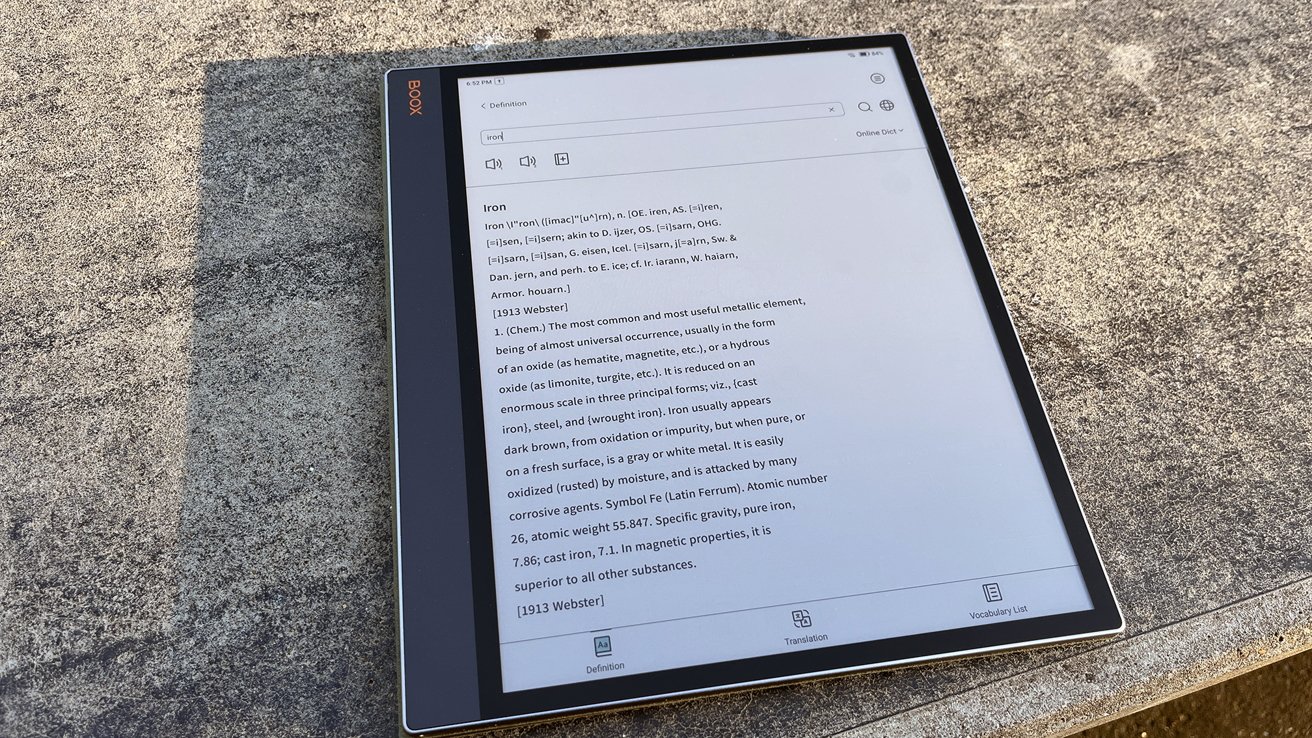
The Boox Tab X C wants to be your eReader, notebook, and laptop all at once — but it's not quite pulling it off.
At this point, I think I may just be AppleInsider's resident Boox expert. I've reviewed a lot of Boox's lineup, from the tiny little Palma to the Note Air 3 and everything in between.
And I really appreciate what Boox is trying to do. As a person who routinely gives herself migraines from staring at her computer too long, I understand the allure of an ePaper display.
And I think Boox seems to know that. While many of its devices are designed to be more capable eReader replacements, several in its lineup are trying to be productivity tools in their own right.
Enter the Boox Tab X C, a massive 13.3-inch color ePaper tablet that boasts a stylus and keyboard support to Onyx's growing lineup. It's a bold attempt at making eInk more than just a reading tool, though it might be trying to do too much.
Boox Tab X C review - Display and design
As is the case with Boox products, the screen is the standout feature.
First off, it's a full 13.3 inches. For an ePaper device, that's massive. Hell, for any tablet that's considered substantial.
The fact that you can even get this device for under a grand is a little wild to me. This sort of technology can be prohibitively expensive.
This is, by the way, why you see a lot of eReaders in the six- to seven-inch range. Yes, the smaller size is more portable, but it's also much more cost-effective to manufacture.
Black-and-white text renders at 300 PPI with sharp clarity, perfect for reading text-heavy documents and websites.
And its ability to render 4,096 colors at 150 PPI makes it perfect for comics and textbooks.
Large-format content benefits the most from this screen. Academic PDFs, tabletop gaming manuals, and graphic novels all look great here.
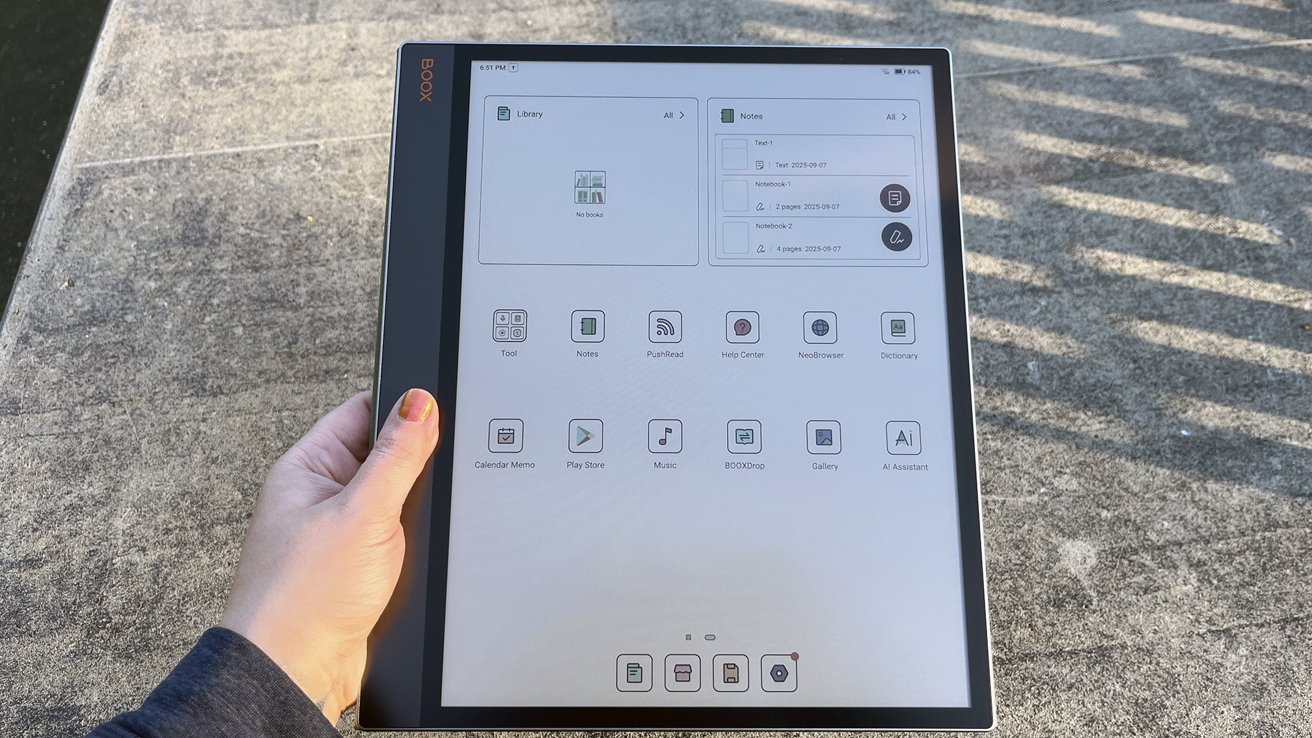
Boox Tab X C review: Heavy is an understatement, it weighs 625 grams without the keyboard, and 935 with it
Reading a standard novel is less comfortable. While I was praising the 13.3" size earlier, there is a notable drawback to it.
At that size, it feels more like holding a clipboard than a book. Especially if you're holding it in portrait mode.
I found my arm getting tired very quickly during extended reading sessions. This meant that I wound up propping it on a pillow or opting to read on something else.
If you get the keyboard cover, you can kick out the stand on the back to go hands-free. But then it just feels like you're reading on a laptop, which has its own drawbacks.
I will say that it does make browsing websites like Wikipedia much more enjoyable. Text-heavy websites tend to tire my eyes after a while, so I always appreciate the option for ePaper.
The included magnetic cover is essential. Without it, the large flat glass panel feels terrifyingly fragile — I don't even like handling it without the cover.
I wasn't particularly impressed with the magnetic cover's hold, though. It never seemed to clamp particularly well, which is a bit strange because I've not had that issue with a Boox product before.
Boox Tab X C review - keyboard and stylus
I feel pretty mixed on the optional keyboard. On one hand, typing on the keyboard is surprisingly enjoyable.
The keys feel great; they have good travel, not too shallow. It's easy to type comfortably for long writing sessions.
It's actually fairly comparable to typing on Apple's own Magic Keyboard. Compared head-to-head, I enjoyed Apple's Magic Keyboard more, but that has more to do with my next point.
The touchpad was a pretty big letdown. I would accidentally bump it while typing all the time.
This caused all kinds of issues, from moving my cursor to the middle of a paragraph to clicking new documents or swapping tools. I was not anticipating being that frustrated while working.
I wish that Boox had abandoned this feature entirely. The device is a touch screen, after all — the trackpad is unnecessary.
A mouse doesn't look good on eInk in the first place; it jumps from place to place, seemingly teleporting instead of gliding. This renders it extremely imprecise.
Misclicks were frequent and frustrating. Coupled with the fact that I kept accidentally bumping it while typing, I found myself dreading using the keyboard.
Before someone mentions this as a disability-friendly option, I'd like to point out that the tablet has Bluetooth. You could connect an external mouse.
I'd also like to point out that a hyper-sensitive touchpad that makes errant clicks isn't particularly disability-friendly in the first place.
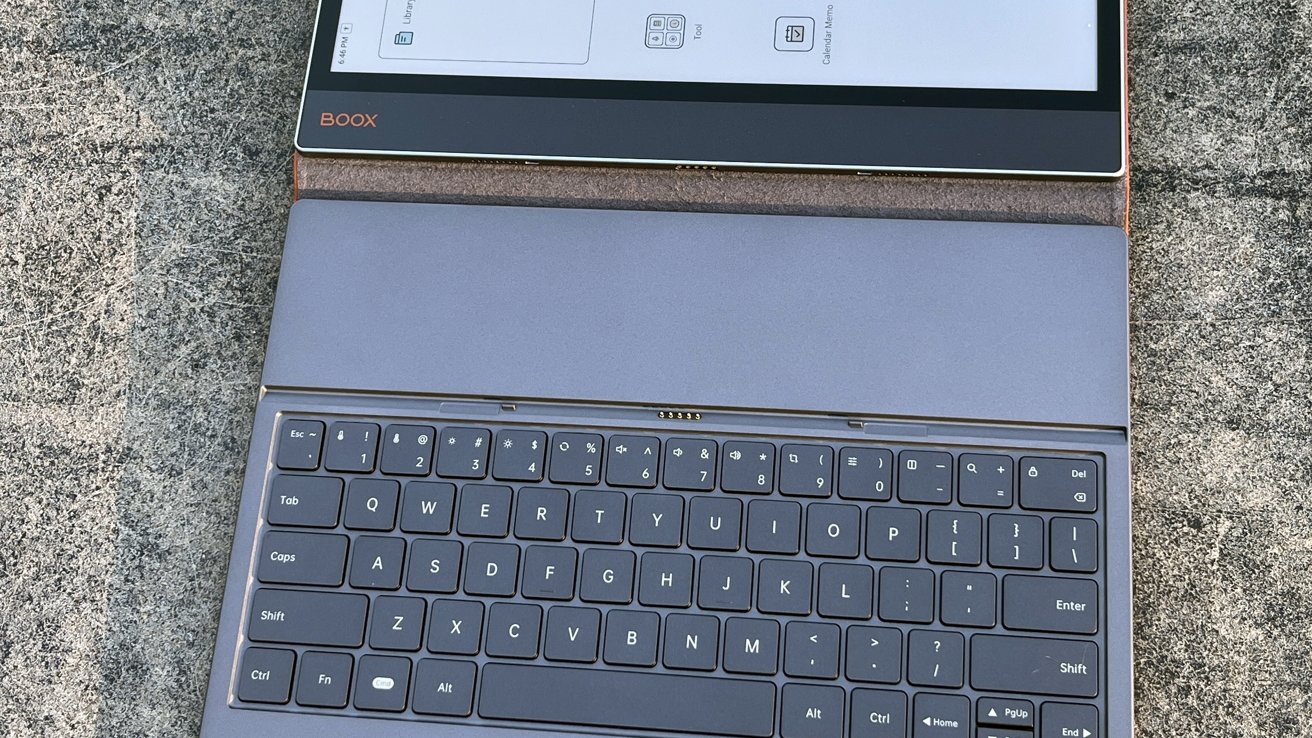
Boox Tab X C review: The weird keyboard design is somewhat off-putting and cumbersome.
I didn't love the design of the keyboard case. You need to remove the Tab X C and reposition it within the magnetic case if you wish to use it as a protective cover.
It also presses directly on the screen, and I'm not sure if that's good for the screen in the long run. Like I said earlier, it feels pretty fragile.
Fortunately, because the Tab X C has Bluetooth, you can use any keyboard. There are plenty in the $30-$50 range that would work well.
That'll save you some money when you buy your Tab X C, as the keyboard is a substantial upsell.
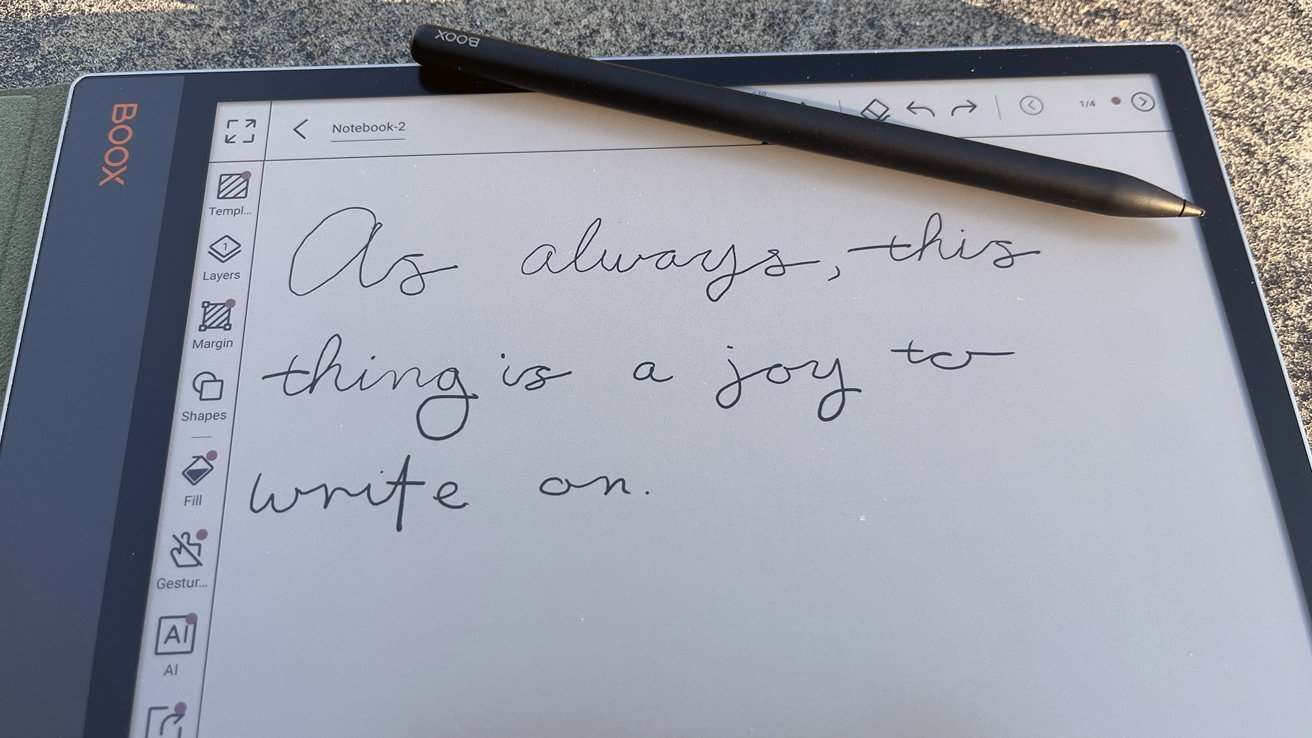
Boox Tab X C review: The InkSpire stylus makes this tablet perfect for taking notes
As always, the InkSpire stylus is a nice addition. It's responsive and precise, allowing users to handwrite notes, annotate PDFs, or sketch diagrams directly on the screen.
And, unlike some of Boox's other devices, the InkSpire stylus is included in the price. That's pretty awesome.
Like the Apple Pencil, the InkSpire stylus charges by magnetically snapping to the side of the Tab X C. Unfortunately, like the Apple Pencil, that also means it'll get knocked off your tablet the second you put it in a bag.
I suggest storing it separately when traveling. Maybe in a pen-pocket compartment if you've got one.
The slight "toothiness" of the screen also helps to make it feel more like you're writing on paper. It's not perfect, and I'll agree with a lot of Boox owners that a screen protector can make a world of difference here — but it's better than nothing.
Ultimately, the addition of a stylus makes the tablet ideal for students and professionals. Mixing typed notes with handwritten highlights is easy, and that hybrid workflow is something that a lot of other eReaders can't offer.
Boox Tab X C review - performance and software
Performance was decent, but it didn't blow me out of the water. But that's par for the course when you're talking ePaper.
There's a certain amount of ghosting that you have to expect with an ePaper display like this. It was most apparent when scrolling on image-heavy websites.
However, I personally didn't find it awful to deal with. Plus, Boox gives you two refresh modes to choose from.
A2 features faster refresh rates, designed for smoother scrolling, but it results in heavier ghosting. HD mode is notably crisper, but results in jittery scrolling.
Essentially, you're going to use A2 for word processing tasks, scrolling social media, browsing news sites — anything with dynamic content. HD mode is for reading your favorite books and anything that requires a full "page turn."
It's got an octa-core processor and 6GB of RAM. It opened apps at reasonable speeds, typing was pretty standard, and I didn't have any significant issues with responsiveness.
Is it the fastest device I've ever used? Absolutely not.
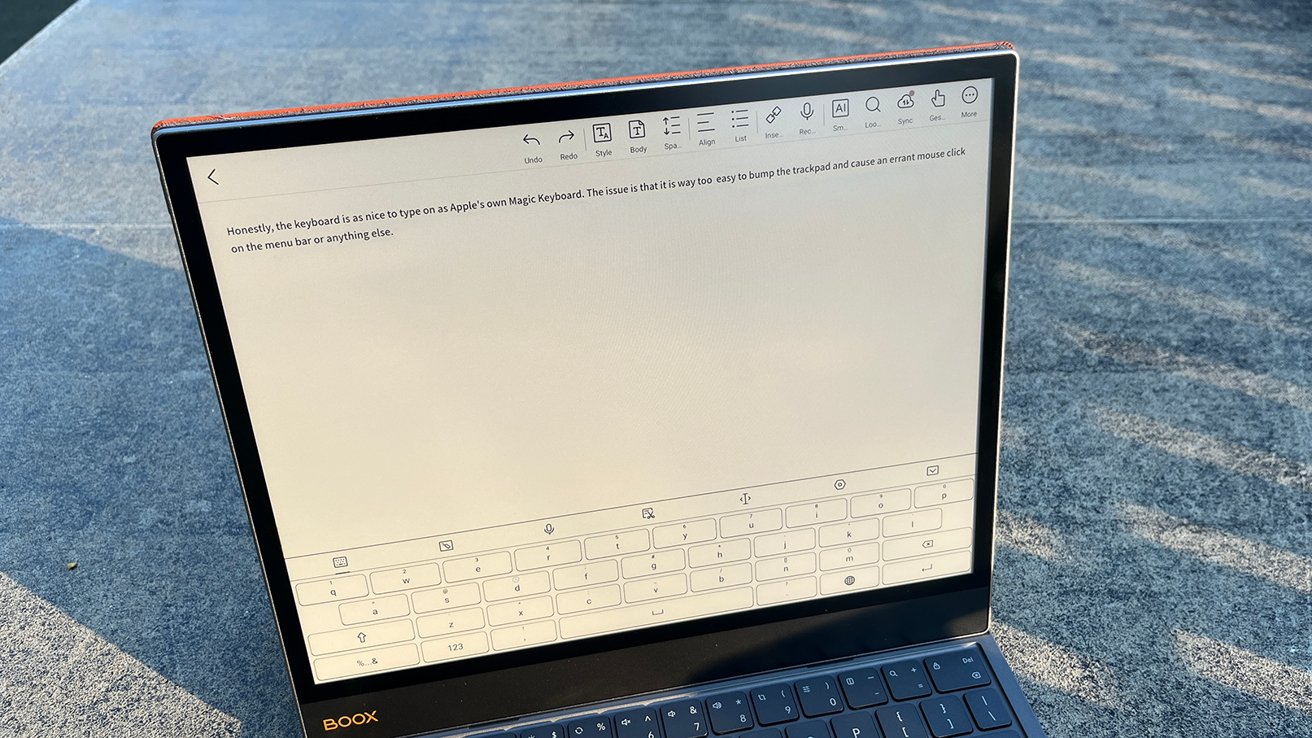
Boox Tab X C review: Honestly, the keyboard would be great without the trackpad.
My iPad Air, which is from 2020, runs circles around this thing. But that doesn't mean the Tab X C is bad — it's just different.
I will say, when I first used this device, I found it extremely lacking. However, after a full reset and reinstalling firmware updates, it felt like an entirely different device.
I'm not entirely sure if this meant one of my firmware updates was botched or if there was some other issue, but it did resolve itself.
So, if nothing else, make sure you're keeping on top of those firmware updates. They may actually make the difference between a usable product and an $800 paperweight.
I'm a little disheartened about the software situation. The Tab X C ships with Android 13, an operating system released in 2022, which feels outdated in a device that was released in 2025.
I worry that third-party app support could be dodgy. To their credit, a lot of Android developers offer support further back than that of Apple's developers.
For example, Kindle on Android requires a minimum Android 9.0, which was released in 2018. Kindle on Apple devices requires a minimum of iOS 16 or later, which was released in 2022. Still, it's worth mentioning.
I'd be remiss to not mention that it has 128GB of storage. Unlike some of Boox's other devices, there isn't an option to expand storage via SD card.
Boox Tab X C review - Audio and connectivity
The weakest part of the device is the audio. The built-in speakers are tinny and flat, while the microphone is low-quality and barely usable for recordings.
This has been my same complaint about pretty much every Boox device. To be clear, I didn't expect this to change, but I did want to mention it all the same.
Listening to audiobooks on those speakers is, frankly, awful. Bluetooth headphones are practically required if you plan to enjoy any kind of audio content.
And, please — I am begging you — don't try to do any Slack huddles, voice chats, or what-have-yous on a Boox device. These microphones are so bad.
Connectivity otherwise is solid. Wi-Fi, Bluetooth 5.0, and USB-C cover the basics, and the port can double as an audio jack or support OTG accessories.
Tab X C review - Battery life
Battery life is decent under light use. For casual reading or light note-taking in bright environments — think outside or under office lighting — you can go several days without recharging.
The 5,500mAh battery paired with eInk efficiency makes this possible. Standby time is also excellent, making it reliable for long stretches away from an outlet.
If you're browsing color-heavy content or reading in darker environments, you'll need to use the backlight. This, obviously, will eat into your battery life significantly.
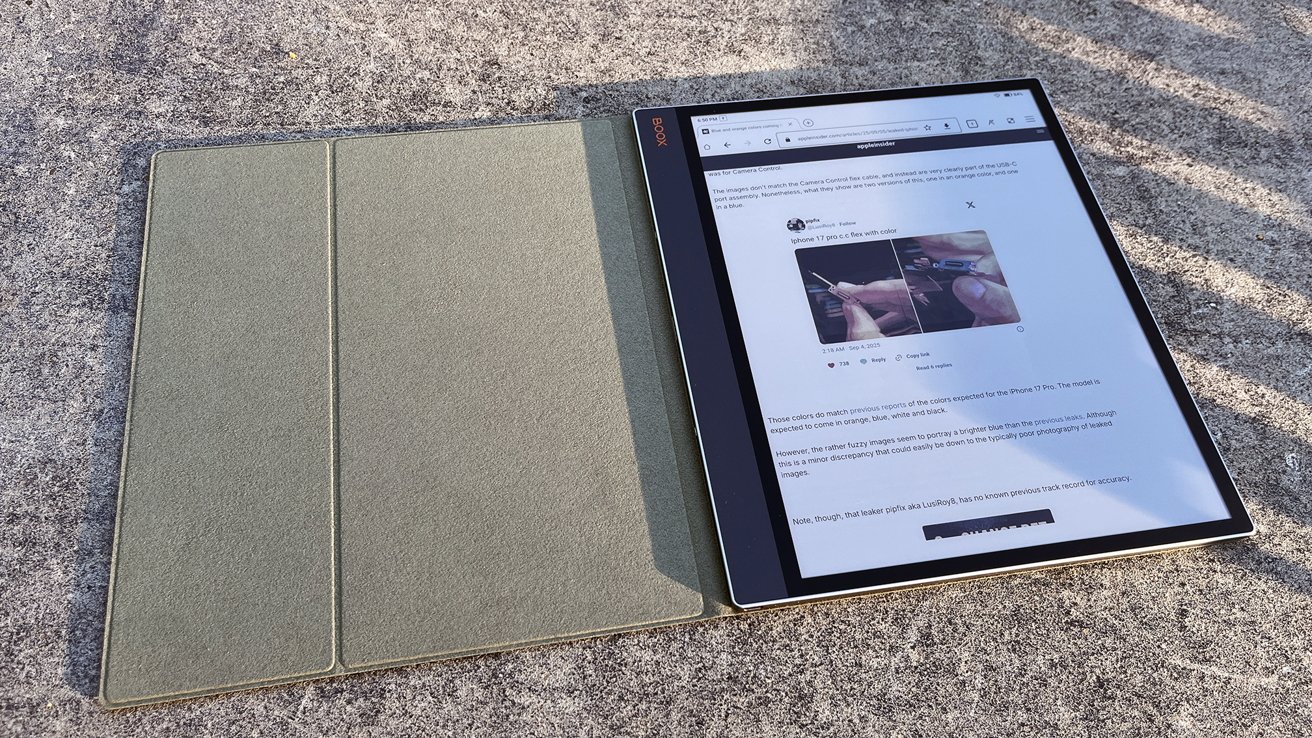
Boox Tab X C review: color content looks great, but it will eat at battery life
Ultimately, you may need to temper your expectations if you've owned other Boox products or eReaders. This is a 13.3-inch color tablet, not a 6-inch Kindle.
Still, I would consider this a solid device for travel, provided you're not doing heavy work. Think of it as your "I need to check my email, read the news, and maybe Google something" device.
I could easily see the Tab X C being a great companion on a plane or train. You could browse any text-heavy content you'd like, jot down notes, or catch up on reading.
Boox Tab X C review - Big screen, big price, smaller target audience
Boox makes nice products. That's why there's a huge online community dedicated to collecting them all, like Pokemon.
This one is no different. But it does sort of fall into an awkward position in the Boox lineup.
It's clearly trying to be a competitor to the iPad, though it definitely isn't. Even with a keyboard, it still feels like a supplementary device, not a replacement.
Casual readers won't want to hold the device for long periods of time. The size makes it awkward for novels, and cheaper eReaders — including many from Boox's own lineup — handle that role far more comfortably.
If you're primarily going to be reading things like novels or similarly sized small books, I suggest the Boox Go 7. It is perfectly sized to mimic holding a paperback.
If you're looking for a true multi-purpose productivity device, just stick with an iPad.
However, that isn't to say that the Tab X C should be avoided at all costs. If you love Boox products, by all means, add this one to your collection.
Maybe you're in the market for a large-screen eReader that can handle some productivity work, especially like marking up PDFs or taking notes. This one fits the bill perfectly.
Ultimately, the decision is yours. I think it's a solid product that, once I did a little problem solving, delivers decently on what it's promised — though it is pricey.
Boox Tab X C review - pros
- Gorgeous 13.3-inch Kaleido 3 screen
- Decent
- Solid stylus support
- Strong battery life for reading and light browsing
- Ideal for large-format content like textbooks, manuals, and comics
Boox Tab X C review - cons
- High price tag
- Ships with outdated Android 13
- Low quality microphone and speakers
- No reason for mouse features to exist
- Awkward for standard novel reading
- Keyboard's trackpad is way too sensitive
Rating: 3.5 out of 5 stars
Reviewer's note: I want to take a moment here to say that I rated the Boox Tab X C a 3.5 out of 5. Scoring is always a bit subjective; some people may see it as a solid 4. I did not, however, hold the keyboard against it — it is a separate purchase, after all.
Where to Buy Boox Tab X C
If you're looking to pick up a Tab X C, you can do so at the Boox website. Prices start at $819.99 for the tablet itself plus the standard magnetic cover. If you would like to add the magnetic keyboard cover, that jumps the price to $969.98.
At the time of publishing, Boox was offering a discount on the keyboard bundle, dropping the price to $924.98.
It is also available on Amazon, priced at $819.99 for the tablet alone.