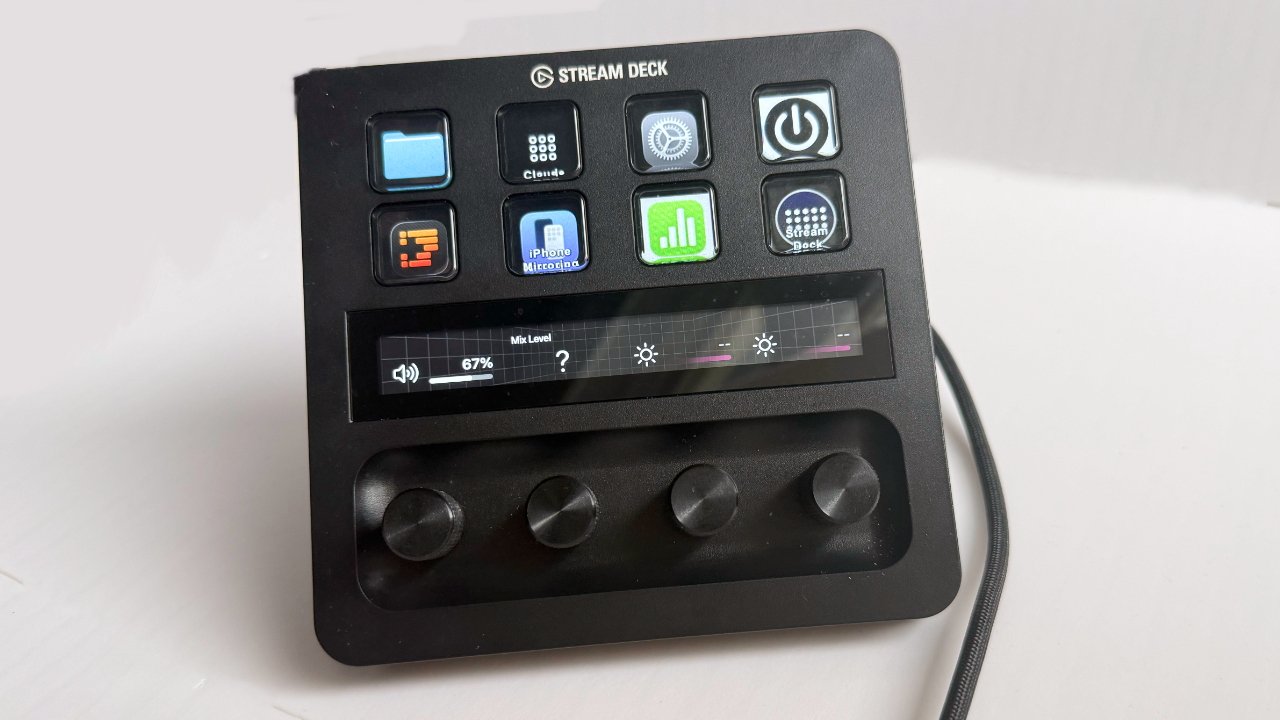
First, you can't see why you'd ever want a Stream Deck for your Mac, then you try one, and you will never give it back. Out of all the different models, though, the Stream Deck+ is best, and here's why.
Every Stream Deck is a Mac accessory that provides buttons to launch apps, perform entire sequences of tasks, or turn on your smart lights. You connect it through a USB-A or USB-C cable, and the difference in the models is chiefly in how many buttons you get and whether you also have dials.
Get any of them. I've just set up a button that switches audio between my Mac and my headphones. I have one that opens all the folders for the books I'm writing. Another launches every app I need for AppleInsider, and positions them on the screen where I want.
I've one-button access to my Apple Music playlists. When I'm in Logic Pro, I have all my most-used functions a tap away, and then if I switch to Final Cut Pro, all of those buttons automatically change to what I want there.
Plus, I don't have to remember any of this, because every button is also a screen. You can add any image you like, and I must've spent hours designing icons to go on them all.
I've surely also spent hours in the Stream Deck app setting up buttons to do things. The app presents an image of the Stream Deck with blank squares for its buttons, and a list of options to choose from.
Drag one of those options to a button on the screen, and you've just set up the physical button on the Stream Deck. This can be as quick as choosing the Open Application option and selecting Pixelmator Pro, so that now you just push a button to get that.
But any one button can perform countless such actions in a row. One button can change all your other buttons. One button can run a Shortcut or launch a Keyboard Maestro macro.
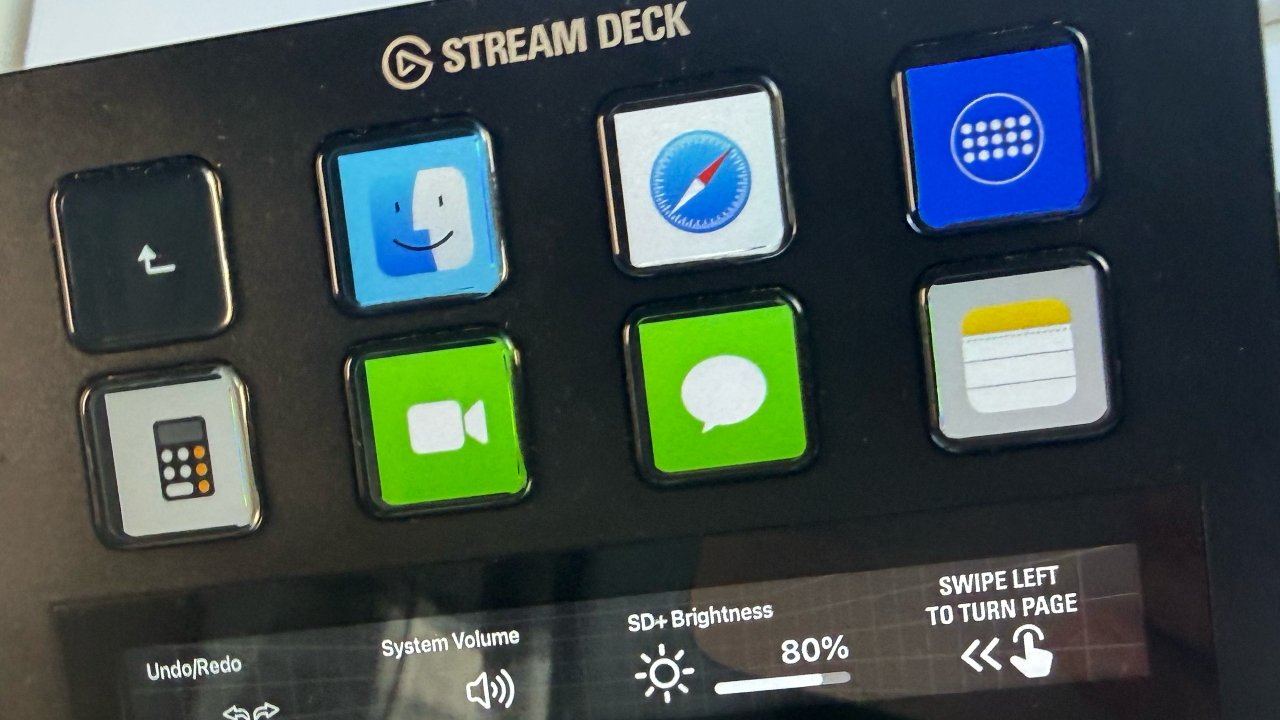
Each button can be programmed to do one or more of myriad actions, plus each button is also a screen that can display any image you want
First, you start with simple options, then you come to realise more and more just how many repetitive things you do that the Stream Deck could do for you. Set it up once, never think about it again, just press the button when you need to.
Elgato Stream Deck+ review: A range of Stream Decks
Stream Decks range from $160 for the Stream Deck Mini to $350 for the new Stream Deck+ XL. At $200, Stream Deck+ comes roughly in the middle, especially when you can find a sale on it, and it offers the best mix of features for the price.
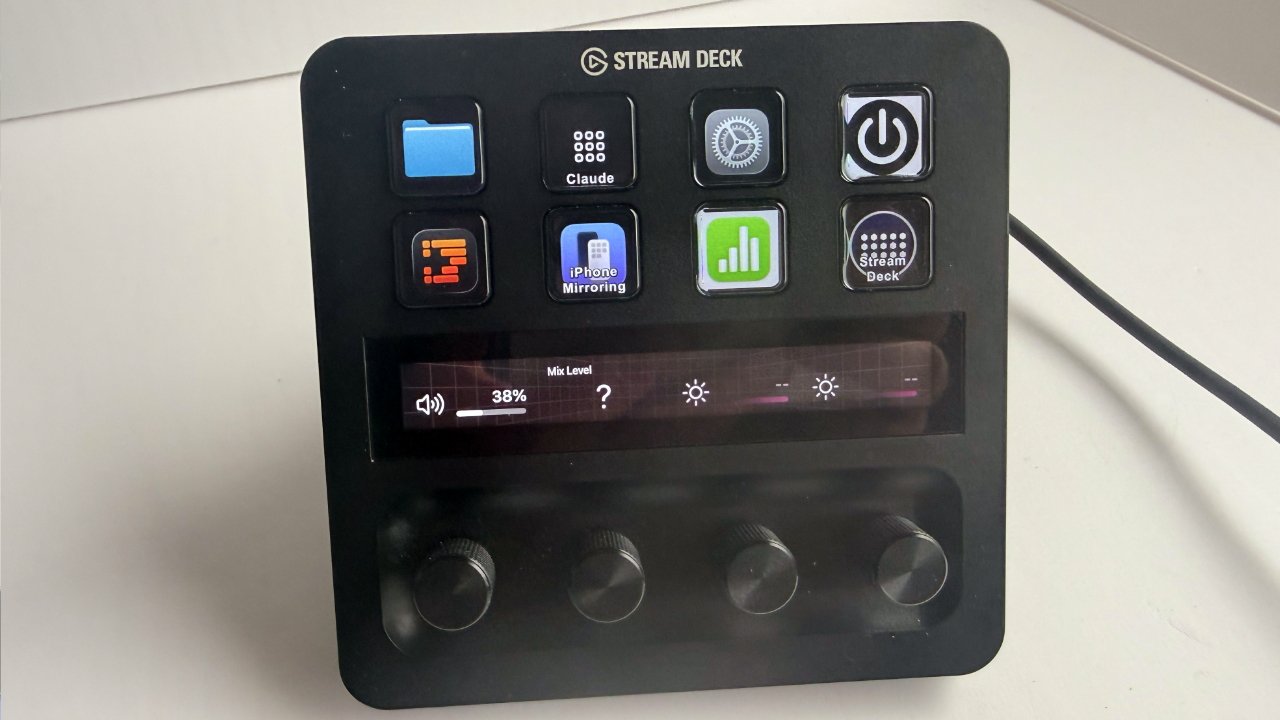
Stream Deck+ was the first to include dials. Here, the leftmost one is set to control volume
That's because, as well as eight programmable buttons, Stream Deck+ has a touchscreen and four dials. I don't tend to use the touch screen much, but you can swipe to switch to a whole different set of eight buttons if you've set those up.
What I do use, and one key reason for buying this, is that set of dials. They are each infinite scrolling ones, which means you can just keep turning and turning them.
As well as being absurdly cathartic, that means there's no finding the start or end. Set the dials to control your smart lights, and without any further fiddling, you can immediately turn them up and down as you want.
Plus, all four dials are also buttons. So what I do is press one to turn on the light, then rotate it to set the level.
It's still the same case of dragging an option to an on-screen image of the dial. It's still the case that any one dial can do many things in a row.
And if you haven't guessed, it's still the case that you go from being curious about a Stream Deck to being an evangelist.
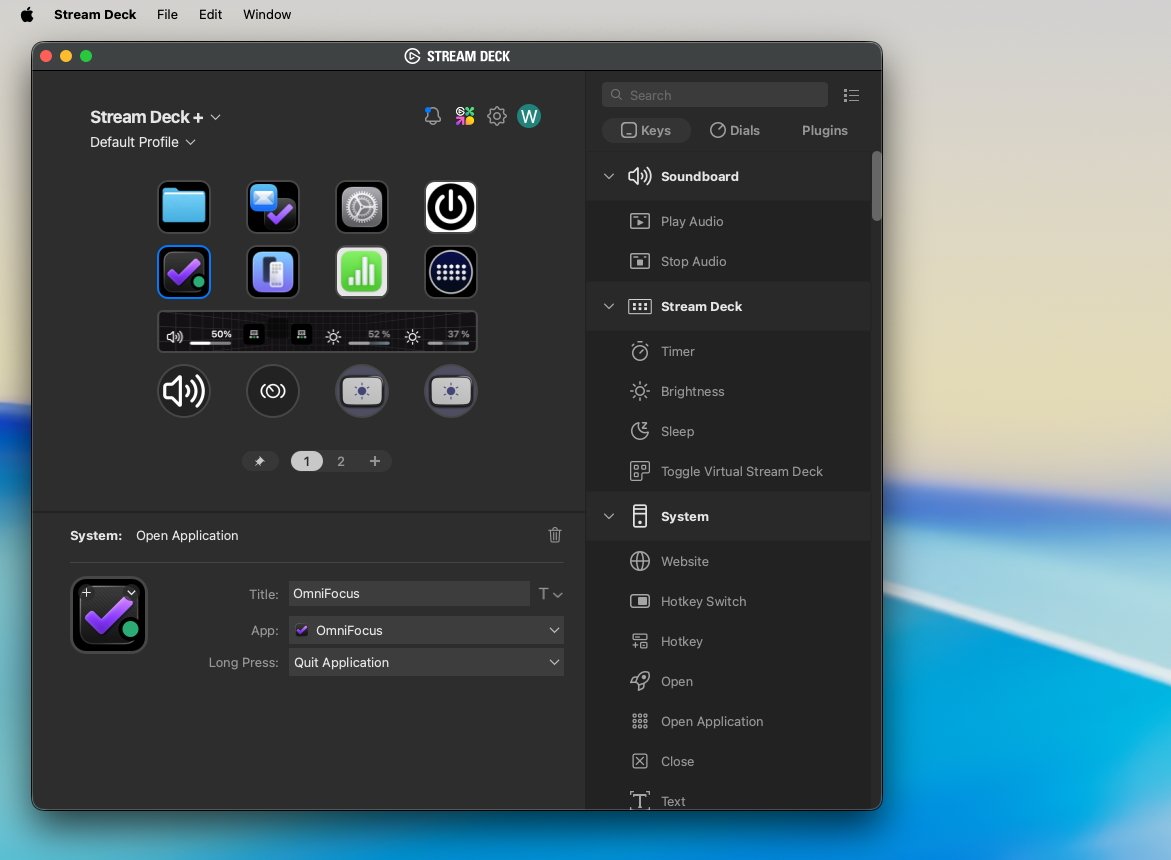
Stream Deck's Mac app takes some getting used to, but it's very powerful.
An evangelist who keeps buying more Stream Decks. Although, in my defence, I have a reason for getting more of them.
Or at least an excuse. But that excuse is specifically why I bought the Stream Deck+.
Elgato Stream Deck+ review: Accessories
Until the Stream Deck+ came out, every Stream Deck was a single unit that might or might not have an adjustable stand. Stream Deck+ comes in a kind of V-shape which can just mean that it stands up at a nice, usable angle.
But that V-shape is also where you can slot in certain accessories. You can fit a $130 XLR Dock Mk 2, which lets you plug a professional microphone and take advantage of Elgato's audio software.
You can fit an $80 network dock that lets you connect the Stream Deck to your Ethernet network and control computers halfway across your studio.
Or, as I did, you can buy the $60 USB Hub.
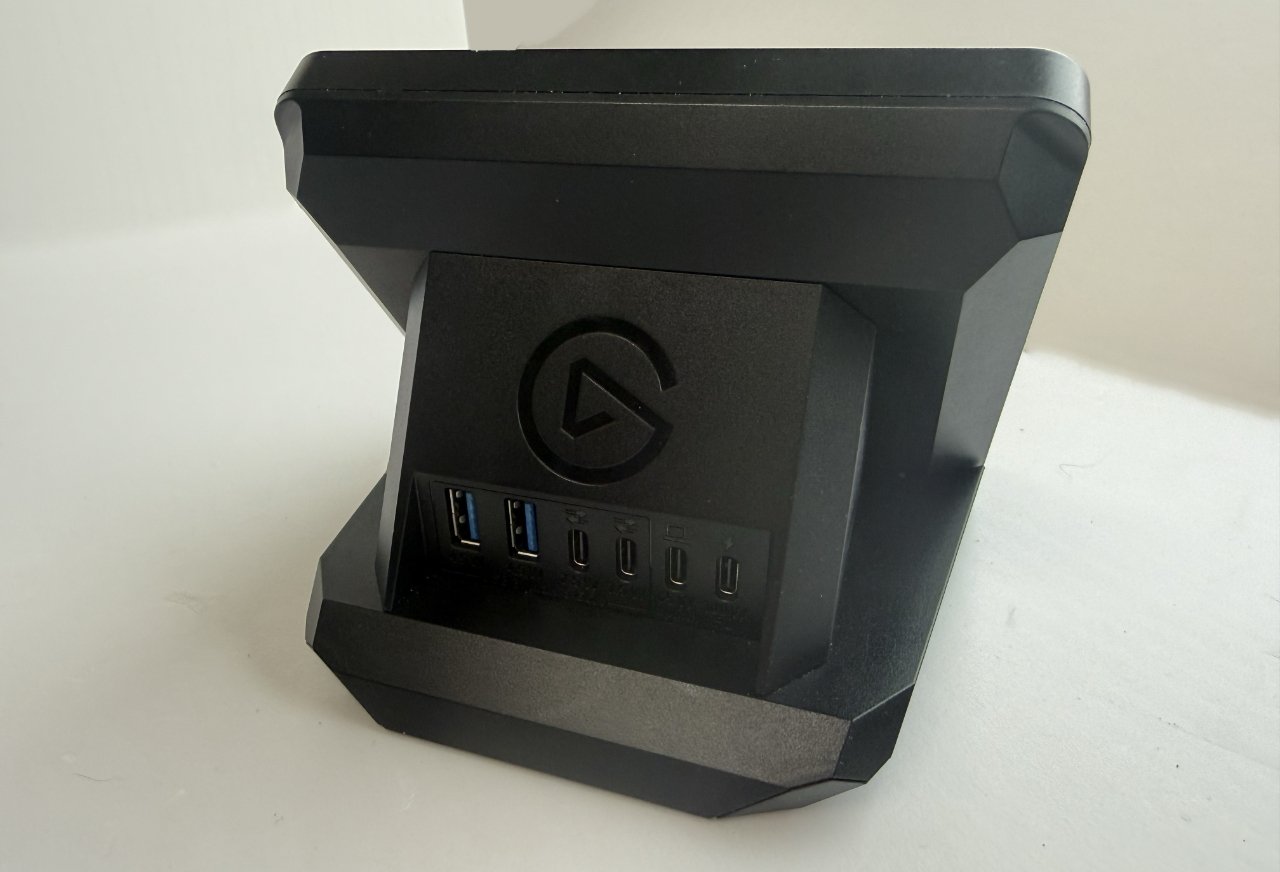
Optional accessories include this USB Hub that shouldn't really let you daisy-chain Stream Decks together, but it can work well.
This may be a case of doing as I say rather than I did, though, or at least seeing if you can try out this dock and return it if necessary. While it works for me, what I use it for is not recommended by Elgato, and other users have had problems.
That sounds worse than it is. The USB hub means that I could plug this Stream Deck+ into my Mac Studio and then daisy chain my other Stream Decks. Instead of taking up multiple USB-C ports, I can have my Stream Deck and Stream Deck XL plugged into the Stream Deck+ hub.
It shouldn't work. Stream Decks, by default, are powered by your Mac over USB-C, and there shouldn't be enough power to drive three of them in a row.
I did know this, Elgato is clear about it, but I also knew that the USB Hub can be powered. I figured if it didn't work, I just needed to get the right power cable and try again.
Some of this was a whim, some of it was desk design. I do like having the Stream Deck XL and Stream Deck+ behind my Mac's keyboard, and I really like having my original Stream Deck permanently flat to the left.
But actually, to get that one permanently to my left was tricky because of the length of the cable I had. So it was an ergonomic decision to buy a third Stream Deck, and I am sticking to that.
To fit one of these accessories, you have to disassemble the Stream Deck+. It's really only removing the back and base before slotting the hub in and redoing all of the screws, though.
Fitting one of these docks also makes the whole unit seem more solid, too. It's not as if it's flimsy without a dock, but the difference is noticeable.
Elgato Stream Deck+ review: What Stream Deck+ gives you
So any Stream Deck has buttons, and they can:
- Control hardware like volume
- With third-party plugins, control Zoom
- Open and close apps
- Run Shortcuts
- Display different buttons with different options
I do all of this, and I use every button I've got going. But where the Stream Deck+ shines is in what those dials give me, and at the same time, what the touch screen does.
That screen is for swiping from one set of eight buttons to another, and I just don't do that. But the screen can also show you details about the dials, depending on what you've set those dials to do.
For me, that means left to right I have:
- Volume control (and press to mute/unmute)
- Microphone gain control
- Selfie light
- Back light
Above each of these four dials, the touchscreen displays what percentage they are set at.
Then above the volume control, I have a single button that does that switching from headphones to speakers. Whichever I'm using, that's what the volume dial controls.
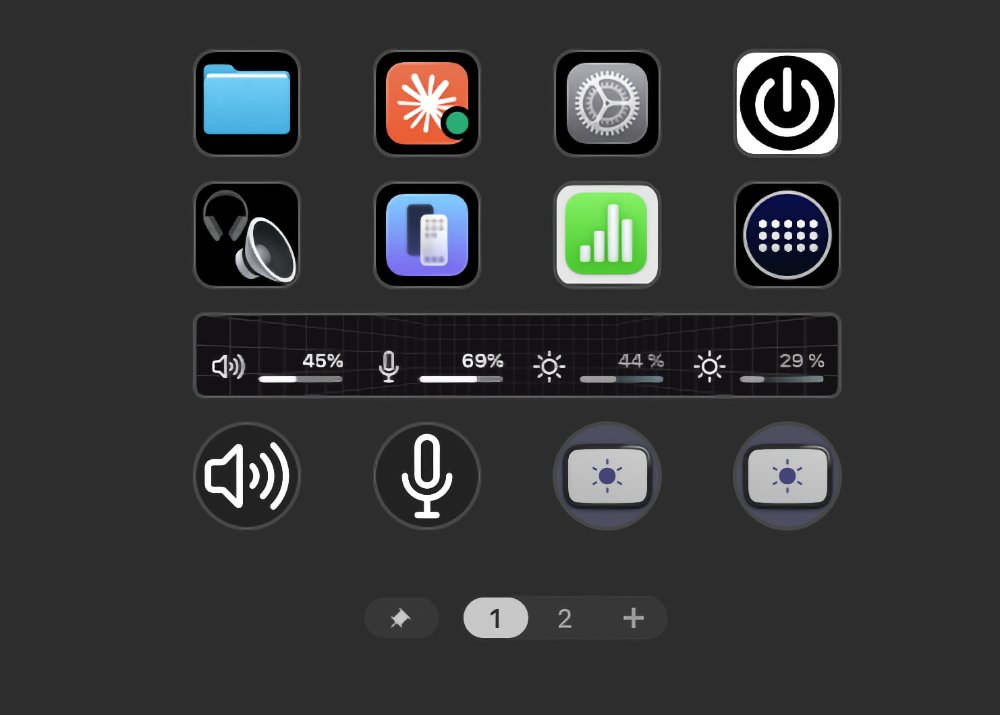
Notice the display above the bottom four dials. Stream Deck is showing volume and brightness levels.
No question, I could control the volume using the keys on my keyboard. It wouldn't take much effort to open Settings, choose Sound, click on Output, and choose speakers or headphones from the list.
But pressing a single button is easier; it means I do it without thinking. And that means I do it without having to take that moment to remember what I was doing before.
Or then there's Zoom, which is one of the first reasons I was sold on a Stream Deck. I can mute and unmute, or turn the camera on or off, without looking to find the on-screen icon.
If I'm doing a Zoom call with a camera focused on my desk as I demonstrate something, I can switch between the two cameras.
Or I know you've had this. It's the end of the Zoom call, you've all said goodbye, and now you have to find your cursor so you can click on the Leave button.
But that button then changes, it becomes a kind of are-you-sure button, in a slightly different position. Forget that, I can just press a Stream Deck button, and I'm immediately out of the call.
Although I have sometimes done that by accident, so it's not perfect.
Elgato Stream Deck+ review: What's wrong with Stream Deck
You do get limited angles; there is never much choice over just how tilted forward or back it is, and with Stream Deck+, you get none. Plus, if I press a button on my Stream Deck+, the whole unit moves back on the desk.
That's chiefly down to me, though. Elgato provides a plastic cover on the base, and if you remove it, that base is now sticky. I'm still rearranging my desk, but once I'm sure where I want it, I will be able to fix it down more.
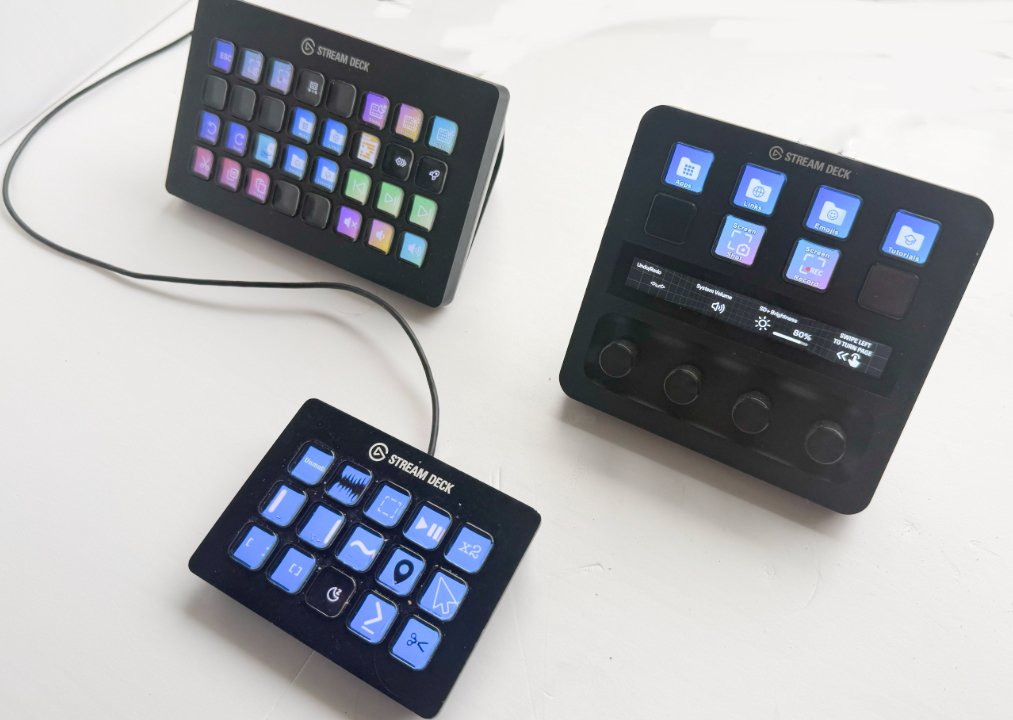
It's very hard to stick to just one Stream Deck
Elgato seems to be slowly moving to USB-C with the Stream Decks. The original Stream Deck still uses USB-A, and so does the Stream Deck Pedal, so those might need an adaptor.
But this Stream Deck+ is USB-C to USB-C. The separate USB Hub I bought for it adds two USB-A, two USB-C, and an SD/Micro SD card slot.
I've just used those to connect my other two Stream Decks, but I have a spare USB-C cable connected that I could use for my microphone.
Elgato Stream Deck+ review: Should you buy
If you do not already have a Stream Deck for your Mac, this is the one to buy, and it will speed up your work. My Logic Pro editing is far faster now, for instance, because I have a whole set of Stream Deck buttons for it whenever I open that app.
For that matter, my writing is sped up as well. If I have just a few minutes to work on a project, I can press a single button and have the manuscript open, plus any websites I'm using for research, or all the related folders open.
You can see the benefits, of course, but I think you don't really get it until you've used a Stream Deck for a while.
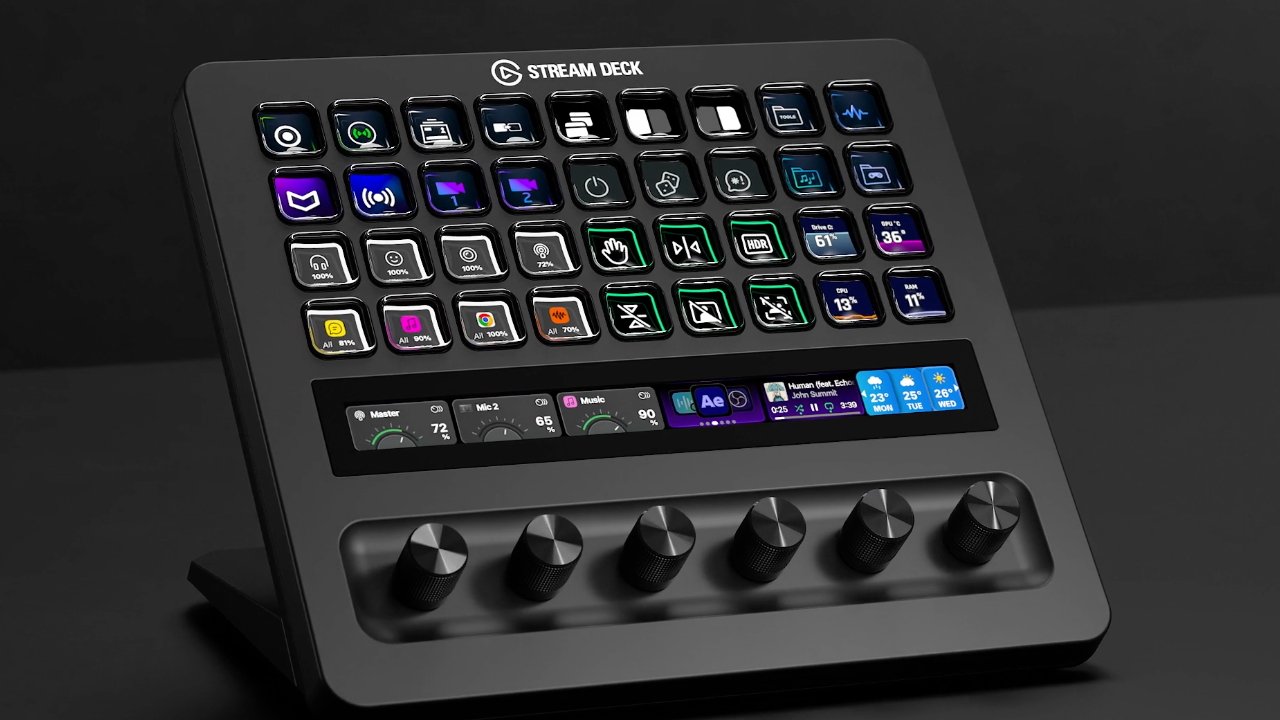
When you're hooked, this new Stream Deck+ XL is the one you'll want, but it's really meant and priced for live production studios. Image credit: Elgato
Nobody needs three Stream Decks. But every Mac user would benefit from one, and it is extraordinarily easy to find so many uses that you will want multiple Stream Decks. Control yourself.
Elgato Stream Deck+ review: Pros
- Large, clear control buttons
- Knob controls that can be rotated or pressed
- Control Strip for showing details like brightness
- Control Strip for swiping to a new set of buttons
- Space for a dock inside the unit
Elgato Stream Deck+ review: Cons
- Convert Dock sometimes reported to be unreliable
- Can't change the angle of the button display
- Control Strip less useful than other options
Rating: 4.5 out of 5
Elgato Stream Deck+ review: Where to Buy
The Stream Deck+ is available in either black or white, directly from Elgato for $200. It is typically on Amazon for around $180, but can be found for $159.99.
Elgato sells the USB dock for $60, and the XLR dock for $120. Amazon typically has the USB dock for the same $59.99.
At the time of writing, Amazon does not appear to stock the XLR dock.