Just before Global Accessibility Awareness Day on May 21, Apple has revealed some of the new assistive features coming soon to iOS 27, macOS 27, and visionOS 27.
Apple is still a few weeks away from showing off its new operating system updates at WWDC. However, as has become tradition for the iPhone maker, it is giving an early glimpse of some changes in accessibility features that are on the way.
The changes are outlined ahead of Global Accessibility Awareness Day, held on May 21 for 2026.
"Apple's approach to accessibility is unlike any other," said current CEO Tim Cook. "Now, with Apple Intelligence, we are bringing powerful new capabilities into our accessibility features while maintaining our foundational commitment to privacy by design."
VoiceOver and Magnifier
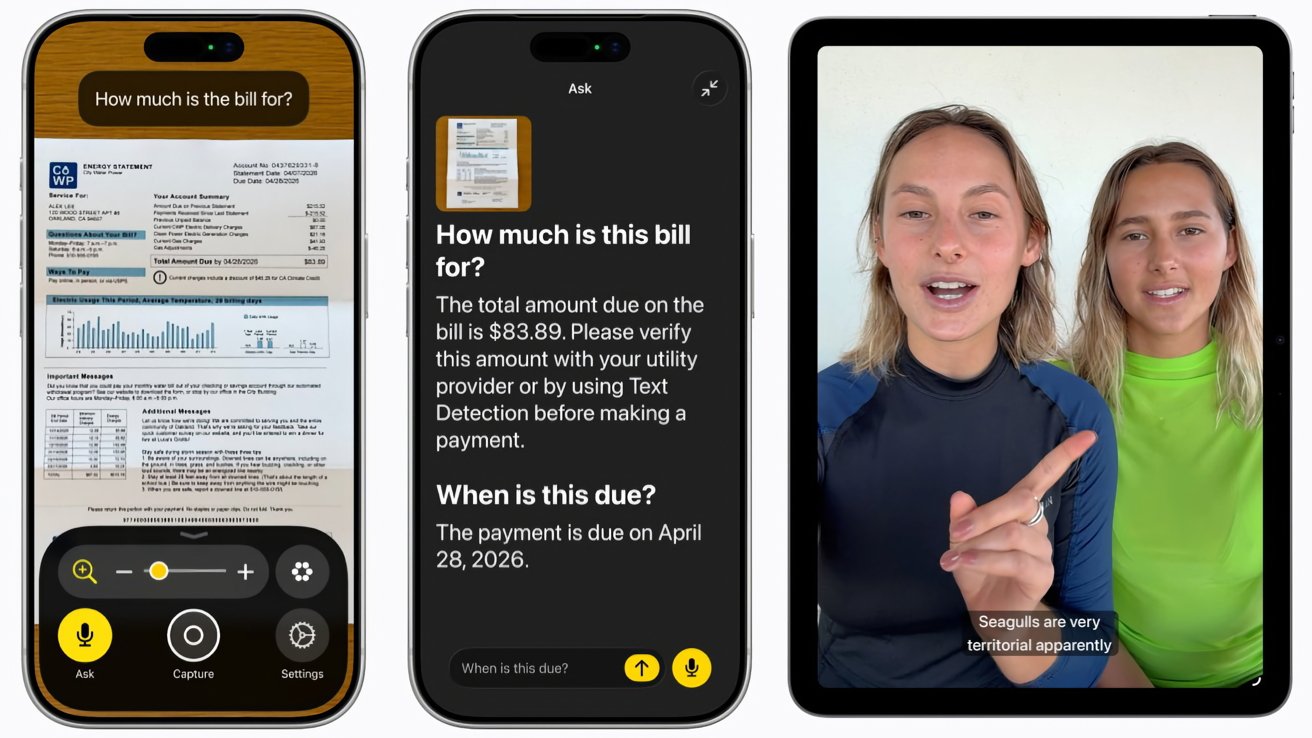
VoiceOver and Magnifier are tools to describe things on the iPhone screen and around the user. For 2026, they get an extra infusion of functionality from Apple Intelligence.
For VoiceOver, there are more detailed descriptions of images systemwide, including scans of receipts, photos, and other content. Live Recognition lets users press the Action button to ask a question about what's in the viewfinder of the camera, and even ask follow-up questions for more information.
Magnifier has a similar boost to visual description, complete with a high-contrast interface for users with low vision. Magnifier also works with the Action button for queries, and can be controlled with verbal requests, such as "zoom in."
Natural language Voice Control
Voice Control is used by users with physical disabilities to navigate the iPhone or iPad with their voice. Users can now describe onscreen buttons with natural language, instead of memorizing exact labels or numbers.
A "say what you see" function lets users navigate apps with visual layouts, such as saying "tap the guide about best restaurants" while in Apple Maps.
Accessibility Reader
A customized reading experience, Accessibility Reader uses Apple Intelligence to read out content on an image or a document for the user. For 2026, it has been improved to handle more complexly laid out articles, including text with multiple columns, images, and tables.
Users can also get on-demand summaries and get an overview of the article, and can even translate the content to their native language.
Subtitles for Video
Commercial content often includes subtitles, but personally-produced content generally does not. Apple will allow its operating systems to generate closed captions automatically if subtitles are not available, including for clips recorded on the iPhone.
The subtitles are generated privately and can appear automatically for uncaptioned videos on iPhone, iPad, Mac, Apple TV, and Apple Vision Pro if enabled in the playback menu or in Settings.
Wheelchair Control in Apple Vision Pro
While joystick control is an option for wheelchair users, it isn't a possibility for some. Instead, Apple proposes using the Apple Vision Pro.
Using the eye-tracking function, the power wheelchair control function provides an input method for compatible drive systems. It initially supports Tolt and LUCI alternative drive systems in the U.S., complete with Bluetooth and wired connection support, with more support to come in the future.
Other accessibility changes
The Hikawa iPhone grip was a fast-selling accessory for the iPhone back in November. Following that success, the Hikawa Grip and Stand for iPhone is being supplied in three colors, this time with global availability.
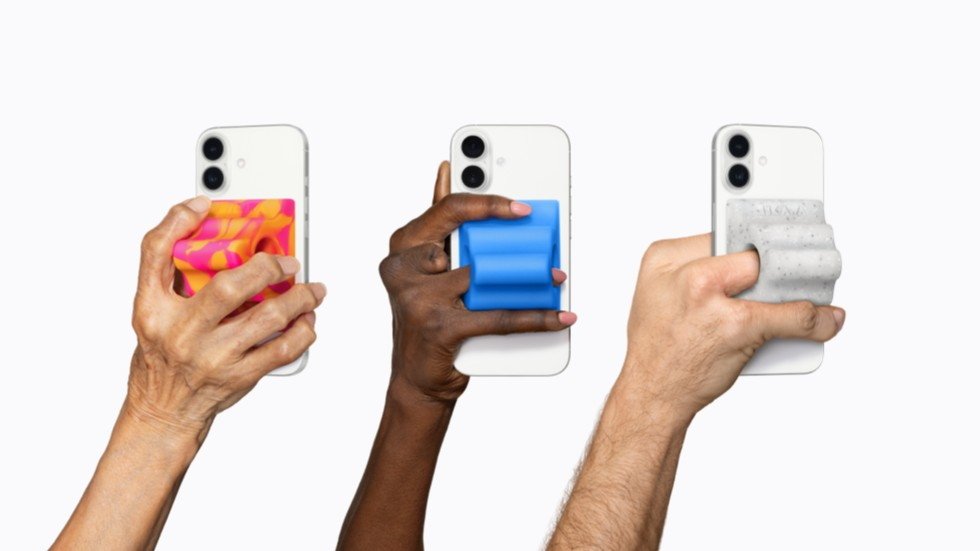
Hikawa Grip & Stand for iPhone - Image Credit: Apple
Vehicle Motion Cues in visionOS will help reduce motion sickness for Apple Vision Pro users in a moving vehicle. VisionOS will also support face gestures for taps and system actions, as well as a new selection method using Dwell Control for the eyes.
Touch Accommodations will give new options to personalize a setup for iOS and iPadOS. Larger Text support will be coming to tvOS to increase font sizes in menus for readability.
Made for iPhone hearing aids will be able to be paid and hand-off between Apple devices more reliably. There will also be an improved setup experience in iOS, iPadOS, macOS, and visionOS.
Name Recognition will notify users who are deaf or hard of hearing if someone says their name. This will work across more than 50 languages.
A new API for sign language interpretation app developers will support adding a human interpreter to an ongoing FaceTime call.
Lastly, for people who have trouble with using game controllers, they can use the Sony Access controller as a game controller in iOS, iPadOS, and macOS. The thumbstick, nine built-in buttons, and four additional external buttons or switches can be personalized to their layout needs, and can even be spread across two controllers.