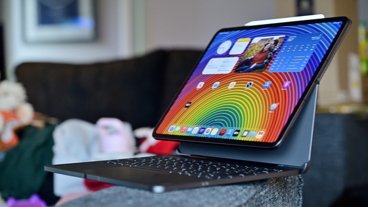
Brydge Max 13 is an all-in-one keyboard, trackpad, and stand for iPad Pro that has the potential to outshine Apple's Magic Keyboard.
With a price tag pushing $400 in the U.S., post-tax, it's no surprise that competitors have been relentlessly releasing lower-priced options to the Magic Keyboard. Most, though, swap out premium materials for cheaper ones, like plastic.
At times, it feels like a race to the bottom. Premium keyboards outside of Apple's have largely been few and far between.
Brydge has bucked this trend, opting for a still substantial price tag but undercutting Apple. The newly released Brydge Max 13 is more affordable than the Magic Keyboard, with a similarly sleek design, striking a great balance for iPad users.
Specifically, I'm looking at the Brydge Max 13 in Graphite Black for the M4 or M5 13-inch iPad Pro.

Brydge Max 13 review: Design
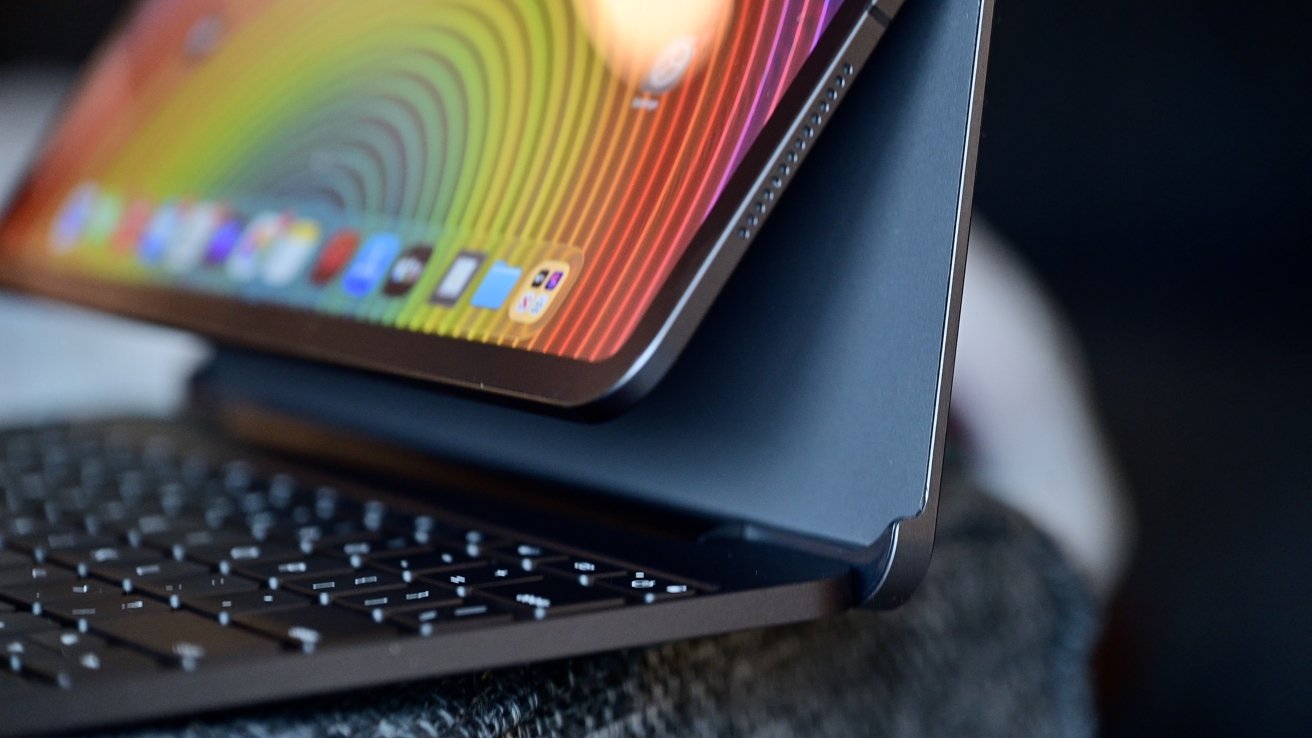
The keyboard is all aluminum, with a thin back panel. The back panel is foam-covered on the inside to protect your iPad Pro that it magnetically holds in place.
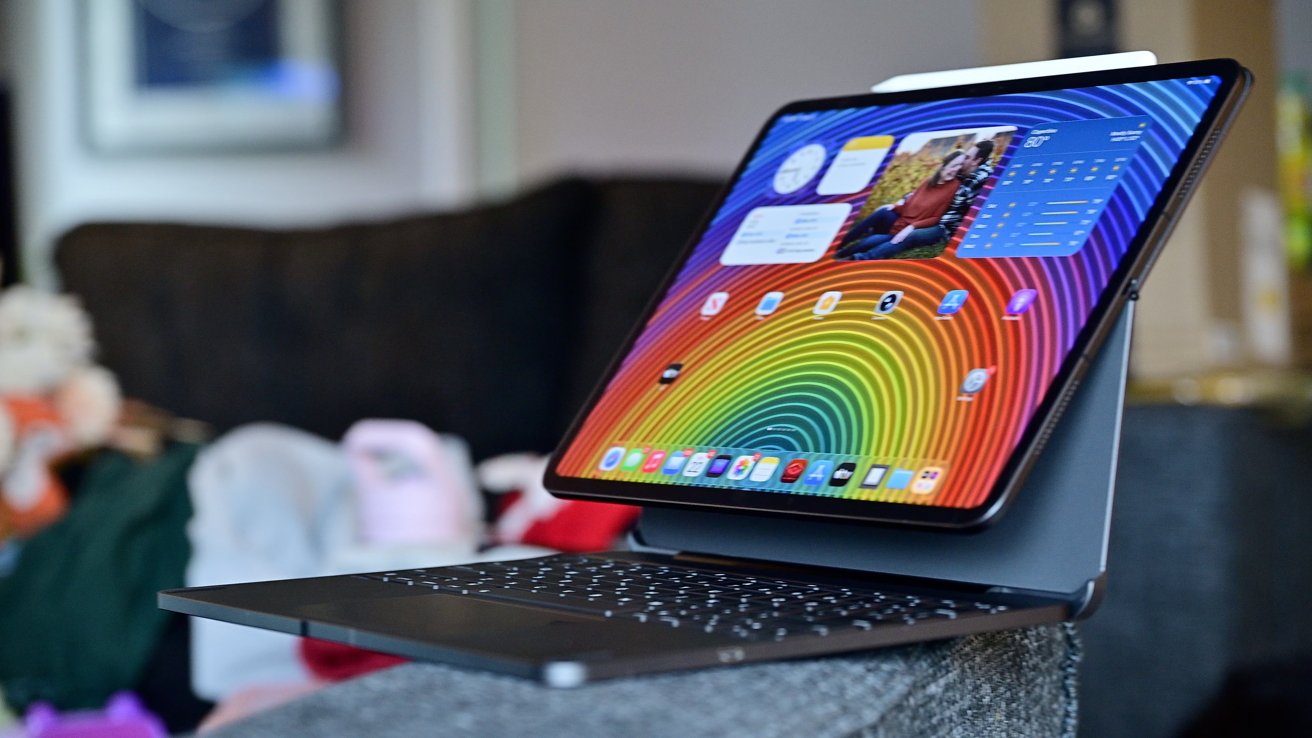
 Brydge Max 13 review: iPad Pro attached to the Brydge keyboard
Your iPad Pro is held well, and it's easy to bring it close and have the magnets handle all of the alignment and positioning. The camera module is exposed on the back, so you can still use it while attached to the Brydge.
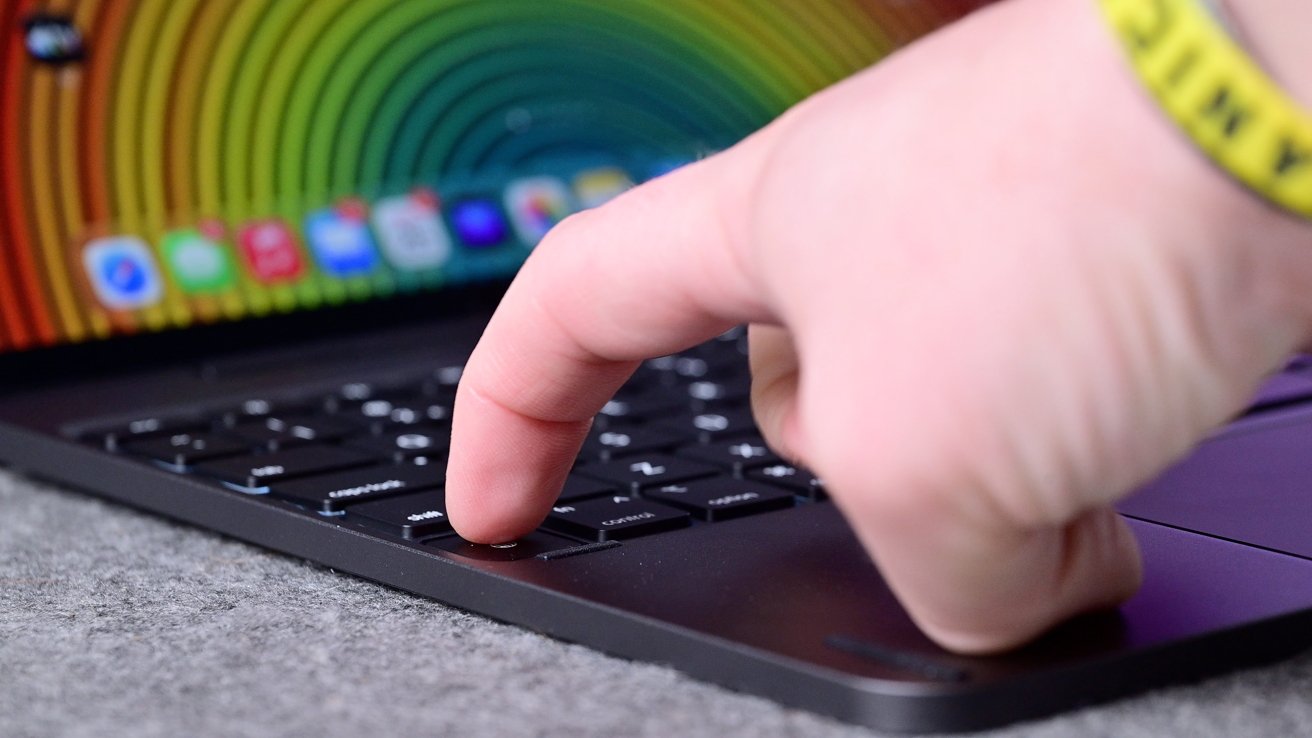 Brydge Max 13 review: Keys have a good amount of travel and a nice click
The keyboard is a traditional chiclet keyboard, very similar to Apple's. Individual keys are full-size and have 1.3mm of travel, which feels close to the Magic Keyboard.
It is backlit, which makes use at night easier. Along the top row, you have essential media keys, like controls for media playback, invoking Siri, adjusting volume, or changing the screen brightness.
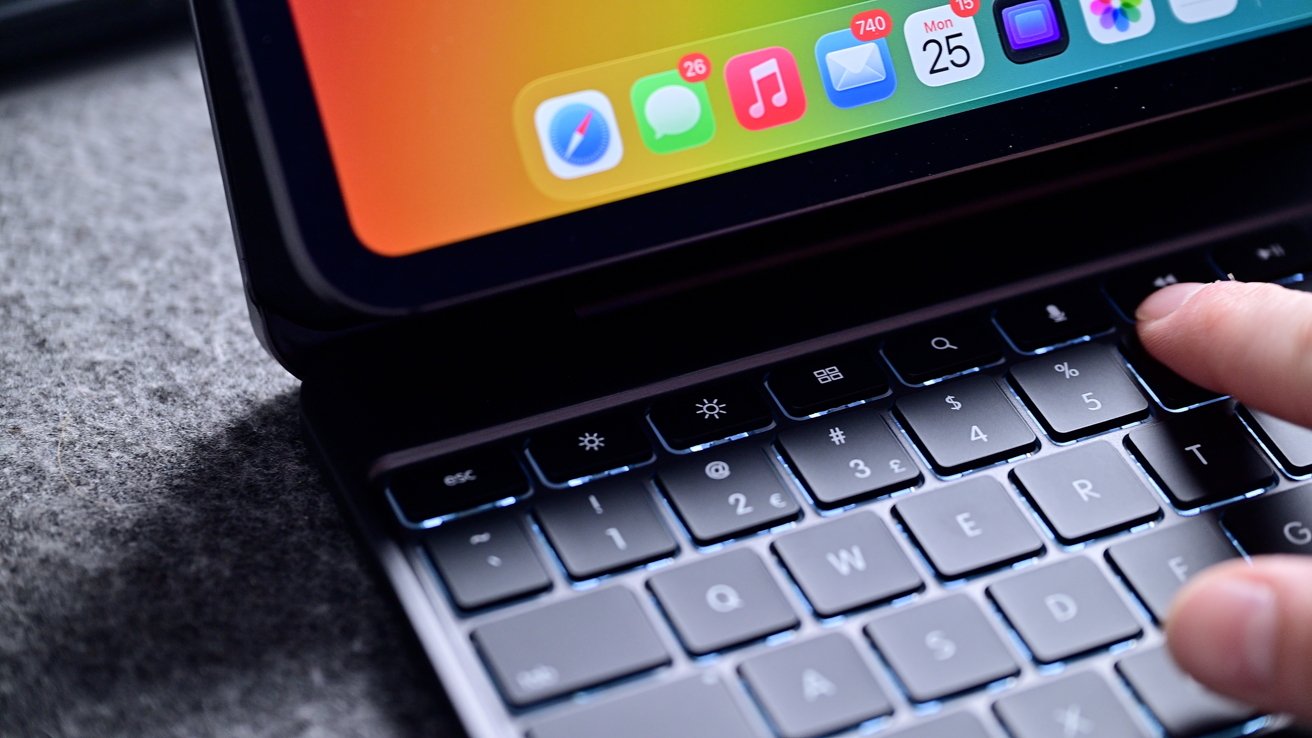 Brydge Max 13 review: The top row of media keys is very helpful
This top row also has the dedicated power button for the keyboard. This will power the Bluetooth keyboard on, and a second, adjacent button will put it into pairing mode.
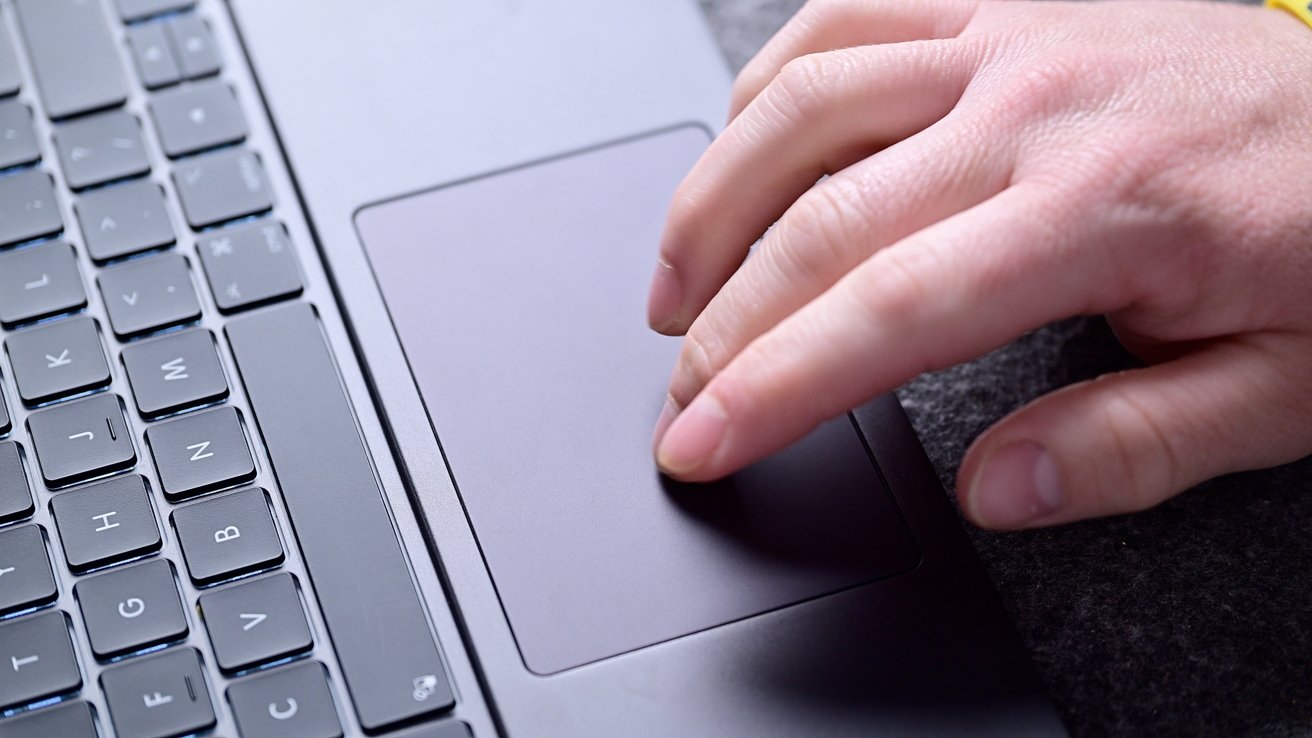 Brydge Max 13 review: The trackpad supports multi-touch and gestures
The keyboard sits above a spacious multi-touch trackpad. It supports all multi-touch functionality within iPadOS like zooming in and out, scrolling, or entering the app switcher.
Another nice trick with the trackpad is the ability to disable it. There are many reasons for this, but you can use the dedicated shortcut keys built into the keyboard to perform this.
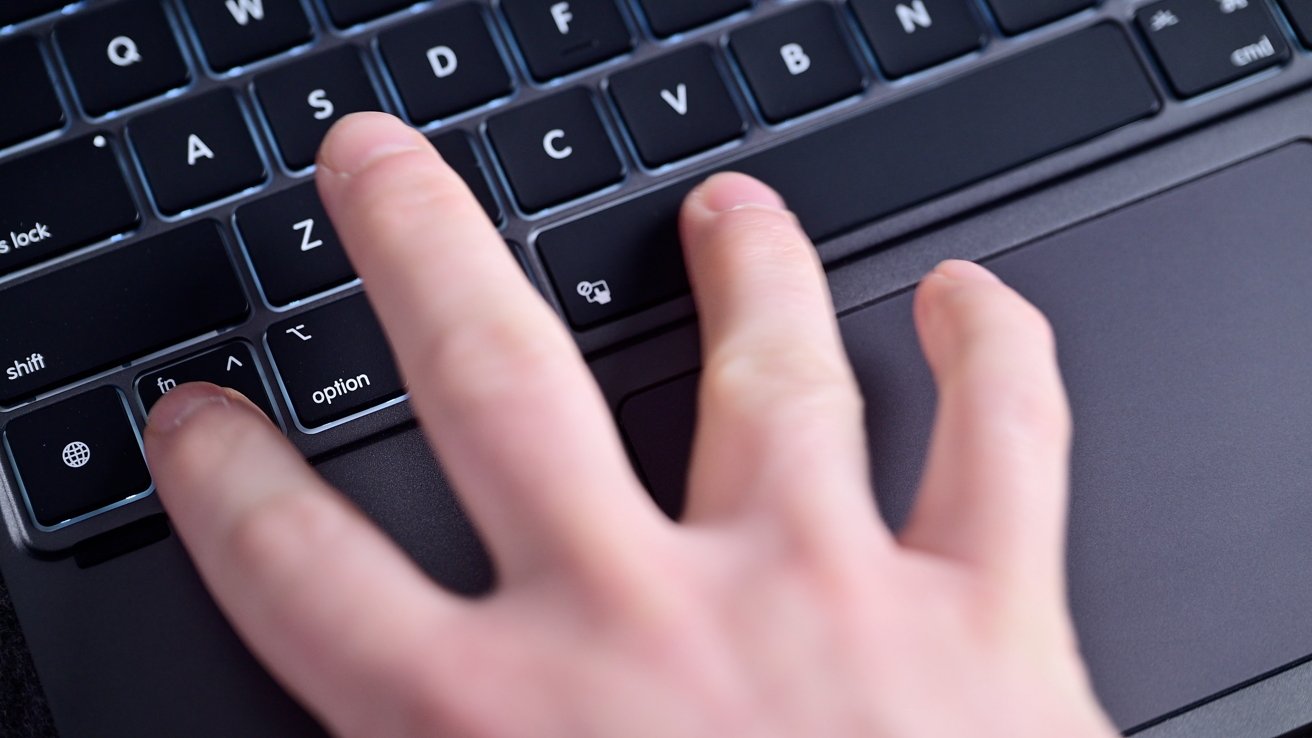 Brydge Max 13 review: You can temporarily disable the trackpad with a quick keystroke
You press the function key located on the left, alongside the spacebar, and the trackpad will temporarily be disabled until you press the keystroke again. That way, if perhaps you're watching a movie in movie mode, you don't accidentally tap the trackpad.
I think the best part of this, though, is what Brydge calls the Max View hinge. It enables a full 270-degree rotation for your tablet.
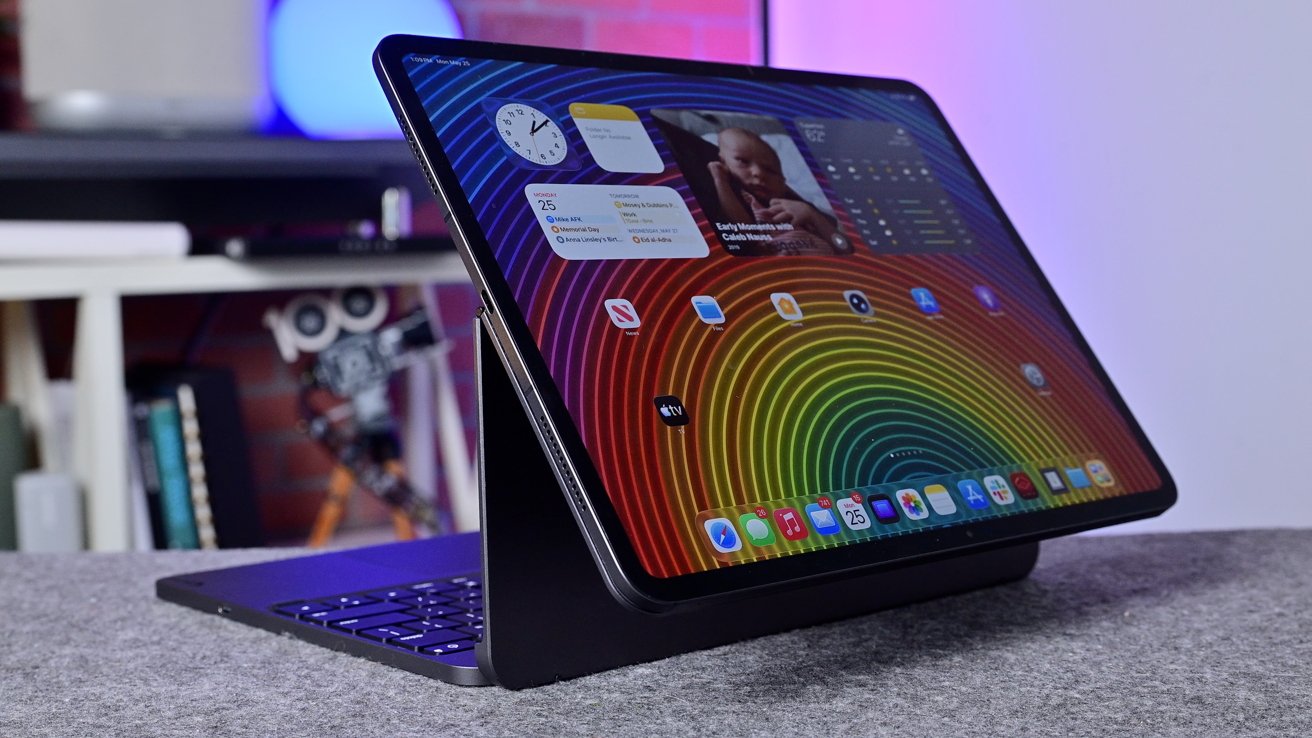 Brydge Max 13 review: The iPad can flip entirely around
What that translates into in terms of usability is a huge variation in the angles at which the iPad will work. You can rotate it all the way back, almost into a kiosk view, for someone on the opposite side of you to see what is on your screen.
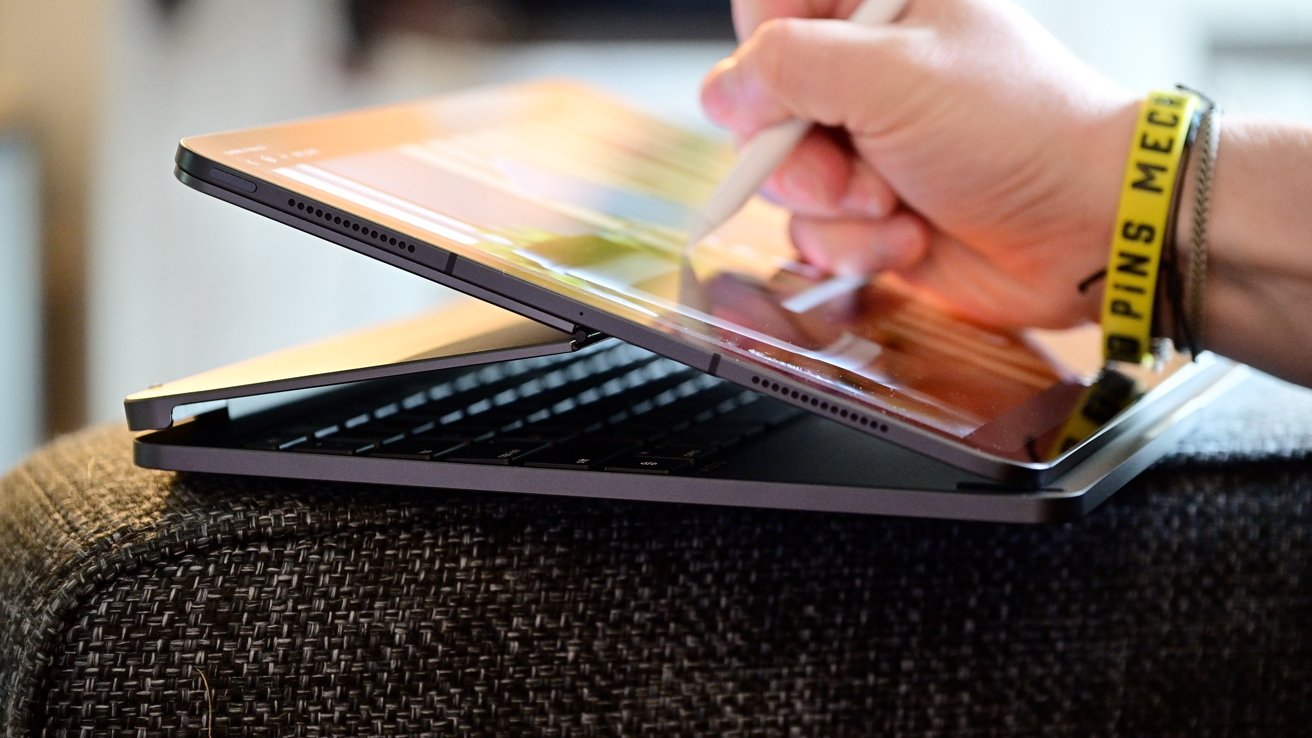 Brydge Max 13 review: When in easel mode, it's easy to write, draw, color, or otherwise use Apple Pencil
Alternatively, the iPad can pivot forward, docking into a tablet or easel mode that makes using Apple Pencil uber convenient. It is lifted just an inch or so in the back, and it was ideal for me to edit photos, and I'm sure artists and students would love it.
Finally, there is a dedicated movie mode. For this, the iPad Pro comes down towards the bottom of the keyboard keys, which repositions and lowers the center of gravity and increases stability while watching a movie.
I'd say it's more comfortable, too. It's a great angle for the iPad and just perfect when I'm trying to watch something in the tight confines of a plane, on my lap at home, or in bed.
Brydge Max 13 review: Performance
While I've tested a bunch of keyboards for my iPad Pro, it's been very hard to deviate from the Magic Keyboard. It's essentially the bar I measure all others against.
So moving to this, it needed to be able to live up to that level of first-party performance. To put it succinctly — it needs to be fast and reliable.
Fortunately, that's largely what the Brydge Max 13 has been. It has an instant-wake feature, so when I open the keyboard, everything turns on and connects.
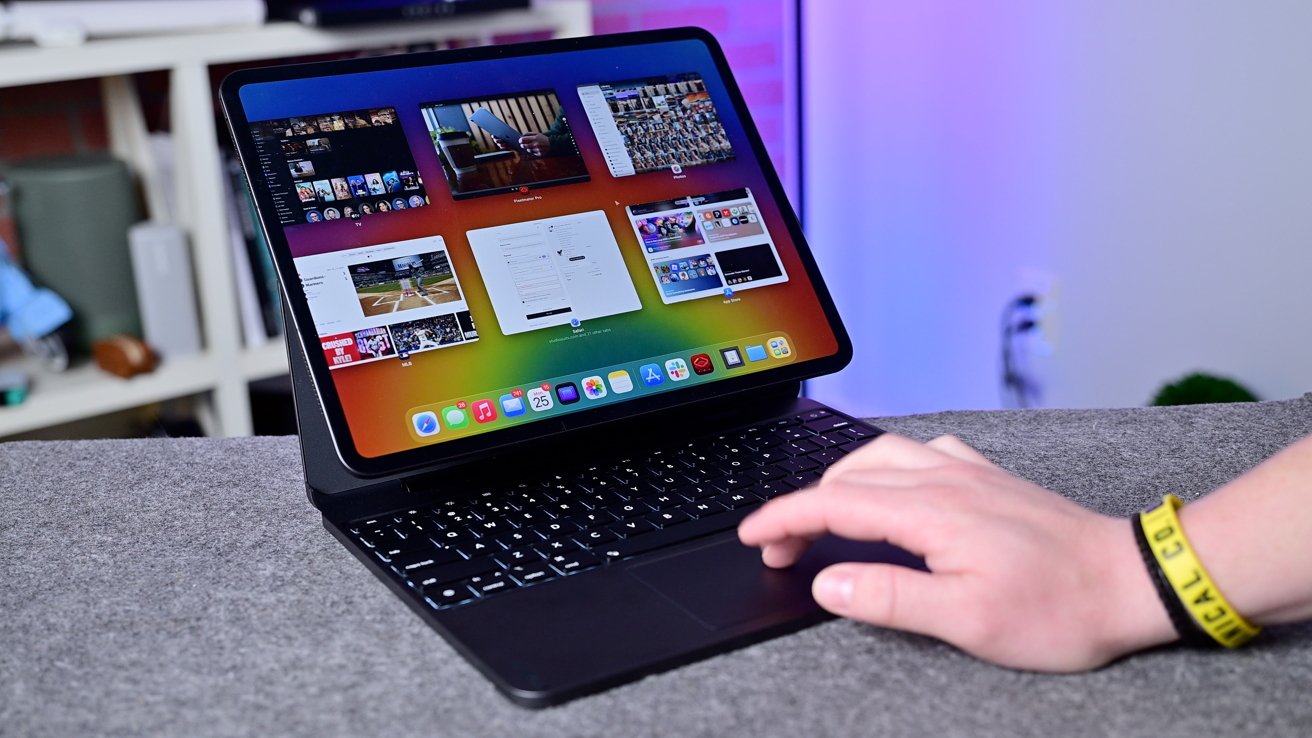 Brydge Max 13 review: The Brydge keyboard is a nice pro solution
Once or twice, there has been a delay in wake, but it was largely a rarity. I could tap the trackpad, and it causes the iPad to wake up, and I can go right into using it.
Bluetooth may have a very, very slight delay, compared to wired (which the Magic Keyboard counts as), but it was nothing I particularly noticed in use.
The implementation with iPadOS is very smooth and lag-free. I wrote reviews, edited videos, and worked on photos, all without issue.
It's a genuine delight to use this, and Brydge thought of a lot of little details that didn't go unnoticed. For example, as you tilt the iPad back, there are little bumpers that rotate around the metal so you don't have metal scraping against your desk.
The backlight is cast evenly behind the keys, the keys don't feel wobbly, and easel mode was a cool surprise that I used a lot more than I thought I would.
Compared to older versions, there's no longer any app either. It's a bit freeing to have a connected accessory that doesn't require yet another app to be downloaded.
Brydge Max 13 review: Versus Magic Keyboard
As I've mentioned, the Magic Keyboard is the closest alternative here, and is primarily what Brydge seems to be targeting. It even has that elevated floating look Apple created.
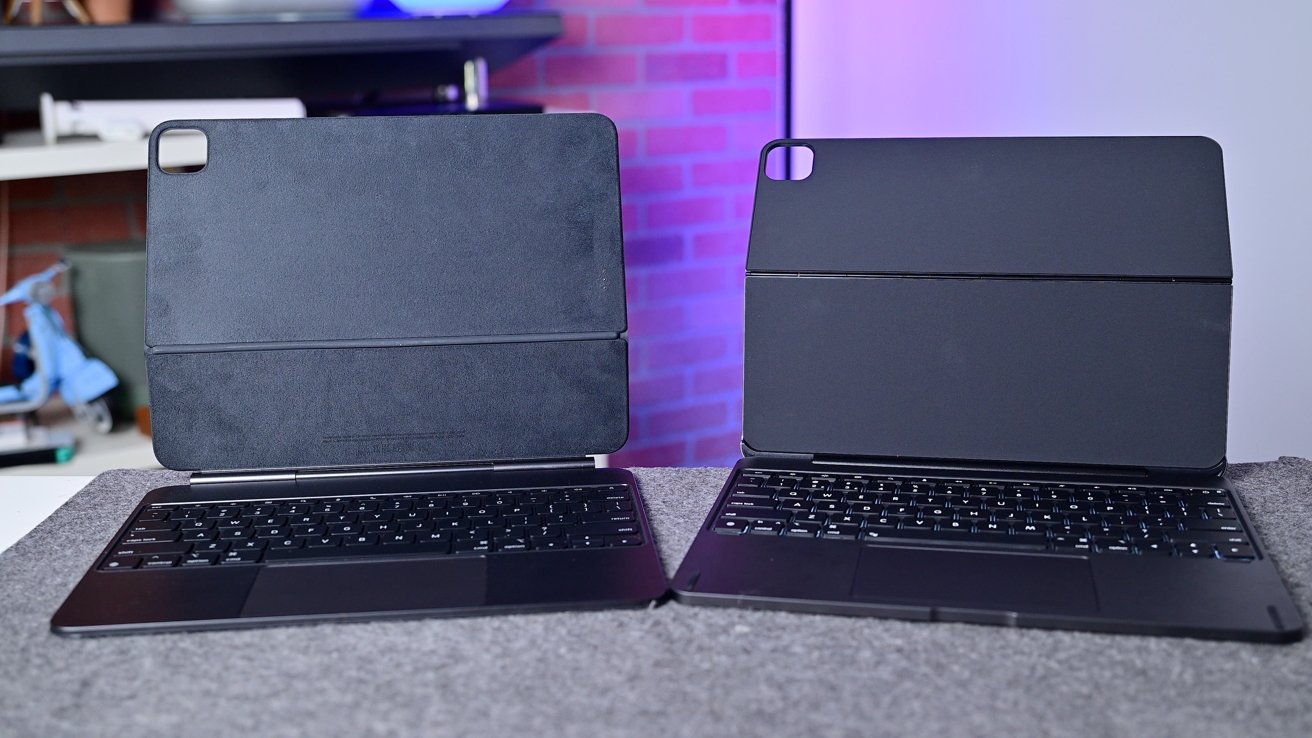 Brydge Max 13 review: Apple Magic Keyboard (left) and Brydge Max 13 (right)
Out of the gate, Brydge has a number of advantages over Magic Keyboard, starting with the price. Apple's Magic Keyboard is $349 MSRP compared to $249 for the Brydge Max 13.
That's certainly not cheap, but if it manages to be $100 less while still offering a high level of performance, I think that's noteworthy.
In some ways, the Brydge Max 13 is functionally better. It has a far larger range of motion with several different viewing options that Apple can't touch.
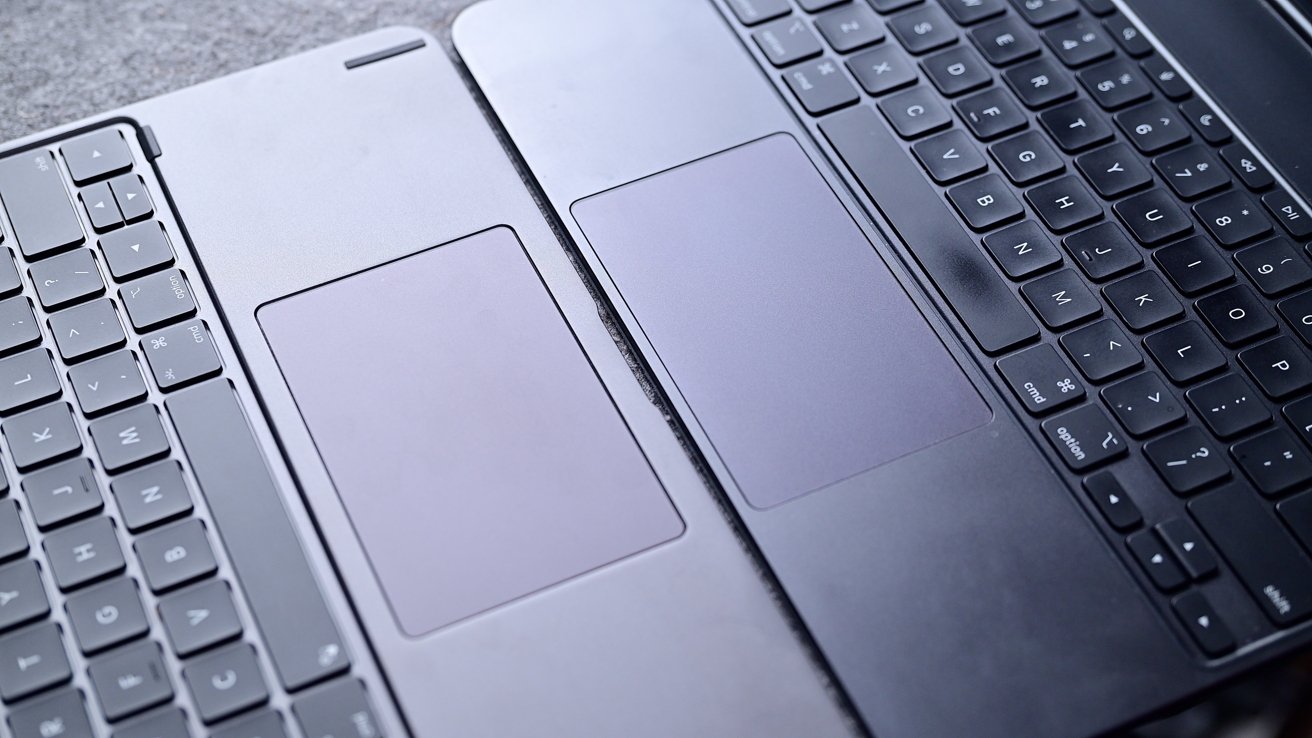 Brydge Max 13 review: Brydge's trackpad (left) is larger than the Magic Keyboard (right)
The trackpad is slightly bigger, too. Any extra space is welcome on a portable product like this.
My biggest complaint with the Magic Keyboard has always been the balance. It's great on a flat surface, but anything uneven, like a bed or couch, is frustrating.
The weight is situated too far towards the back, so if it isn't a stable surface, it just falls backwards. It happens to me constantly and drives me mad.
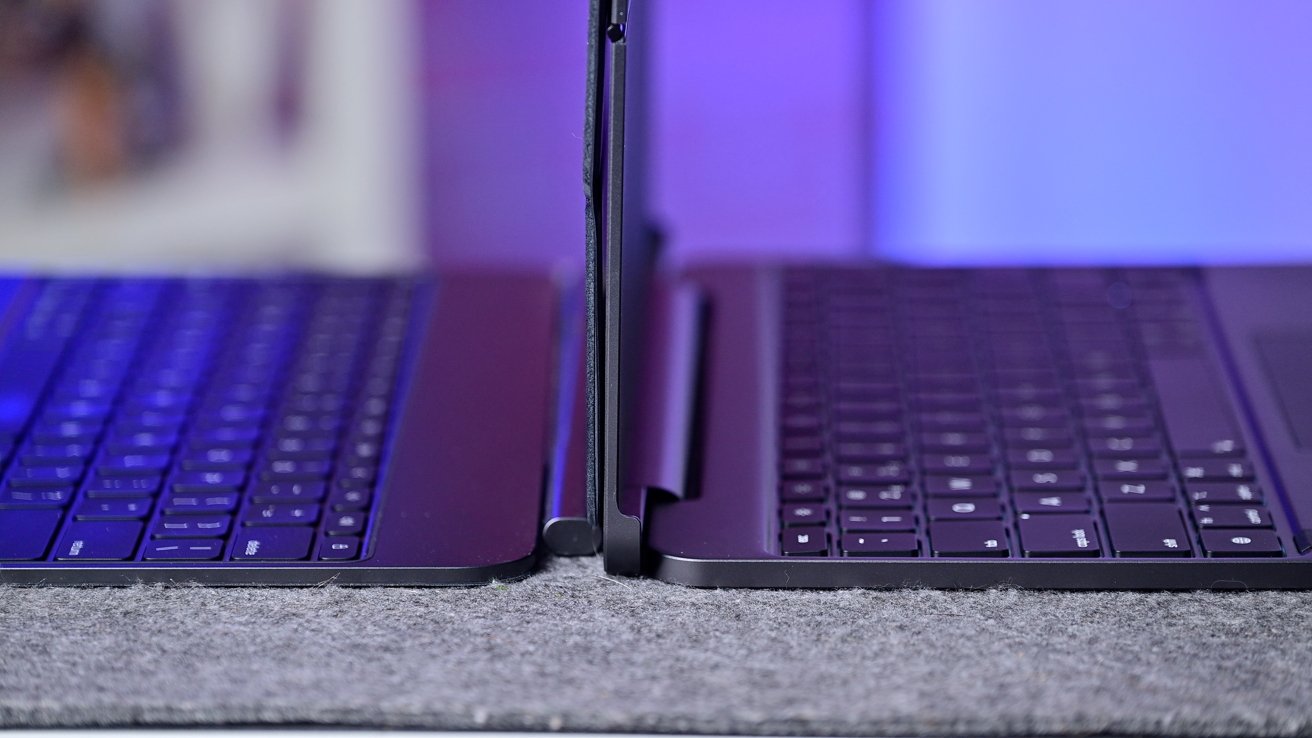 Brydge Max 13 review: Side by side view of the Magic Keyboard and Brydge Max 13
I'd say the last benefit is that it won't drain your iPad's battery. Since it has its own, it does not need to be powered by the iPad in any way.
That said, since it is Bluetooth, you do have to charge the keyboard, and Bluetooth has its own toll on battery. It's likely a wash in the end, and I think I prefer the Smart Connector, but some people do like Bluetooth.
Bluetooth means this keyboard can be used with other devices, too, like your Mac, PC, or iPhone.
Magic Keyboard has its own benefits, though. My favorite is the dual USB-C ports.
The spine of the Magic Keyboard has a secondary USB-C port that can be used for charging. It's more conveniently placed, while also freeing up the one on the side to be used to connect accessories or hubs.
I used this feature constantly, and it is probably the make-or-break reason to choose the Magic Keyboard over the Brydge Max 13. Not everyone needs it, but if you do, it makes a big difference in use.
Brydge Max 13 review: Summary
Apple's Magic Keyboard is such a great piece of tech, but the price tag is frustrating. When lighter, plastic ones can be had for a quarter of the asking price, there is a reason people choose alternatives.
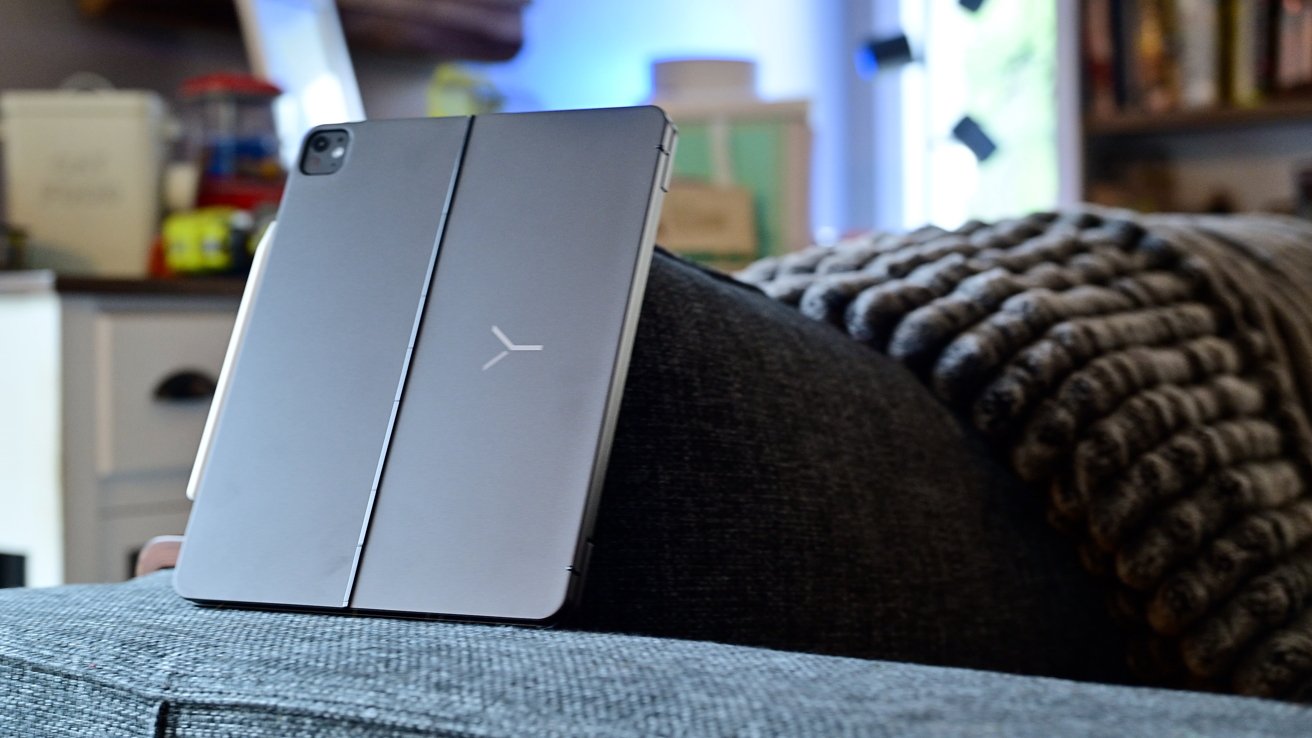 Brydge Max 13 review: It's not light, but it's a sleek, elegant solution for iPad Pro productivity
Anyone who wants Apple's high quality without the price tag is mostly out of luck. I think Brydge has nailed that audience.
Brydge Max 13 is well designed, reliable, fast, intuitive, sturdy, and delightful for around 30% less than what Apple is asking. I think a good keyboard and trackpad will vastly improve productivity for iPad Pro users, and this is Brydge's best solution yet.
I don't relish another device to charge, but I'm sure people will stomach it for the savings.
 Brydge Max 13 review: A premium solution to rival Apple
If you want to be productive on an iPad, you need a keyboard and trackpad. If you want to get the best for less, choose the Brydge Max 13.
Brydge Max 13 review: Pros
- 270-degree range of motion
- Dedicated easel and movie modes
- Trackpad can be disabled
- Adjustable backlit keyboard
- Magnetic connection
Brydge Max 13 review: Cons
- Needs to be charged, won't pull from iPad battery
- Lacks an additional USB-C port like the Magic Keyboard
Brydge Max 13 rating: 4.5 out of 5
Where to buy the Brydge Max 13
You can buy the Brydge Max 13 directly from Brydge's website for $249 in either Graphite Black or silver. You can save 10% off by using our link.