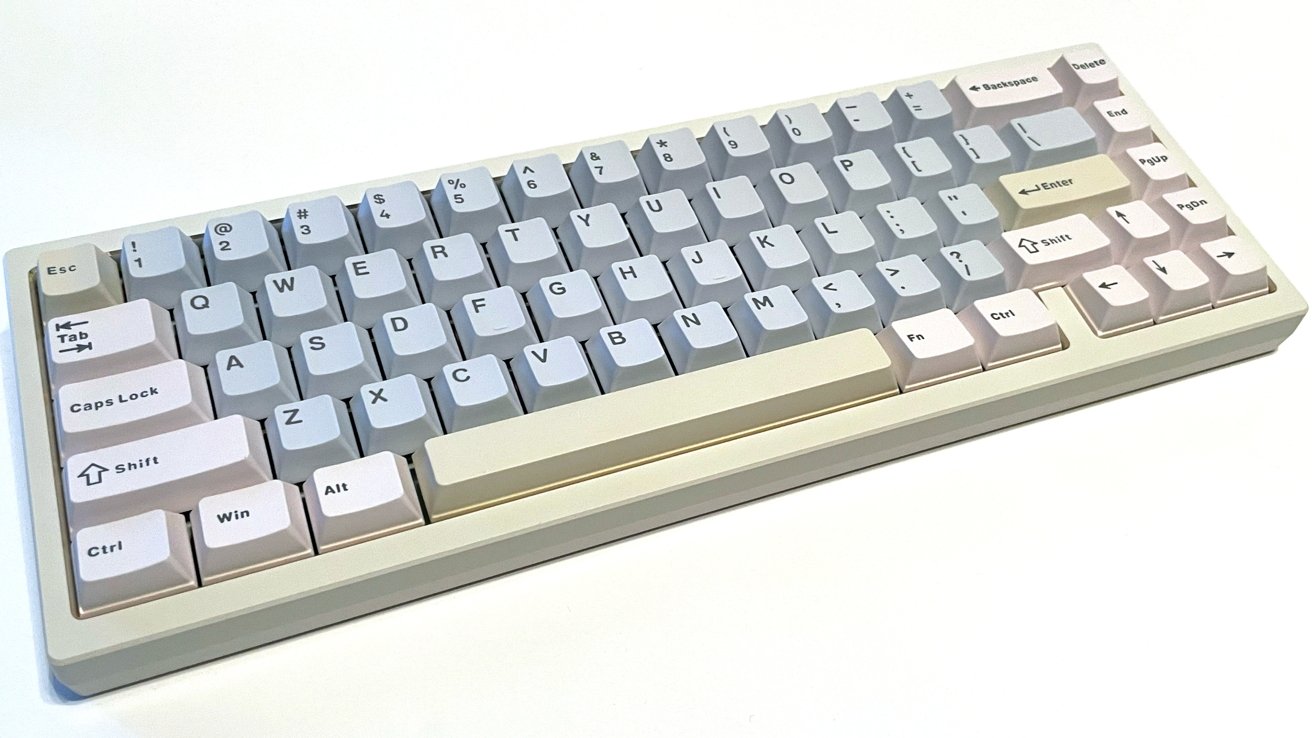
The Wobkey Zen65 is a pretty good mechanical keyboard overall, but the pricing and Windows-specific keycaps may make Mac users look elsewhere.
In 2025, the keyboard market is filled with manufacturers around the world producing and offering a wide range of keyboards. All in a bid to meet the needs of every consumer's budget, aesthetic preferences, and flexibility in features.
The China-based company Wobkey has become one of the subreddit darlings of mechanical keyboards with its previous offerings.
For example, how the Rainy75 focuses on heavy-duty manufacturing and quality of life touches that make the daily use of keyboards more ergonomically friendly. All without breaking the bank for the consumer.
Wobkey's newest offering is the Zen65. It's a mechanical keyboard that aims to be a quality alternative to heavy mechanical keyboards at an affordable price.
I tested an Ultra version of the Zen65 to see how it measures up, and determine if Wobkey has what it takes to stand out in an overflowing market.
Wobkey Zen65 review: Inside the box
The Zen65 is a 65-percent mechanical keyboard, and it arrives incredibly well-packaged.
Inside the box:
- Zen65 Keyboard
- Premium Carrying Case
- Flannel Storage Bag
- User Manual
- 2.4G USB Receiver
- USB-C Cable
- Keycap/Switch Puller
- Additional switches x 3
- PCB Gasket Dumbbells x 8
- Plate Casket Dumbbells x 6
- Top Washers x 6
- Top Screws x 6
The hard-shell travel case holds all the cables, tools, extras, and the keyboard itself. It has rigid cutouts that prevent the components from moving or sliding in transit.
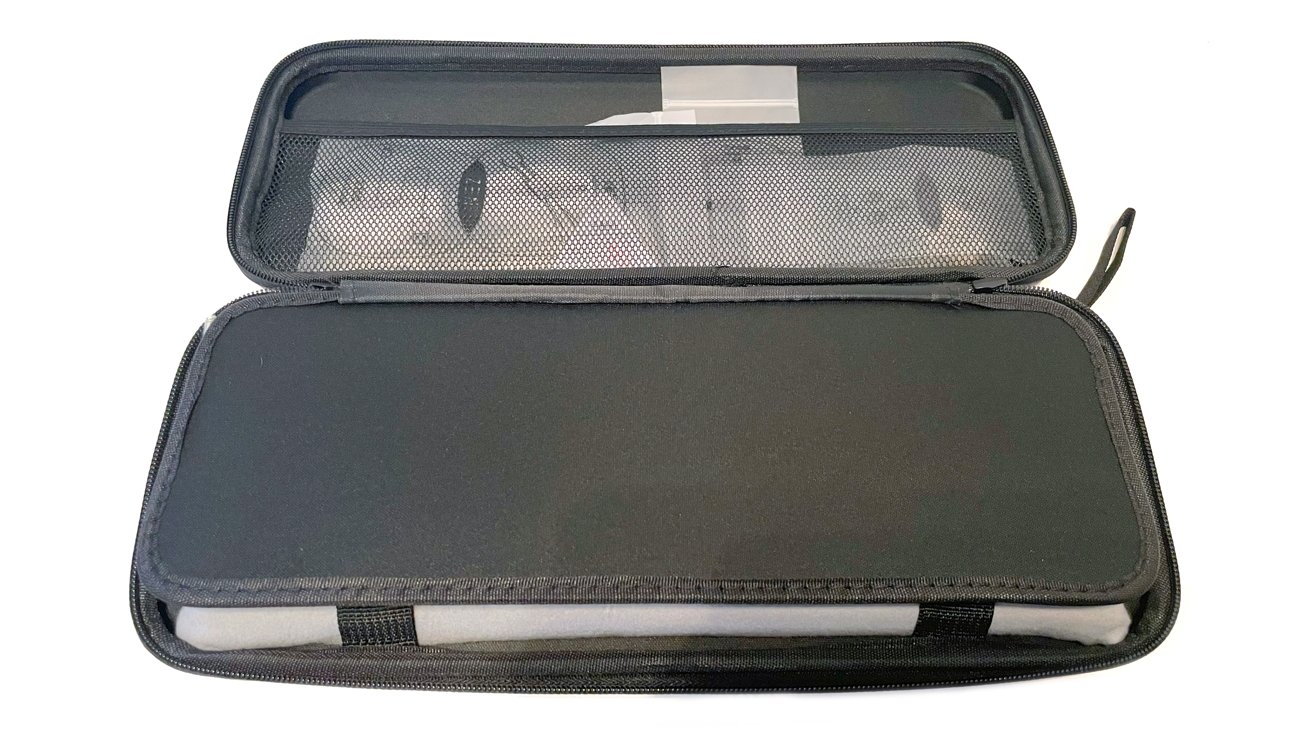
Wobkey Zen65 review: The carrying case is particularly good
The fabric exterior loop is excellent for easily carrying the keyboard around. While this is a small feature to call out, I appreciate that I could have my hands full and still carry the Zen65 with ease.
The Zen65 is compatible with macOS and Windows, however, Wobkey does not include alternate Mac keycaps for swapping based on where you use the Zen65.
This is a small thing, and the Windows key behaves exactly like the Command key. But with all of the high production value and added bells and whistles, it would be nice to have those alternate keycaps included.
Wobkey Zen65 review: Specifications
- Width: 112mm
- Length: 317mm
- Front height: 19mm
- Rear height: 35mm
- Weight (Ultra model): 3.3lbs
- Battery: 3,000mAh x2 (for the Ultra model)
- Tri-Mode Connectivity
- MacOS & Windows Support
Wobkey Zen65 review: Build Quality
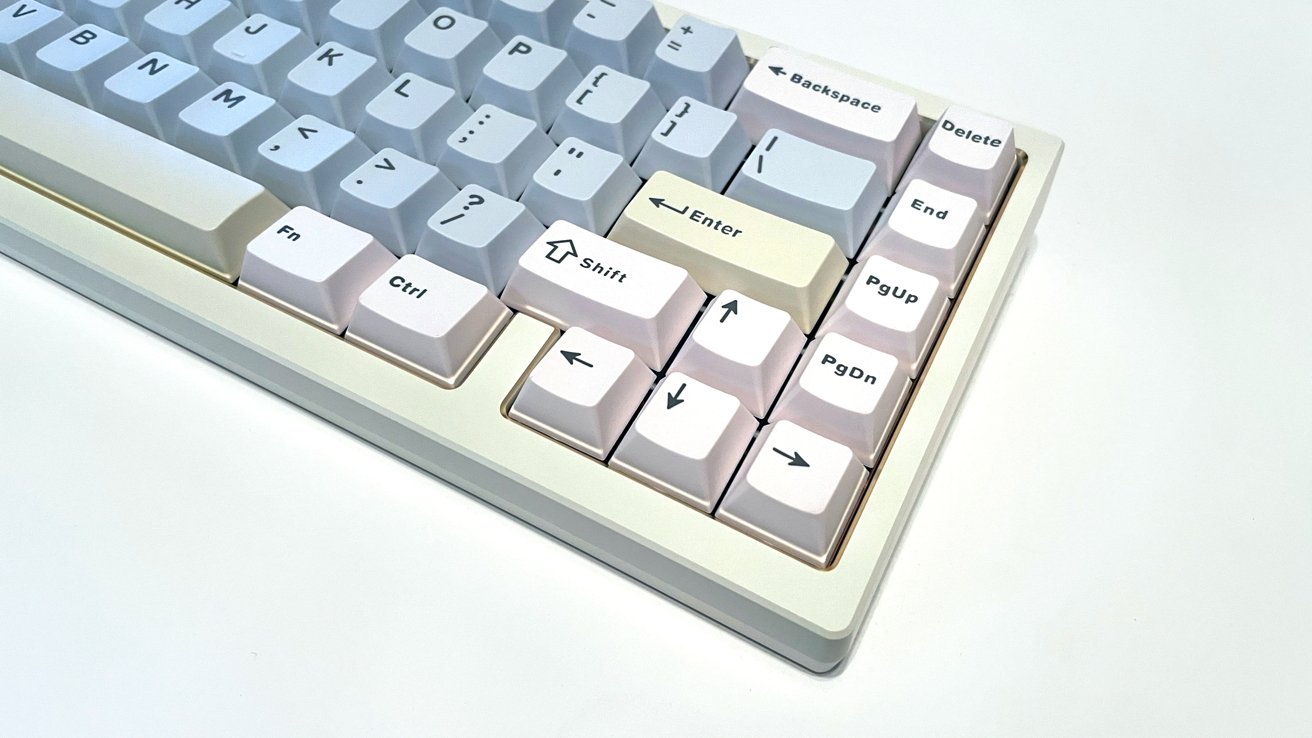
The Zen65 is a 65-percent mechanical keyboard that feels very beefy and is built like a tank.
The CNC aluminum frame that gives the keyboard an amazing visual aesthetic and sturdy feel. One that is accentuated by the excellent quality of the keycaps.

Wobkey Zen65 review: It has a very durable construction and great keycaps.
The entire unit feels heavy and capable of withstanding many years of day-to-day use.
Wobkey offers Zen65 in a variety of colors based on the model you select:
- Zen65 Lite: Black, white, silver, and pink.
- Zen65 Ultra: Black, white, silver, warm silver, red, white-gold, and pink-gold.
The Zen65 does not include feet or flip-down legs to adjust the angle of the typing surface. Instead, you get a base 7-degree typing angle, and increasing the angle will require wedging stuff behind it.
I prefer to have options with the typing angle of keyboards for users with hand or wrist issues, so buyer be aware.
The center back of the keyboard has a single USB-C port for charging or using the keyboard in wired mode.
Wobkey Zen65 review: Customization
In addition to the variety of colors available on the Zen65, Wobkey also offers two types of hot-swappable linear switches as standard: HMX Violet Switch and Kailh Luna Switch.
Based on the purchasing options, the type of switches installed at shipping is based on the model of Zen65 selected. The HMX for the Lite version and Luna for the Ultra version.
Wobkey Zen65 review: The switches change, depending on the model.
The campaign page indicates a backer/purchase survey will allow you to select color options after purchase, but I found no mention of swapping the type of switches for delivery.
Both the Lite and Ultra models include RGB backlighting. Based on what was supplied, I can say that the colors are bright and pleasing to the eye with a wide variety of preset options and colors to choose from.
Wobkey Zen65 review: In use
I used the Zen65 for 7 days and I can report that it was a good experience after a rocky installation and a small initial learning curve.
Setting up the Zen65 took far longer than expected.
I anticipated to unbox the keyboard, charge it, pair it to my Mac Studio, and start working. What I discovered is that pairing the Zen65 via Bluetooth was not working as intended, and the keyboard only functioned while it was connected via the USB-C cable.
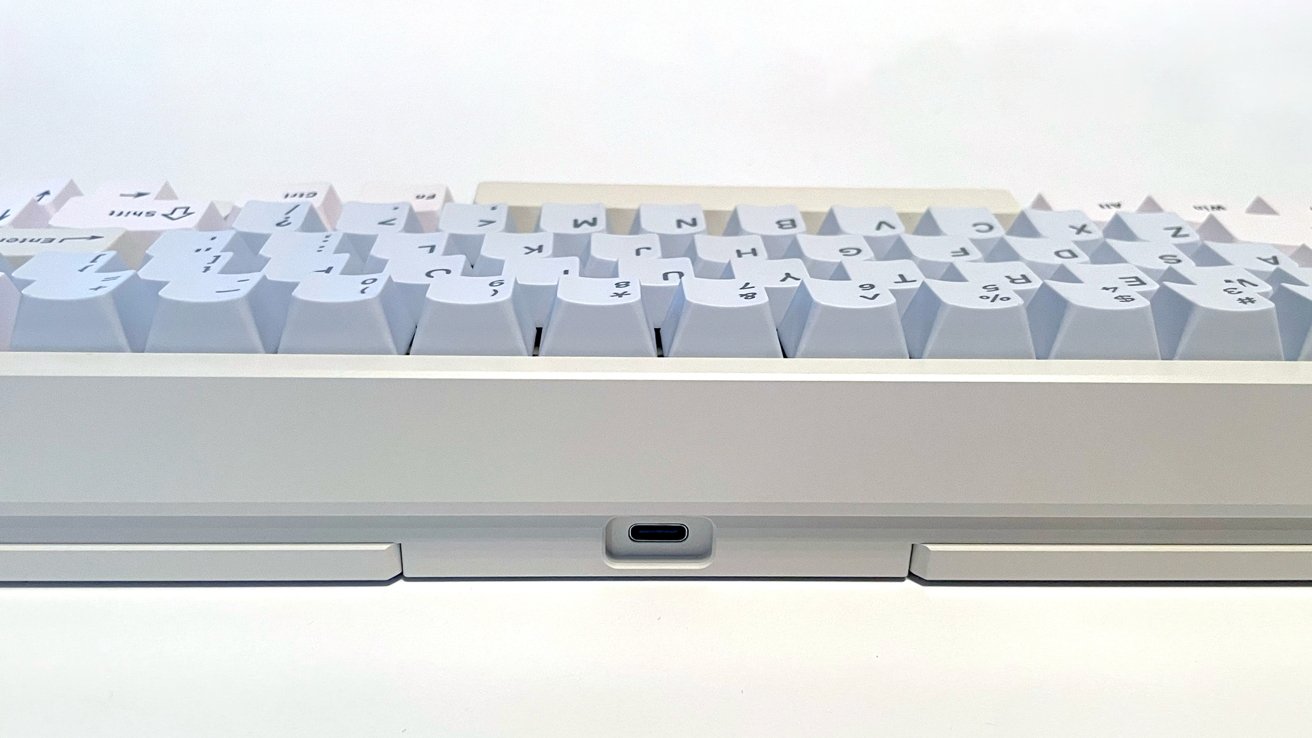
Wobkey Zen65 review: The USB-C port on the rear.
The quick install card, instruction manual, and the Wobkey website are all mostly in Chinese, and there are no installation instructions at all on the Kickstarter page. Admittedly, after release, there should be more support information, but at the time of writing, it's not available.
I had a list of the Function key commands and instructions on how to pair the Zen65 via Bluetooth, but nothing I tried worked. That was until I found a review on YouTube that casually mentioned the power switch under the Caps Lock key.
After I removed the keycap and flipped the switch, the Zen65 paired and worked perfectly in wireless mode.
This could be considered user error, but I did not find a mention of the power switch located under the keycap anywhere in my searches, and that is something I did not have experience with.
I review a lot of keyboards, but this was my first time with a hidden switch, and I hope that manufacturers keep this in mind when creating their manuals and quick setup cards.
At its core, the Zen65 is a chunky mechanical keyboard that focuses on maximizing desktop workspace with a smaller footprint that a 65-percent keyboard delivers. In this regard, it is effective.
However, the removal of the standard function keys does require the user to use a single function key and cycle through functions with key commands.
I am a digital illustrator and a long-time macOS user, so the muscle memory for quick key commands was not a difficult adjustment to make. For a user accustomed to the ease of single-button functions, this presentation will require an adjustment period.
I absolutely love the tactile feel of the keys and the soft, deeply satisfying "Thock" sound while typing. The Luna switches are excellent and the build of the Zen65 is very comfortable.
The added weight of the keyboard, thanks to an added brass weight, prevented any real sliding or scooting on my desk while working on my Mac and playing games on my PC.
The Zen65 pairs with up to 3 devices. To be sure it worked, I paired it with my Mac Studio, my PC, and my Apple notebook via Bluetooth, and all three worked brilliantly.
Wobkey Zen65 review: Caution with Kickstarter
My biggest issue with the Zen65 is not the keyboard itself. It is the purchasing through Kickstarter and the unpredictable nature of the platform when it comes to the delivery of tech items.
Kickstarter can be the Wild West when it comes to crowdfunding, production, and delivery. Wen a company utilizes the site as its primary funding and delivery system, I am always a little apprehensive.
Wobkey has a track record of campaigns in the past for funding, production, and delivery to customers with positive results. But for the sake of research, I did a little digging into comment sections and subreddits to see if there are any red flags.
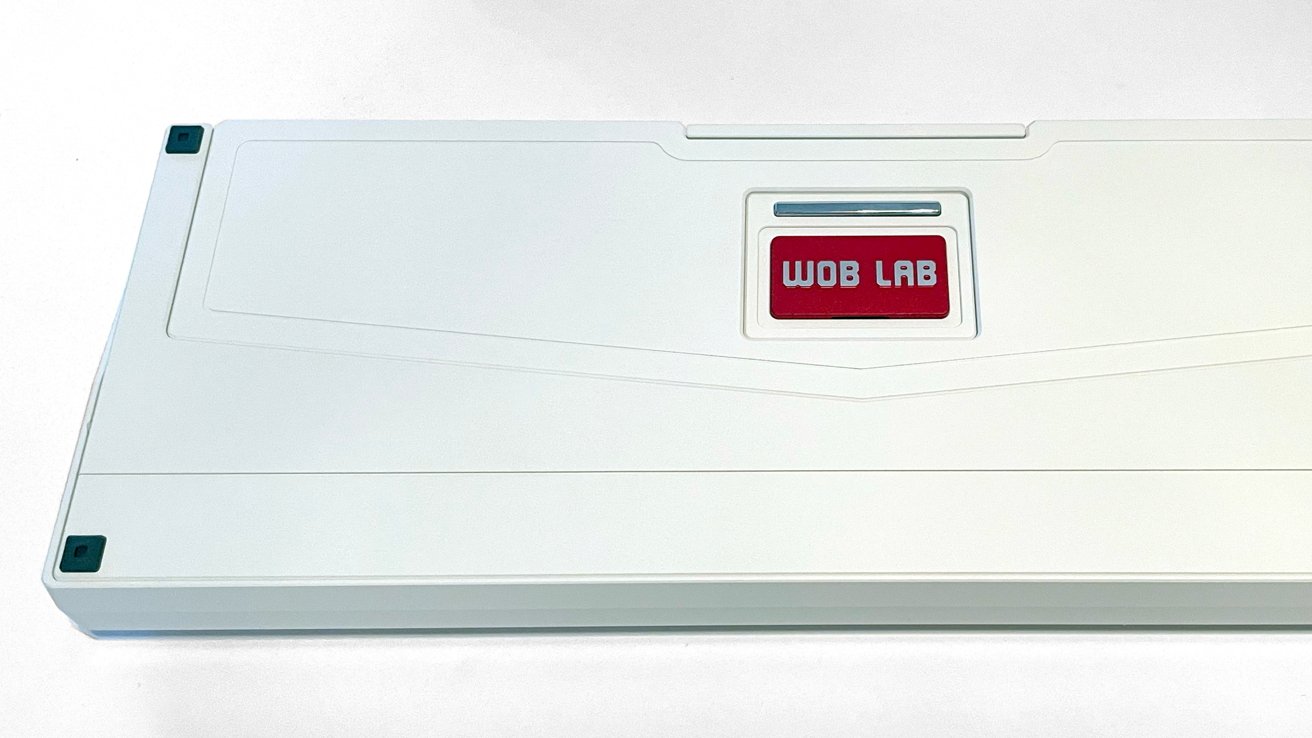
Wobkey Zen65 review: You can't adjust the height underneath.
I found comments about poor communication, missing orders, and general unhappiness with delivery. But even so, the positive comments outnumbered the negative 3-to-1.
It is the nature of the internet and crowdfunding that, on occasion, orders will be lost or fall through the fulfillment cracks, or a backer will simply not be pleased under any circumstances.
I personally would not back a project like this on Kickstarter, and would rather wait until the product is available in stores or through a company online shop or Amazon. This allows issues to shake out and ensure that the best version of the product is available to consumers.
The cost of entry for the Zen65 is a slight issue for me as well, with discounts offered through the campaign page to bring the cost lower.
The Lite model is listed at $109 after discount from the $129 MSRP.
The Ultra model is listed at $145 after discount from the $179 MSRP.
A price of $109 for the Lite model is acceptable, given the features and quality of the Zen65, but the full MSRP of $129 gives me pause when the market is filled with so many comparable keyboards for the same price or lower.
The Ultra model is lovely, but I would not pay $179 for it if MSRP were my only option. That is not a small investment for most of us, and when you weigh what the Zen65 does compared to other mechanical keyboards, I think better options exist.
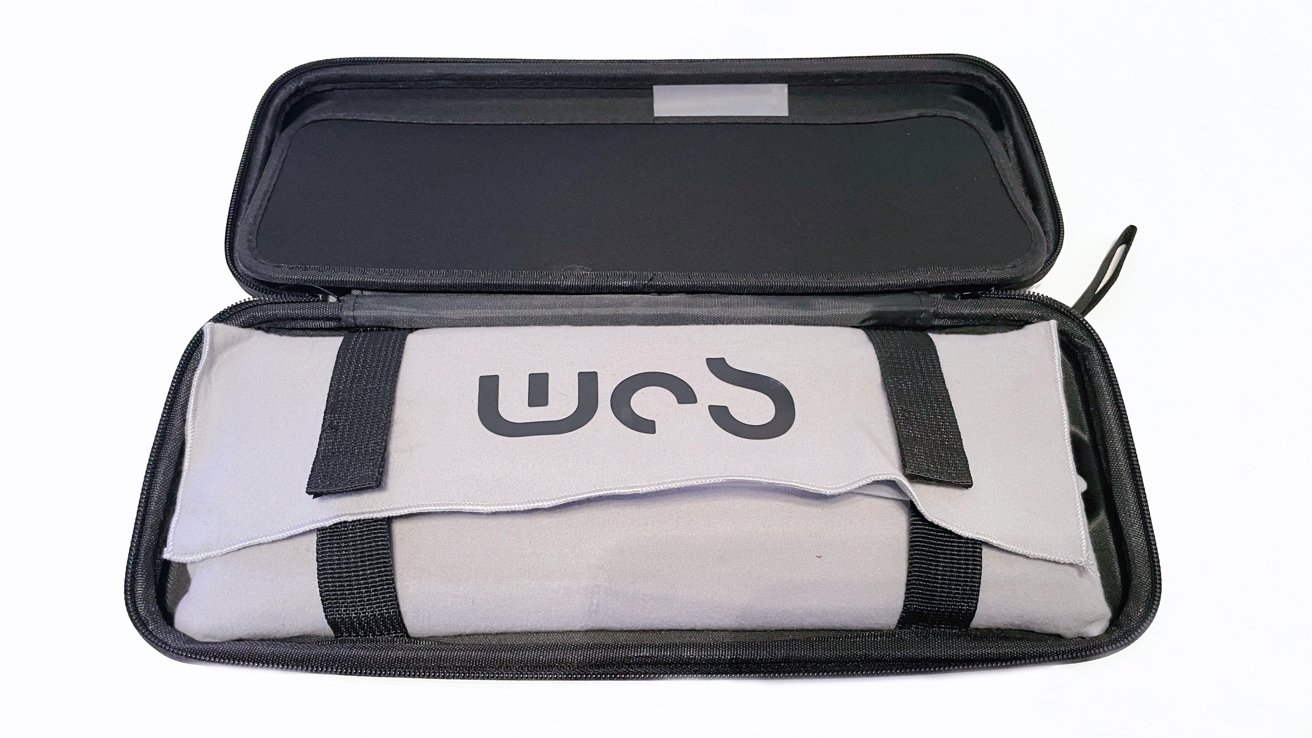
Wobkey Zen65 review: Wrapped up in the case
With that said, the Zen65 is incredibly polished, and it appears that fulfillment is underway in waves at the time of this writing. Making a purchase while the Kickstarter discounts are active could be the way to go.
The Zen65 is a good mechanical keyboard, but the potential wait time for delivery and the unpredictable nature of Kickstarter is always a valid cause for concern.
Wobkey Zen65 Pros
- Excellent build quality
- Compatible with MacOS and Windows
- Connectivity with up to 3 devices
- Small desktop footprint
- Excellent travel case for mobile work
Wobkey Zen65 Cons
- Cost of entry could be an issue once the campaign discounts end
- Non-intuitive instructions
- Hidden power switch not mentioned
Rating 3.5 out of 5
Where to buy the Wobkey Zen65
Multiple versions of the Zen65 are available for preorder on the Wobkey Zen65 Kickstarter page, ranging from $105 for the Lite Version to $139 for the Ultra Version.
As part of the review, we've also incorporated the fact that it's a crowdfunded project. As a crowdfunded project, there is always the risk the product not shipping as promised — or at all.
Because of this, AppleInsider doesn't cover the majority of crowdfunding efforts as a rule, unless hardware is available and after an assessment of the team behind the effort and their previous releases, if any.