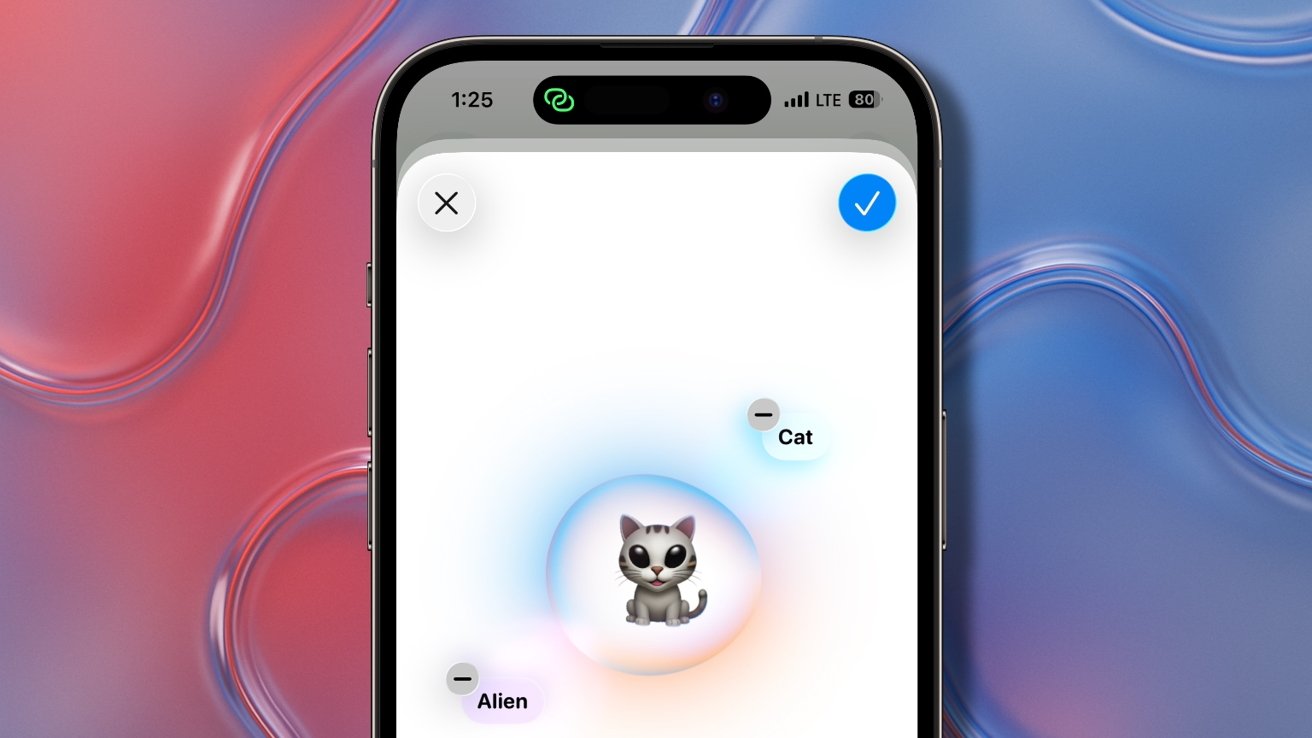
Apple is improving Genmoji in iOS 26 with better prompts, expanded customization, and tighter integration with your favorite apps.
Genmoji first appeared in iOS 18.2 as part of Apple Intelligence. It lets iPhone users create their own emoji-style stickers using short text descriptions or a mix of emoji.
The stickers look like emoji, but they're actually images generated on the device using Apple's AI model. The new update adds more flexibility.
You can now blend multiple ideas, describe emotional expressions, and build Genmoji based on people in your photo library. The iOS 26 update also makes it easier to use Genmoji in Messages, Notes, and other apps that support the keyboard.
What Genmoji are and how they work
Genmoji aren't part of the standard emoji set. Instead, each one is a custom image that behaves like a sticker. They're designed to fill the gaps where regular emoji fall short.
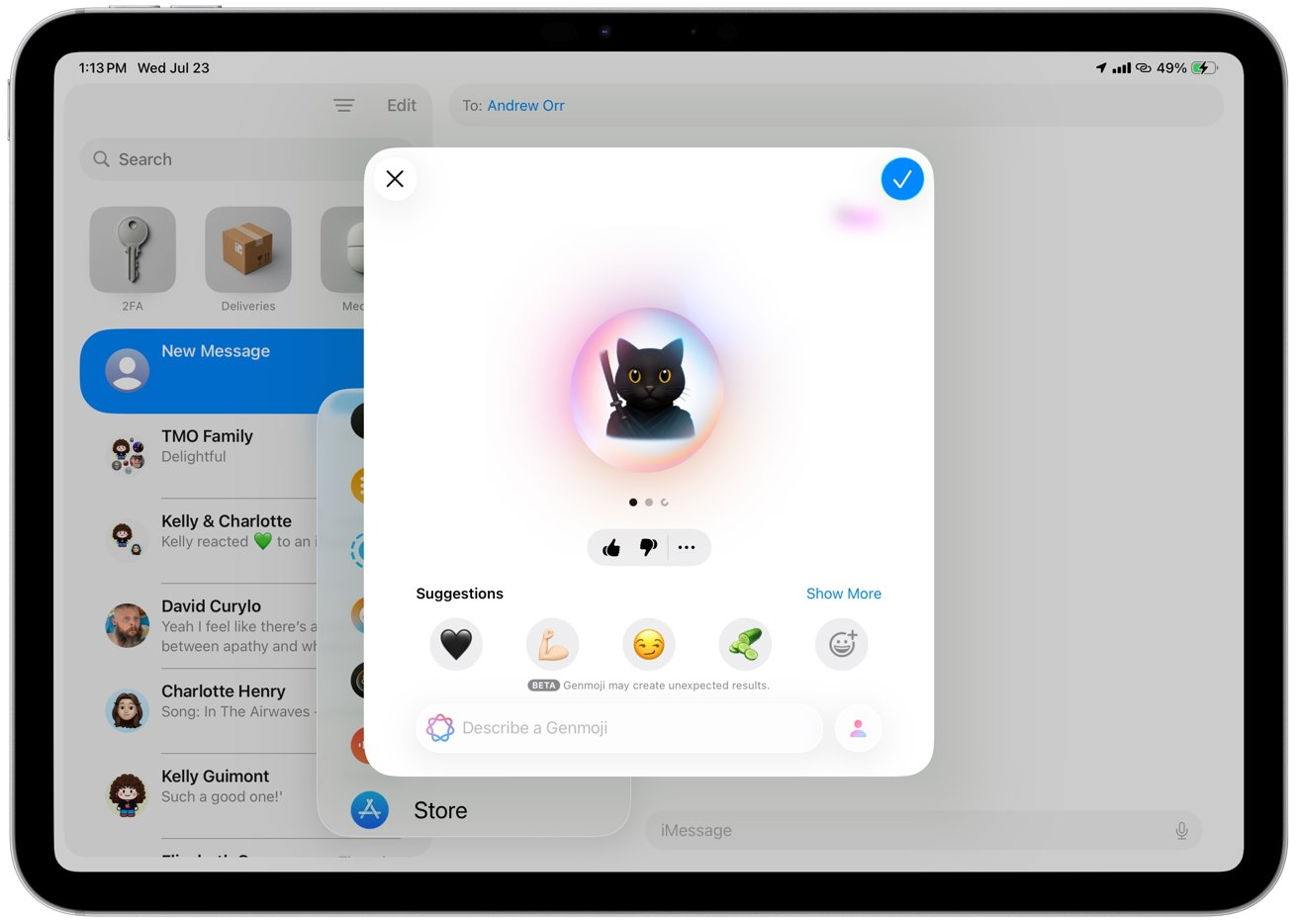
To create one, tap the Genmoji icon in the emoji keyboard. Type a phrase like "giraffe on a unicycle," or select emoji and themes from the suggestion bar.
The system will quickly generate a few options, and you can swipe through them to pick the best fit. You combine up to six concepts in a single prompt.
You can mix emoji, words, themes, or even other Genmoji. The interface also shows suggestions for expressions, accessories, and settings to help shape your idea.
What Genmoji are and how they work
If you type the name of someone in your photo library, you can build a Genmoji that includes them in a specific scene, like "Jordan hiking on a mountain."
What's new in iOS 26
The latest version of Genmoji introduces a range of new tools designed to enhance its expressiveness and utility. One feature is the ability to create custom expressions.
Users can guide the system in depicting a person's emotions by using prompts such as "smiling," "shocked," or "sleepy," allowing for a personalized emotional representation.
The system now supports more detailed appearance descriptions. Users can specify physical traits like curly hair, glasses, or hats, which helps in creating Genmoji that are more accurate and reflective of the desired look.
The AI behind Genmoji has also been improved to deliver smarter results. It now produces higher-quality images and offers better matches to user prompts.
What's new in iOS 26
If the initial version doesn't meet expectations, users can swipe through alternative options without needing to rewrite their prompt. Furthermore, Genmoji now supports Tapback reactions in Messages.
Tapback reactions allow users to replace the default heart or thumbs-up with their own custom sticker, adding a personal touch to their interactions. Overall, these enhancements make Genmoji a more versatile and engaging tool for users.
Where you can use Genmoji
You don't have to stay in Messages to use Genmoji. Since the feature lives in the emoji keyboard, you can access it in any app that supports typing. That includes Mail, Notes, WhatsApp, and most social media apps.
Genmoji are sent as images, so they'll show up properly even for people using older devices or platforms without Genmoji support.
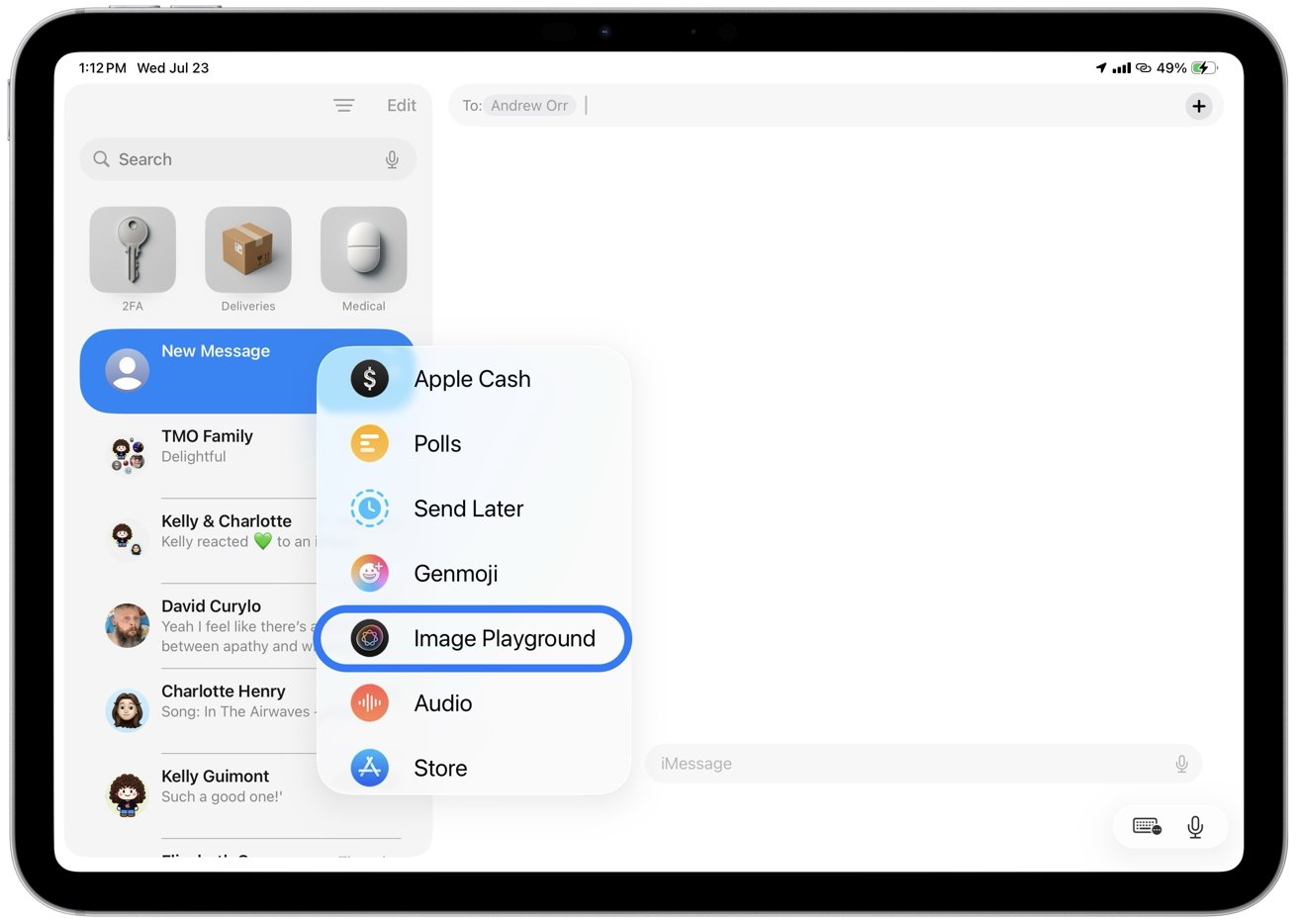
Apple also added Genmoji to Image Playground, a separate creative app introduced with Apple Intelligence. Inside the Playground, you can generate emoji-style images alongside sketches, animations, and illustrations.
Genmoji are fun to create and use
Standard emoji are popular but limited. They can't always capture specific situations or feelings, and new emoji are slow to roll out. Genmoji gives users a fast, personal way to create visual language that fits the moment.
The feature runs entirely on-device, using Apple's AI model. Prompts never leave your phone, and no data is sent to the cloud.
Apple labels Genmoji as a beta feature in iOS 26, and some results may be hit or miss. But the system is fast, fun, and surprisingly flexible.