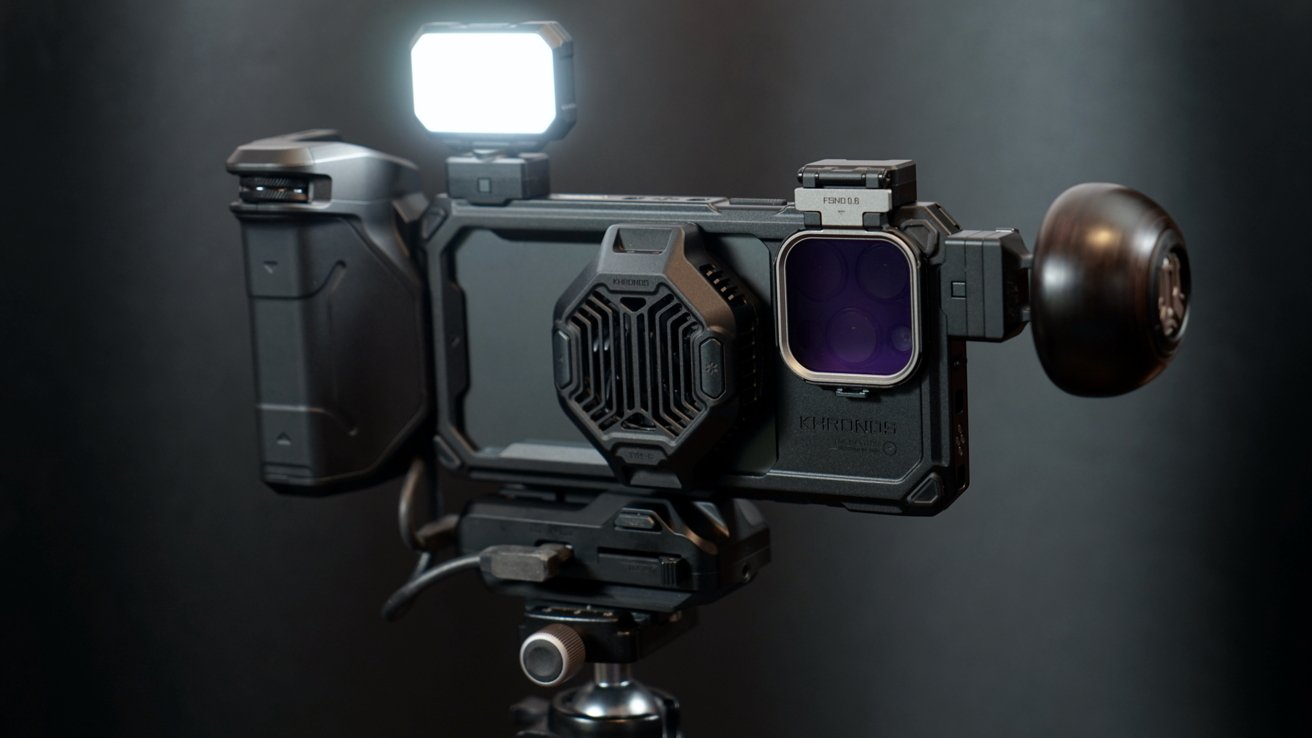
The iPhone is an excellent camera system on its own, but pros know that it works better with some accessories. The Tilta Khronos camera system is next-level and still evolving.
If you're serious about iPhone photography or videography, you've likely researched various cases and mods to enhance your setup. Enter the Tilta Khronos system for iPhone, which is fully modular and works across generations.
It starts with a heavy-duty iPhone case that has an open back for MagSafe and other accessories. It fully encases the iPhone in a rugged, protective exterior that doubles as a mounting system for Khronos accessories.
There are two to three attach points on each side of the case, with most aligned with contacts for power passthrough. That's right, the case provides power to the accessories via any of the attached power supplies.
Tilta sent me the ultimate kit to test, which contains several accessories I'll detail below. Since Tilta doesn't make its own lenses, I had to use a third-party set of lenses from Sandmarc, which I'll be reviewing properly later.
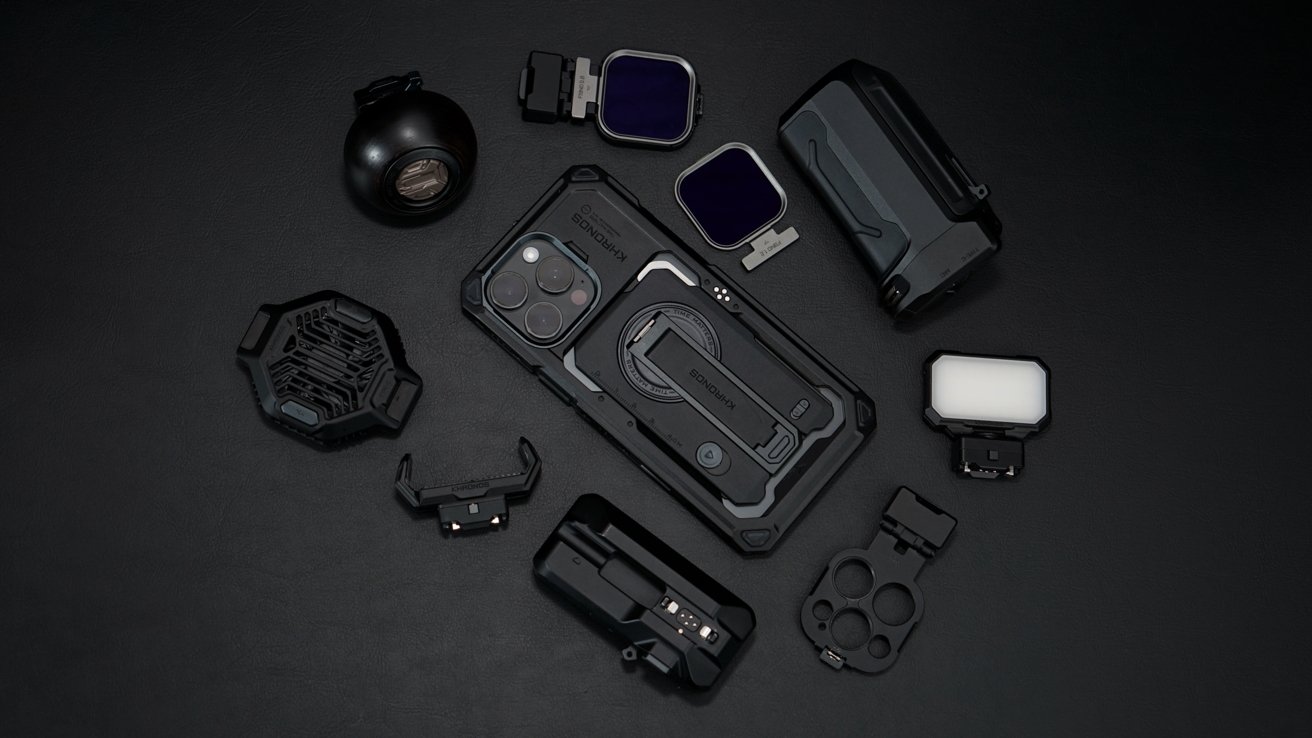
Tilta Khronos iPhone camera system review: The Ultimate Kit
This review will focus on the utility of each of the accessories I have on hand and the longevity of the platform. While I did test the equipment in real-world scenarios, this isn't going to be a review with sample photos and videos.
Beyond the lenses or filters, Tilta's accessories aren't going to have an effect on the photo or video end result. That said, they will help the user capture the content with a better grip, more access to controls, and various other options.
So, let's dive into the Tilta Khronos camera system for iPhone.
Tilta Khronos iPhone camera system review: The case
The core of the Khronos system is the iPhone case. I tested this system on an iPhone 16 Pro Max, but I did check with Khronos, which shared that there will be an iPhone 17 case launched sometime soon.
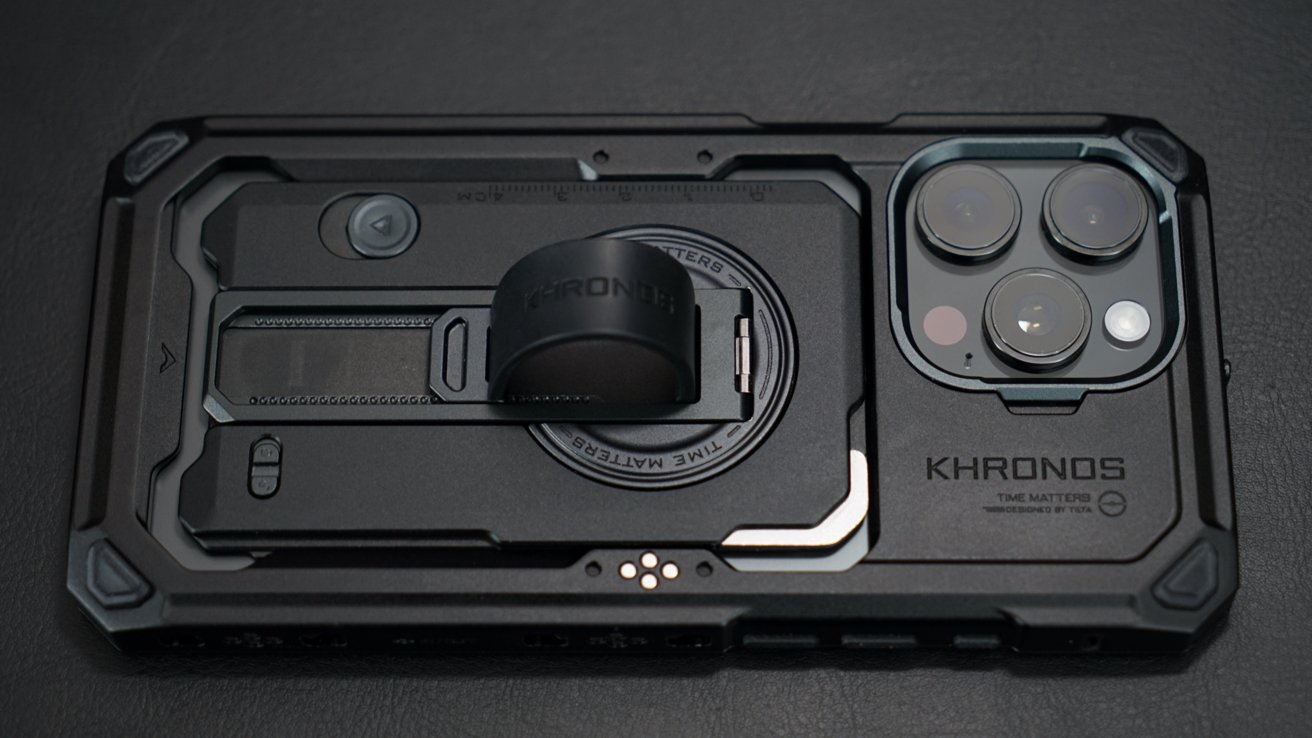
Tilta Khronos iPhone camera system review: A rugged case
That means all of the accessories the user already has will be compatible with the new iPhone case. So, start with an Ultimate Kit for your current model, then buy any additional accessories you might need over time, then get the new Khronos case as you upgrade the iPhone.
It's an expensive system, especially at the start, but one that'll last you generations of devices. It's not often that you see accessory makers devise a system that works for multiple years and models.
The case itself feels quite substantial in the hand, but without feeling thick or heavy. It's metal all the way around, and the iPhone goes in and a faceplate locks in place.
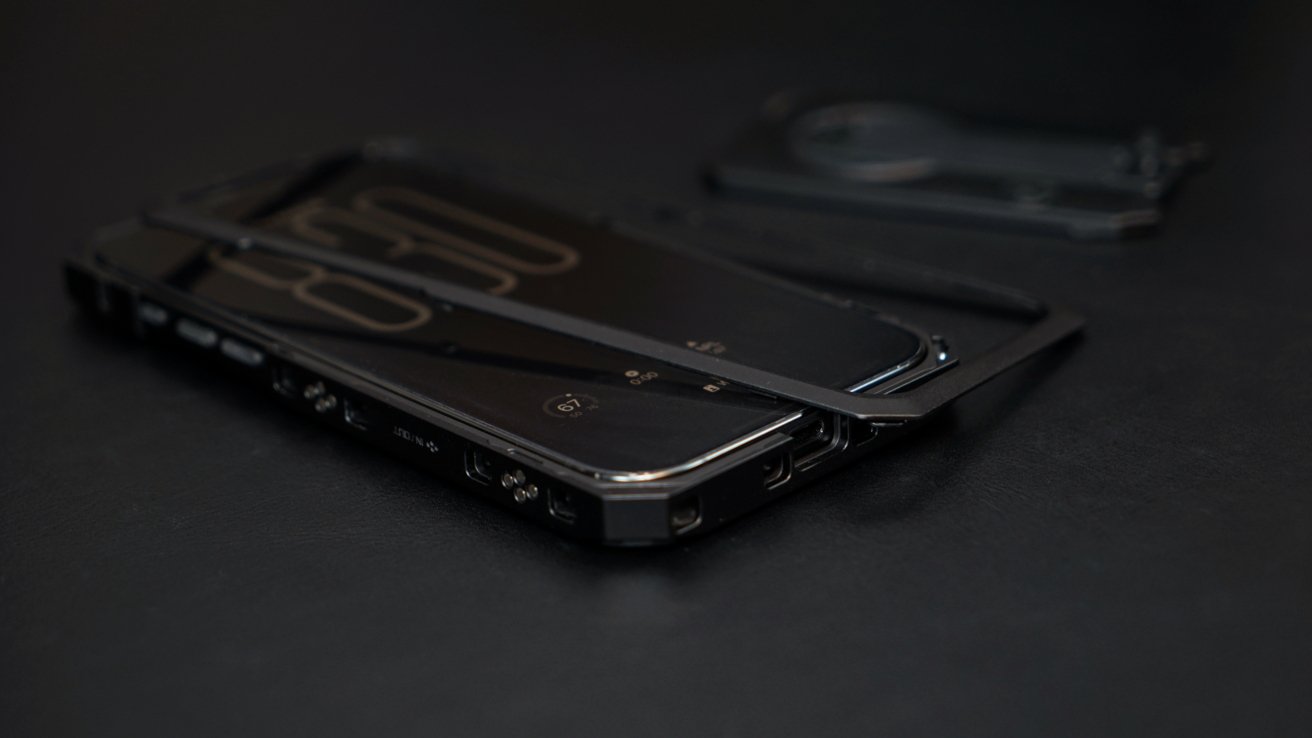
Tilta Khronos iPhone camera system review: A faceplate locks in place
It weighs 2.4 ounces, so it's a tad heavier than some cases, but saves on weight with the cutout in the back. It comes with an optional backplate that can be used when not utilizing all the camera gear, and it adds 2.2 ounces, but with good reason.
The Khronos case has a slot purpose-built for the accessories that can fit into it, though some other MagSafe accessories can fit. I had one particularly tiny MagSafe battery from Baseus that managed to squeeze into the opening.
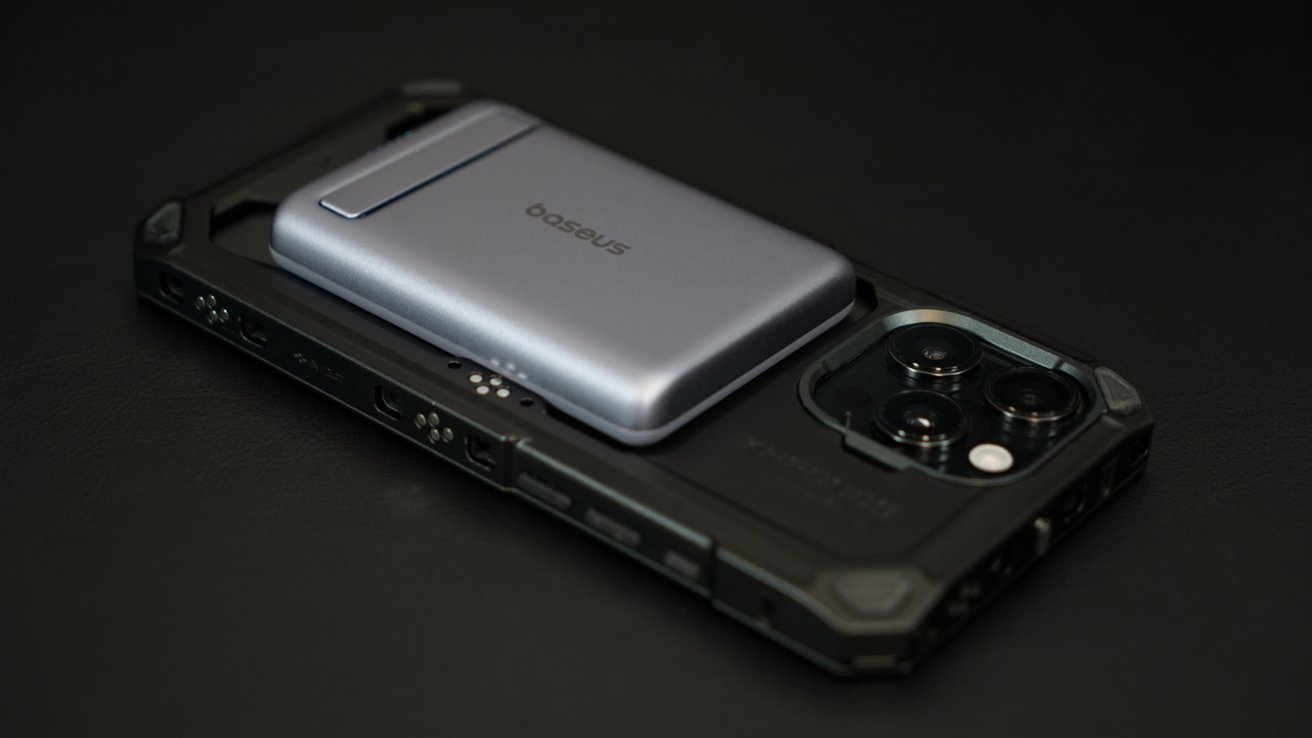
Tilta Khronos iPhone camera system review: Not all MagSafe accessories will fit
The backplate is a kind of multitool that locks into place and offers a kickstand, leather finger strap, utility knife, and flathead screwdriver. That screwdriver is actually perfect for those little screws needed for tripod mounts.
The only problem with the backplate is that it doesn't support passthrough charging for MagSafe. However, it's quite easy to slip the backplate off and stick it to a charger.
I like the backplate, though I wish it had 10% more utility. A slot for two cards, like an Apple Card and ID, would make it perfect, especially since the case cutout isn't big enough for most MagSafe wallets.
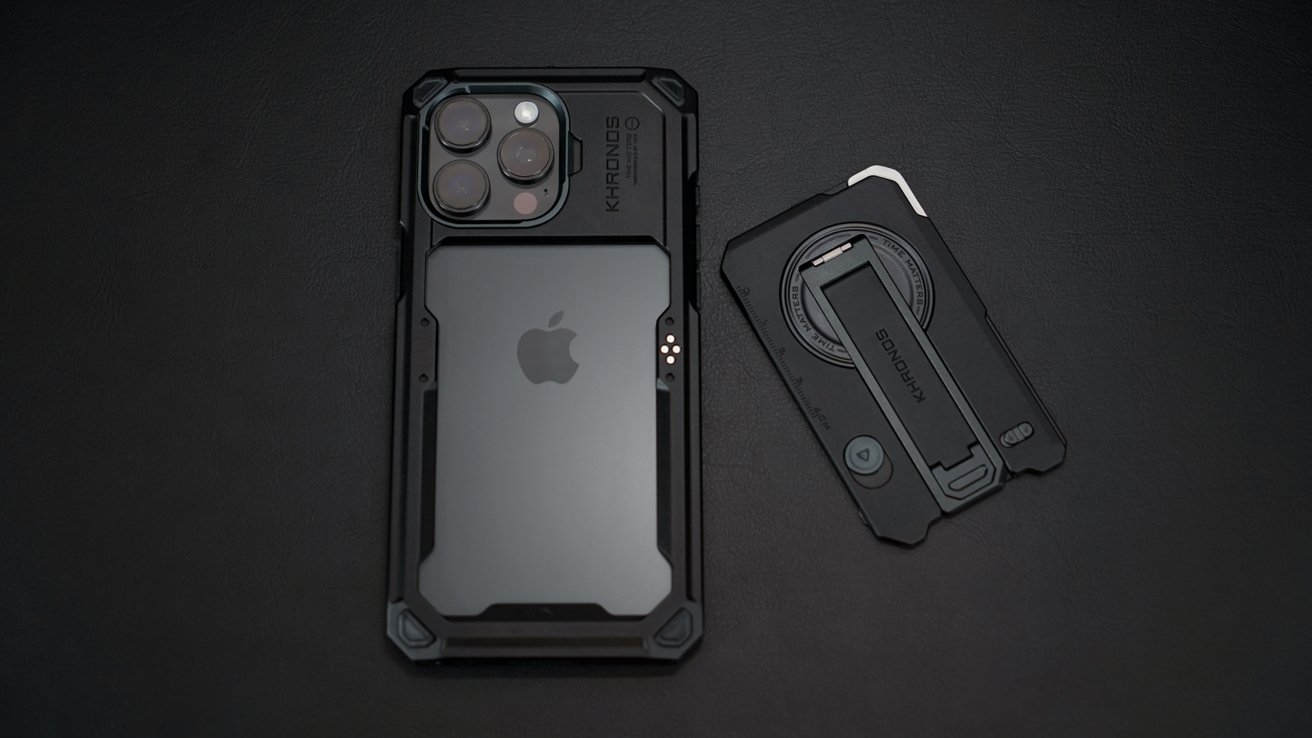
Tilta Khronos iPhone camera system review: A backplate multitool
The backplate is MagSafe compatible though, so stick your MagSafe wallet onto the backplate and there's no issue.
Camera Control gets a clicky, protruding button, so it's much easier to use. Of course, you're likely not using it if other Khronos accessories are in use.
There are accessory mounting points and power contacts all around the case. The internal circuitry that allows power passthrough is quite innovative and allows some interesting options.
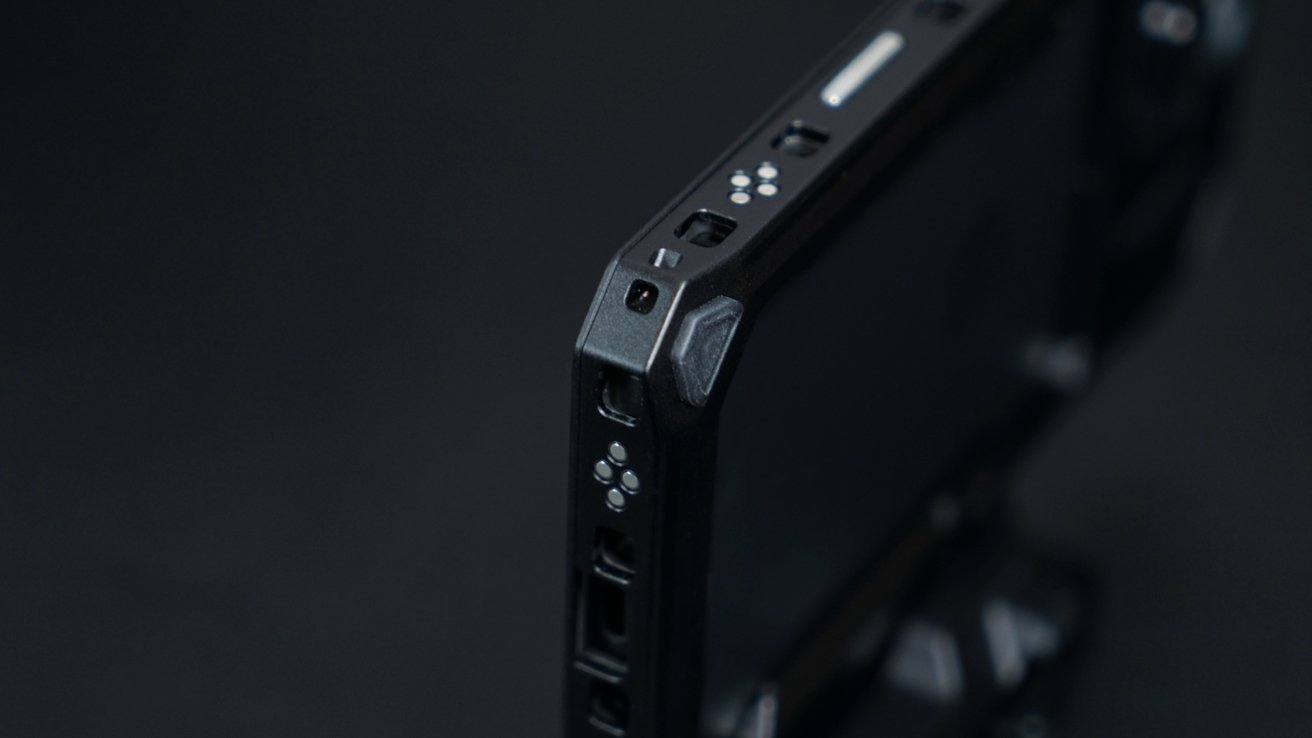
Tilta Khronos iPhone camera system review: Contacts all around for power passthrough
There are cutouts for antennas so the signal gets through the metal case, and there's even a lanyard hole if you'd like to utilize that. Overall, it's just a well-designed case that's evoking a kind of rugged industrial look.
If you're into photography, videography, and EDC, it's the perfect case. Of course, the point of the case is the accessory ecosystem built around it.
Get the Khronos iPhone case for $129. It's also included in the Ultimate Kit.
Tilta Khronos iPhone camera system review: Focus PD Handle
The Focus PD Handle seems to be the primary accessory for the Tilta Khronos system. It has a very specific mounting point so it can plug directly into the iPhone USB-C port.
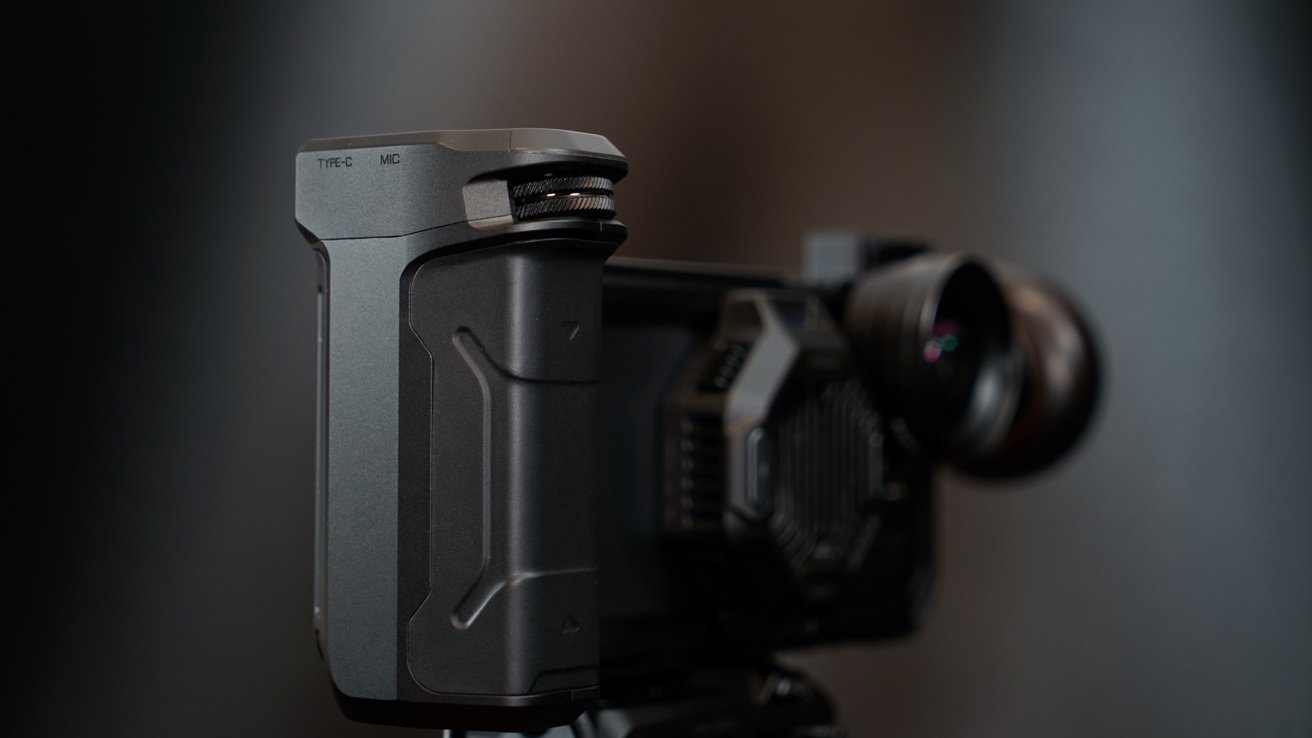
Tilta Khronos iPhone camera system review: Focus PD Handle
You can stick it into another mounting port, but it's not recommended unless you're trying to hold the iPhone in portrait. The cable is terribly short, so it does limit how it can attach, even with the USB-C Hub in use.
The battery provides power to the connected iPhone via the USB-C cable, but it also provides power to the case via the contact pins. It's enough power in the case to power on an LED light attachment or a cooling fan.
Alternatively, the user can attach the USB-C Hub to the iPhone USB-C port, then connect the short power cable to the Hub. Either way, power is being provided to both the iPhone and the case.
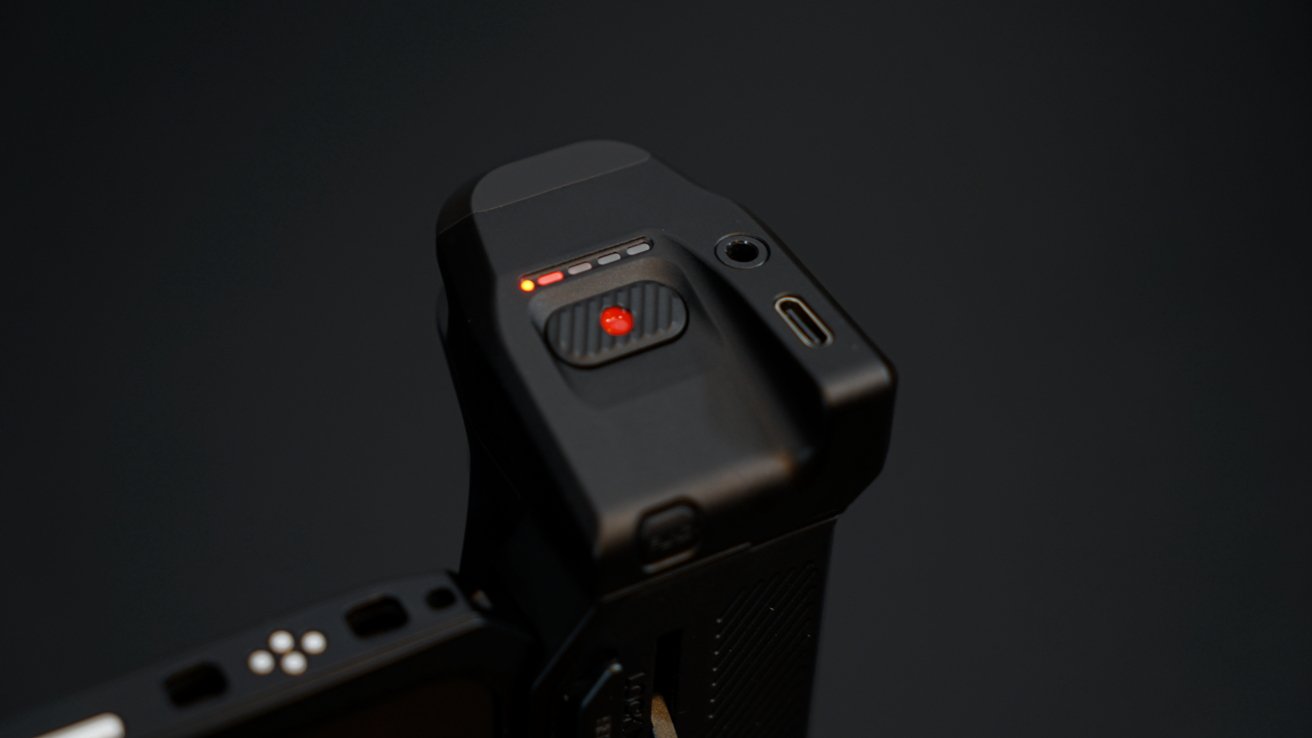
Tilta Khronos iPhone camera system review: Power and shutter control
There's a USB-C out for external device charging or charging input and a microphone jack in the top. The big red record button is also the power button, plus there's a function button and a dial.
The dial is useless unless you're utilizing the Blackmagic app for iPhone. Double pressing the function button switches to the app mode, which lets users zoom or control focus with the dial, and it's quite nice.
When in HID mode, it's a simple shutter button for the iPhone Camera app and third-party apps. Even so, it's a great button that sits right below your thumb when in use.
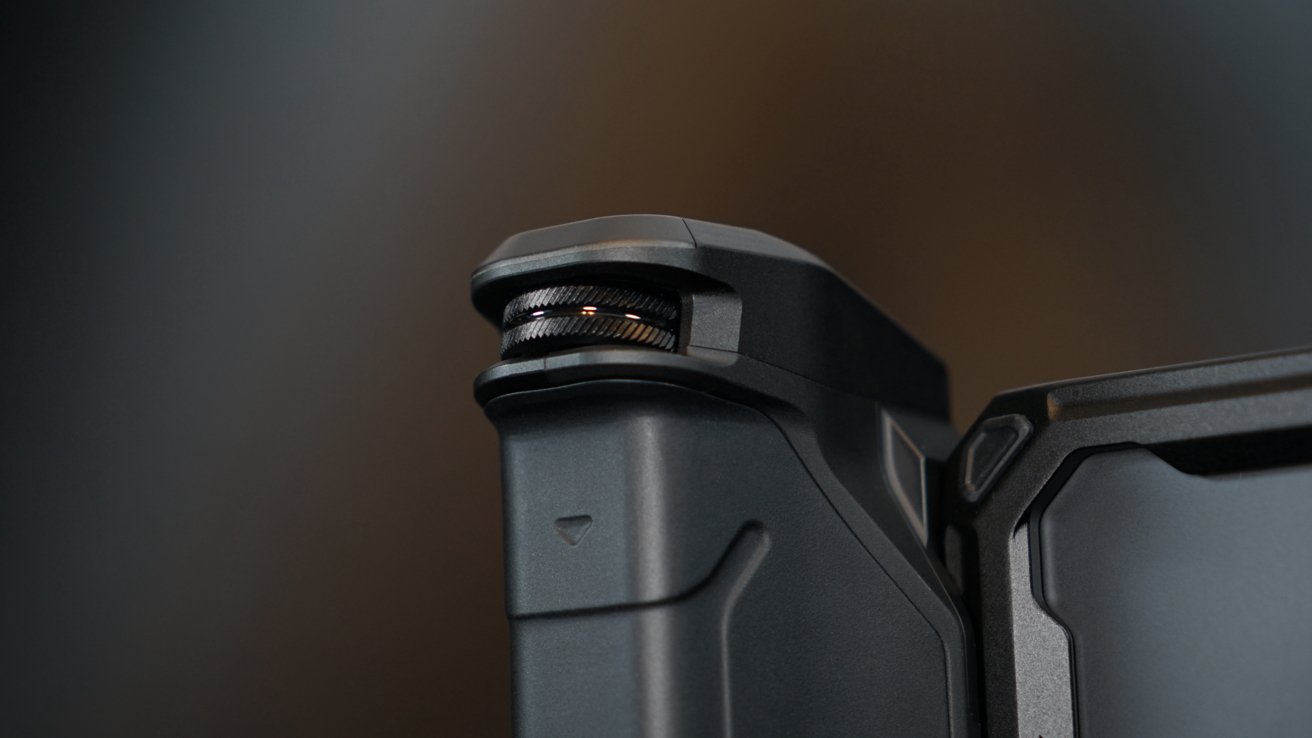
Tilta Khronos iPhone camera system review: A dial for the Blackmagic app
The internal battery is 5,000mAh, which is enough to essentially double your potential recording time with an iPhone. It outputs up to 20W, which is enough for a fast charge on an iPhone.
The functions are a bit fiddly, but easy to remember once you've got them down. Power on by holding down the record button, hold down the function button for 3 seconds to enable iPhone charging, and double-press the function button to swap camera modes.
There's a large locking lever and a release button that make it easy to remove. The locking lever also aids in reassuring the user that the handle is secure and won't accidentally release.
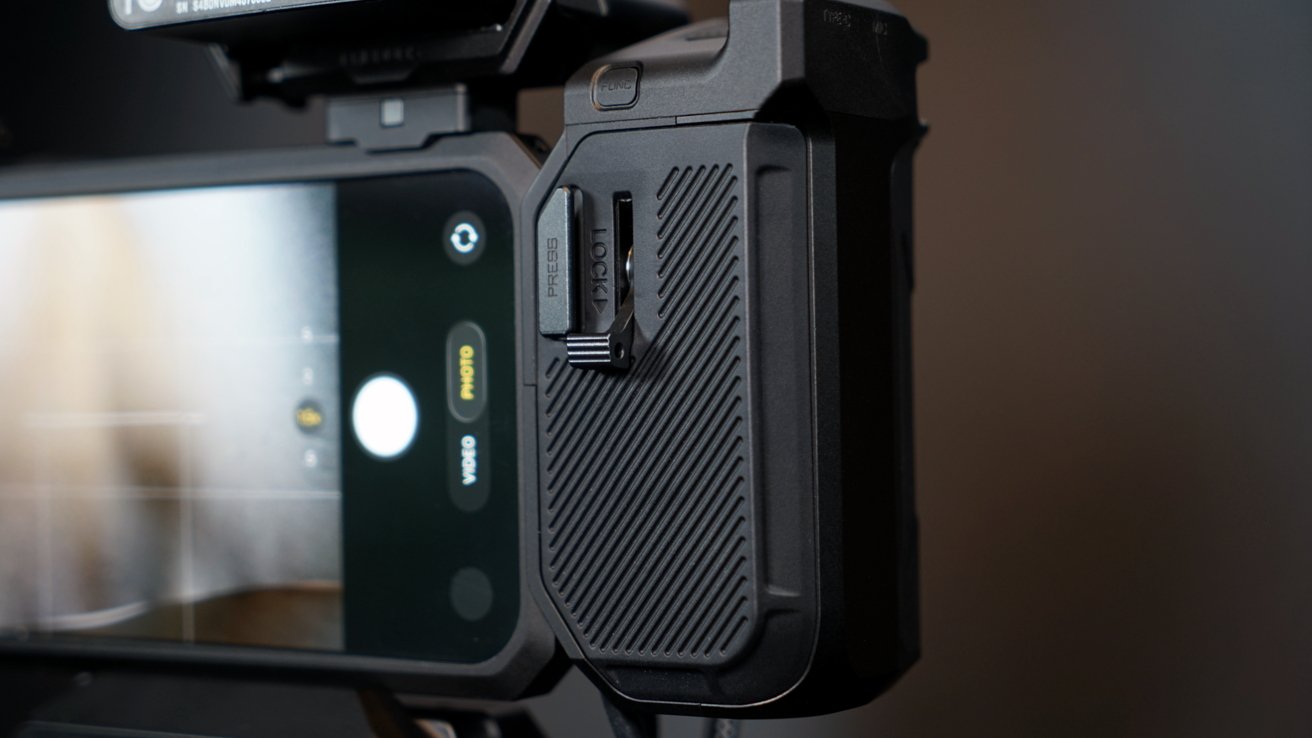
Tilta Khronos iPhone camera system review: A battery and a grip
I'm quite fond of this attachment. It feels incredibly premium and has been useful in holding the iPhone, even when it's loaded down with other accessories and lenses.
The Focus PD Handle is what brings the whole Khronos ecosystem together by making the iPhone feel like a full-fledged DSLR. The additional controls for the Blackmagic app are also a unique addition.
Get the Focus PD Handle for $149. It's also included in the Ultimate Kit.
Tilta Khronos iPhone camera system review: Quick Release USB-C Hub
Another integral part of the Khronos iPhone camera system is the Quick Release USB-C Hub. It has four USB-C ports, an HDMI port, and a microphone port.
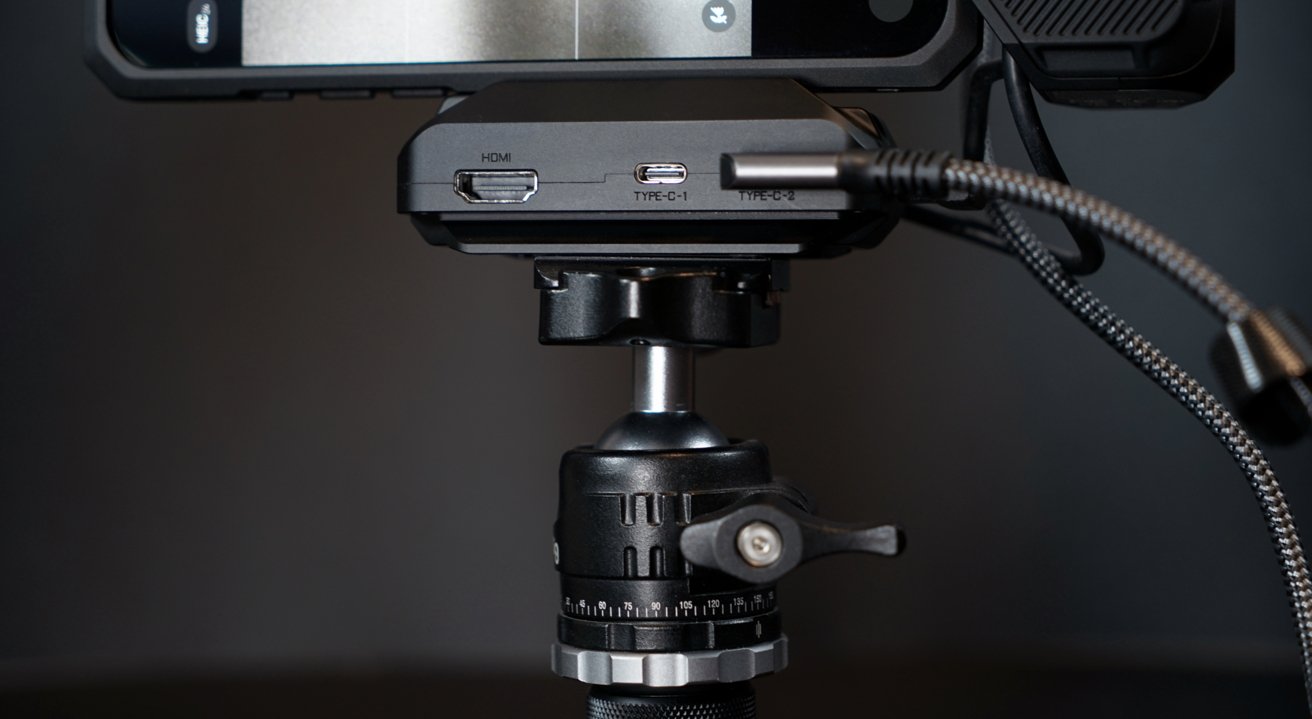
Tilta Khronos iPhone camera system review: A quick release hub
Two of the USB-C ports are meant for accessories, like an external SSD or USB microphone, while the other two are for an external power supply like the Focus PD Handle and an output to the iPhone. I prefer the output port to an integrated cable, though cable length isn't an issue here.
There's no need to break out the Universal SSD Holder in a separate section, so here's as good a place as any to mention it. It pairs well with the Hub, though you'll likely need to find a good short USB-C cable.
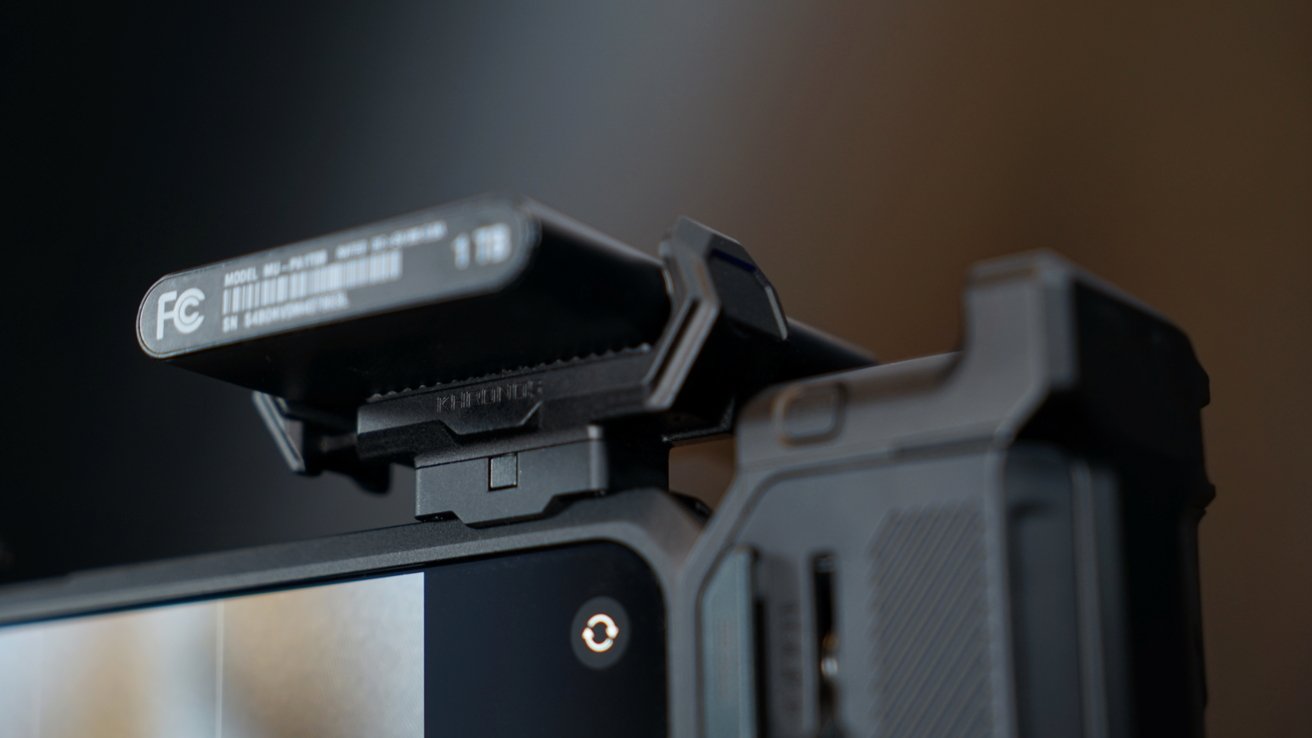
Tilta Khronos iPhone camera system review: An SSD holder
I've found that the best spot for the SSD Holder is in the top right slot. If every accessory is attached at this point, things get a bit wobbly without the wooden handle to stabilize it.
The base of the Hub has a standard ARCA quick release plate, so it easily screws onto mounts or tripods. Though it is stable enough to stand on a table on its own.
Get the Khronos Quick Release USB-C Hub for $79. The Universal SSD Holder is $25 on Amazon and both are included in the Ultimate Kit.
Tilta Khronos iPhone camera system review: Cooling System V2
There's a market out there for tiny MagSafe cooling fans, and Tilta's is a good offering. It works with the Khronos accessory system, but also can operate without the case, which is a nice bonus, though you'll have to power it via USB-C.
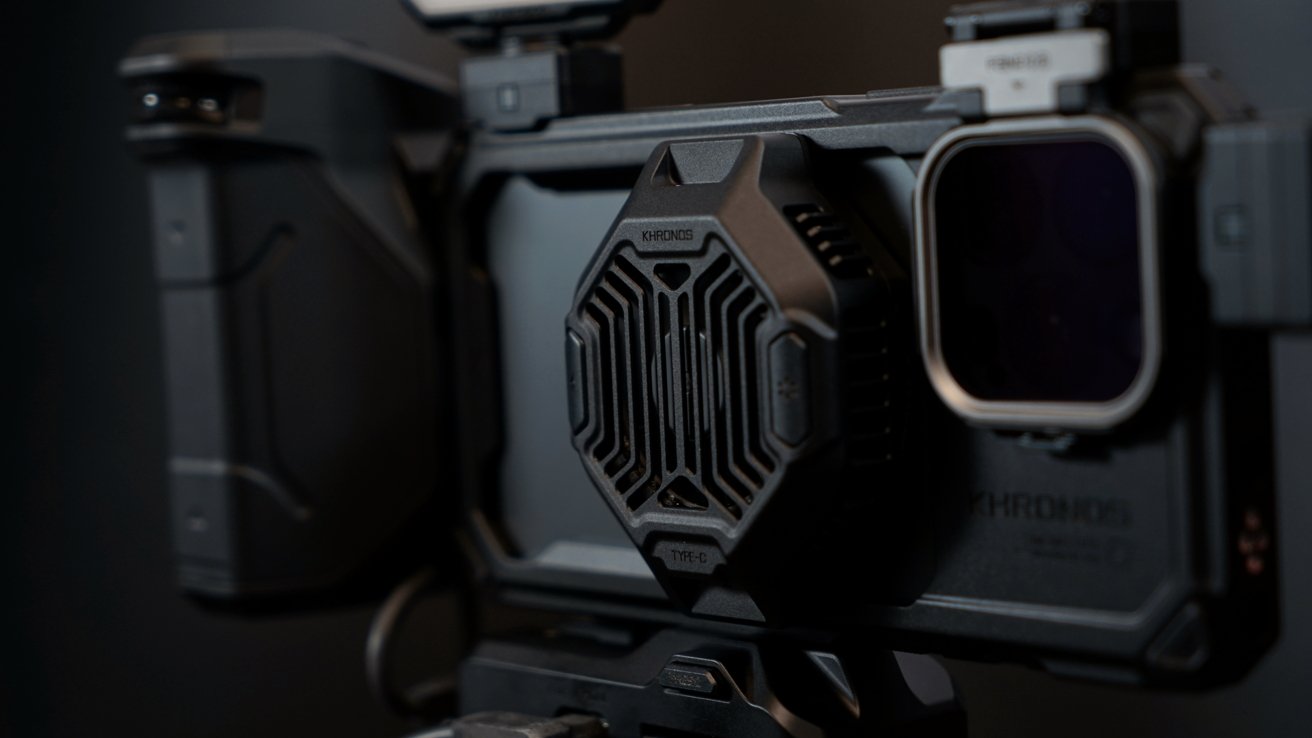
Tilta Khronos iPhone camera system review: A MagSafe fan
So, whether you're gaming on iPhone or shooting hours of 4K video, the Cooling System V2 can help keep your iPhone from overheating. It's a 22W fan that can reach 6,700 RPM and maintain a temperature of 39 F.
The Cooling System V2 isn't a power source itself, but it can provide power to the iPhone via MagSafe if it has an external source. So, if the Focus PD Handle is powering the case, the Cooling System V2 can run its fans and provide 10 W of power to the iPhone.
It's an interesting product and it definitely works, though it's obviously better with the Khronos case.
Get the Khronos Cooling System V2 for $59. It is also included in the Ultimate Kit.
Tilta Khronos iPhone camera system review: Magnetic filters and lens adapters
One of the more attractive aspects of the Khronos iPhone camera system is its modularity. I can swap between various accessories that make the iPhone better for handheld or tripod shooting, sure, but the lens attachments are the killer feature.
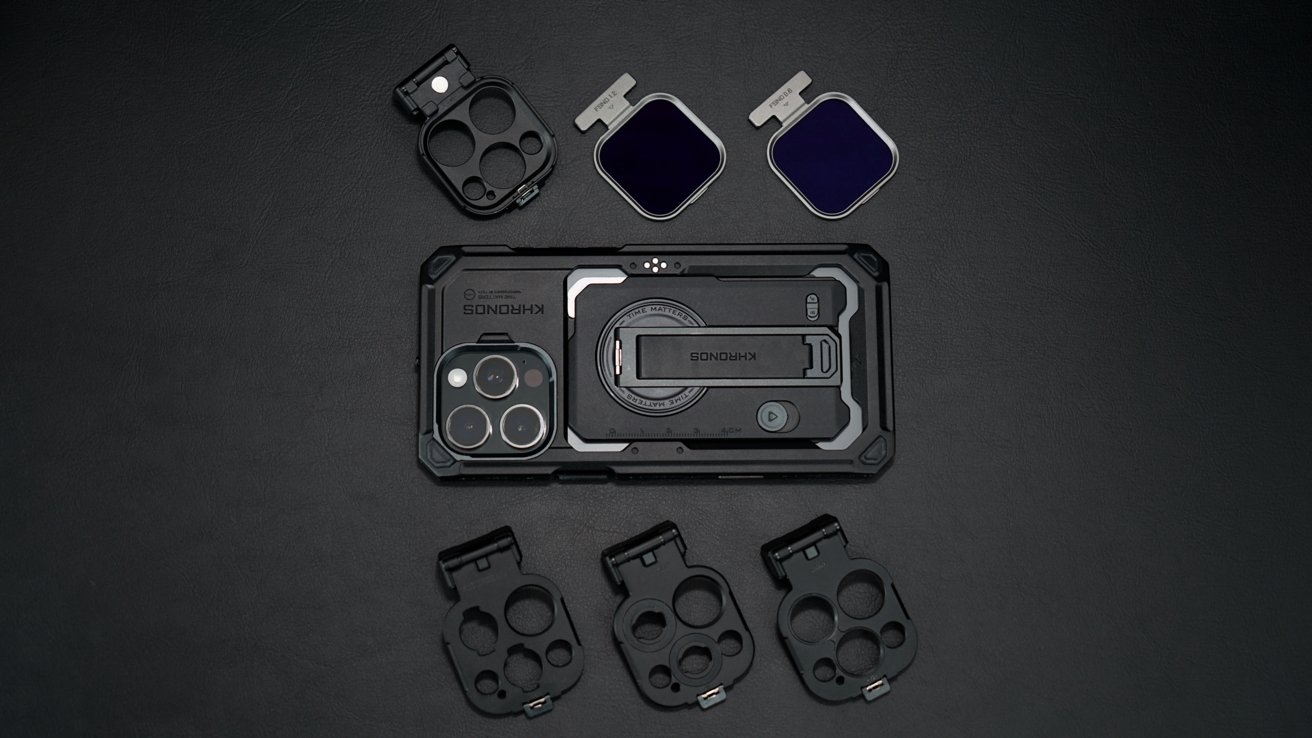
Tilta Khronos iPhone camera system review: Swap between filters and lenses
Just above the iPhone camera lenses is a mount point for either a magnetic filter module or various lens adapters. Tilta included two magnetic filters — FSND 0.6 and FSND 1.2.
I've tested camera filters for iPhone before, and they're quite handy, especially in bright environments. These are basic exposure filters included in the Ultimate Kit, but other filters are available.
This and the lens adapters make me wish other companies would work on universal accessory systems. The Pan's Snap filters are cool, but they slide into a proprietary case, not this T-shaped magnetic attachment.
Get the Quick Release Filter Tray for $19. White Mist, Black Mist, and different intensities of FSND filters are $19 each, or a kit of FSND filters can be purchased separately for $119.
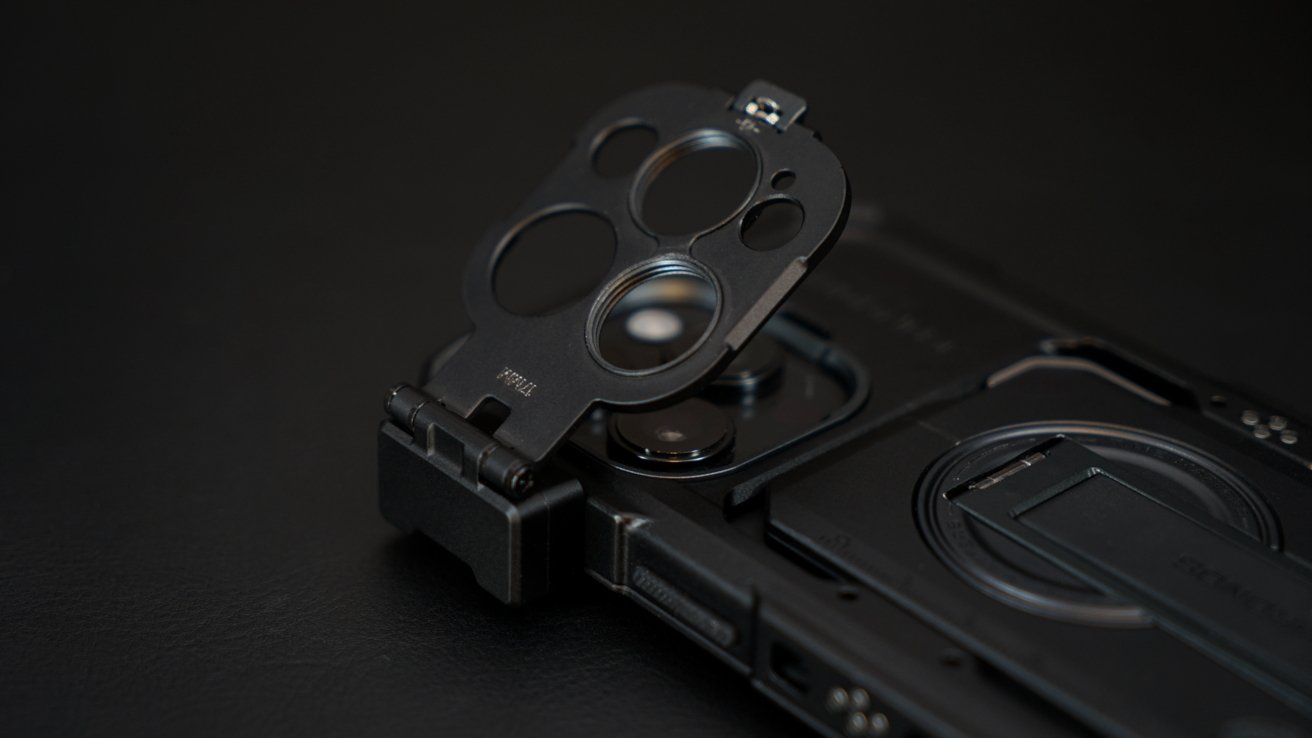
Tilta Khronos iPhone camera system review: Clip on lens adapters
On to the lens adapters, which are one of the main reasons I wanted to test this case. I've never seen a case that tried to offer various camera mounting solutions in one package — which should be a big boon for iPhone users that buy external lenses.
Instead of needing to find one ecosystem of lenses that may or may not have everything you'd like, the Khronos system allows you to swap between three of the most popular options. Those are 17mm, T-mount, and M-Mount.
Sadly, there isn't a mount for the ShiftCam LensUltra lenses I tested previously, but the others provide plenty of variety. M-Mount works with Moment, T-Mount works with Fotorgear, while the 17mm works with Sandmarc.
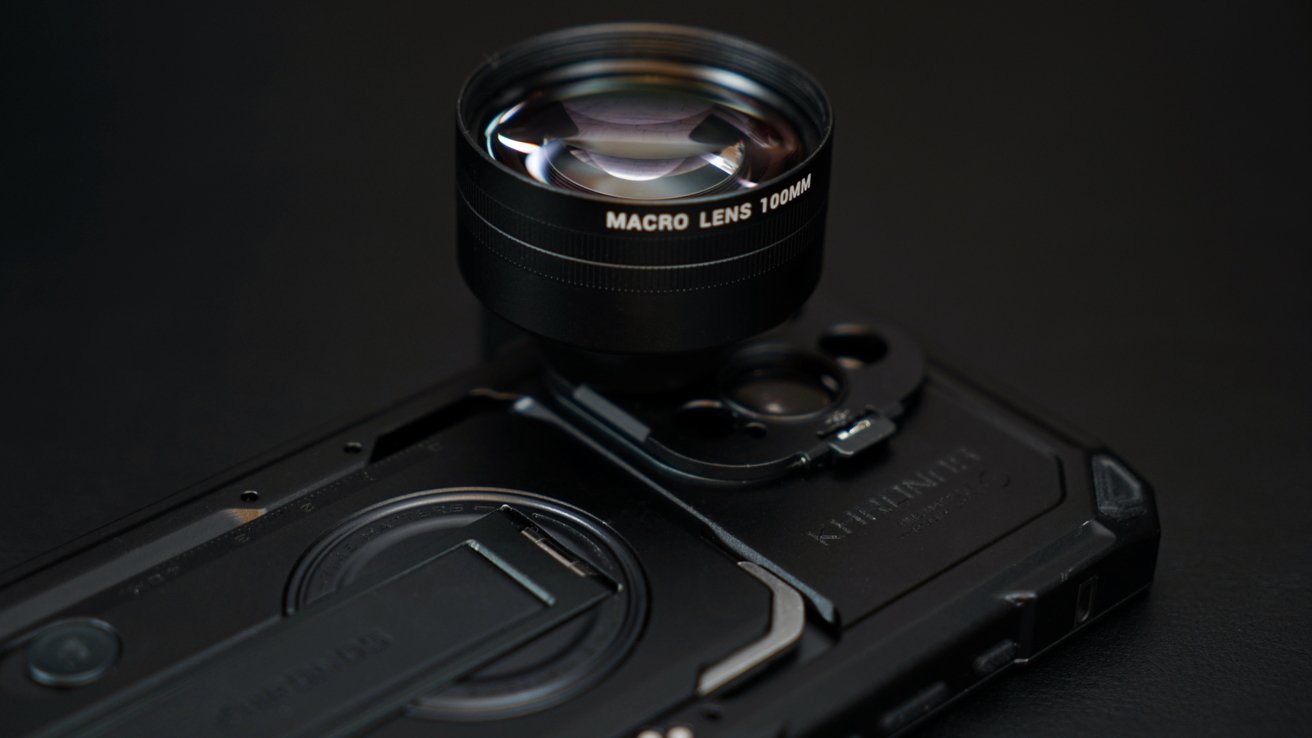
Tilta Khronos iPhone camera system review: Attach lenses from various accessory makersTilta Khronos iPhone camera system review: Attach lenses from various accessory makers
Luckily, I have a few Sandmarc lenses I'm testing for another review, so I was able to try out this mounting system. Simply put, it works great.
The lenses attached and didn't interfere with the Cooling System V2. Even the incredibly long 10x zoom lens attached and didn't seem to stress the adapter or the case attachment.
Each of the three lens adapters are $19 and are separate from the Ultimate Kit. You'll have to provide your own lenses, purchased separately.
Tilta Khronos iPhone camera system review: Other accessories
There are a couple of other accessories included with the Ultimate Kit that I didn't have a place for elsewhere in the review. The Mini LED Panel and the Circular Wooden Handle.
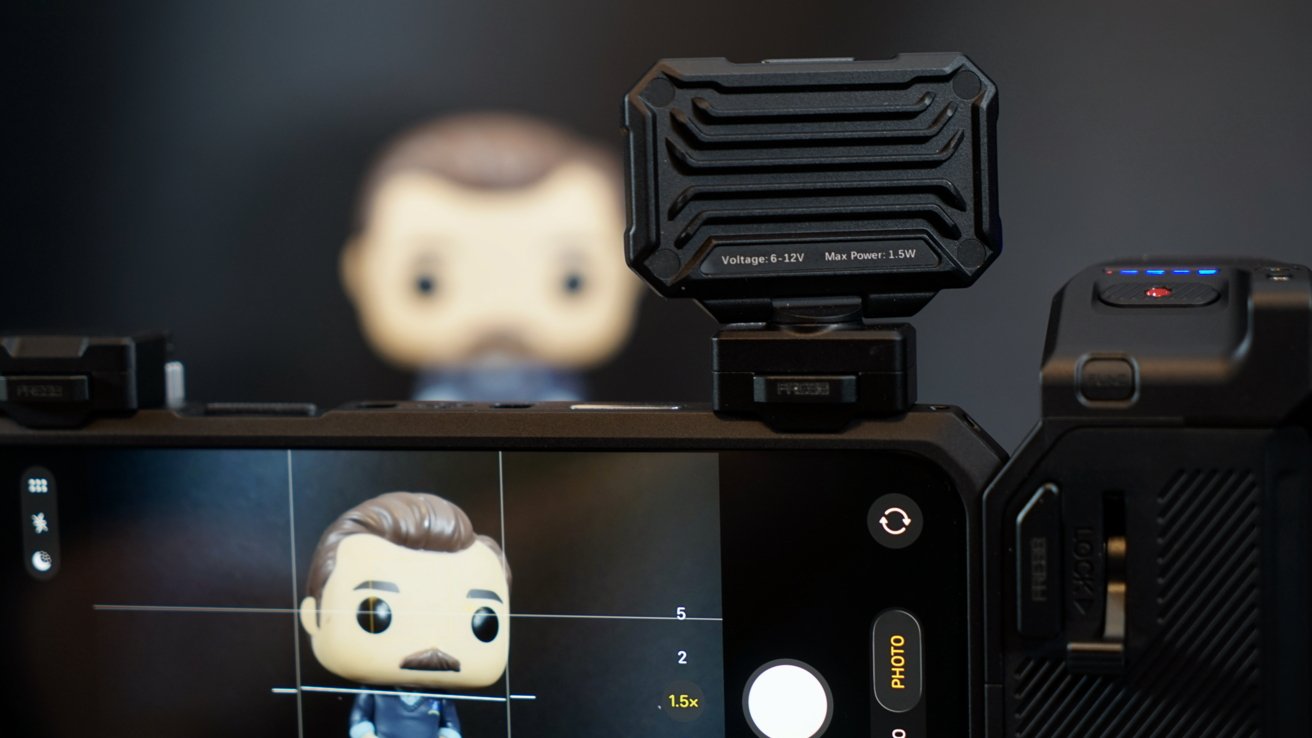
Tilta Khronos iPhone camera system review: A small LED panel
The Mini LED Panel is powered by the case attachment and provides plenty of light with 30 degrees of tilt and 350 degrees of rotation in the stand. It has three brightness levels.
The Circular Wooden Handle is exactly what it sounds like. It's a wooden handle that sits opposite the Focus PD Handle for an extra grip point.
Get the Mini LED Panel for $29. The Wooden Handle is $29 as well, and both are included in the Ultimate Kit.
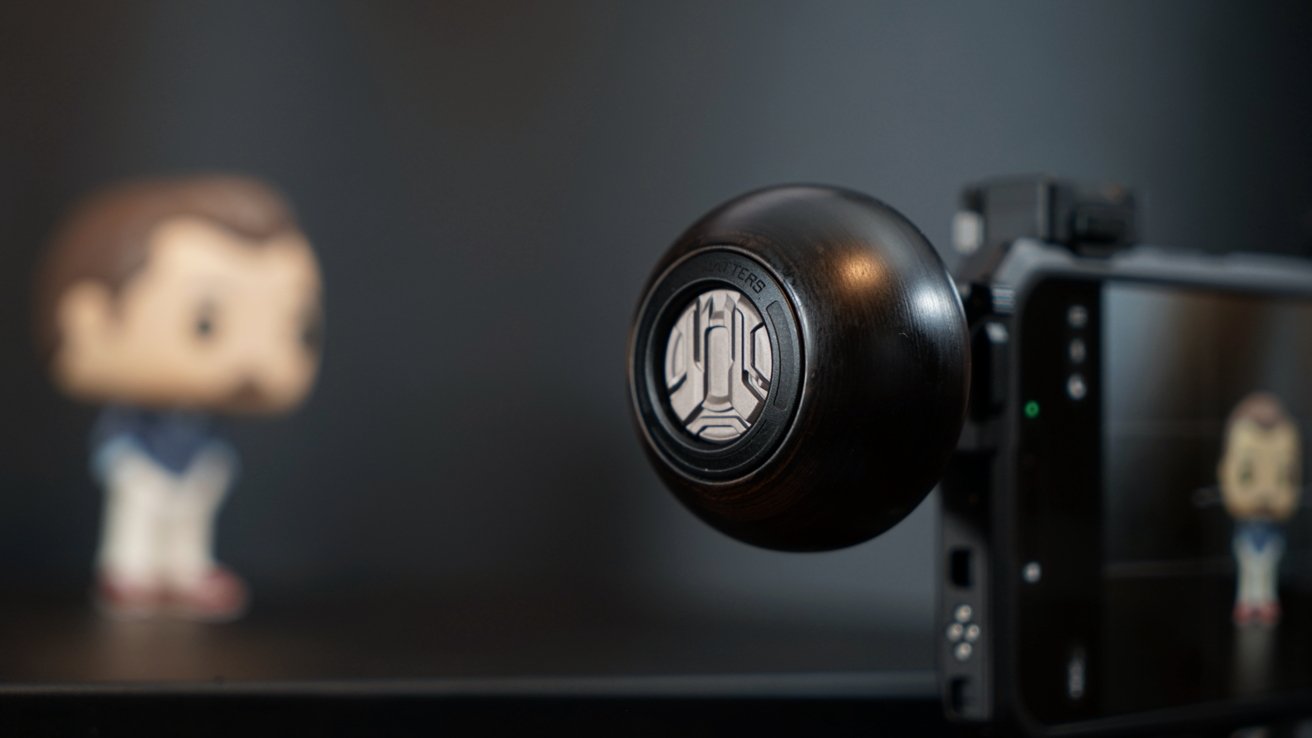
Tilta Khronos iPhone camera system review: A wooden handle for extra grip
There's also the Cooling Storage System for iPhone that I didn't get to test this time around. It fits within the iPhone case opening, supports TF, SD, and M.2, and 100W power passthrough.
Tilta has a few other accessories and seems to add more over time, so this is a truly modular accessory ecosystem. All you have to do as a user is upgrade the case to match your iPhone, and everything else plugs in.
A future-proof, modular accessory ecosystem
Bundled all together, the Khronos iPhone camera system feels like you're holding a professional camera rig, and it truly is one. You'll still have to be good at capturing photos and videos to get use out of the equipment, but it certainly helps the process.
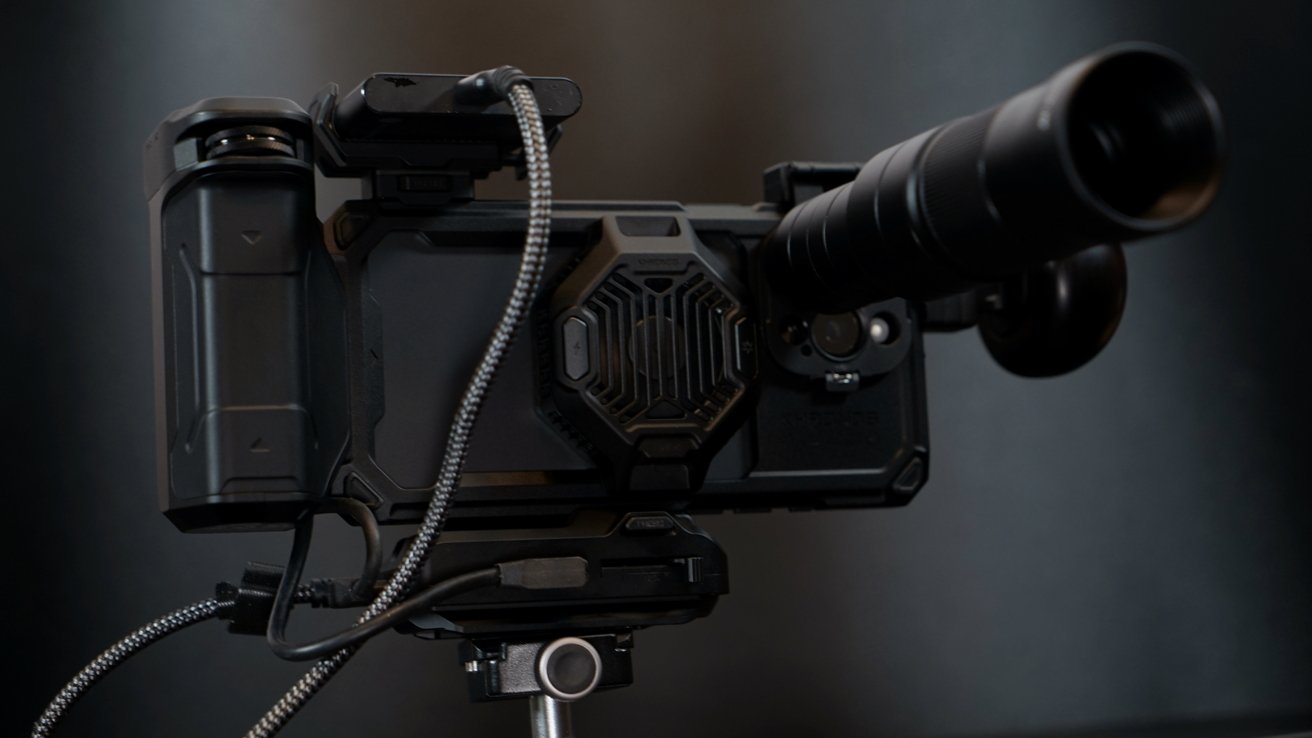
Tilta Khronos iPhone camera system review: A complex camera system
Yes, I tried to attach everything included in the Ultimate Kit at once, but it's not possible. You'll have to choose two out of the three — either the SSD mount, lens adapter, or Mini LED.
However, there's really not much reason to use all of the components at once. You're not going to need a grip if the iPhone is on a tripod, or you'll not always need the HUB, especially when capturing photos.
I've enjoyed photography for more than a decade and played with plenty of cameras, glass, and iPhones. This system stands out as an excellent way to bring the iPhone that much closer to a professional rig, but it will cost you.
I favor the Focus PD Handle, Wooden Handle, and lens adapter by default to take photos. I'm not much of a videographer, but I appreciated the ease of adding the accessories needed to capture 4K Apple ProRes.
I think the Tilta Khronos accessory ecosystem will be one to watch.
Tilta Khronos iPhone camera system review - Pros
- Modular ecosystem
- Accessories will work across iPhone generations
- Innovative power delivery system built into the iPhone case
- Multiple lens mount options
- Useful Blackmagic app integration
Tilta Khronos iPhone camera system review - Cons
- Hefty price tag, no matter what you buy
Rating: 5 out of 5
Incredible price aside, the Tilta Khronos system is a unique addition to the iPhone accessory ecosystem that appears serious about longevity.
I'm not taking the price into account in this rating simply because the pros buying this gear won't be bothered by it. Non-serious buyers need not apply.
Where to buy the Tilta Khronos iPhone camera system
You'll find links to the individual accessories throughout this review. The often-mentioned Ultimate Kit is $499 from Tilta and on Amazon.