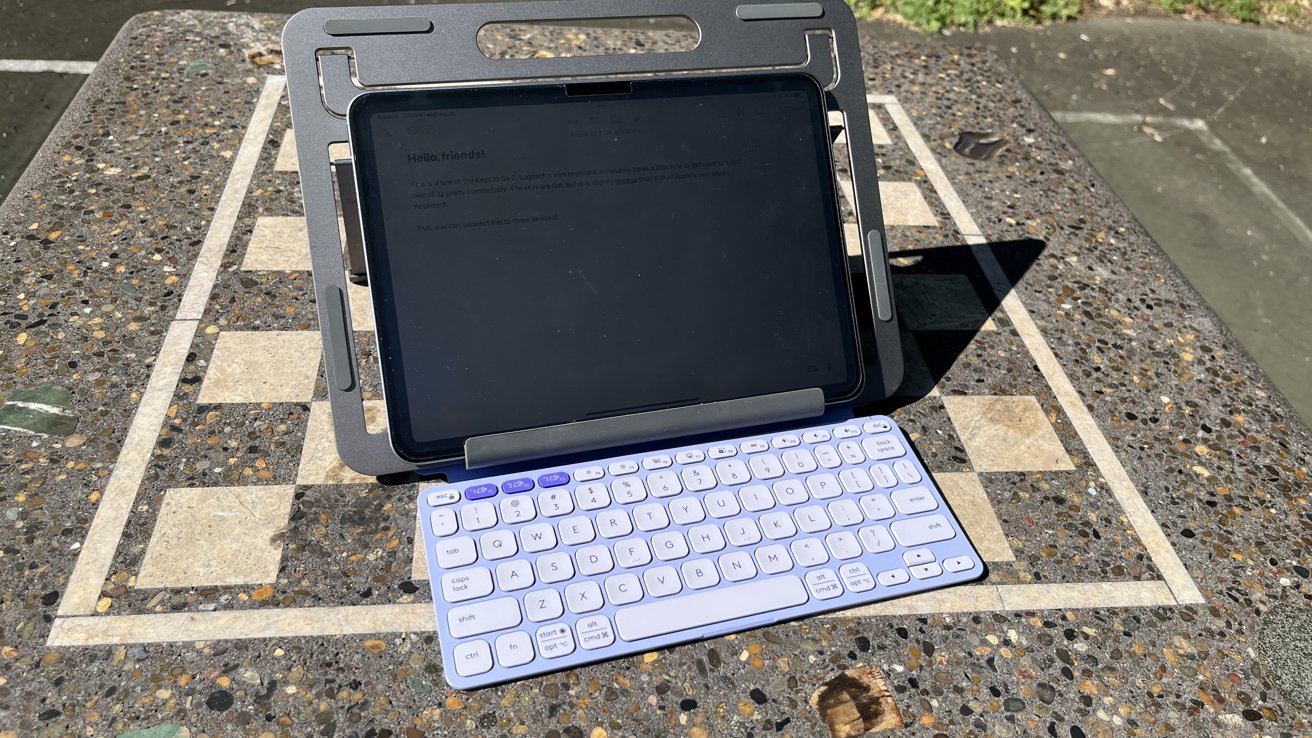
Logitech's Keys-to-Go 2 is designed as a lightweight, portable keyboard that's easy to carry and practical enough for everyday typing on the go.
Unless you're an absolute devotee of the on-screen keyboard, there's a good chance that you've at least researched an external keyboard for your iPhone or iPad. This is especially true if you're a college student or someone whose job involves a lot of typing.
The market is absolutely flooded with keyboards vying to get your attention at various price points. Some are cheap in both design and price, while others trade affordability for a luxury experience.
Logitech, however, has attempted to strike a middle ground. When designing Keys-to-Go 2, it tried to make an affordable keyboard that you'll actually want to type on.
Logitech Keys-to-Go 2 review - perfectly portable
The main draw of the Keys-to-Go 2, as suggested by the name itself, is that the keyboard is highly portable. Logitech wants it to be the keyboard that you toss in your tech bag and take everywhere.
And, from my experience, it certainly can be. The size and weight are so slight that I genuinely don't notice a difference when I toss it in a backpack.
I do have some concerns that its main selling point — its lightweight design — could also be a potential drawback. I could easily see the keyboard bending or snapping if it dropped to the bottom of a bag under heavier items.
So, you're going to want to be mindful of the keyboard when you do travel with it. It shouldn't be a problem for most people, but I would have been remiss to not mention it.
There's a really nice little fold-over, folio-style flap that can be flipped over to protect the keys in transport. It can also be flipped over to give your keyboard a little more height and save some space; I greatly appreciated that feature.

Logitech Keys to Go 2: The cover can be folded under to increase the keyboard's height for better typing
And, like most Logitech products, Keys-to-Go 2 features a replaceable battery. The company says that you should get about three years of battery life out of it, assuming that you spend about two hours a day continuously typing on it.
Replacing the battery, though, is going to be a real pain. The batteries are hidden in the top of the keyboard and require a T5 screwdriver to access them.
I don't have a set of Torx screwdrivers on hand, and I certainly don't have a T5 at my disposal. That being said, a T5 screwdriver will run you anywhere from $3 to $15 — so it's not the end of the world, either.
The Keys-to-Go 2 pairs via Bluetooth, so there's no dongle to keep track of. I personally like that choice.
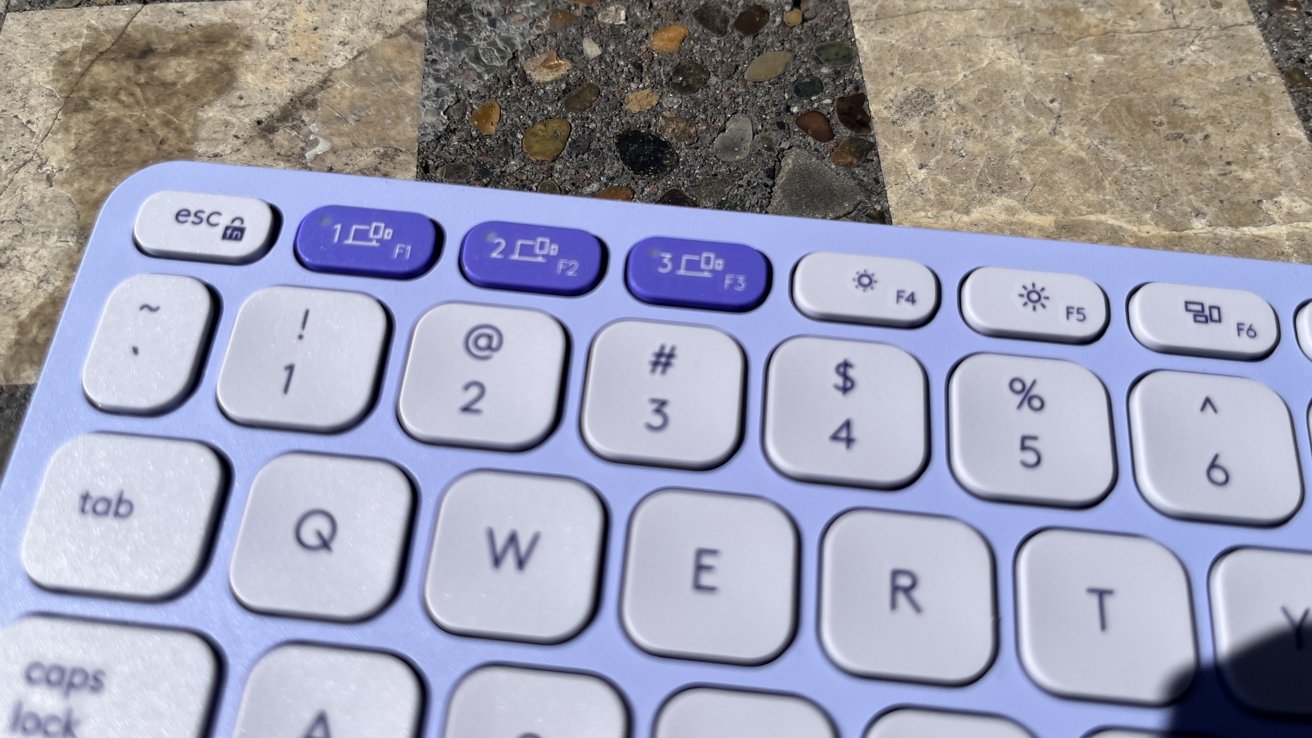
Logitech Keys to Go 2: You can easily swap between three devices at once
It also comes with the ability to pair it across three devices at once. You can pair it with your iPhone, iPad, and Mac mini, and then easily toggle between the three with a simple keyboard shortcut.
Logitech Keys-to-Go 2 review - typing experience
If you're someone who wants big, chunky mechanical keys to type on, this obviously isn't going to appeal to you. But if you don't mind a laptop-style, "flat" keyboard, this one is pretty nice.
I'm not saying it doesn't take time to get used to it. It does — after all, the keys are rounded with a fair amount of "dead space" around them.
However, the keys feel sufficiently "springy" and offer enough tactile feedback. At no point did I think I was hitting a button when I actually didn't.
I do have one concern, though. I feel as though this keyboard could be easily "gunked up" if you're not careful.
I'm not entirely sure how you'd actually clean the keyboard if it were to get dirty — in fact, I'm not sure if you even could. For that reason, I suggest minimizing the amount of time you spend using it while eating or in particularly dusty or dirty areas.
Logitech Keys-to-Go 2 review - versus the Apple Magic Keyboard
As is often the case here at AppleInsider, there's an excellent chance that you're wondering how this stacks up to a first-party solution. And by first-party solution, I mean the Apple Magic Keyboard.
It's not as good. There, I said it.
The typing experience, while good, pales in comparison to that of the Apple Magic Keyboard. It also requires you to have an additional stand or resign yourself to using your iPad.
Case closed, right? You should just go buy the Magic Keyboard.
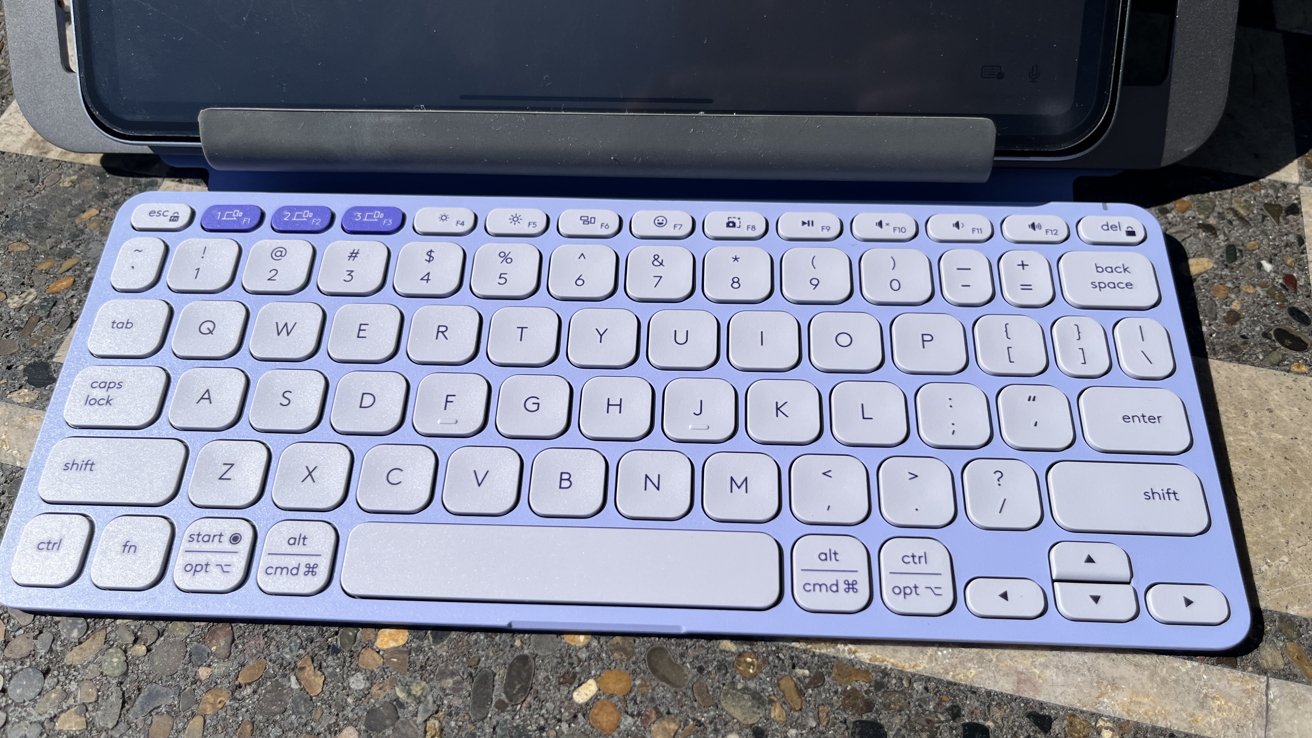
Logitech Keys to Go 2: while not as "premium" feeling as the Magic Keyboard, it still is a solid keyboard
Not necessarily.
Keys-to-Go 2 isn't trying to be the Magic Keyboard. It's trying to be a keyboard for John and Jane Everyman.
It sure as hell has the Magic Keyboard and the Magic Keyboard Folio beat in price. Keys-to-Go 2 clocks in at a scant $79.99 — more than three times cheaper than Apple's offerings.
It's also designed to work easily with multiple devices. If you want to pair the Keys-to-Go 2 with your iPad, you can do that.
It also easily pairs with your iPhone, your iMac, your Mac mini, Amazon Fire tablet, PCs, et cetera. If it's a Bluetooth device, it can pair with it.
That alone makes it worthy to add to your tech arsenal. Plus, it's adorable, which wins some points from me, personally, at least.
Logitech Keys-to-Go 2 review - who it's for
Recommending a keyboard is always difficult. Everyone has a list of wants and needs that likely doesn't align with everyone else's.
I will say that if you don't mind a flat keyboard or rounded keys, Keys-to-Go 2 is certainly one of the better ones that I've tried. And, while it is extremely lightweight, the build quality doesn't feel cheap or toy-like.
From my personal perspective, I like it quite a bit. It's an excellent price, it has a thoughtful design, and aesthetically, I think it's something I don't mind showing off in public spaces.
I don't think that it would replace my Lofree Flow as my everyday keyboard that I use for work. However, it has earned its spot in my tech bag for when I head to the coffee shop and those weekend trips where I still need to reliably answer emails.
Logitech Keys-to-Go 2 review: Pros
- Can be paired with multiple devices
- Comes in three colorways
- Protective flap doubles as elevation for keys
- Proposed three year battery life
- Very lightweight and portable
Logitech Keys-to-Go 2 review: cons
- Requires specialized screwdriver to replace battery
- May be a bit too fragile for some users
Logitech Keys-to-Go 2 score: 4.5 out of 5
Logitech Keys-to-Go 2 review: where to buy
You can snag your own Keys-to-Go 2 from Logitech for $79.99, and it's available in graphite, pale gray, and lilac. It's also available from Amazon, starting from $69.99.