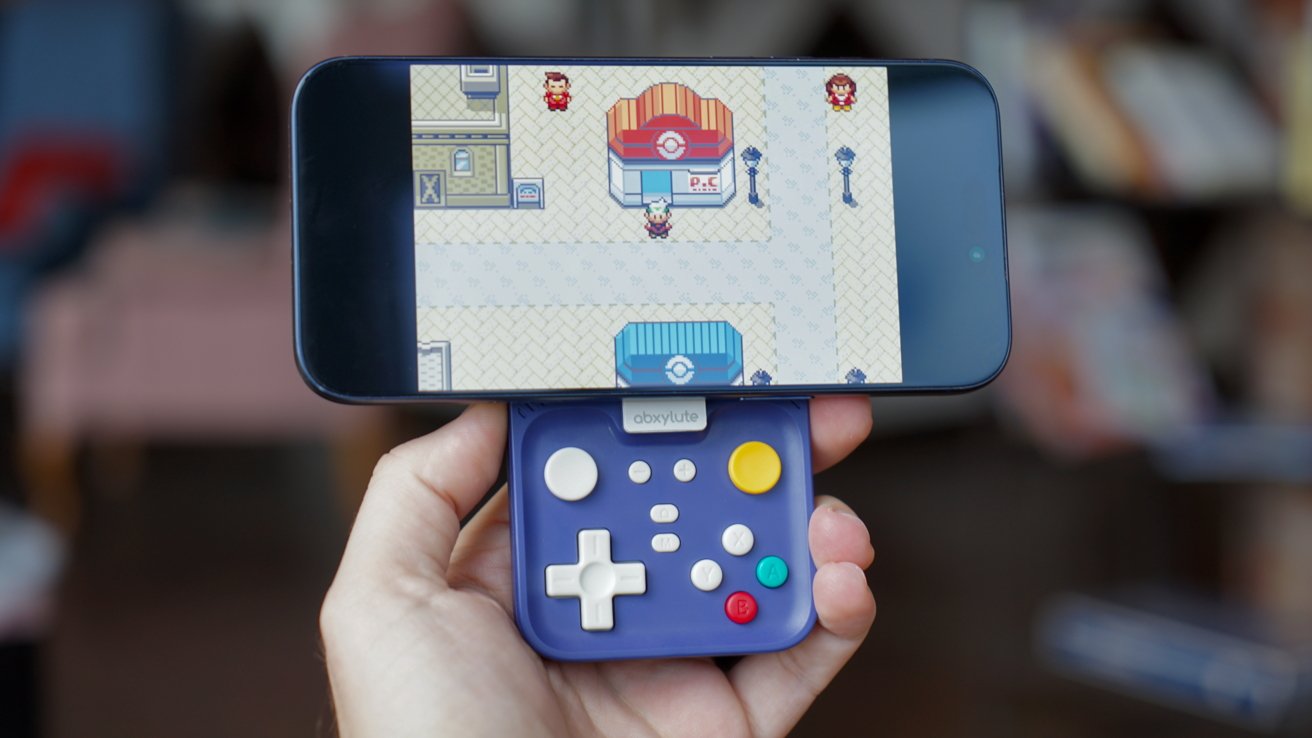
The Abxylute M4 joins the growing trend of tiny iPhone controllers with an excellent concept, but its tiny layout and iPhone placement make it tough to use.
I have mixed feelings about the Abxylute M4. It should be the perfect pocketable companion controller for my iPhone.
However, multiple problems emerged the first time I picked it up.
This device wants to be small enough that it can snap to the back of your iPhone when it isn't in use. It also has to be pocketable while holding a battery and having all of the buttons a modern game would need.
Abxylute achieves these goals, and I'm glad they pursued it in the first place. The problem isn't with the device's execution, but the issues created by such a tiny form factor.
I definitely don't hate it, but I'm not sure it fits entirely into its intended use case very well. Let's get into it.
Abxylute M4 review: Design and features
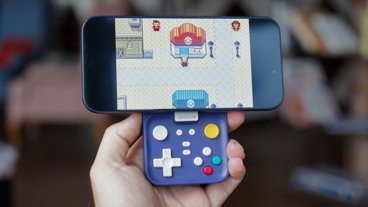
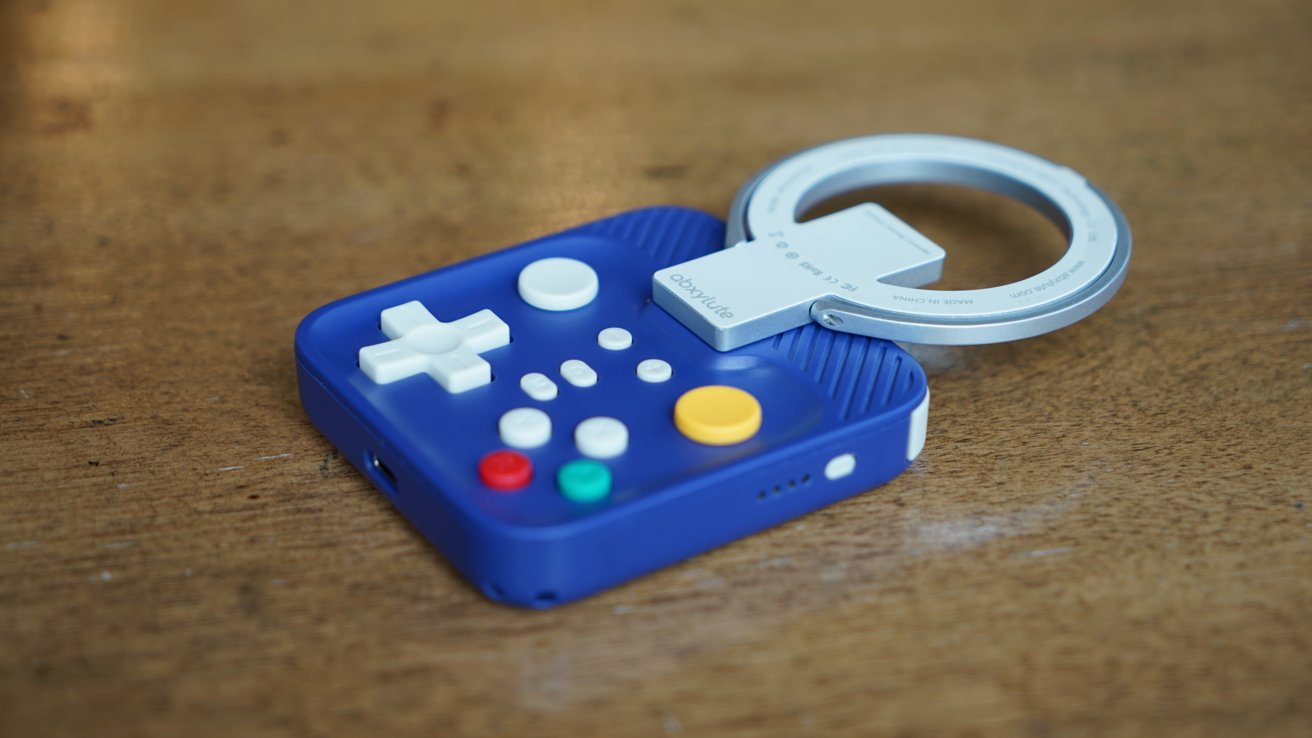
The Abxylute M4 is a 2 3/4-inch by 3-inch square-ish controller with a magnetic ring stand attachment. It is meant to attach to the rear of your iPhone while holding it aloft in landscape.
Abxylute M4 review: The smallest viable iPhone controller
This is in direct opposition to the GameSir Pocket Taco, a similarly sized controller that grips the bottom of the iPhone in landscape. They both connect via Bluetooth, but they're distinct in nearly every other aspect.
The model I'm reviewing has Gamecube-like controllers with a purple case, green A button, red B button, and yellow right analog stick. It is downright cute and nostalgic.
On paper, this should be the perfect portable controller. I believe it is the smallest-sized minimum viable controller with all of the buttons needed for modern games.
Yes, you can play Minecraft with this controller. It might be an old game, but it is one that uses all of the buttons, so I find it a good test case.
Abxylute M4 review: The L/LZ and R/RZ buttons aren't ideal
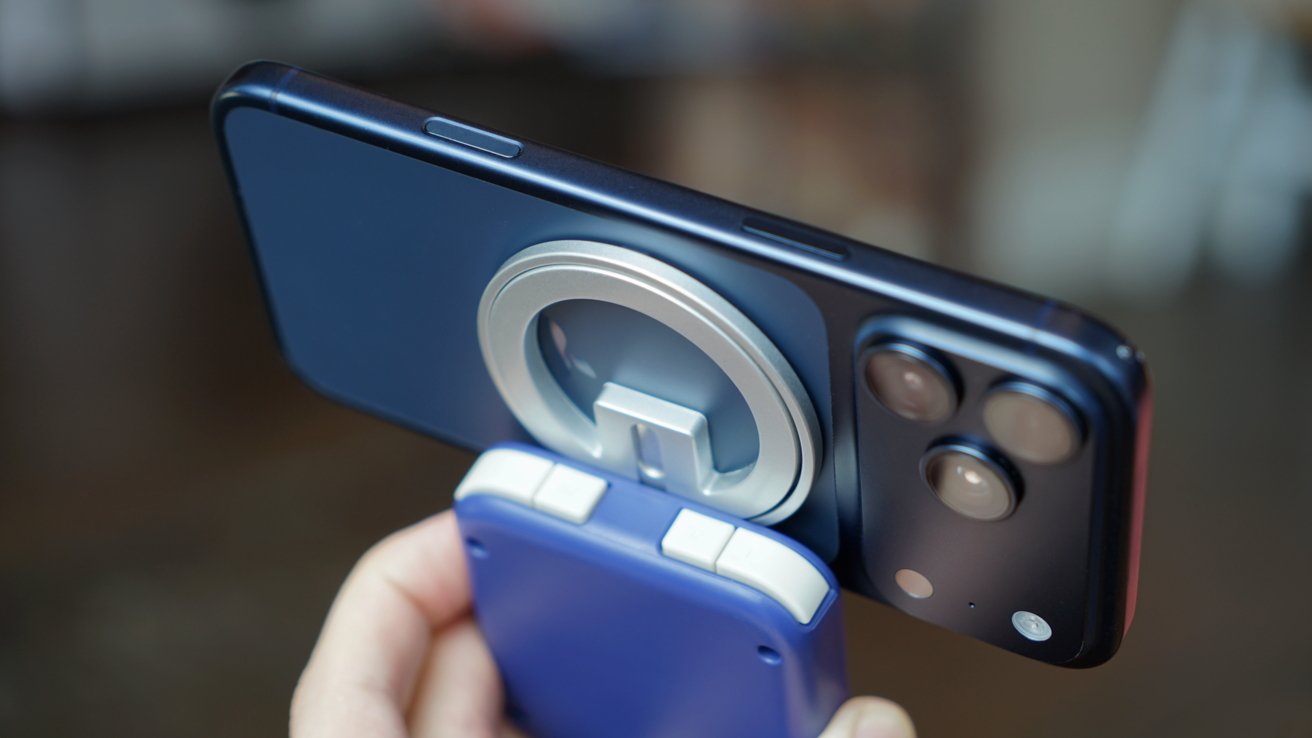
The L/LZ and R/RZ buttons on the rear are crammed next to each other on a horizontal axis. It's a usable setup, but it feels backwards even if it is the correct order.
Of the four buttons, LZ and RZ are used the most, yet they're the smaller buttons tucked away in the back. Any first-person shooter is going to become much harder because of this arrangement.
Thankfully, there's a way to fix this in software. Games like Minecraft let users adjust what each button does, but there is a better option in Apple's Settings app.
Go to Settings -> General -> Game Controller and select the Abxylute M4, which shows up as "Pro Controller." You can either set a default button configuration for all games or on a per-game basis.
Even so, those trigger buttons aren't ideal.
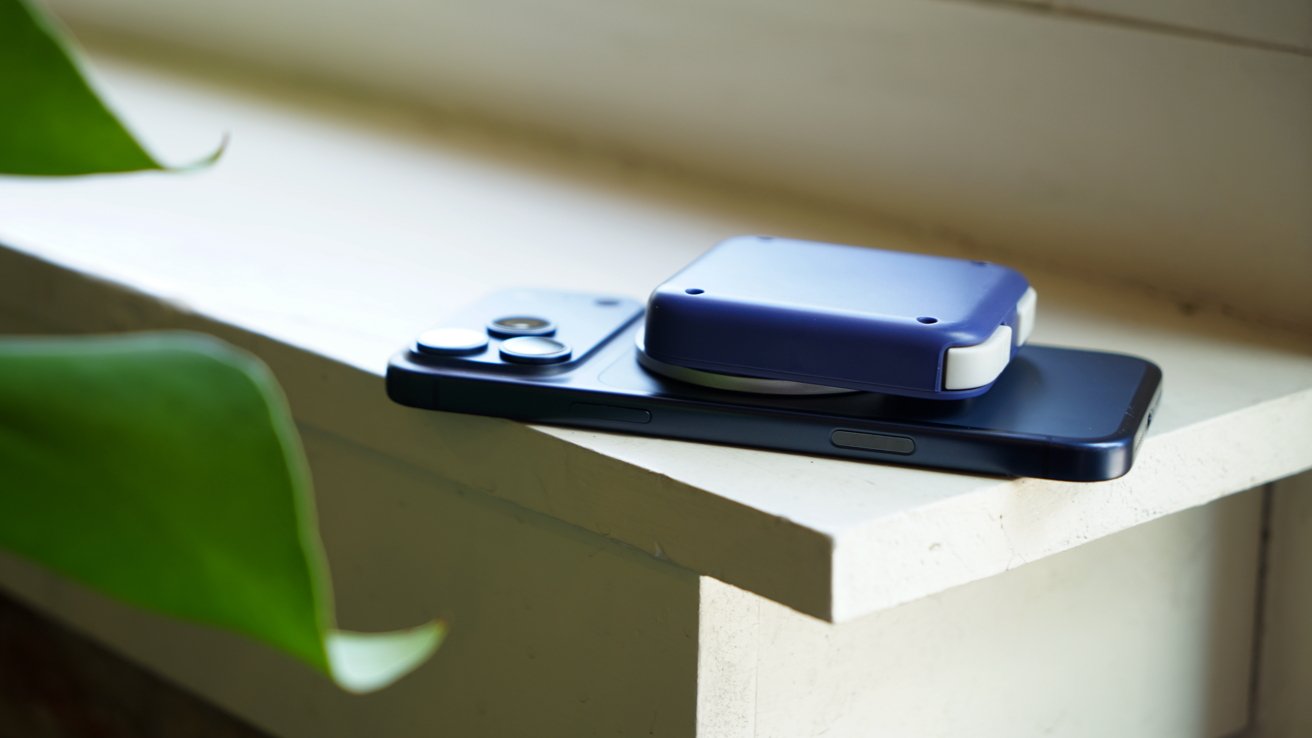
Abxylute M4 review: Attach the M4 to the rear of your iPhone when not in use
I'm glad Abxylute included joysticks on this controller, because they could have easily avoided the complexity. However, without them, the controller would be limited to very specific games and retro games.
This is a Bluetooth controller with a 300 mAh battery that provides about 12 hours of gameplay. It can be connected with anything that accepts Bluetooth controllers, even a Nintendo Switch 2.
It charges via USB-C and powers on with a simple button press. Overall, it's a cute controller that does what Abxylute set out to do — connect to an iPhone via MagSafe and still be pocketable when not in use.
Gaming with the Abxylute M4
Where the GameSir Pocket Taco emulates what it was like to use a Game Boy Color, the Abxylute M4 is doing its own thing. The closest modern equivalent is the PSP Go, which had controls that slid up from the bottom.
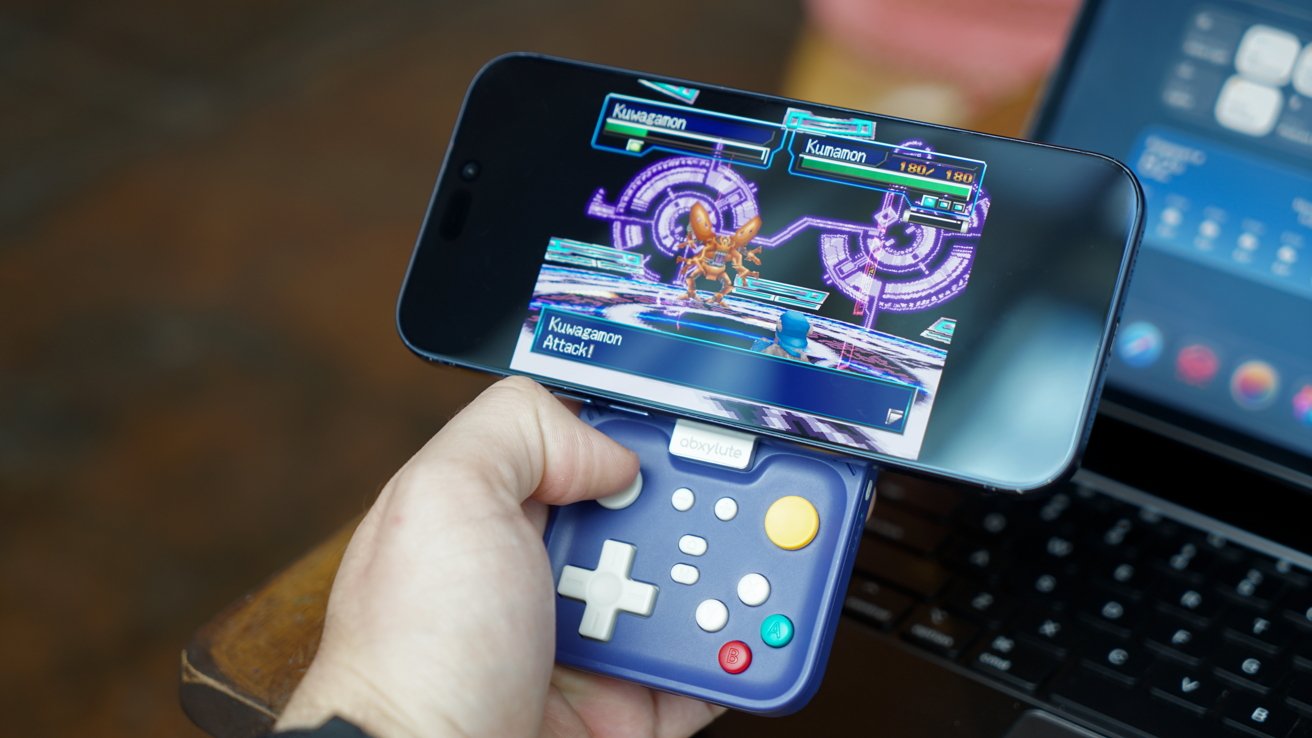
Abxylute M4 review: Stiff joysticks only really work on non-twitchy games
The problem here, versus the PSP Go, and yes, even when compared to the Pocket Taco, is button size, placement, spacing, and controller grip depth.
Your hands don't like being held in such close proximity continuously. You'll find yourself pinching tightly while bearing the weight of an iPhone being pulled down by simple fulcrum mechanics.
Meanwhile, you're supposed to navigate buttons and tiny joysticks while playing a game. That makes the whole experience feel awkward and uncomfortable.
Yeah, needless to say, it's all a bit rough. I don't even think this is a hand-size issue. My wife noticed instantly that the controller was hard to grip while using the joysticks.
A child would struggle with the weight of an iPhone after a while, too. So sure, let's put the iPhone on a table with the included kickstand.
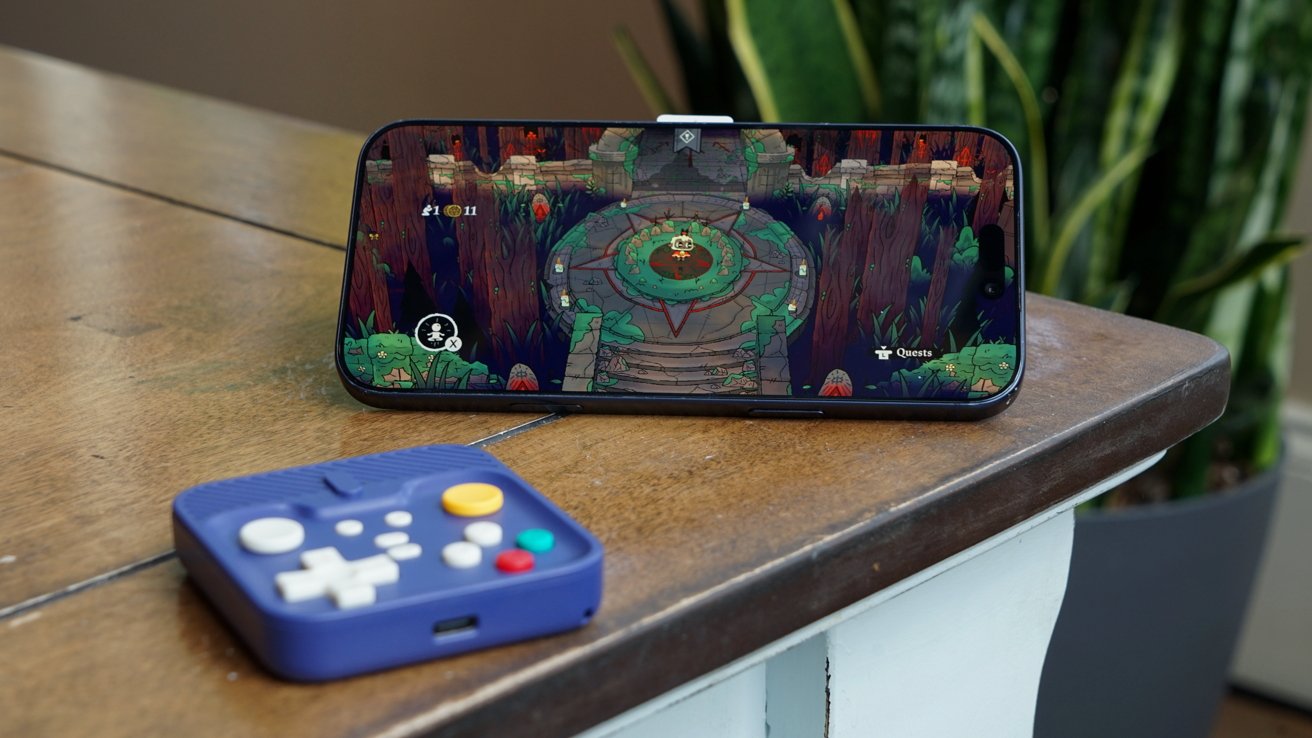
Abxylute M4 review: Playing detached is better, but only by a bit
The problems are less pronounced when using the controller on its own, but they're still there. It's easier to grip and navigate, but the joystick's stiffness feels even more pronounced.
I found that the Abxylute M4 was best for games that relied on the D-pad for movement or didn't have much going on gameplay-wise. I could easily play the emulated Digimon World 3 with joysticks because I wasn't aiming at anything.
Games like Pokemon Emerald also excelled because I'm just moving with the D-Pad or selecting menus.
Even still, the cramped size and spacing of the controller won out eventually. You just get fatigued gaming in such close quarters, and I'm not sure there's a solution without simply making the controller bigger.
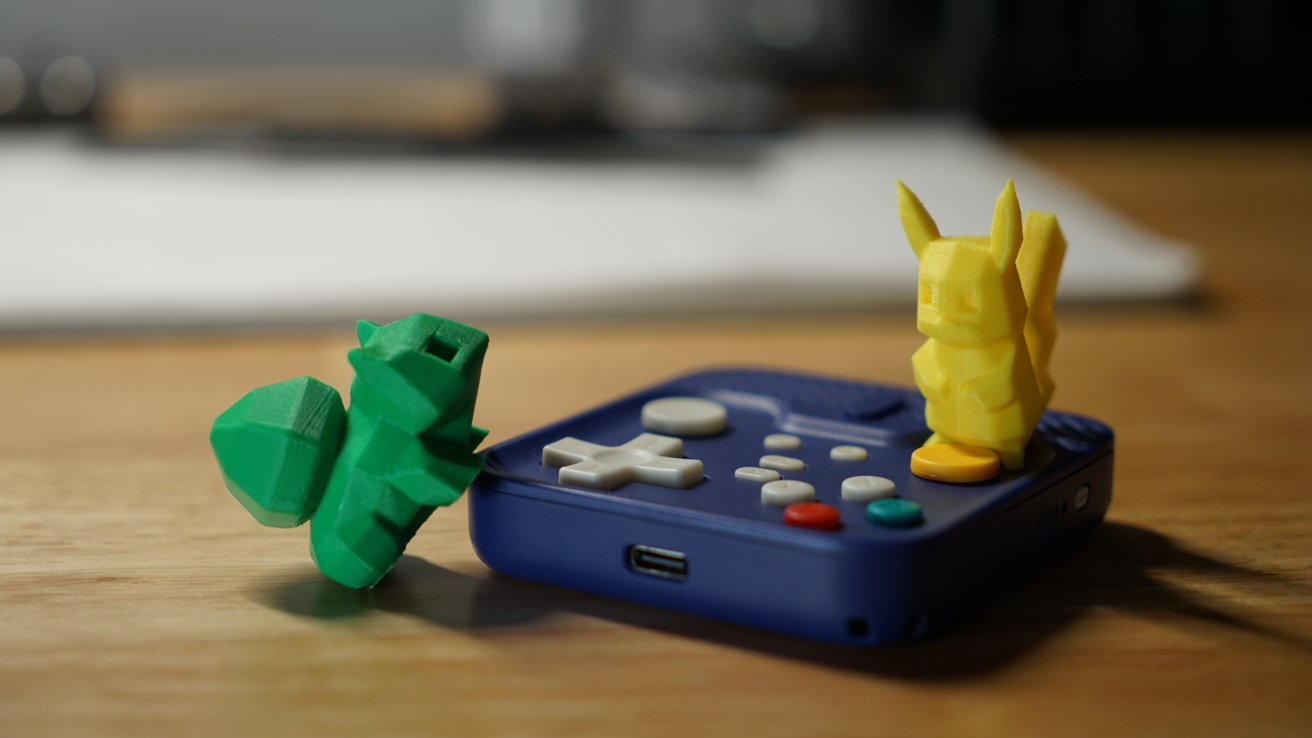
Abxylute M4 review: At least it's cute
When I tried playing Minecraft, I had trouble moving the character, steering the camera with the other analog stick, and hitting the blocks I wanted. This is trivial on any other controller, but on the Abxylute M4, I found my fingers slipping on the tiny joysticks.
I don't think there's anything Abxylute could have done with this form factor to change these complaints. It's a great controller with good construction, but it's simply too small.
Oh, and don't try playing this while lying down. The magnets are strong, but the force of gravity could result in an iPhone to the nose.
Almost a great gaming controller
There are many ways to play games on your iPhone these days. Abxylute makes one of the best grip-style controllers that turn your iPhone into a little Nintendo Switch-like device, but it's gigantic even when not in use.
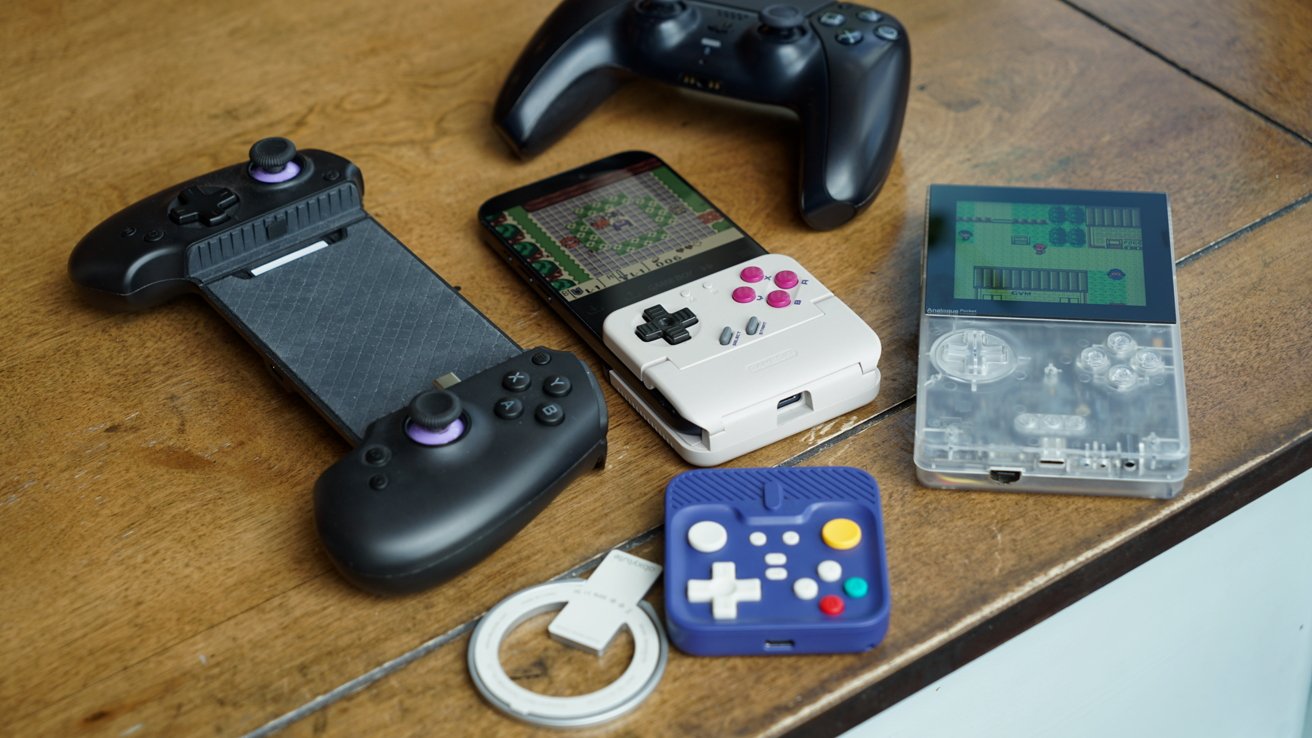
Abxylute M4 review: a tough set of compromises for its size
Another option is propping up your iPhone and using a standard controller like the PlayStation DualSense 5. You can find a lot of third-party options with different grips, sizes, and styles, too.
GameSir's Pocket Taco is too limited and niche to be a true controller alternative.
Out of everyone, I think the Ohsnap MCON might be the winner in terms of size, grip, feature set, and form factor, though I can't say for sure. I haven't used one, but Andrew O'Hara reviewed it and said it was great, even if it wasn't the most comfortable way to game.
I would say the MCON's iPhone-sized spacing and grips would make it a much more ideal experience versus the Abxylute M4. It's more compact and portable than grip controllers like the Backbone One Pro or GameSir G8 Galileo.
At least the Abxylute M4 is low-priced enough to give it a shot if you're curious. I can't recommend it for serious use, but if you'd like a great way to play Game Boy, Nintendo 64, or PlayStation One games, it might fit that niche fairly well.
Abxylute M4 review - pros
- Strong magnetic connection, though don't play it lying down
- Included magnetic ring stand for standalone play
- All the buttons are here even in the small form factor
- Plenty of battery life for all-day play
Abxylute M4 review - cons
- Finger cramps
- Stiff joysticks make some games tough to play
- Awkward rear button layout necessitated by the design
Rating: 3 out of 5
The Abxylute M4 is well designed and does what it sets out to do. The problem isn't with how the product works specifically, but the form factor.
If you'd like what might be the most portable controller, even at the compromise of comfort, then this is worth checking out.
Where to buy the Abxylute M4
If you want to give the Abxylute M4 a try, it is very reasonably priced at $49.99 on the Abxylute website. It is currently discounted to $42.49 on Amazon.