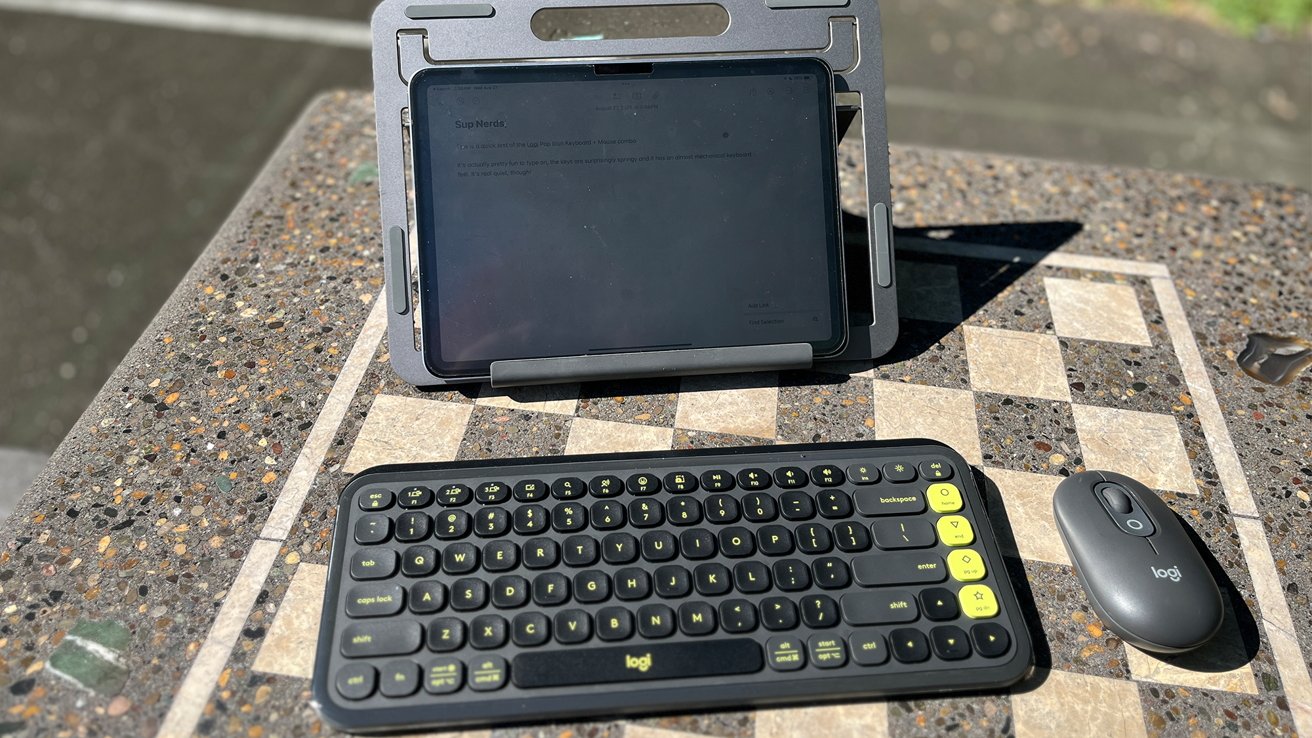
Logitech's Pop Icon Combo bundles a colorful, budget-friendly keyboard and mouse that balance style with everyday reliability.
When you think about it, MacBook users have it pretty easy. They don't need to worry about keyboards or mice.
But what if you aren't a MacBook user? Or what if you have a secondary setup that you work on?
Then you'll need to snag yourself a keyboard and mouse. I'm talking about my iMac and Mac mini users — and my iPad-as-laptop-replacement users, too.
It can be difficult to figure out what keyboard and mouse to go with. Especially if you wind up buying them separately.
Logitech has a solution for that. That's why it offers the Pop Icon Combo, a Bluetooth-enabled keyboard and mouse combo with a bold look and solid performance.
Logitech Pop Icon Combo - What you get
Logitech designed its Pop Icon Combo to meet the needs of someone who is looking for a one-and-done when it comes to buying accessories for their tablet or computer. You get the Logitech Pop Icon Keys, a Bluetooth-enabled keyboard, and a matching mouse.
Not only does this save you from needing to make two separate purchases, but it also visually matches. And, because the sets come in multiple colorways, you can pick something you'll enjoy looking at.
Currently, the colorways include rose, lilac, graphite and green, white and orange, and graphite and white. I tested out the graphite and green for this review.
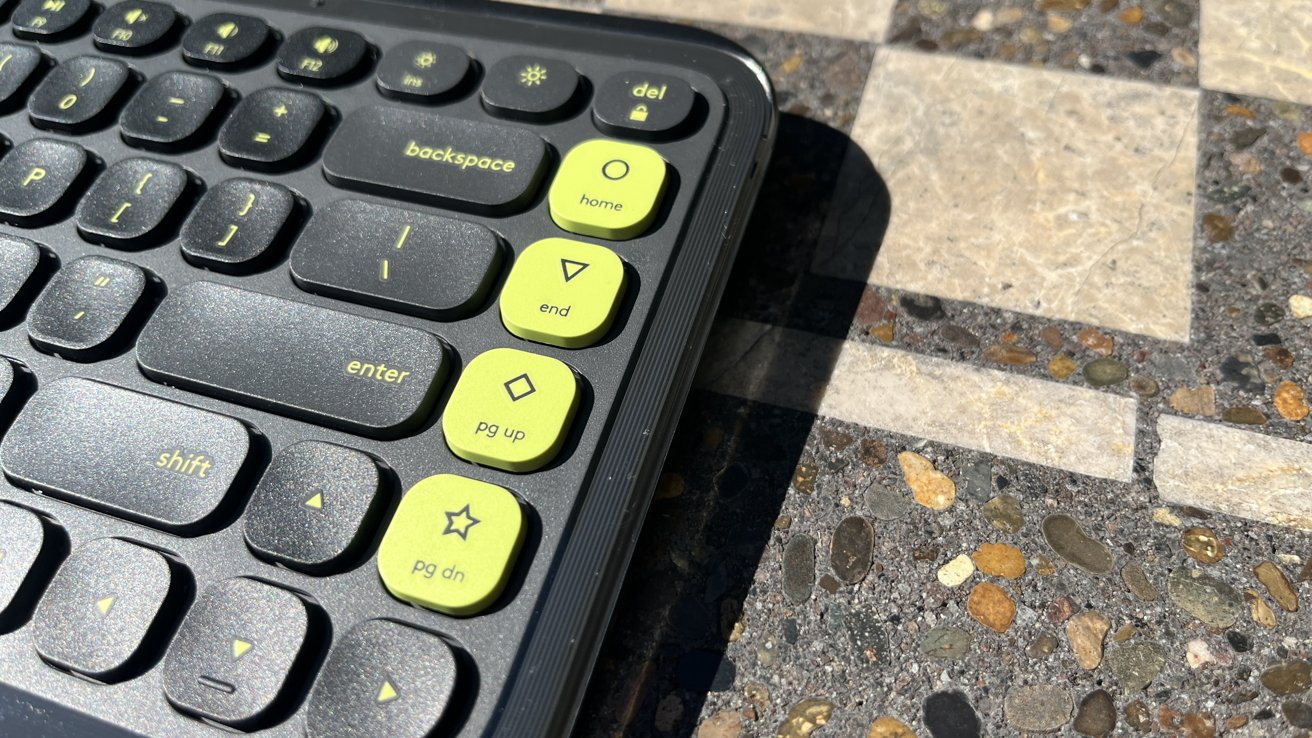
Logitech Pop Icon Combo review: up close shot of the customizable Action Buttons
Sure, not everyone cares about aesthetics. And yet, if you're someone who does, this could be a big selling point.
And I'll take a moment to pat Logitech on the back here: the set doesn't feel cheap. Even though it comes in fun colors like purple and pink, it doesn't feel like you're buying a toy.
No, I wouldn't say it has a "premium" feel to it. I would, however, say that it feels sturdy and very well-made.
Because the set is Bluetooth, it's compatible with a wide range of devices. Logitech lists the Pop Icon Combo as being compatible with the following operating systems:
- Windows 10, 11, or later
- macOS 12 or later
- ChromeOS
- iPadOS 15 or later
- iOS 13.4 or later (without mouse support)
- Android 12 or later
Logitech Pop Icon Mouse review - Performance
Overall, the mouse works well. There's not a lot to say about the actual performance.
It's not trying to be a gaming mouse or a mouse you use for 3D design. It's your everyday, barebones, "use this to browse the internet" kind of mouse.
I used it with my iMac as well as my iPad. It worked well with both.
My only concern is that if someone has large hands, the mouse may be a bit small for their liking. Not unusable, but potentially pretty uncomfortable.
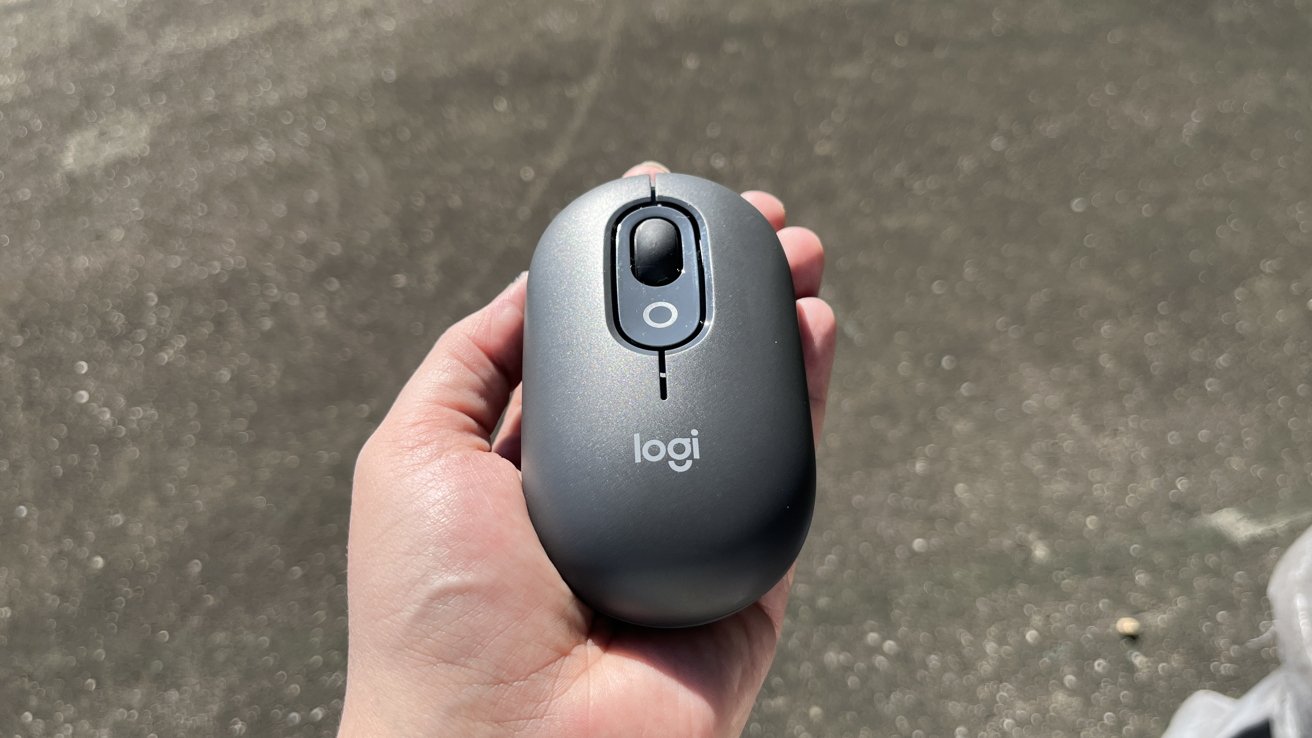
Logitech Pop Icon mouse in hand
What I'm about to say might seem a little silly, I know. But I was very happy to see that the Pop Icon Mouse is one of Logitech's "silent click" mice.
As someone who recently switched from a silent click mouse to a standard one, you certainly notice the difference. I could see this being appreciated by a college roommate in a dorm room.
The mouse is powered by a single AA battery. Accessing the battery compartment is done by gently lifting the top of the mouse off.
I actually prefer devices that are powered by external batteries, though I may be in the minority there. Logitech says the Pop Icon Mouse should get up to 24 months of use before needing to replace the battery.
Logitech Pop Icon Keys keyboard review - Performance
Again, Logitech isn't trying to blow the doors off the place with this design. It's a minimalist keyboard designed to work with a wide variety of devices.
The Pop Icon Keys keyboard is powered by two AAA batteries. With average use, Logitech suggests that it should last roughly 36 months.

Logitech Pop Icon Combo review: accessing the battery compartments
The keyboard has a nice angle to it, though I'll point out that it's not adjustable. I personally found it comfortable to type on.
The keys themselves are surprisingly tactile. Going into this review, I was expecting a much flatter, more subtle "laptop-like" experience.
But no, the keys actually are notably springy. Because of this, they feel genuinely nice to type on.
Don't get me wrong — they're not "mechanical keyboard" level of responsive. But, to be fair, it's not trying to offer that experience, either.
It's actually a decent compromise for someone who wants a portable keyboard that has some substance to it.
Yes, it's a bit thicker than something like the Magic Keyboard. But it makes up for its extra size in both cost-effectiveness and overall feel.
Additionally, Logitech has included customizable Action Keys and Action buttons. These can be customized for Windows and Mac via the Logi Options+ app.
This is a pretty thoughtful feature to include. You can set the buttons to launch apps and run "smart actions" — which are essentially macros or shortcuts.
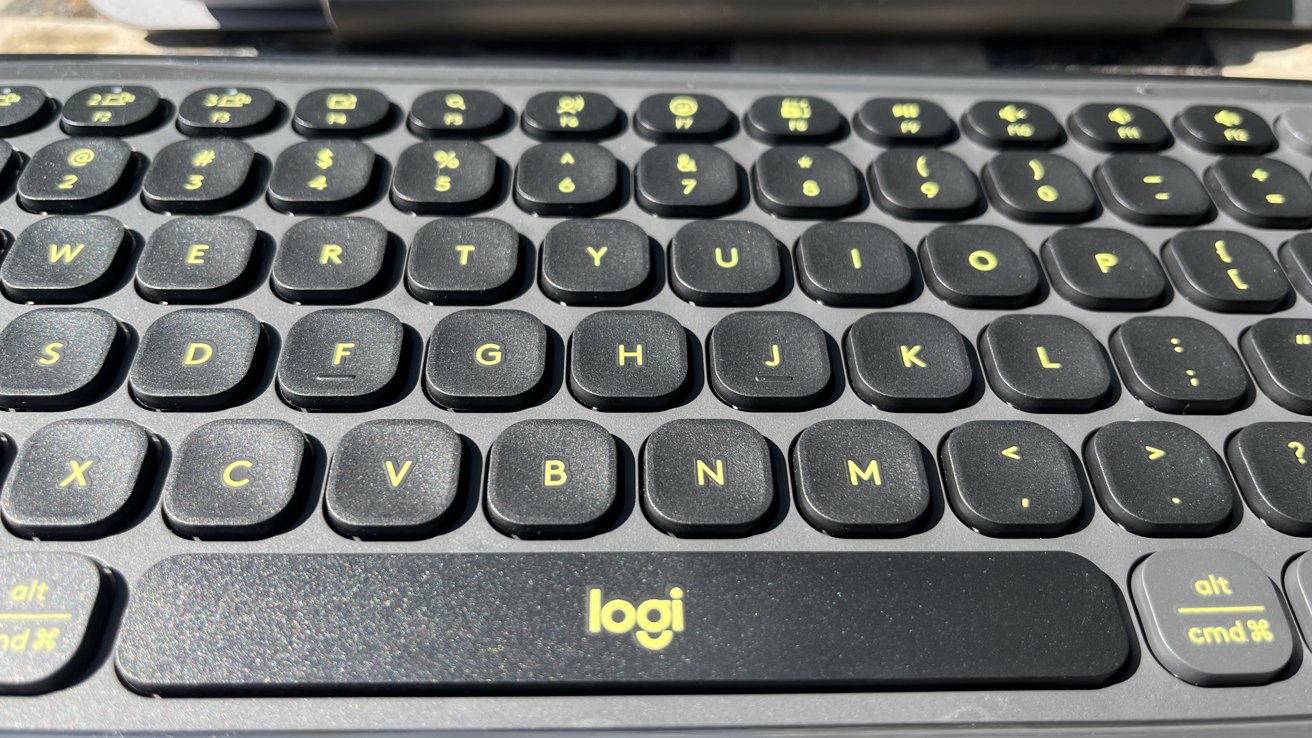
Logitech Pop Icon Combo review: There's really no easy way to clean this keyboard
The biggest issue I see with this keyboard is the same issue I have with all non-mechanical keyboards. I don't actually know how you'd clean it.
As a millennial, I do everything at my desk. And, as a result, it doesn't take long for me to make a keyboard outright disgusting.
However, because I use mechanical keyboards, cleaning them out is barely a chore. I just pop the keys off, throw them in a mesh bag, and toss them in the washing machine with a load of towels.
Yes, for real. This is actually how I clean my keyboard.
While the keys enjoy getting a good scrub down, I use a dry toothbrush to clear out any gunk. If I find any spots with particularly stubborn detritus, I take a cotton swab with a bit of rubbing alcohol and gently work it out.
Then, when my keys are clean and dry, I pop them back on. My keyboard is as good as new, and it only took me about an hour to do so.
But you can't do that with the Pop Icon Keys. So, if you do decide to buy this bundle, try to avoid using the keyboard while eating, at least.
Logitech Icon Pop Combo review - takeaway
As I've said before, it can be a little difficult to recommend a keyboard. Not because a keyboard is bad, but purely because everyone has a different idea of what constitutes a "good" keyboard.
What I can say, however, is that the Pop Icon Combo offered reliable performance. It also offers that performance at a fantastic price point.
I personally liked the keyboard. I wouldn't go as far as saying I'd replace my workhorse mechanical keyboard setup, but it is a nice option for my iPad.
The mouse was also decent. Again, it's not a specialized mouse, so you should be able to anticipate what you're going to get should you buy it.
Overall, I think that Logitech made a nice little bundle here. I could definitely see it being a hit with high school and college-aged crowds who want colorful options and are working on a budget.
Logitech Pop Icon Combo Pros
- Keys are springy and responsive
- More portable than a standard or mechanical keyboard
- Multiple colorways to choose from
- Does not feel cheap
- Customizable action keys for macOS, Windows
- Mouse functions well
Logitech Pop Icon Combo Pros
- Rounded keys are not for everyone
- Not as portable as other options
- Keyboard is difficult, if not outright impossible to clean
- Mouse may be too small for some
Score: 4 out of 5
Logitech Pop Icon Combo
You can snag your own Pop Icon Combo keyboard and mouse set from Logitech for $69.99. It's also available on Amazon starting at $61.99, though prices are color-dependent.