The Epomaker Luma 84 doesn't live up to expectations as a low-profile mechanical keyboard, with severely lacking support for Mac usage.
The world of third-party keyboards is a wide spectrum of offerings for Windows users, but often, Mac users are rarely top of mind. It is uncommon to find a manufacturer who goes the extra mile to align with the Mac aesthetic.
Epomaker is a Chinese manufacturer with a deep catalog of keyboard and switch offerings, seemingly to meet nearly any need and visual aesthetic. This includes an apparent attempt to appease both Mac and Windows users.
One of Epomaker's latest products is the Luma 84. It is a 75 percent low-profile wireless mechanical keyboard designed for comfort and a reduced footprint on most workspaces.
Epomaker sent over a Luma 84 for review, to see how it measures up as a daily-use keyboard in a market overflowing with options.
Epomaker Luma 84 Review: Unboxing
The Luma 84 is a 75-percent mechanical keyboard, and it arrives incredibly well-packaged with each component bagged in a padded shipping box.
Inside the box:
- Luma 84 keyboard
- Spare switches x2
- Additional keycaps (ENTER and ESC)
- 2-in-1 Keycap and switch puller
- USB-A to USB-C cable
- 2.4Ghz Wireless Receiver
The Luma 84 is compatible with macOS and Windows, however, Epomaker does not include alternate Mac keycaps for swapping based on where you use the Luma 84.
Instead, Epomaker opted for keycaps with dual tags for the Win/Option and Alt/Command keys.
This is a small thing, but Epomaker does tout the hot swap nature of the keyboard and includes spare switches and keycaps. I am surprised they did not include pure Windows and Mac-specific keycaps as well.
Epomaker Luma 84 Review: Specs
- Layout: 75% QWERTY ANSI US Layout
- Number of Keys: 84 Keys
- Battery: 3000mAh
- Connectivity: Cable Wired, 2.4GHz, Bluetooth 5.0
- Compatibility: Mac/WIN/Android/PS4/5/Xbox
- Dimensions: 31.4cm Length, 12.85cm Width, 2.55cm Height on the ESC side, and 1.65cm Height on the Spacebar Side
- Case Material: Anodized Aluminum
- Plate Material: PC
- Stabilizers: Gateron Low-Profile Stabilizer
- Mounting Structure: Gasket-Mount
- Sound Dampening: Sandwich Foam, Switch Pad, Sand-Enhancement Pad, Switch Socket Foam, Bottom Sound-Absorbing Foam
- Keycaps Profile: DSA Low-Profile
- Keycaps Material: PBT Plastic
- Hot-swappable: Yes (with 3/5-pin Mechanical Switches)
- RGB Backlight: Per-Key South-Facing LEDs. Still and Dynamic, Singular Color and RGB
- Polling Rate: 1000Hz (USB, 2.4Ghz), 125Hz (Bluetooth 5.0)
- Latency: 4ms (USB), 12ms (2.4Ghz wireless), 24ms (Bluetooth 5.0)
- Programmable Keys: QMK/VIA Software
Epomaker Luma 84 Review: Quality and Features
The Luma 84 is a 75-percent mechanical keyboard that feels solid. Nothing about the construction or the components feels fragile.
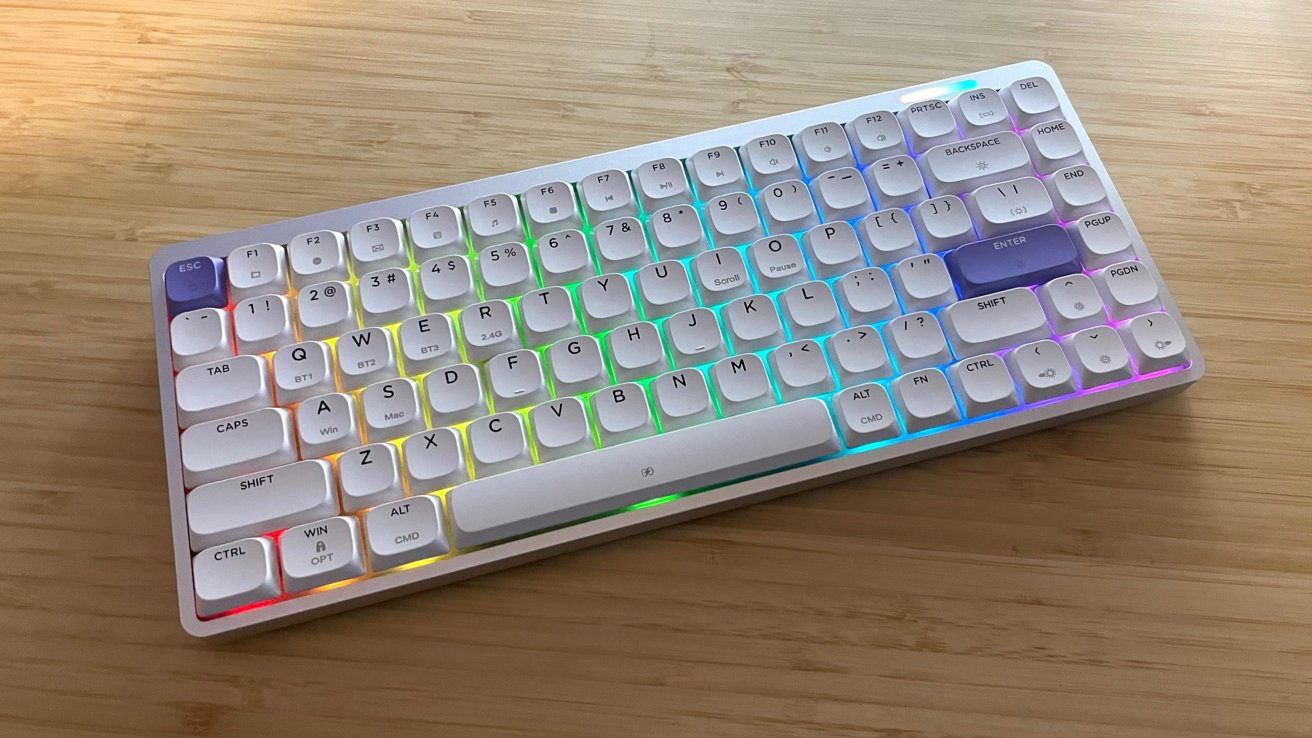
The anodized aluminum frame gives the Luma 84 a clean design aesthetic that is complemented by the excellent quality of the keycaps and legible text.
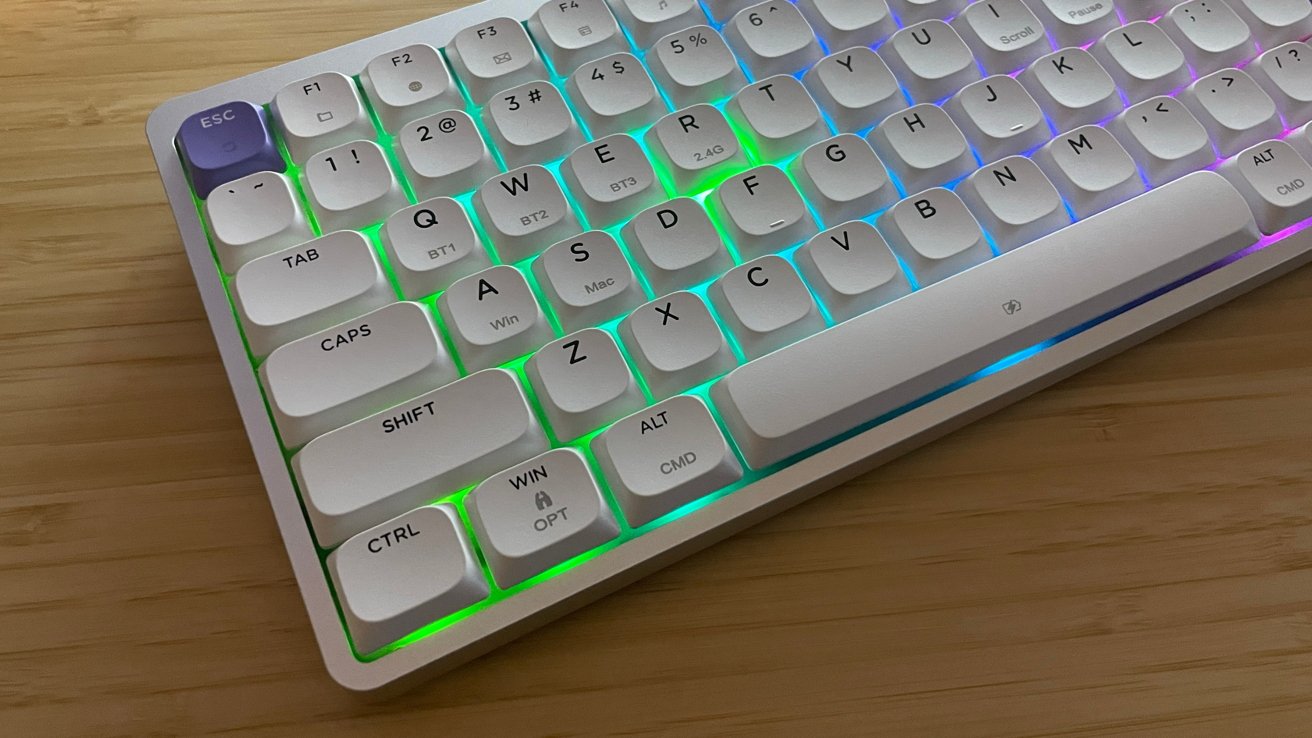
Epomaker Luma 84 Review: Left-hand side with RGB
Epomaker ships Luma 84 in two color configurations: Black (with blue accents) or White (with purple accents).
The Luma 84 does not include feet or flip-down legs to adjust the angle of the typing surface. But it does include gripper pads on the bottom for reduced sliding and added stability.
The back left side of the keyboard has a single USB-C port for charging and using the keyboard in wired mode. There's a discreet power switch next to the port.
As you would expect from a modern mechanical keyboard, the backlighting in the Luma 84 is bright and colorful. It uses south-facing LEDs, providing singular or dynamic RGB colors.
Epomaker Luma 84 Review: Customization
Epomaker uses two types of hot-swappable switches as standard: Gateron low-profile red linear switches or Gateron low-profile brown tactile switches.
You can switch which OS mode it uses via specific function keys to change modes. But the lack of Mac software to change key binds and macros cannot go unmentioned.
Epomaker offers software for some of their products, and in the case of the Luma 84, Epomaker offers only a JSON (JavaScript file) for deeper customization. At the time of this writing, there is no macOS driver or software for the Luma 84.
Epomaker claims the Luma 84 can be customized and configured through VIA. But in testing, I could never manage to get the customization working outside of just confirming keystrokes in the web browser version while the keyboard was connected via USB.
My testing accounted for several browsers and approaches (where I discovered VIA rejects Safari outright). Nothing provided a deep level of key customization, access to macros, or RGB lighting customization.
Epomaker Luma 84 Review: In use
Connecting the Luma 84 via Bluetooth, USB cable, and 2.4Ghz receiver all worked perfectly.
The Luma 84 provided a good working experience after the trial-and-error period with VIA. However, I would not consider the keys or features to be anything exceptional in a wide market of wireless mechanical keyboards available.
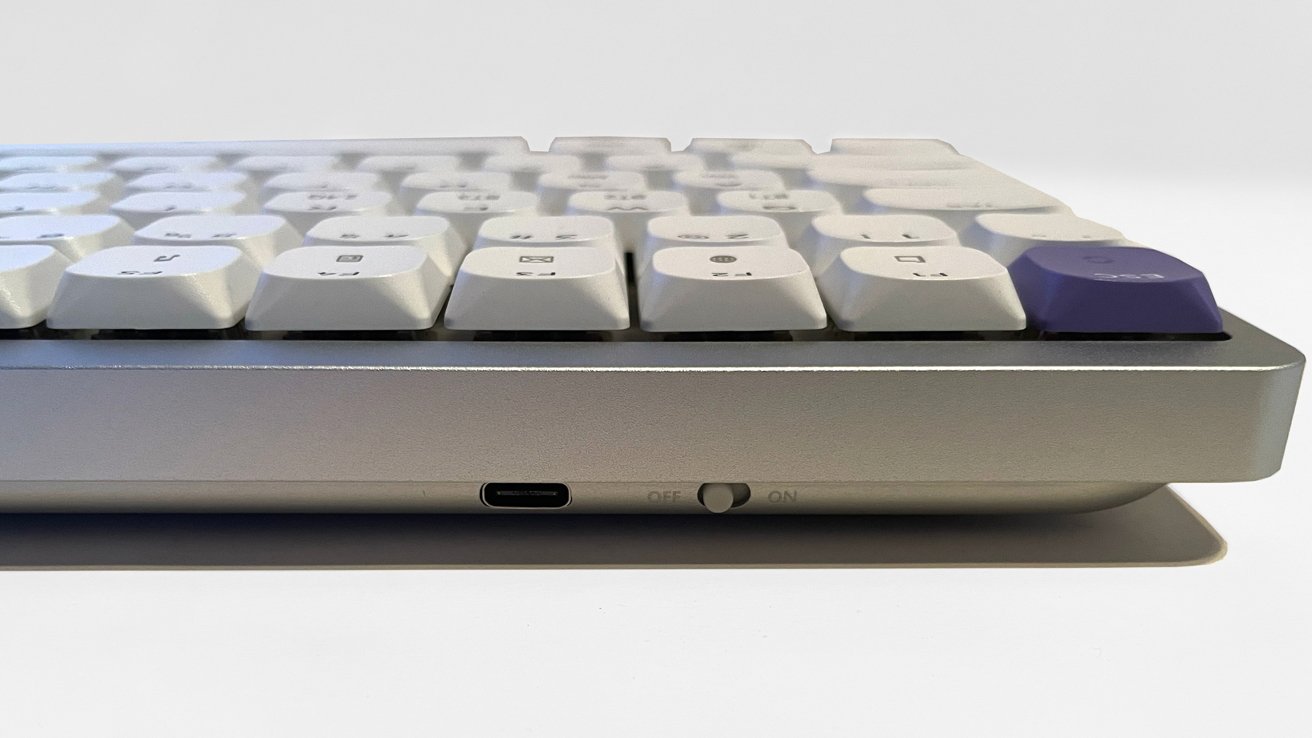
Epomaker Luma 84 Review: USB-C and a switch
This is a sturdy, low-profile mechanical keyboard that focuses on maximizing desktop workspace with a smaller footprint and comfort for day-to-day use.
The keycaps and brown Gateron tactile switches feel good, and the "Thok" sound while typing is very satisfying. The added weight of the keyboard prevented any real sliding or scooting on my desk while working.
The Luma 84 pairs with up to five devices with anti-ghosting and quick selection through the function key commands. To ensure sure it worked, I paired it with my Mac Studio, my PC, and my Apple notebook via Bluetooth, and all three worked perfectly.
Epomaker Luma 84 Review: Downsides
At its core, the Luma 84 is fine. Just fine. Middle of the road.
The lack of macOS software and non-functioning VIA customization is another example of a manufacturer touting macOS/Windows cross functionality but coming up short.
Like so many others before it, the Luma 84 feels like another in a long line of products where the macOS environment is an afterthought and not engineered for on the front end.
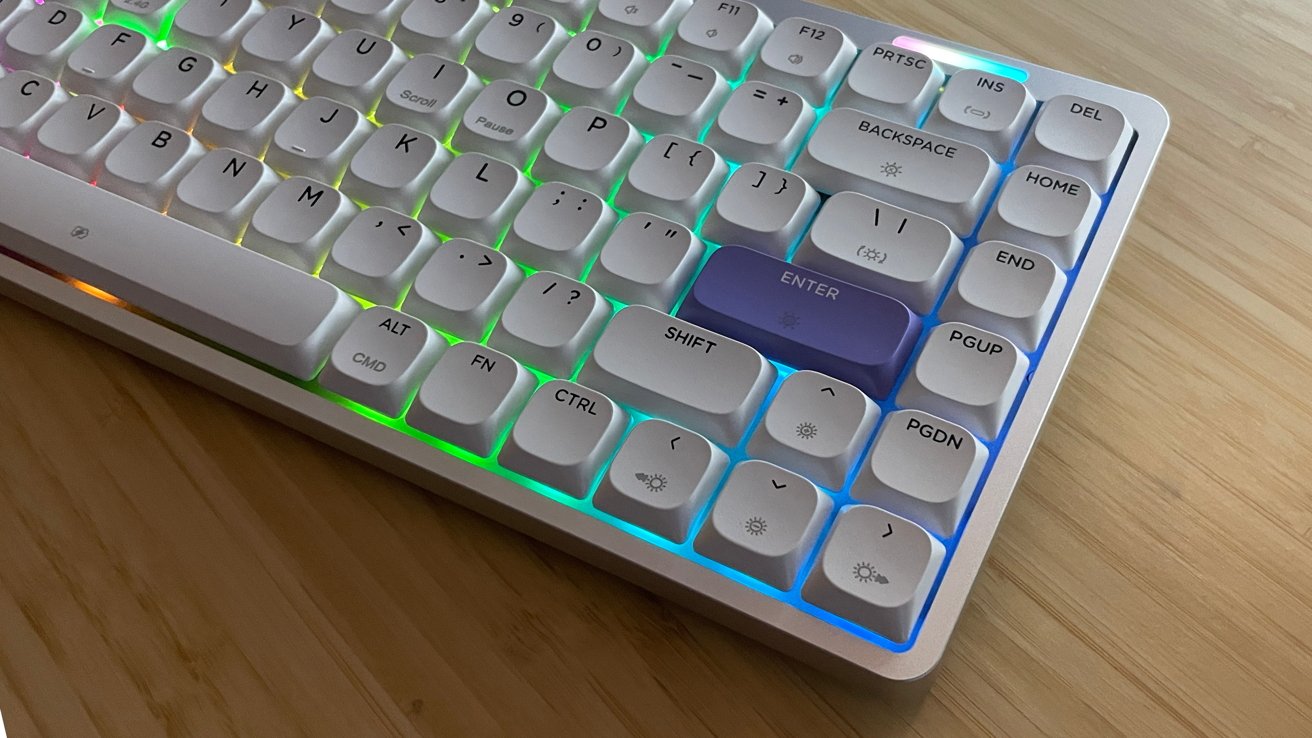
Epomaker Luma 84 Review: From the right.
With a retail price of $109, the Luma 84 sits far down my list of recommendations for consumers interested in low-profile mechanical keyboards. There are many other options on the market that integrate cleanly into the macOS environment.
The Luma 84 is a basic keyboard with basic functionality that will allow you to type, travel, and pair with multiple devices. At the basic level it works, but as a Mac-centric worker, I would not pay full price for it.
Epomaker Luma 84 Pros
- Excellent build quality
- Compatible with macOS and Windows for core functionality
- Connectivity with up to 5 devices
- Small desktop footprint
Epomaker Luma 84 Cons
- Difficult and sparse customization options
- Lack of macOS integrations
- Not inexpensive for a basic wireless keyboard
Rating: 3 out of 5
Where to buy the Luma 84
The Luma 84 is available on the Epomaker online store page for $109. It's also available from Amazon for $109.99.