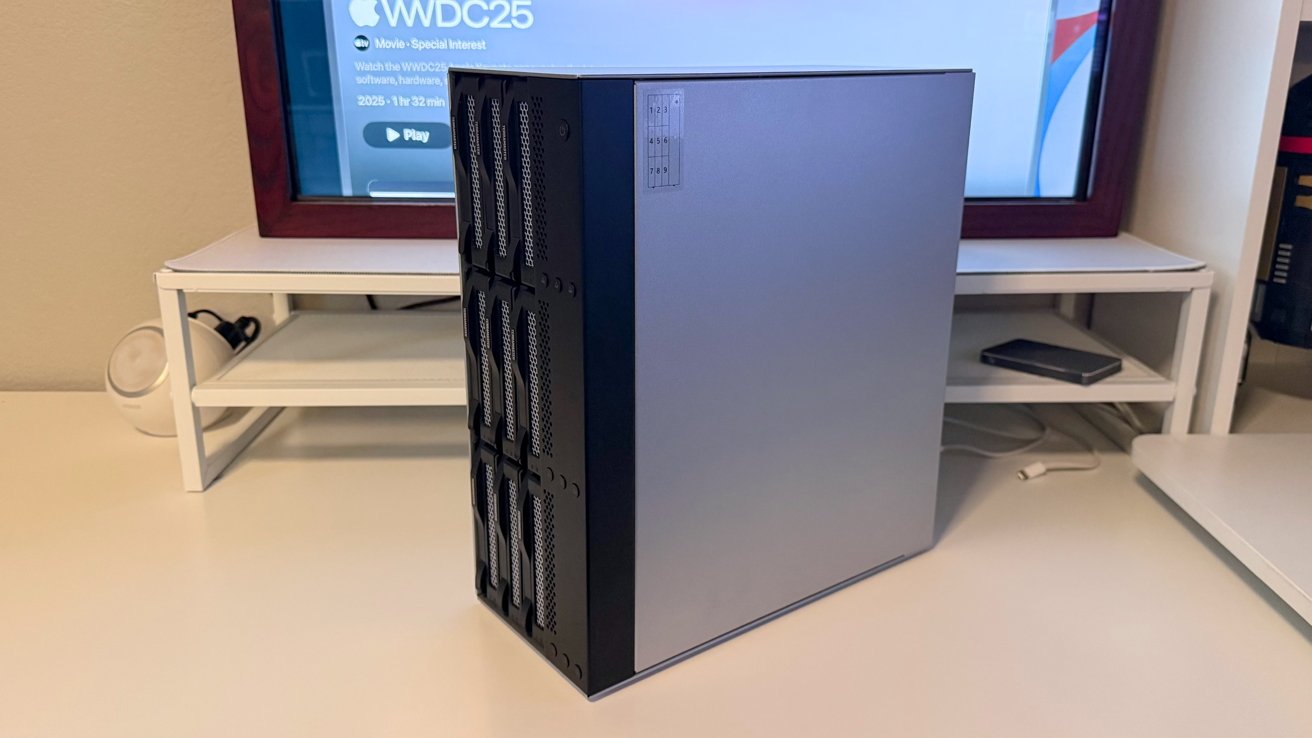
If you have a lot of hard drives to connect to your Mac, the TerraMaster D9-320 will get you there, with good price to performance.
Cloud storage has done something funny to local storage. All the tech giants are happy to sell you Internet based storage relatively inexpensively, which has led to Apple's hardware having smaller internal storage now than it did in the shift to SSD as a main storage medium about a decade ago.
Even now, though, some jobs just need dozens of terabytes accessible at decent speeds, cost-effectively. There is exactly one Mac tower these days that can hold hard drives internally, and doing it with the Mac Pro is not easy like it was with the first five Intel Mac Pro towers, nor is it inexpensive.
Ask me about the 1,1 Mac Pro that I had eight hard drives in someday.
Anyway in late 2025, the only real way to stack up single-Mac storage is either a network attached storage device, or the way it's been done at the dawn of the Mac era and off-and-on again throughout the years, with external directly-attached storage.
For capacity, a network-attached storage device is a good option. There is a speed problem, as you're limited to whatever bandwidth is available for your network, which is lower than anything directly connected to the Mac.
To bridge the gap, as there has about always been for Mac, there are hard drive enclosures that plug into the computer directly. As always, they promise sheer capacity as well as speedy access to stored data, securely, as long as your Mac is secure.
The TerraMaster D9-320 is a pretty good option for users with a need for masses of storage capacity, as well as decent — but not blistering — speed.
TerraMaster D9-320 review: Physical Design
We have looked at similar drive enclosures in the past, such as the TerraMaster D8 Hybrid. In most cases, they look like they could be a NAS in their own right.
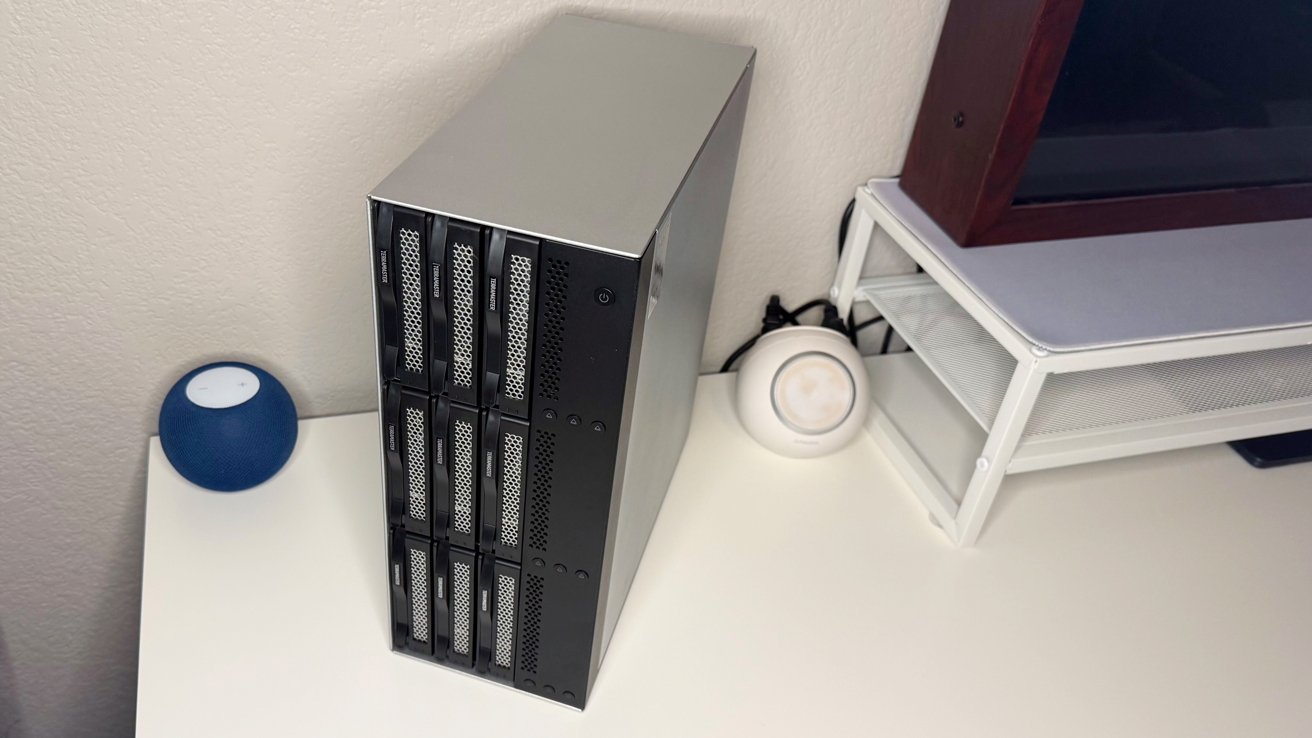
For the Terramaster D9-320, the appearance is less "typical 4-bay NAS" and is more "server tower with tons of drive bays."
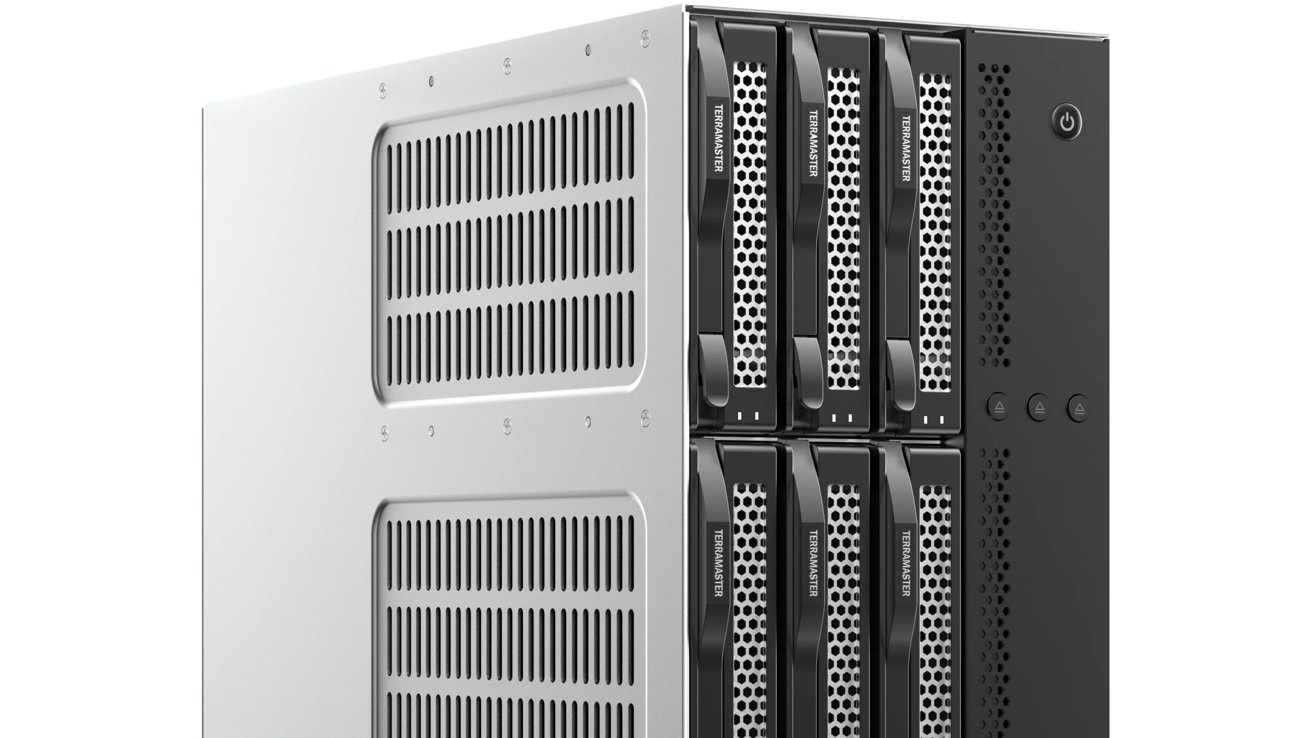
TerraMaster D9-320 review: There's a lot of venting on the front and side, as well as more around the back.
At 13.1 inches by 11.6 inches and 5.3 inches thick, the unit is sizable to say the least. It's not a small and compact box, but the volume required for nine hard drives is inescapable.
Across the front are the vented bays and locking mechanisms. The front side also has space for a selection of ejection buttons and a power control
The sides are pretty blank, except for one with many ventilation slots. To the back are four fan sections, the power input and two USB connection points, one to the host, and one downstream.
TerraMaster D9-320 review: Ports and Connectivity
The connectivity of the TerraMaster isn't considerable, as it's designed to be a connected-to-Mac item. It's not a NAS, nor is it a dock with storage.
With that in mind, the connectivity is minimal.
To connect the unit to the Mac, you have a USB Type-C 3.2 Gen 2 connection. That's a 10Gbps connection to the Mac, using one port.
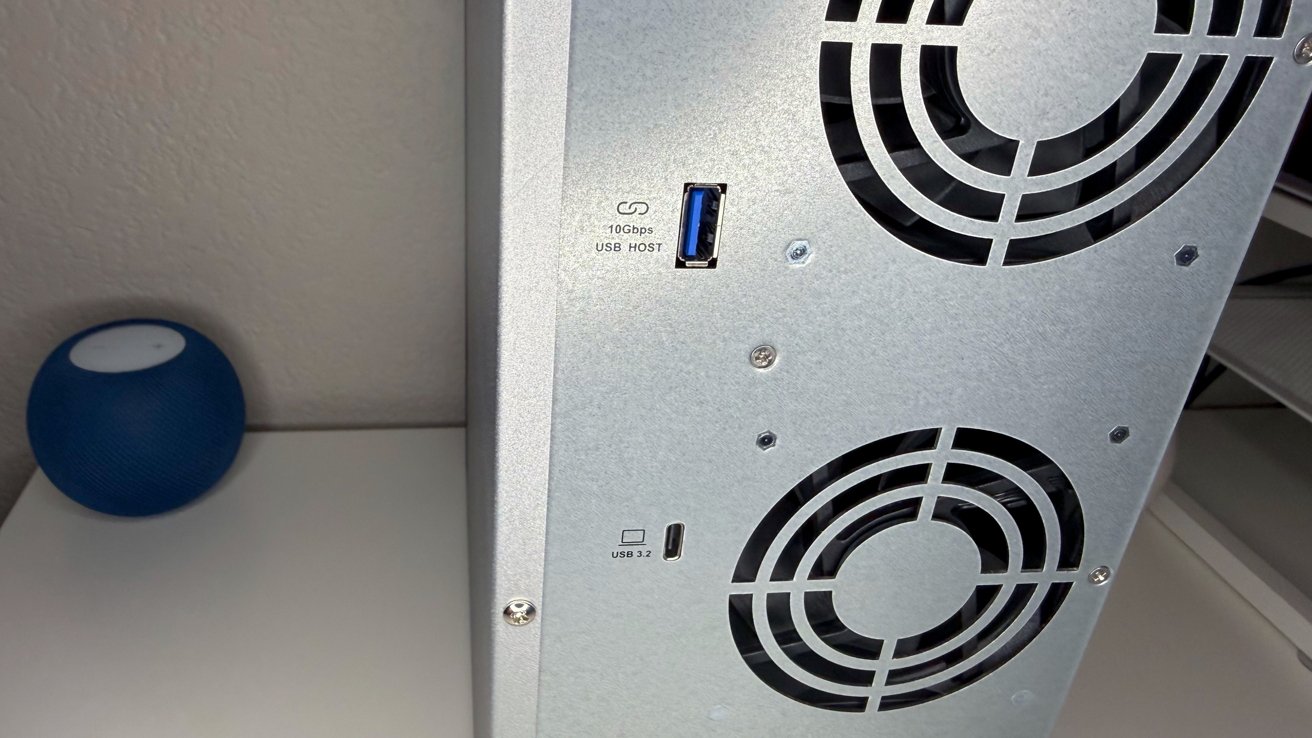
TerraMaster D9-320 review: There are two ports on the back. One is for your Mac, the other for expansion.
The other port is a USB Type-A port, again Gen 3.2 and running at 10Gbps. While on a NAS this would be used for ingesting data, here, it's more for daisy-chaining units together.
The choice to use a 10Gbps connection to the host Mac is a little disappointing, especially given the existence of Thunderbolt 4 and 5, as well as USB 4. This is clearly to keep costs down, as a 9-bay Thunderbolt enclosure can get pricey.
TerraMaster D9-320 review: Drive support
There are nine drive bays in the front, each with an ejection button. Designed for SATA drives, the TerraMaster D9-320 can accommodate 2.5-inch and 3.5-inch drives, as well as 2.5-inch SSDs.
Thankfully, given the quantity, each drive sled is tool-free, so there's no need for a screwdriver. Even better, you can also hotswap the drives, so you can keep working with minimal downtime as you replace a drive.
At 24TB per drive, the nine-drive capacity can be up to 216TB, if you can afford it at about $400 per drive.
Thought you can use SSDs for speed, you can't really take advantage of NVMe, since there are no M.2 slots available. This is intentional, again to keep costs down.
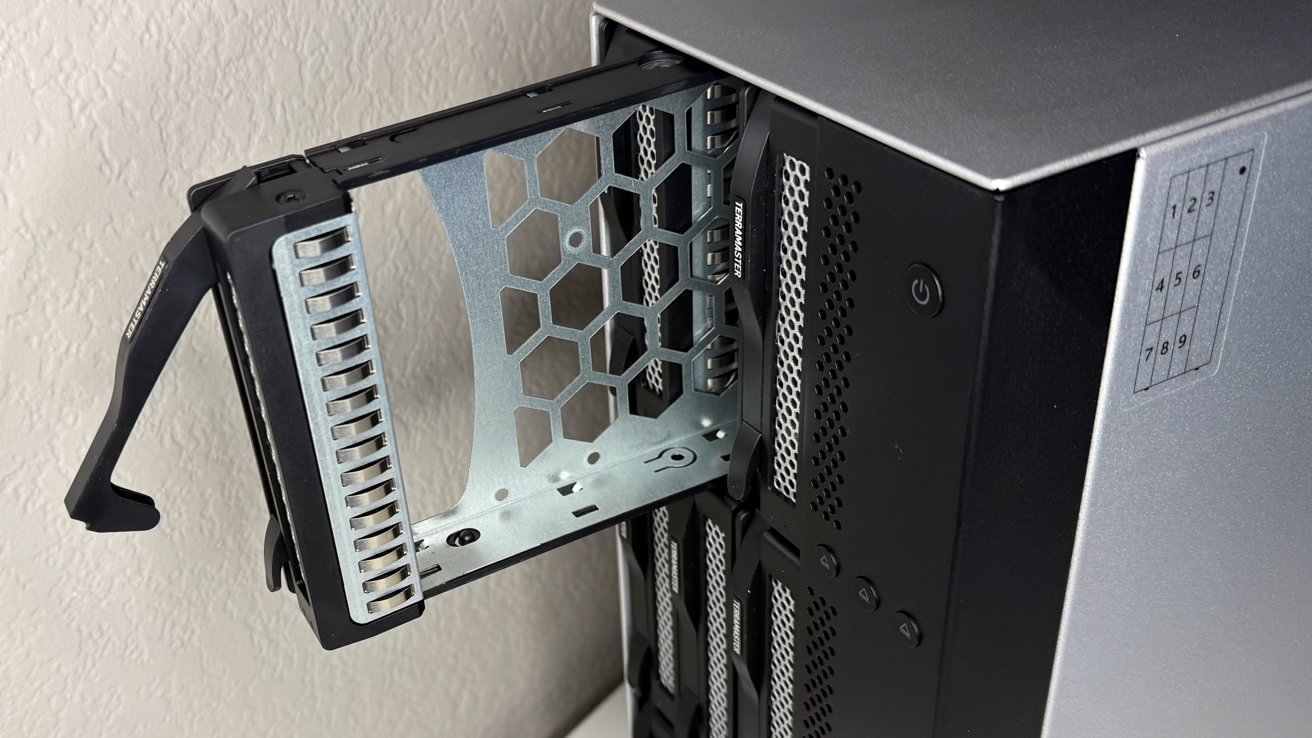
TerraMaster D9-320 review: One of the nine drive bays and sleds.
Once you have the drives inside, you'd expect some form of RAID controls, like the D8 Hybrid. That's not available here at all.
Once upon a time, RAID options were selected with DIP switches. This is making a comeback, as macOS has broken most of the custom vendor software RAID solutions a few times over the years.
With so much data on hand, some form of onboard RAID configuration, like those DIP switches would go a long way. As it stands, you have to come up with your own RAID solution, using whatever software tools you have available.
With Disk Utility, you're limited to RAID 0 or RAID 1. OWC's SoftRAID will get you RAID 5 and others, but that's an additional, annual, license for configuration.
TerraMaster D9-320 review: Performance
With this many drives in use, especially if you use spinning disks, there's going to be noise.
TerraMaster claims that it has a noise level of 22.5 decibels, though we believe that reading comes from the unit alone with minimal or no installed drives. You'd probably get this using SSDs, but certainly not when using nine mechanical hard drives at once.
In our testing, filling up the unit with mechanical drives produces approximately 26 decibels while at idle. This probably won't be heard above normal noise levels of a typical office, at least when it's awaiting commands.
If you put the drives to work, it does raise in volume to a more noticeable 36 decibels.
TerraMaster D9-320 review: It can get a bit noisy to have on your desk when under load.
When it comes to usage, TerraMaster claims the single drive speed for one SSD installed in the unit is up to 510MB/s. Loaded with nine 8TB WD Red drives, TeraMaster says it can reach up to 1,016MB/s.
We tested it with a pair of 24TB Red Pro drives, provided by Western Digital. We also used nine 4TB Seagate Ironwolf drives, more typically used in this class of NAS.
Both combinations mounted and worked fine, and provided identical transfer speeds across our test gigabit, 5 gigabit, and 10 gigabit networks.
With either RAID, we saw about 790 megabytes per second read speed and around 720 megabytes per second write speed in a striped RAID.
If you were to throw some SSDs in there, like we did, read speeds hit 890 megabytes per second while writes got to 820 megabytes per second.
These tests were all performed using macOS straight, using no additional software.
The unit will automatically start up when the host Mac boots, so your files will be accessible whenever you power on the Mac. This is very handy and helps minimize the chance of users finding their files have gone missing on boot because of an enclosure that turned itself off when power dumped, and didn't turn back on.
When it comes to power, TerraMaster does include a 250W power supply. This is way more than the system needs and it uses about 105 watts while full up with drives and getting hammered with read and write requests.
TerraMaster D9-320 review: Capacity in spades
The Teramaster D9-320 appeals to people who feel a NAS is too slow or not private enough. Or, too expensive.
Space for nine drives means it can hold a lot of data. If you can afford the massive drives, that is. It works if you have a lot of smaller drives on hand, but there's an argument that if you do, you may be better off buying a 24TB hard drive on sale at Newegg for less than $300 versus the $499 for just the enclosure.
The benefits of massive storage won't be lost on the right person, but this implementation could have gone one step further. If the user's gone to the expense of buying this enclosure and then drives to go in it, they would really appreciate even faster connectivity.
Thunderbolt speeds could've made this a powerhouse for creatives, as it does with other TerraMaster enclosures. It does its existing connectivity well under the right RAID conditions, but if you need that 3 gigabytes per second from spinning metal, you need to pick a different enclosure.
Overall, though, the TerraMaster D9-320 is a tower of storage that is probably more than the typical Mac user would really need. Beyond overkill.
It's an edge case in terms of storage. For those who seriously need to manage that much data, it is a pretty good solution to the problem without getting complicated with multiple storage devices.
TerraMaster D9-320 review: Pros
- Sheer capacity
- Well constructed
TerraMaster D9-320 review: Cons
- Lacks Thunderbolt bandwidth so it can be a bit bandwidth-constrained
- RAID outside of 0 or 1 needs a third-party software solution
- Substantial size, and watch those sharp corners!
Rating: 3.5 out of 5
Where to buy the TerraMaster D9-320
The TerraMaster D9-320 is available on Amazon for $499.99.