
The Epomaker Galaxy 68 is a fairly standard mechanical keyboard that doesn't quite provide full service to Mac users.
Epomaker has a deep catalog of keyboard and switch offerings to meet nearly any need and visual aesthetic. While it has an eye on functionality for both macOS and Windows users alike, it sometimes fails to deliver software or options that can make macOS users feel like a first choice and not an afterthought.
One of Epomaker's latest products is the Galaxy 68, a 65 percent wireless mechanical keyboard touted for macOS and Windows users, designed for comfort and a reduced footprint on most workspaces.
Epomaker sent over a Galaxy 68, and it was put through its paces to see how it measures up as a daily-use keyboard. Especially in a market overflowing with manufacturers, features, and competitive pricing aimed at attracting the eye of macOS users.
Epomaker Galaxy 68 Review: Unboxing
The Galaxy 68 arrives incredibly well-packaged, with each component bagged in a padded shipping box.
Inside the box:
- Galaxy 68 keyboard
- Spare switches x2
- 2-in-1 Keycap and switch puller
- USB-A to USB-C cable
- 2.4Ghz Wireless Receiver
- Manual
The Galaxy 68 is compatible with macOS and Windows. However, Epomaker does not include alternate Mac keycaps for swapping based on which operating system you use the Galaxy 68 with.
Epomaker touts the hot-swap nature of the keyboard and includes spare switches, but I am disappointed they did not include pure Windows and Mac-specific keycaps as well. Epomaker is not a small, upstart manufacturer, and if you are attempting to court a macOS user, you go all the way.
Epomaker Galaxy 68 Review: Specs
- Layout: 65% ANSI US, QWERTY
- Number of Keys: 67 Keys and 1 Knob
- Battery: 6,000mAh (two 3,000mAh Batteries)
- Connectivity: 2.4Ghz Wireless/Bluetooth/USB Wired
- Front Height: 2cm
- Typing Angle: 7 degrees (Back Height: 3.5cm)
- Case Material: Powder Coated Aluminum
- Plate Material: PC Flex-Cut
- Stabilizers: Plate-Mounted Stabilizers
- Mounting Structure: Gasket-Mount
- Sound Dampening: 5 Layers of Paddings including PORON Sandwich Foam, IXPE Switch Pad, PET Sound-Enhancement Pad, PORON Switch Socket Foam and Bottom Sponge
- Keycaps Profile: Cherry Profile
- Keycaps Material: PBT Keycaps
- Keycaps Manufacturing Technique: Double-Shot
- Switch: Lubed Mechanical Switches, 5-pin Linear.
- Hot swappable: Yes (3-pin and 5-pin mechanical switches)
- Lights: Dynamic RGB backlight, LOGO light and side light.
- Polling Rate: 1,000hz in Wired and 2.4Ghz mode, and 125hz in Bluetooth mode
- Latency: 2.5ms in Wired mode, 4.5ms in 2.4Ghz mode and 15ms in Bluetooth mode
- Anti-Ghosting: NKRO
- Compatibility: Mac/Windows/Android/Linux/X-Box
- Keyboard Dimensions: 346.3x112.7x32mm
- Keyboard Weight: 2.7 lbs.
Epomaker Galaxy 68 Review: Quality and Features
The Galaxy 68 is a 65 percent mechanical keyboard that feels heavy and solid out of the box. The powder-coated case feels industrial and clean in the white configuration I reviewed.
Epomaker sells the Galaxy 68 in two color configurations: Black (with green accents) or White (with black accents).
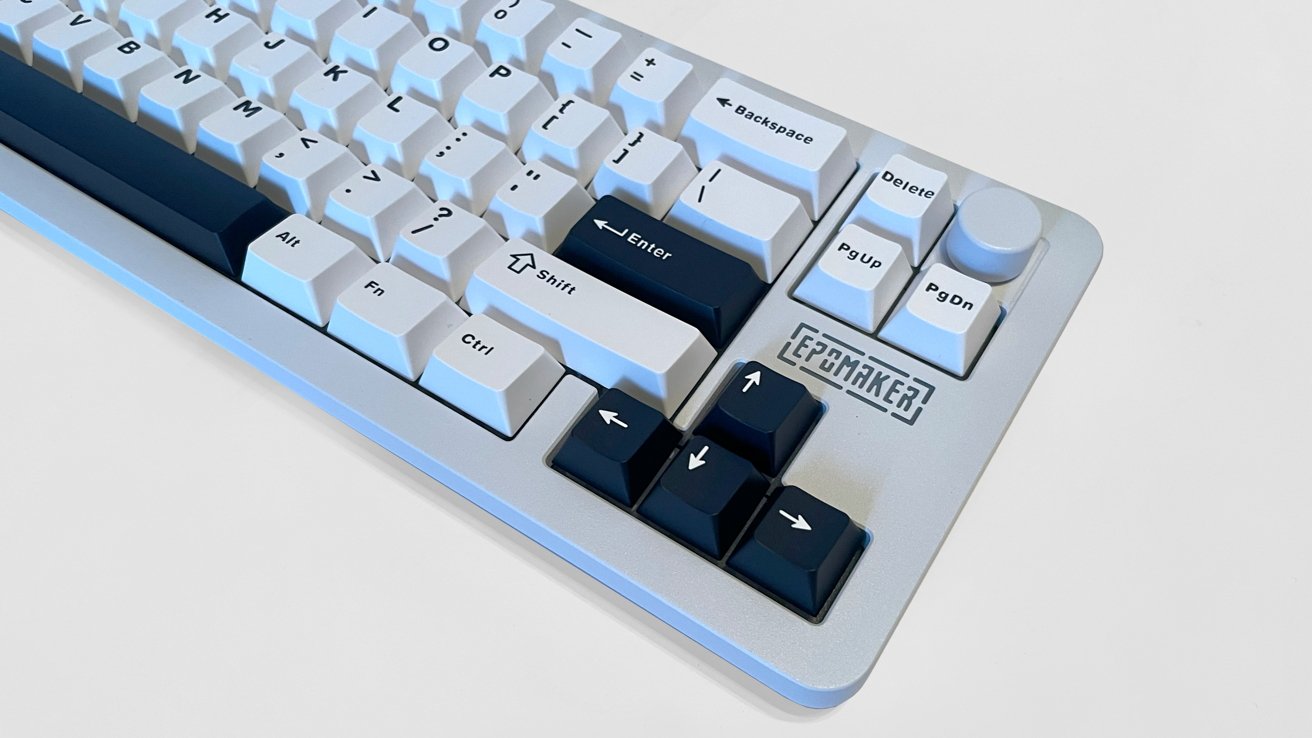
Epomaker Galaxy 68 review: The light keys and dark highlights.
The Galaxy 68 does not include retractable feet to adjust the angle of the typing surface, but it does include gripper pads on the bottom for added stability.
The back center of the keyboard has a single USB-C port for charging and/or using the keyboard in wired mode. There's a discreet power switch next to the port.
The RGB backlighting in the Galaxy 68 is bright and colorful, with south-facing LEDs providing singular or dynamic RGB colors. There's a cutout in the case for the Epomaker logo to illuminate as well.
The Galaxy 68 uses triple-mode connectivity via direct USB cable, 2.4Ghz receiver, or Bluetooth, for a wide range of options and workspace needs.
Epomaker Galaxy 68 Review: Customization
Epomaker ships the keyboard with its proprietary Wisteria 5-pin linear switches as standard. But any 3-pin or 5-pin switch is compatible with the Galaxy 68 for a fully customizable experience.
The basic onboard features for the Galaxy 68 are controllable through combinations of keys and the function key. Using this, you can change between macOS and Windows modes, media controls, RGB lighting presets, and battery checks.
Where the customization of the Galaxy 68 falls short is the total lack of a driver for macOS or Windows.
Epomaker provides software for some of its products, and in the case of the Galaxy 68, Epomaker offers only a JSON (JavaScript file) for deeper customization through the VIA website.
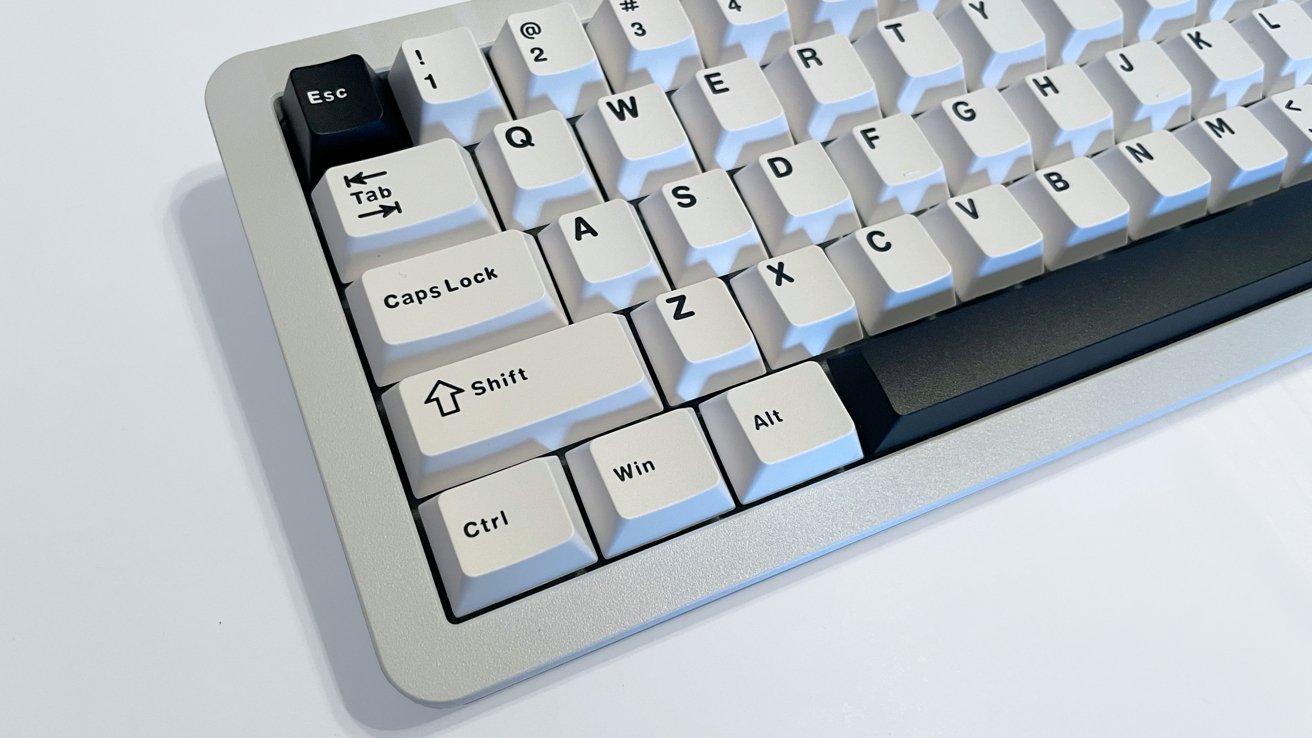
Epomaker Galaxy 68 review: The other side of the keyboard.
There are video tutorials online detailing the process of using JSON and VIA, as it is not necessarily difficult. Even so, it does take time to set up the JSON/VIA connection and more time to customize the buttons on the Galaxy 68 as opposed to a native driver software for macOS.
The customization process is extensive, with the Galaxy 68 VIA supplying customization for the keys, knob, custom macros, and RGB lighting once it is all up and running.
Epomaker Galaxy 68 Review: In use
Connecting the Galaxy 68 via Bluetooth, USB cable, and 2.4Ghz receiver all worked perfectly, and I used the Galaxy 68 for several weeks as my daily use keyboard.
The Galaxy 68 provided a solid working experience after the customization period with VIA. But I would not consider the keys or features to be anything exceptional in a wide market of wireless mechanical keyboards.
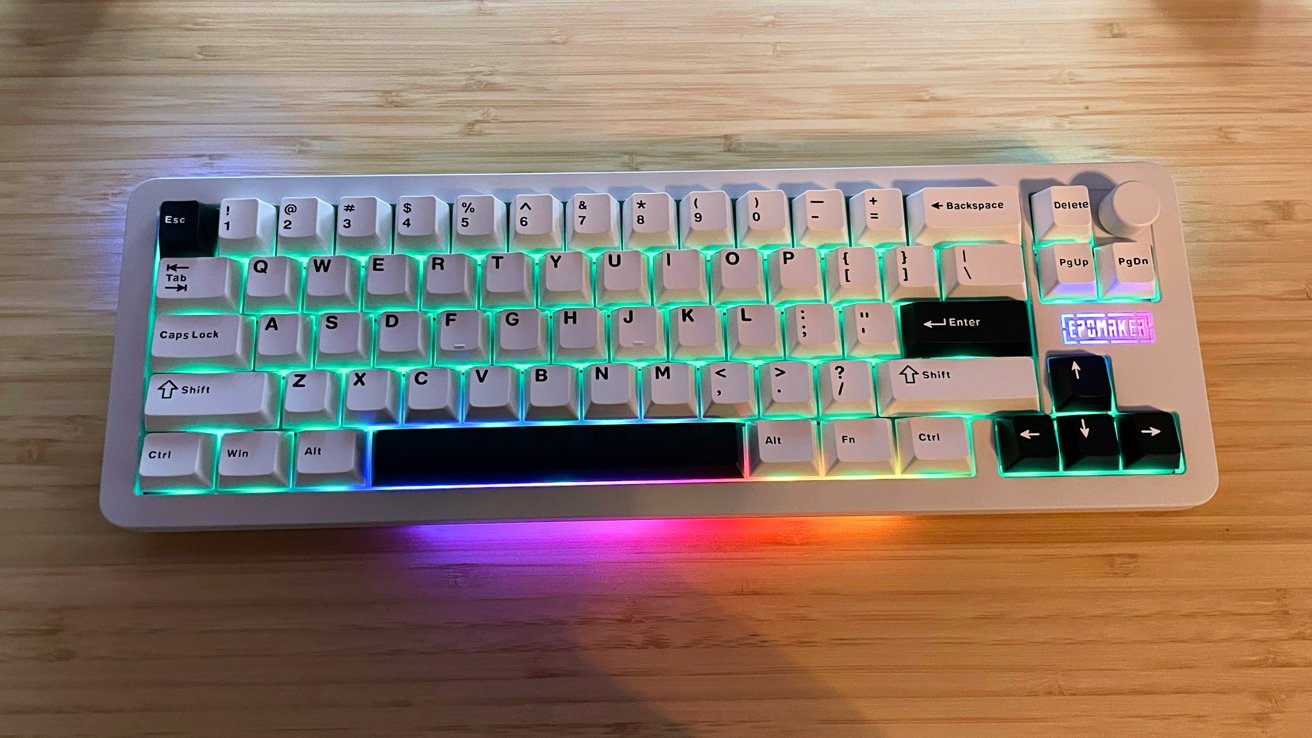
Epomaker Galaxy 68 review: Full RGB on display.
This is a solid mechanical keyboard that focuses on a reduced desktop workspace with a smaller footprint, as well as comfort for day-to-day use.
The Epomaker switches feel good and the loud "Thok" sound while typing (while not my personal switch preference) is distinct.
The weight of the keyboard prevented any real sliding or scooting on my desk while typing. Nor while using the keyboard with my off hand for quick key commands while drawing on my pen display.
Epomaker Galaxy 68 Review: Average at best
Ultimately, the Galaxy 68 is an average mechanical keyboard.
The lack of macOS software, keycaps, and added steps with JSON/VIA customization is a prime example of a manufacturer touting macOS/Windows cross functionality, but failing to fully deliver.
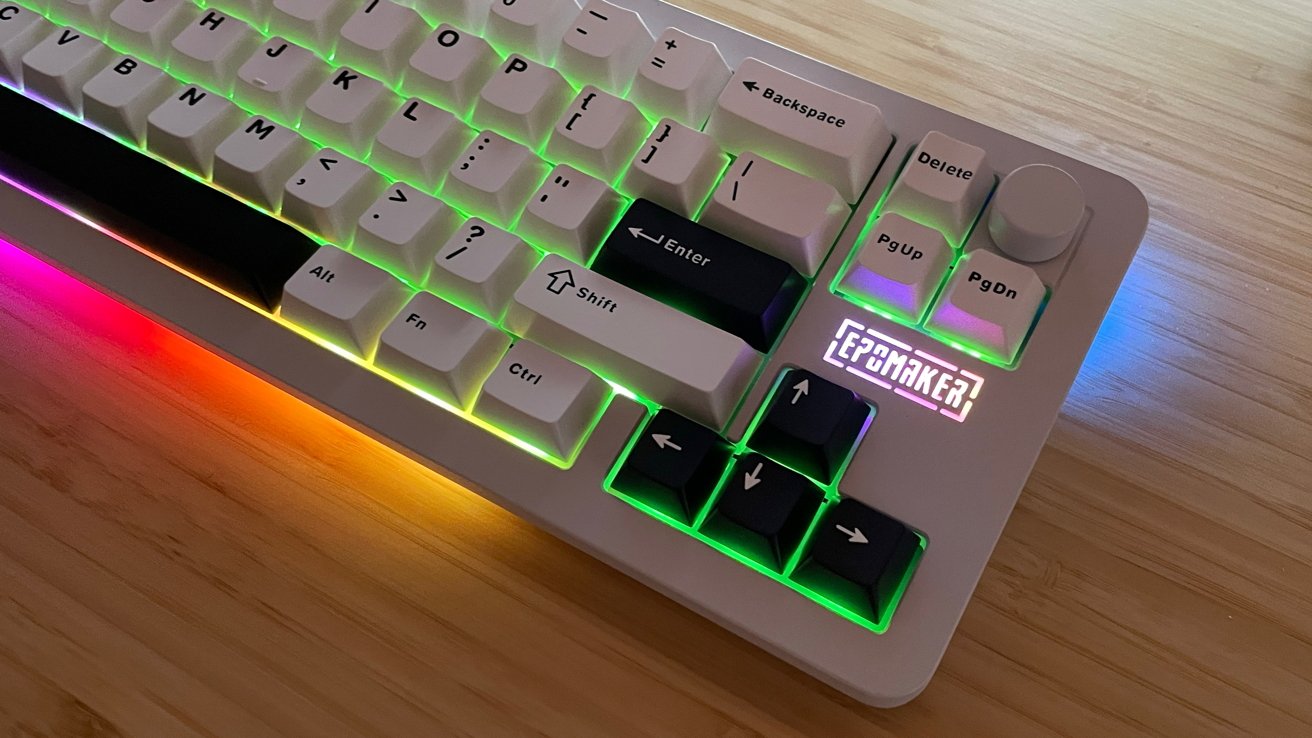
Epomaker Galaxy 68 review: The Epomaker logo cutout is a neat touch.
Like other Epomaker products before it, the Galaxy 68 feels like another product where macOS users are a distant afterthought. In this case, Windows users are also not given preferential treatment either.
Even with a retail price of $99, the Galaxy 68 still does not make my list of recommendations for macOS users. Especially those looking for a mechanical keyboard manufacturer who will build products with their needs in mind.
The Galaxy 68 is a vanilla mechanical keyboard with basic functionality that will allow you to type and game with a sturdy case and pretty lights. At the basic level, it works, but it just isn't good enough for Mac-centric users.
Epomaker Galaxy 68 Pros
- Excellent build quality
- Fully compatible with Windows — but just functional on Mac
- Small desktop footprint
Epomaker Galaxy 68 Cons
- Lacking and difficult customization options
- Lack of macOS integrations
Rating: 2.5 out of 5
it's a nice enough keyboard. There are just far better options for Mac users, at similar price points.
Where to buy the Epomaker Galaxy 68
The Galaxy 68 will be available on the Epomaker online store page for $99. It's also available on Amazon for $99.99.