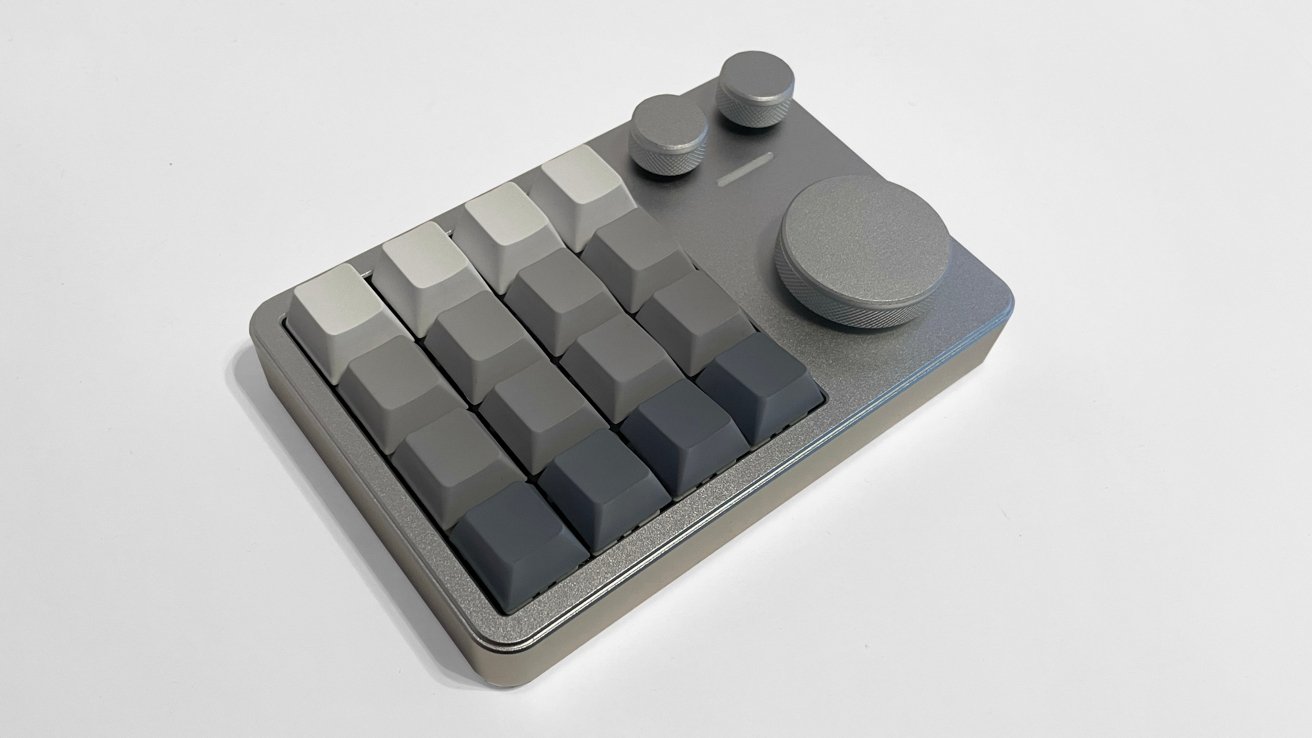
The KiiBoom Cybrix 16 is a cut-down keyboard with 16 keys, three knobs, and tons of utility — but it's too bad that the software for Mac users is effectively non-existent.
The world of third-party keyboards is a consumer's market, and we have never had more options to fit our individual needs, but in the noise of products and features, some manufacturers choose to appeal specifically to gamers and niche needs consumers.
KiiBoom is a global manufacturer with an extensive catalog of mechanical keyboards, keycaps, headphones, audio equipment, desk mats, and everything in between for the modern gamer or mechanical keyboard enthusiast.
One of KiiBoom's latest products is the Cybrix 16. It's a 16-key mechanical keyboard designed to be a sideboard accessory to improve productivity and gaming, with a reduced footprint on most workspaces.
As a gamer and professional digital artist always on the lookout for ways to improve productivity with minimal clutter and impact to my workspace, I jumped at the chance to test the Cybrix 16 but found it to considerably lacking for plug-and-play use in the Mac OS environment and paling by comparison to other products with Mac OS driver support in the KiiBoom catalog.
KiiBoom Cybrix 16 review: Unboxing
The Cybrix 16 is a 16 key mechanical keyboard with 3 radial knobs, and it arrives in an incredibly well-packaged box. Each component is bagged in the padded shipping box.
The colors and branding on the box are soft and incredibly well done as well, and this is a trend across all KiiBoom products. KiiBoom has an outstanding group of designers in their art department.
Inside the box:
- Cybrix 16 keyboard
- Additional switches x2
- 2-in-1 Keycap and switch puller
- USB-A to USB-C cable
- Manual
KiiBoom Cybrix 16 review: Specs
- Layout: 16 Keys+3 Knobs
- Case Material: 6063 CNC Aluminum
- Plate Material: FR4
- Keycap Material: Dye-Sub PBT
- PCB Type: 3/5-pin
- Hot-swappable: Yes
- Keycap Profile: Cherry
- Anti-ghosting: NKRO
- Connectivity: Type-C Wired
- Compatible OS: Windows/MacOS/Linux
- VIA programmable: Yes
- Backlight: RGB
- LED Direction: South-facing
- Dimension: 136x89x35mm (5.35 inches by 3.5 inches by 1.4 inches)
- Keyboard Weight: 0.35kg (12.3 ounces)
KiiBoom Cybrix 16 review: Quality and Features
The Cybrix 16 is incredibly well made and nothing about the components feels cheap. The CNC aluminum case gives the Cybrix 16 a clean, minimalist aesthetic that complements both Mac-centric and Windows-focused desk spaces.
KiiBoom offers the Cybrix 16 in three color configurations:
- Black (with tan/orange/black keycaps)
- Silver (with grey and white keycaps)
- Pink (with light pink keycaps)
The variety of color options is a welcomed sight, and with a company clearly focused on being design-forward in everything, it is not surprising. This trio of color options covers the spectrum for desk space aesthetics and the option to hot swap for custom keycaps opens a wide range of possibilities.
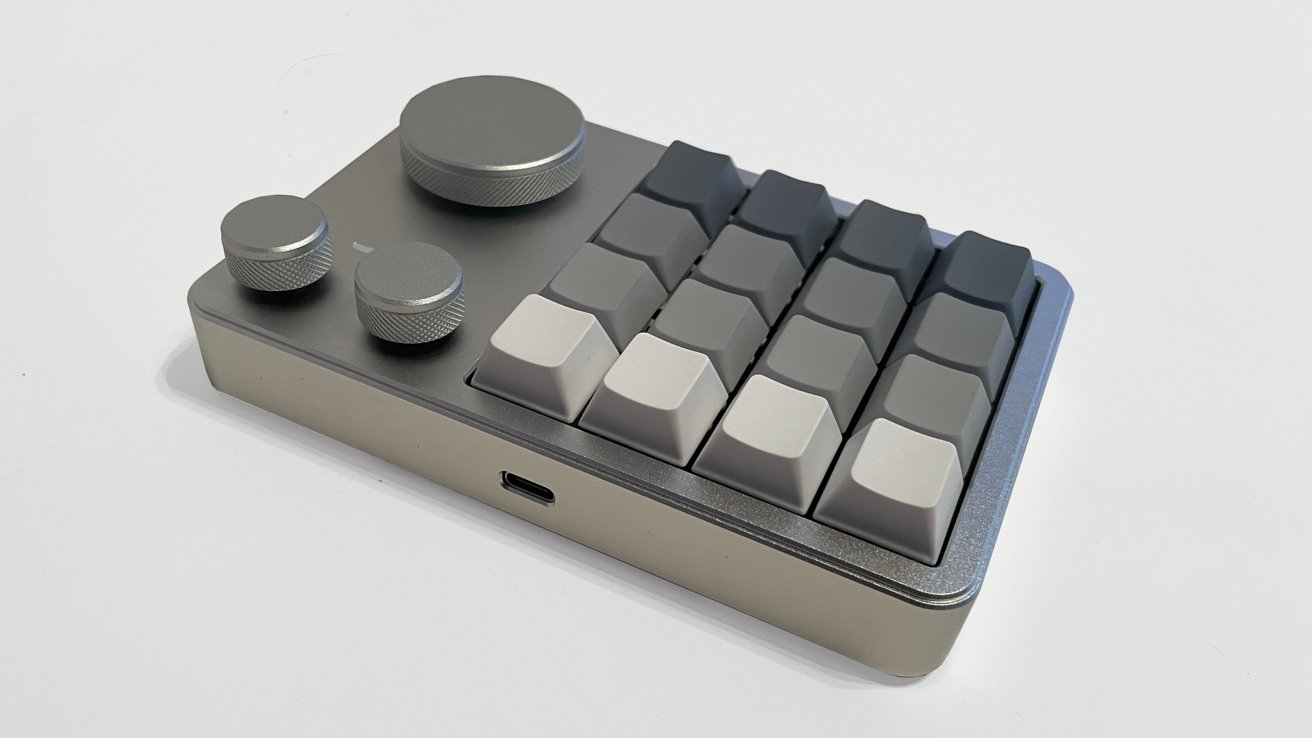
KiiBoom Cybrix 16 review: The rear view with USB-C
The Cybrix 16 includes rubber gripper pads on the bottom for reduced sliding on the desk. I like the thought that went into that design choice.
The back of the keyboard has a single USB-C port for using the keyboard.
The RGB lighting in the Cybrix 16 is colorful, with south-facing LEDs under the keycaps for added mood lighting (providing singular or dynamic RGB colors). However the solid keycaps and pads do diminish their brightness.
Changing out the pads or keycaps could improve this, but as shipped, the RGB lights are subtle.
KiiBoom Cybrix 16 review: JSON crash course
The Cybrix 16 is only connectable via USB-C cable and does not include a wireless option.
KiiBoom offers the Cybrix 16 with a hot-swappable PCB that supports both 3-pin and 5-pin switches as standard and cherry profile keycaps. This means the sky is the limit for switch options and colorful/cool keycaps.
Where the customization of the Cybrix 16 falls short is the total lack of a driver from KiiBoom for Mac OS or Windows.
The Cybrix 29 offers a full Mac OS driver that works perfectly and is easily one of the best drivers I have used for a third-party peripheral, so the lack of support for the Cybrix 16 is frustrating.
KiiBoom Cybrix 16 review: Getting to grips with VIA
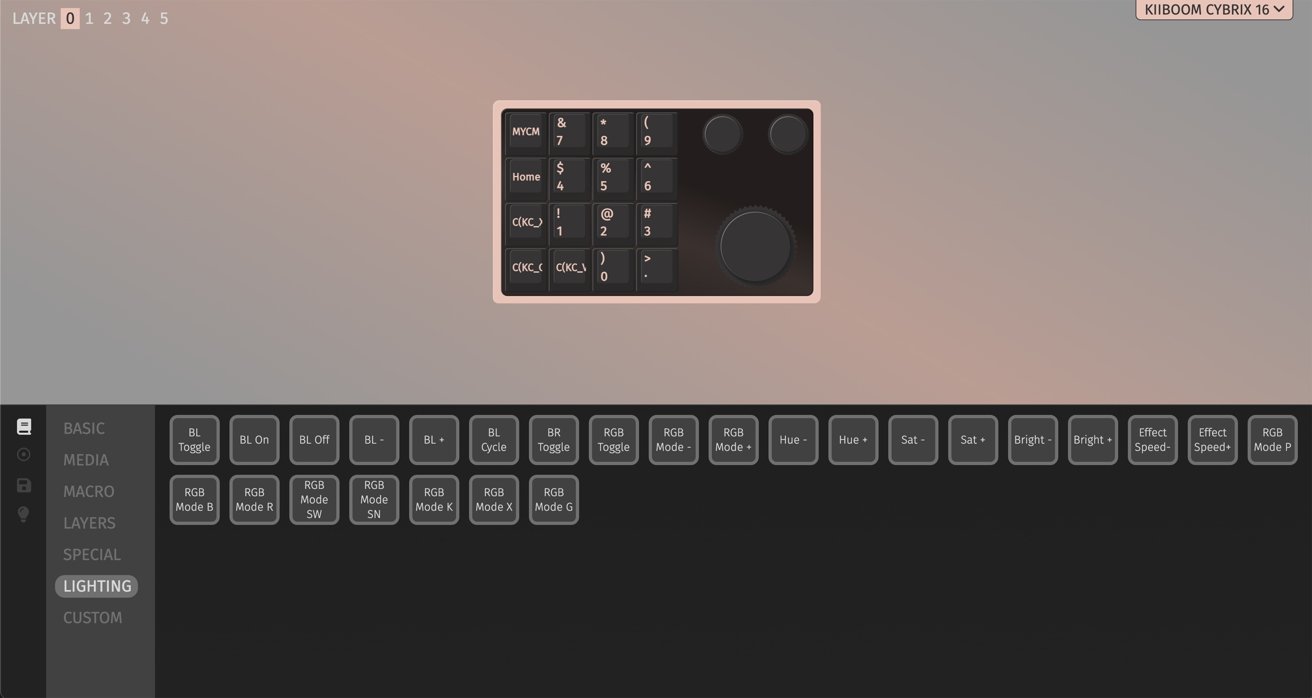
The internal layers system and default buttons in the Cybrix 16 allows for specific function keys to work. But you need to use the illustrations in the manual to follow them, as the keycaps on the Cybrix 16 are unlabeled by design.
KiiBoom has software for some of their products, and in the case of the Cybrix 16, it offers only a JSON (JavaScript file) for deeper customization through VIA. My experience with the Cybrix 16 served as a crash course in learning how to use the VIA website.
There are plenty of video tutorials out there to follow, and the process is not necessarily difficult. But it does take time to set up the JSON/VIA connection and more time to customize the buttons on the Cybrix 16.
The customization process goes as deep as you want it to go, with the Cybrix 16 offering different layers to assign multiple functions and commands to the same key. It is a staggering level of customization for the keys, knobs, and RGB lighting once it is all up and running.
KiiBoom Cybrix 16 review: In use
The Cybrix 16 provided a passable experience, as I set it up to accommodate my key commands and workflow while drawing with my Xencelabs 24 pen display tablet.
I keep a small Magic Keyboard for my left hand to use key commands in my workflow while I draw with my right hand, and the Cybrix 16 handled my basic key command and media control (music, volume, etc.) needs.
A keyboard for emails and larger tasks was still needed, but the Cybrix 16 covered my quick workflow needs once I dialed all my preferences in.
I also tested the gaming side of the Cybrix 16, as I put it through the paces with several hours of Final Fantasy XIV.
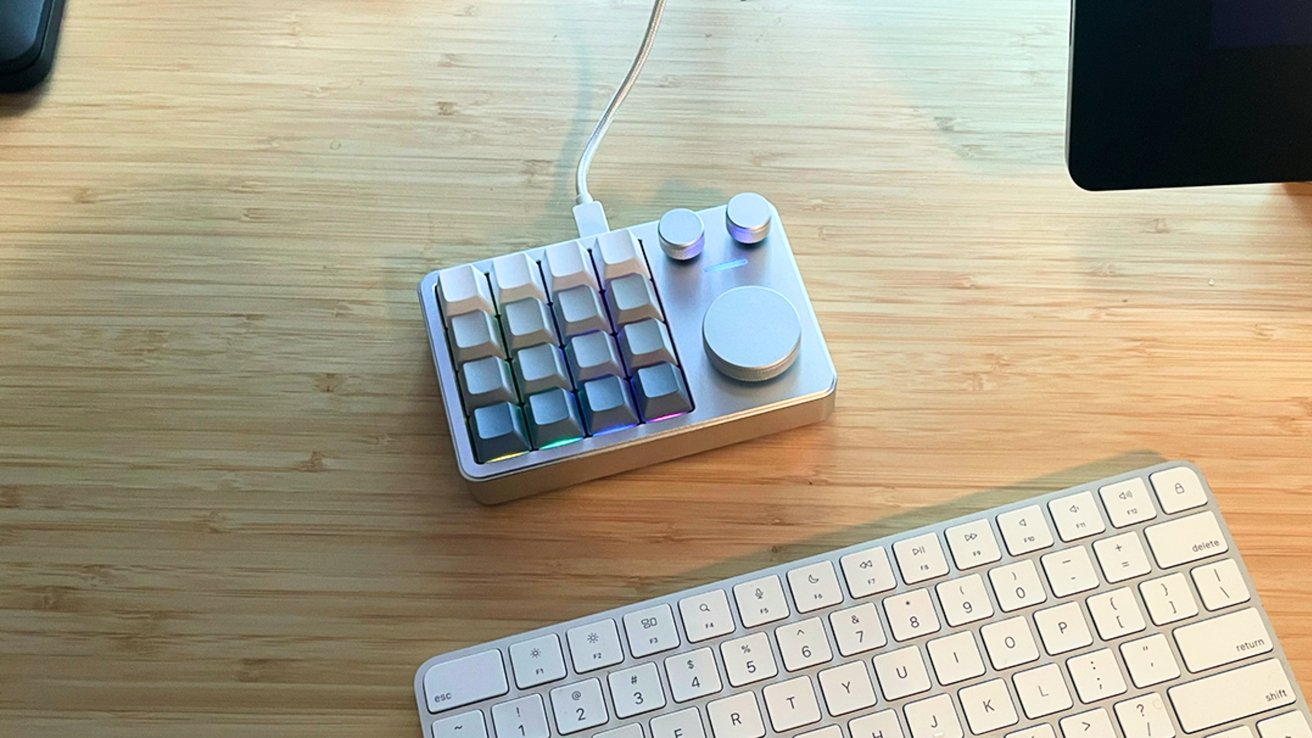
KiiBoom Cybrix 16 review: It takes up very little space, Magic Keyboard for scale.
The Cybrix 16 is responsive and stable, and it is amazing for basic game controls. I have no doubt that I could easily customize the controls to match any first-person shooter, RPG, and fast-paced game with the easy driver customization options.
The keycaps and default switches feel good and the soft "Thock" sound while typing and playing is satisfying.
There are only two downsides to the Cybrix 16.
First, there is no wireless option. The Cybrix 16 cable is USB-C to USB-A, which is unusual, but okay.
Secondly, KiiBoom not offering a Mac OS or Windows driver for the Cybrix 16 is mind boggling when the Cybrix 29 driver works so well. Adding the extra step/level of JSON/VIA for customization will scare off or sour many consumers who are not tech savvy.
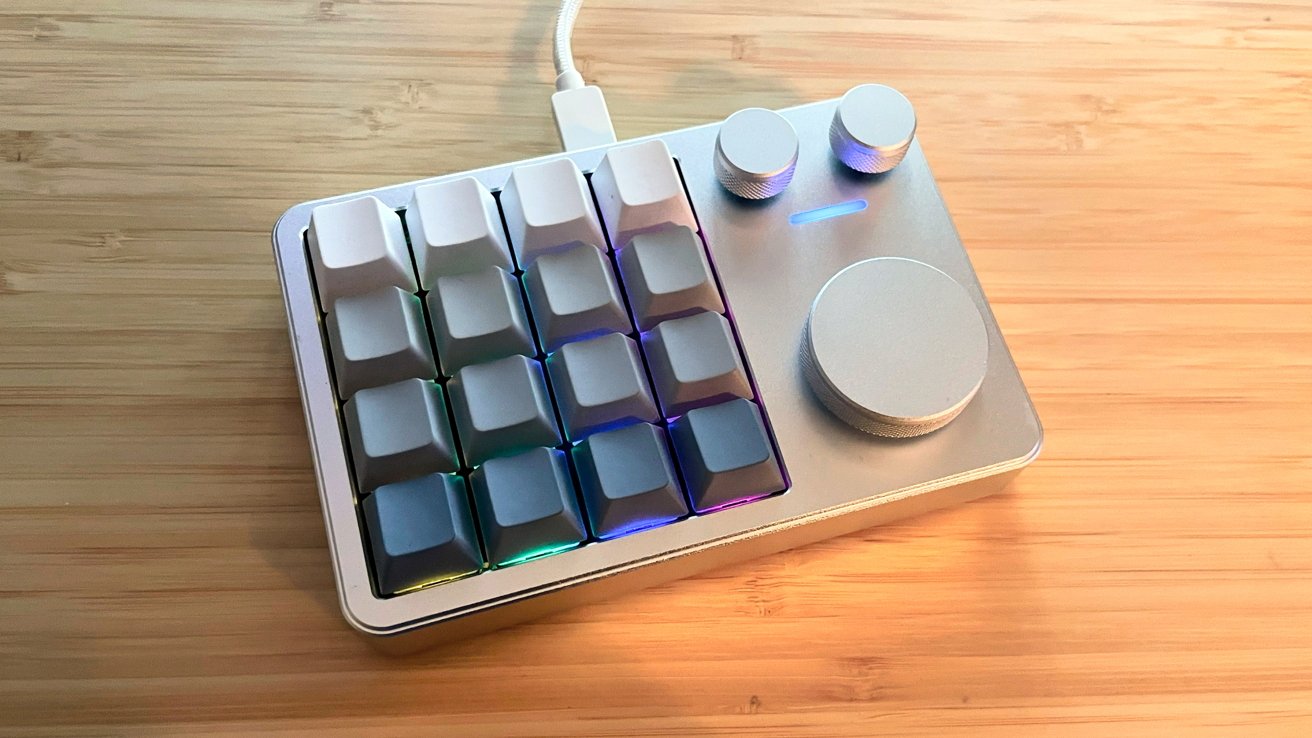
KiiBoom Cybrix 16 review: Shown with RGB.
I wanted to love the Cybrix 16 as much as I loved the Cybrix 29, but I don't.
The lack of Mac OS driver pushes this out of the plug-and-play versatility other manufacturers are leaning into and while $79 is not conventionally expensive for a sideboard keyboard, it is not a casual price to pay.
What I want from KiiBoom is consistency. If they want to court Mac users, they should go all in with their driver and software support.
KiiBoom Cybrix 16 Pros
- Satisfying keys and switches
- Small desktop footprint
- Deep customization is possible, but...
KiiBoom Cybrix 16 Cons
- No macOS driver
- Customization only achievable through JSON file and VIA website
- USB wired connectivity only
Rating 2.5 out of 5
The Cybrix 16 has potential. It's just a disappointment for Mac users with terrible software — which makes no sense, as it's larger cousin has excellent Mac support. We recommend skipping this one.
Where to buy the KiiBoom Cybrix 16
The Cybrix 16 is available on the KiiBoom online shop for $67.99. It's also available on Amazon for $71.99.