A frustrating bug has surfaced on YouTube Clips has surfaced, making the entire interface unusable — but a small, targeted fix restores the feature almost instantly.
One of the most useful features YouTube has released in the last ten years is the Clip feature. Clipping allows you to link out to a 5-to-60 second section, or clip, of a video.
Previously, the best we had was timestamps, a feature that allows you to link a video that starts at a specific time. Unfortunately, they don't really tell recipients when to stop watching.
Clips are handy for a few reasons. Maybe you just want to show someone a one-off joke that appears in a much longer video.
I love to use clips to link short solutions to common technology problems people I know may be facing. No sense in having a person watch a 16-minute video if the solution is only 40 seconds long.
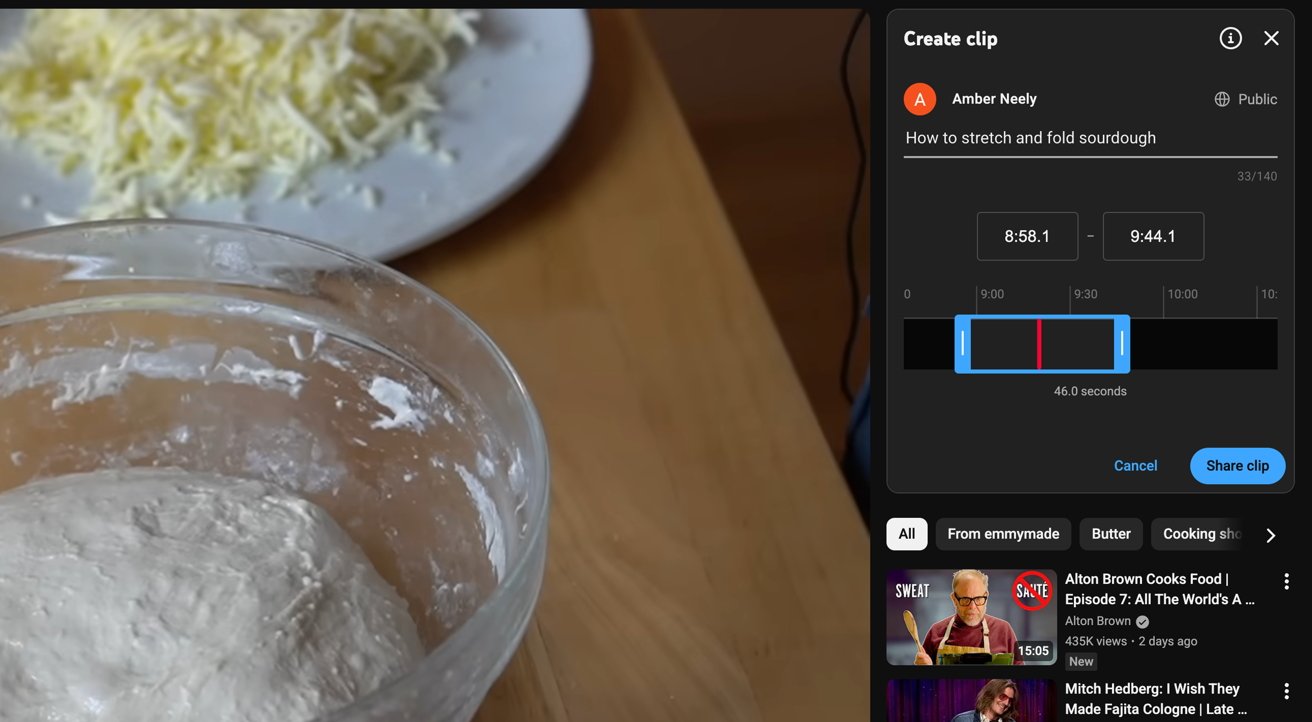
When working properly, the Clips UI should appear bright, not shadowed, and the Clip button should be clickable
It's also a great way to create a library of snippets from videos you may want to revisit. Once you clip a video, it gets stored in the Clips section of your YouTube sidebar.
And yet, for as great as they are, Clips aren't perfect. And they're plagued with one very annoying, very specific problem.
The YouTubes Clips bug
I'm not sure when the, for lack of a better term, "YouTube Clips bug," first surfaced. I first noticed it in December 2025.
The bug in question occurs when you go to create a clip, and the entire YouTube interface is dimmed, including anything relating to the Clip feature. Clicking on any part of the UI will result in YouTube telling you that you're about to discard your Clip before it has been saved.
Naturally, I assumed it was one of my extensions causing a problem. Fair enough — I'd just switch over to Google Chrome and try there.
No such luck — it persisted across browsers. And not only did it persist across all browsers, but it persisted across all devices.
My next move was to disable all of my extensions on Safari. That didn't fix it either.
Even completely uninstalling all my extensions didn't seem to fix anything. I was stumped.
So, I set out to find out what causes it. A bit of research later, and I was surprised to find that seemingly hundreds of people had the problem, and it didn't really seem to matter what their setups were.
Uncovering the problem — literally
As it turns out, there's some sort of element that glitches out from time to time and covers the entire Clips page. It doesn't happen every time, but it does seem to happen enough that it's worth mentioning how to fix it.
It's pretty easy to fix, fortunately. There are a few ways to go about it, too.
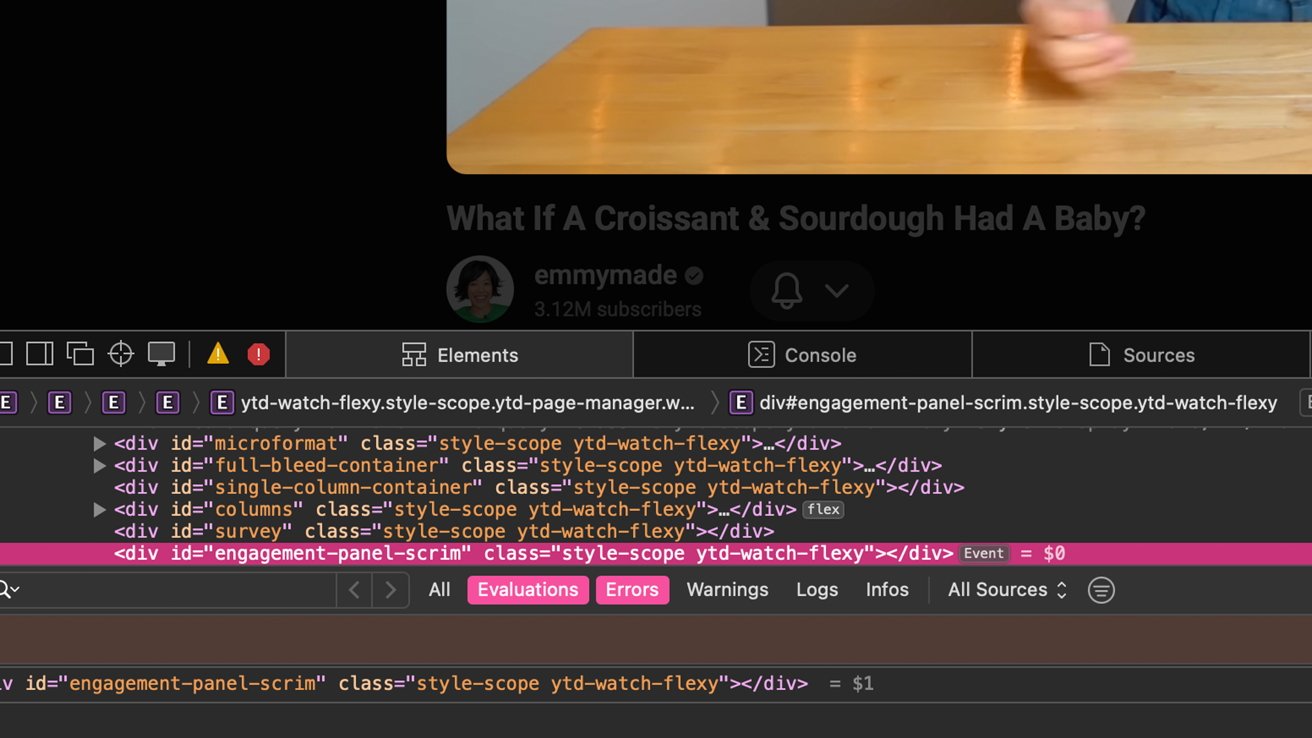
The problematic element in question
I'll show you the easiest way to do this on Safari, if you're on a Mac. The problem occasionally pops up on mobile Safari, but it's much harder to solve — it's just easier to use the official YouTube app in that case.
How to fix the YouTube Clip UI bug on Safari on macOS
- Open the YouTube video you'd like to clip in Safari
- Open the Clip feature
- To the right of the Clip interface, right click, control click, three-finger tap on a MacBook touchpad
- In the menu that appears, click Inspect Element
- On your keyboard, tap delete
What this does is delete the "engagement-panel-scrim element," which normally doesn't cause problems. However, every so often, for whatever reason, it'll interfere with the clip feature.
If you've got a content blocker that accepts custom filtering, you can also add the following element to the list:
"http://www.youtube.com/###engagement-panel-scrim"
As previously stated, the issue doesn't seem to be consistent. It happens on Chrome, Safari, and mobile Safari, and potentially other browsers.
While this isn't an elegant fix, it does bring back the clip functionality — at least until the page is refreshed.