
-xl.jpg)
The GameSir X5s is one of the cheapest ways to connect a controller to your iPhone, and is worth consideration even with all of the compromises baked in.
When I say that the X5s is one of the cheapest controllers around, I'm not joking. At just $50, it's easily the least costly iPhone controller I've used.
With that in mind, I went into my time with the GameSir X5s with low expectations. I was concerned that the gaming experience would suffer from the corners being cut to meet the $50 price point.
After a few weeks of putting the X5s through its paces, I can say that I might have been wrong to be worried. But with some hefty caveats.
This controller doesn't have the fit or finish to properly compete with the premium models out there. But those models cost twice, and often more, what GameSir charges for the X5s. Something has to give.
But choosing what gives is the important part when making a $50 controller. And while I think GameSir largely cut the right corners, I won't be reaching for the X5s over any of my other controllers.
GameSir X5s review: Features and compatibility
While I mainly used the X5s with my iPhone 15 Pro Max and an iPhone Air, it supports much more than that. GameSir says the controller is compatible with iOS and Android, as well as the Nintendo Switch and Switch 2. PC support is also present.
At just $50, you might expect the GameSir X5s to be lacking in the features department. In reality, all of the big names are present and correct.
The controller connects to your device via a range of different options. Bluetooth is the one that most people will use, but USB-C and 2.4GHz wireless are also options — although you'll need to buy a dongle for the latter.
One of the most important aspects of any controller is its sticks. For the X5s, GameSir went with in-house Hall Effect offerings, matched up with Hall Effect analog triggers.
That means that you shouldn't experience any of the stick drift issues that are, thankfully, being consigned to history.
Other methods of input include swappable face buttons that can be taken out and reinserted to your liking. Whether you prefer the ABXY layout or Nintendo's YXBA, you're covered.
Around the back, this controller has the familiar shoulder buttons and triggers. They, along with those face buttons, all support GameSir's turbo function for rapid, repeated inputs.
Fans of motion controls will be pleased to learn that a six-axis gyroscope is built in. HD rumble motors can be found on each side of the controller, too.
Another handy addition to the package is a hard case for storing the controller when it's not being used. I wish more controllers came with something like this, especially more costly models.
GameSir X5s review: Design
If you've ever used a controller that expands to house a phone, you'll feel right at home here. The GameSir X5s uses a tried and tested design.
When fully extended, it can play host to devices of up to 8.39 inches in width. The smallest device it can accommodate must be at least 4.12 inches. Anything smaller will simply fall out, though it's unlikely to be an issue with modern iPhones.
From the front, the X5s looks as you'd expect. On the left, there's a thumb stick at the top and a D-pad at the bottom. Over on the right, the four face buttons sit above another thumb stick.
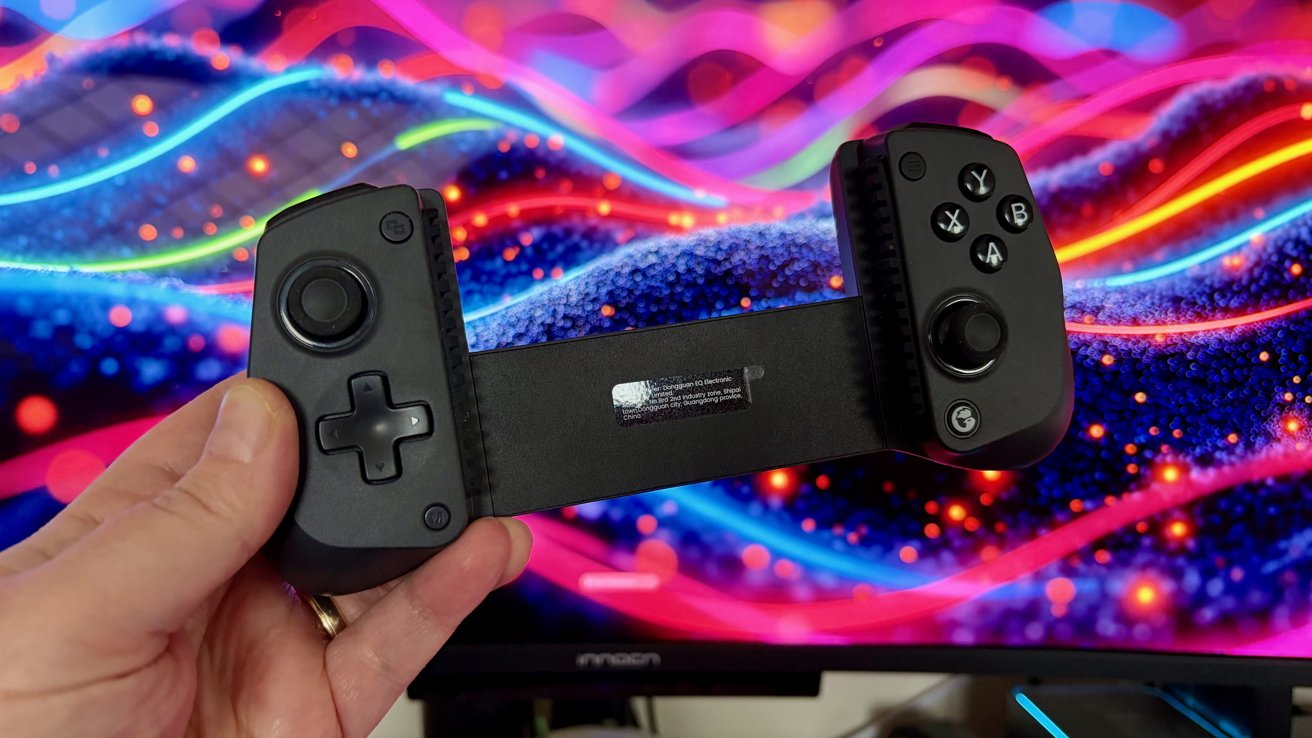
GameSir X5s review: The controller won't set any pulses racing without an iPhone
In use, that means the controller is more akin to an Xbox controller than anything else. Other buttons include a GameSir button, a menu button, a share button, and an "M" button that's used to configure the turbo function.
One interesting design feature is the ability to remove the A, B, X, and Y buttons so they can be placed in your preferred layout. Just make sure not to drop one mid-swap — they're surprisingly hard to find when you do.
The only other component of note is the USB-C charging port found on the bottom of the left side of the controller.
The controller itself is comfortable enough to use and is extremely light in the hand. I'd suggest it's too light, giving the X5s a flimsy quality that I wasn't a fan of during my testing.
That being said, if you've found similar controllers to be too heavy, the lack of heft is a positive. It's a matter of preference, but I admit it left me wondering how the X5s would hold up to a couple of years of heavy gaming.
On a more positive note, the X5s's laser-engraved textured grips are handy. They ensured the controller didn't move around in my hand, even during more tense — and sweaty — parts of games.
Using the GameSir X5s
I spent a few weeks putting the GameSir X5s through its paces using either the iPhone 15 Pro Max or iPhone Air. It can be used with a Nintendo Switch or Switch 2, but I didn't test that functionality for this review.
In terms of gaming, I played a mix of iPhone games and PC or console games streamed from elsewhere. That included local streaming from an Xbox Series X and PlayStation 5, as well as remote streaming via GeForce Now.
My time spent with the GameSir X5s was best described as relatively uneventful, which is a good thing. A good game controller should get out of the way, letting you play rather than be aware of the thing that's in your hand.
I say "relatively" uneventful, because I did encounter one oddity. Towards the end of my testing, the left trigger malfunctioned in a way that meant games thought it was being pressed when it wasn't.
I was able to work around the issue by using the iOS GameSir app to increase the trigger's dead zone. The result was that games ignored the trigger's false presses until I actually pressed it.
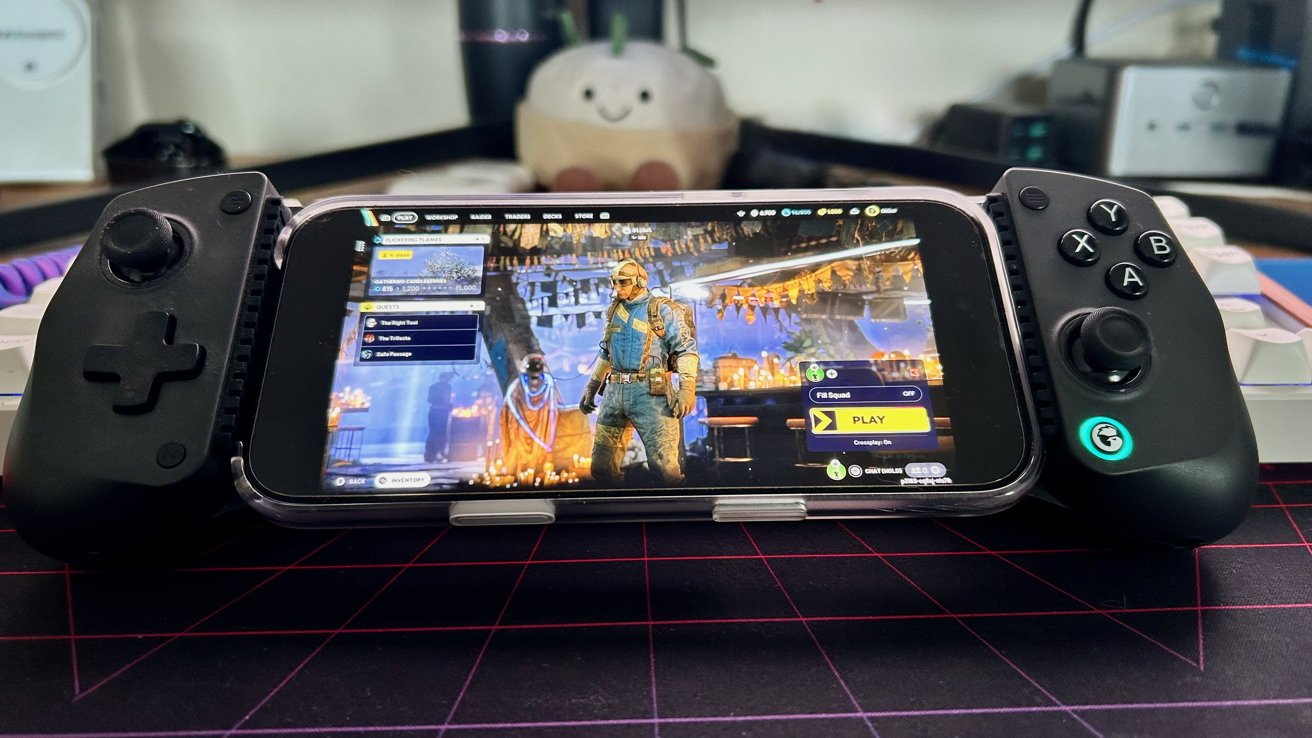
GameSir X5s review: The controller is a solid option for remote playing Xbox games
But that's far from ideal for an analog trigger because it removes much of its usefulness. Ultimately, I expect that this was a one-off, but it's something that happened, so I'm mentioning it for completeness.
After testing many GameSir controllers of various shapes and sizes, this is the first time I've had any inkling of an issue. For that reason, I suspect I was simply unlucky rather than this being an issue with the X5s as a whole.
After my weeks with the GameSir X5s, I find it fairly easy to recommend, thanks mainly to its inexpensive price point. There are better controllers, with a more sturdy construction. But they cost twice, sometimes thrice, what the X5s will set you back.
GameSir X5s review: Pros
- It costs around $50
- Swappable face buttons
- Hall Effect sticks and triggers
GameSir X5s review: Cons
- A flimsy-feeling construction
- Small questions over reliability
Rating: 3.5 out of 5
This isn't the controller if you're looking for a premium device to play your games with. It feels flimsy in the hand, and I felt like I was one rage-quit away from snapping it in two.
But with the price taken into consideration, the X5s is worth every bit of the $50-ish that GameSir is asking for it.
You won't find any new category-defining features, and your friends won't be jealous of your new mobile gaming rig.
But the GameSir X5s will let you play games on the move with the minimum of fuss. As they used to say about Apple, "it just works." And sometimes, that's enough.
Where to buy the GameSir X5s controller
The GameSir X5s controller is available for $49.99 from the official website and Amazon alike.