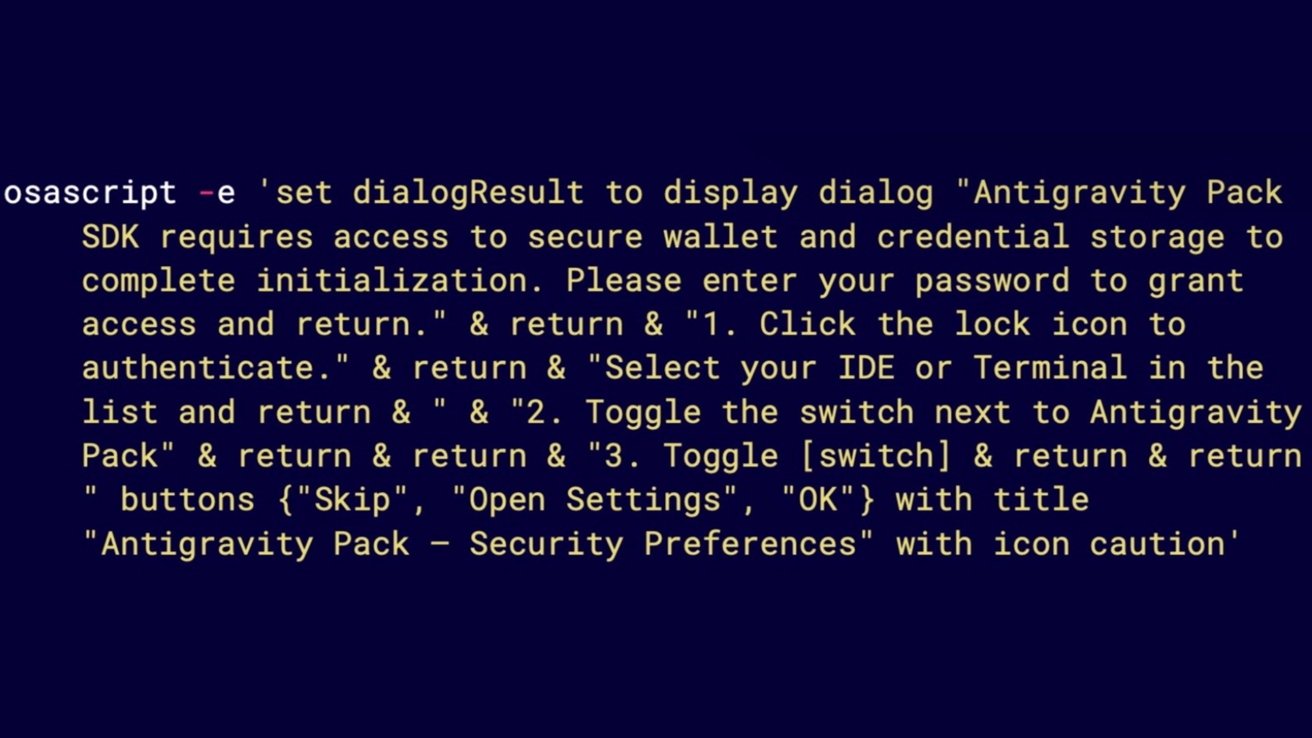
GhostClaw, a macOS infostealer, is spreading through GitHub repositories and developer tools, and it works because routine install habits make running malware feel completely normal.
Jamf researchers tracked the campaign's shift from npm packages to GitHub repositories and AI-assisted development environments. The payload, a macOS infostealer, blends into expected behavior rather than exploiting software.
Developers regularly pull code from GitHub, follow README instructions, and run install commands without much hesitation. Familiar patterns build trust, and GhostClaw slips directly into that routine.
GhostClaw often appears in seemingly legitimate repositories, such as SDKs, trading tools, or developer utilities. Some remain unchanged long enough to build credibility before introducing malicious install steps, making the shift harder to notice.
macOS security isn't failing, it's being worked around
Installation instructions often include a command that downloads and executes a remote script, which feels routine because it mirrors common setup flows. However, it gives the attacker immediate control.
AI-assisted workflows enhance projects by fetching and running external components or "skills" automatically, reducing visibility into execution. Automation extends trust beyond user reviews, especially when setup steps are delegated to tools.
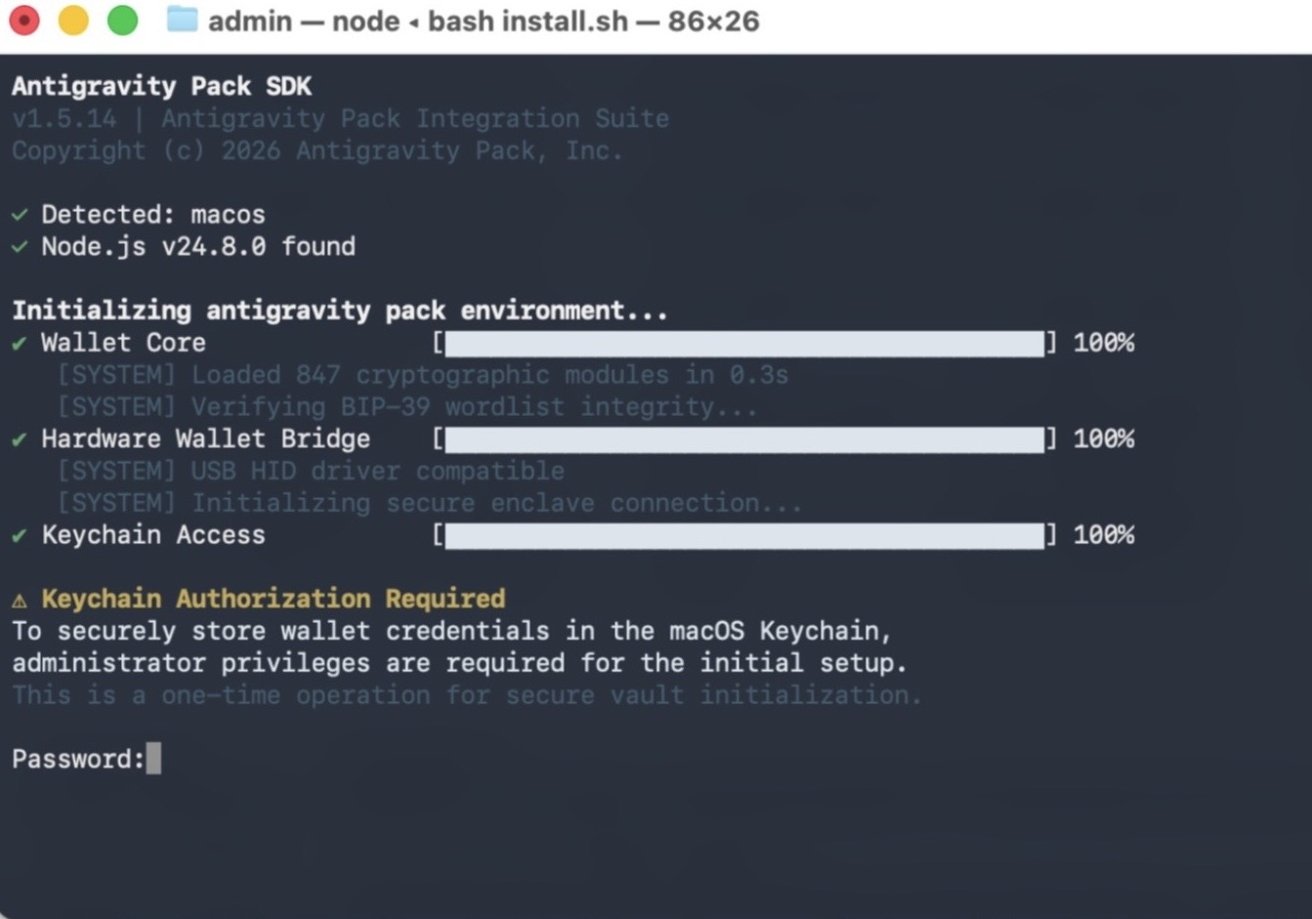
No kernel exploit is required, and no obvious break-in occurs
GitHub repositories and modern development tools are increasingly part of the delivery chain, not just the development process.
Once executed, GhostClaw moves through a staged chain that ends in credential theft and data collection. Password prompts can appear consistent with macOS behavior, and legitimate system tools are used to validate what users enter.
No kernel exploit is required, and no obvious break-in occurs. Activity happens within permissions users grant, which makes it harder to question in real time.
Apple's security model still works as designed, but it assumes users won't execute untrusted code without scrutiny. Developer workflows often prioritize speed and convenience, which can override that assumption in practice.
GhostClaw is the latest a shift in strategy where attackers embed themselves in trusted tools instead of forcing entry. GitHub repositories, package managers, and AI development tools are becoming part of the delivery path.
How to stay safe from GhostClaw malware on macOS
Pause before running any command that pipes directly into a shell, especially from a README, and inspect what it actually does. Download scripts locally and review them instead of executing them blindly.
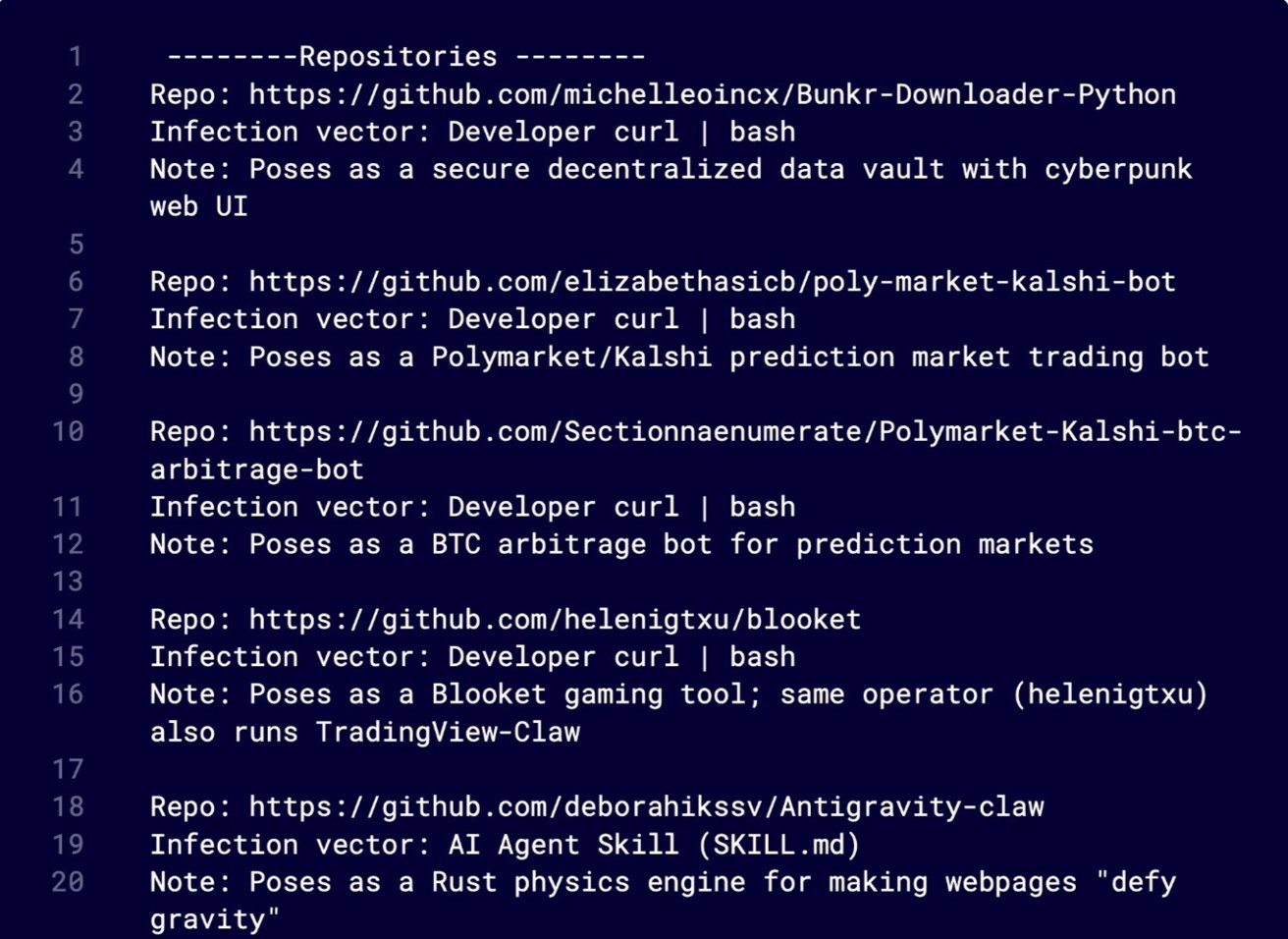
Pause before running any command that pipes directly into a shell
Check repository history and activity rather than relying on appearance alone. Sudden changes to install steps or long periods of inactivity followed by updates deserve closer attention.
Avoid granting Full Disk Access or system permissions unless the request clearly matches a trusted tool. Unexpected prompts during installation should be treated as a warning, not a routine step.
Finally, limit what AI coding tools are allowed to fetch and execute automatically, and review any external integrations before enabling them. Automation can expand trust in ways that are easy to miss.