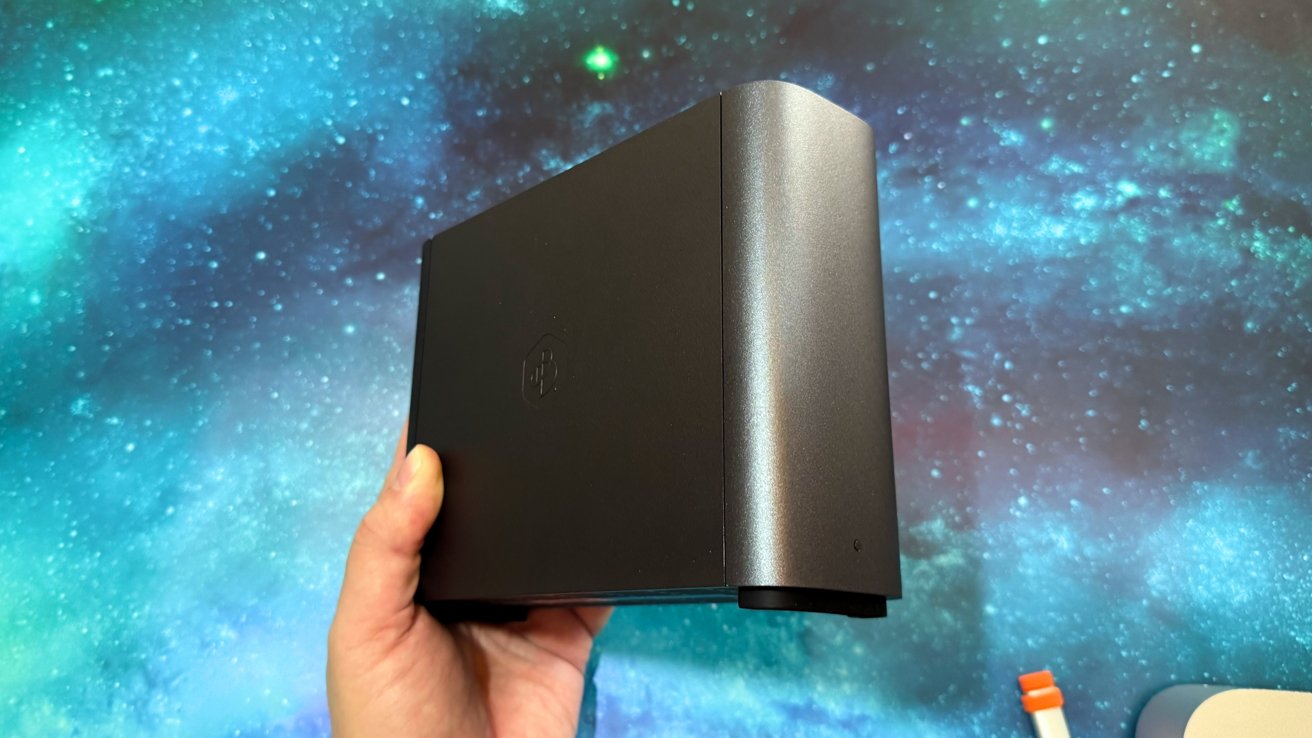
The Synology BeeStation Plus is a good starter NAS for iPhone or Mac owners if you just need storage on your network, but most people will probably want something a bit more full-featured.
A network-attached storage (NAS) device offers the benefit of network accessibility over other external storage devices. Having a lump of storage space on your home network means you have a place to store your data that can be accessed by practically anything else on your network, even your iPhone and iPad.
Synology's BeeStation line is intended to be a simple solution to that problem. A NAS drive that can provide the benefits of cloud storage but on your home network, and with far less setup than one would expect.
This certainly has its benefits to people who want a NAS without the hassle. There are limitations too.
The BeeStation Plus is a storage appliance that easily attaches to your existing network. It looks good, it's quiet, and it does what it says it will do.
We just think that most AppleInsider readers probably need more than what it offers.
Synology BeeStation Plus review: Design
Measuring 7.72 inches long, 5.82 inches wide, and 2.46 inches wide, the BeeStation Plus looks a lot more like a hard drive enclosure than a NAS. Its footprint isn't that much bigger than a Mac mini.
On the top is a vented section, while the base has two rows of rubber feet. The sides are nondescript, save for Synology's Bee logo in the middle.
The front is pretty blank, and the back has the device's selection of ports.
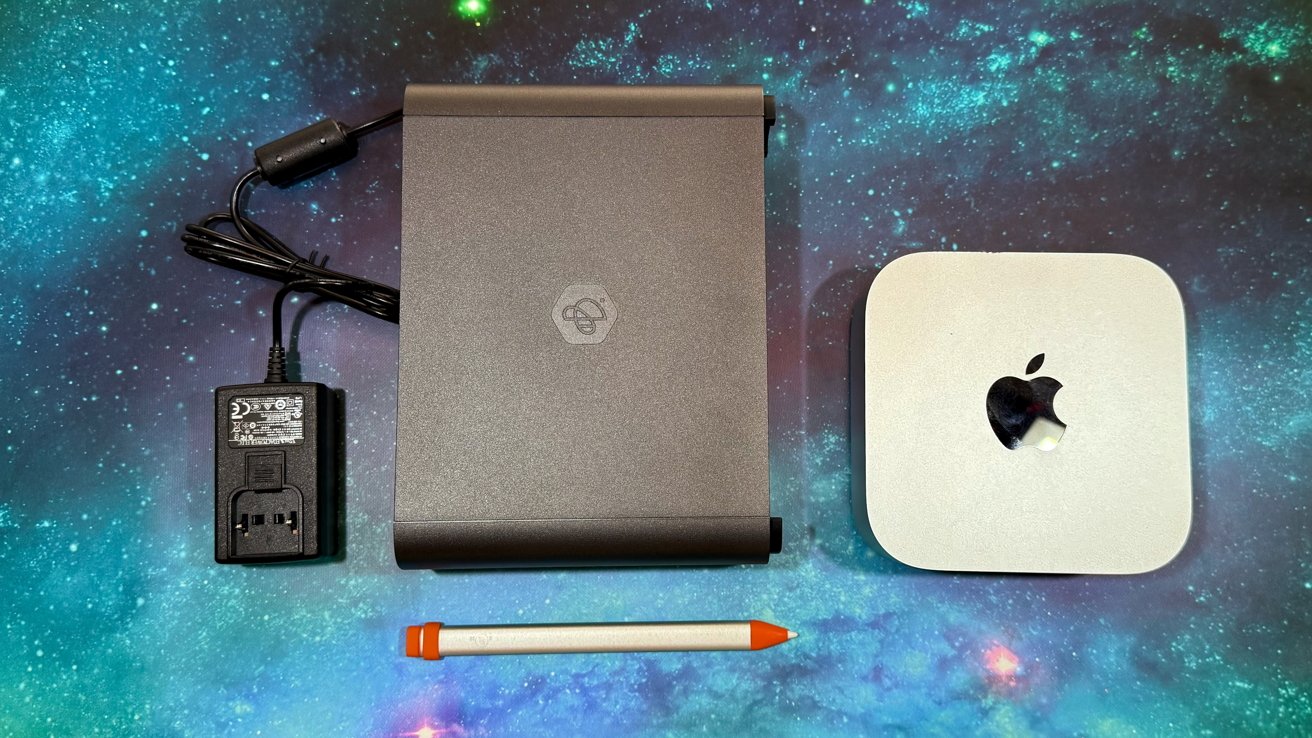
Synology BeeStation Plus review: The NAS and its power source, Mac mini for scale.
It's not imposing, it can go behind a monitor, or inside a closet, and you won't even notice it's there. It is mostly a set-and-forget device.
Synology BeeStation Plus review: Connectivity
There's the standard Gigabit Ethernet port, which is the minimum for a modern NAS. Others provide multiple Ethernet connections for redundancy or speed, or even faster ports in their own right, but it doesn't really matter here.
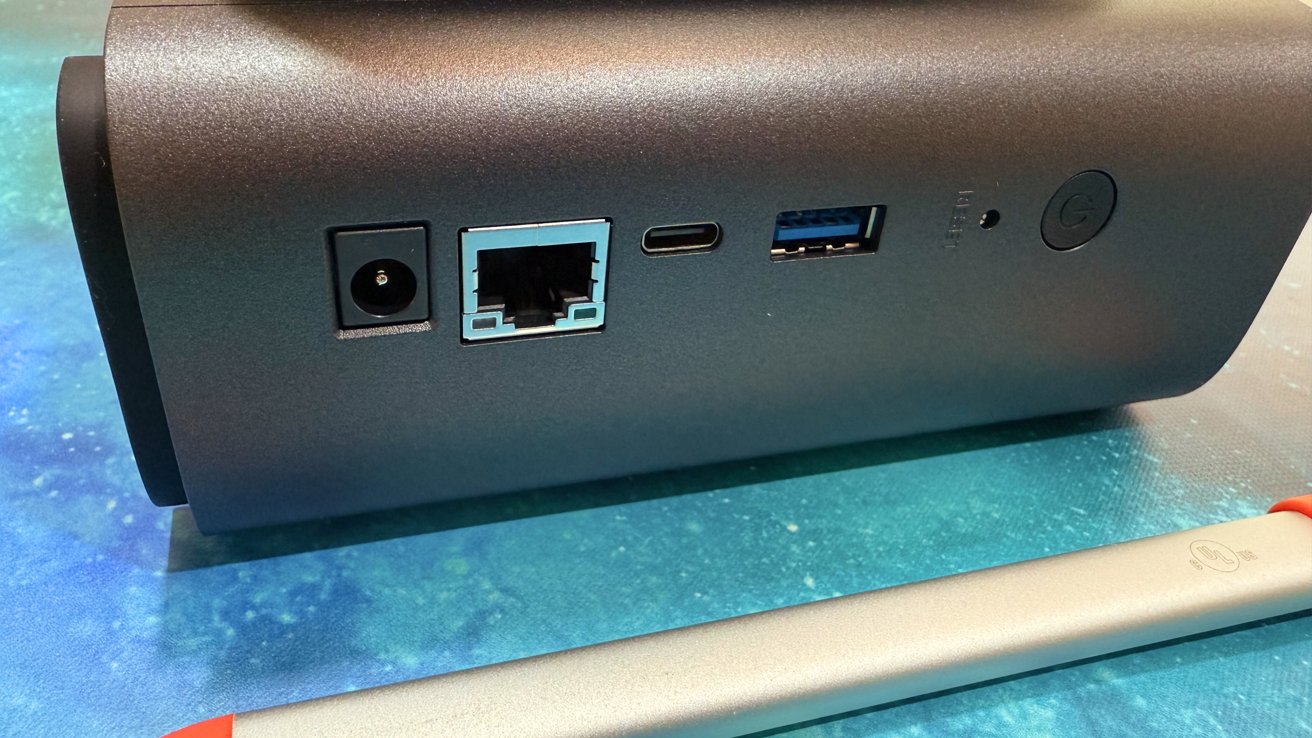
Synology BeeStation Plus review: The rear ports
The BeeStation Plus is aimed at consumers who just want things to work, and don't care much or need faster connections. Synology could've used 2.5 Gigabit Ethernet or other configurations here, but since the target market is still using Gigabit, there's no real penalty for sticking to that standard.
Along with the Ethernet port are a pair of USB connections. Both are USB 3.2 Gen 1, but one each of USB-A and USB-C.
Synology includes these as ways to take advantage of external drives, flash drives, and camera memory cards using a reader. Drives connected to these ports can be automatically backed up, if you set it that way in the software.
However, you can also use settings to allow for the contents of drives connected over the USB ports to be available for anyone accessing the BeeStation Plus.
The USB 3.2 Gen 1 speed is 5 gigabits per second, and that's fine. However, anyone accessing the BeeStation Plus can only do so at a speed of up to 1 gigabit per second over the network, making the speed of USB a little moot.
Synology BeeStation Plus review: Storage and no RAID
The key change the BeeStation Plus has over the BeeStation is that of capacity. That Plus in the name signifies that there's 8TB of storage onboard, instead of the 4TB from the BeeStation.
However, unlike a typical NAS, the BeeStation Plus handles this as one single drive in the device. That's how it is able to be extremely compact in size versus other NAS appliances.
That's the main problem. Speed and redundancy would be better, even for a starter NAS.
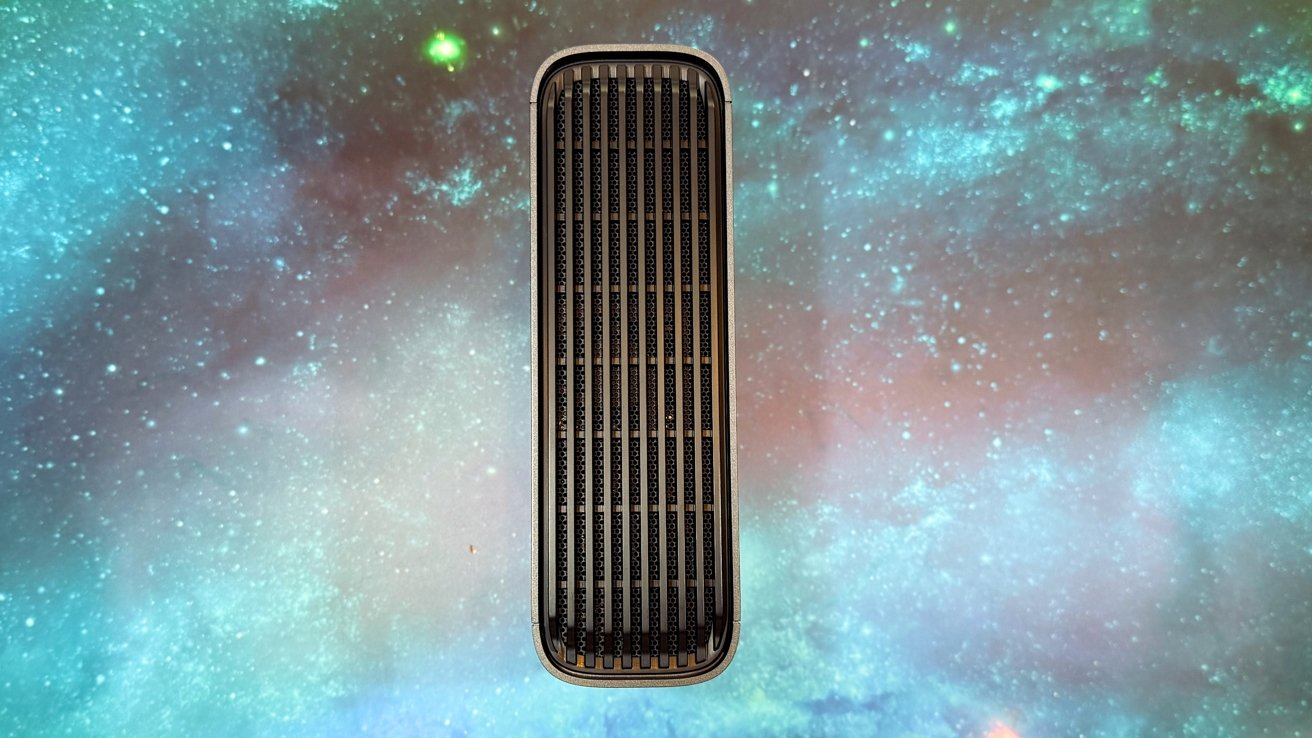
Synology BeeStation Plus review: The thin enclosure is because it only contains one drive.
A two-bay or four-bay NAS can spread data across multiple drives, under one RAID configuration. Another RAID configuration involves data redundancy, copying the data across multiple drives. If something happens to one drive, your data is still safe and intact.
As a single-drive device, you do not have any RAID benefits. If the one installed drive dies, you lose your data.
This may not be as big of a concern to users with multiple backups of their data. But those who already have such data concerns will be thinking of multi-drive options anyway.
The design of the drive also makes it impractical to shuck the enclosure to change the drive for something bigger down the road. It isn't intended as a user-replaceable drive option at all.
Synology BeeStation Plus review: Functionality
Just having more capacity is only one of the upgrades, as there have been a few other changes to match.
One is the chip, with the RealTek processor in the original replaced in the Plus by an Intel Celeron D4125. While not exactly the fastest chip for NAS use, it does open itself up for other functions that the ARM-based chip before it.
There's also the benefit of increased memory. Synology went from 1GB of DDR4 to 4GB of DDR4, which helps general performance.
That's a conscious choice by Synology. The typical home user doesn't need to really know about things like storage pools, virtualization, or whatever Docker is, and that may limit its utility for more advanced users.
Connecting to and managing the BeeStation Plus is handled by desktop and mobile apps, for macOS 12.3 or later and iOS 15 or later, respectively. Apps are also available for Windows and Android, as well as via browser.
As well as storing files, Synology includes a variety of functions and features, including an AI Album for your photographs. One that can be shared from the NAS drive itself, complete with automatic categorization thanks to machine learning.
This feature can also ingest images from various sources, including your computers, external drives, and Google Photos. It even handles automatic backups from iCloud Photos.
There's also cloud service unification, with it able to combine access to Google Drive, OneDrive, and DropBox into one app.
A big upgrade for BeeStation Plus that home users will appreciate is Plex support. The change means you can keep your TV shows and movie backups on the BeeStation Plus and use it as a Plex server.
It works. It's not fantastic, but it works. We recommend direct play, with no transcoding, though.
Synology also offers backup options for the BeeStation Plus, so you can back up your data elsewhere. The list includes another Synology NAS, Synology C2 storage online, or another external drive hooked up to it.
There's also a three-month pass for BeeProtect, Synology's cloud service which backs up the contents of the BeeStation Plus automatically. The service uses client-side AES-256 encryption before uploading any data for privacy.
It also holds up to eight versions of data, with daily backups from the last seven days along with one from one week prior.
This sounds like a decent plan, but you must pay after the three-month plan ends, and the cost is hefty. That also ignores the masses of bandwidth it requires from your Internet connection as well to actually upload tons of data.
Synology BeeStation Plus review: Very beginner friendly
The Synology BeeStation Plus can provide a lot to consumers who have basic storage needs. If you want a drive on your network to store files or backups, or even as a low-fuss Plex server, the BeeStation Plus will have you covered.
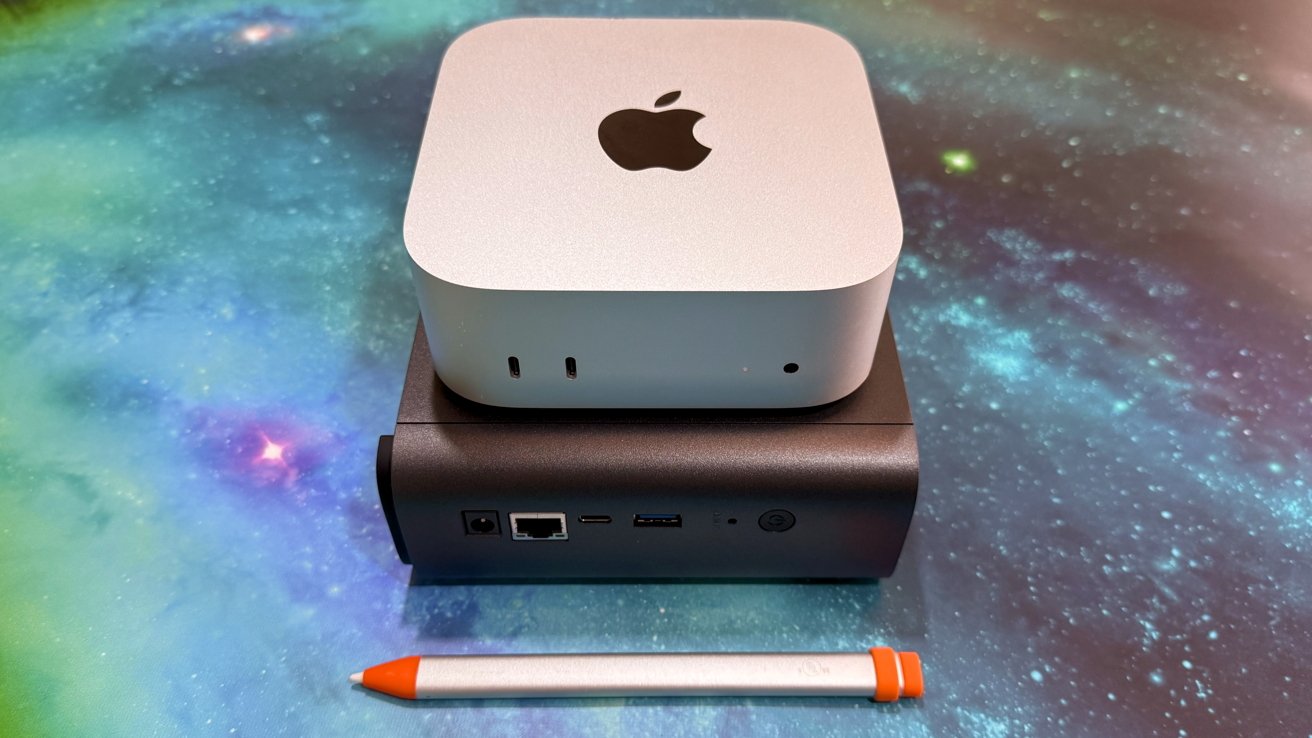
Synology BeeStation Plus review: Stacked below a Mac mini.
This is perfectly fine in some user cases. But, if you want more protection of your data, more capacity, or the ability to expand, this is not the choice to make.
For those users, a more typical NAS device with multiple drive bays would be better. Especially for data redundancy purposes.
The BeeStation Plus is a low-fuss and simple lump of storage you can put on your network and quickly use. But it's not a great choice for power users.
Synology BeeStation Plus review pros
- Compact size
- Low-fuss network storage
SynologyBeeStation Plus review cons
- One drive, no RAID
- No real expansion capability
Rating: 3.5 out of 5
Here's the thing. The BeeStation Plus does what it says it will do, the way that Synology says it will do it. It's a very basic NAS, and in theory, is a gateway to more advanced models.
But, maybe, buy that more advanced model first if you're an average AppleInsider user. You'd probably be better served.
This one is for your friend that just needs more storage, but can't be bothered to learn the difference between RAID 0,1,5, and 10, or anything at all about network management.
Where to buy the Synology BeeStation Plus
The Synology BeeStation Plus is available on Amazon, priced at $409.99.