
For the last few years, Mac users are facing a wave of fake apps on Microsoft-owned GitHub that disguise themselves as popular software, only to trick victims into handing over their passwords.
The scam first surfaced in early September 2025 on the r/macapps forum, when a user spotted suspicious repositories mimicking well-known Mac utilities. Developer Michael Tsai later described how his EagleFiler app was cloned on GitHub, complete with stolen icons and marketing text.
The "download" wasn't an app at all but a Base64 command that installed a shell script harvesting the user's password.
The fakes look legitimate at first glance, using app names, logos, and screenshots lifted from real developers. Even the repository URLs are designed to fool people by swapping lowercase i's for uppercase I's.
Instead of offering a standard installer, the repositories instruct users to drag an "app" into Terminal. What looks like a harmless step actually runs a script that bypasses macOS Gatekeeper, installs malware, and saves credentials in cleartext.
One of the most telling signs is file size. While the genuine EagleFiler installer is around 13 MB, the counterfeit version was under 2 MB. Sometimes, attackers inflate file size with junk data to avoid scanning, but either extreme should raise suspicion.
Who's being targeted
Tsai noted that other developers, including Rogue Amoeba, have also had their apps impersonated. Jeff Johnson, creator of StopTheMadness Pro, reported multiple fake repositories using his app's name.
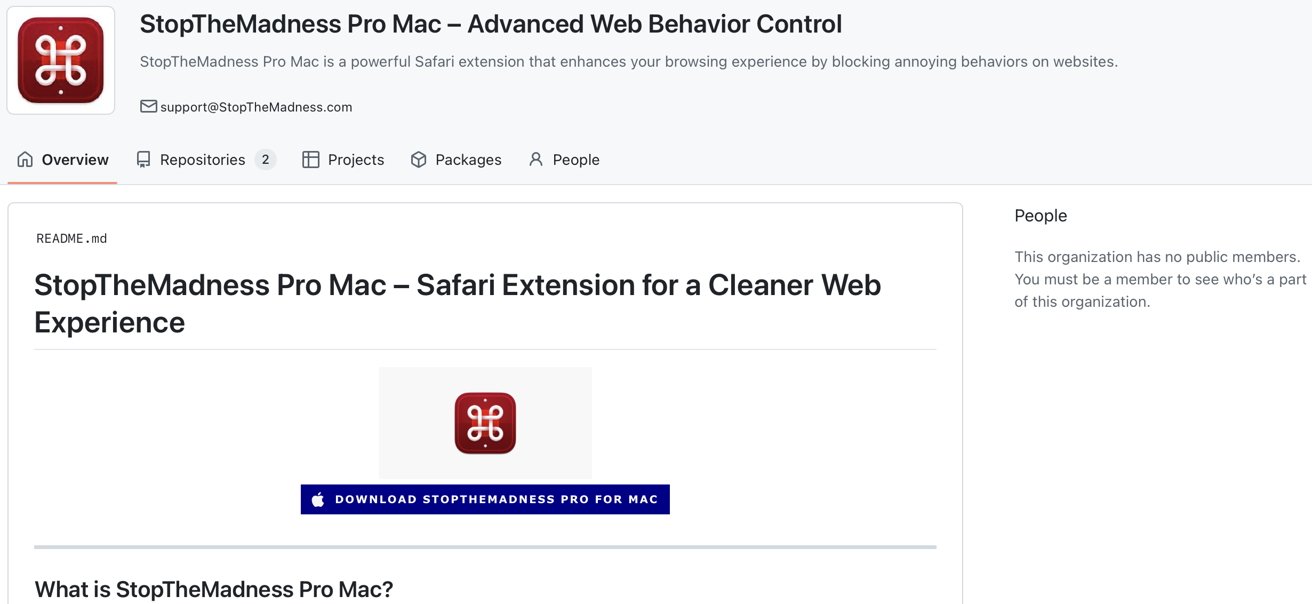
A fake version of StopTheMadness Pro. Image credit: Jeff Johnson
A quick GitHub search for "for macOS" reveals dozens of bogus projects posing as 1Blocker, BBEdit, Figma, Little Snitch, VLC Media Player, and more. Each follows the same playbook, complete with "SEO Keywords" sections meant to game search ranking.
Why GitHub is a prime target
The impersonations spread quickly, and GitHub removed some repositories after reports. Others stayed live for days or even weeks because attackers can create unlimited anonymous accounts, turning cleanup into a game of whack-a-mole.
GitHub has enormous search clout thanks to Google's PageRank system. A fake repo hosted there often shows up before a developer's own site. That makes it easy for users searching for free Mac apps to stumble into a trap.
The scam takes advantage of GitHub's trusted reputation with open-source users, who often assume anything on the site is safe. Attackers are counting on that false sense of security.
Mac malware has been around for years, from the Flashback Trojan in 2012 to recent adware campaigns. What's new is that attackers are now focusing on impersonating legitimate apps as part of their strategy.
Instead of shady download sites, attackers are co-opting the very infrastructure developers use to share legitimate code. They wrap their malware in the appearance of community trust and exploit the platform's SEO reach.
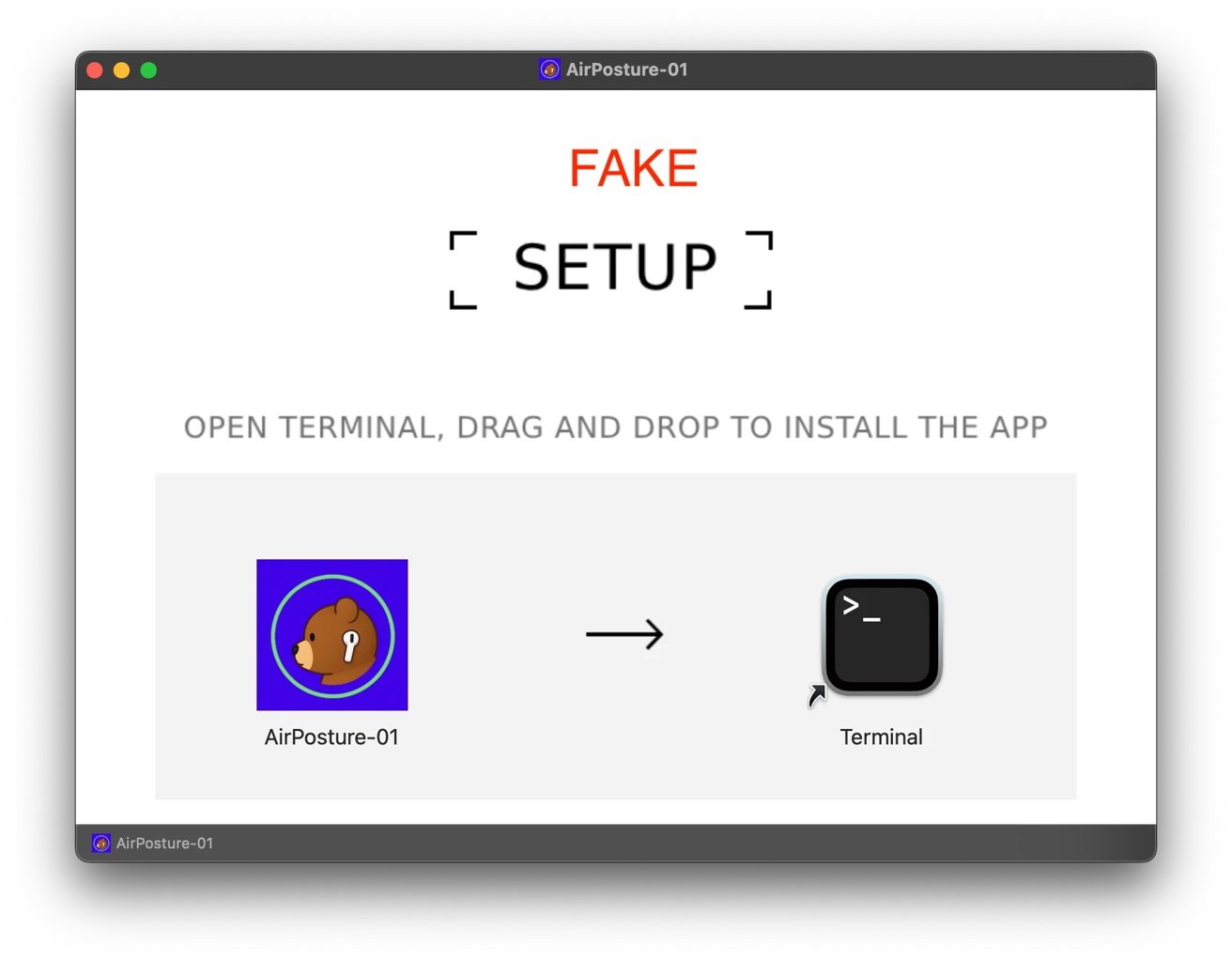
Be wary of apps that want to connect to Terminal. Image credit: Reddit
Attackers are changing their approach, and most malware used to target Windows because of its market share. With more developers and creatives using macOS, there's now a stronger incentive to create Mac-specific scams.
Apple's Gatekeeper and XProtect security tools catch many malicious files, and users often see warnings like "This app could not be verified." But those protections aren't perfect.
When users willingly bypass them by dragging a script into Terminal, Apple's safeguards can't help much. At that point, social engineering has already done its work.
How to avoid getting burned by GitHub malware and fake Mac apps
Start by going to the developer's official site before downloading anything. A real download page links to the official GitHub repo, signature, and release notes. If a GitHub page shows up first in search results, confirm the developer actually owns it.
Treat any Terminal prompt as a hard stop. Legitimate Mac apps won't ask you to drag items into Terminal or paste Base64 commands. If an installer does that, close it and delete the file.
Whenever possible, stick to safer sources like the Mac App Store or Homebrew. They're not perfect, but sandboxing, curation, and checksums lower the risk of GitHub malware posing as popular software.
Stay skeptical even if a page looks legitimate. Attackers copy icons, text, support emails, and they use shady search engine optimization techniques to appear above legitimate search results. A few extra minutes of verification can save hours of cleanup.