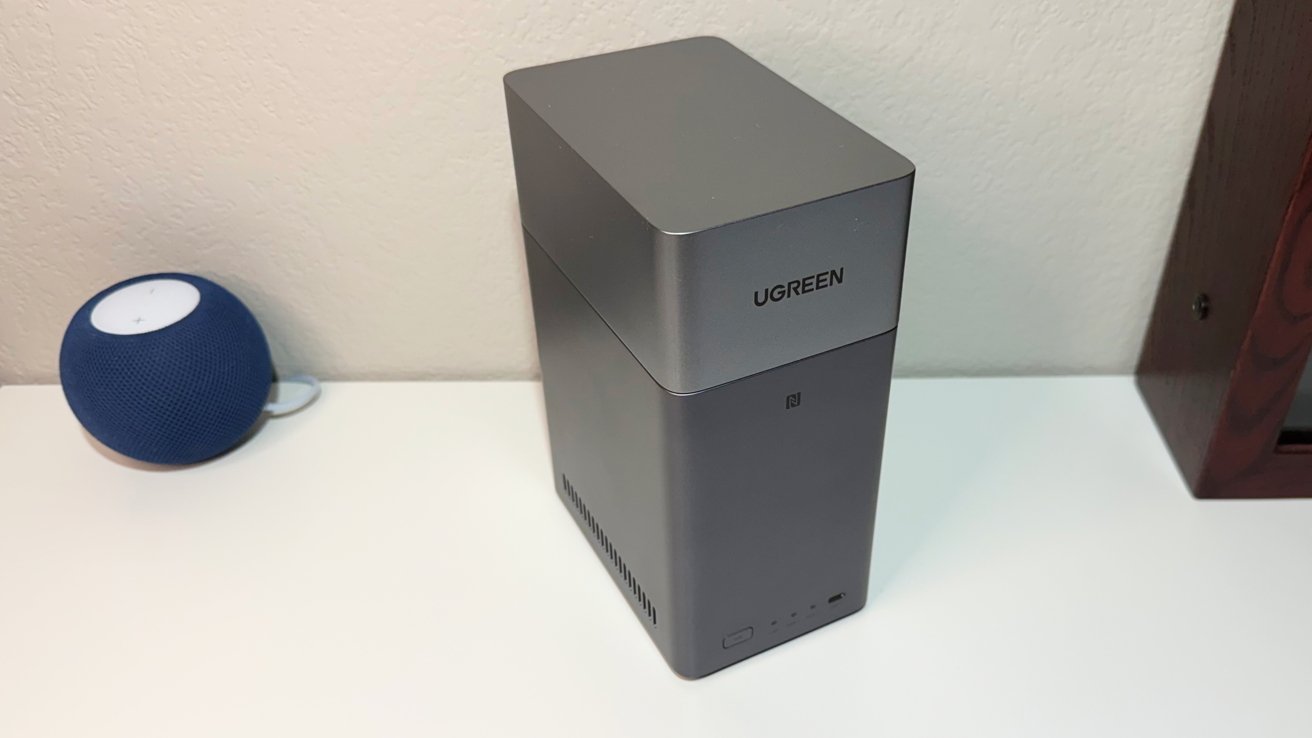
The Ugreen NASync DH2300 is an excellent starter network attached storage device that's very friendly to Apple owners, but prosumers are better served with the rest of the company's lineup.
Cloud storage is extremely popular, and the main way that users can keep local storage use down on iPhone, iPad, and other hardware. As a general rule, these services are either free at the cost of your privacy, or cost money and add up as storage demands increase.
For anyone with a decent Internet connection, a network attached storage device (NAS) is an alternative that brings the storage into the home or office. While they are always an investment between the enclosure and drives, they eventually earn their keep compared to the continuing cost of cloud subscriptions, while also providing you with large storage capacities.
Taking aim at people who are thinking about a NAS instead of cloud storage costs is Ugreen, with its new NASync DH2300. While we've reviewed the more professional models before, the DH2300 is a compact device about the same size as some modern Wi-Fi routers, at a relatively low cost to get started.
Ugreen NASync DH2300 review: Physical Design
The DH2300 is a silver-aluminum monolith, with the two drives mounted vertically inside the unit. It's a bit bigger than two stacked hard drives with a 5.9-inch by 3.85-inch footprint and an 8.4-inch height.
It's not one tall single-piece unit, as the top quarter is made of a lid that is easily removed from the main body.
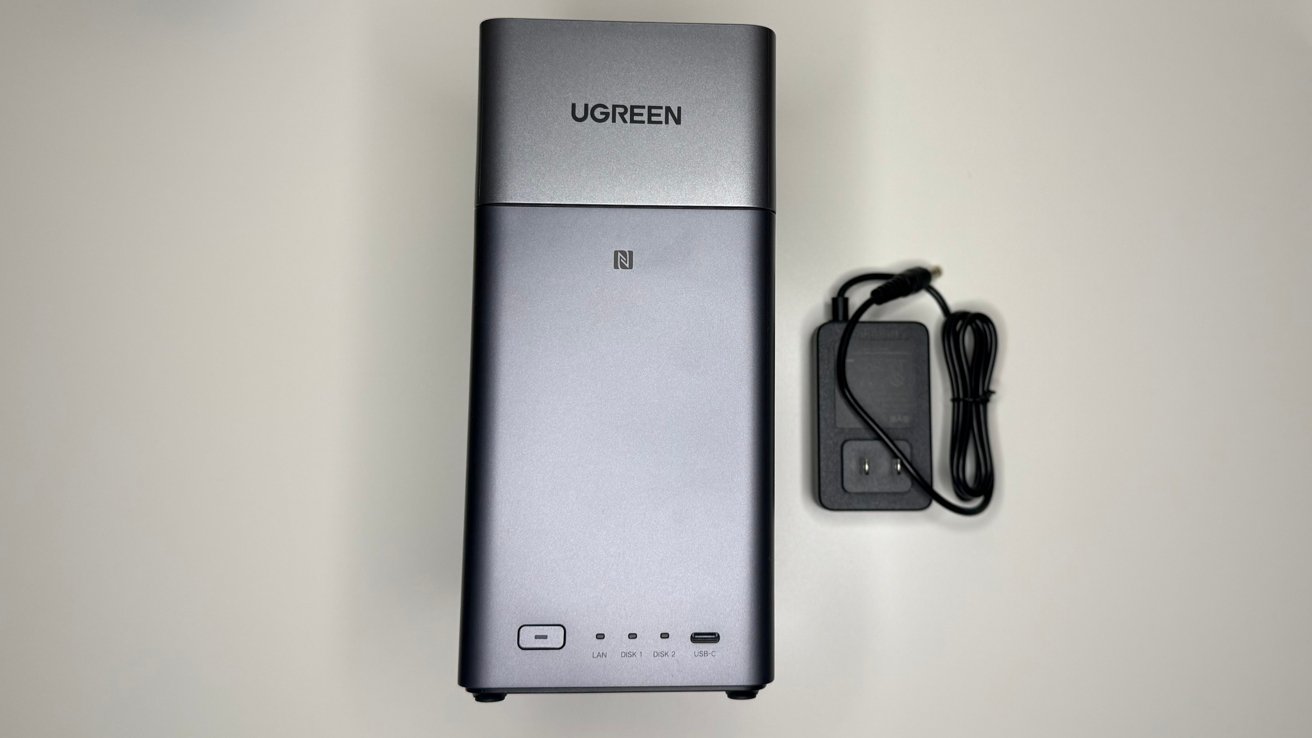
Ugreen NASync DH2300 review: The unit with its power supply.
Around the front are some indicator lights, a port, and Ugreen branding, while the back has all of the other connections. To the sides are mostly flat, unused panels, with venting at the base for airflow.
Ugreen NASync DH2300 review: Ports and Connectivity
As a NAS, the DH2300 has a decent port selection overall, but not a massive one.
The sole front port is a USB-C connection running at USB 3.2 Gen 1, making it a connection that runs at a fairly decent 5Gbps. This is fine for moving files to and from other external devices without using the network.
At the back are four connections, as well as a power socket. There are a pair of USB Type-A 3.2 Gen 1 ports, along with a Gigabit Ethernet connection.
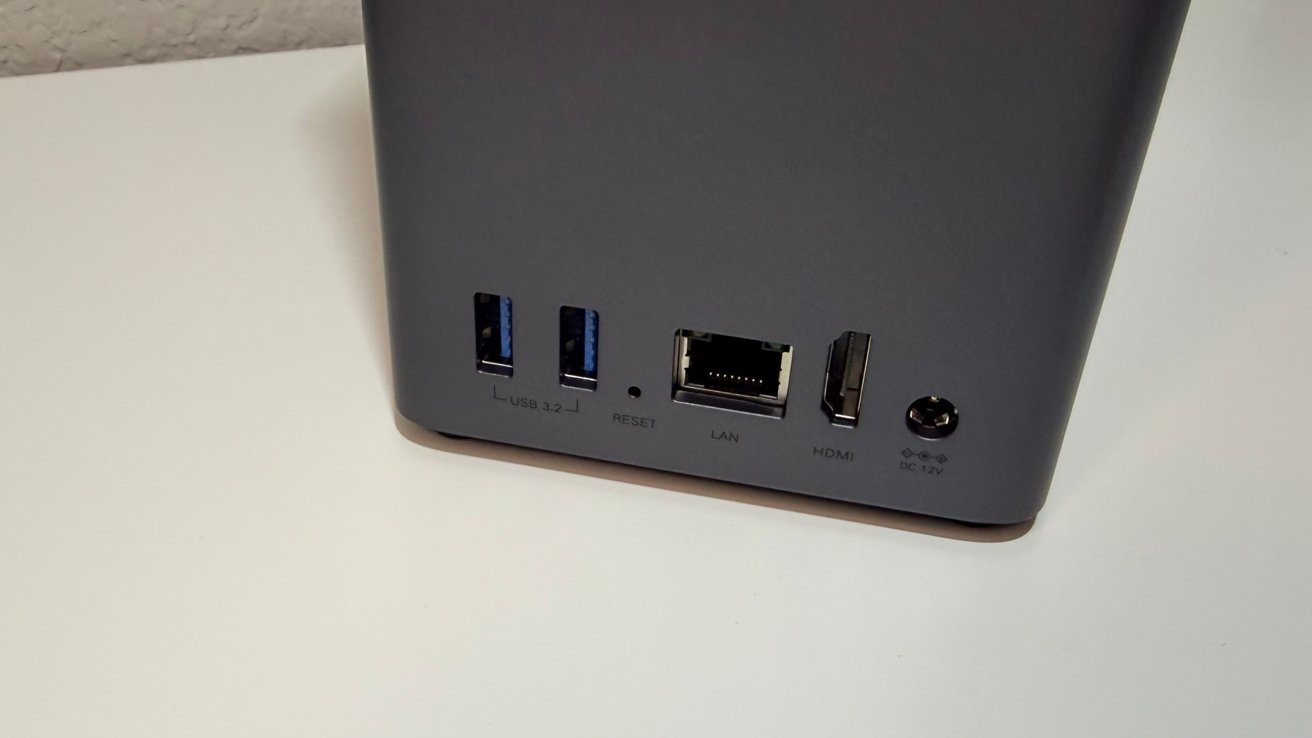
Ugreen NASync DH2300 review: A view of the rear ports
Going for Gigabit is probably the smart move here for Ugreen. The typical consumer looking for an entry-level NAS like this probably won't have network infrastructure in place to handle a 2.5GbE connection anyway.
The HDMI port rounds out the collection, supporting 4K 60Hz. This makes it useful for viewing stored content on a TV in the living room, for example.
The port selection may seem a little anemic compared to some more robust — and more costly — units. It would be better if the USB-C ports ran at USB 3.2 Gen 2 for twice the bandwidth, but at least it's not USB 2 speed like some we've seen.
Ugreen NASync DH2300 review: Storage
Ugreen made the NASync DH2300 a beginner-friendly device, but also tried to make it a good value for those dipping their toe into network storage for the first time. That did mean some sacrifices were made.
The biggest is the storage capacity, as you can insert a total of two drives into its two SATA drive bays. They are accessed by taking the top off and pulling out the two fairly simple drive trays.
Two bays is typical for lower-end units, and can provide a decent amount of capacity. Ugreen claims it can take two 30TB drives, which would equate to 60TB of raw storage.
We tested it with a pair of 24TB Red Pro drives, provided by Western Digital. We also used a pair of 4TB Seagate Ironwolf drives, more typically used in this class of NAS. Both pairs mounted and worked fine, and provided identical transfer speeds across our test gigabit, 5 gigabit, and 10 gigabit networks.
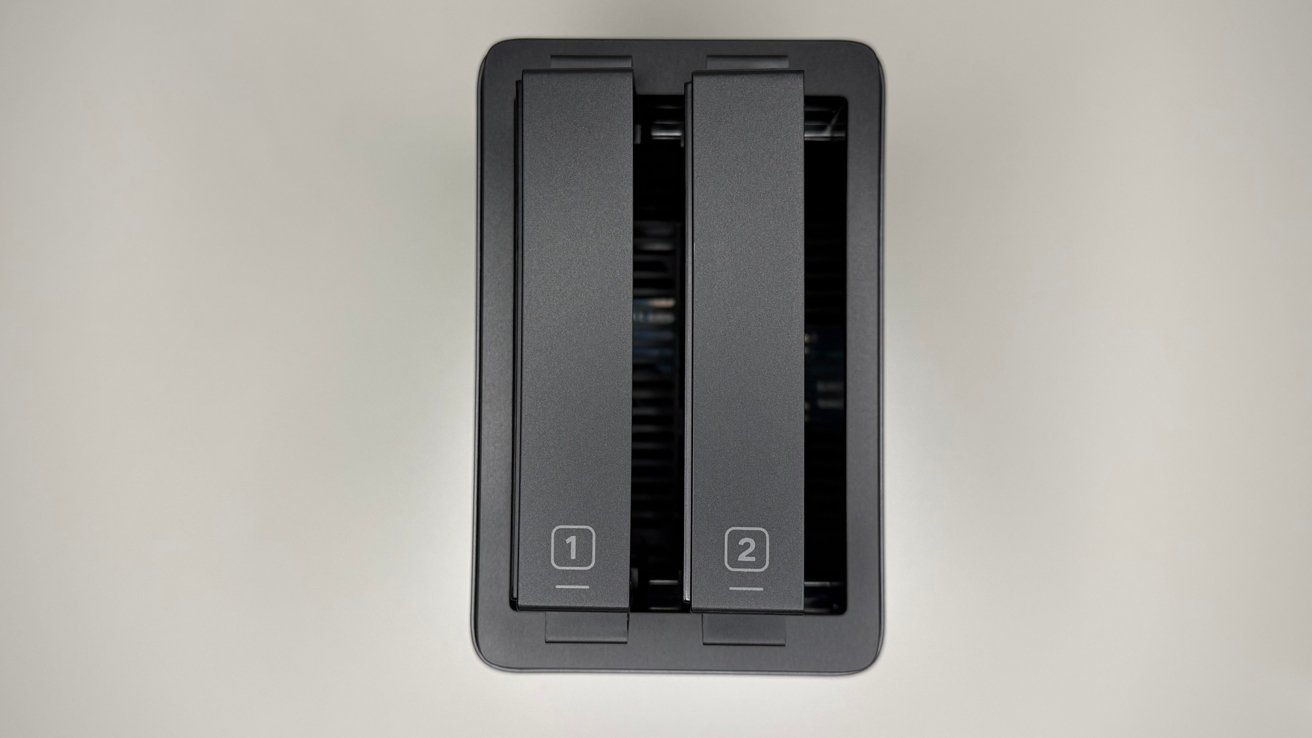
Ugreen NASync DH2300 review: A top-down view of the two drive bays.
The low number of drives also means there are fewer RAID options available. Your main choices are RAID 0, striping data across the two drives without any fault tolerance, or RAID 1, mirroring for data redundancy but at half the total capacity.
There are also options for Basic and JBOD, which are handy if you just want some network-accessible drives on your network.
Being the value option to consumers also means that they miss out on the ability to expand using M.2 or NVMe. On higher-specification NAS units, this would give a way to add fast storage or file caching, improving the speed of accessing and writing files — assuming your network is fast enough.
The DH2300 is not intended for a 10 gigabit Ethernet network. So, the speeds from a pair of hard drives is fine.
That said, it would be a "nice to have" feature at this price level.
Ugreen also has a 32GB eMMC, reserved as onboard storage meant for the operating system and applications, not user data.
Actually accessing the files on the network is secure, thanks to the use of encryption protocols including TLS/SSL, RSA, and AES. This includes accessing via Ugreen's mobile app, which is used to manage the NAS itself as well as provide access to various functions.
And, it can support Time Machine. We're not going to get into the procedure here, but UGreen has a video about it. The support document is a bit better, though.
It's not plug-and-play, it's not a full Time Capsule replacement, and a backup or restore will have to happen over gigabit Ethernet, but it does work.
Ugreen NASync DH2300 review: Functionality
Actually getting up and running can be handled through the mobile app, which is an unexpectedly useful feature. The tap-to-configure functionality lets users quickly connect to the NAS from their iPhone, eliminating the frustration that is initial NAS setup almost entirely.
For users setting up their first NAS, this is a very good idea, and it will make life a lot easier for them.
The companion app isn't just for setup. It has a wide selection of features that you would expect to use with a NAS.
The unit runs on UGOS Pro, which is an operating system that's not quite on the same level as Synology DSM and others. However, it's still completely serviceable in its own right.
It includes a variety of management tools and feature apps, as well as a direct way to access files if hooked up with the HDMI and some peripherals.
You have your typical Photo storage, similar to Apple's Photos app using iCloud, as well as Sync and Backup, a Downloads function, a Theater for viewing videos, and an Online Office.
There are also features of the apps that lean on AI functionality. For example, the Photo storage can create AI albums using facial recognition, such as family albums, and can perform OCR on imaged text.
These are fairly typical, but there are other bits as well that may pique the interest of advanced users. There's no Docker support on the unit, at all. The processor is a little too light, and there's just not enough RAM.
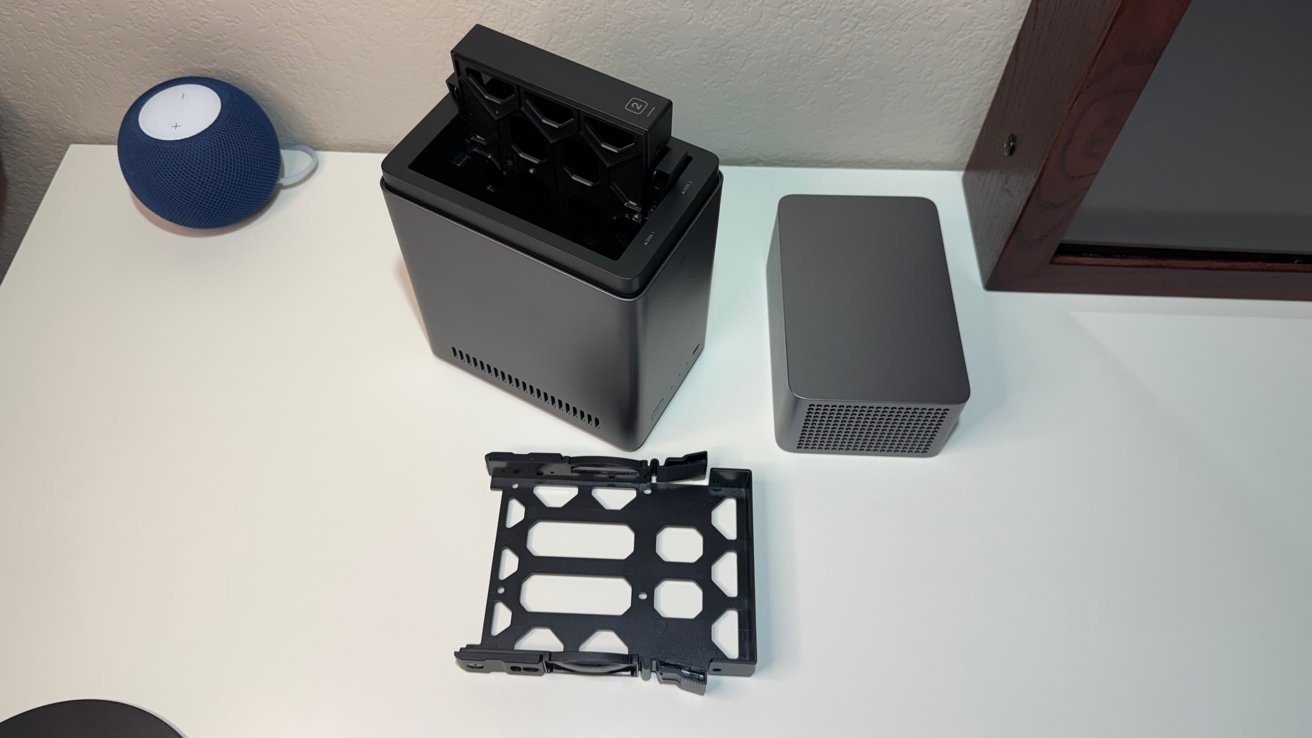
Ugreen NASync DH2300 review: Ready for drive installation.
Running the show is a Rockchip RK3576 chip with eight cores. It combines a quartet of high-performance cores and four efficiency cores, which help reduce power use while it's not handling heavy loads.
In real-world use, it's good enough to run as a low-powered storage server, and it can certainly run applications. It is not fast.
One part of this is its very limited 4GB of memory, which is the biggest bottleneck if you want to run applications. There is no option to add more or replace the memory here.
And that's fine at this price point and target market.
That said, it does still offer some promise. The chip's ARM G52 MC3 GPU is more than capable of dealing with 8K video decoding duties.
The AI portion of the unit is also handled on-device, thanks to the chip's NPU. Capable of 6 trillion operations per second, it's in the same ballpark of performance for machine learning tasks as the Neural Engine in the A13 Bionic from 2019.
AI capabilities of newer chips certainly eclipse the one in use here, and it's a bit of a shame. However, at the same time, it's not difficult to consider that the NPU could be crunching through the data in the background, away from the user.
It's only a problem for any AI tasks that would require immediate results. For a NAS recognizing facies in a photo gallery, that's not really a problem.
Ugreen NASync DH2300 review: A starter and budget-focused NAS
The best way to look at the Ugreen NASync DH2300 is to consider its intended audience. Consumers who may not necessarily want huge amounts of storage, and probably don't care too much about onboard services in the long term.
This is a category that cares more about the cost of the hardware and the more tangible benefits of home and very small office NAS usage above performance. It's highly likely that the intended customer for this won't know what Docker actually is.
The tap-to-configure element is a potential game-changer when it comes to people who are setting it up, but without having much experience working with tech.
It's certainly a play to make a starter NAS more beginner-friendly than usual.
For the typical AppleInsider reader, this is not a NAS that you will be using in your computing environment. The Ugreen NASync DH2300 is really for family members who need storage assistance, and probably don't want something that needs a lot of technical know-how.
A prosumer model with more processing capacity, more memory, more drive bays, and M.2 expansion options would be a better choice for most of our readers.
They want something cheap and something that works. As a reasonably priced NAS enclosure, this certainly fits the bill.
Ugreen NASync DH2300 review - Pros
- Excellent price to performance ratio
- Tap-to-configure is great for beginners
- Looks different from other NAS units
Ugreen NASync DH2300 review - Cons
- Performance beyond storage management is lacking
- Gigabit ethernet, but that's expected at this price point
- Two drive bays
Rating 4 out of 5
On the aggregate, we know what our readers like and use personally. We also know that a large percentage of you/us do tech support for their families.
The Ugreen NASync DH2300 won't blow the doors off the place from a performance standpoint. It doesn't take a lot of horsepower to serve files, though, and do it securely.
The same lineup also has a four-bay model, the DH4300 Plus. We'll be looking at that one a little differently, very soon.
Where to buy the Ugreen NASync DH2300
The Ugreen NASync DH2300 is available from Amazon, discounted to $199.99.