
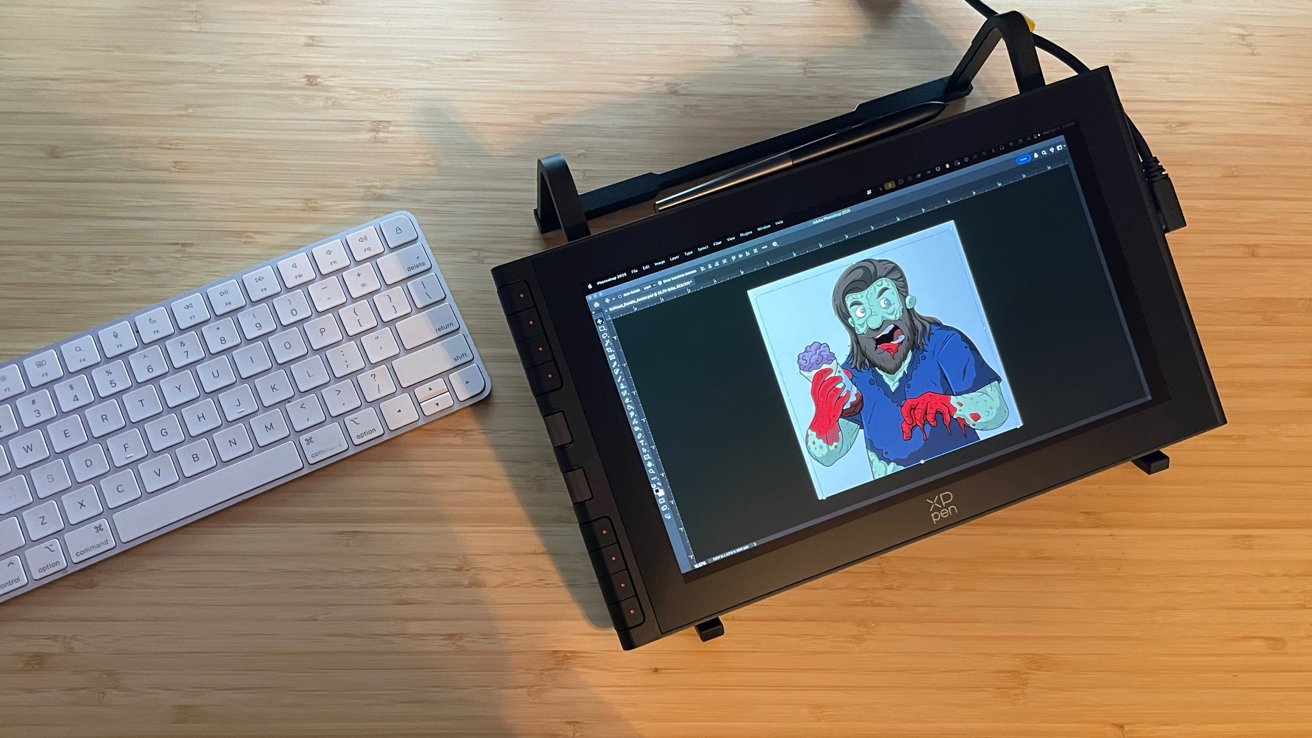
The XP Pen Artist 12 3rd is a great pen display for Mac owners, that offers a lot to artists as an alternative to the more expensive Wacom One 14.
The world of drawing tablets and pen displays has expanded exponentially over the past few years. The long-reigning king Wacom is facing sustained competition for the first time.
Upstart manufacturers initially fumbled to find the proper balance between hardware and software that could deliver an experience for digital artists to rival Wacom's industry-standard drivers and hardware. This is no longer the case.
Among the challengers to Wacom is XP Pen, a company with years of experience under its belt in an ever-changing and demanding industry. One that cries out for solid hardware, excellent drivers, OS compatibility, and an affordable cost.
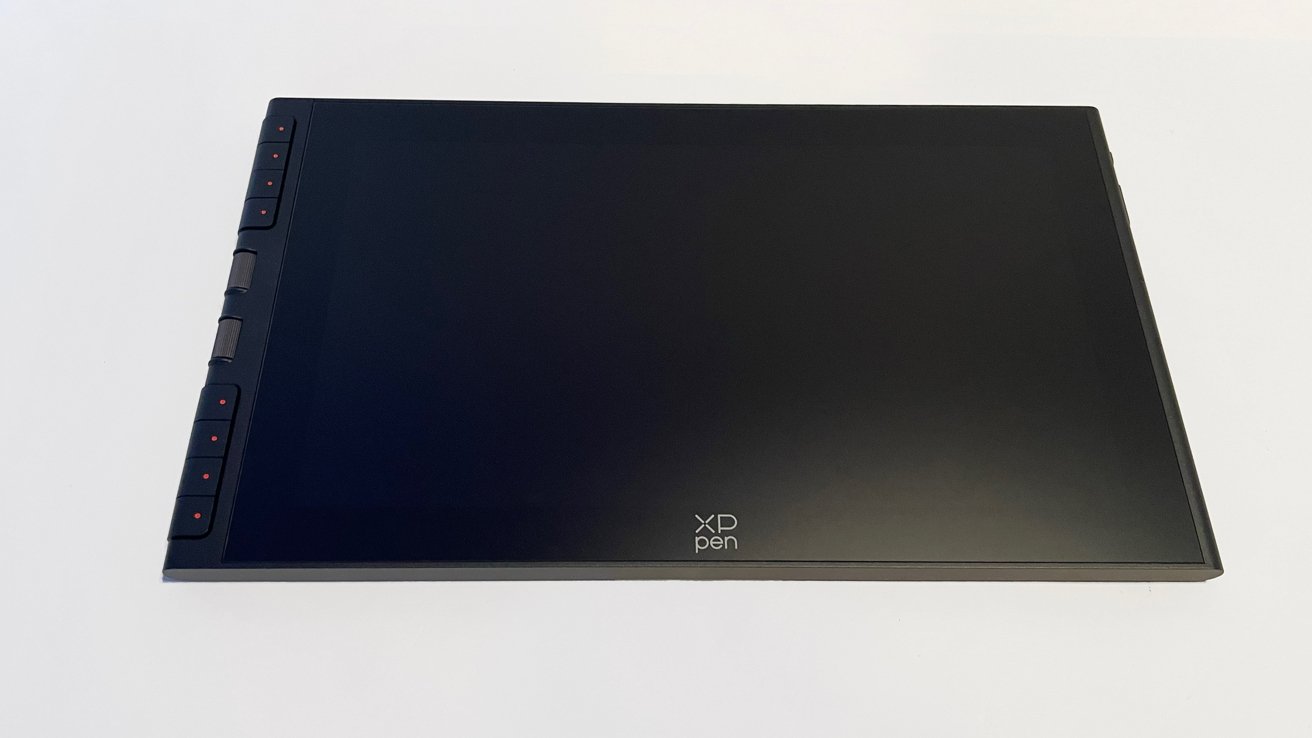
XP Pen Artist 12 3rd review: the main unit.
Early offerings from XP Pen struggled to step to Wacom's established quality. But, as is the mark of any manufacturer dedicated to reaching new levels and establishing itself in a competitive market, XP Pen continued to listen to its consumer base and evolve.
XP Pen's latest offering is the Artist 12 3rd (for third generation), a smaller drawing pen display aimed at artists looking to make the transition to digital workflow for the first time. It's also handy for artists who need mobile, flexible workspaces to get their projects done.
As a cartoonist working exclusively in a digital workspace for over 15 years, I expect a lot from my hardware and software to maintain quality and a consistent workflow. I am demanding, and if a pen display falls short, it does not stay on my desk.
XP Pen sent over the Artist 12 3rd, and I put it through its paces as I tackled commission cartoon work for a client.
XP Pen Artist 12 3rd review: Inside the box
The Artist 12 3rd arrived in a padded shipping box from XP Pen, with colorful, vibrant branding. It was a box that efficiently protects and delivers each of the separate components.
Inside the box:
- Artist 12 3rd Pen Display
- X4 Smart Chip Stylus
- USB-C to USB-C Cable
- 3-in-1 USB-C Cable
- Glove
- Cleaning Cloth
- Replacement Pen Nibs (x10) and Nib Remover Tool
- Warranty and Driver Download Card
XP Pen Artist 12 3rd review: Specs
- Color: Black, Silver Grey
- Size: 327.2 x 189.1 x 12.0 mm
- Net Weight: 719 g
- Working Area: 264.0 x 149.0 mm
- Display Size: 11.9-inch
- Resolution: 1920 x 1080
- Refresh Rate: 60Hz
- Color Gamut Coverage Ratio (typical): 99% sRGB / 97% Adobe RGB / 97% Display P3
- Display Color: 16.7 Million
- Brightness (Typical): 260 NIT
- Viewing Angle: 170 degrees
- Full Lamination: Yes
- Stylus Model: X4 Smart Chip Stylus
- Technology: X4 Chip & EMR
- Pressure Levels: 16384
- Tilt: 60 degrees
- Initial Activation Force: 2 g
- Accuracy: 0.2 mm (center)
- Reading Height: 10mm
- Resolution: 5080 LPI
- Ports: Full-featured USB-C x 1 / 3-in-1 USB-C x 1
- Power Input: 5V 2A
- Compatibility: Windows 7 or later, macOS 10.13 or later, Android 10.0 or later (USB 3.1 DP1.2 required), ChromeOS 88 or later, Linux, and Windows ARM
XP Pen Artist 12 3rd review: Quality and Features
The Artist 12 is an incredibly well-made pen display from front to back. Nothing about the design or assembly of the Artist 12 from XP Pen feels cheap or inferior.
Everything from the tablet down to the cleaning cloth feels intentional and well-made.
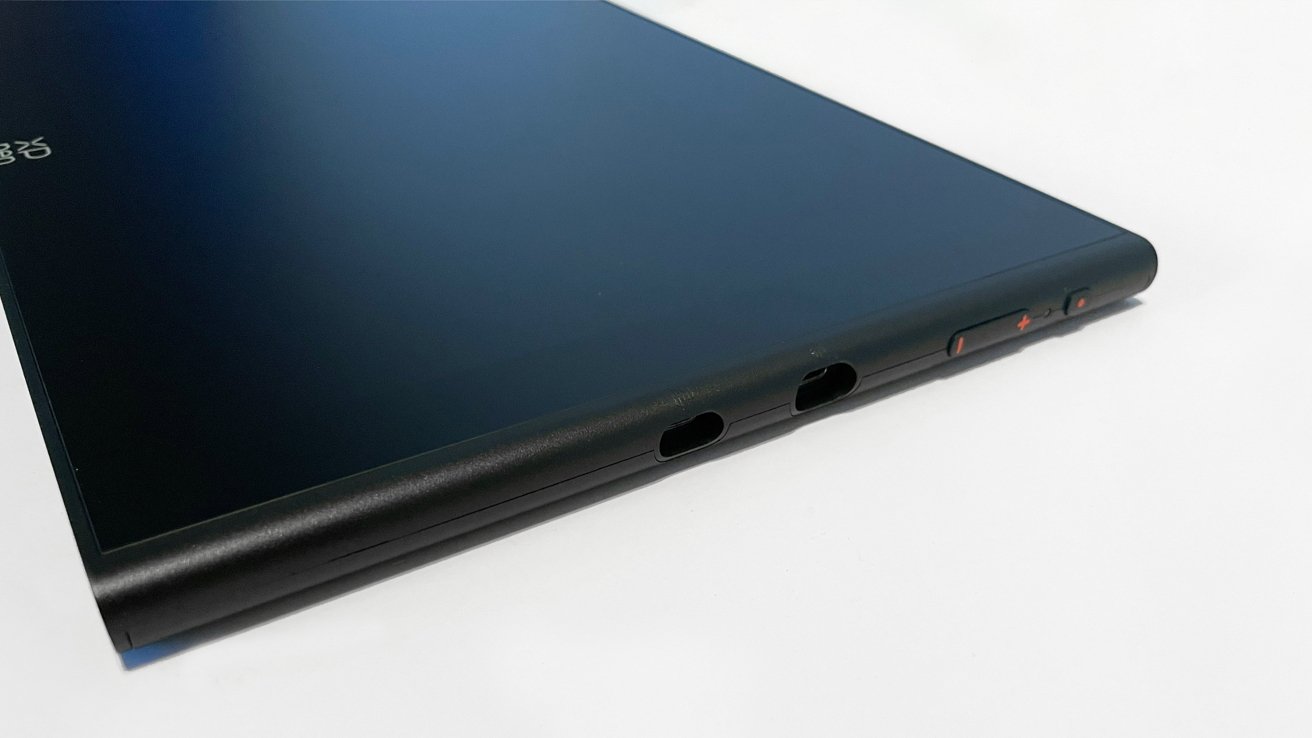
XP Pen Artist 12 3rd review: Ports and controls.
This is the third generation of the Artist 12 pen display from XP Pen, and the evolution is clear to see when compared to the previous generations. Not just in appearance, but in features and overall quality.
The Artist 12 3rd does not include any HDMI ports or USB-A ports. XP Pen joins other pen display manufacturers in leaning fully into a single USB-C connection to drive the pen display, with an option for a 3-in-1 USB-C connection if needed.
XP Pen includes its X4 Smart Chip Stylus with the Artist 12. It is a lovely stylus, modeled to be closer to the feel of an actual pencil in hand, as opposed to the standard thicker styluses included with other pen displays.
I recently made the switch from an old-school stylus with my display tablet, which has the feel of a fat pencil, to a thinner model like the X4 Stylus. I am glad I did.
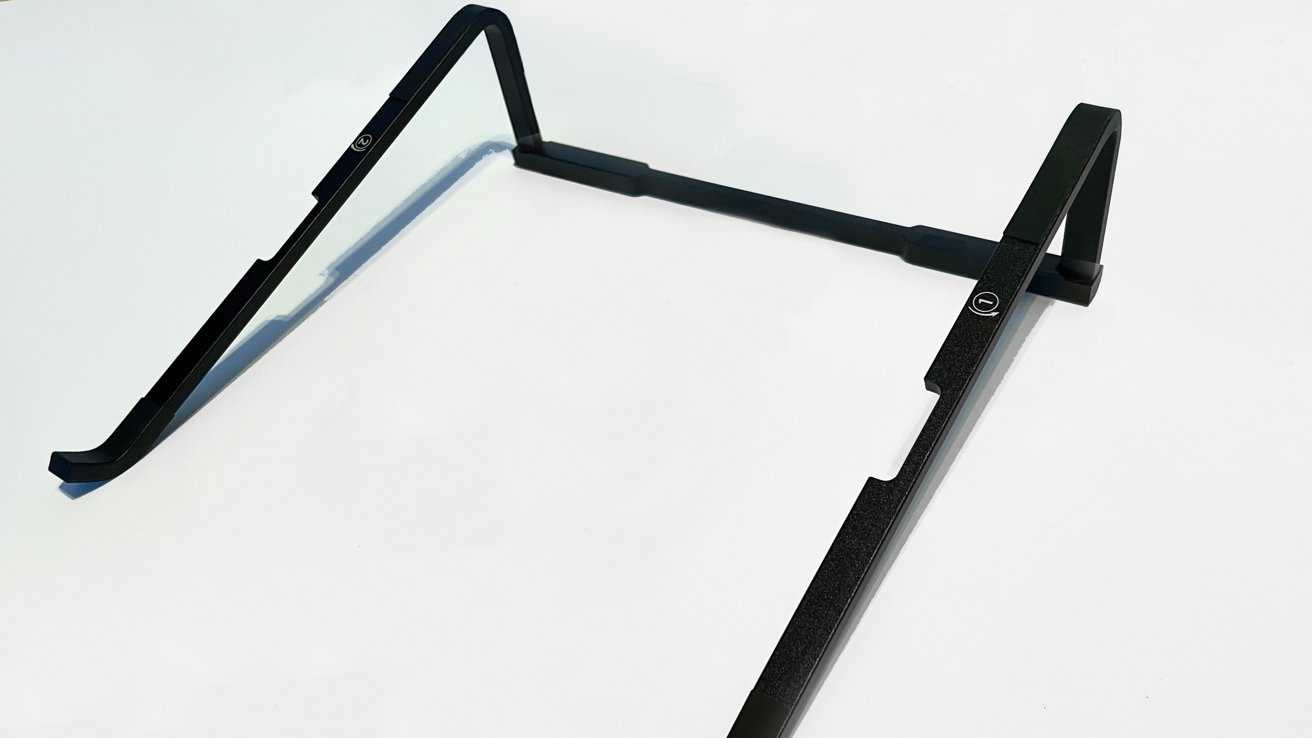
XP Pen Artist 12 3rd review: It ships with a quite handy stand.
XP Pen does something with the Artist 12 3rd that I hope every manufacturer sees and copies. The Artist 12 does not have retractable feet, but it has a fully formed and separate stand that is included with the unit.
Admittedly, it is a basic stand, and the angle is not adjustable. But it is something to make posture and workflow a little easier, and I appreciate the added feature.
XP Pen Artist 12 3rd review: Setting Up
After unboxing and sorting the few components, I plugged everything into my Mac Studio (opting for the USB-C to USB-C option), booted up, and was ready to go. It was truly that easy to get the Artist 12 3rd plugged in and connected.
XP Pen also includes a 3-in-1 USB-C cable for HDMI connection for hardware lacking in USB-C ports. Like the included stand, this is something XP Pen did not necessarily need to do, but it is great that it did.
From setting up the hardware, I jumped over to the XP-Pen site and downloaded the macOS driver for the Artist 12, dialed in my preferred pressures and settings, and I was ready to work.
The XP Pen driver is outstanding and delivers a level of customization I have never experienced before with any pen display.
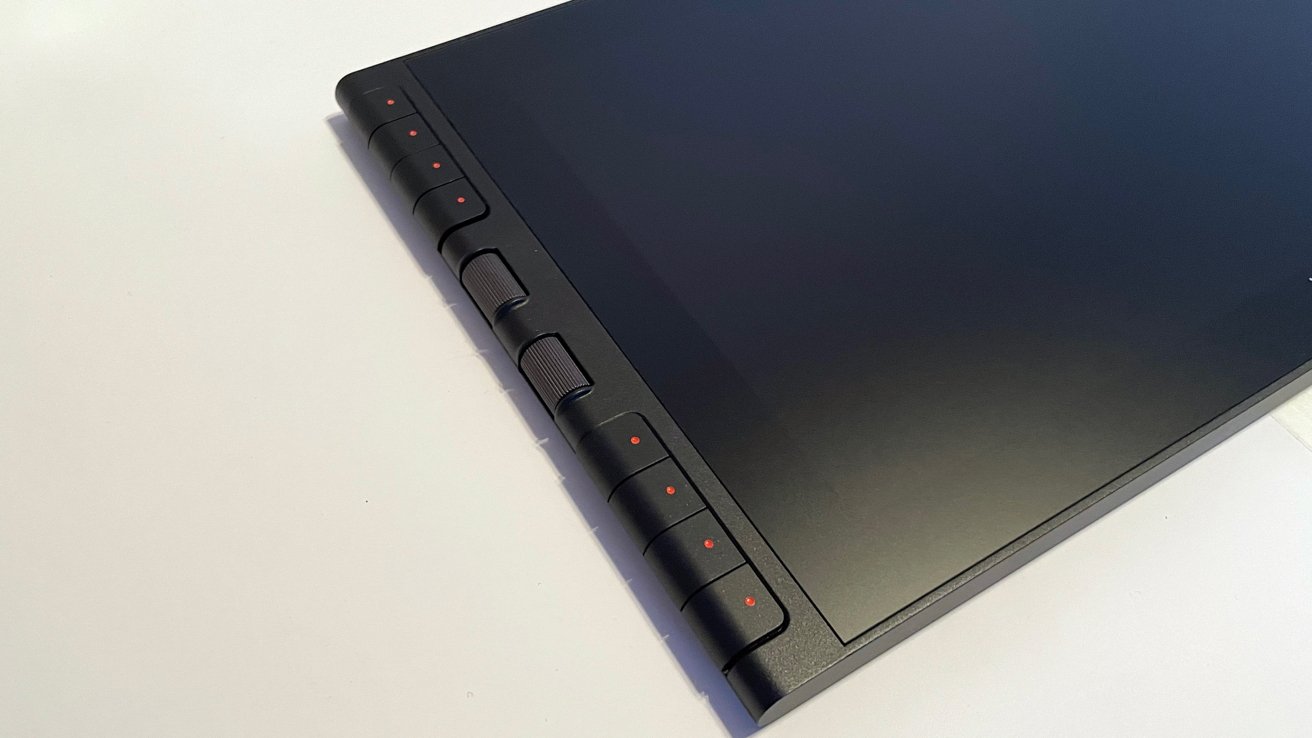
XP Pen Artist 12 3rd review: Controls on the side.
The Artist 12 3rd offers a range of buttons and dials along the left side of the tablet, and by default, these buttons and dials provide quick actions and macros. But with the XP Pen driver, I could customize everything down to system actions, application actions, and stylus button options.
This is a breath of fresh air, as many manufacturers claim to offer macOS and Windows cross compatibility but fall short with a lack of macOS-specific drivers. XP Pen stepped up its game, and this driver delivers.
In my workspace, the Artist 12 appeared as a third monitor and worked perfectly. I could change the arrangement in iOS system preferences like normal, and it was great to have everything up and running in minutes.
XP Pen Artist 12 3rd review: In Use
After setting up the Artist 12 3rd, I opened a Photoshop document and settled in to draw, making a few immediate observations.
There is zero fan noise. None. The Artist 12 3rd is quiet in use, and this is an important feature for me.
I use a Mac Studio as my work machine, and while music or podcasts are happening while I work, excessive fan noise tags an annoyance center in my brain. Your tolerance may be different, but I appreciate a quiet workspace for the moments when I need to make a call or take a meeting.
There is no noticeable rise in heat from the display. I worked on a piece for a few hours, and I never registered any significant rise in display temperature.
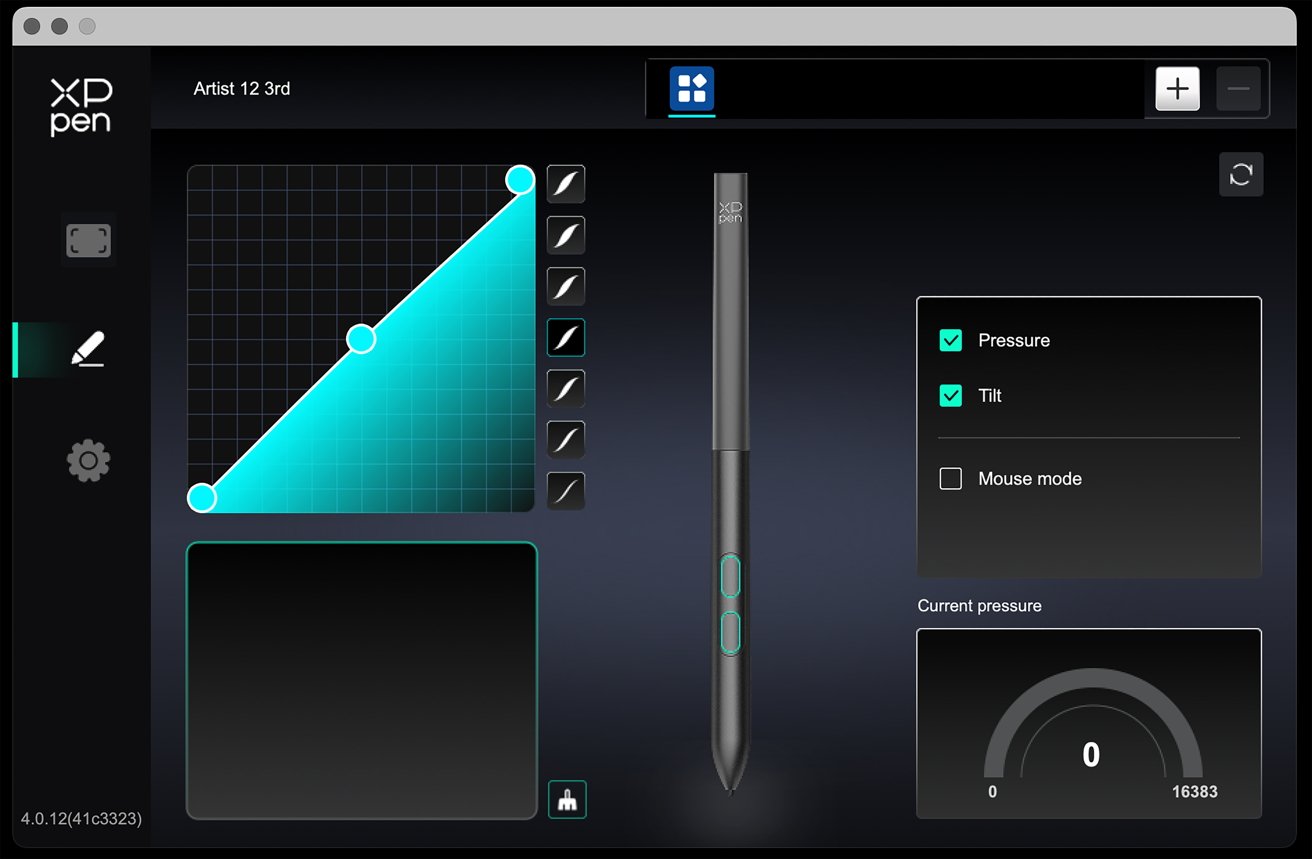
XP Pen Artist 12 3rd review: Configuring on the Mac.
Drawing on the Artist 12 3rd with the standard stylus nibs feels very slick and quick, which is nice. But my personal preference is to use felt nibs on drawing displays for the slight paper-like resistance they provide.
As of this writing, XP Pen does not provide felt nibs for the X4 Stylus in its online shop, but the range of stylus/nib options available suggests they may come along in time. The Artist 12 3rd and X4 Stylus are brand new to the XP Pen line of products.
During my drawing experience on the Artist 12 3rd, the sharpness of the line quality and responsiveness on the display were excellent.
I experienced zero "line jitter" with longer motions or offset cursor mishaps. The XP Pen driver is rock solid.
Wacom drivers were considered the standard bearer for pen displays, with everyone else in the industry running to keep up. But XP Pen shows that it has caught up to match Wacom quality with hardware to match.
XP Pen Artist 12 3rd review: Downsides
The physical downside to the Artist 12 3rd is the size of application UI text.
Be aware that if you have trouble with small print, the Artist 12 3rd will present challenges if you operate at a 1920 x 1080 resolution. I have poor eyesight, and I absolutely had to boost all the text sizes up to reduce my eye strain.
This also feeds into the other small issue with the Artist 12 3rd: The active working area.
The Artist 12 3rd is aptly named, pushing the live work area to just at 10.5 inches by 6 inches. This is smaller than a standard piece of 8.5 x 11 paper.
Applications provide zoom functions to bring sections closer or larger, and that goes a long way to work through the smaller active area. For multi-hour drawing sessions, the zooming in and out could become tedious.
XP Pen Artist 12 3rd review: Cost
The Artist 12 3rd retails in the XP Pen online store for $219.
By the standards set in the pen display industry, $219 is not a huge price to pay. But it is an investment and one that must be weighed against the alternatives available.
The Artist 12 3rd is purely a pen display only. It is an amazing pen display and does everything very well, but it serves one purpose only.
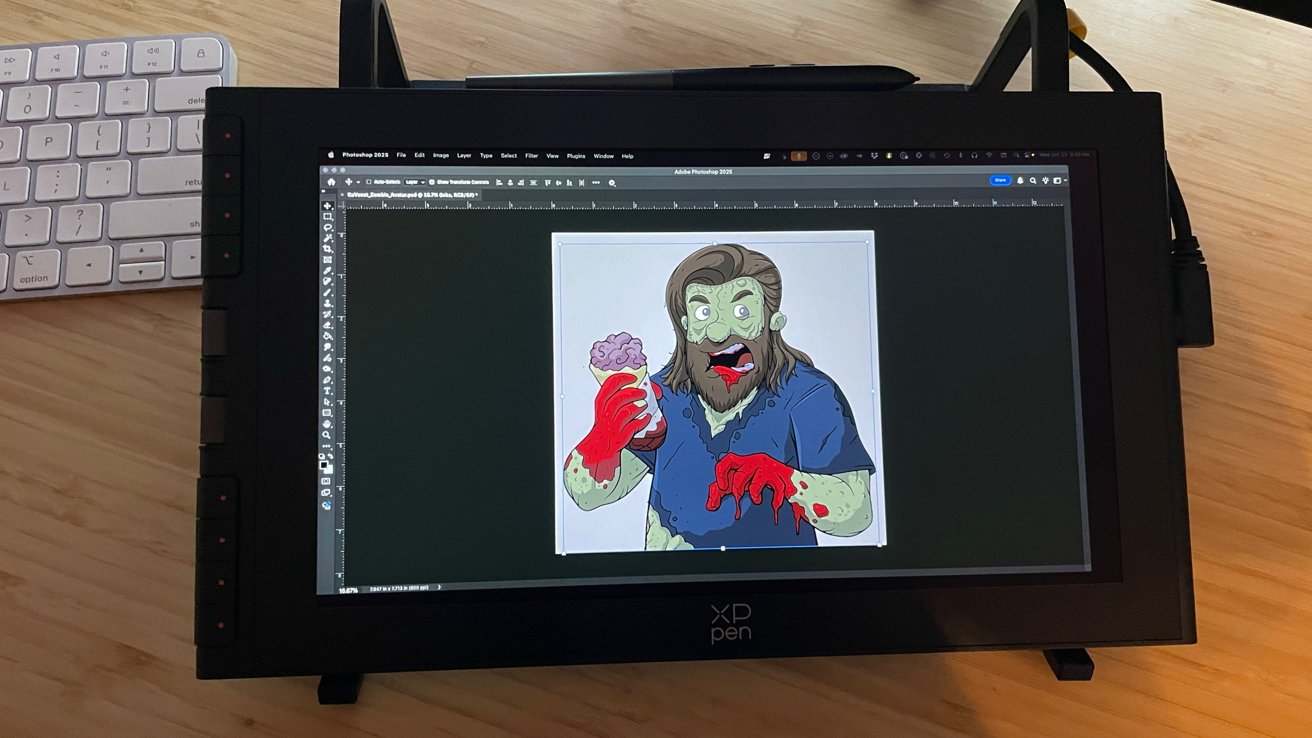
XP Pen Artist 12 3rd review: In use.
To do the job of being a pen display, the Artist 12 3rd also requires a newer laptop or desktop computer with USB-C and video capabilities to push an external monitor or pen display.
Purely for the sake of comparison, an iPad retails for $349, and the Apple Pencil retails for about $99, depending on which model to get — but both go on sale often. Add a lifetime copy of Procreate for $12, and you're working with a tablet that allows you to sketch, draw, and create with the benefit of having a full iPad for research and downtime.
That is $490 for a full-fledged multi-purpose device at full retail, versus $219 not including the computer.
The decision comes down to individual budgets and available resources for households. The added working area of an iPad versus the Artist 12 3rd is negligible.
XP Pen Artist 12 3rd review: Setting the bar high
The Artist 12 3rd from XP Pen is simply fantastic as a smaller pen display for new artists and artists on the go. It does everything the Wacom One 14 does, and it does it for less money with the addition of a stand, deep customization, and excellent macOS driver support.
If I was in a situation where I had to choose between the two, I would choose the Artist 12 3rd. XP Pen has set the bar high for everyone else in the industry to reach for.
XP Pen Artist 12 3rd Pros:
- Mac friendly driver and support
- Beautiful display
- Zero noise
- USB-C port (and optional HDMI connectivity)
- Stand included
XP Pen Artist 12 3rd Cons:
- Slightly reduced working area compared to other tablets
Rating 4.5 out of 5
Where to buy the XP Pen Artist 12 3rd
The XP Artist 12 (3rd) is currently available through the XP Pen online store for $215.99. It's also available from Amazon for $215.99.







