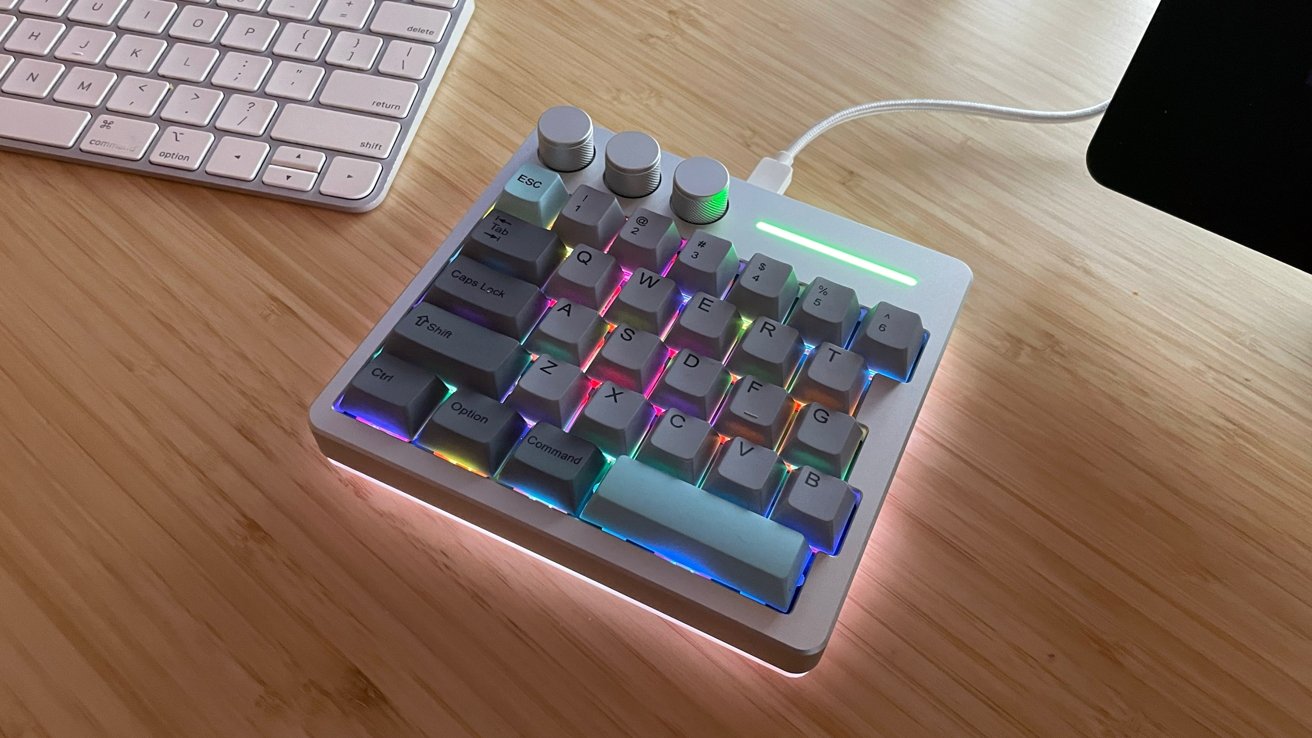
While the KiiBoom Cybrix 29 is effectively half a keyboard, it's still extremely useful for Mac owners as a macropad for shortcuts — or for gaming.
In the world of third-party keyboards, it can be easy to get lost in the ocean of options, designs, and layouts. Every manufacturer is fighting tooth and nail to catch your eye and your dollars with their next big thing.
It is a consumer market, and we have never been more spoiled for choice. But in the wave of products and noise, some manufacturers choose to step outside of the norm, delivering products that appeal specifically to gamers and niche needs consumers.
KiiBoom is a large, multi-country manufacturer with a deep catalog of mechanical keyboards and keycaps. It also produces headphones, audio equipment, desk mats, and everything in between for the modern gamer or bespoke keyboard enthusiast.
One of KiiBoom's latest products is the macOS and Windows. I always breathe a sigh of relief when I unbox a product making such claims, and see alternate Mac keycaps staring back at me.
It is a good sign and with the Cybrix 29, KiiBoom delivers on their claim.
KiiBoom Cybrix 29 Review: Specs
- Layout: 29 Keys and 3 knobs
- Connectivity: USB
- Case Material: CNC Aluminum & Acrylic
- Plate Material: FR4
- PCB Type: Hall Effect
- Hot-swappable: Yes
- Polling Rate: Up to 8000Hz
- Keycap Material: Dye-Sub PBT
- Keycap Profile: Cherry
- Anti-ghosting: NKRO
- Compatible OS: Windows/MacOS
- Backlight: RGB
- LED Direction: South-facing
- Dimensions: 150mm x 34mm x 30mm
- Weight: 0.42kg
KiiBoom Cybrix 29 Review: Quality and Features
The Cybrix 29 feels incredibly solid, and nothing about the construction or the components feels fragile or cheap. The CNC aluminum case gives the Cybrix 29 an incredibly clean design aesthetic, which complements Mac-centric and Windows-focused desk spaces alike.
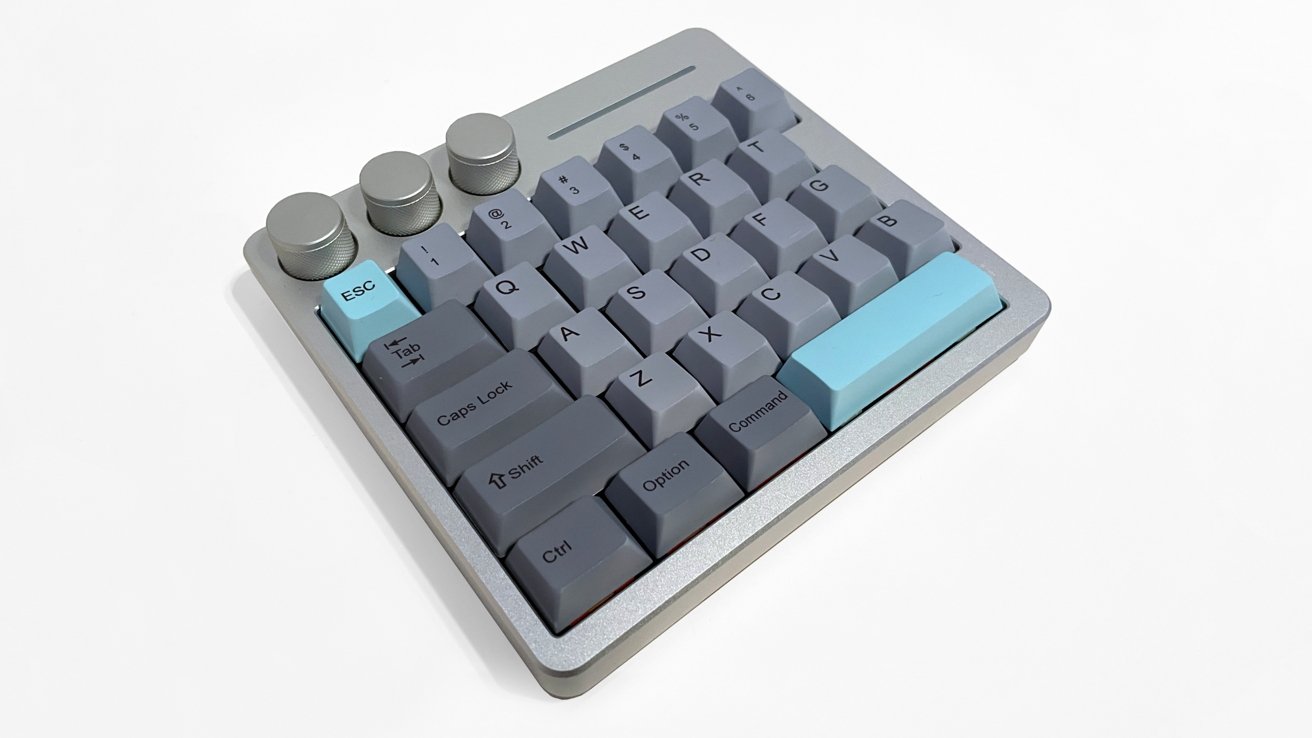
KiiBoom Cybrix 29 Review: Shown in its Silver colorway.
KiiBoom sells the Cybrix 29 in three color configurations:
- Black (with white/orange/black keycaps)
- Silver (with grey and blue keycaps)
- Pink (with light pink keycaps)
I love the range of color options. With a company clearly focused on being design-forward in everything they produce, I am not surprised.
This trio of options covers the spectrum for most desk space aesthetics. The option to hot swap for custom keycaps ensures deep visual customizations are always possible.
The Cybrix 29 includes rubber gripper pads on the bottom for reduced sliding and added stability. It is a small detail, but with this keyboard being gamer-driven, I like the thought that went into the design.
The back of the keyboard has a single USB-C port for use with the keyboard.
The RGB lighting in the Cybrix 29 is bright and colorful, with south-facing LEDs under the keycaps. There's also a row of LEDs on the bottom of the keyboard for added mood lighting, providing singular or dynamic RGB colors.
KiiBoom Cybrix 29 Review: Customization
KiiBoom ships the Cybrix 29 with hot-swappable proprietary KiiBoom Duskrise switches as standard, along with Cherry profile keycaps.
KiiBoom offers macOS software for the Cybrix 29 that works wonderfully and allows for a ridiculously deep level of customization. The driver software lets users change every key, knob function, assign macros, adjust the RGB lighting, and set functions.
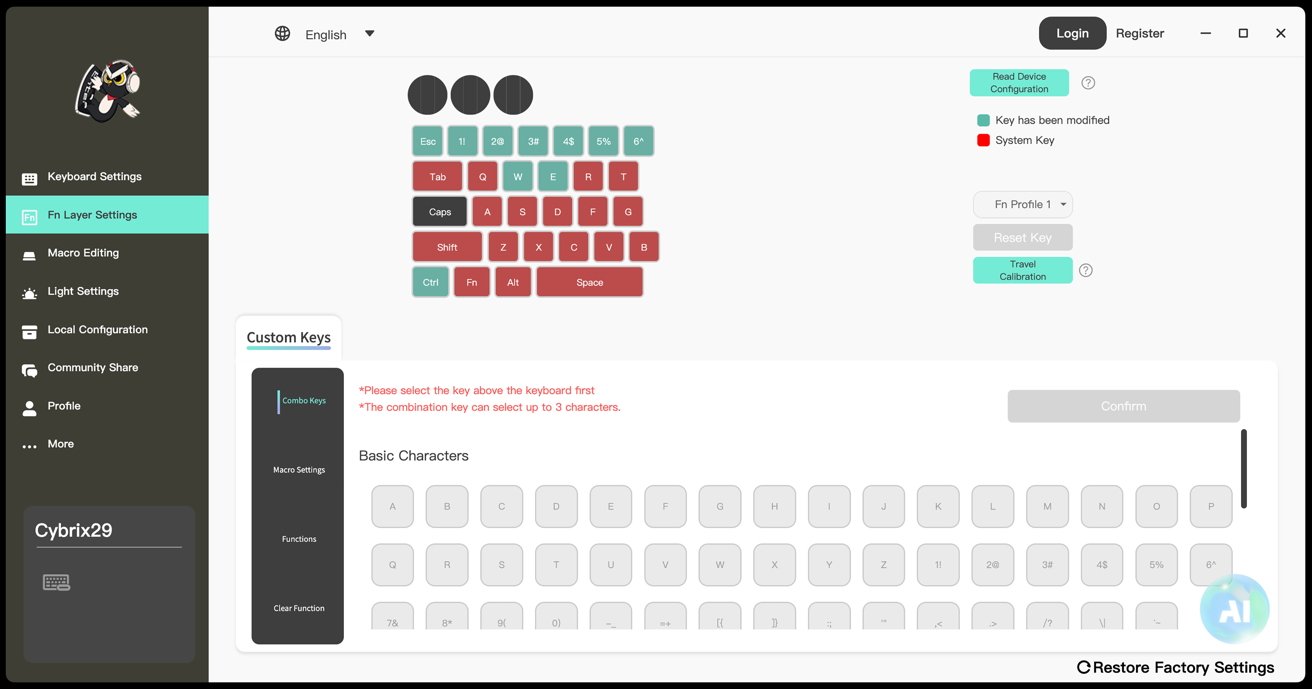
KiiBoom Cybrix 29 Review: Configuring the keyboard.
If the software is unavailable or you are not comfortable adding yet another application to your computer, the Cybrix 29 also has built-in basic functionality controls by use of the Function key and accompanying keys.
KiiBoom Cybrix 29 Review: In use
Connecting the Cybrix 29 via USB cable to my Mac Studio took moments. After a quick download of the KiiBoom Cybrix 29 driver, I was delving into the functions of the keyboard and making customizations.
The only issue I had was the driver defaulting to Chinese on launch. A quick use of Translate on my iPhone revealed the button next to the globe at the top of the app window changes the language to English.
The Cybrix 29 provided an excellent gaming experience, as I put it through the paces with several fast-paced games of Dead by Daylight.
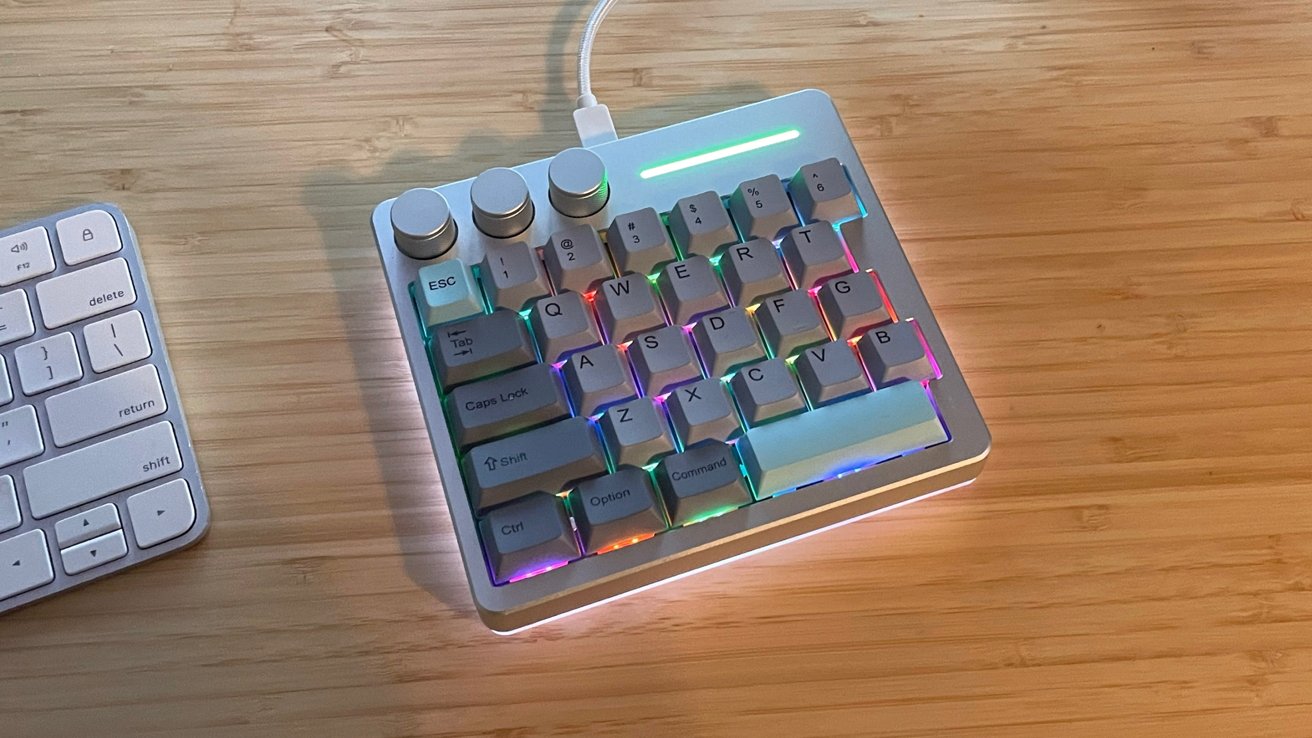
KiiBoom Cybrix 29 Review: RGB on full show.
It's responsive, stable, and amazing for basic game controls. I have no doubt that I could easily customize the controls to match any first-person shooter, RPG, and fast-paced game with the easy driver customization options.
The keycaps and Duskrise switches feel good, and the "Thok" sound while typing and playing is very satisfying.
In addition to gaming, I set up a profile on the Cybrix 29 to accommodate my key commands and workflow while I draw with my Xencelabs 24 tablet.
Normally, I keep a small Magic Keyboard for my left hand to use key commands in my workflow, while I draw with my right hand. In this context, the Cybrix 29 worked perfectly for my basic key command needs.
A full keyboard for emails and larger tasks was still needed, but the Cybrix 29 handled the shorthand of my workflow needs very well.
There are only two downsides to the Cybrix 29.
First, there is no wireless option. The Cybrix 29 is USB-C to USB-A only, and this adds another cable and input to workspaces.
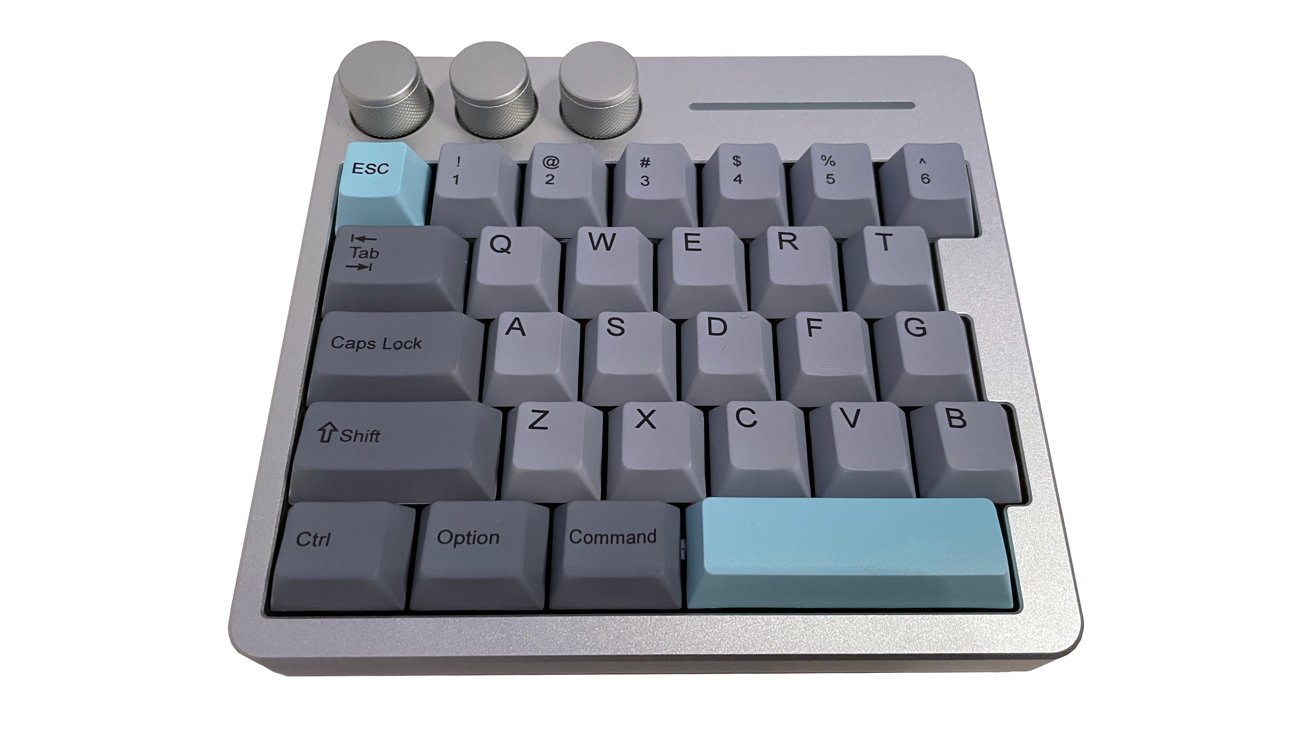
KiiBoom Cybrix 29 Review: Fewer keys than normal, but three knobs.
Secondly, KiiBoom only sells a right-hand dominant version of the Cybrix 29. It would be nice to see a manufacturer step out and make a version of a gaming keyboard like this for left hand dominant users.
Aside from these two issues, the Cybrix 29 is an outstanding gaming keyboard with a great macOS driver and deep customization. At $89, it is affordable without feeling cheap.
KiiBoom Cybrix 29 Pros
- Amazing build quality
- Optional keycaps for Mac and Windows
- Good driver and software compatibility with macOS
- Small desktop footprint
KiiBoom Cybrix 29 Cons
- USB wired connectivity only
Rating: 4 out of 5
Where to buy the KiiBoom Cybrix 29
The Cybrix 29 is available on the KiiBoom online shop for $89.99. It's also available from Amazon for $89.99.