

Kagi's Orion for macOS is a fast and privacy-focused web browser that could be a great browser alternative for some users. Here's how it stacks up to Safari.
Among web browsers, Safari is considered one of the more privacy-focused options on the market, in part due to Apple's policies in that area. While there are alternatives like the dominant Chrome and Firefox on the market, creating a browser that not only works well but also walks the walk when it comes to privacy is not easy to do.
Cue search engine Kagi's attempt, with the multi-platform Orion. The macOS browser is promoted as a fast, native app that does everything to avoid the usual user tracking elements that tends to affect apps in the long run.
After six years of production, the macOS edition reached version 1.0 on Tuesday.
Minimalist first impressions
Installing Orion is a straightforward experience. After downloading the DMG and dragging it to the Applications folder, you have little else to do other than to open it up.
There is an unexpected full-screen animation that has users flying through a galaxy of stars, with rival browsers as planets zooming by, before showing a large Orion logo. It drags a little bit and may be a little pretentious, but it's a fun excursion.
You're eventually dropped at the main browser window, which is best described as minimalist. Not quite the minimalism of the all-new Safari in macOS Tahoe, but it gets a lot of the way there.
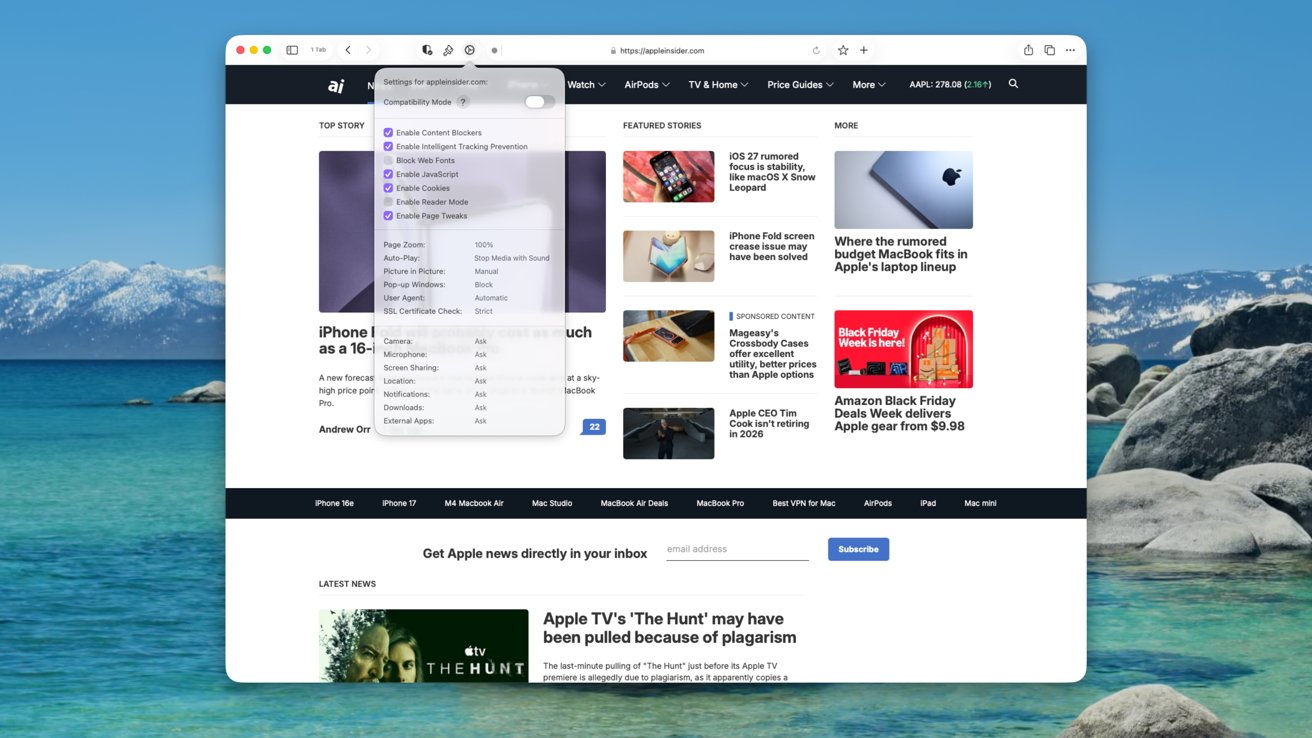
Orion's main interface, and per-site settings
The top thin strip contains the search and address bar in the middle, which also houses small icons indicating there's an RSS feed, if there's a reader mode, profile management, and refreshing the page.
There's also an option for Focus Mode, which pulls the entire top bar out of view, leaving you with the webpage alone. It's a neat extra, with the top bar returning when you mouse over it, but it creates a browser window that's completely free of UI elements, aside from the site you're looking at.
There's minimalism, and then there's this.
To the left is a tab management section, which can open into a sidebar so you can manage the tab groups easily. A shield shows blocked requests, while font and site settings buttons let you further refine the experience.
On the right of the address bar are buttons for bookmarking and opening new tabs. The far right has sharing, a Tab Overview button, and more options, including a summarization feature.
Just below the top bar is the row of tabs, which work fairly typically for a browser.
Digging deeper into privacy
When you load up for the first time, you do get a welcome screen that allows you to set up some basic functions, such as your default search engine, how you want tabs to function, and to import data from Google Chrome.
Interestingly, it also gives you the option to sync your tabs, bookmarks, and reading list. However, this can all be handled without needing to set up a profile or an account, since it can be done entirely through iCloud syncing.
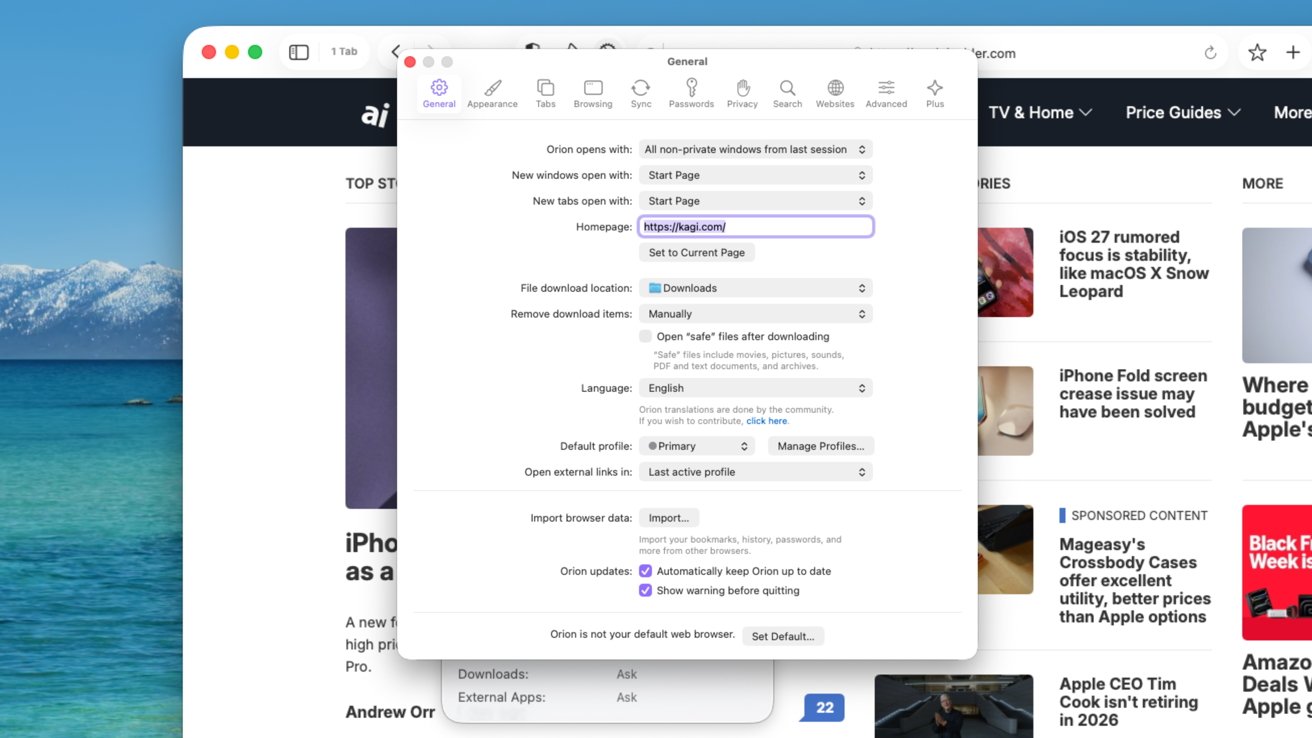
Settings within Orion are extensive and privacy-centric
This plays into Orion's promotion as having "Privacy by Design." It's got a "fully zero-telemetry design," in that it's not reporting anything secretly back to Kagi at all.
That lack of profile also means it relies on macOS services for things like password management, again using iCloud. There's also no Kagi-owned web extensions store, as it supports some made for Chrome and Firefox.
Of course, you do get to use a bunch of Kagi services, like its own private search functions. But there seems to be very limited need to actually sign up for anything through basic usage.
There is the option to sign up for Orion+, as a way to support the browser's development. At $5 per month or $50 per year, or as $150 for a lifetime license, it's an expense that some can easily afford, and could be worth it to ensure a more private existence.
You do get some perks, such as special app icons, preview and beta access, and more say in the Orion roadmap, but certainly not a mass paywall of features.
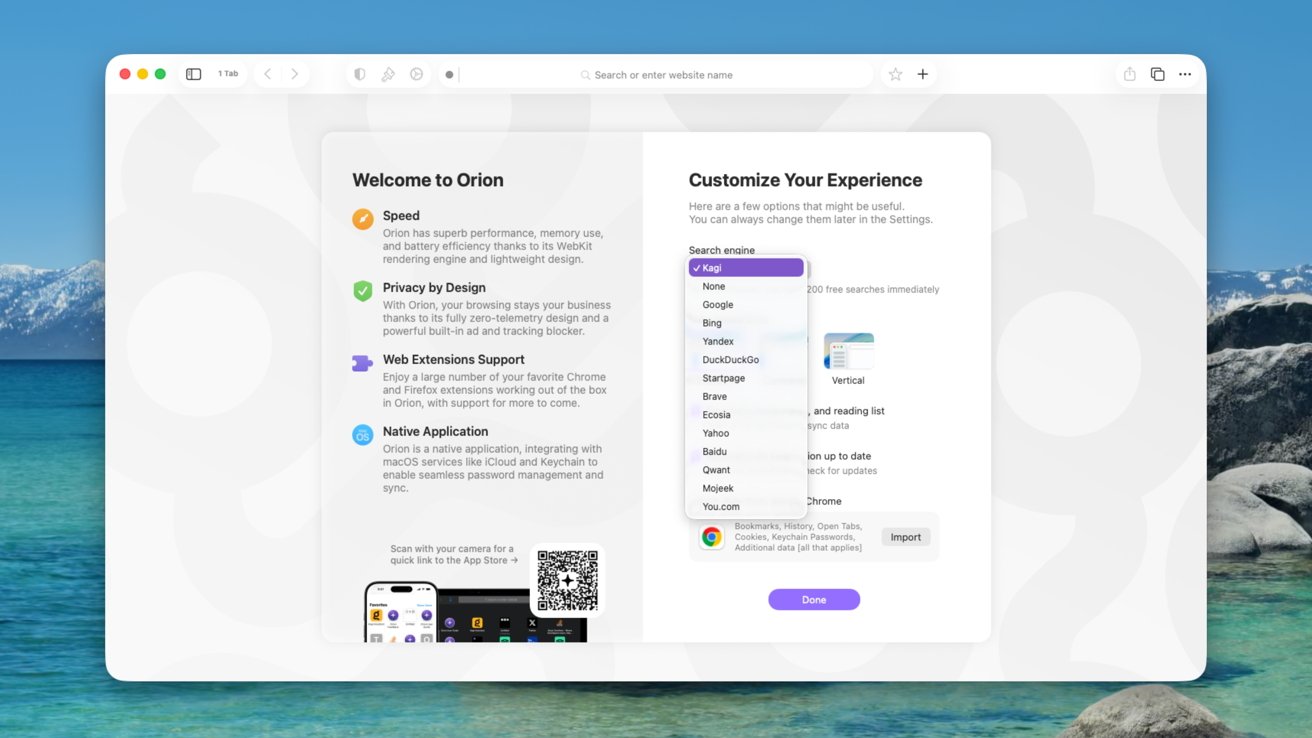
The Orion welcome screen
Going into the settings, there are many options relating to appearance and privacy. Orion includes "custom user agent" that the user can say they're browsing using a different one than they really are.
There's also a built-in ad and tracking blocker, which certainly helps with privacy. However, given the ad-supported nature of a lot of the Internet, that could be something web publishers will object at.
A snappy browser
Orion is also marketed as having "superb performance, memory use, and battery efficiency." This is put down to its use of WebKit, Apple's open-source rendering engine instead of Google's Chromium.
However, Kagi also claims to have coded the browser to be as lean as possible, without any bloat caused through tracking.
To try and demonstrate this, we used Browserbench.org's Speedometer 3.1 using Orion, Chrome, Firefox, and Safari. All were used under the same conditions, on an M1 Mac mini with various applications occupying memory.
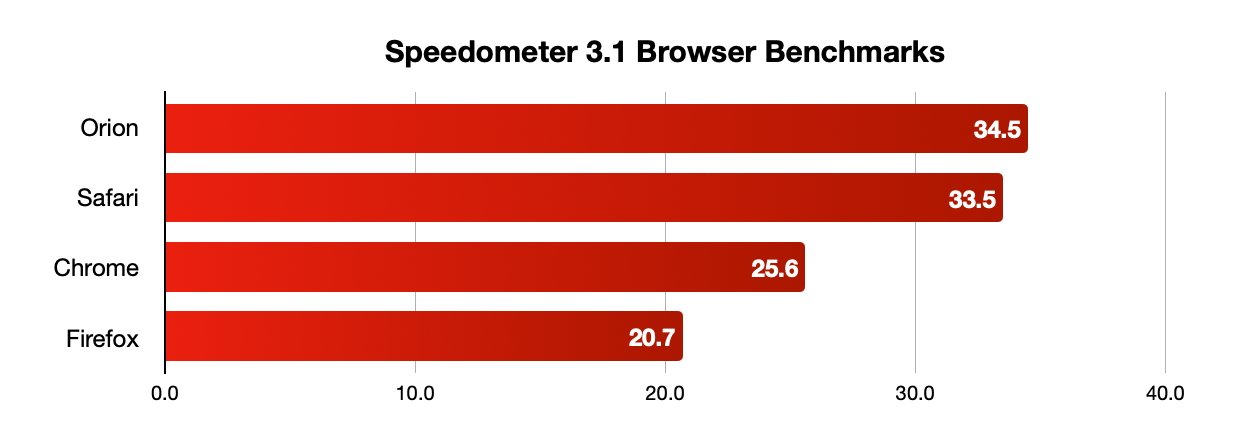
Browser speed test results
Of the four, Orion scored the highest with 34.5 as an average. This is fast, and even a bit faster than Safari's 33.5 score.
The heavyweight Chrome was some way behind at 25.6, and Firefox brought up the rear with 20.7.
While subjective, the usage experience of Orion does line up with the result, at least when compared to Chrome as this writer's daily driver, for better or worse. Orion feels fast and lightweight to use, which is great, but that only applies to the just-installed app.
After a few months of usage, that can always change, especially when Kagi starts to tweak and adjust the browser following use by more web surfers.
The promise of a faster browser that's extremely privacy-centric is always a good one, but difficult to deliver. Kagi's certainly managed to do it here.
The real challenge is if it can convince users to move away from Chrome and Safari to its snapper experience. That's the tougher nut to crack, and one that may be almost impossible for those who are loyal to the just-as-quick Safari.
Orion is certainly a good candidate for people who use multiple browsers. If you need an alternative to Safari that's pretty close to the real thing, Orion seems like it should fit the bill for those willing to try something new.







