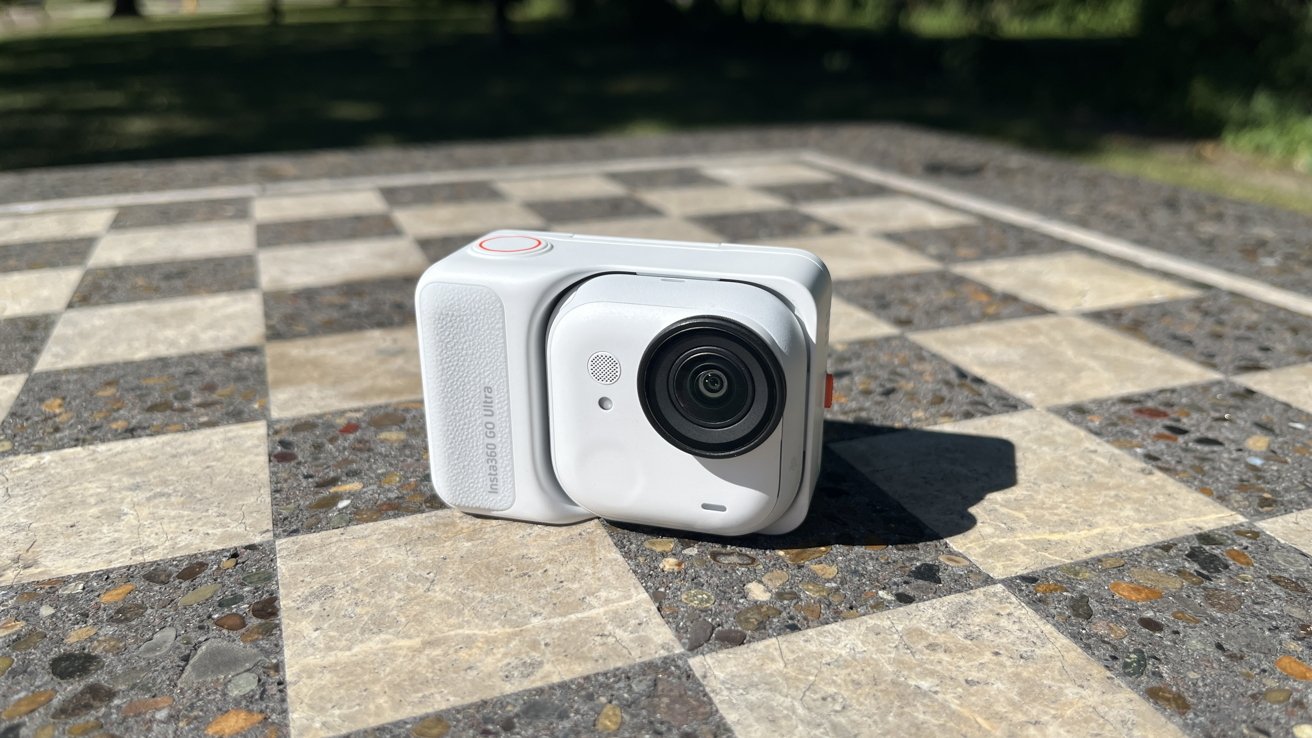
A truly tiny action cam is proving that big features don't require a big body.
I've never had any interest in action cams. I was never particularly impressed by GoPro or its kin.
It wasn't until I got a sneak preview of the Insta360 Go Ultra that I became suddenly intrigued. It was a truly tiny camera — about the size of a smartwatch — designed to go anywhere.
So, when Insta 360 asked if I wanted to check one out for review, I was actually moderately excited. And what I found after a few weeks of testing is that Insta 360 managed to pack a lot of big features into a tiny camera.
Insta 360 Go Ultra camera review: Light camera, action cam
I will be completely honest here: I've never owned an action cam. The Go Ultra is my first introduction to the genre.
I gotta say, it's a pretty good introduction.
When I unboxed it, I was genuinely surprised by how tiny it was. I know action cams are small — I've seen GoPros before.
But I wasn't expecting something this small.
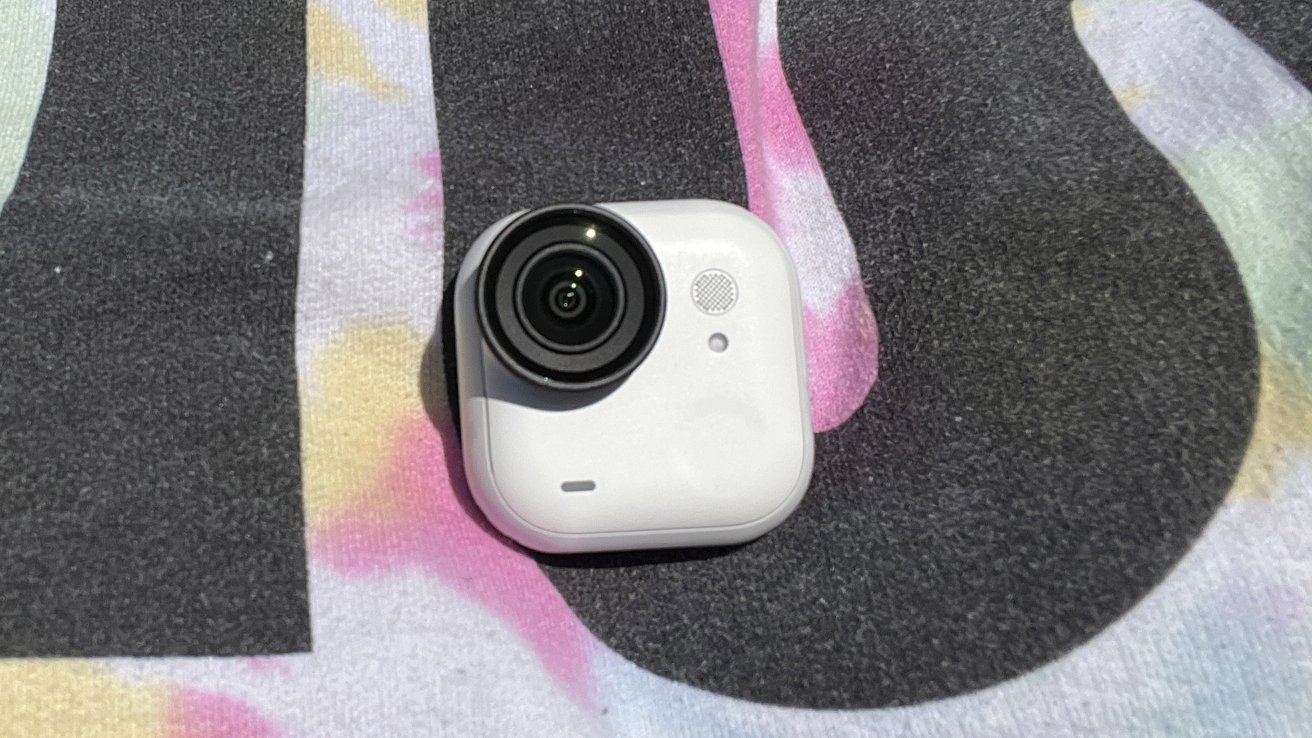
When Insta360 said it was "smartwatch sized" they weren't lying. It's reminiscent of the Apple Watch, sans band, though much chunkier.
The standalone camera weighs a whole 53 grams and stands tall at 1.8 x 1.8 x 0.9 inches — with the lens guard installed. And let's be real, if you're forking over this kind of money, you're going to keep the lens guard on at all times.
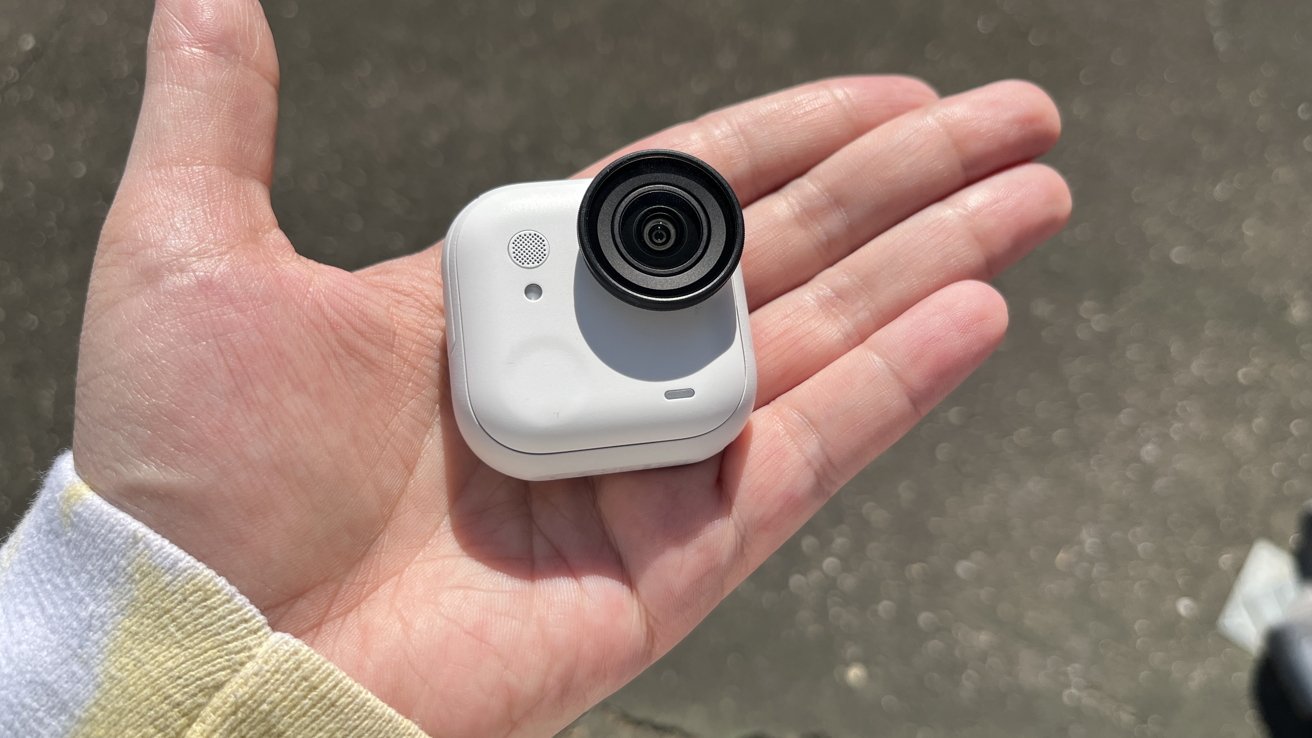
Insta360 Go Ultra Review: A truly tiny camera
Clipping it into the Action Pod increases both weight and size, but not egregiously so. It jumps up to 160g and swells to a 2.8 x 1.9 x 1.3 inch footprint.
I have small hands, and I can easily engulf the standalone with a single hand. Using the camera in the action pod, even with the touch screen flipped up, is still only a single-handed operation.
It's that tiny size that makes this camera especially useful.
Small cameras can do things big cameras can't. This specific camera can be clipped onto a shirt or hat, mounted magnetically to a metal door — things you're not going to be able to do with a larger digital video recorder.
And, its tiny size means it's no trouble to pitch it in a bag or pocket before you head out for the day. I'm pretty sure the best camera is the one you consistently bring along with you.
A Caveat, of sorts
I would like to take a moment to metaphorically "pour one out" for the previous Insta360 Go models. The Go Ultra really is a departure from that form.
I never used any of the pill-shaped predecessors, but I know that they were extremely well-loved. Not only were they minuscule — even tinier than the Go Ultra — they were also much cheaper.
As someone who has been pretty publicly against the upsizing of tech when it's not needed, I get it. While it's not massively bigger, the Go Ultra might feel weird in your already established workflow.
Fortunately, I do think that there's enough good in the hardware and software to argue that this is a solid upgrade. But it's important to highlight that this is a departure from form.
Insta 360 Go Ultra camera review: Solid video performance in a tiny package
The Ultra boasts a 1/1.28 sensor and a 5nm AI chip. This results in a pretty solid video experience all-around.
My first test was taking it out on a bike ride with me. I figured that would be a good proving ground for it.
To do this, I wore the magnetic pendant under my shirt. Then, I attached the standalone Go Ultra to it.
I initially thought I'd be pretty worried about it falling off, but it felt extremely secure. I yanked it around a bit, and once I was satisfied that it wouldn't fall off, I hopped on my bike and started to film.

I do a lot of city riding, so the rides — for the most part — are pretty decent, but far from perfect. I live in the Great Lakes region, so roads are frequently bumpy, either with potholes or hurried repairs.
When I checked the footage once I got home, I was pleased with how stable it was. Sure, I wasn't riding the roughest of trails, but I wasn't being exactly gentle on the ride, either.
I think this would be an incredible camera to take kayaking, hiking, or even mountain biking. I also feel like this could be used in some really creative ways — I'm interested in seeing what the Insta360 community comes up with.
Take the good, take the bad
Now, if you're just going to use this camera as an action cam, I think you'll be more than happy with the footage. It's stable, and it takes very crisp shots.
But there is one case where I don't think this is the best camera. And, unfortunately, that's vlogging.
Or, specifically, that sort of intimate, close-up vlogging. You know the kind, where a camera is about a foot from someone's face.
The Go Ultra really struggles with anything under 18 inches, I've noticed. For 95% of the filming and picture taking I do, this isn't a problem.
But that last 5% is still notable. So much so that I'd argue this isn't the camera for you if you're used to being right up on the lens.
I think that this could ultimately be solved if Insta 360 were to release a different lens. It'd have to be something targeted for up-close shooting, ideally with the ability to change focus from a few inches to a few feet.
Insta 360 Go Ultra camera review: Battery life, storage, and water resistance
Battery life on the Go Ultra depends on whether you're using the standalone camera or using it in conjunction with the Action Pod. If you shoot in 1080p at 24fps while using the Action Pod, you'll get 200 minutes.
Shooting in 4K30fps drops that down to 170 minutes, but that's to be expected.
The standalone camera gets about 70 minutes on a full charge when filming in 1080p at 24fps. If you bump that up to 4K30fps, you'll get 60 minutes — a relatively minor tradeoff.
The GoPro Hero13 gets about 108 minutes when filming in 4k at 30fps, and 163 minutes at 180p at 30fps. However, it doesn't have a "standalone camera" — it's a single, solid unit.
Storage space is up to you. This time around, there's no built-in storage.
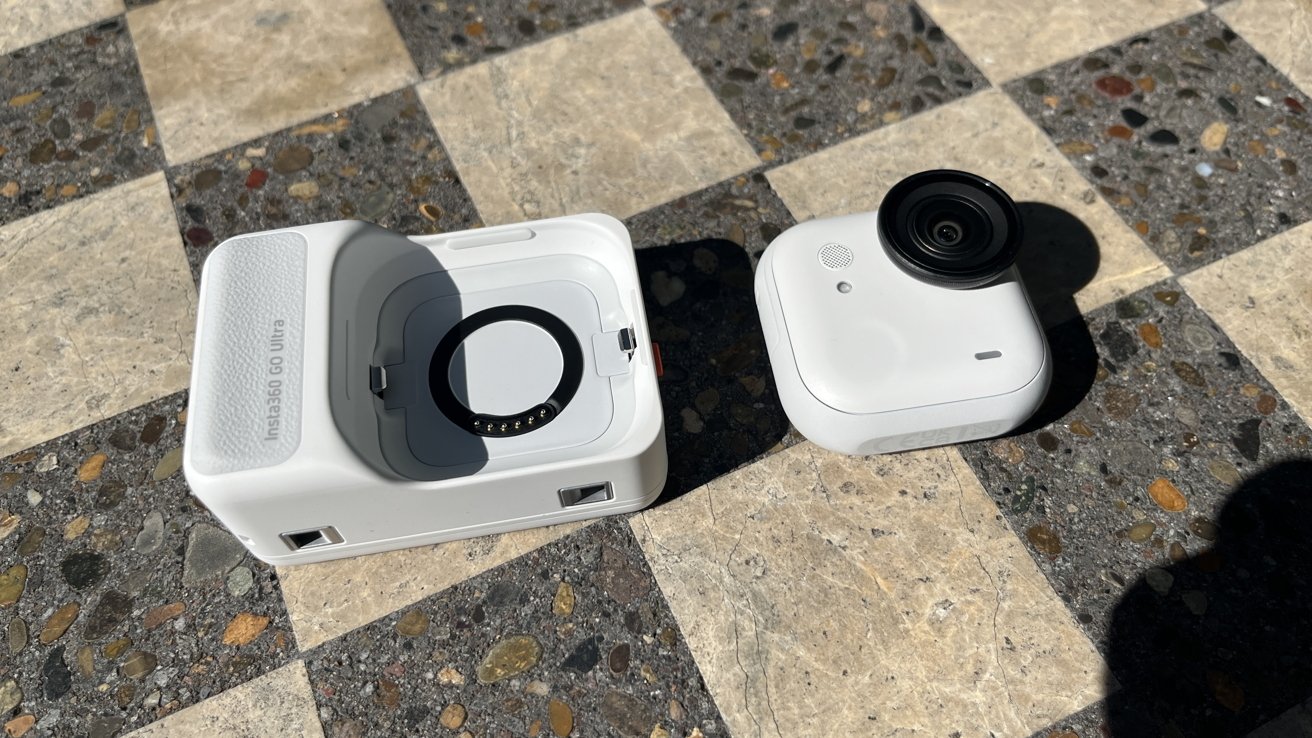
Insta360 Go Ultra Review: You can use the camera with or without the Action Pod
That means you'll need to provide the microSD card. But it also means you can easily swap out the card and continue filming without needing to worry about uploading footage.
The Go Ultra supports microSD cards up to 2TB — not too shabby, really.
The cherry on top here, though, is the water resistance. If you're using the standalone camera, it's actually IPX8 — which means it's waterproof up to 33 feet.
The Action Pod isn't waterproof, but it is actually safe for wet conditions. According to Insta 360, it's IPX4 — which makes it splash proof.
This is great, because that means that while it can't be submerged, you can still take it out in the rain and snow. Insta 360 says it's even safe to switch out the standalone in wet conditions — a nice addition indeed.
Or, if you're hell-bent on taking the Action Pod with you into the briny deep, there's a dive case for it. Not only does that keep the case safe, it raises the overall safe submerge depth to an impressive 197 feet.
The Insta 360 App
Alright, I'm gonna level with everyone. I don't love the Insta360 App.
I don't think it's inherently bad, but I also feel like I want more out of it. Or maybe I want less out of it.
It's in an awkward in-between area, where it's too feature-packed to use quickly, but doesn't have enough features to make it particularly useful.
It's also packed with advertising and "tips" which, as far as I can tell, are often just ads with a little extra effort put into them.
Editing on an app has never been my favorite thing to do. Unfortunately, the entirety of the Insta 360 App really seems to try to persuade you into using it to edit your photos and videos.
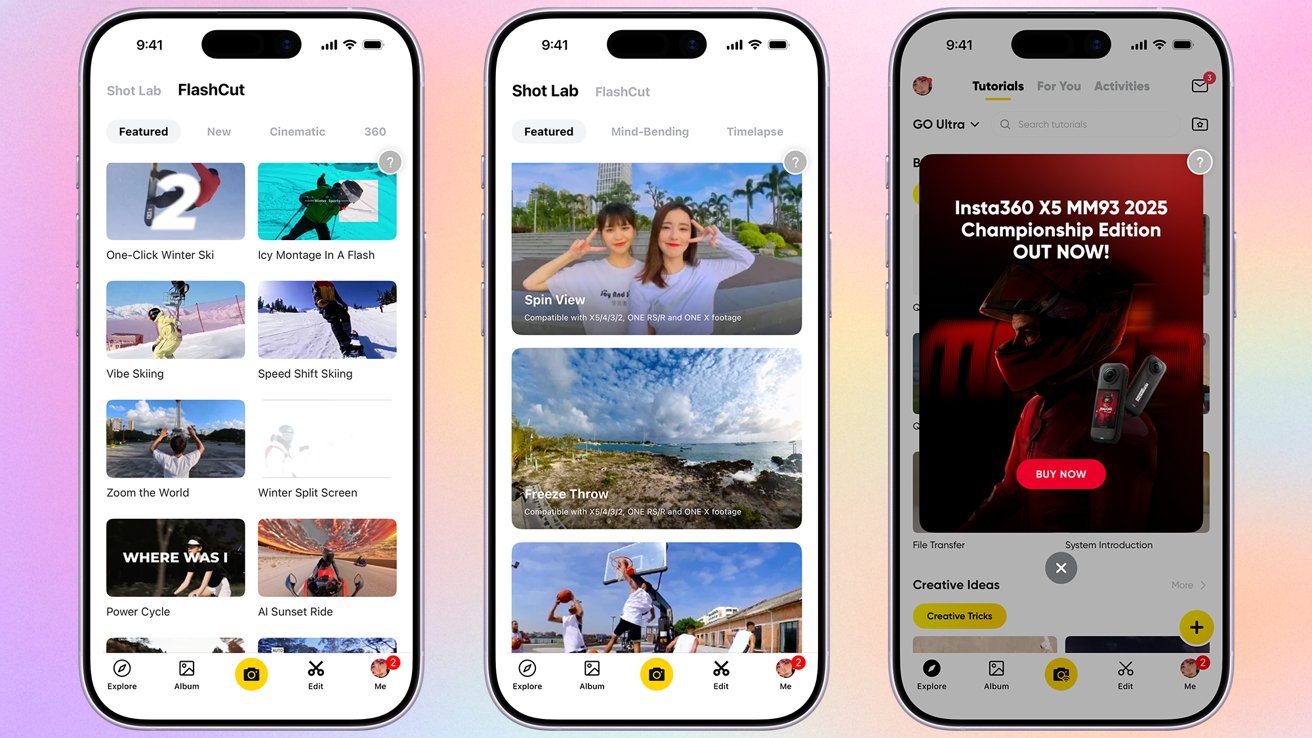
Insta360 Go Ultra Review: The app is there if you want it, but I'd probably just bypass it completely
The music has a decidedly "free" feel to it, which is to be expected as it is royalty-free stock music. The templates are very similar to something you'd find in CapCut — so take that as you will.
There's also the issue of AI. Unsurprisingly, like every other app out there, the Insta360 App is positively packed with "helpful" AI.
The effects are, well, predictable. I don't think they're awful by any means, but it has an AI feel to it, which can be a huge turn-off for a lot of viewers.
It also necessitates that you upload your footage to their servers. If you're big into privacy, I'd avoid it.
But, that being said, you can avoid the AI stuff pretty easily. I appreciate that Insta 360 clearly delineates between normal templates and AI-based editing.

All this to say, makes using the app to download your photos to your phone a bit arduous. In theory it should be a one or two tap process, but thanks to all the bells and whistles, you never know how many pop ups you'll need to click or what tab its going to take you to first.
Of course, if you have a microSD reader, you can just bypass this very minor annoyance altogether.
You absolutely can edit video in it, though, if you're so inclined, and it works. If you've ever edited video in TikTok or on CapCut, it's the exact same deal.
And yet, I'm willing to bet that if you're doing any professional shooting — or even more polished hobbyist shooting — you're probably going to want to export to Final Cut or Premiere.
The use case that I assume would support it best would be someone creating a lot of content for either Instagram Reels or TikTok. It is capable of making very punchy short-form videos and montages.
Insta 360 Go Ultra camera review: Not a digital camera — or is it?
I'm sure everyone is going to balk at me for saying this, but I kind of love using the Go Ultra as a substitute for a digital camera.
Serious photographers won't get much out of it, I'm sure. But there's something really nice about tucking a waterproof, mount-anywhere camera into your pocket.
As far as a point-and-shoot goes, this is actually really solid. Is it better than your iPhone? Eh.

Insta360 Go Ultra Review: A perfectly serviceable digital camera, note that none of the shots have been edited
I suppose that largely depends on which iPhone you have. If you were to ask me if I thought it was an upgrade from my iPhone 13, I'd say "probably more like a sidegrade."
That being said, it takes solid pictures. And its portability — and its ability to be mounted anywhere — are top-notch.
Insta 360 Go Ultra camera review: Accessories for days
I appreciate that there are a ton of accessories available for the Insta360 Go Ultra. This includes, but is not limited to:
- The Magnetic Pendant, which allows you to attach your Ultra to your shirt for easy hands-free filming.
- The Magnetic Clip, great for attaching the Ultra to the brim of a hat.
- The Pivot Mount, which is a reusable sticky mount that allows you to stick your camera to nearly any surface.
- The Mini 2-in-1 Tripod, a selfie stick that doubles as a 22-inch tripod
- The Flexi Strap Mount, perfect for mounting to handle bars
- The Go Ultra Dive case, designed to increase waterproof protection to 197 feet, or 60 meters, and allows you to take the action pod
And so many more. I'm genuinely impressed at the amount of device-specific accessories Insta 360 has come up with.
I got to test out the Mini 2-in-1 Tripod, the Magnetic Pendant, the Magnetic Clip, and the Pivot Mount. I really, really like the Magnetic Pendant, as it gives you an easy, hands-free way to film a location while walking, biking, hiking, or even swimming.
Insta360 Go Ultra Review: The Go Ultra can be secured to the front of your shirt via the magnetic pendant
Truthfully, all the accessories I tried are both thoughtfully designed and well-made. I could easily see myself using all of these regularly, save for one.
I like the idea of the Mini 2-in-1 Tripod more in theory than in practice. I personally don't spend much time in front of the camera, so I don't need a selfie stick — vloggers, however, may want to pick this one up.
But still, I think that it's a bit of a flimsy attempt at a tripod. If you've already got a tripod in your workflow, I couldn't see forking the money over for this one, no matter how small it folds up.
Insta 360 Go Ultra camera review: You pay for what you get
Let's take a second to acknowledge the elephant in the room. This camera is not particularly cheap.
Compared to others in its class, it's notably more expensive. It is especially costly for its size.
When compared to a direct competitor, like the GoPro Hero13, it's a full $100 more expensive. That's significant, especially in an era where you're feeling the price creep everywhere else.
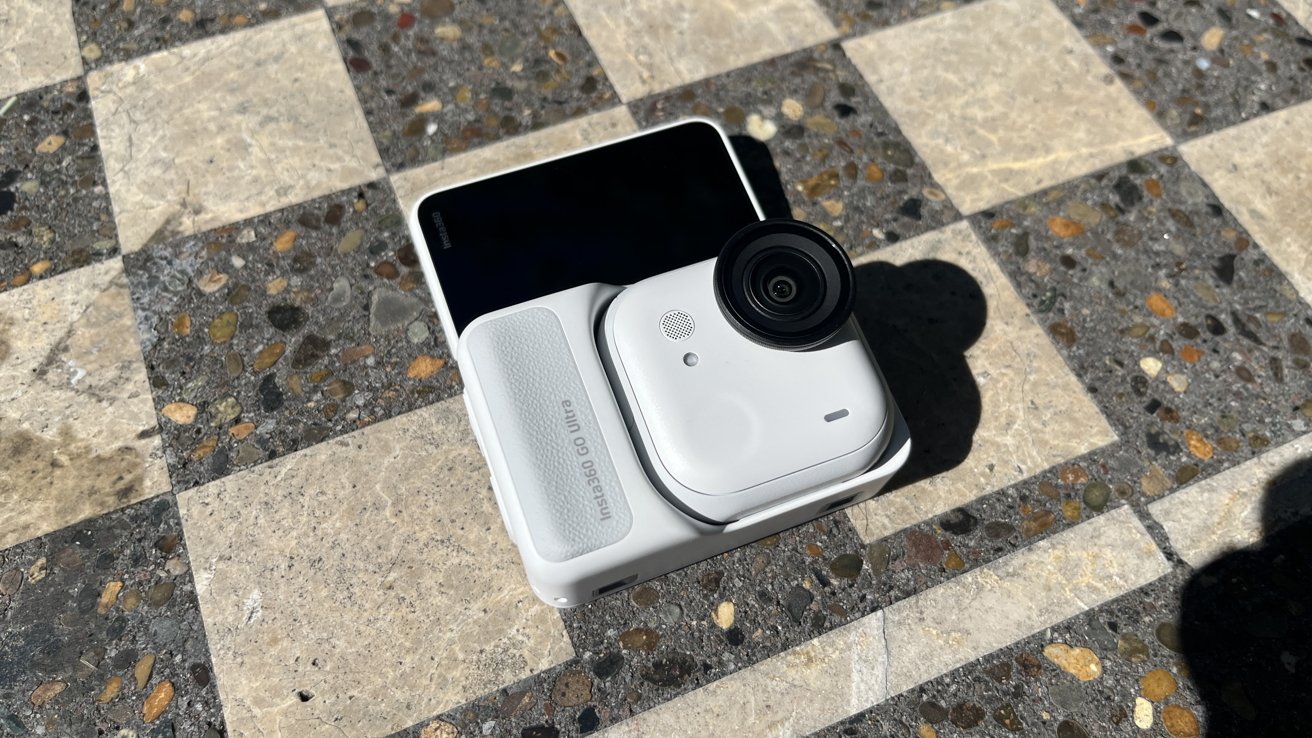
Insta360 Go Ultra Review: The Action Pod with the viewfinder screen flipped into "selfie mode"
However, I don't think that rules out the Go Ultra, either. As always, it comes down to use case and personal preference.
I think that if you're looking for a solid action cam, this is a good grab. I also think it's a solid grab if you want something you know you can collect the accessories for.
Again, your mileage may vary. I suggest that you compare specs across a few of the larger brands and see what you want.
That being said, I think it's a really good product. I would be happy to use this in any scenario where I'd need to use an action cam.
Insta 360 Go Ultra camera pros
- Great stabilization
- Large sensor improves low-light performance
- Tons of accessories
- Two ways to film: Action Pod or standalone
- Crisp, clear shots
Insta 360 Go Ultra camera cons
- Expensive
- Poor focus on subjects under 18" away
- Larger than previous models
Rating: 4 out of 5
Where to buy
You can pick up the Insta 360 Go Ultra camera from Amazon for $449.99.