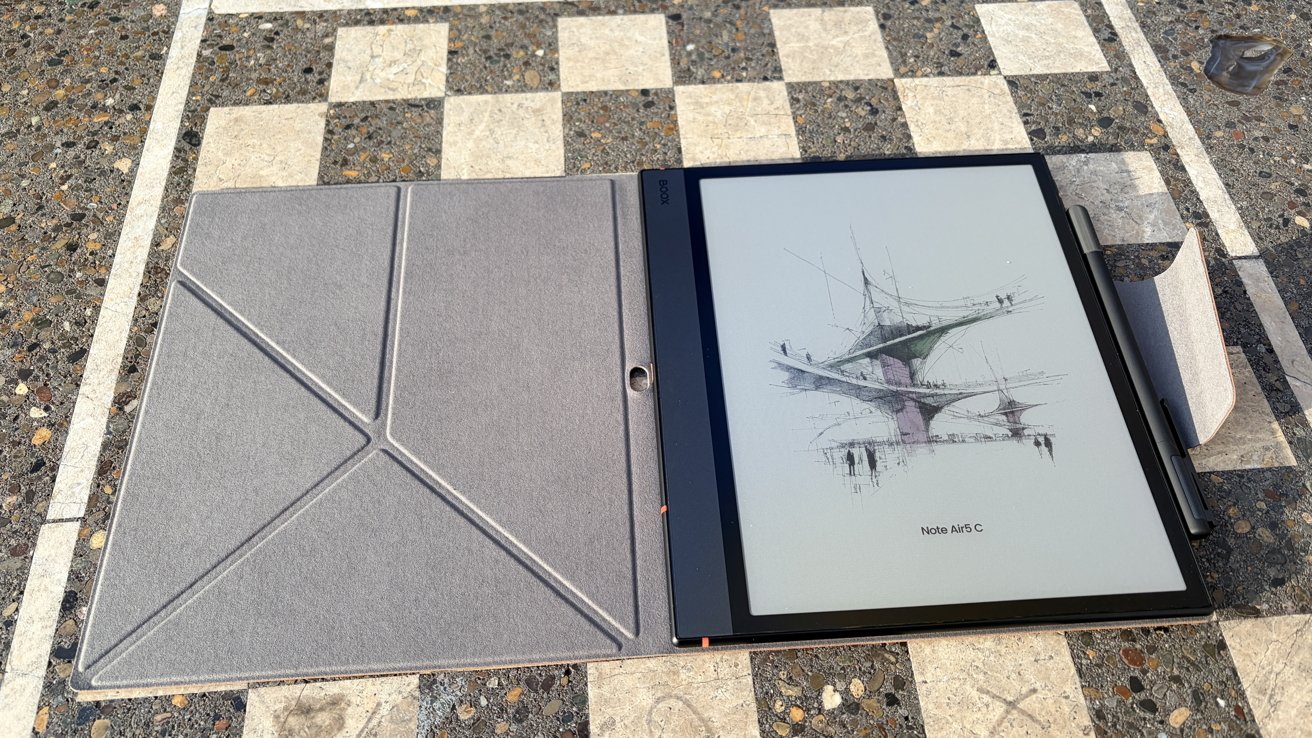
The Boox Note Air 5 C e-ink tablet and ebook reader doesn't try to fix what isn't broken, but its internal upgrades help an already solid tablet become just a bit stronger.
In October, Boox rolled out an update to its Boox Note Air line. That means we're now on the fifth iteration, and I was curious to see what it had changed.
When I initially reviewed the Note Air 3, I was torn. I liked what the device did, but I found it in an awkward spot — too big to be portable, but not powerful enough to replace an iPad.
So when Boox asked if I wanted to check out the new Boox Note Air 5 C, I accepted. I wanted to see if any improvements had made it a bit easier to recommend.
Boox Note Air5 C review: Design
If you've read our previous reviews of the Note Air lineup, there are no real changes to the overall design. That being said, it is a device that looks good.
It's a thin tablet with a very sleek design. Despite its thinness, it still feels heavy for its size, which makes me feel comfortable tossing it in a bag and taking it on the go.
Three of the edges have minimal bezels, with one size featuring a larger "chin." This is a convenient place to rest your thumb while holding the Note Air5 C when reading.
I will be honest, though — its heaviness does mean that it is a two-hander when reading. It still falls into an awkward spot as far as size is concerned when it comes to reading.
It's not so noticeable if you're reading at a desk, or even in bed with your knees bent. If you're sitting on a bus or in a chair, it does start to feel a little heavy.
However, there are people out there who happily read full books on their 13-inch iPad Pros, a device that outweighs this by more than 130 grams. Your mileage may vary.

Boox Note Air 5 C review: Color e-ink still has a certain novelty to it
The Note Air5 C features a 10.3-inch Kaleido 3 Carta 1200 glass ePaper screen, which is designed to offer a paper-like appearance. This version supports 4,096 colors, rather than a simple grayscale screen.
Black-and-white content is sharp and crisp, coming in at about 300ppi. Color content notably drops to 150ppi.
There's a front light that features multiple color temperature options. During the day, in an office, you might prefer a bright, cool light; If you're reading in bed, you'll probably prefer a warmer, less-bright light.
And, as you probably know by now, these are great devices to read on. In fact, they're so great that they've kind of ruined me for reading anything longer than a news article.
Boox Note Air5 C review: Under the hood
The Note Air5 C has a 2.4 GHz Octa-core CPU with 6GB RAM and 64GB storage. As this is an e-ink tablet, I feel like 64GB of built-in storage isn't horrible.
For book storage and light internet use, it's not a bad starting point. If you need a bit more storage, there is a microSD card slot, which is nice.
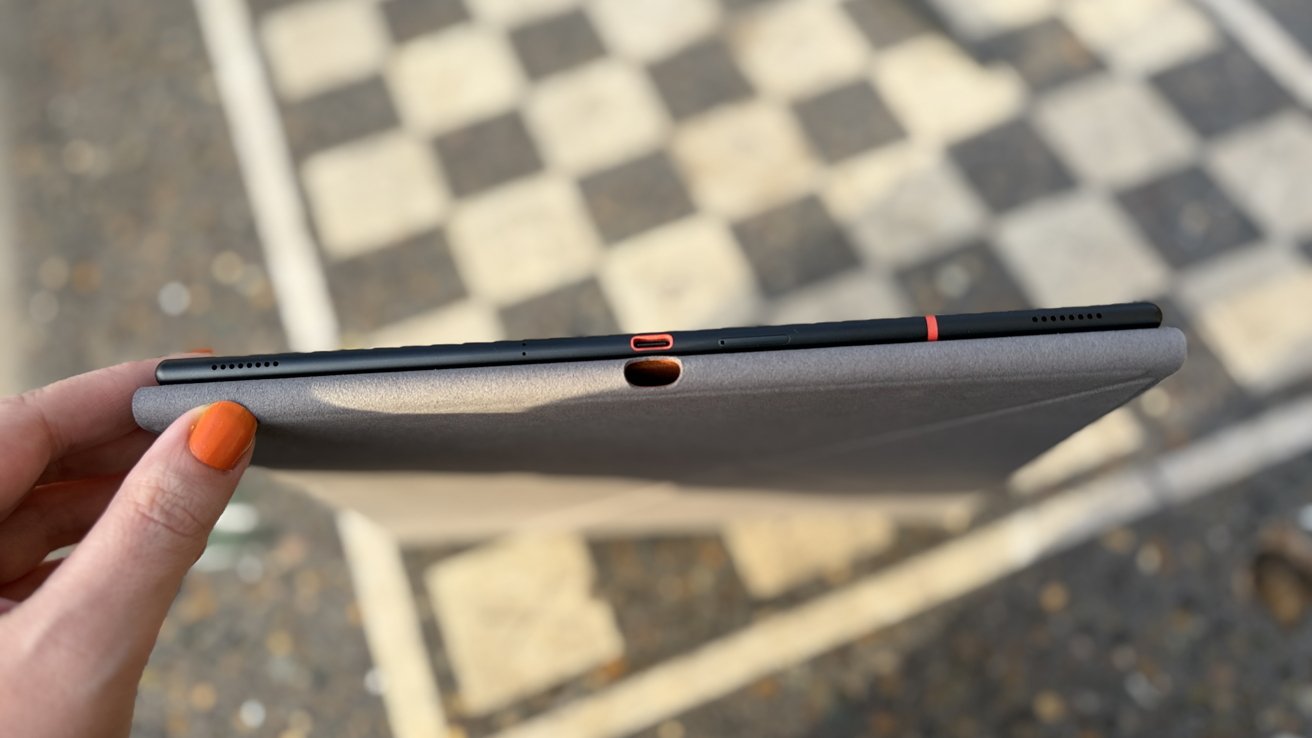
Boox Note Air 5 C review: USB-C can be used for charging, audio exporting, or transferring data
This is another of Boox's new lineup that has finally moved forward to Android 15. After years of Android 13 devices, I'm happy to see the spec jump.
This was my main concern with previous models that were still sporting Android 12 and Android 13 as recently as 2024. If nothing else, it should be supported for years to come.
As far as performance goes, it's solid for an e-ink tablet. It's never going to be as fast as an iPad, and there certainly is a tiny yet noticeable amount of lag when you switch apps or quickly flip pages.
But it's not bad. It's an e-ink device, and there are limitations to that.
Battery life is about what you'd expect. If you're just reading and doing light productivity work, you'll get days out of the device, easily.
If you're taking a ton of handwritten notes on it or using apps heavily, that'll impact the battery life. It still will run circles around your other non-e-ink devices as far as time between charges goes.
As always, Boox has included a microphone and speakers in the device. While the microphone seems to be better — though that may be due to a jump in software — I still wouldn't use it for voice calls or as a sound recorder.
The speakers aren't great. Fortunately, the Note Air5 C has Bluetooth, so you can bring your own headphones.
Boox Note Air5 C review: Media
As always, there's a lot of support for various types of media on Boox products. This isn't terribly surprising — there are a lot of media formats.
If you have a Boox account, you can use free cloud storage to move your files around for later access. Of course, if you'd rather go local, the SD card slot is pretty handy for that, too.
Supported media formats on the Boox Note Air 3 C
- DJVU
- CBR
- CBZ
- EPUB
- AZW3
- MOBI
- TXT
- DOC
- DOCX
- FB2
- CHM
- RTF
- HTML
- ZIP
- PRC
- PPT
- PPTX
If you import things to your Note Air5 C, you'll have to use NeoReader, Boox's proprietary book-reading software. It does, however, only accept DRM-free content, and Boox doesn't have the most robust library to shop from, either.
But, because it's an Android device, if you've got a Kindle account or any other sort of online collection of books, you should be set.
Boox Note Air5 C review: A 10/10 writing experience
As I'm sure you've already gathered, Boox intends the Note Air5 C to be designed for those who want to write as well as read. To do this, it uses the Boox stylus touch.
The Boox stylus touch supports 4,096 levels of pressure. It also doesn't require any sort of charging, the way that Boox's InkSense stylus does — nice to know you'll never run out of charging in the middle of a note-taking session.
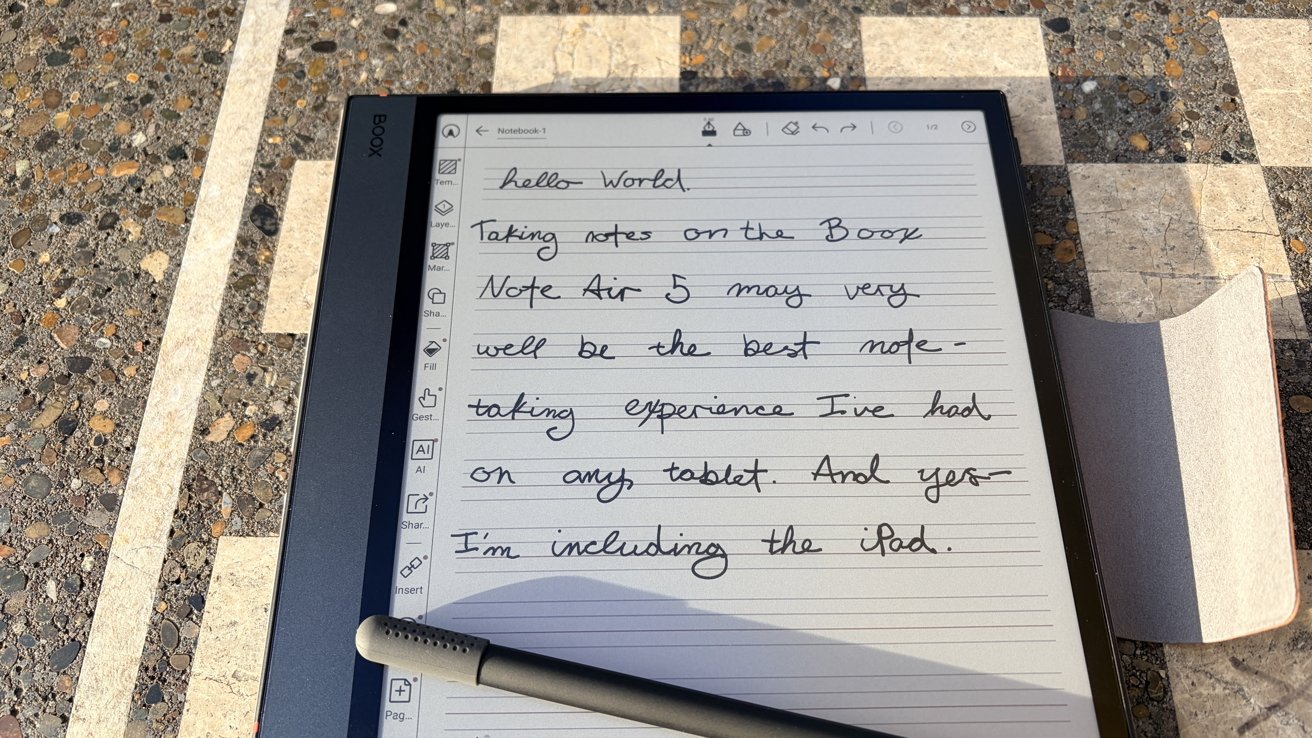
Boox Note Air 5 C review: Writing on this screen is a genuine pleasureBoox Note Air 5 C review: Writing on this screen is a genuine pleasure
So, if it's designed for notetakers, you're probably wondering how well it lives up to the task.
This is, easily, the best writing experience I've ever had. Yes, I am including the iPad. No, I am not joking.
I don't know what Boox has managed to do with the surface of the Note Air5 C. What I do know is that they've made it feel eerily similar to writing on paper.
To test this, I sat down, threw on a podcast, and attempted to take notes while listening. I found that I didn't get much, if any, arm fatigue — writing on my bare-screened iPad usually causes my forearm to ache within 15 minutes.
When going head-to-head with a yellow legal pad and ballpoint pen, the Note Air5 C is notably slower to write on. I'd say it feels more akin to using a felt-tip pen.
This doesn't mean it's not great. In fact, I actually prefer writing with felt-tip pens — such as Microns — for the majority of my writing.
The size also helps. It's not a huge tablet by any means, but it's large enough to mimic the feeling of writing in a notebook.
I really can't criticize the writing experience here. Boox really managed to knock it out of the park.
Boox Note Air5 C review: Who it's for
When I reviewed the Note Air3 in 2024, I said that it was in a weird space in the lineup. I'm not entirely sure if I still feel that way — but I do feel better about this newer version.
Part of it is that it's a bit zippier. It makes it feel like it's more capable than its predecessors when it comes to productivity tasks.
Paired with a good keyboard, I think this would be a fantastic writing companion. I could see someone taking it to a coffee shop or a secluded writing desk in their house and tapping out a first draft of a book on it.
Boox Note Air 5 C review: The crispness of the black and white text makes it hard to go back to reading on an iPad
I also think that this would be a must-have tool for college students who like handwritten notes but want them widely accessible.
When I was in college, I tried for one short semester to type my notes. While it was convenient to have them on my computer — and then later stored in the cloud — I found that a word processor was an awful way to organize things.
Eventually, I switched to the pretty arduous process of handwriting notes, then scanning them in, and then creating PDFs. This would be a great way to streamline that process.
And yet, I don't see it as a main device. It's not going to replace an iPad. You already knew that, though.
I don't think Boox is trying to replace laptops or iPads with their devices. These are e-readers first and foremost, which makes them feel like supplementary tech, not alternatives.
If you've got the money to drop on an e-reader, Boox makes fantastic ones.
Boox Note Air5 C rating: 4 out of 5
Boox Note Air5 C pros:
- Fantastic writing experience
- Jump to Android 15
- Wide variety of formats supported
- Color e-ink screen
- Great size for taking notes
Boox Note Air5 C cons:
- iPad price for sub-iPad performance
- Lower-quality microphone and speakers
- May be a bit large for long-term
Where to buy the Boox Note Air5 C:
You can snag your own Boox Note Air5 C from Amazon, where it will run you $529.99.