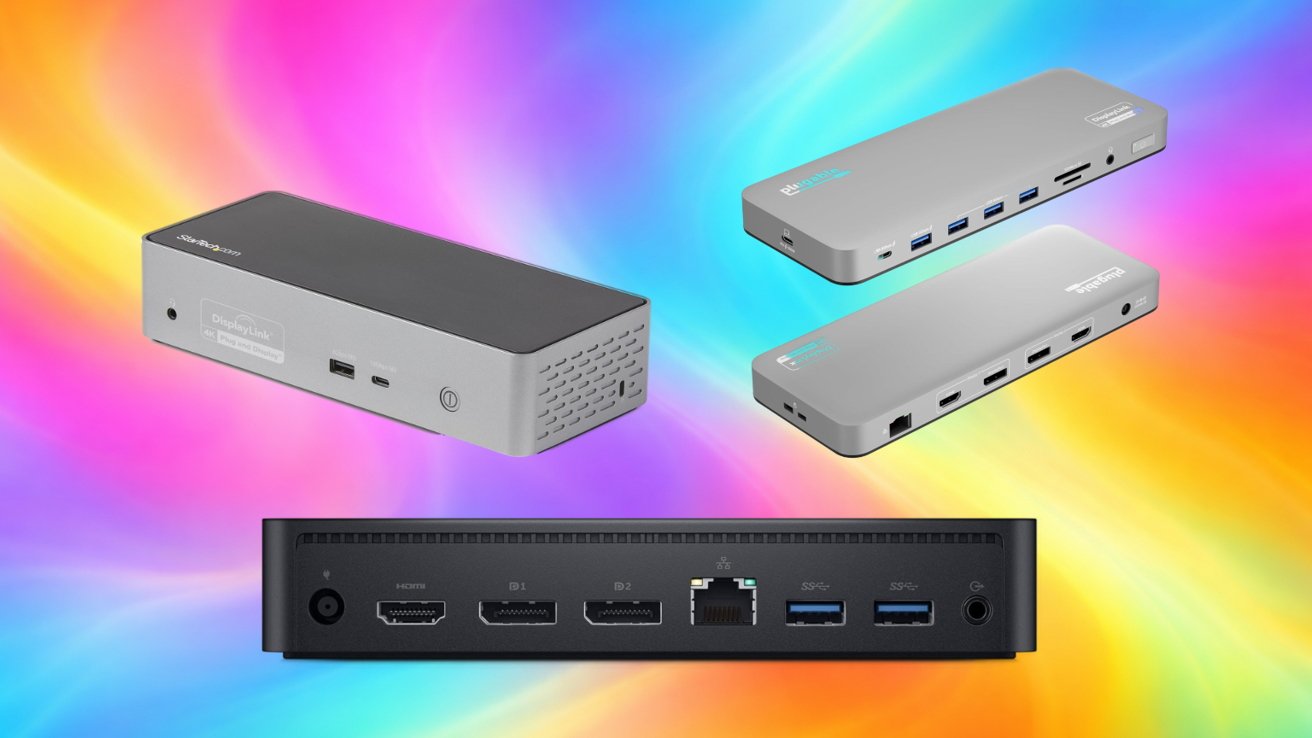
The MacBook Neo supports only one external display, and doesn't have Thunderbolt, but you can still get more ports and more monitors from a dock. Here are some of our favorites.
Users can add more displays using DisplayLink docks. These docks have a macOS driver that sends compressed video over USB-C instead of relying on the laptop's native display pipeline.
Apple introduced MacBook Neo as its most affordable Mac laptop, powered by the A18 Pro chip and equipped with two USB-C ports. It supports one external display at up to 4K resolution at 60Hz alongside the built-in display.
DisplayLink docks act like virtual graphics adapters that expand display support over USB-C. They receive compressed display data from the Mac and reconstruct the signal for HDMI or DisplayPort monitors.
The process allows multiple external displays on Macs that normally support only one. Adding more screens requires a DisplayLink dock.
Plugable UD-6950PDH USB-C DisplayLink dock
Plugable's UD-6950PDH is a DisplayLink dock designed to add multiple monitors to Macs that normally support only one external display. The dock connects over USB-C and relies on DisplayLink drivers to power two external monitors alongside the MacBook Neo's built-in display.
Plugable says the dock supports dual 4K displays at 60Hz through either HDMI or DisplayPort connections, allowing users to mix and match ports without adapters. The dock also delivers up to 100W of charging and adds a range of expansion ports for peripherals and wired networking.
- 2 x HDMI
- 2 x DisplayPort
- 1 x USB-C host connection
- 1 x USB-C port (front, charging/peripheral)
- 4 x USB-A 5Gbps
- 1 x Gigabit Ethernet
- 1 x 3.5mm headset jack
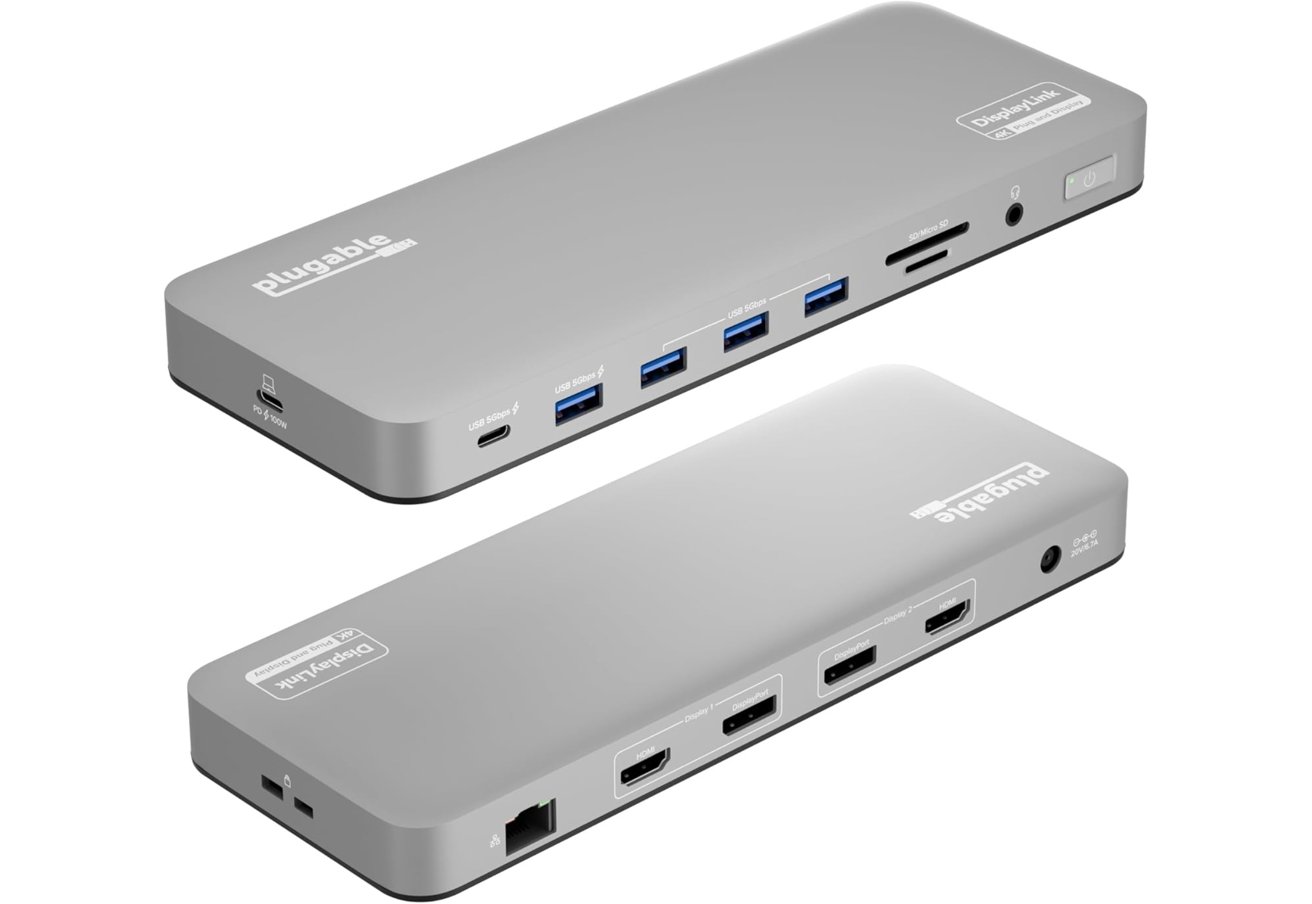
Plugable UD-6950PDH USB-C DisplayLink dock
The Plugable UD-6950PDH typically sells for about $179.95, though pricing can fluctuate depending on availability and promotions.
Dell D6000 Universal Dock
Dell's D6000 Universal Dock is one of the better known DisplayLink docks and works with laptops that connect over USB-C or standard USB-A. The dock uses DisplayLink technology to support multiple monitors even on systems that normally allow only one external display.
Dell says the dock can drive up to three 4K displays, though the third display is limited to 30Hz while the other two can run at 4K and 60Hz. The dock also supports a single 5K display configuration when two DisplayPort outputs are used together.
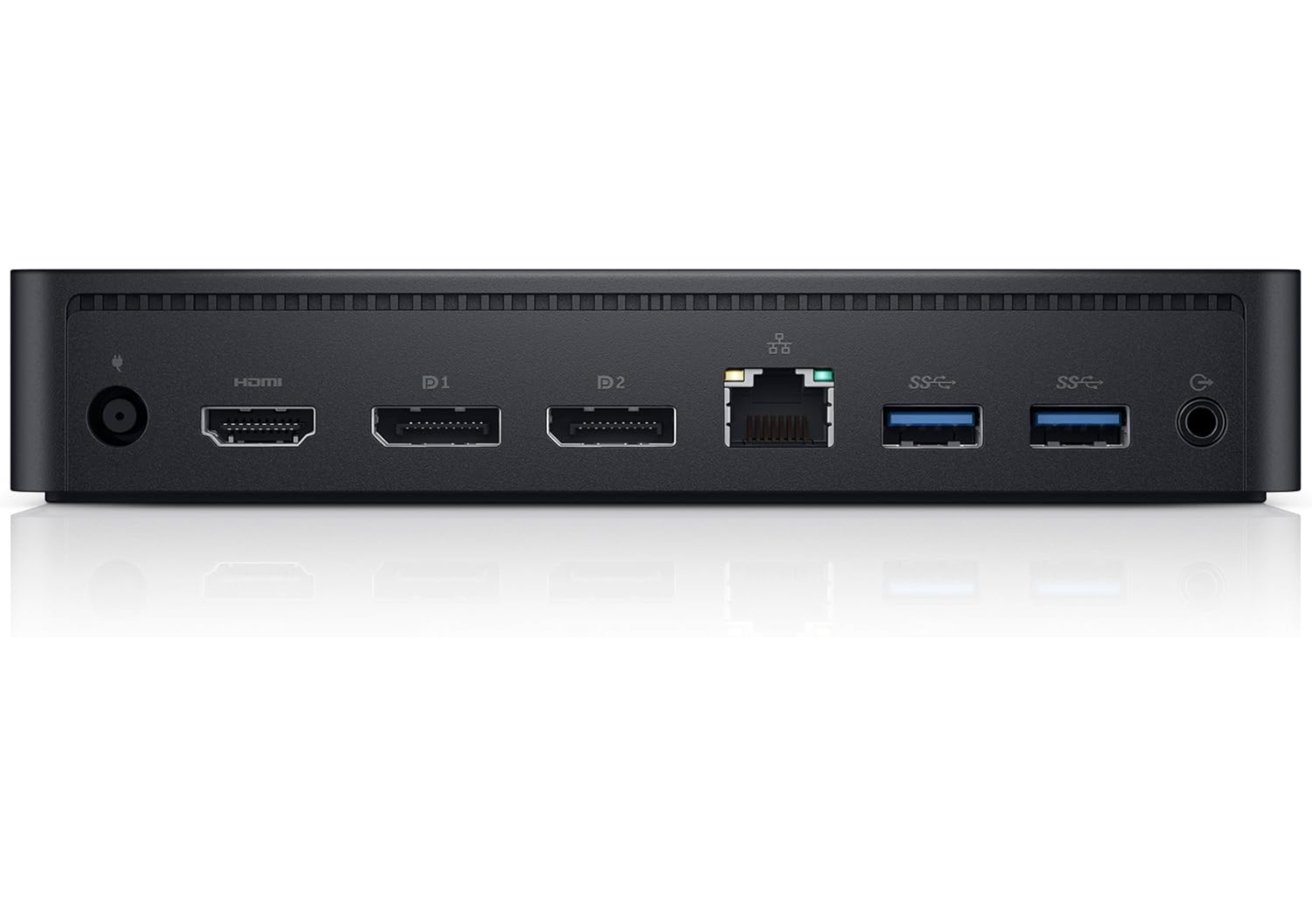
Dell D6000 Universal Dock
Power delivery reaches up to 65W for charging a connected laptop, and the dock adds several USB ports for peripherals.
- 2 x DisplayPort
- 1 x HDMI
- 4 x USB-A 3.0
- 1 x USB-C host cable
- 1 x Gigabit Ethernet
- 1 x 3.5mm audio jack
The Dell D6000 Universal Dock typically sells for about $114.99.
StarTech DK31C4DPPD USB-C quad monitor dock
The StarTech DK31C4DPPD USB-C quad monitor dock targets users who need as many external displays as possible from a single USB-C connection. The dock relies on DisplayLink technology, which allows Macs to run multiple extended monitors even on systems that normally support only one external display.
- 4 x HDMI or DisplayPort video outputs (any combination)
- 1 x USB-C host connection
- 1 x USB-C 10Gbps
- 3 x USB-A 5Gbps
- 1 x Gigabit Ethernet
- 1 x 3.5mm headset jack
The dock supports up to four 4K displays at 60Hz using any combination of HDMI and DisplayPort outputs. DisplayLink drivers on macOS enable the additional screens by sending compressed display data over USB and reconstructing the signal for each monitor.
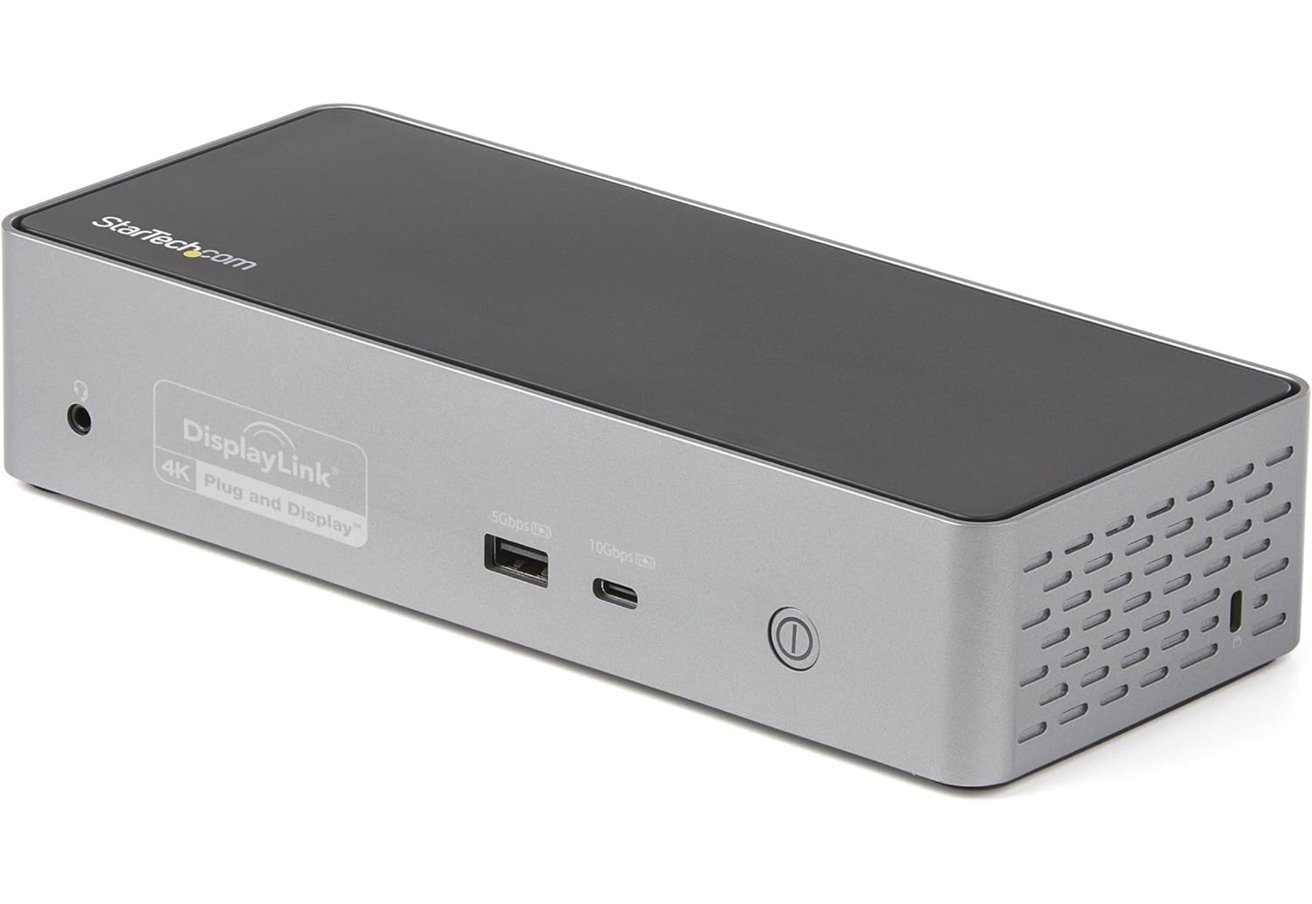
StarTech DK31C4DPPD USB-C quad monitor dock
StarTech also positions the dock as a full desktop hub rather than just a display adapter. The unit includes USB-A and USB-C expansion ports, Gigabit Ethernet, a headset jack, and 100W USB-C power delivery for charging a connected laptop.
You can find the dock for about $236.
Wavlink USB-C dual 4K docking station
Wavlink's USB-C dual 4K docking station uses DisplayLink technology to connect multiple external monitors through a single USB port. Dual 4K displays can run at 60Hz using a mix of HDMI and DisplayPort connections.
Users can also drive a 5K ultrawide display when both DisplayPort outputs are used together. Extra screen space becomes possible without running several separate cables to the computer.
The dock also delivers up to 65W of USB-C power for charging a connected laptop. Six USB 3.0 ports and Gigabit Ethernet turn the dock into a central hub for peripherals, storage, and networking.
- 2 x HDMI
- 2 x DisplayPort
- 6 x USB-A 3.0
- 1 x USB-C host connection
- 1 x Gigabit Ethernet
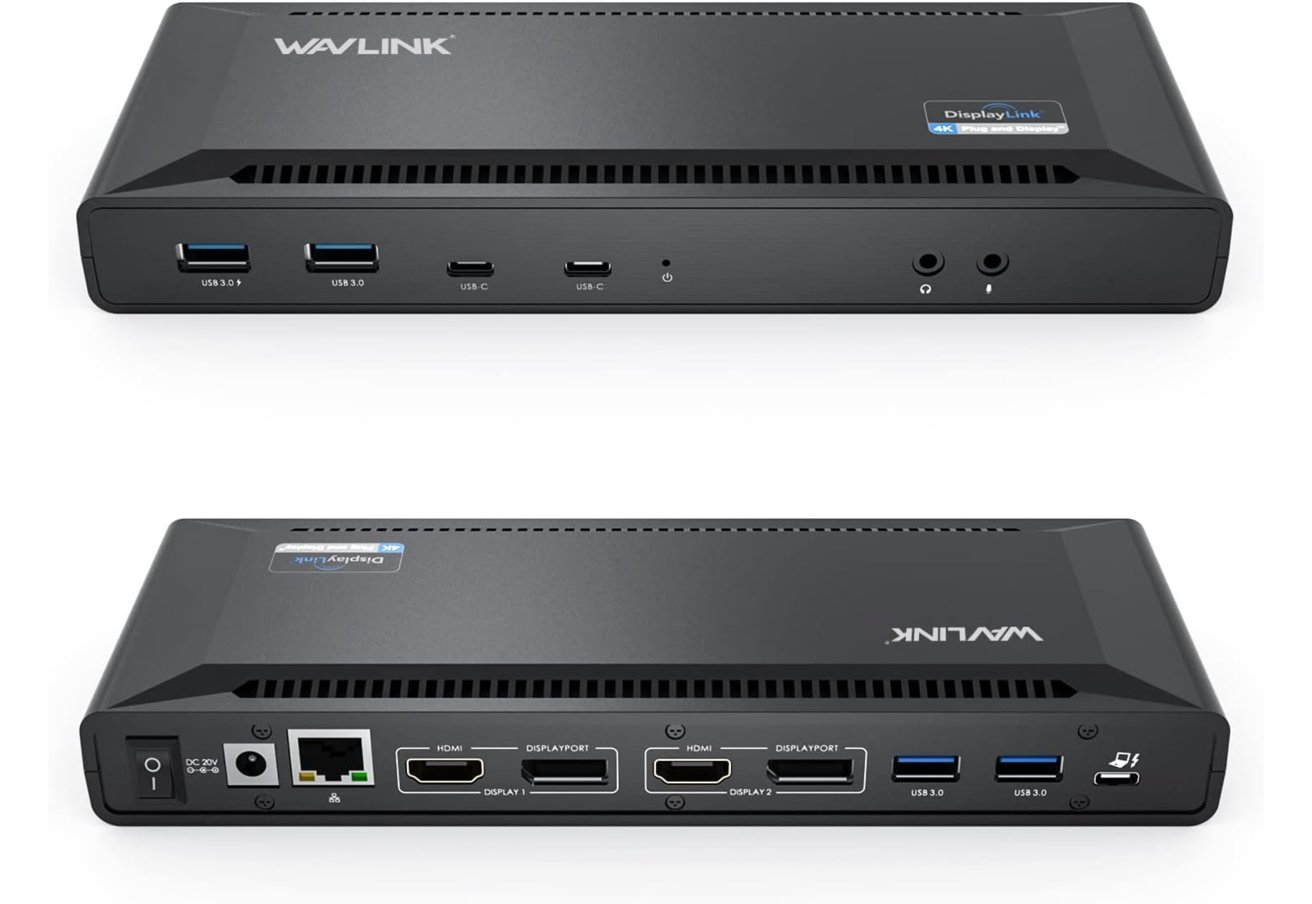
Wavlink USB-C dual 4K docking station
The Wavlink USB-C dual 4K docking station typically sells for about $148.99.
Choosing the right dock for MacBook Neo
The MacBook Neo can connect to external displays using USB-C, but its built-in hardware might limit how many monitors you can use at once. DisplayLink docks are a fantastic solution because they send compressed display data over USB.
Compression allows you to connect more monitors than the system's native display pipeline supports.
Each dock in this roundup connects via standard USB-C at speeds up to 10Gbps, so that's perfect for the MacBook Neo that just has USB-C. To use multiple monitors, you'll need to install the DisplayLink Manager software from the vendor on macOS for extended desktop support.
When choosing a dock, consider how many displays you want to connect and what extra ports you might need. Higher-end models can support three or even four external monitors and offer additional features like Ethernet, USB expansion, and charging through a single cable.