
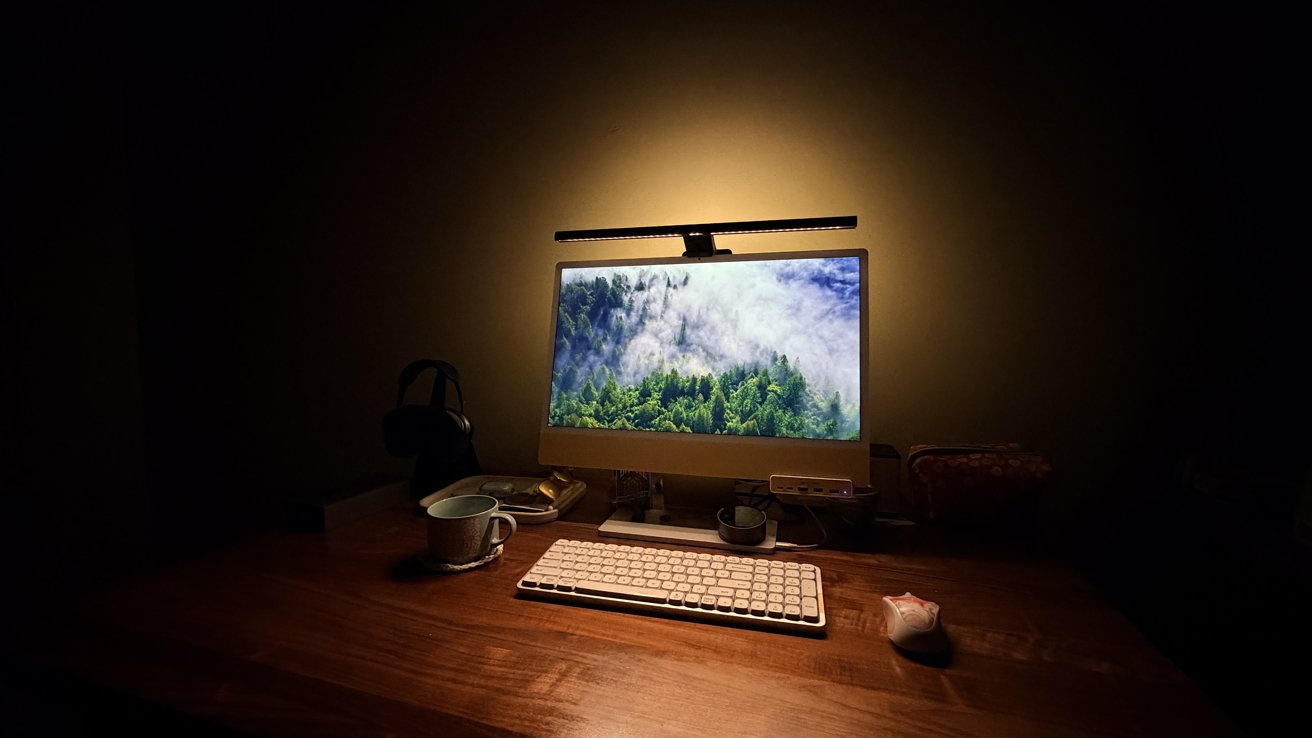
BenQ is back with the ScreenBar Halo 2 to light up your workspace with not just one but two highly customizable light sources.
I got my first BenQ ScreenBar all the way back in February of 2020. While I thought it was somewhat novel, I told myself, "Surely this isn't going to be something I use regularly."
I didn't like the utilitarian aesthetic, and I'd spent years illuminated only by my monitor. Was there ever going to be a real reason that I'd need to have a light attached directly to my monitor?
I half-expected it to re-gift it to someone else, let it rot in a closet, or leave it in a "FREE" pile during a move.
But here we are, six years later, and I still use the BenQ ScreenBar pretty much every day. I've moved twice, and each time the ScreenBar was one of the last things I'd pack and one of the first things I'd unpack.
So when BenQ reached out and asked me if I wanted to review the BenQ ScreenBar Halo 2, it was a pretty enthusiastic yes from me. I wanted to see how well this new model compared to the classic one.
BenQ ScreenBar Halo 2 review: But, why though?
Every time I post a picture of my desktop setup, people invariably ask, "Hey, what's that thing at the top of your screen?" I always say, "Oh, that's a ScreenBar, it's basically a desk lamp."
And, more often, the next question is, "But why?" And as my anecdote at the top suggests, I probably would have been in the same camp.
But using is believing.
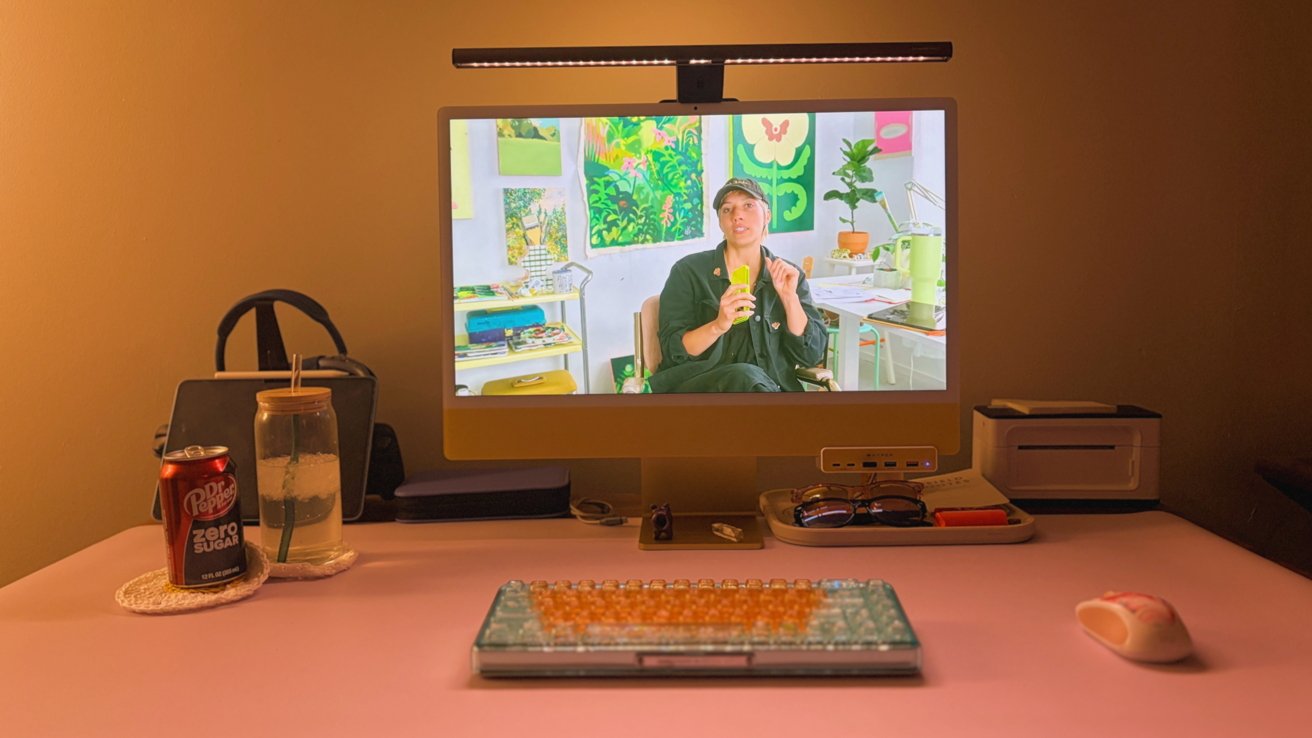
BenQ ScreenBar Halo 2 review: In an unevenly lit room, this is an ideal way to combat eyestrain
Initially, the BenQ ScreenBar proved itself by being a nice way to provide targeted lighting in a studio apartment. My partner and I kept drastically different schedules, so the ScreenBar kept my desk adequately illuminated without waking anyone else up.
It also proved itself as significantly more migraine-friendly than any other options I had. I get migraines pretty regularly, and the adjustable lighting on a ScreenBar can be a real lifesaver.
This has become invaluable in the weeks following a concussion. I found most lights were too bright, and anything that directly shone in my eyes felt like I was being smashed in the face with a hammer — I didn't have this problem with the ScreenBar.
But, on top of that, it's also great hobby lighting. I love to use it while I crochet or journal. I could see it being beneficial to just about any desktop craft, though.
So, there are plenty of reasons to give a monitor-mounted light a try — even if they aren't immediately obvious.
Oh, and the next most common questions are "doesn't it interfere with your webcam?" and "doesn't it cause a bunch of glare on your screen?" The answer to both of those questions, by the way, is "no, it doesn't."
BenQ ScreenBar Halo 2 review: Twice as nice
The ScreenBar Halo 2 is designed a lot like the original ScreenBar, or really any sort of monitor-mounted desk lamp. It's essentially a long light that balances on the top edge of your screen, with a weighted, adjustable connector that presses against the back of your monitor.
The ScreenBar Halo 2 is compatible with a wide range of monitors, too. If you've got a thin monitor, like my iMac, it'll work — but thick curved displays work just as well.
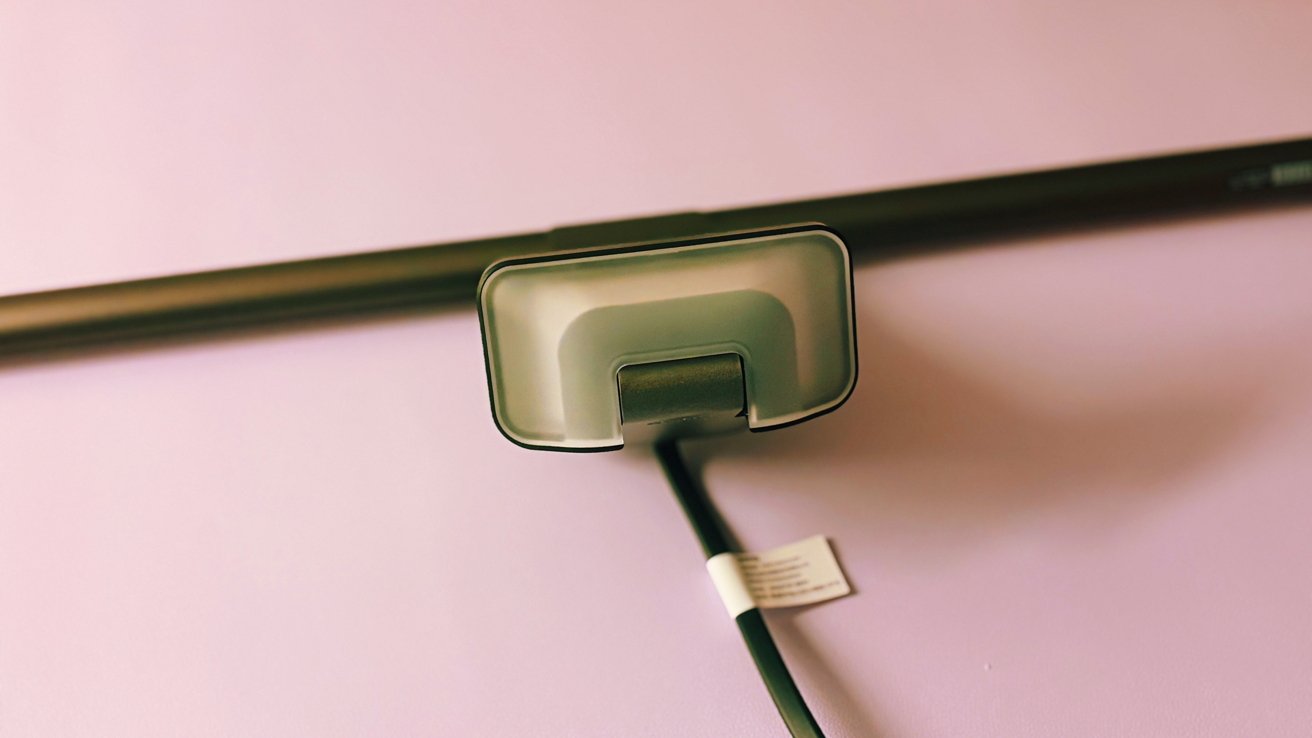
BenQ ScreenBar Halo 2: BenQ's paired it all down to a single USB-C wire, which is exactly what the ScreenBar needed
Where the ScreenBar Halo 2 differs from the original is that it's actually got a second light.
I wasn't sure how much I'd like the additional light when it arrived, but I think it's a fantastic addition now that I've gotten to live with it for a bit. It's a bit like adding some mood lighting to your workspace, which I found surprisingly cozy.
It also helps to offset the eye strain you get from sitting in a room with one single point of light. I can be prone to both headaches and migraines, and while this hasn't eradicated them, it has actually helped reduce their frequency.
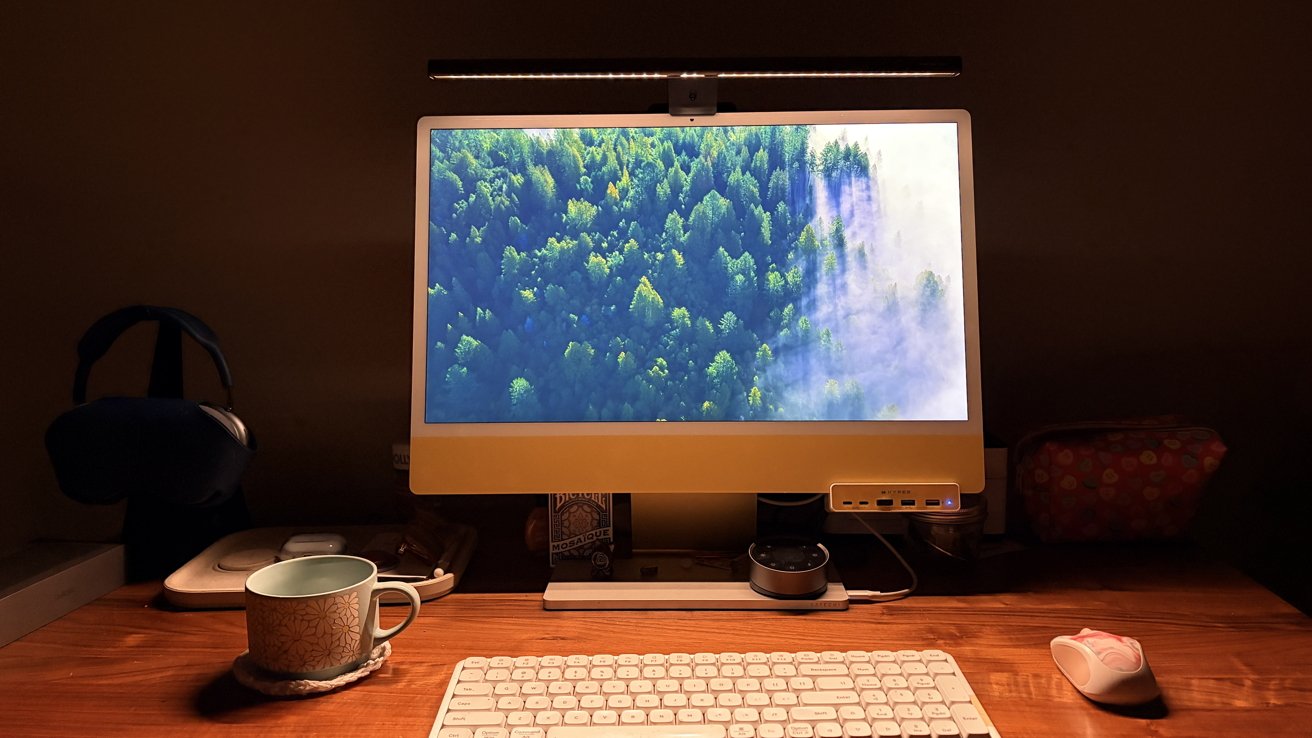
BenQ ScreenBar Halo 2 review: If you want to just use one light, you can.
Not to mention, it's optional. You can pick to have just the bar light, just the back light, or both lights on at any given time.
The top bar is, more or less, the same as the one that I had before. It's a long bar that has a single line of LEDs that shine downward towards your desk.
If you read at your desk, this is a nice bit of light. If you're like me and you do handicrafts like crocheting or model assembly, this is a game-changer.
So, hopefully, you see why the original ScreenBar has made it through so many moves.
BenQ ScreenBar Halo 2 review: Let there be light
Now that we've discussed how the ScreenBar Halo 2 lights up your personal space, let's discuss the numbers behind it.
BenQ says the light bar's central brightness — that is to say, the lighting right below the light — is more than 1000 lumens at its brightest. The brightness decreases to 500 lumens just outside of that, and then tapers off from there.
The rear light's brightness is measured in nits for some reason. BenQ says that it'll light up the area immediately behind the light to 450 nits, quickly tapering off to 50 nits in the immediate area after.
You can adjust the brightness from 1% to 100% for both lights. I tend to keep mine pretty low most of the time, anywhere between 1% and 20%, but if you're a fan of crisp, bright light.
There's also a pretty neat feature that only turns the light on when you're at your desk. A little motion detector embedded in the center of the ScreenBar makes sure your work area stays lit while you sit. After five minutes of no motion detection, it turns off.
And, for all the other vertically challenged folks out there — I stand 5'2 and have this perched atop my 24" iMac. It doesn't shine in my eyes at all, unless I adjust the bar forward and really slouch.
BenQ ScreenBar Halo 2 review: Give it up for the puck
BenQ's ScreenBars are controlled by a little puck-shaped controller. My old one had a couple of buttons and a knob.
While solid, I wouldn't call it intuitive. It was pretty normal for me to accidentally change the color temperature instead of the brightness, which required a bit of fumbling around to fix.
It also brought a fair amount of cord clutter to the situation, which I did not love. Apparently, BenQ didn't love that, either.
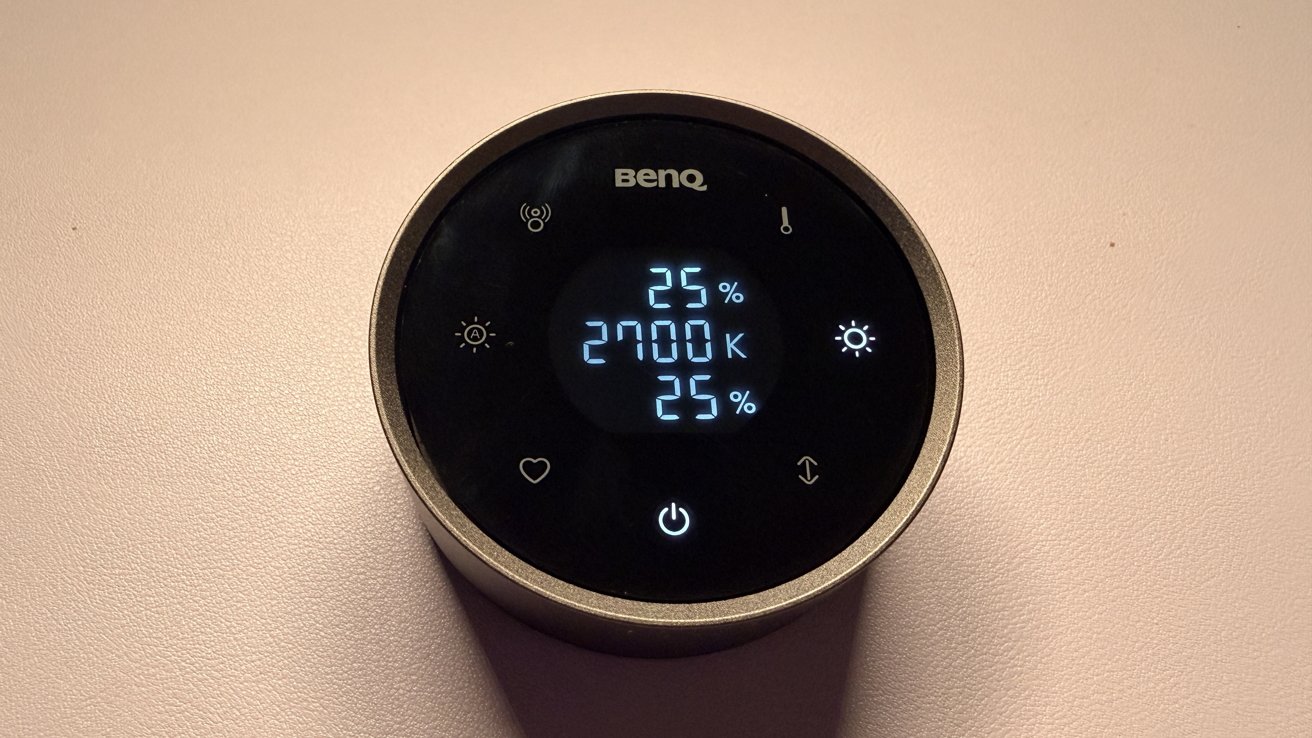
BenQ ScreenBar Halo 2 review: The wireless controller takes this from a 4 to 5 star device immediately, no questions
The new controller is, frankly, awesome. The biggest improvement is that it's now wireless, which means I'm not dealing with a ton of cord clutter all over the place.
Adjustments are done by turning the entire body of the knob — which spins freely from the base — to the left or right. This is a wonderfully tactile experience that feels premium.
And on top of all of that, the controller now tells you everything you need to know. The brightness of each light, the color temperature, and the selection you're adjusting.
I absolutely love it when ambiguity is removed from a product like this. There's no more fumbling around trying to grab the puck and figure out what I'm adjusting.
BenQ ScreenBar Halo 2 review: A permanent fixture
While I may not have realized how much I was going to like the first ScreenBar I reviewed, I had high hopes for this second one. And I applaud BenQ for clearly taking the time to consider thoughtful improvements to what was already a well-designed device, too.
If you live at your desk — and I'm willing to bet most of you do — this is honestly a huge quality of life upgrade. It's pretty rare that I full-throatedly endorse a product like this, but BenQ has really earned it here.
BenQ ScreenBar Halo 2 pros:
- Improved light control puck easy to use
- Rear light helps cut down on uncomfortable contrast
- Fits a wide array of monitors
- Front light adequately lights desk for work and play
- No glare on screen
- Surprisingly adjustable
BenQ ScreenBar Halo 2 cons:
- Utilitarian aesthetic may not fit in with every desk
BenQ ScreenBar Halo 2 rating: 5 out of 5
Where to buy BenQ ScreenBar Halo 2
If you're interested in lighting up your workspace, you can snag the BenQ ScreenBar Halo 2 from Amazon for $179.







