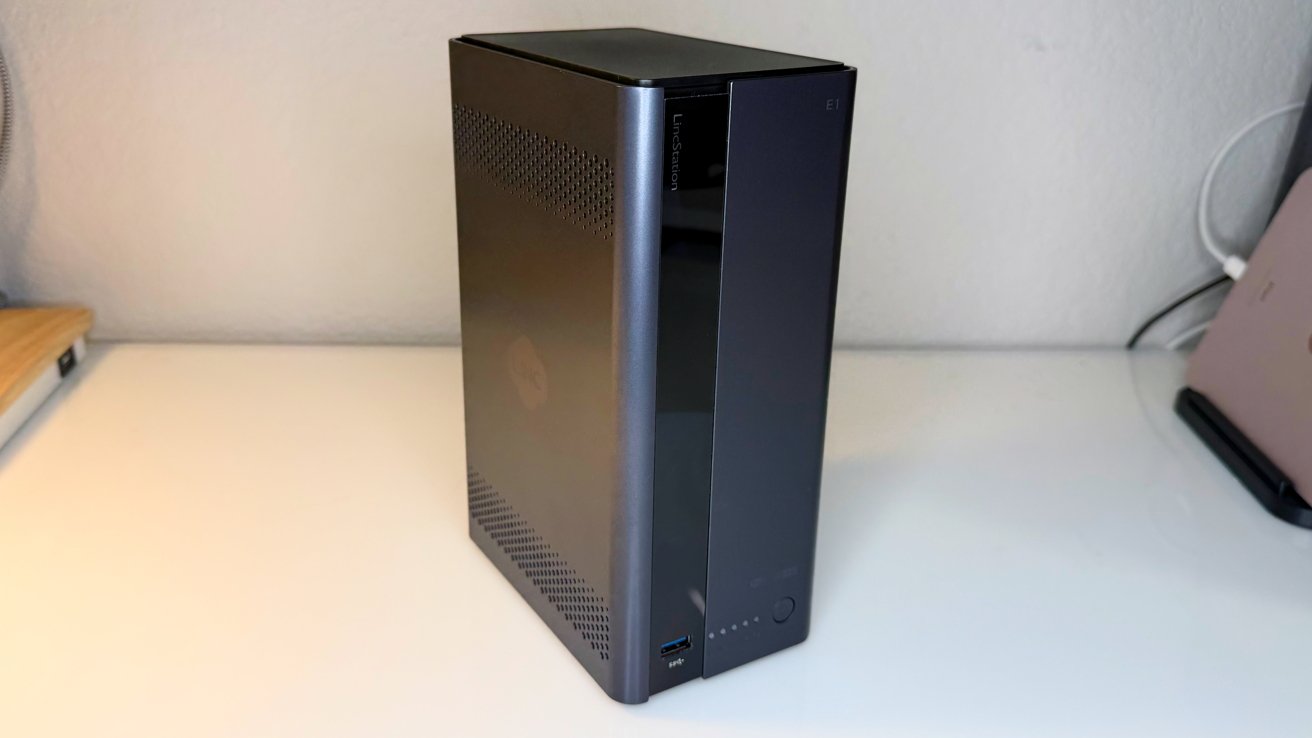
The LincPlus LincStation E1 is a compact NAS that promises speed, capacity, and some smart features. Prosumers and above should skip this one, but for everyday users, it's a pretty decent package.
A typical network-attached storage (NAS) device is, as the name implies, a bunch of drives in a purpose-made computer, optimized to serve files. There's a big range that falls under that umbrella though, with many models able to provide services that rival a rack-mounted server.
When it comes to making a NAS for a typical computer user rather than those with greater needs, things tighten up a bit. We've been fond of LincStation's approach to that market.
The LincStation S1 was a stylish device with masses of storage capacity. Meanwhile, the LincStation N2 combined SSD speed with a device you could easily put underneath the living room TV.
The LincStation E1 is a more restrained device in comparison. That's not a bad thing, though.
LincPlus LincStation E1 review: Physical Design
The differentiator between this model and other LincStation units is its size. At 8.6 inches tall by 3.46 inches wide and 5.5 inches deep, it's an extremely small NAS, especially when it is claimed to be a four-bay model.
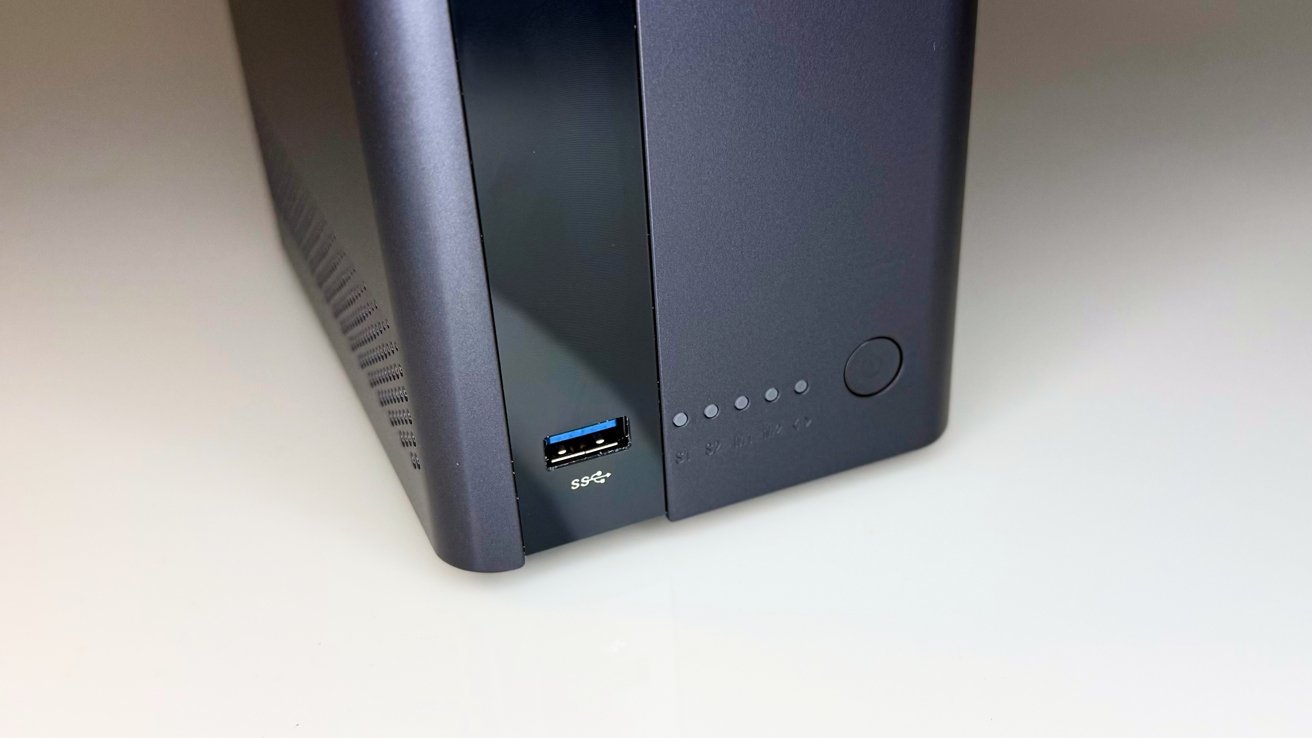
LincPlus LincStation E1 review: The front has a power button, indicators, and a USB-A port.
To be fair, calling it a four-bay NAS is a bit of a stretch, as you would typically consider those bays to be for 3.5-inch mechanical SATA drives. In this case, there are only two of these larger drive spaces, while the other two "bays" are for the far more compact M.2 drives.
Even so, this helps severely reduce the size of the unit.
The front has a glossy strip with the LincStation branding, as well as a USB-A port, power button, and status indicators. On the left and right sides are panels with grilles, while the back has the rest of the ports and the power connection.
The base has some rubber feet that do a decent job at keeping the NAS in place. At the top is a removable cover, which provides access to the main drive storage.
Helping reduce the overall size is its use of a power brick, which isn't really that big. It's something you can hide behind a desk if you want a cleaner aesthetic.
LincPlus LincStation E1 review: Storage
As mentioned earlier, there are four drive bays. This is split between two SATA drives and two M.2 NVMe drives.
After pulling the top cover, you have access to a pair of plastic sleds for two SATA drives. For 3.5-inch drives, it's a fairly simple side-clamp process that's completely tool-free.
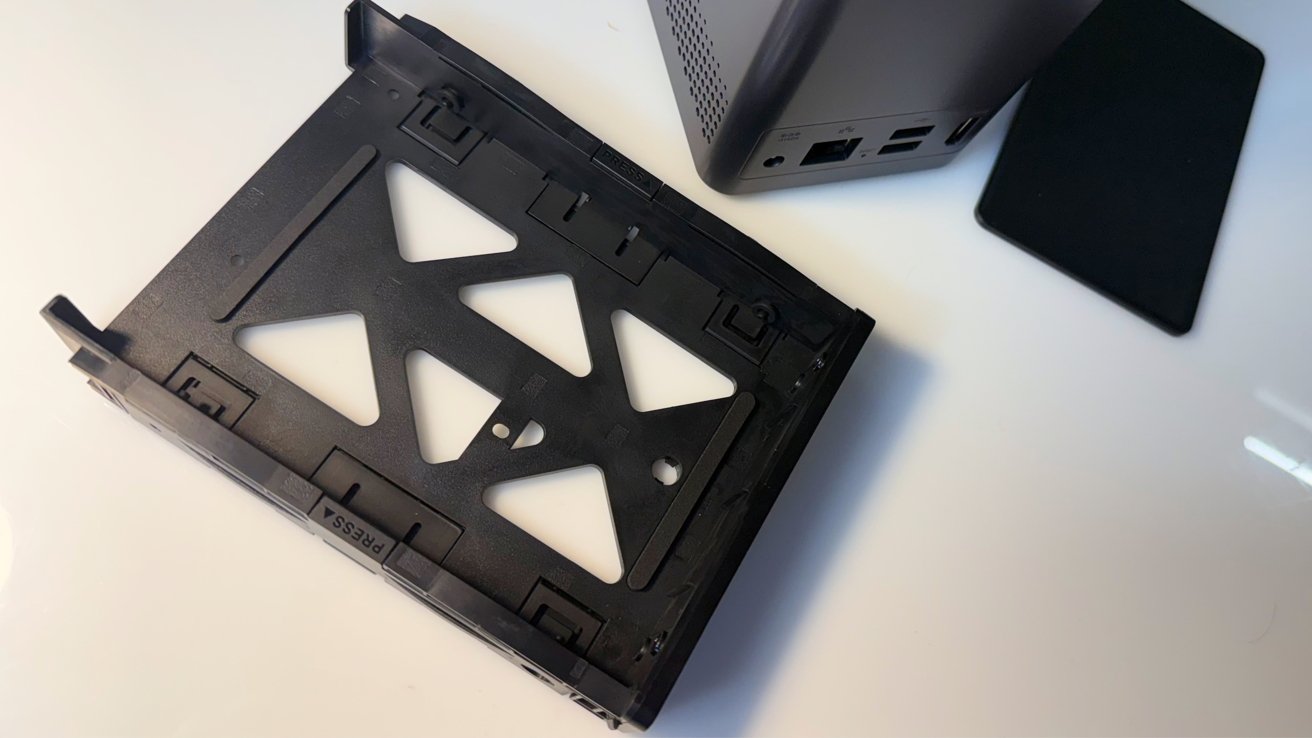
LincPlus LincStation E1 review: Using the tool-free drive sleds.
For 2.5-inch SATA drives and SSDs, you will have to use a fixing screw to hold the drive in the correct place.
The base has a cover hiding two bays for M.2 2280 NVMe drives, which can be installed using the supplied thermal pads. Again, the use of a spring mechanism makes it a tool-free procedure.
Used together, LincPlus says it can have up to 76 terabytes of capacity.
The advantage of the split is that it allows for users to set up their storage in a few ways. You could set it up as simple storage with pools for capacity and speed, but you can also use caching to create one storage pool with the benefits of both worlds.
LincPlus LincStation E1 review: Connectivity
As a compact unit, you would expect there to be minimal connectivity. That's somewhat true, but there's still enough to satisfy most users.
The sole connection at the front is a USB-A port, which is USB 3.2 Gen 1 5Gbps. Around the back are two more USB-A ports, but they operate under USB 2 at 480Mbps.
The rear also has a network connection, which is a 2.5 Gigabit Ethernet port. For consumers who usually have gigabit-class networks, this is a surprisingly good connection, and at least provides some future-proofing for when the home network gets upgraded.
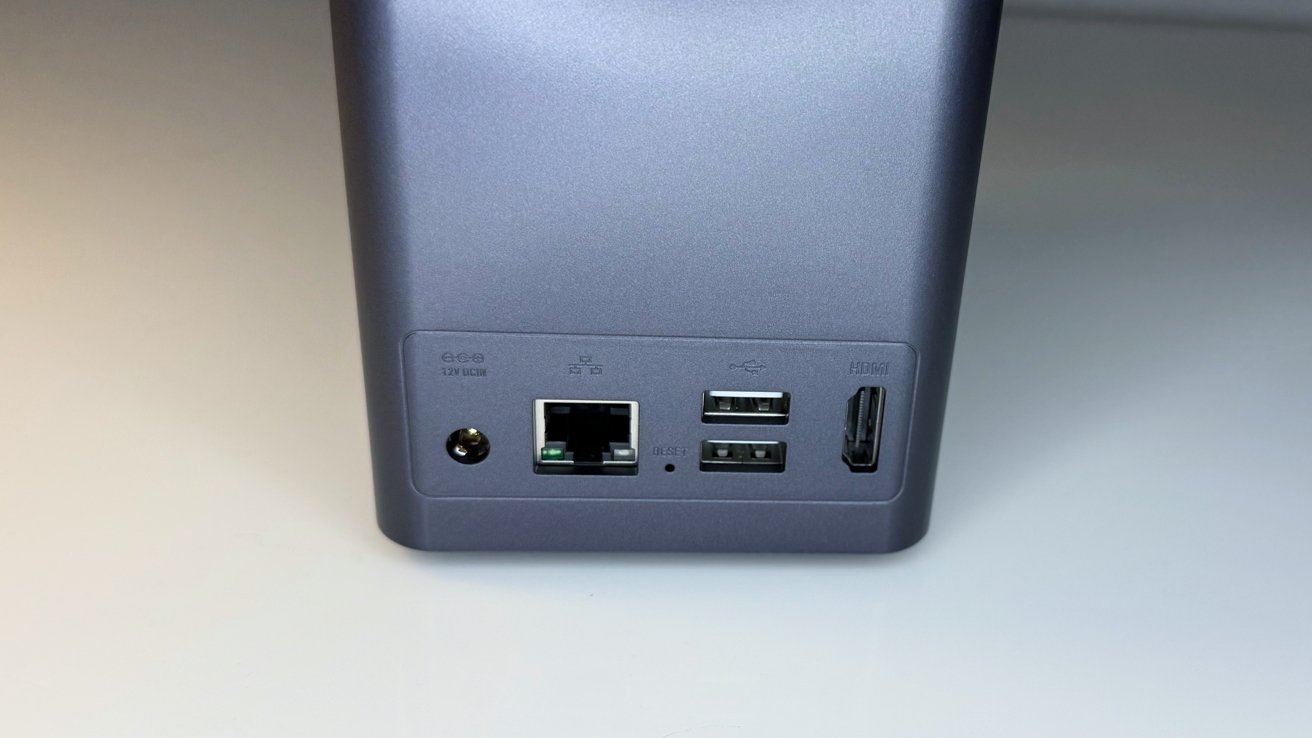
LincPlus LincStation E1 review: Rear USB-A, HDMI, and Ethernet ports
Unexpectedly, LincPlus also caters to those who don't care for wired connections. There's Wi-Fi support with dual-band 2.4Gz and 5GHz, allowing for connectivity without the network cable.
It's not really recommended to use Wi-Fi to connect a NAS, as a wired connection allows for much higher connection speeds and less network congestion.
Even so, it's nice that the option is there if you absolutely need it.
The wireless connectivity also extends to Bluetooth 5.0. It's not that useful for high-bandwidth transfers between devices, but again, it exists.
Rounding out the list is a HDMI 2.1 port capable of a 4K resolution at 60Hz. While you could leave it as a network media server, this port lets it be used more directly, with it able to play movies and display pictures to a connected monitor or TV.
This does slightly undercut the whole point of a NAS being somewhere on the network and away from the user. It's still good to have the capability to do so directly though.
LincPlus LincStation E1 review: Performance
Running the show is a Rockchip 3568 quad-core Cortex-A55 processor with a Mali-G62 GPU. Clocked at 2.0GHz, it's not a chip designed for high performance, especially with a TDP of just 6W.
That said, the typical consumer's not going to want to run many server applications on this. That 6W TDP also means it's not going to be running hot at all.
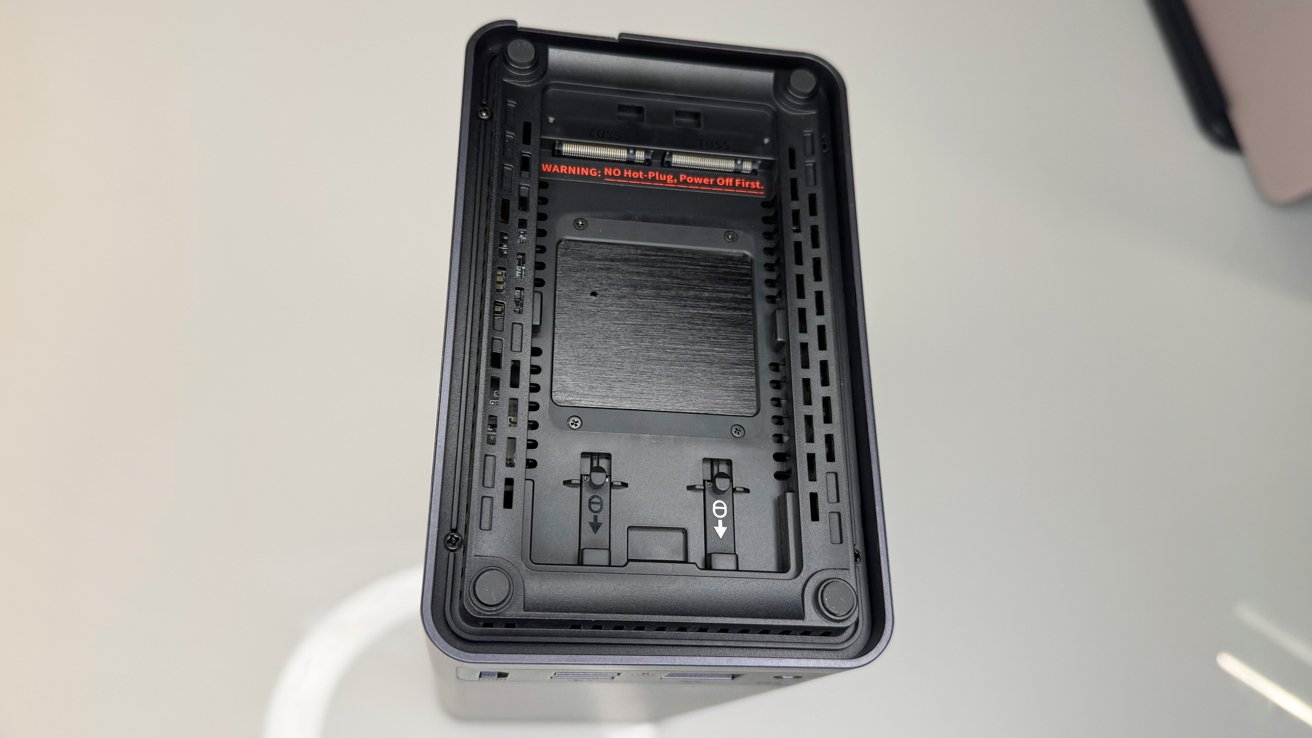
LincPlus LincStation E1 review: The M.2 bays in the base.
The chip is accompanied by 4GB of DDR4 RAM and 64GB of eMMC storage as the system drive. Neither of these are upgradable, but again, the average home user isn't going to care about that.
LincPlus LincStation E1 review: LincOS
LincPlus includes its own operating system on the LincStation E1. The actual setup process is straightforward, as after hooking it up, you download the LincStation app, register the device, and then set up an account.
You then set up LincAccess, the remote access function, configure the storage array and cache pools, and then configure the apps. It's all relatively beginner-friendly, so there's many options that are quick and fairly painless to get started with here.
The client gives you access to files via My Space, not to be confused with the social network. It shows off all of the files stored on the NAS storage, which can then be downloaded and viewed on your device.
There are a total of 15 built-in apps, covering everything from a Smart Album for images, Music Center for your music collection, encrypted secure space, backup tools, remote downloads, and local sharing options, among others.
There are some small allusions to AI, with it including an intelligent search function to find images by description. Face and scene recognition is also included in the Smart Album, as well as auto-classification of images.
Given what chip the unit is working with, don't expect lightning-quick responses to queries here. We certainly didn't see that, and we don't recommend use of this feature natively on the unit.
An iPhone app isn't the only way to manage the NAS. You can also do so remotely via a web browser. Both are functionally identical, so use whatever works for you.
If you have a monitor, keyboard, and mouse connected, you can also manage the storage and apps from the NAS directly. The interface here is a little clunky, so this isn't as recommended, but may be helpful in an edge network troubleshooting issue.
The more basic nature of the LincStation E1's processing capabilities means you're not going to be able to run much in the way of advanced services, But even so, you can if you really want to.
Surprisingly, there is Docker container support in LincOS, so you can install different apps and tools on there, such as a Plex server.
This would be a lot more useful with a better processor and more RAM in place, but at least you can do it here. We don't recommend it.
Those who would delve into the realm of containerization aren't the ideal customer for this NAS anyway. Right tool for the right job, and all that.
We also used four 24TB WD Red Pro, that retail for $688.99 on Amazon from WD, but at press time, they appear to be out of stock. Thanks AI farms.
SSDs used for testing included a pair of Samsung 990 Evo Plus drives, and a pair of Samsung SSD 9100 Pro 1TB drives. You don't need to use drives this fast. Stick with PCI-E 3.0 drives if you have them, as they're cheaper, and still provide more than enough speed.
Write speed to two drives formatted in RAID 0 or RAID 1, or to the SSDs hits a peak speed of about 110 megabytes per second, limited by the network. Good enough.
Watching outbound traffic at the router, we didn't see telemetry or data beyond crash logs and that kind of information being sent elsewhere.
LincPlus LincStation E1 review: Very compact entry-level NAS
It's fair to say here that LincPlus isn't trying to break performance records with the LincStation E1. Its specifications certainly do not allow power users to get drunk with processing power and to install multiple Docker servers here at all.
Though it's not really a prosumer or technically-minded user's first choice for themselves, it still fits the bill as an entry-level NAS.
If you want something to store data on, or you want a NAS for family members to use, then this is a pretty decent choice. With a configuration aimed at beginner users and the selection of preinstalled apps available, it covers a lot of base usage that anyone would want from a NAS.
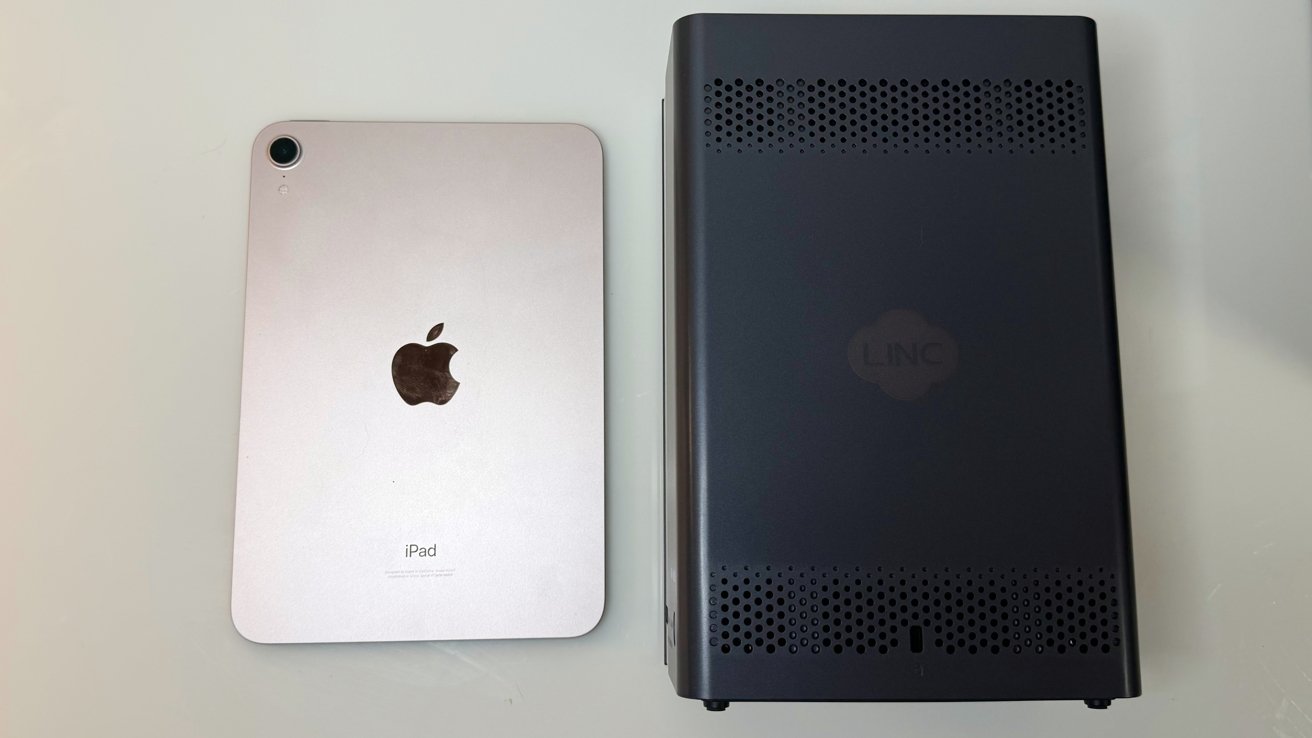
LincPlus LincStation E1 review: iPad mini for scale
For users with a faster home network than the typical gigabit speed Ethernet, you're out of luck here, but that's okay for this price point.
The sheer compactness is also a big plus for people who don't like the idea of a large NAS taking up space in their home office. That it also has HDMI and enough USB-A ports to manage it locally is also pretty cool for something so small.
But that size does work against it. Having two M.2 bays is really handy for caching on systems with more SATA drives, but arguably less useful when you only have two hard disks at your disposal.
The LincPlus LincStation E1 is, ultimately, an entry-level NAS that has some curious elements befitting a beefier storage device. It's not rackmounted server-fast, but it'll certainly handle your images and videos without an issue.
LincPlus LincStation E1 review: Pros
- Extremely compact
- Sips power
- User-friendly approach to the OS
LincPlus LincStation E1 review: Cons
- Not upgradable
- Only two hard drive bays to go with two M.2 bays
- Lack of processing grunt
Rating: 3.5 out of 5
Where to buy the LincPlus LincStation E1
The LincPlus LincStation E1 is available to fund on Kickstarter now. The early bird price on the E1 is $149, with a final retail price of $219 expected.
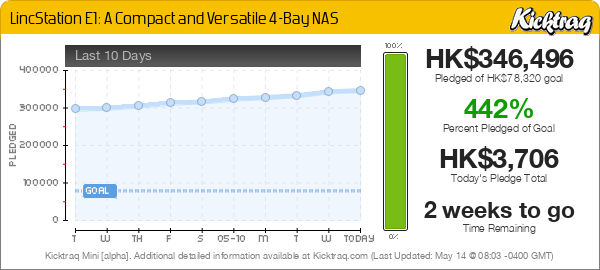
We do not discuss crowdfunded projects without hardware in hand, which LincPlus has supplied to us before the Kickstarter campaign commenced.
As with any Kickstarter product,caveat emptor. Creators may never ship.