There's a lot of new features arriving with visionOS 26, from spatial widgets to more realistic Personas, spatial computing just got a significant upgrade.
All eyes might be on iOS 26 and Liquid Glass, but don't forget the operating system that inspired the ecosystem-wide redesign. visionOS 26 comes packed with new features and quality-of-life updates you'd expect from its second major OS revision.
After the usual summer beta period, visionOS 26 has been released to the public. There was no public beta for visionOS, so this is the first opportunity for non-developers to get the new features.
Apple revealed visionOS 26 during WWDC 2025, but it wasn't able to discuss every new feature in the short time slot. Spatial widgets and Photos upgrades will steal the spotlight, but there's a ton more under the hood.
Here's everything new with visionOS 26.
Spatial widgets
Spatial widgets are exactly what they sound like — bits of an app with glanceable information. They can be placed anywhere in a space, and they'll remain in place even after powering down.
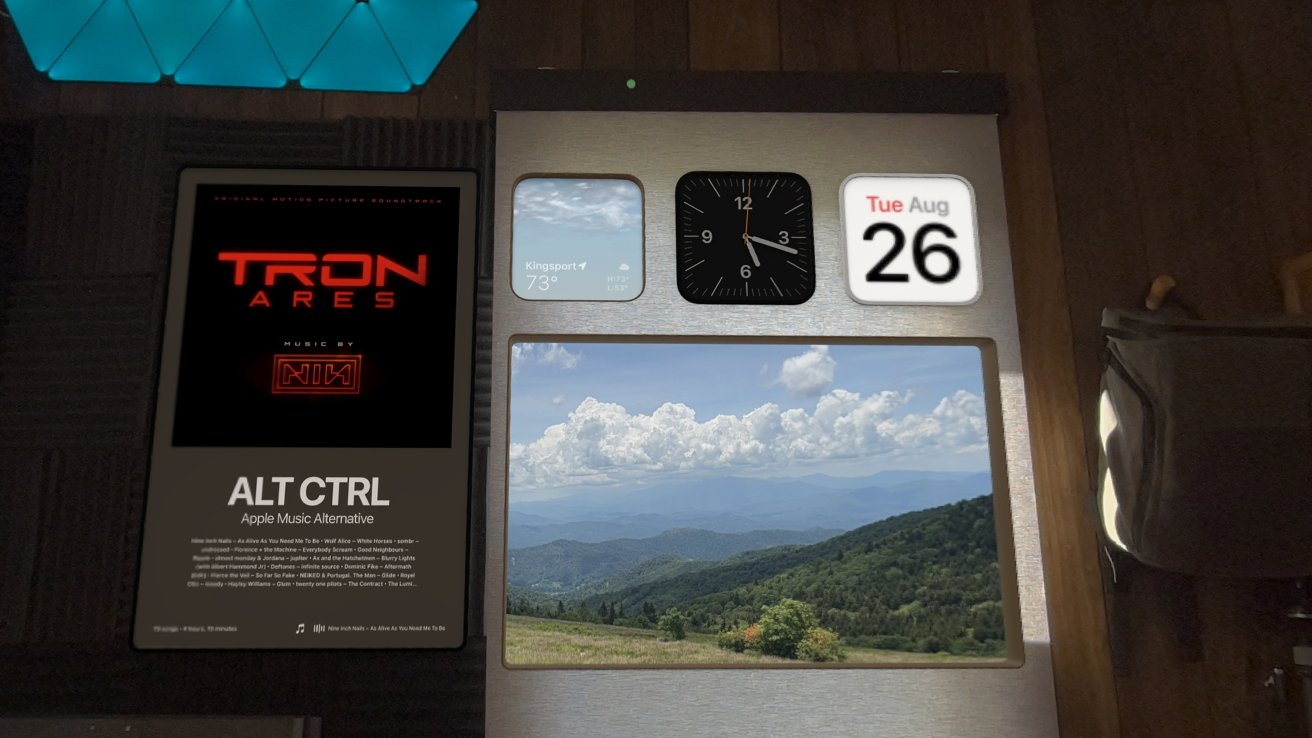
Spatial widgets lock in place even after a shutdown
Apple even did some extra magic by making the widgets and locked windows visible only when in the same room. Previously, placed windows would be visible even when on the other side of a wall in a different room.
The widget selection is limited at launch to compatible apps that offer certain classes of widgets. Native Apple Vision Pro apps didn't have access to widgets previously, so they'll have to build them in now that visionOS 26 is public.
Apple's spatial widgets include ones for Photos, Music, Weather, and more. They can be locked to a flat surface and even inset to appear as if they are inside the wall.
Spatial scenes in Photos
Spatial scenes are an evolution of a previously exclusive Apple Vision Pro feature. Before, Apple Vision Pro owners could turn their photos 3D using a software conversion.
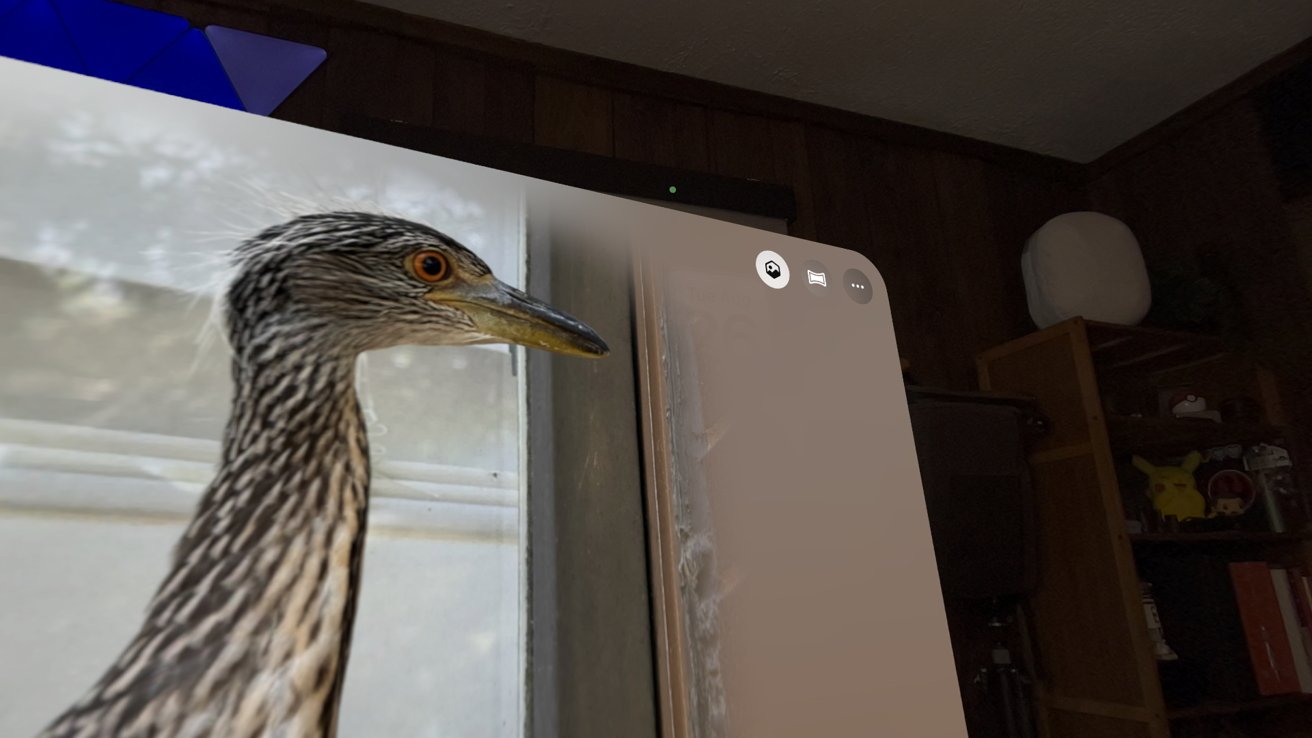
Transform any photo into a spatial scene with a tap
Now, Apple goes beyond a simple 3D image and makes them into spatial scenes. The original 3D conversion that makes photos look like spatial photos still exists — it's just in a deeper menu.
Spatial scenes are a bit more interactive than standard 3D photos. Users can tilt their head or move around to see the 3D scene shift and change.
Generating scenes isn't limited to visionOS 26 either. The Photos app can generate scenes on any device, just without the 3D.
Safari goes spatial
There's a theme with visionOS 26, and it's Apple leaning heavily into the spatial moniker. It introduced a new browsing mode to Safari that turns websites into fully immersive scenes.
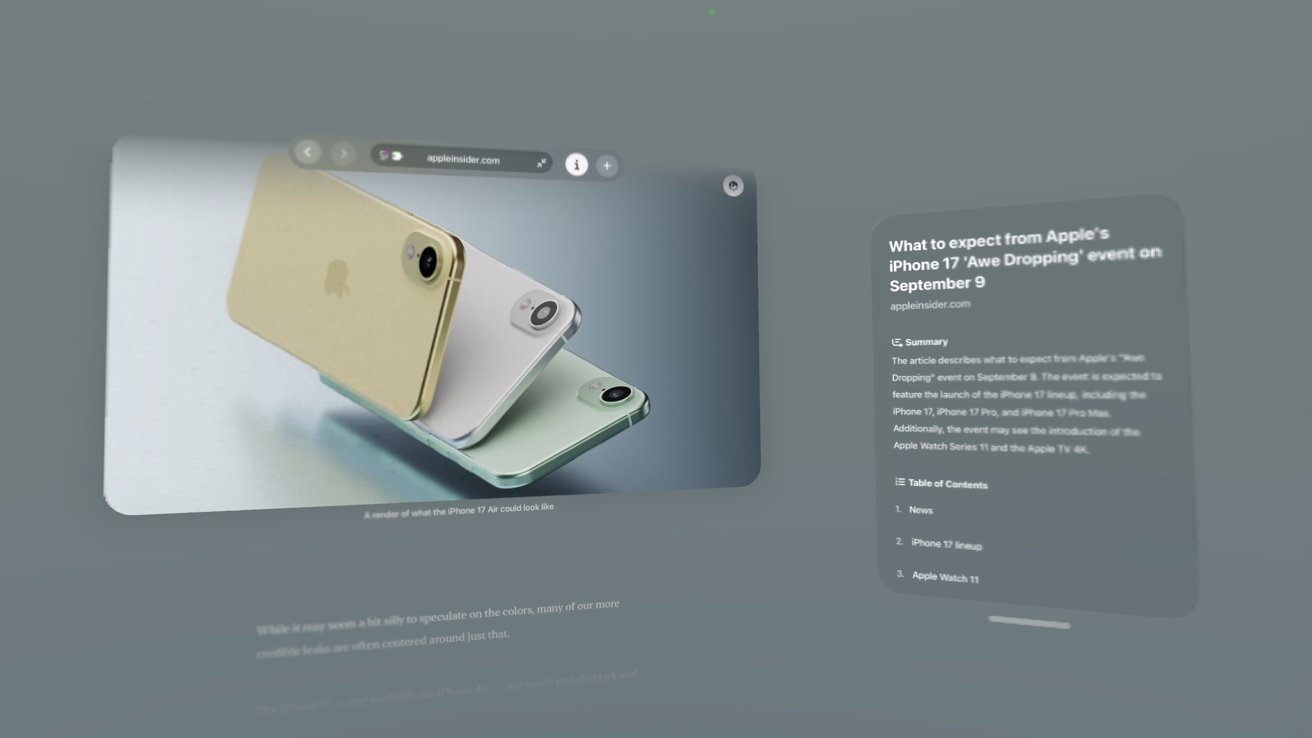
Spatial browsing is an interesting, if limited browsing experience
Websites can build and target this new mode, but it works on any website. The result is a Safari window that can be scrolled, but with it set as the focus and all other windows hidden.
Text takes over the page, kind of like how Apple News is formatted, and images are automatically converted to spatial scenes. The effect isn't instant, but Safari tries to prepare the effect ahead of time as images come into view.
Apple also enabled 3D objects embedded in a webpage to be pulled out as interactive files. These are generally USDZ files and enable the user to easily take an object and view it in their space at scale without the need to download.
A more natural Persona
Persona also got a significant upgrade. It goes well beyond the previous uncanny valley the original video-game-like avatars presented.
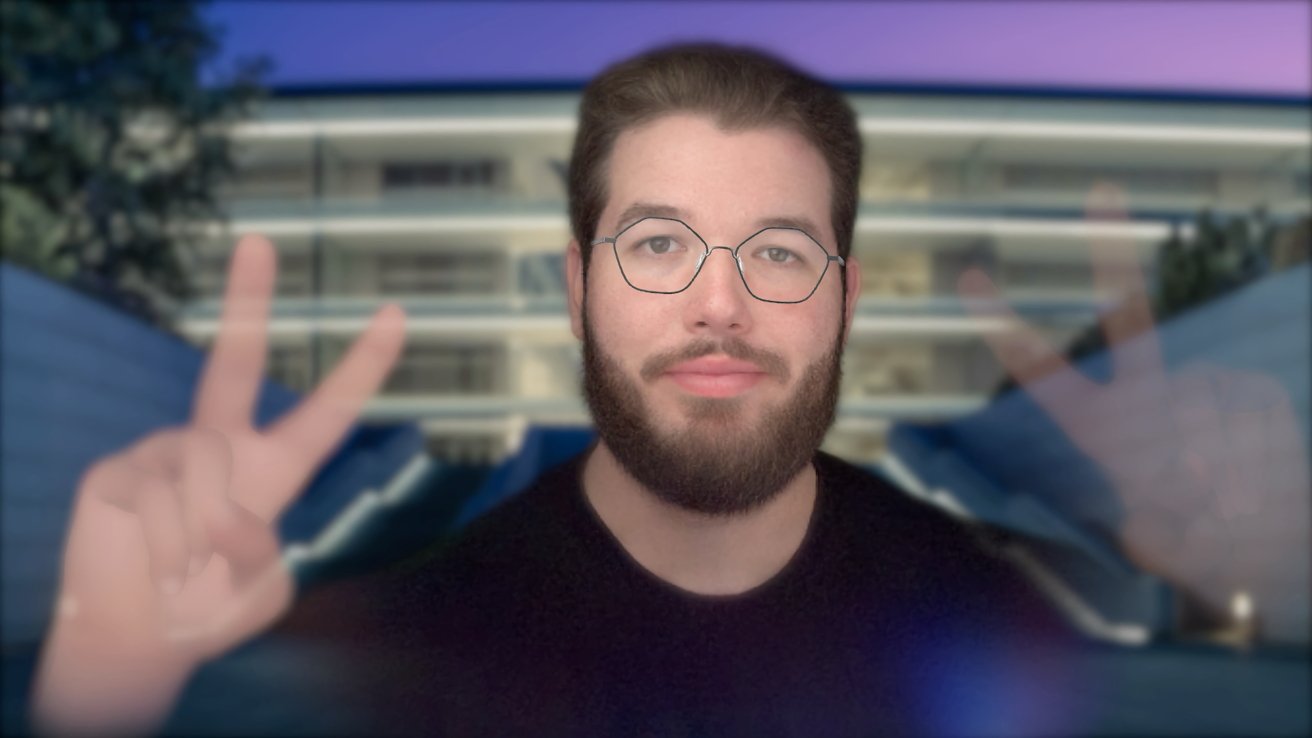
Persona gets an upgrade to look more natural
Now, skin texture and tone look more natural, more of the user's head is shown before becoming ghost-like at the edges, and facial expressions are more natural.
Apple still doesn't try to animate more than the user's head, neck, and shoulders. There's also still no option for changing the clothes or hairstyle for a given model.
However, the resulting Persona is much more natural. If the user is shown in a smaller box in the corner of a meeting, it would be easy to mistake it for the real thing — as long as they don't turn their head or bring their ghost hands into view.
Other visionOS 26 features
Beyond the tentpole features of visionOS 26, there are a lot of tiny changes that could make a big difference overall. Quality-of-life upgrades, new environments, and tweaks to user input systems help make visionOS 26 even better.
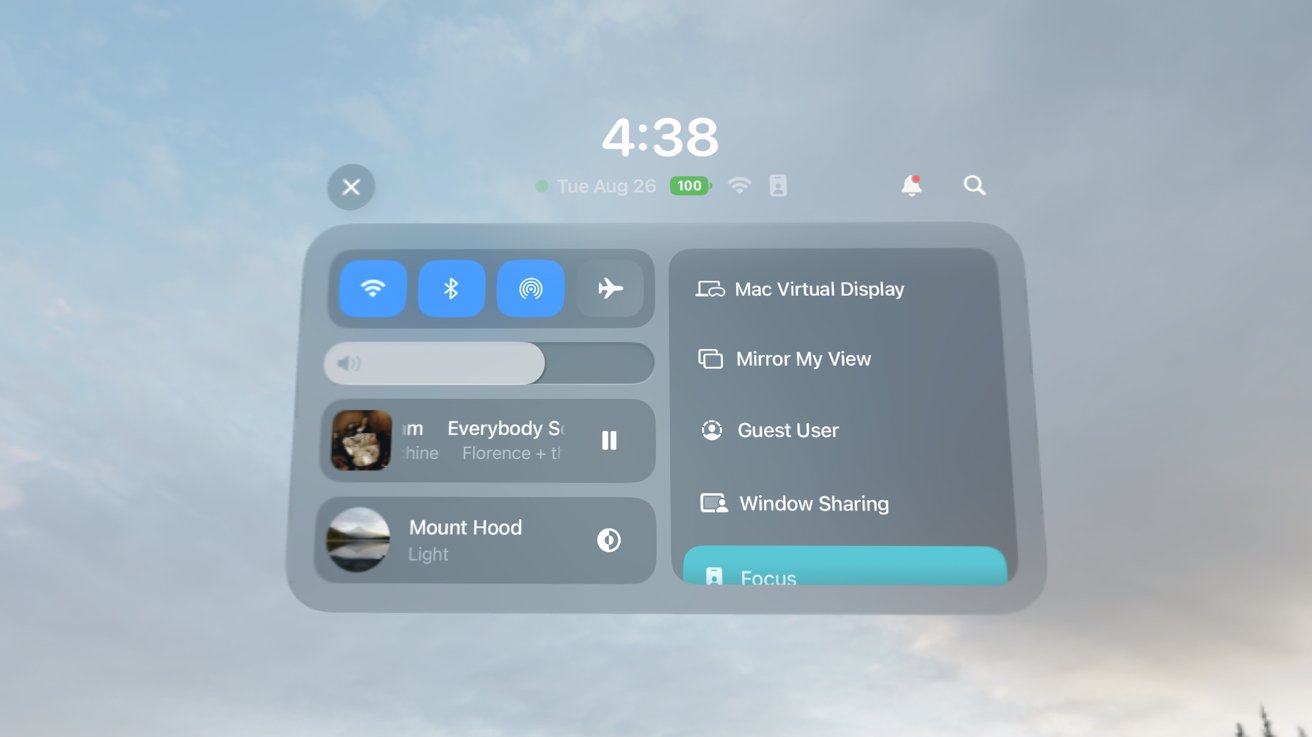
Control Center gets more functionality, less pages, in visionOS 26
Control Center has been rethought again. It is now a much more robust menu with all of the options visible without the need for tabs.
There's an option to share windows with others, or immersive experiences with other Vision Pro users. If you have two in the same room, you can watch the same 3D movie or spatial video at once.
Windows can be locked to flat surfaces and will remain there similar to how spatial widgets work. A new share window icon is visible at the bottom right of every window.
Apple has included new native video support for 360-degree, 180-degree, and wide-field-of-view video. These are popular on YouTube due to the prevalence of action cameras, and now users can view them without a specialized browser or extension, where supported.
The Jupiter immersive environment didn't appear until the very end of the beta cycle, but it is amazing. Users sit on Amalthea, the third moon from Jupiter, and can control the time of day.
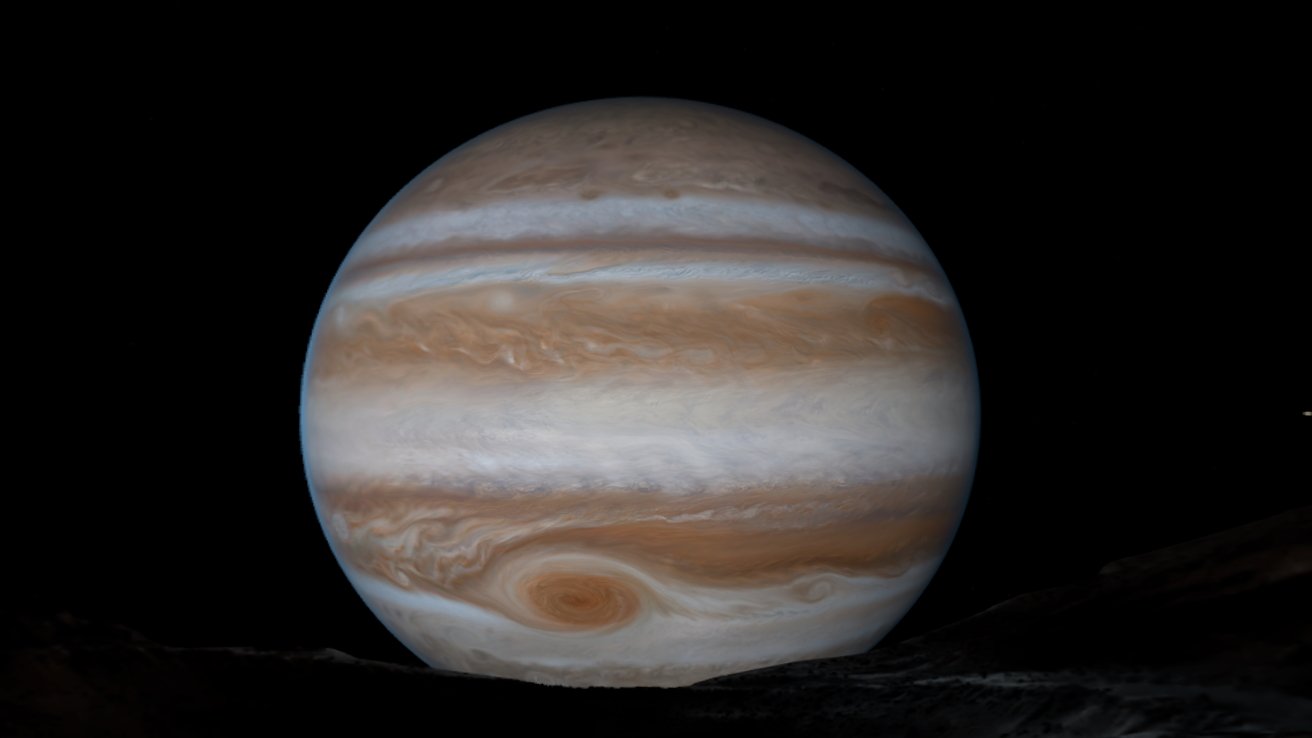
Jupiter comes to Apple Vision Pro
It's quite the experience as the sun, moons, and stars swirl around when time is changing. The fast mode option lets users see the 10 hour cycle happen at an accelerated pace.
Folders were finally added to Home View, which were desperately needed as the visionOS App Store grew. There's also the ability to move apps out of the compatible app folder into the main library.
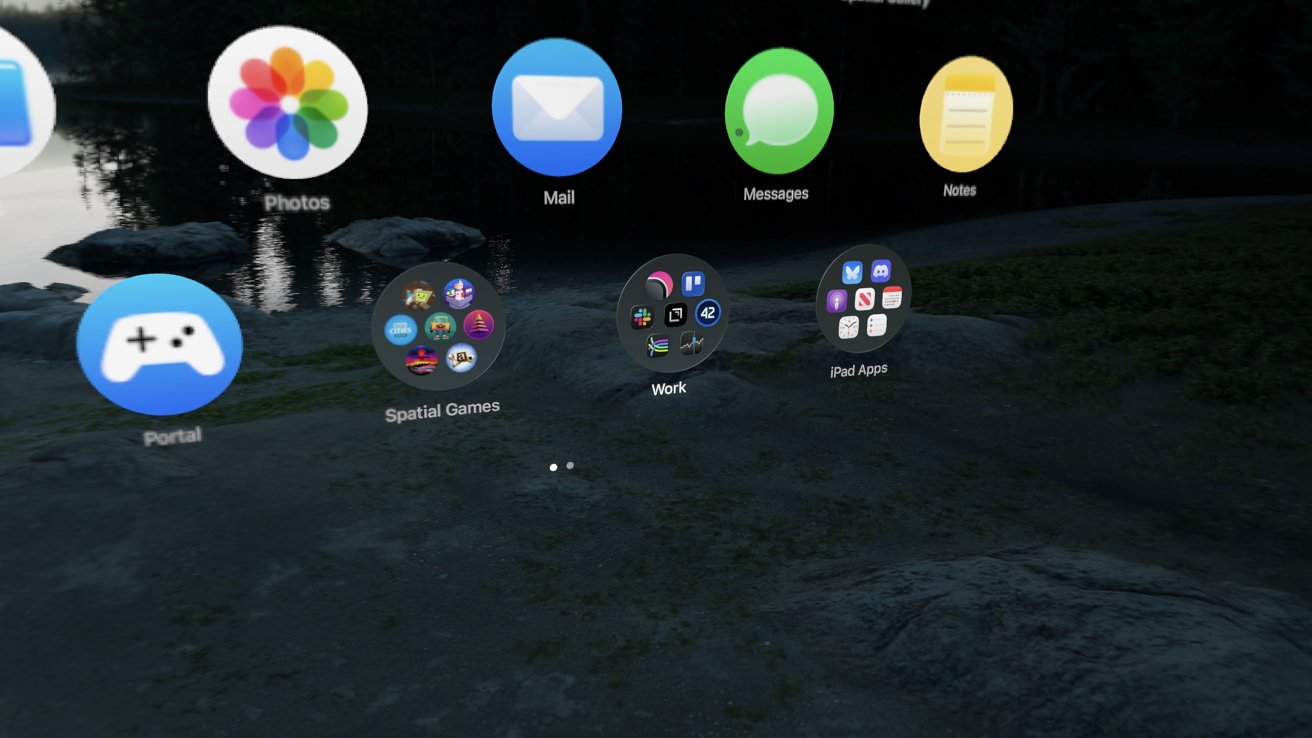
Folders in the Home View are a much-needed update
There are some new accessibility features, like the ability to have a zooming tool as a window that makes viewing text, real-world or digital, much easier. Developers also gain new camera access, protocols for brain-computer interfaces, and more.
Users can now see their iPhone display through a window or environment, but that's not much help if the device is locked. Now, users can authenticate using Optic ID to unlock their iPhone.
Another small change comes to hand tracking. Hands are now tracked at 90Hz for faster, more accurate response that's ideal for gaming.
PSVR2 Sense controllers also help push Apple Vision Pro into becoming a more serious gaming platform. Developers will have to introduce support, but once they do, users will be able to use the physical controllers in games for haptic feedback and more.
How to upgrade to visionOS 26
Apple won't push the visionOS 26 update automatically, even when automatic updates are enabled. To upgrade, go to Settings, Software Update, then select "Upgrade to visionOS 26" at the bottom of the page.
After agreeing to any new terms and entering your device passcode or authenticating via Optic ID, the download will begin. Feel free to remove the Apple Vision Pro at this point, and the update will finish downloading and install on its own.