
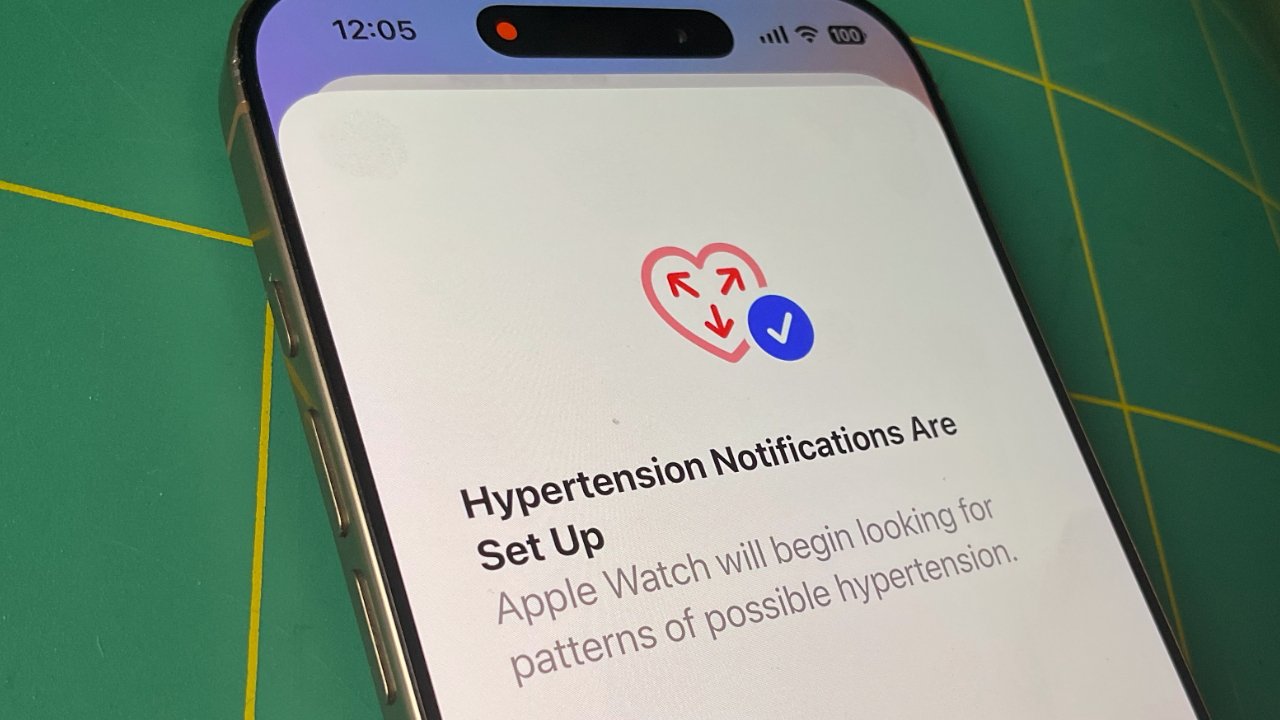
Apple has made it clear how the new hypertension feature of the Apple Watch works — and, importantly, what it does not do.
If Apple is right, about 1 million people in the next 12 months will get a scary notification on their Apple Watch. It's a notification of "Possible Hypertension," and Apple has been at pains to explain what this does and does not mean.
Now it's published a support document specifically detailing what prompts this notification, as well as what steps an Apple Watch user should take if they see it.
"You should discuss the hypertension notification and your blood pressure measurements with your healthcare professional at your next appointment," stresses the document. "The Hypertension Notifications Feature is not intended to diagnose, treat, or aid in the management of hypertension or other conditions such as blood clots, stroke, atrial fibrillation, congestive heart failure, or high cholesterol."
Apple does further say that if you do get this notification, you "will also be prompted to set up a Blood Pressure Log and use a third party blood pressure cuff to measure and track your blood pressure for 7 days."
So the feature should be regarded as a prompt to get checked out. Getting such a notification does not mean that you have hypertension — and Apple also cautions that "not all people with hypertension receive a notification."
No blood pressure monitoring yet
We cannot say this clearly enough — Apple's hypertension detection is not blood pressure monitoring. So far, blood pressure sensing remains impossible on an Apple Watch despite years of rumors.
What this hypertension feature does is look for physical changes in veins and arteries, and looks over an extended period.
"If you receive a notification, the Hypertension Notifications Feature on your Apple Watch identified patterns related to hypertension within the last 30 days of your heart data," explains Apple.
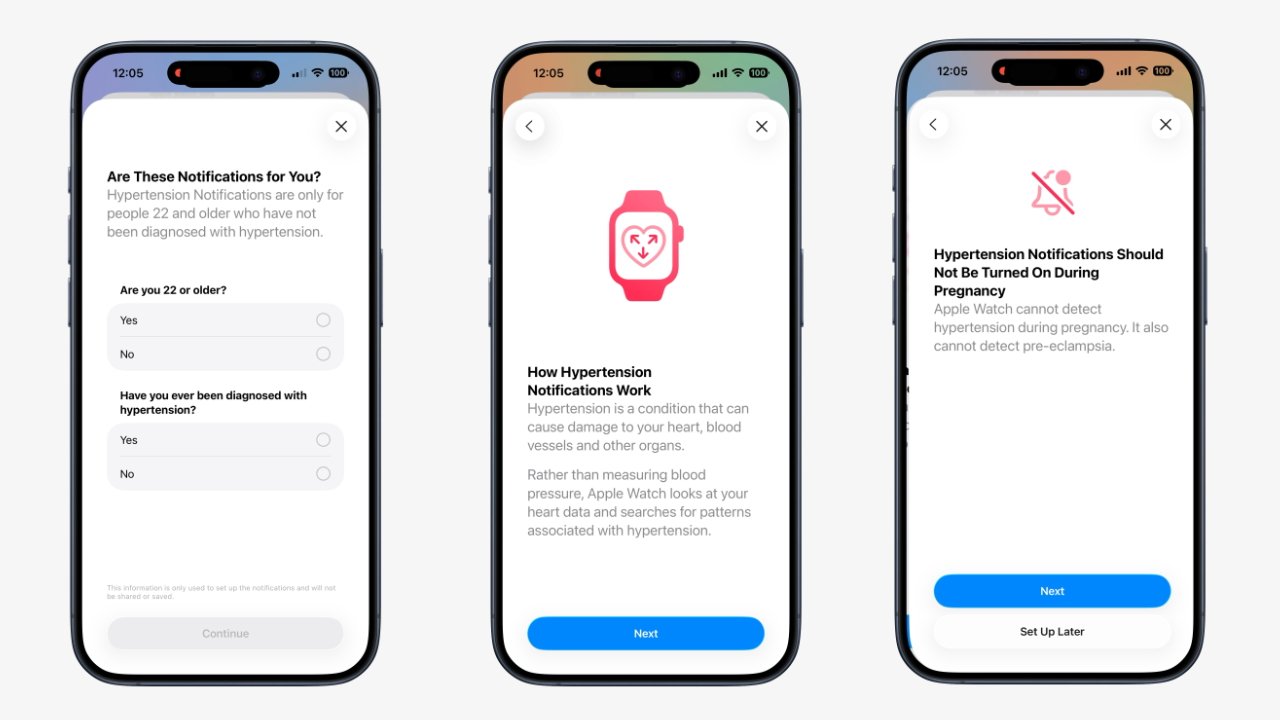
Some of the steps in setting up Hypertension Alerts
Apple then repeatedly advises users to consult medical professionals.
It also notes that the feature has to be enabled, users have to positively choose to allow the hypertension monitoring.
How to enable hypertension monitoring on Apple Watch
- Open the Apple Watch app on your iPhone
- Tap My Watch, then Passcode
- Scroll down and check that Wrist Detection is turned on
- Then switch to the Health app on your iPhone
- Tap the profile icon at top right
- Choose Features, then Health Checklist
- Tap Hypertension Notifications
You're then stepped through confirming certain details, specifically that you are aged over 22 — and that you have not previously been diagnosed with hypertension.
There then follows four pages of warnings from Apple about what this feature does not do. And one of those includes the fact that it shouldn't be enabled if you are pregnant.
It's perhaps that last element that is why the feature is not enabled by default. Apple's health data already includes a users' age so in theory it knows whether they are over 22.
However, age and also gender are self-reporting details in the Health app. So it may well be that a significant number of users have not entered sufficient health details for it to be safe to automatically enable the alerts.
Note that the hypertension feature has now been approved by the FDA.







