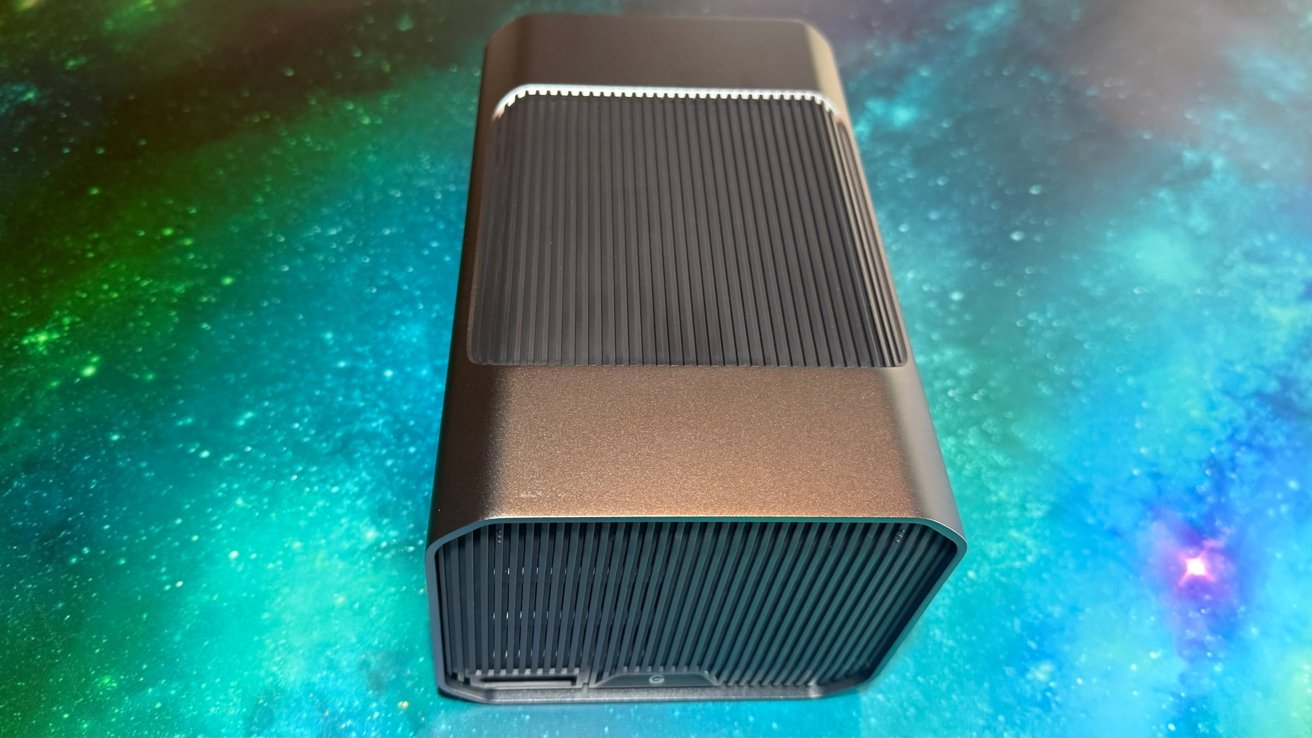
The 52TB G-Raid Project 2 is costly, yes, but it provides a large amount of reliable and well-supported storage for your Mac, plus fast access speeds for serious data warehousing needs.
It's been interesting watching storage trends over the last two decades. In that span, we've gone from 250GB hard drives being enough, to multi-terabyte drives a few years later.
Then we all went back down to lower capacity, but very high speed SSDs being the order of the day.
Those SSDs launched before ubiquitous network storage, be it on a local area network or in the cloud.
There have always been use cases for network storage, just the same as there has always been a need for a few for a lot of local storage.
In 2025, G-Raid Project 2 does its best to offer data density with a hard drive, plus speed for users, in a package the manufacturer refers to as an "enterprise-class storage system."
I do tend to agree that it's for enterprise. I love it, but I'm a data hoarder, and I will be sad to see it go.
G-Raid Project 2 review: Design
The Project 2 is, at its heart, a two-bay direct attached storage (DAS) solution. While normally external storage is the size of one hard drive and a bit more for the enclosure, the Project 2 is about twice as big because it has two hard drives and a slot for the company's Pro Blade SSD product.
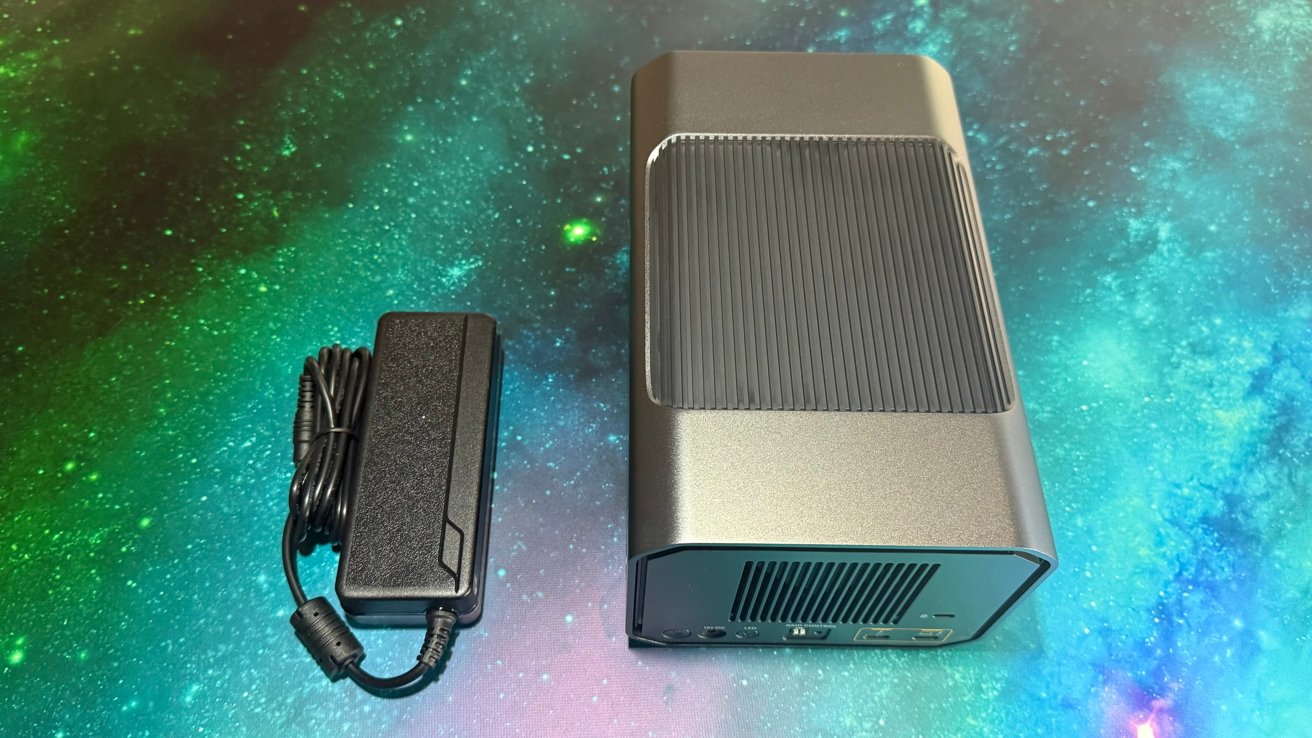
G-Raid Project 2 review: Complete with powerbrick
In a geometric enclosure that measures 5.24 inches by 8.27 inches and 4.06 inches tall, it has a reasonably compact footprint but still could be hidden away on the desk. The need for a power cable also means it's not really portable, unless you are prepared to carry the power brick, and the weight of the enclosure.
Admittedly, there is a sizable power brick, which is reasonable to expect for a device meant to be installed and left alone. It would be a bigger pain point for a consumer-focused version, but less so here.
G-Raid Project 2 review: Connectivity
Around the back of the unit is a grill-covered fan, above the few connectors and switches it uses.
Aside from the Kensington lock slot, there is the power input, a power button LED, RAID control, and two Thunderbolt 3. The ports are not interchangeable, with the computer host port clearly labeled.
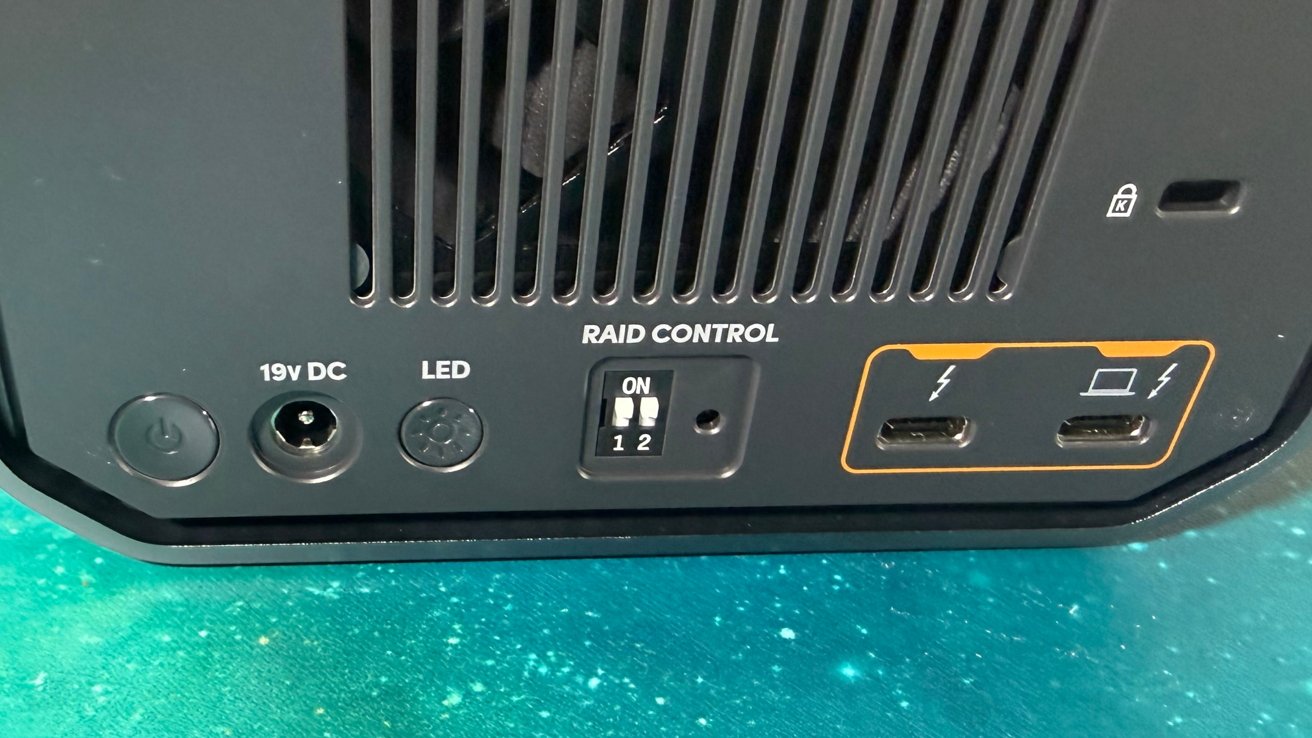
G-Raid Project 2 review: Thunderbolt connections and the RAID control switches
These are Thunderbolt 3, which means they have 40Gbps of bandwidth available when used with a supporting Thunderbolt port. It will also connect to daisy-chained USB-C hardware as well, with support for slower speeds if required.
After so many reviews of drives and docks using USB-C but not Thunderbolt and being bottlenecked, it's good to see this escapes that trap. Sort of. More on that in a bit.
There is support to connect to a Mac using macOS 11 or later, as well as a Windows 10 PC. Connection to the iPad Pro over Thunderbolt is also supported, with it supporting iPadOS 14 or later.
G-Raid Project 2 review: Storage
Removing the front from the unit exposes the two drive slots. Each contains a 7,200RPM Ultra Enterprise-class hard drive. It's a business-focused storage appliance, so this is to be expected.
The actual capacity of the unit is high, at least for the preconfigured units. Things start at 16TB, but you can get a configuration like we have for review containing 52TB of storage.
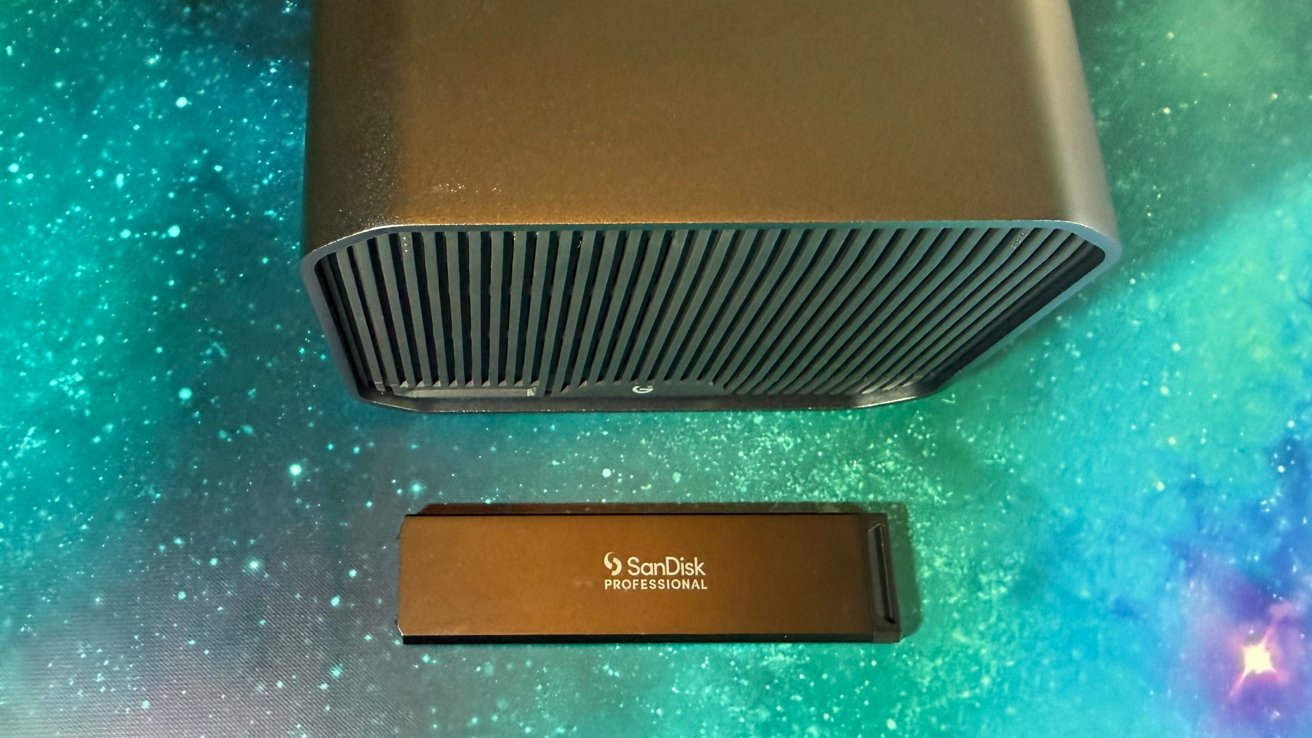
G-Raid Project 2 review: You can use it with a Pro-Blade SSD Mag for extra capacity.
Pricing is certainly a factor here, as it's all on the pretty expensive side.
The cheapest version is the 16TB capacity, which sells for $749.99. 24TB scrapes four figures at $999.99, and 52TB is a spendy $1,999.99.
By default, the unit ships in RAID 0 with dip switches, but you can put it into RAID 1 or JBOD, depending on your storage needs.
We have used and tested so many enclosures that require a special driver for assorted RAID configurations. We used to like that, but across the years, the drivers have broken with Apple's changes, or updates are very, very late to arrive.
So, in 2025, we prefer the DIP switch approach.
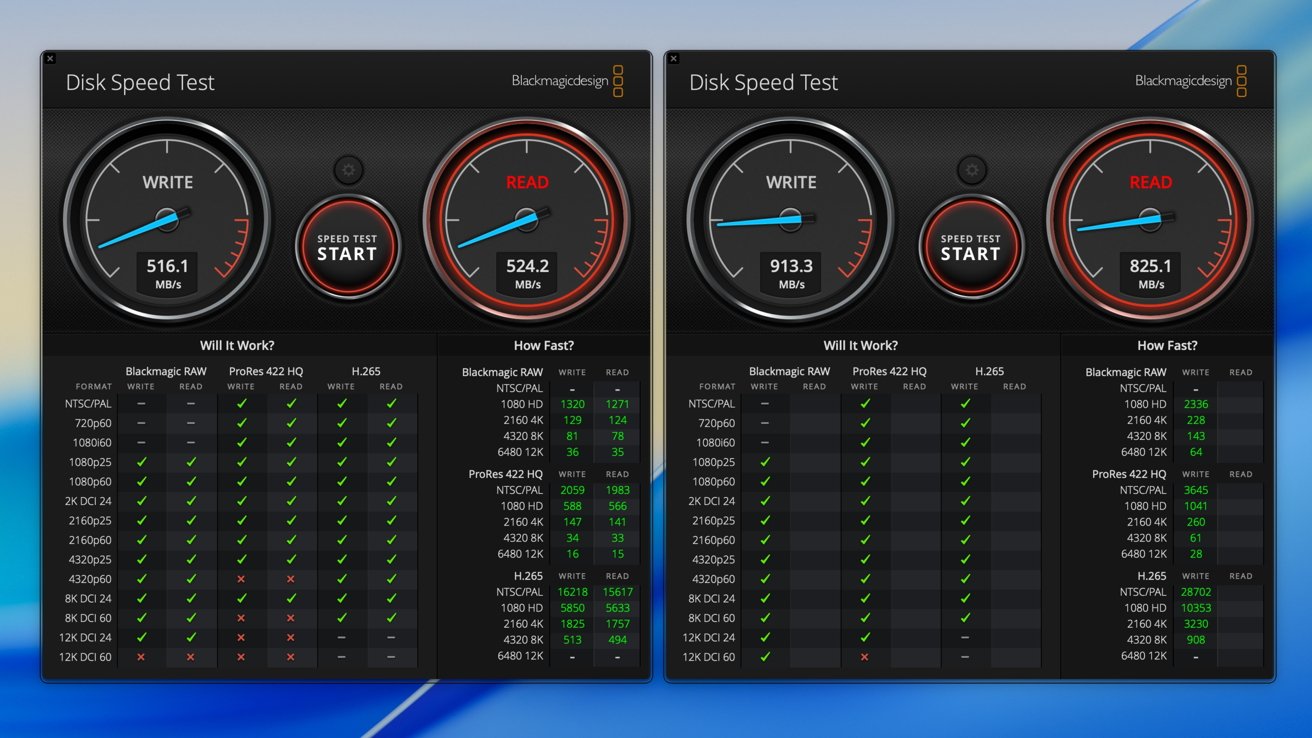
G-Raid Project 2 review: Disk Speed Test results for the included hard disks [left] and SSD [right]
As it is, WD claims that the preconfigured drives in a 52TB unit can have a sequential read speed of up to 520MB/s, or 512MB/s for sequential write speeds.
This isn't all of the storage capacity of the unit, as there is a Pro-Blade SSD Mag slot available. This could be used to add SSD capacity to the unit, though it can also be used for file transfers to another device.
My testing bore out the company's speed claims. For hard disk usage, the speeds quoted are in the same ballpark as those claimed. We managed write speeds of about 516MB/s and reads at 524.2MB/s.
However, it is able to go faster. When hooked up with the Pro Blade SSD, we saw 913.3MB/s for writes, and 825.1MB/s for reads.
This part is actually a little disappointing. The enclosure is Thunderbolt, but Pro Blade SSDs are capable of about 3GB per second M.2 speeds in the company's four-port dock for the system.
G-Raid Project 2 review: Ideal for content producers
As far as external drives go, the G-Raid Project 2 is a robust option that is aimed at video producers and people in the creative industry. There's copious amounts of storage to be configured, and plenty of bandwidth, too thanks to Thunderbolt 3 support.
The G-Raid Project 2 at just about any capacity is probably too much for the typical Mac user to justify having on their desktop. It's arguable that this is probably too expensive for businesses too.
Building your own enclosure is of course an option. A WD Gold Enterprise Class hard drive retails for about $570, so half of this enclosure is just in the hard drives. Two-bay Thunderbolt hard drive enclosures like the OWC Gemini (reviewed here, by yours truly) sell for $300 or so.
Between the two, for a DIY solution, you're looking at about $1500, give or take a bit, minus the SSD slot. Having $500 remaining in the budget makes for a very large, very fast external SSD.
An old saying says that "nobody ever got fired for buying IBM." Obviously, this is dated, but the unattributed quote points to low-risk strategies from well-established vendors being safer for the buyer.
WD and Sandisk, now separate entities, both have excellent support and are obviously well-established. And, they have enterprise sales channels.
But, if your business data needs are great, the G-Raid Project 2 is a good solution. It's not the cheapest, but support pre-buy and afterwards are solid, and it's a good choice for that alone.
G-Raid Project 2 review - pros
- Thunderbolt connectivity
- Sleek styling
- Can be acquired in high capacities
G-Raid Project 2 review - cons
- Only two drives
- SSD-connectable, but only hard drives included
- Pricing
Rating: 4 out of 5
Dear reader, insert our normal "it's hard to do scores but Google demands them" diatribe here. The 4 out of 5 is for the target audience, the enterprise customer. We don't recommend this for home use. Build your own.
Where to buy the G-Raid Project 2
The G-Raid Project 2 is available from the Western Digital online store, from $1,029.99 for 16TB rising to $1,824.99 for 48TB.
It's also available from Amazon, from $839.99 for 16GB to $1,804.99 for 52TB.
Over the course of the review, we saw a sale now and again from either vendor, at about 10% off retail.