The Cherry KW 550 MX LP is a low-profile keyboard that is just okay for Mac owners, but sits in the pricing sweet spot for those buying their first mechanical keyboard.
Cherry is a German-headquartered company with deep roots in the United States, going back to the early 1950s. It was a prolific manufacturer of microswitches for vintage arcade machines, which eventually evolved to become one of the first companies to produce computer keyboards.
As a company, Cherry carries the distinction of a history and reputation for producing top-quality computer keyboards and accessories. I have personal experience with Cherry products, so I was thrilled to be asked to look at one of their low-profile keyboards aimed at dual Mac and Windows use: the Cherry KW 550 MX LP.
I spent a week with it as my daily use and gaming keyboard to see how it measures up to other third-party manufacturers angling for the Mac keyboard market.
Cherry KW 550 MX LP Review: Unboxing
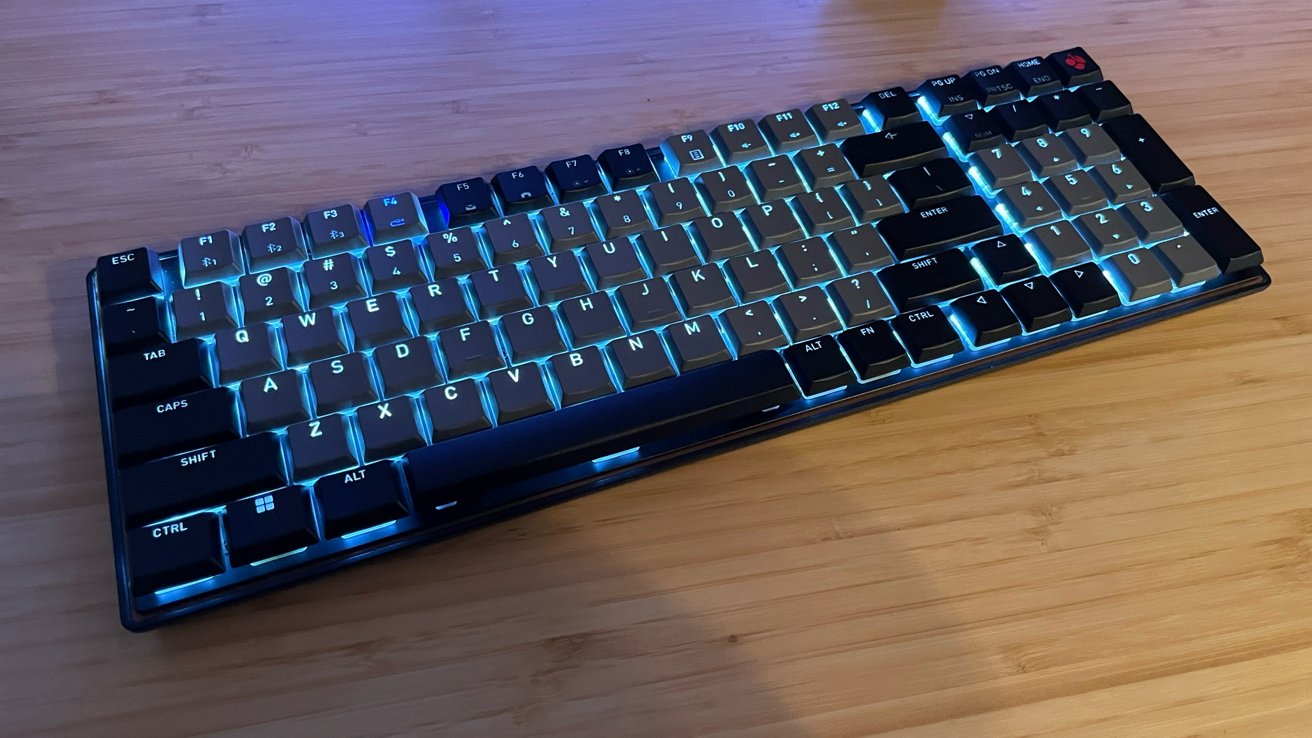
The Cherry KW 550 MX LP is a 95 percent low-profile mechanical keyboard. Connectivity includes Bluetooth and USB-A to USB-C wired options.
The keyboard and accessories arrive in a simple and sturdy box with Cherry branding.
Cherry offers the KW 550 MX LP in two colors: black (with black and grey keycaps) and grey (with white and grey keycaps).
The color options here are basic, but I appreciate that we have options to match light or dark-themed workspaces. Especially when many of the keyboards available from Cherry do not offer such options.
Inside the box:
- Cherry KW 550 MX LP keyboard
- USB-A to USB-C cable
- Manual
Cherry KW 550 MX LP Review: Specifications
- Durable plastic case construction
- Multi-device support: Three Bluetooth 5.2 channels and one USB-A to USB-C wired connection for up to 4 devices
- Mechanical ultra-slim Cherry MX Ultra Low-Profile 2.0 Tactile switches
- White key backlighting with additional color LEDs for status keys
- Foldable feet for height adjustment
- Dimensions: 14.8in x 4.92in x 0.98in
- Weight: 24 oz.
- System Hardware Requirement: USB-C
- Hot Swap: No
Cherry KW 550 MX LP Review: Build Quality
Out of the box, the Cherry KW 550 MX LP feels lightweight for a 96 percent keyboard and incredibly well-made. The case is hard plastic and solid, the keys are smooth and easy to read, and the entire package is based on minimalism and functionality.
This is great in a lot of ways, but my one critique of the minimalist packaging is the manual included in the box. Specifically, the microscopic font size utilized on the "manual" that folds out to full poster size.
This is done to accommodate the various languages needed, and rightfully so, but the method of delivery left a Gen X gamer like me straining to read the setup instructions.

Cherry KW 550 MX LP Review: Left-hand side with connectivity switcher buttons
Typically, this would not be an issue, as I could download a manual from a company website or watch a tutorial video on the product page. However, Cherry offers neither on its product page or in its downloads section.
A Data Sheet is available with very specific numbers and data for the Cherry KW 550 MX LP, but nothing on the installation process.
The Cherry KW 550 MX LP utilizes Cherry MX Ultra Low-Profile 2.0 Tactile switches. They are made exclusively by Cherry in Germany.
With the keyboard not including key puller tools or additional keycaps and switches like other mechanical keyboards, the Cherry KW 550 MX LP is not hot swappable or customizable.
The KW 550 MX LP has white LED keyboard lights with a few specific color lights for functionality and indicators. This is not a full RGB keyboard with customization options.
Around the back of the keyboard is a single USB-C port and a simple power switch in the center.
Below the keyboard are strong, foldable feet to adjust the height and typing angle of the Cherry KW 550 MX LP. I appreciate this as someone who uses keyboards for work and gaming, requiring different angles for both uses.
Cherry KW 550 MX LP Review: Lack of Mac Specific Options
Cherry has a range of software options for its products, with the Cherry Keys and Cherry Utility aimed at dialing in customizations from key bindings to the behavior of the keyboard backlighting.
However, a dive into the Cherry website revealed that all the proprietary software is Windows only, with no macOS option available.
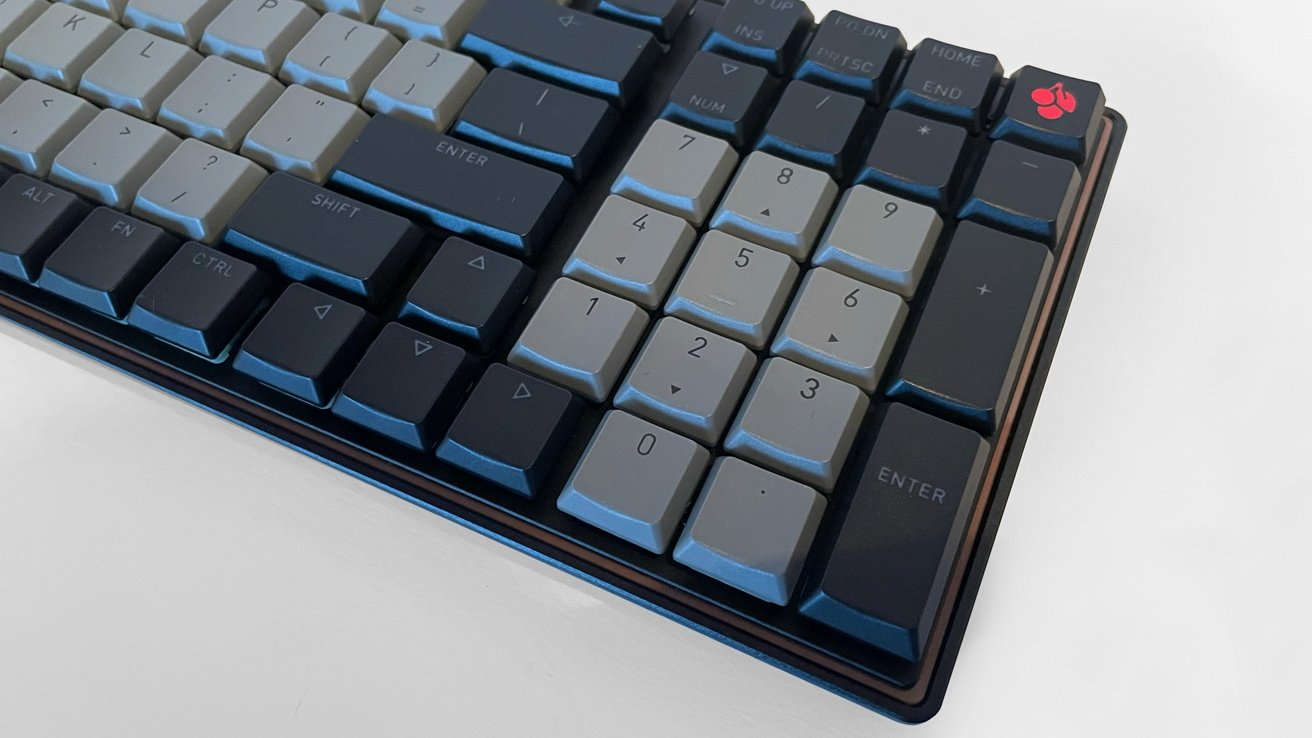
Cherry KW 550 MX LP Review: The Numpad view
Instructions and functionality within the Cherry KW 550 MX LP allow it to work with both Windows and macOS, via a selection of specific function keys to change modes. But the lack of Mac software to change key binds, lighting, and macros remains an issue.
Due to the subpar manual included with the Cherry KW 550 MX LP, trying to find the proper keys needed to change functions between Mac and Windows use was not an easy task. Nor was swapping which device the keyboard is paired to at that moment.
I want to see Cherry focus more on the Mac users it claims to be supporting with its products.
Cherry KW 550 MX LP Review: In use
Aside from the lack of Mac software, I tested the Cherry KW 550 MX LP for a month prior to writing this review. Overall, it was an excellent experience.
The Cherry KW 550 MX LP is a 96 percent keyboard with a full number pad, requiring a larger footprint than a Mac Magic Keyboard. However, the quality of the board makes a strong argument for sacrificing desktop space for an excellent day-to-day experience.
The rubber grips on the bottom of the keyboard reduce incidental sliding, and for me, this was a perfect amount of movement. I use a drawing tablet stylus with my dominant right hand and use key commands with my left hand on the keyboard, and the added size did not hinder my muscle memory or my work process at all.
Typing on the Cherry KW 550 MX LP is smooth and wonderful.
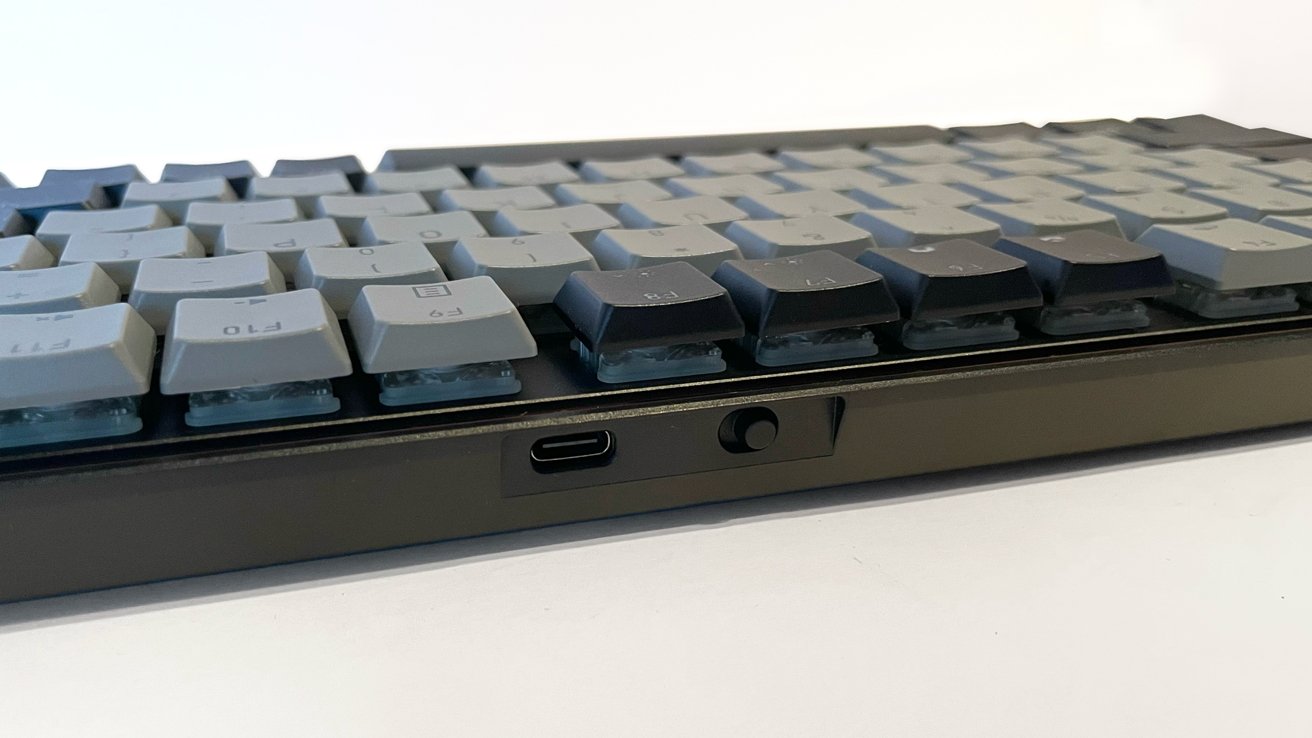
Cherry KW 550 MX LP Review: Rear USB-C and switch
I love soft, non-noisy, low-profile keycaps and switches. The Cherry low-profile 2.0 switches in the Cherry KW 550 MX LP caress my hands and type like butter when I am in the zone, speed typing.
Gaming on the Cherry KW 550 MX LP is an equally wonderful experience as well, as I connected it to my gaming PC to test both the tactile quality and the multi-device swapping.
Playing several games of the fast-paced Dead by Daylightwas lovely. I had zero hand fatigue, and in moments of excited key pressing, the soft switches ensured that the only loud noise made was me, yelling and cursing as I played.
You can connect to up to four devices to the keyboard at once, which I tested with my Mac Studio, my gaming PC, and my iPad. Every connection worked wonderfully, and the quick swap function keys make it quick and easy.
Cherry KW 550 MX LP Review: A great low-profile keyboard
The Cherry KW 550 MX LP is an amazing mechanical keyboard.
From the build quality to the comfort of use, there are too many positives about the Cherry KW 550 MX LP that overshadow the small negatives.
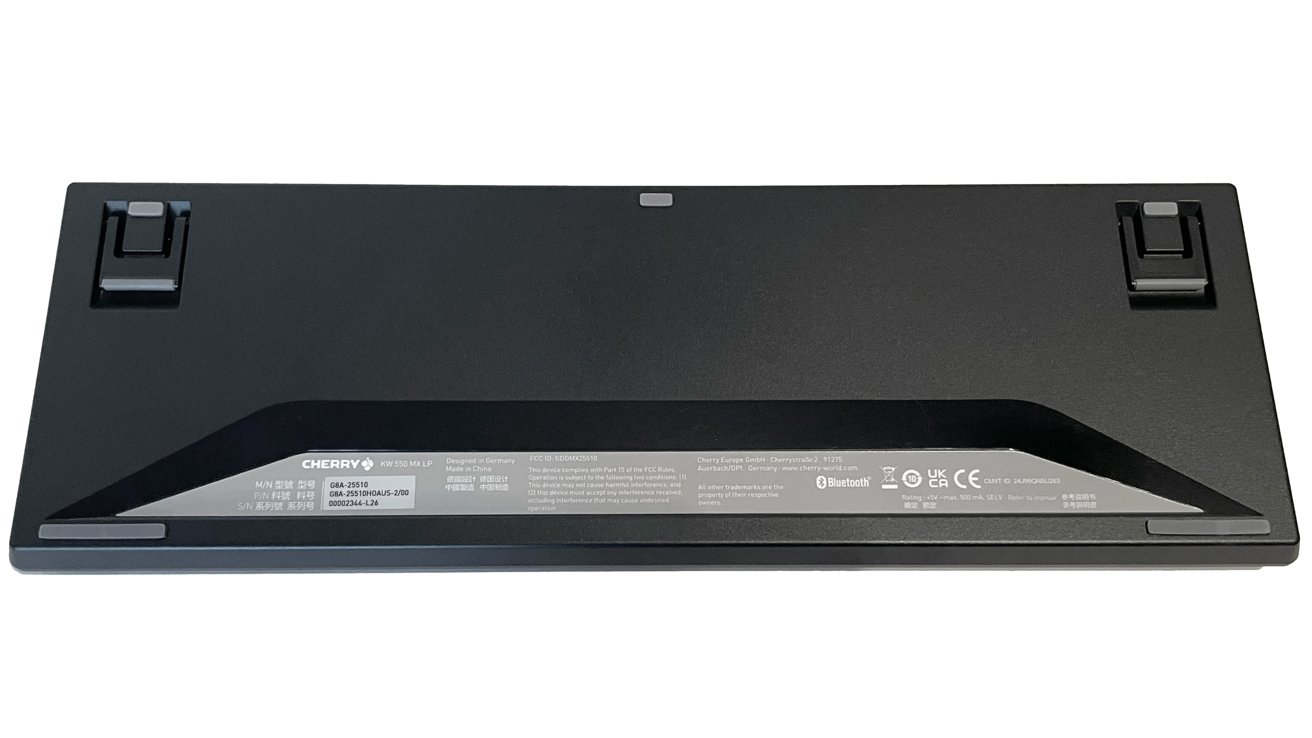
Cherry KW 550 MX LP Review: The base and feet view.
The retail price of $133 pushes the Cherry KW 550 MX LP into what I consider the sweet spot for mechanical keyboards, for consumers who want to try one without breaking their budget.
The Cherry KW 550 MX LP is not cheap in cost, but it is also not cheap in quality, and an incredible working experience.
If you like ultra low-profile keyboards and the Mac Magic Keyboard, the Cherry KW 550 MX LP does everything a mechanical keyboard needs to do, does it well, and deserves a look.
Cherry KW 550 MX LP Pros
- Satisfying tactile keys
- High build quality
- Instant familiarity for Mac users
- Compatible with Windows
- Connectivity with up to 4 devices
- Quick swapping between devices
- Reasonable retail cost
Cherry KW 550 MX LP Cons
- No macOS software support
- Non-user friendly manual
Rating 3.5 out of 5
Where to buy the Cherry KW 550 MX LP
The Cherry KW 550 MX LP is available on the Cherry Amazon shop for $133.