The M5 chip may get the spotlight, but a detailed MacBook Pro teardown shows Apple's refinements go deeper, from simpler battery access to cleaner internal cable design.
On Friday, iFixit shared a close look at Apple's new 14-inch M5 MacBook Pro. The design stays almost the same as the 2024 version, but opening the case reveals plenty of careful engineering changes.
Inside, the updates focus on subtle improvements rather than major redesigns.
Apple's M5 chip offers modest performance gains and doubles storage to 4TB. But the intrigue lies in Apple's hardware assembly.
The teardown begins with removing the P5 screws and lifting the clipped-in bottom case. The layout mirrors the M4 generation, with quiet improvements hinting at Apple's shift toward easier servicing.
Repair guides arrive on day one
One of the first surprises is that Apple now releases its official repair manuals on the same day products launch. The M5 MacBook Pro guide starts with an important safety step.

It instructs users to disconnect the Battery Management System cable to cut power before working on the device. That precaution helps prevent accidental short circuits during repair.
While this was always a best practice iFixit noted that it's the first time Apple has formally included it in its instructions. The change suggests Apple is acknowledging the growing number of users and technicians performing repairs themselves.
Once inside, the teardown reveals Apple's typical precision engineering. Screws, shields, and flex cables are neatly arranged, but the design still favors compactness over easy access.
The internal structure looks familiar, but iFixit found a few refinements that make maintenance slightly less painful.
Battery access gets a small improvement
The six-cell, 72.6 Wh battery is nearly identical in capacity to the previous generation, but Apple has altered the internal frame slightly. Technicians no longer need to remove the trackpad to reach the adhesive pull tabs beneath the central battery cells.
Those tabs allow the battery to be lifted without prying or solvents. They're still finicky, but now they're easier to reach.
It's a modest change that simplifies one of the more delicate steps in past models. The overall structure of the battery assembly, however, remains integrated with the top case.
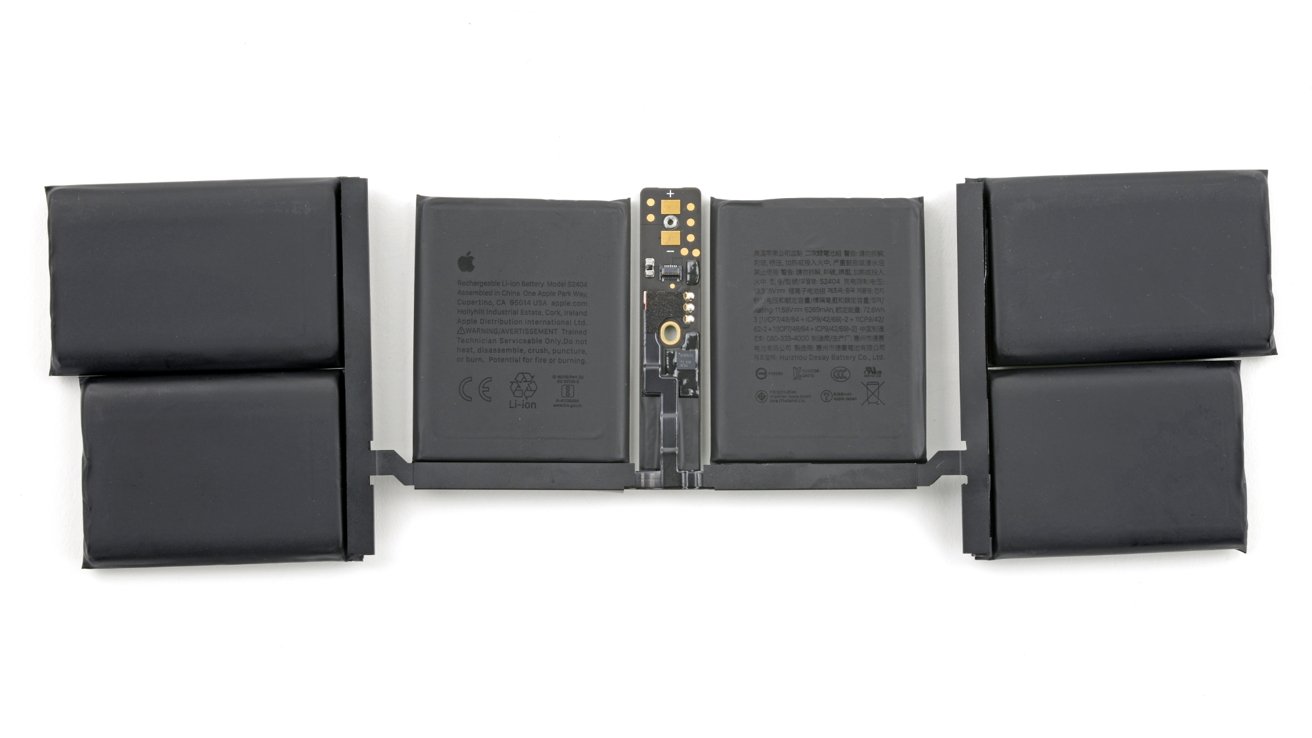
The six-cell, 72.6 Wh battery. Image credit: iFixit
Images from iFixit show all six cells arranged symmetrically across the lower half of the chassis, each secured with stretch-release adhesive.
Ports and fans - modular but deeply buried
Moving deeper, iFixit found that most ports and the cooling fan are modular, meaning they can be replaced independently if damaged. That's a positive design choice, at least in theory.
In practice, many of those parts sit beneath the logic board, so accessing them still requires extensive disassembly. The teardown team described the process as a "marathon of screw removal" involving cables, brackets, and heat shields.
For example, the fan, which occasionally needs cleaning or replacement, can't be reached until the logic board is lifted out. Apple could position the fan mounts above the board without affecting performance, yet the company hasn't done so.
The logic board remains a tightly packed showcase of Apple's chip integration. The M5 processor sits in the center, surrounded by unified memory modules and power management components.
A CT scan captured with Lumafield's Neptune 3D imaging system provides a detailed look at the layered design.
Display replacement takes patience
Replacing the M5 MacBook Pro's display still requires care and patience. The antenna bracket, which runs along the hinge area, must be removed first.
It's held by a series of tiny Pentalobe P2 screws, each easily misplaced. Only after removing the bracket can the hinge screws be reached, allowing the display to separate from the body.
Once detached, the Touch ID sensor must be handled separately. It slides out cleanly, but reinstallation requires software calibration through Apple's Repair Assistant tool.
Apple's new repair software automates most recalibration steps. However, testing revealed that the Touch ID module didn't always pair correctly.
Other components, like the keyboard backlight and trackpad, recalibrated without any issues.
Structure & design refinements
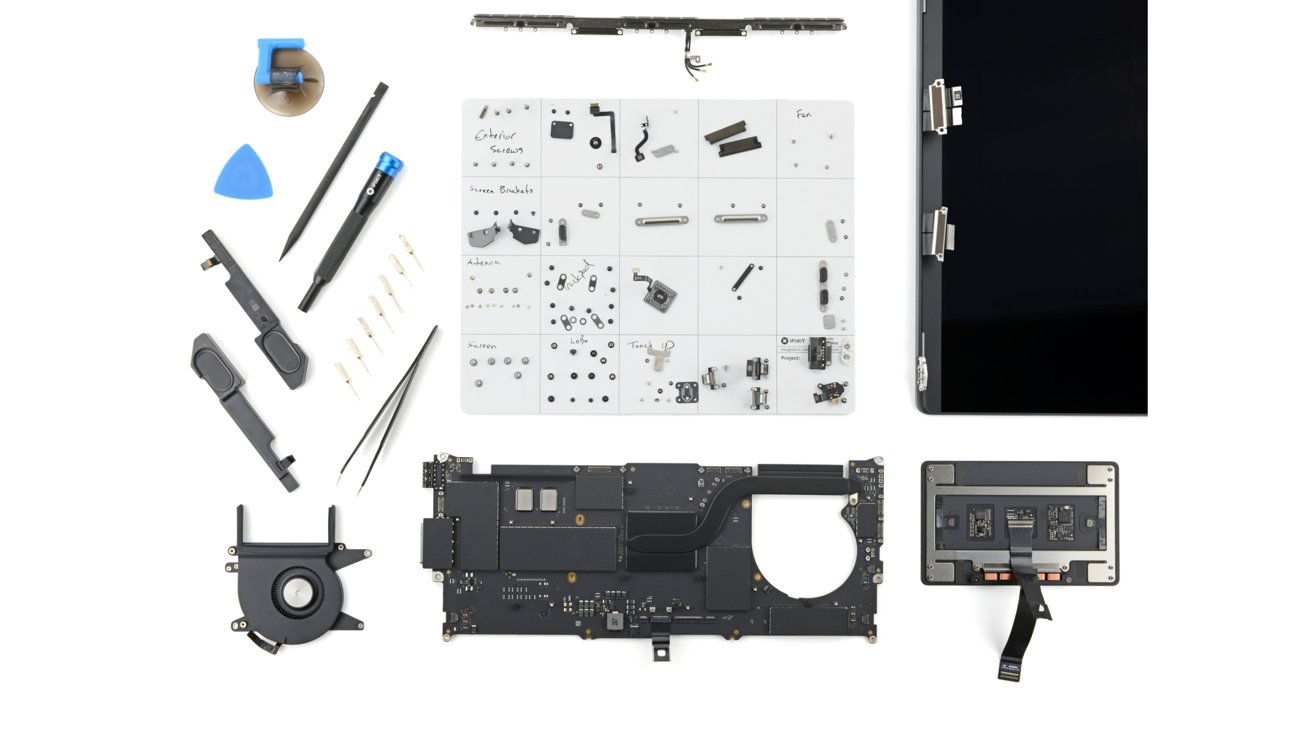
Beyond functional components, iFixit observed minor differences in the layout of cables and brackets compared to the M4 model. The internal speaker housings are still glued in place but can be released cleanly with isopropyl alcohol.
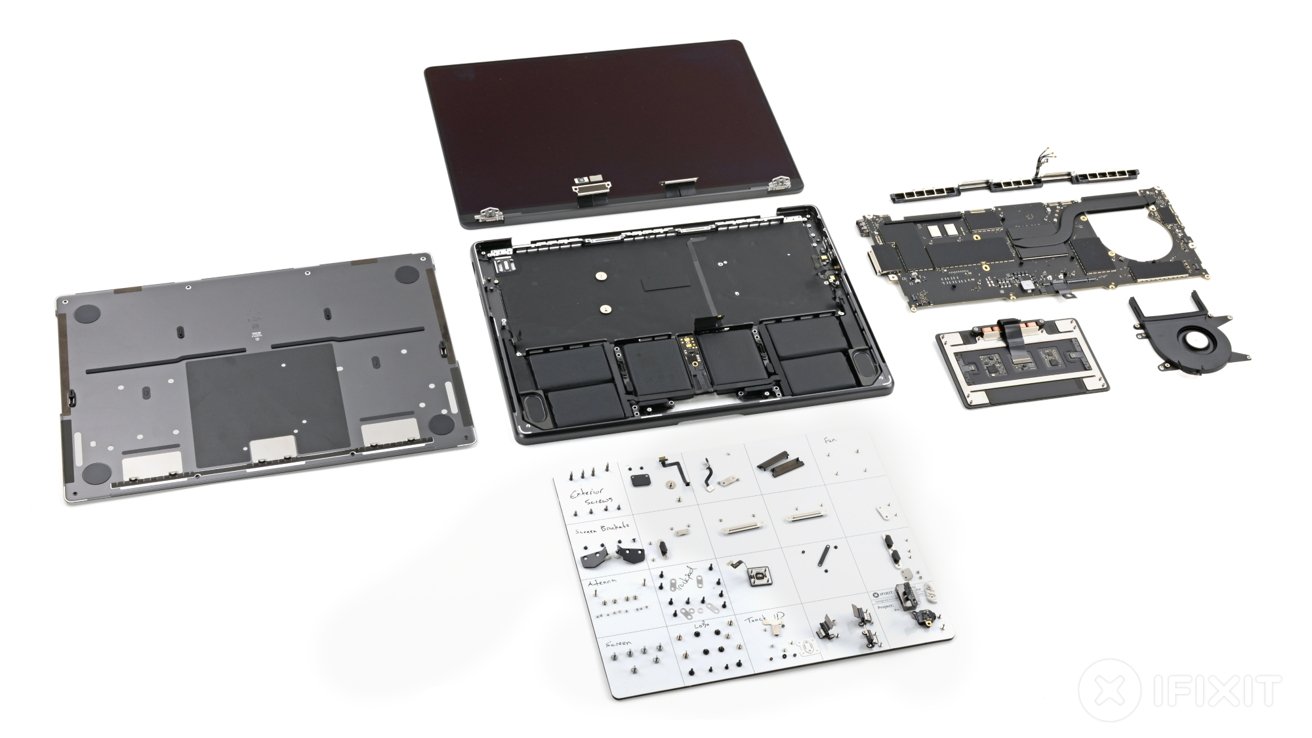
M5 MacBook Pro teardown reveals subtle changes inside. Image credit: iFixit
The trackpad keeps the same mounting pillars, each with small spacers that need to be preserved during reassembly. The teardown showed a simplified internal shield and cable setup, reflecting Apple's focus on boosting manufacturing efficiency.
The hinge mechanism now has tighter tolerances and more uniform alignment, which might improve its durability over time. These changes suggest a step forward in design and functionality.
While many of these changes go unnoticed by users, they reflect Apple's ongoing optimization of its MacBook design process. Each generation seems to bring a few adjustments that make production smoother and future servicing marginally easier.
Incremental progress, not revolution
By the end of the teardown, iFixit rated the M5 MacBook Pro a 4 out of 10 for repairability. The score reflects a balance between Apple's precise engineering and the difficulty of accessing most parts.
Battery access and documentation improved critical components like the ports, fan, and logic board still require near-total disassembly.
The M5 teardown shows Apple's engineers are thinking about repair, even if it isn't the primary goal. The design refinements suggest a slow movement toward modularity, but full repairability remains distant.
The result is a laptop that looks nearly unchanged on the outside but hides meaningful evolution within.