The popular three Affinity design apps on Mac and Windows both have been scrapped, as Canva combines all previous functions into a single and completely free Mac app.
It's an enormous understatement to say that users of Affinity Publisher, Affinity Photo, and Affinity Designer, have been worrying for a month. New owner Canva removed Mac apps, made all of the iPad versions of its apps free, and promised a dramatic announcement.
Now that announcement and the release of the new software has broadly put to rest the key concerns:
- There will be no subscriptions for core app functionality
- Canva is not rebranding the apps
- Canva is not dropping the apps
There is a something of a devil in the details, and not all users will be happy. But compared to having Canva asset-strip the apps, or switch to subscriptions, the announcement is better news than feared.
Or it is better than expected for Mac and Windows users. Unexpectedly, Canva says that the iPad version of its new offering will not be released until 2026.
The company has confirmed to AppleInsider that the current iPad apps will remain available until then. Canva also confirms that the new Affinity app is a native Mac one, and not built on Electron cross-platform development frameworks.
One app, every function
The key detail is that Affinity Publisher, Affinity Designer, and Affinity Photo are gone, and instead there is just one single app called Affinity.
We tried getting a pre-release version of the app to see what was going on, but that didn't happen. So while we are immediately testing out the public release, there are some concerns we can aready answer.
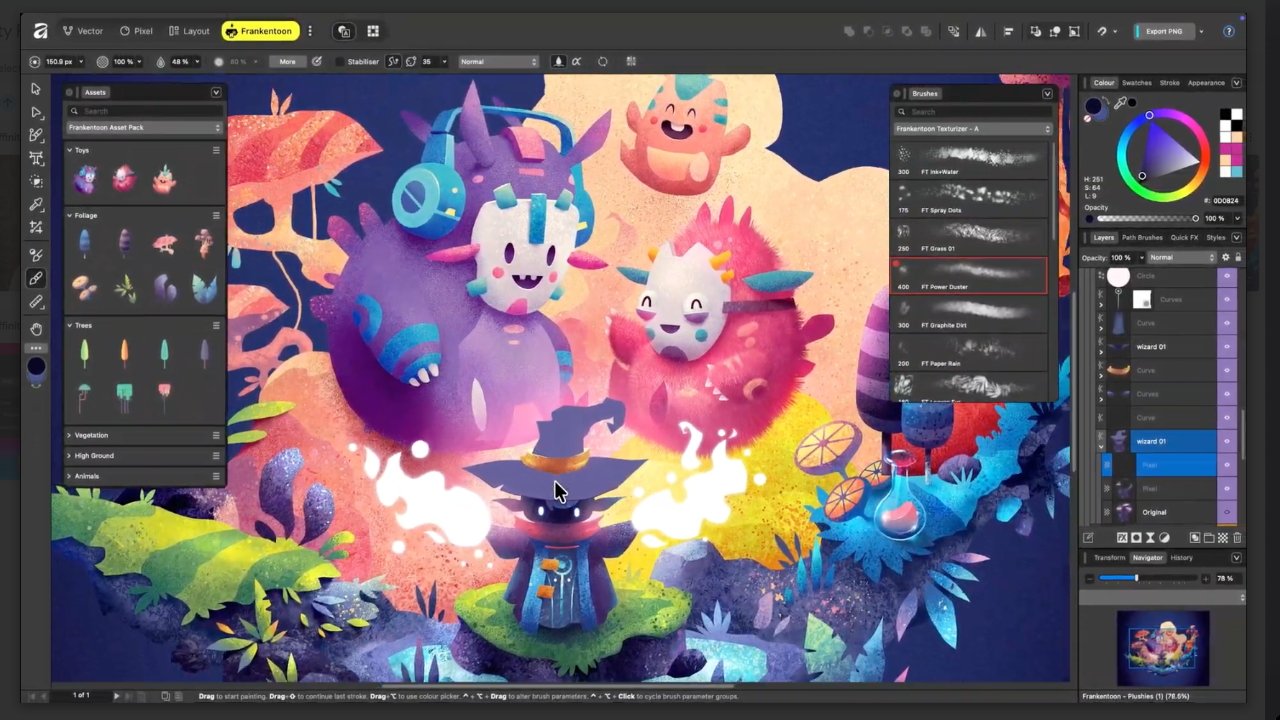
Specifically, there is an argument that this is really only a re-skinning of the original apps. For the new app constantly features a stubby control strip with large buttons for Vector, Pixel, and Layout.
Clicking on Vector gives you what pretty much what Affinity Designer had before. And similarly Pixel is Affinity Photo, while Layout is absolutely Affinity Publisher.
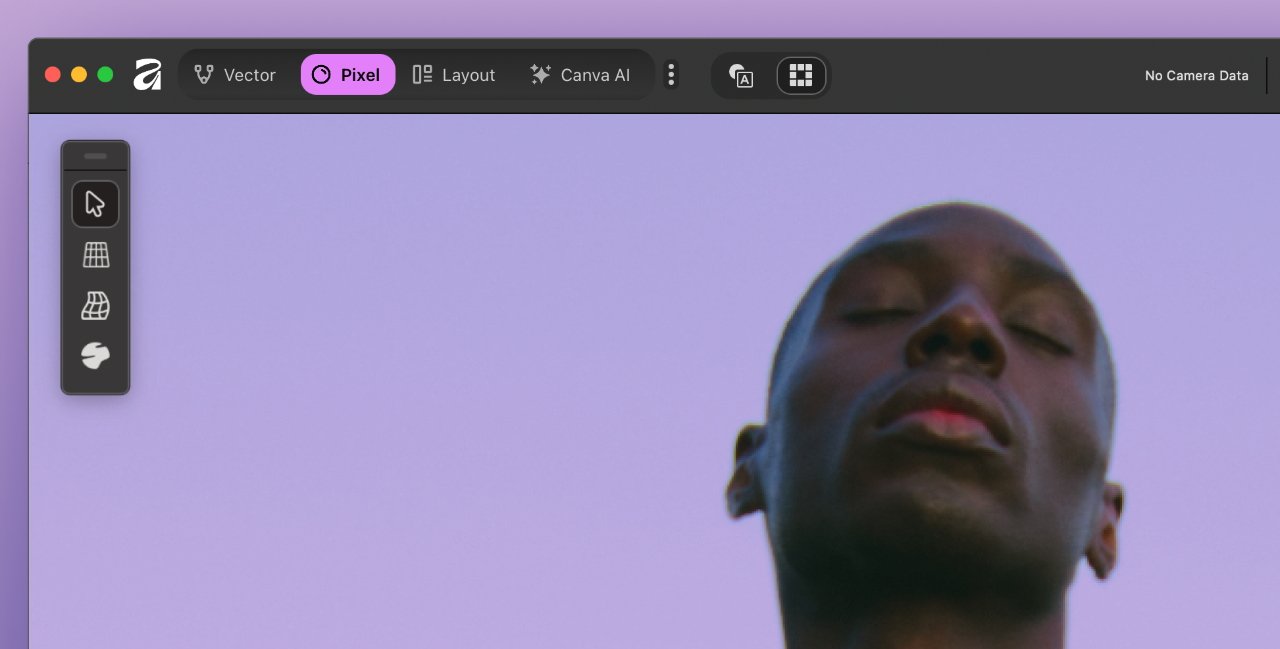
Notice the Vector, Pixel, and Layout buttons — this is how you'll get to Affinity Designer, Photo, and Publisher functions — image credit: Canva
What Canva says, though, is that users will be able to customize the app's toolbars to create any workspace they want.
It has to be, though, that existing users will have to heavily customize it. That's because there is only so much room, and even if the Vector, Pixel, and Layout buttons divide the one app into three, Canva will presumably have selected only the most commonly used tools from across the three apps.
Consequently, there has to be a risk that new users won't find controls that they need, because they just do not know about them.
But then it may also mean that existing users of any one of the original Affinity apps will now be exposed to features from all three.
Canva does say that users will be able to share their workspaces and sets of tools.
One immediate finding is that users familiar with the Export option from, say, Affinity Publisher, are going to take a minute to learn how to do it now. For there is one Export panel with every option from every app, and within a range that includes JPEG and ePub, there are typically half a dozen options.
Then once any one of those is selected, you get a pane with finer controls. Those look very similar to how the previous apps did this, but it's already taken a little hunting to find what we needed.
Evolution of app switching
This fits, too, because combining Affinity's range of features into a single app is a clear evolution of the company's prior approach. Previously, each of the company's previous three apps had a one-click way to switch apps.
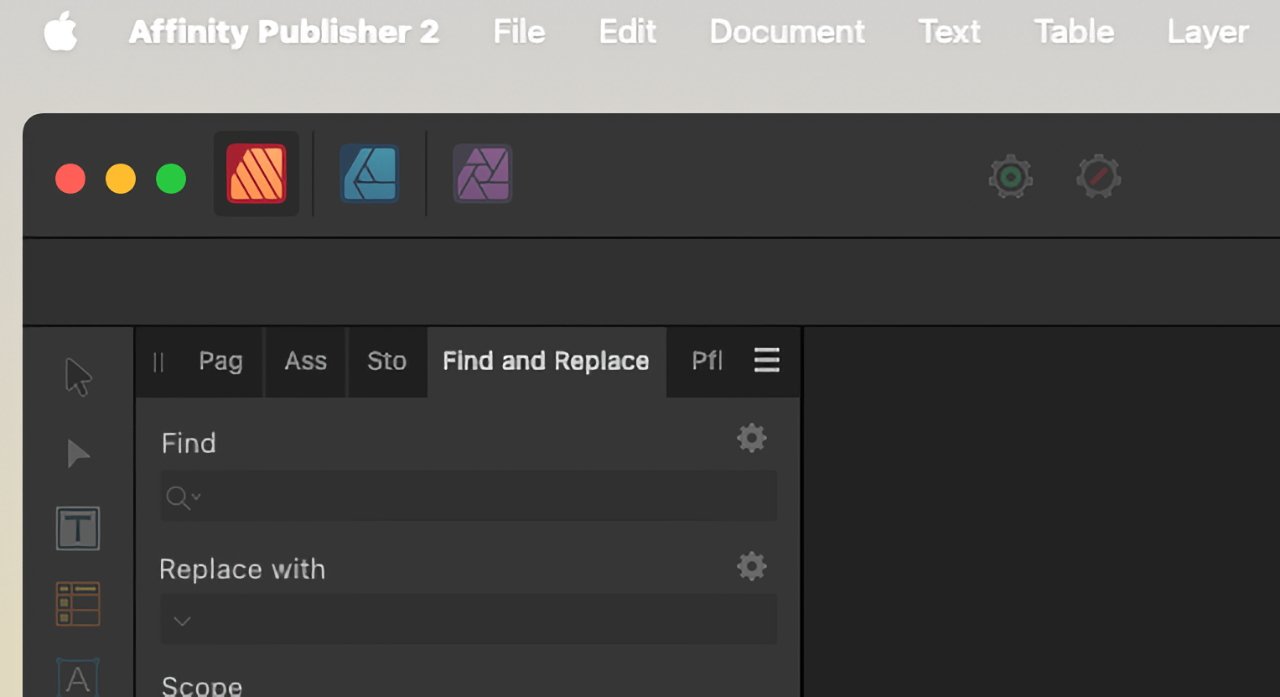
In all three previous Affinity apps, you could click and have your document wrapped in the tools from another sister app
Whichever app a user started in, their document remained open and exactly where and how it was. But every tool, every menu wrapped around it would belong to the other app. Now every tool from each app can be accessed at any time.
Free forever
One of the major selling points of the Affinity apps was always that they were one-off purchases. It was particularly attractive as Adobe keeps hiking its subscription prices, year after year, and sometimes more than once per year.
The Affinity apps were not exorbitantly priced either. And, like we said, the new single app is free. And, Canva stresses that this is free without any catch.
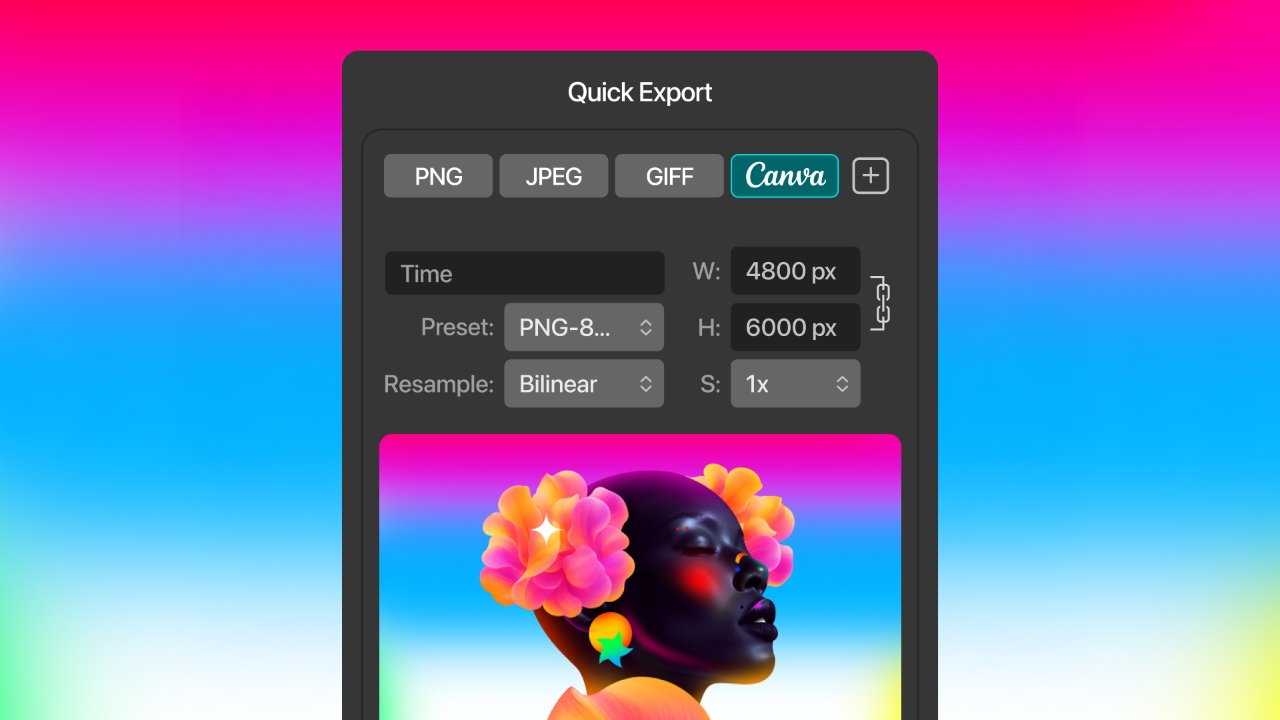
We haven't seen 'GIFF,' in ages — image credit: Canva
Users do have to have an account in order to use the apps. This was also the case with the previous Affinity apps, and the company says that existing accounts will work.
New users will have to sign up for a Canva account. There are paid tiers, but all that is needed is a free one.
The app appears to have multiple routes into Canva. All users can share their work via the platform, for instance.
And users who do choose to subscribe to a premium Canva tier will able to use the platform's AI tools within Affinity.
Why Canva is doing this
When Canva bought out Serif, the developer of Affinity, it appeared to be a consumer company buying a professional art one. Canva has very strongly pursued new and consumer users, intending to make creating artwork simple for them.
But Canva is only simple when you work precisely the way it lets you. For a professional user, it was too constrained.
It's also frustrated AppleInsider staff. Depending on how a Canva user sent an image in, it was at the very least awkward to bring that into any other image editor.
So it's possible that Canva sees Affinity as its route to the professional market. It certainly does position Canva far more closely against Adobe than its own offerings ever did.
Plus there is this issue of Affinity users having to have Canva accounts. It will presumably drive some Affinity users to go for the paid tiers.
Prices for those vary, and Canva doesn't reveal the cost of all of its various plans up front. Education and non-profit company users, for instance, have to ask.
But there is a generic Canva Pro tier. That costs $100 per year.
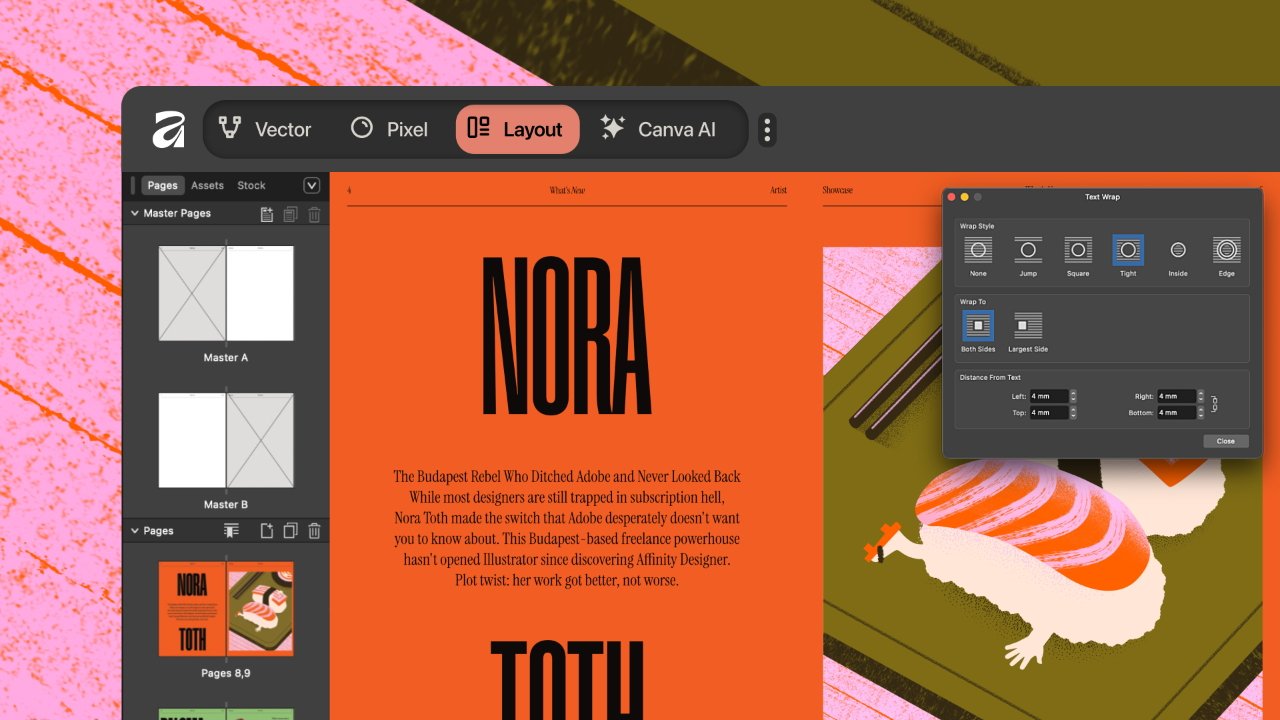
The new "Layout" button does take you to here, which is at least recognizable to Affinity Publisher users — image credit: Canva
Each of the old Affinity trio of apps cost $70, or could be bought in a bundle for $170. That was a one-off purchase, though, and only Canva knows how many new users it was getting each year.
Doubtlessly Canva has run the numbers and expects this move and the demand for paid AI-generation and editing of images to ultimately be profitable.
But in the meantime, the fact that the app is not a subscription one is a relief for users who'd already bought the previous ones. That it wasn't asset stripped and features moved into Canva itself, is also worth celebrating.
Yet this is a case where the real impact will not be known until the new Affinity app can be tried out extensively. And it's also a case where if you have the original three Affinity apps, hang on to them.
That's clearly necessary with the iPad versions. It's not surprising that with a complete redesign, the company concentrated on the Mac and Windows versions first.
But it does raise an issue. When you open an existing Affinity document in the new app, you are told it has to be updated — and that it won't be possible to open it in the old software.
That's far from unusual. But in this case it does mean you cannot work cross-platform as the iPad apps only recognize the old format.
It's no understatement to say that if you liked the Affinity trio of apps, you relished them. They may have initially been considered cheap versions of Photoshop, Illustrator, and InDesign, but they became strong apps in their own right.
The announcement from Canva will put some minds at rest — and there's no reason not to download the free app and try it out.
But it's still going to be a shame that the individual Affinity Designer, Affinity Publisher, and Affinity Photo are behind us.