
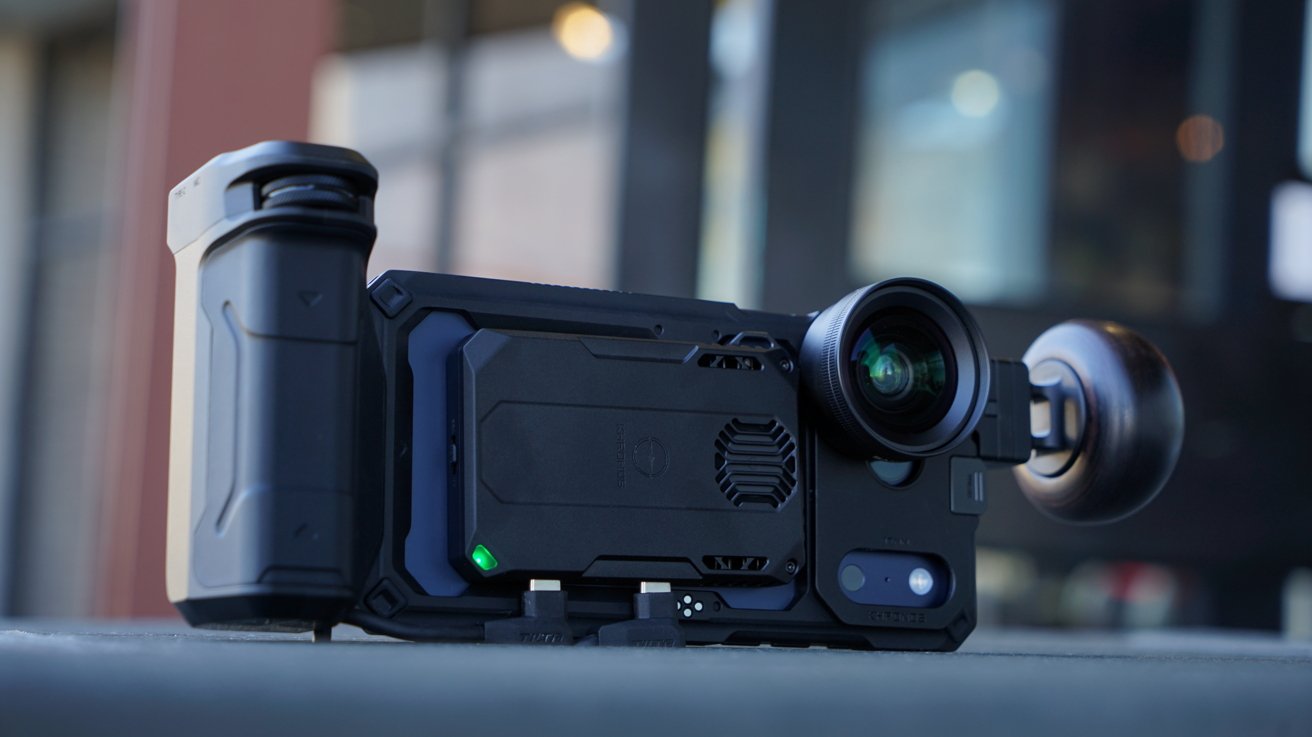
If you're an avid iPhone photographer or videographer, you know that the right gear can transform a shot. Tilta Khronos is the answer for long-term use, even across iPhone generations.
I previously reviewed the Tilta Khronos iPhone camera system while connected to an iPhone 16 Pro Max. It was a fascinating system with a price aimed at pros, but one problem stood out — future proofing.
I'll say it here at the top so I'm not beating around the bush too much. Tilta Khronos has solved the future-proofing problems presented when buying expensive iPhone camera gear.
Normally, if an iPhone owner wants to invest in a lens or other attachment, they have to be resigned to the fact that it may no longer work in less than a year. This problem is compounded by the fact that iPhone-specific cases and other products aren't always available at launch, so the time with them is even shorter.
The promise of Tilta Khronos for iPhone is that you buy all the accessories you need, then get the case for your respective iPhone. Once you've upgraded your iPhone and you need a new case, you simply swap that piece out, and everything works as expected.
My testing with the iPhone 17 Pro Max has proven this to work great. Also, the necessary case went up for pre-order almost immediately after Apple's new models launched.
Another important note — there's no need to worry about fiddly changes to how the case and accessories work. Unlike other iPhone accessory makers that might mess up compatibility across generations, Tilta just swaps in a new accessory using the same connectors.
Let's dig into what's new with the iPhone 17 Pro Max iteration of the Tilta Khronos system. This review will focus on the gear itself, so I won't be sharing test photos or video captured with the unit, especially since the lenses aren't from Tilta.
Tilta Khronos iPhone camera system review: Upgraded for iPhone 17 Pro Max
The Tilta Khronos iPhone 17 Pro Max case has the same mounting points as the iPhone 16 Pro Max model, but obviously the camera bump is different. Because of this design change, Tilta had to release new camera lens mounts and filters.
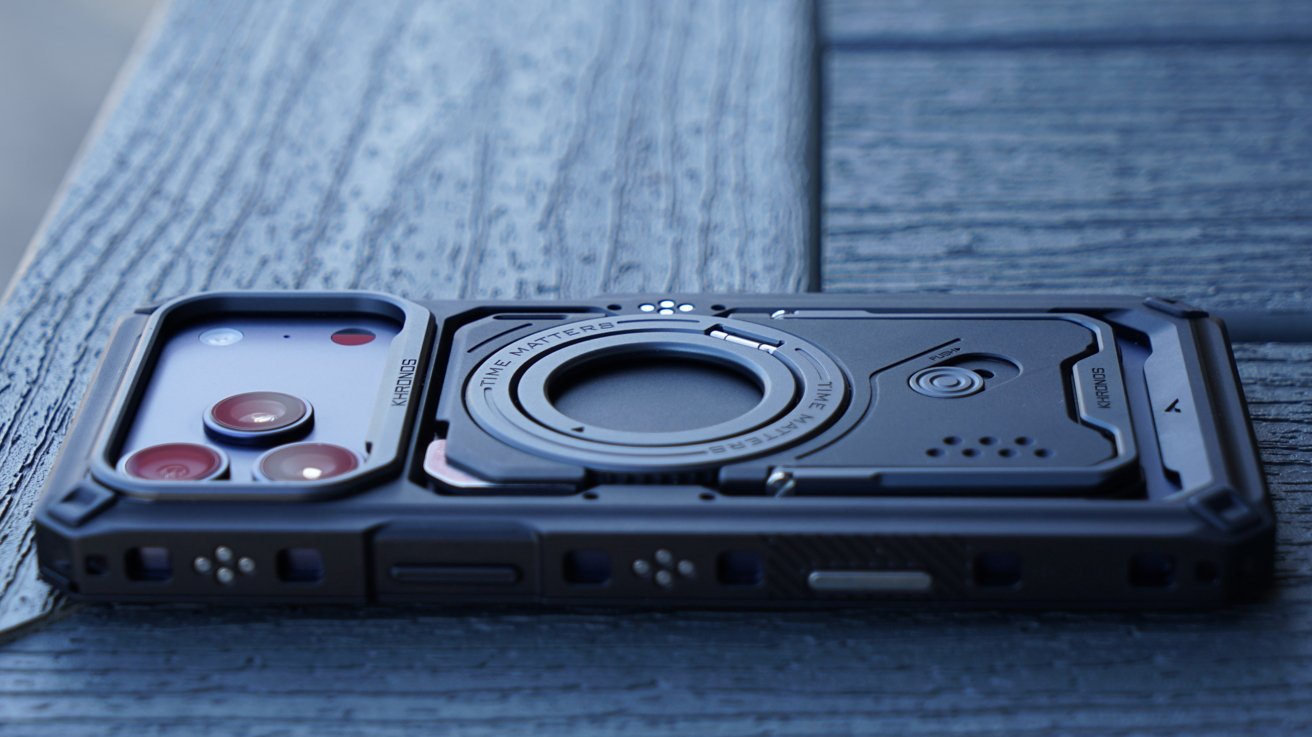
Tilta Khronos iPhone 17 Pro Max photography kit review: a rugged case
I'm actually quite happy that they didn't try to shoehorn in the old square flap. It was secure, but much less substantial than the new attachment that covers the entire plateau.
I've found that the camera lens adapter won't attach unless the iPhone is out of the case. It's a minor issue that really isn't a problem, as you're not going to be attaching and removing this component constantly.
Also, the camera lens mount is something I just leave attached even when I don't plan to use the lenses. It feels more like it is a part of the case this time around.
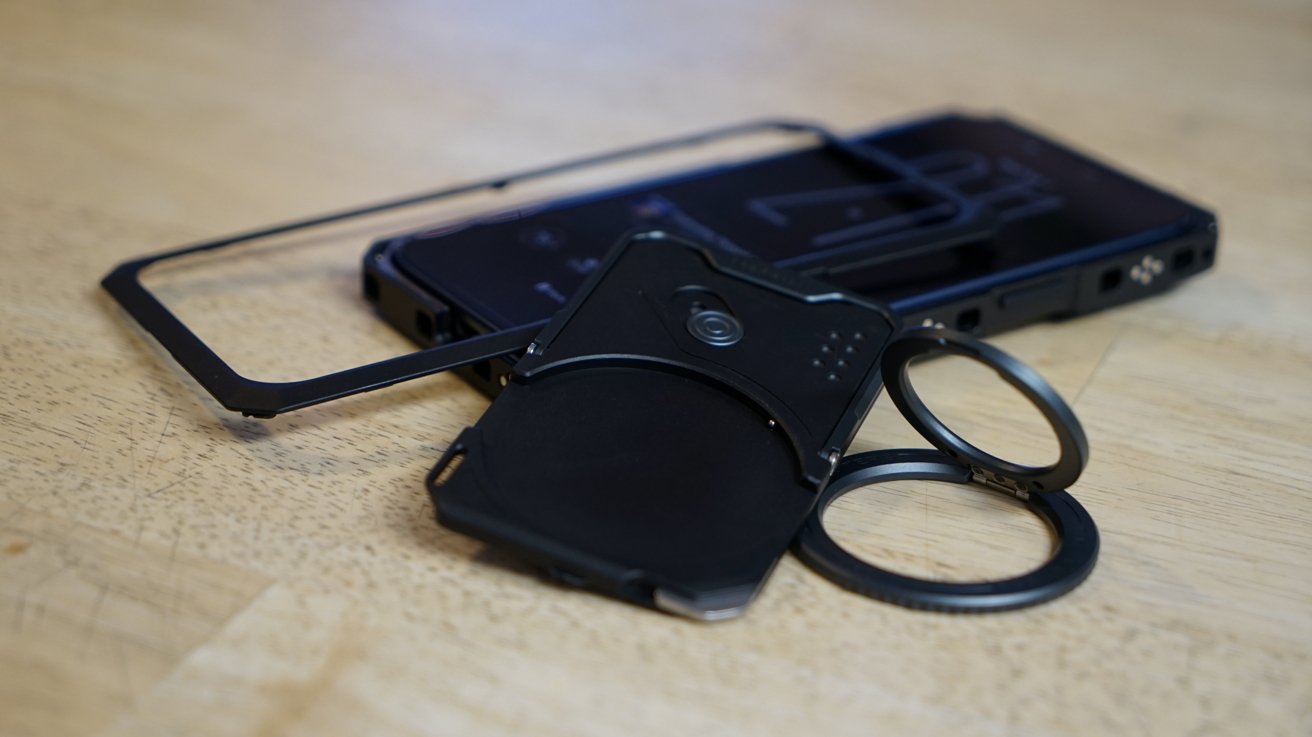
Tilta Khronos iPhone 17 Pro Max photography kit review: a modular backplate
The additional backplate that locks into place via MagSafe saw some upgrades too. The kickstand is much more substantial, and the ring in the back can fold open for a grip and even be removed.
While MagSafe charging still isn't possible through the backplate, the magnetic connection is a good thing to have. Several of the recent MagSafe battery packs I've tested recently have USB-C cables, which can charge the iPhone much faster and would be a perfect use case here.
Overall, I'm quite happy with the look and feel of the next-generation iPhone case. It weighs a little less at 2.2 ounces but feels substantial and protective.
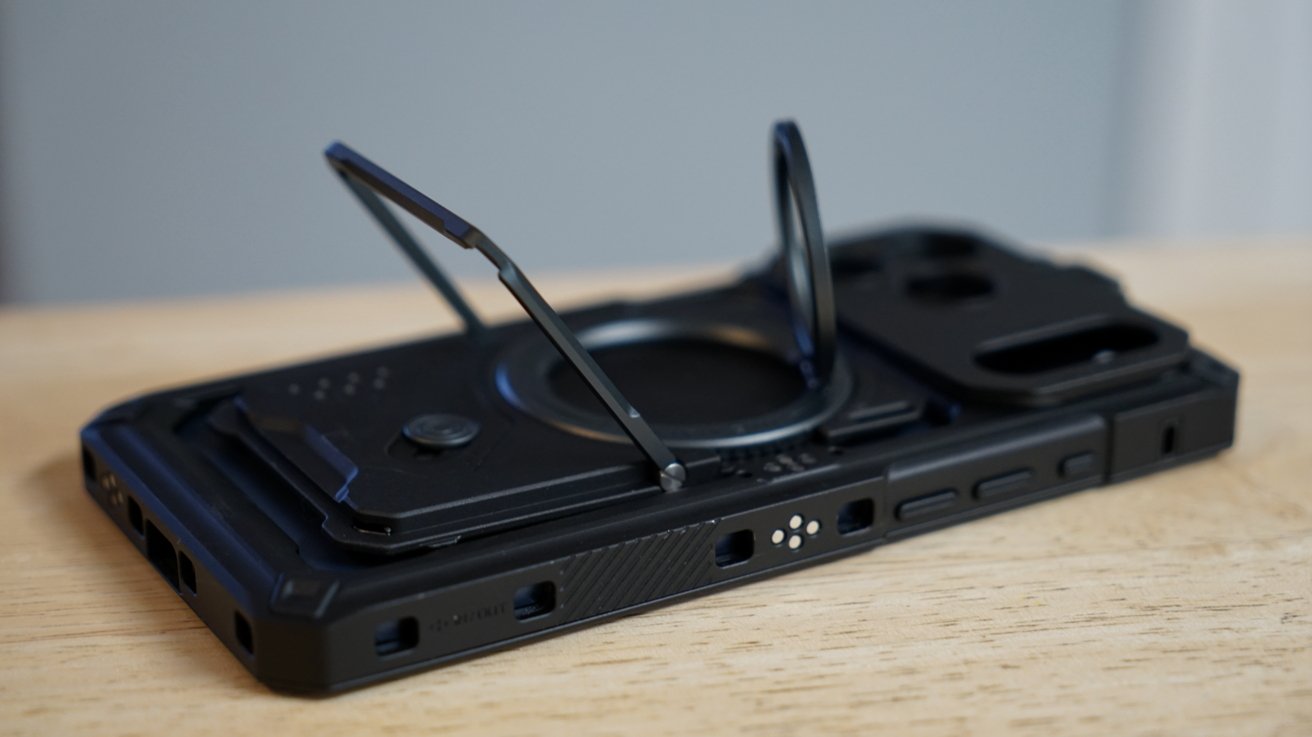
Tilta Khronos iPhone 17 Pro Max photography kit review: a backplate with a kickstand
I'm not a person that generally carries my iPhone in a case, but I really like this one. It just looks and feels cool and justifies its weight through utility and protection.
The connection points around the case are joined by tiny contacts that align with accessories. If the accessory is a battery that supplies power, it can provide power through the whole case to other connected accessories, like a light or fan.
Tilta dropped the price of the Khronos case for the iPhone 17 Pro Max to $99 from Tilta or Amazon. The backplate is included with the case, but can also be purchased separately for $29 from Tilta.
Tilta Khronos iPhone camera system review: Ultimate kit accessories return
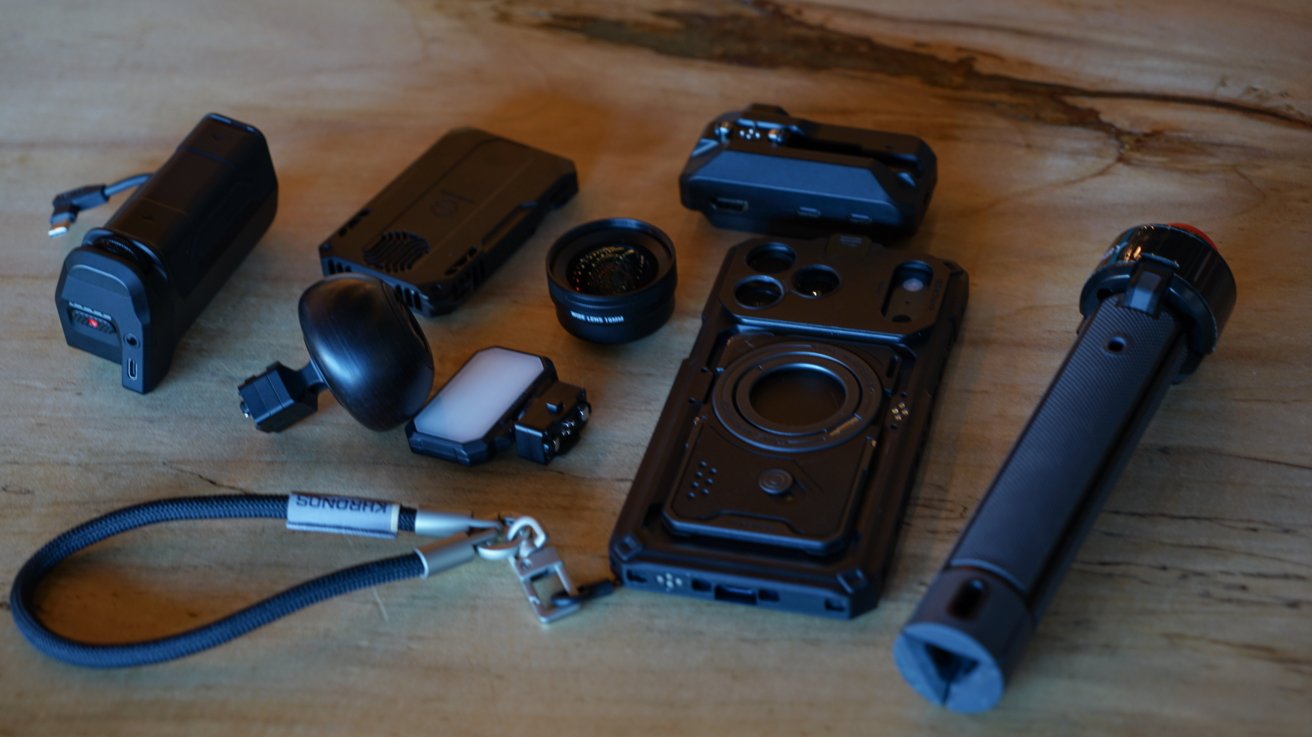
I can easily attach everything from the iPhone 16 Pro Max Tilta Khronos Ultimate Kit minus the lens adapters and filters. I also tested the new Khronos Cooling Storage solution, but more on that in a moment.
Tilta Khronos iPhone 17 Pro Max photography kit review: future-proofed accessories
I like to go a bit more simple with my setup, so the Focus PD Handle that integrates with the Blackmagic iPhone app and the Circular Wooden Handle are my default items.
I went very in-depth with the 2025 Ultimate Kit items in my original review, but I'll share a little about them here.
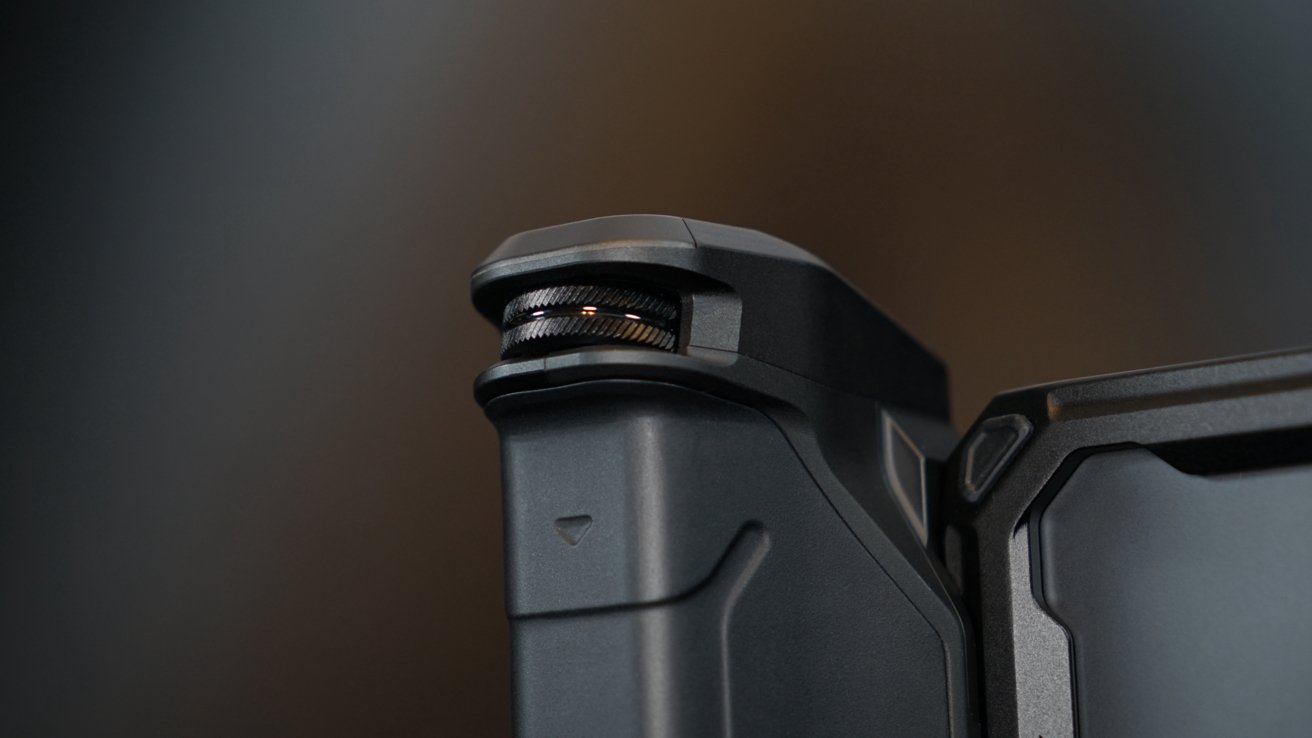
The $99 Focus PD Handle connects on one side of the iPhone and has a short USB-C cable to provide power from its integrated battery pack. It also provides power to accessories connected to the case.
It has a USB-C port for external charging and a headphone jack for a microphone connection. The controls include a Bluetooth-connected record and shutter button and a dial that controls focus or zoom in the Blackmagic app.
Tilta Khronos iPhone 17 Pro Max photography kit review: Focus PD Handle returns
The internal battery outputs 20W and has a 5,000mAh capacity. It's the accessory that brings the whole product together.
The $79 Quick Release USB-C Hub still works, but I felt like it was less necessary with the Cooling Storage attachment. Though, if you want HDMI out or additional ports, it's the way to go.
I'll emphasize this again — you're not going to use every tool at once. There's something about it being a "kit" that makes me want to try and attach everything at once. It doesn't work.
Tilta Khronos iPhone camera system review: Cooling Storage
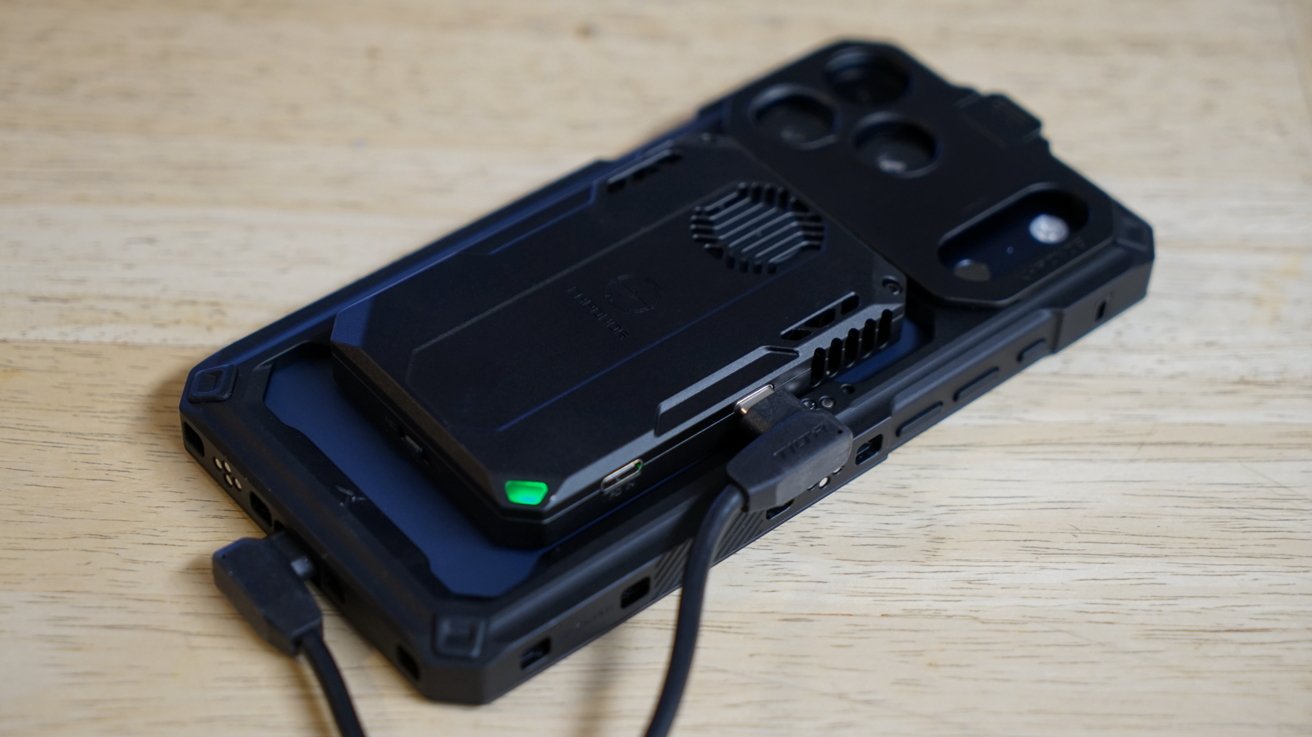
The Khronos Cooling System throws a big wrench into the middle of the Ultimate Kit. It renders the cooling fan redundant and can't attach when the USB-C Hub is also attached.
Tilta Khronos iPhone 17 Pro Max photography kit review: a cooling and storage solution
So, if you're interested in the Cooling Storage option, perhaps get the less expensive Street Snap Kit. Though, I personally would also throw in that $30 wooden knob.
The Cooling Storage System can transfer data from an SD card, TF card, or even an installed M.2 SSD (2230/2242). It's quite the handy piece of equipment even if you're not using it attached to the iPhone.
I've kept it in my bag just to have a simple way to get photos from my camera's SD card to my iPad Pro. It's also an excellent way to record ProRes RAW if that's something you're interested in.
Connect an external power supply of up to 100W for PD passthrough charging. The included L-shaped cables are a little awkward given their proximity.
Get the Khronos Cooling Storage System for $89 from Tilta. It is also from Amazon for $89.
Tilta Khronos iPhone camera system review: lens mounts
Tilta offers the same three types of lens mounts for the iPhone 17 Pro Max as it did for the previous generation. You will need a new one though, but luckily they're only $9.
Tilta Khronos iPhone 17 Pro Max photography kit review: hold onto those longer lenses
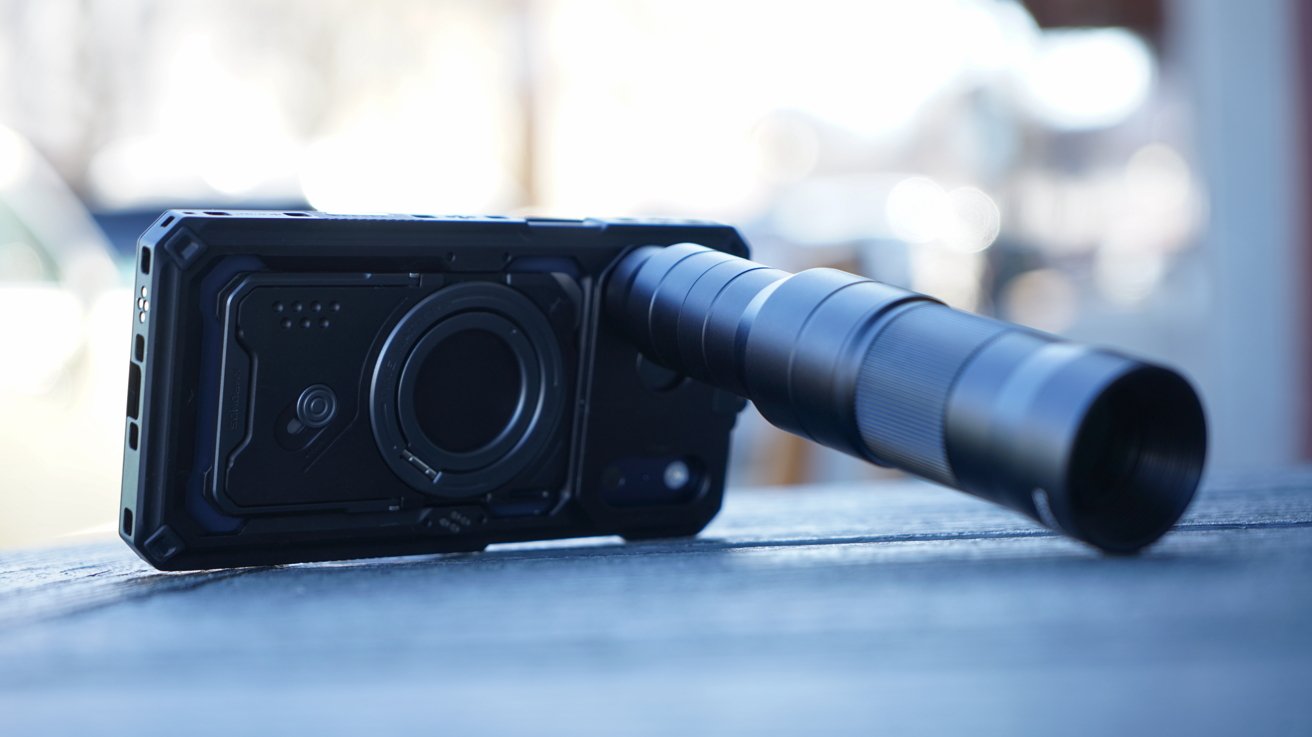
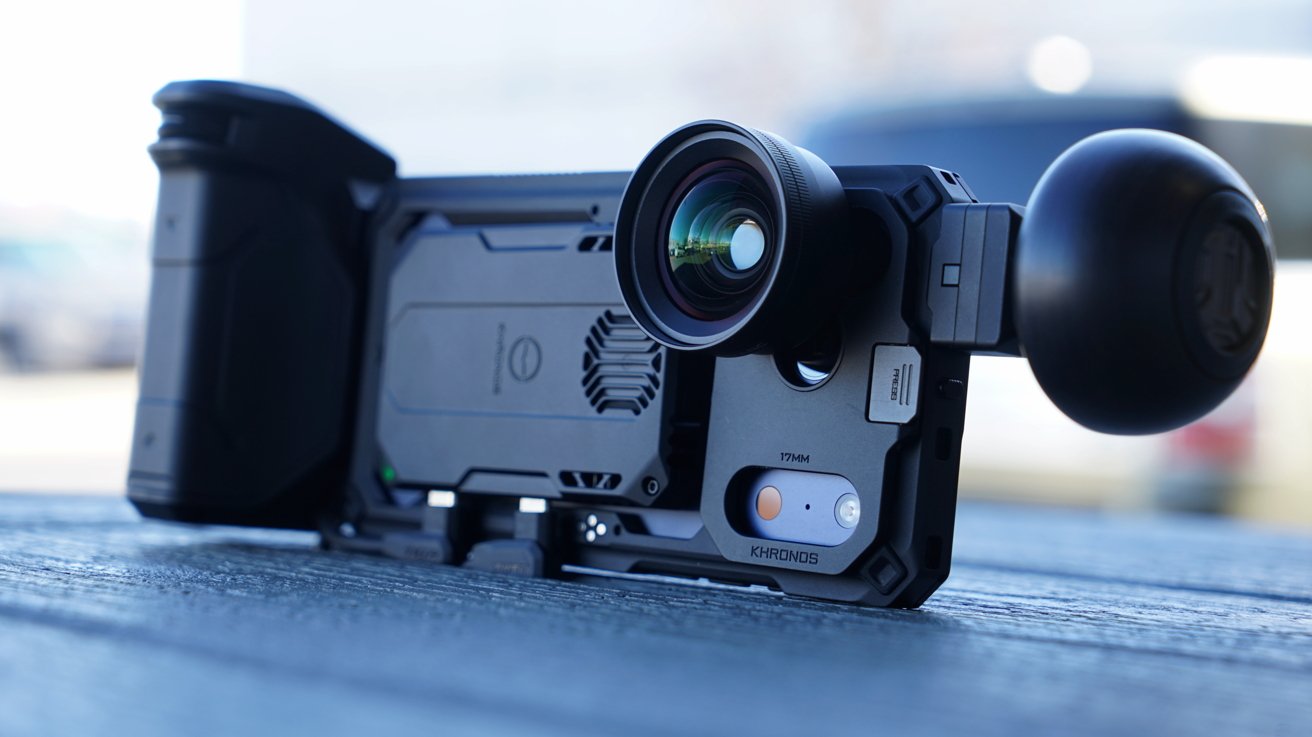
M-Mount works with Moment, T-Mount works with Fotorgear, while the 17mm works with lenses like those made by Sandmarc. The 17mm one is what I needed, and it snapped into place without much trouble.
Though, like I said before, it was easier to attach with the case removed from the iPhone. This is a minor inconvenience, but not a problem since it is so easy to get the iPhone out of the case.
I screw the lens in place, and I'm ready to shoot with a completely different focal length than what's available in my standard iPhone camera. The lenses are expensive, so it is nice knowing that I can keep using them across iPhone generations with the Tilta kits.
The mount covers the entire camera plateau, which makes it feel all the more sturdy. While the 10x lens from Sandmarc fits, I suggest you support it with your free hand and don't let it drag down its entire weight on the case and attachment.
Keeping that future-proof promise
I'm quite happy with the Tilta Khronos case for iPhone 17 Pro Max and how it connects to the existing Ultimate Kit products. It proves that Tilta is going to maintain its promise of future-proofing the ecosystem except where design changes limit things.
Tilta Khronos iPhone 17 Pro Max photography kit review: pro-level gear
The Cooling Storage System is also a nice addition that creates better equipment combinations for some uses, like filming 4K ProRes RAW. It'll be interesting to see what future attachments Tilta comes up with.
This isn't a case and kit for the fickle user. The price will keep all but the most devoted to their craft at bay.
Though, if you're serious about getting started with iPhone photography or videography, the Tilta kits aren't a bad place to start. Just make sure you're buying what you need and not going too overboard.
Just know that the accessories you choose will be useful in the next generation of iPhone. All you'll likely need is the new case.
Tilta Khronos iPhone camera system review - Pros
- Future-proofed modular ecosystem
- Accessories work across iPhone generations
- Innovative power delivery system built into iPhone case
- Multiple lens mount options
- Cooling storage solution is an excellent addition to the Khronos kit
Tilta Khronos iPhone camera system review - Cons
- That high price will be a deterrent for all but the most serious
Rating: 5 out of 5
If you read my first review, you may notice some retread ground here. That's because Tilta landed on an excellent product ecosystem and maintained it year-over-year.
It still gets the perfect review score because this is an excellent system for pros looking for serious hardware. The price isn't a problem for serious buyers.
Where to buy the Tilta Khronos iPhone camera system
You'll find links to individual accessories throughout the review. Get the iPhone 17 Pro Max Ultimate Kit for $379 from Tilta and on Amazon for the same price.







