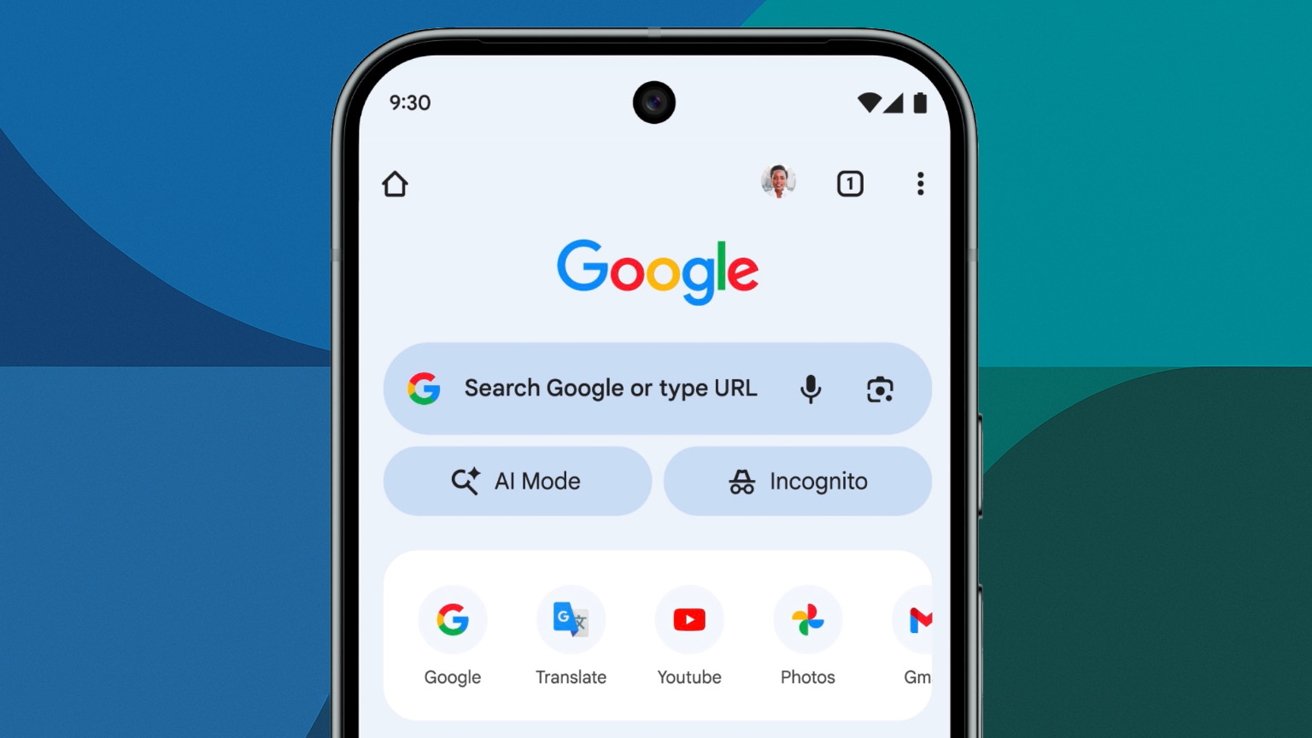
A new button added to Chrome's New Tab page on November 5 opens Google's advanced AI search, and it works as promised, assuming you're interested in what Google is offering.
Google has introduced a fast way to access its most advanced AI search features in Chrome on iOS and Android. The update, launched on November 5, makes AI Mode visible on the New Tab page for mobile users across the United States.
Opening a new tab in Chrome now shows an "AI Mode" button below the search bar. Tapping it lets users ask multi-part or layered questions and follow up without restarting the search. While Google's AI Mode isn't new to the app, the button is new and will speed up searches.
The experience mirrors Google's desktop AI Mode but optimized for phones. Putting the shortcut on the New Tab page means users don't have to dig through menus or activate experimental flags.
Google plans to expand the feature to 160 countries, adding major languages such as Hindi, Indonesian, Japanese, Korean, and Portuguese. The company says users will eventually have the same AI Mode access across mobile and desktop devices.
How it works
AI Mode can interpret complex, conversational prompts. Instead of a single search, users can build on earlier questions, refining or expanding their query.
It produces summaries, suggests related links, and keeps the conversation going within a single thread. With AI Mode built into Chrome, each tab turns into a small workspace for exploration, combining summarization, reasoning, and navigation in one place.
I tested the new AI Mode button on Chrome for iPad, and it works exactly as Google described. Opening a new tab shows the shortcut just below the search bar.
Tapping the button launches a clean, conversational interface that handles follow-up questions smoothly and keeps context between prompts.
Users can explore topics conversationally and see synthesized results in one place, instead of jumping between searches and pages. The AI system handles clarifying questions and points to relevant sources, reducing the time spent scanning multiple tabs.
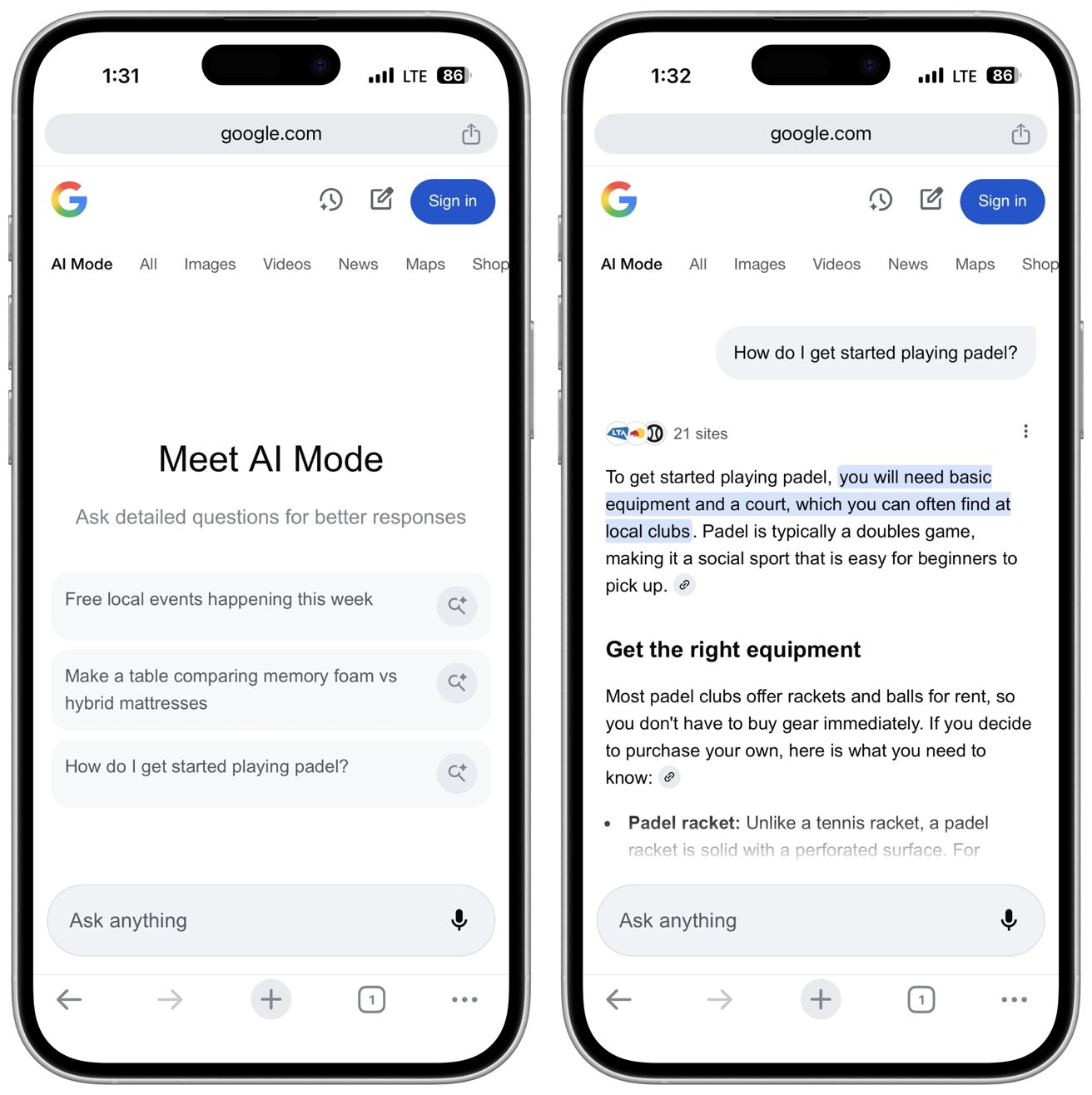
The new AI Mode button in Chrome
It's a step toward treating the browser as an assistant rather than just a tool for fetching links. For students, journalists, and mobile researchers, it means holding a continuous, context-aware thread without losing past queries.
Privacy and control
Google claims AI Mode will make advanced search easier to use while keeping data secure, but its privacy record doesn't inspire much confidence. The company has often treated data collection as part of product design, and AI Mode won't change that pattern.
Telling users to adjust their privacy settings passes the burden onto them. Most people don't fully understand what information AI systems gather or how it's used, and Google's settings are layered and vague.
Turning off personalization may protect some privacy, but it also weakens the experience, leaving users to choose between usefulness and caution.
Even enterprise and education administrators will face tough decisions. Managing AI features means giving Google more insight into how people search and work.
When the first step in a session becomes "ask a question" rather than "type keywords," the structure of online discovery changes. That will affect how publishers optimize for visibility and how users navigate information ecosystems.