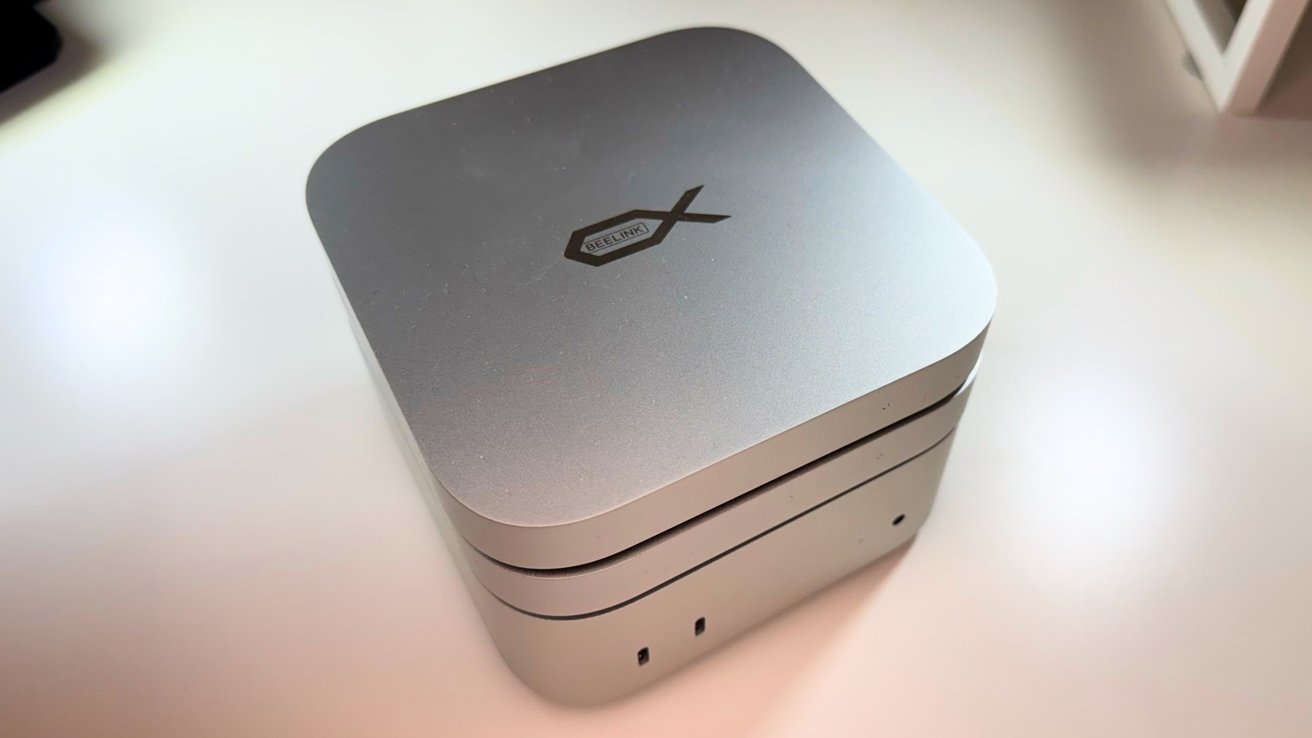
Finally, a relatively inexpensive storage and ports dock for the M4 Mac mini that isn't bandwidth constrained.
For many years, Thunderbolt and USB docks have been designed to neatly fit underneath your Mac mini. There have been good ones, and bad ones.
In the 15 years I've been doing this gig facing the Internet, I've repeatedly seen the same problem crop up in terms of bandwidth. More recently, I've reviewed a pile of hubs that use 10 gigabit USB-C instead of 40 gigabit plus Thunderbolt, and manufacturers somehow expect external storage, USB ports, and an HDMI connection to all work fine with that 10 gigabits per second of bandwidth.
A pair of Beelink Mate mini Docks for Mac mini M4 directly address this by being one that, thankfully, uses Thunderbolt 5.
Beelink Mate mini Dock review: Design
The Beeklink Mate mini Dock really is intended for use with the M4 Mac mini, though you can use it with other Mac hardware. At 5 inches square and at 0.6 inches thick, it is made to act as a platform, or hat, for Apple's smallest Mac.
It's not just the size that makes it usable with the Mac mini. It has rounded corners the same as the Mac mini, as well as an aluminum alloy that is a close color match. Even the front white LED and rear ports line up with Apple's versions.
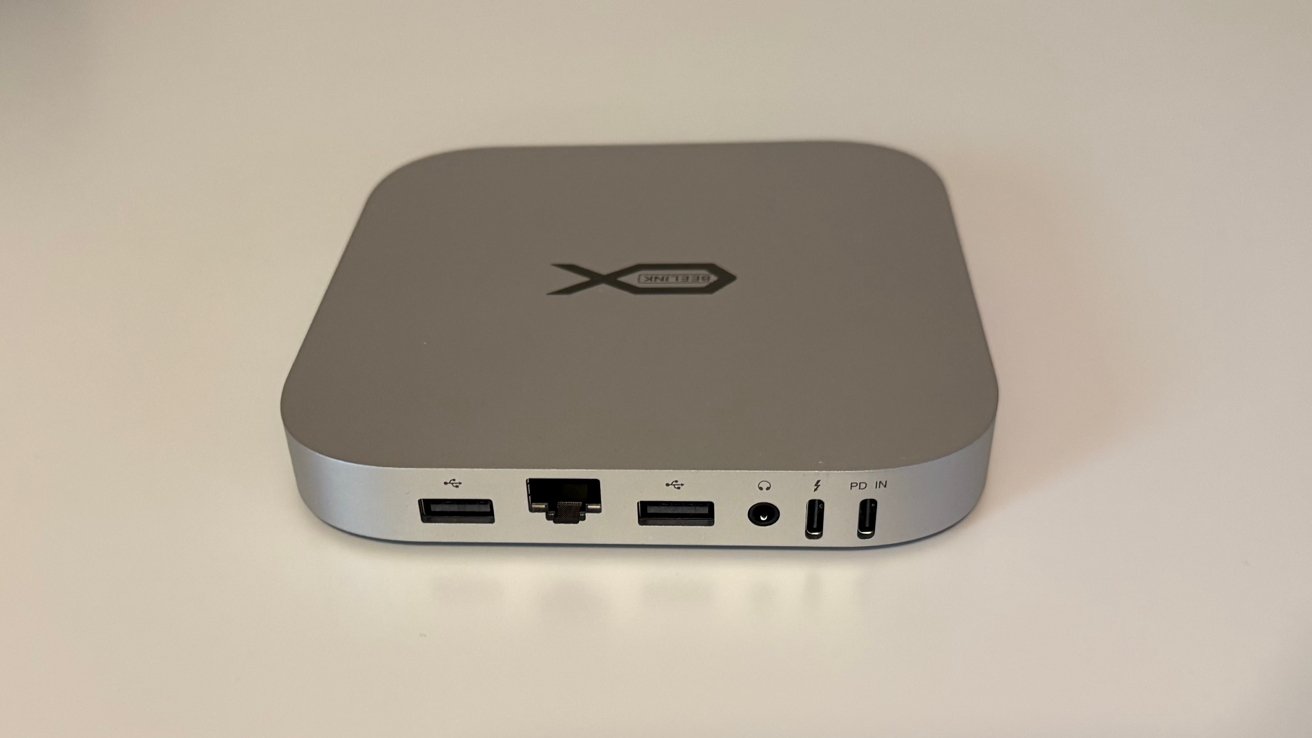
Beelink Mate mini Dock review: Rear port view.
Unlike some other plinth-style models, you can place the Beelink Mate mini either below or on top of the Mac mini itself. In either orientation, there is a space below for the built-in cooling fan to operate, similar to the Mac mini's system.
To facilitate this dual arrangement, Beelink includes a pair of cables for connecting the dock to the Mac mini. They are short U-shaped versions that take advantage of how the ports line up to take as little space as possible behind the assembly.
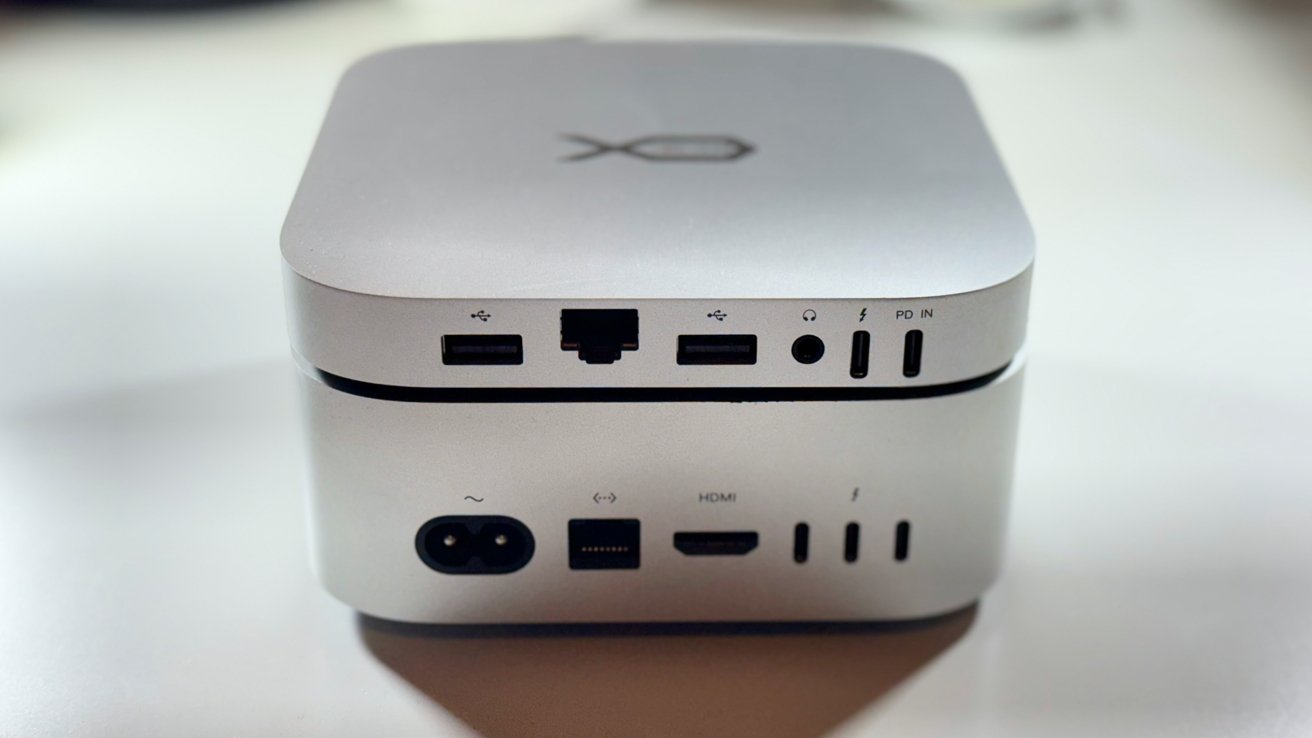
Beelink Mate mini Dock review: The ports line up extremely well
We recommend a placement above the Mac mini. While there wasn't a giant cut in Wi-Fi speeds like in some docks we've used, we did see about a 15% hit, versus the Mac mini directly on the particleboard desk.
Beelink Mate mini Dock review: Connectivity
You're getting a dock, so you need more ports, or more storage. The Beeline Mate mini connects with Thunderbolt, allowing it to take advantage of 80 gigabits per second of bandwidth available to work with the expanded port selection.
It will also work with USB 4 and Thunderbolt 4, at 40 gigabits per second which are both better than the 10 gigabits per second USB-C hubs we have seen in the past.
The ports start off with a separate USB-C power input connection on the far left. This is not really needed, but if you connect enough hardware that the power draw is more than 15W, you'll need to add one. We didn't run into a problem with a microphone, keyboard, internal SSD, and external SSD connected simultaneously.
There are two other USB Type-A connections running at USB 3.0. Each therefore provides up to 5Gbps of bandwidth. This is pretty typical.
The ports also include a 3.5mm audio jack, which provides the same sort of functionality as the front-facing headphone jack on the Mac mini. This is an ideal place to plug in speakers, instead of snaking a TRRS jack around the front of your Mac mini.
An Ethernet port is also included. It lines up perfectly with the Mac mini's version, and is a 2.5 gigabit per second connection, versus the gigabit ethernet on most M4 Mac minis.
To the side is an SD 4.0 memory card reader. Beeline says that this can operate at up to 300 megabytes per second. Our testing bore that out, at about 200 megabytes per second.
Beelink Mate mini Dock review: Storage and Performance
The Mate mini ships in a choice of two models. Both versions were provided by Beelink for review.
Model A is the high-capacity option, with two M.2 PCIe 4.0 x2 slots allowing up to 16TB of capacity if you use two 8TB sticks of storage.
The other, Model B, is the high-speed alternative. While it only has one M.2 slot that can take up to 8TB, it's a PCIe 4.0 4x slot with a considerably higher potential speed.
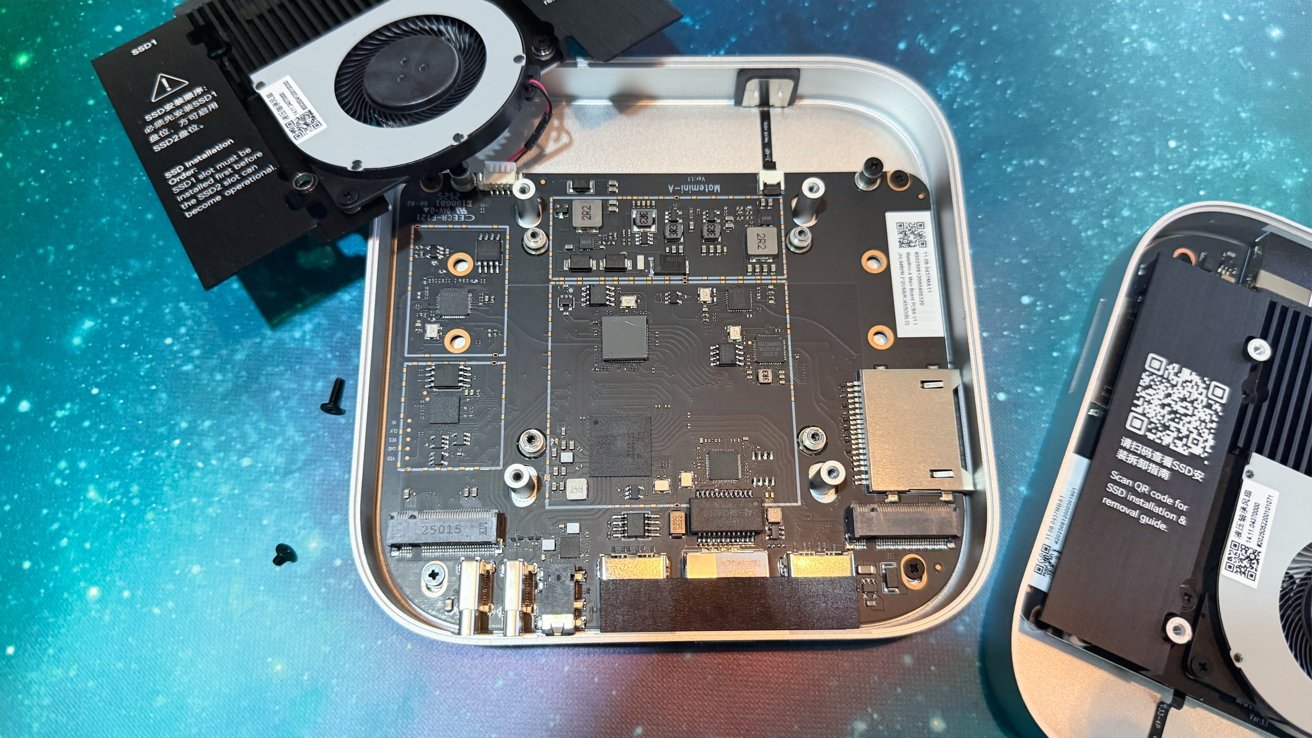
Beelink Mate mini Dock review: Adding M.2 drives.
The difference is important, as you can get a considerable boost to speed with the Model B's storage over the Model A. In Beelink's testing with a Mac mini M4 Pro, the company claims the Model A gets read speeds up to 3,600MB/s and writes of 3,400MB/s.
Beelink claims that the single-slot Model B can do 6,996MB/s reads and 5,070MB/s writes.
While you do sacrifice capacity, you do gain back in terms of access speed, which can be important for some creative fields. Of course, this is also dependent on installing the right fast storage for the job.
Accessing the drives requires some very basic electronics knowledge, though. After removing the rubber feet, you have to take out some Philips head screws for that cover, then four more screws for the internal covers for the SSD slots.
It's not difficult for the average user to undertake. It's not the easiest install, but it's also not particularly challenging.
After inserting the drive or drives and thermal pads, I got a bit less than Beelink said they'd get, but within the margin of error. On a M4 Pro Mac mini and a M4 16-inch MacBook Pro with Thunderbolt 5, I saw read and write speeds of about 3100 megabytes per second on the two-slot model.
The single-drive model delivered about 5800 megabytes per second read speed, and 4350 megabytes per second write speed.
Using a Thunderbolt 4 host, specifically, the M4 Mac mini, performance was identical on both models. Read and write speeds hit about 2700 megabytes per second on both, constrained by PCI-E allocation and Thunderbolt 4 limits for the most part.
I'm pretty satisfied by the results. It's a small dock, and heat wasn't an issue.
Beelink Mate mini Dock review: A pocket-sized rocket
The appearance isn't just lip service to the Mac mini aesthetic. Taking the time to line up the ports is not just for the appearance, but also for practicality, as demonstrated by the internal cables.
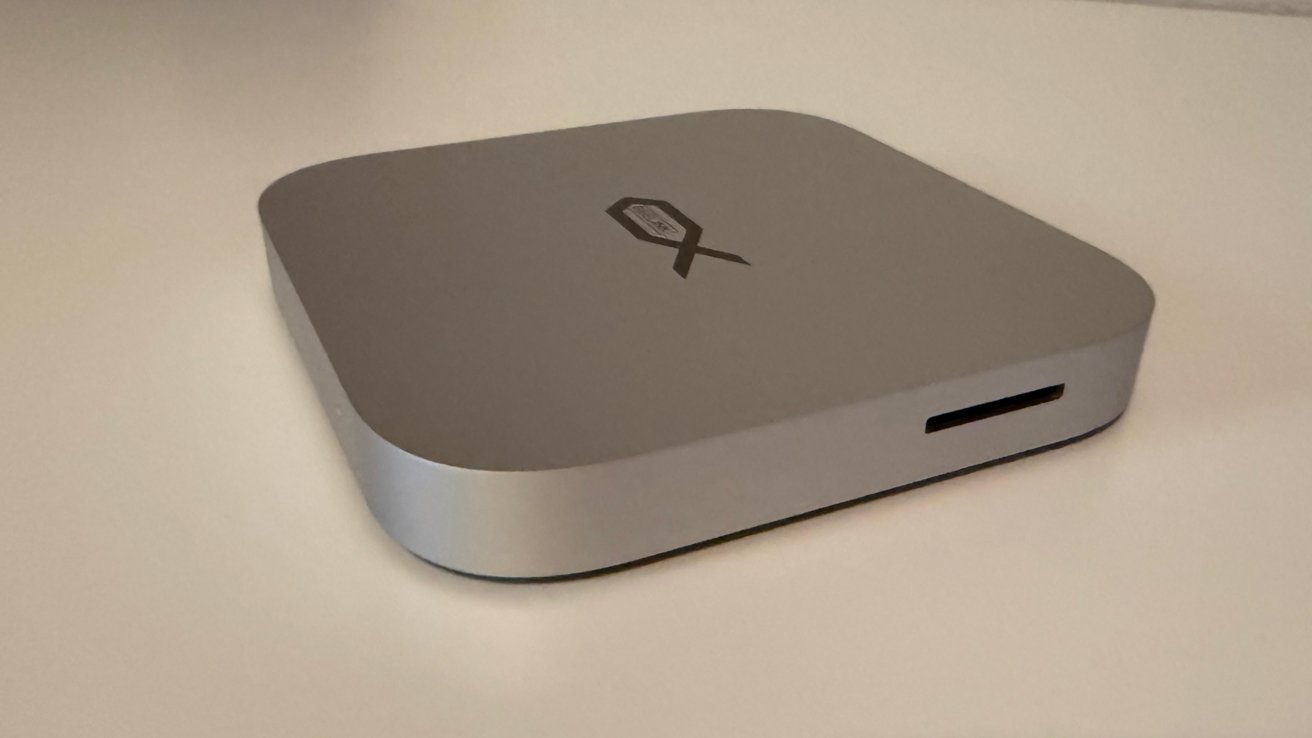
Beelink Mate mini Dock review: The dock alone.
The inclusion of one or two fast M.2 storage slots in the unit is also great, but the real secret sauce is the Thunderbolt 5 support. Going big on the connectivity means you have little to fear about bottlenecking when it comes to connected devices and the internal storage.
It's a choice that I really hope other enclosure makers will also take in the future, even at the value end of the market. Beelink shows just how important the speed of the connection truly is, and also proves that it doesn't have to be incredibly expensive.
Beelink Mate mini Dock Pros
- Useful port selection
- Thunderbolt 5 support
- M.2 expansion, two ways
Beelink Mate mini Dock Cons
- More complex SSD install than typical, but still not bad
Rating: 4.5 out of 5
Frankly, I'm just happy to be reviewing a bespoke, inexpensive Mac mini dock that isn't bandwidth-strangled. There are some fun and too-slow 10 gigabit per second USB-C ones that are vaguely Mac mini shaped, but to date, the Beelink Mate mini is my favorite.
Where to buy the Beelink Mate mini Dock
The Beelink Mate mini Dock is available to preorder in its Model A and Model B forms for $159 from the Beelink website, without storage. Pre-filled storage options are also available, from $279 for 2TB rising to $779 for 8TB.
The drive-free options are also available from Amazon, at $139 each for Prime members, $189 for non-Prime.
Our recommendation is to buy from Amazon, and bring your own storage.