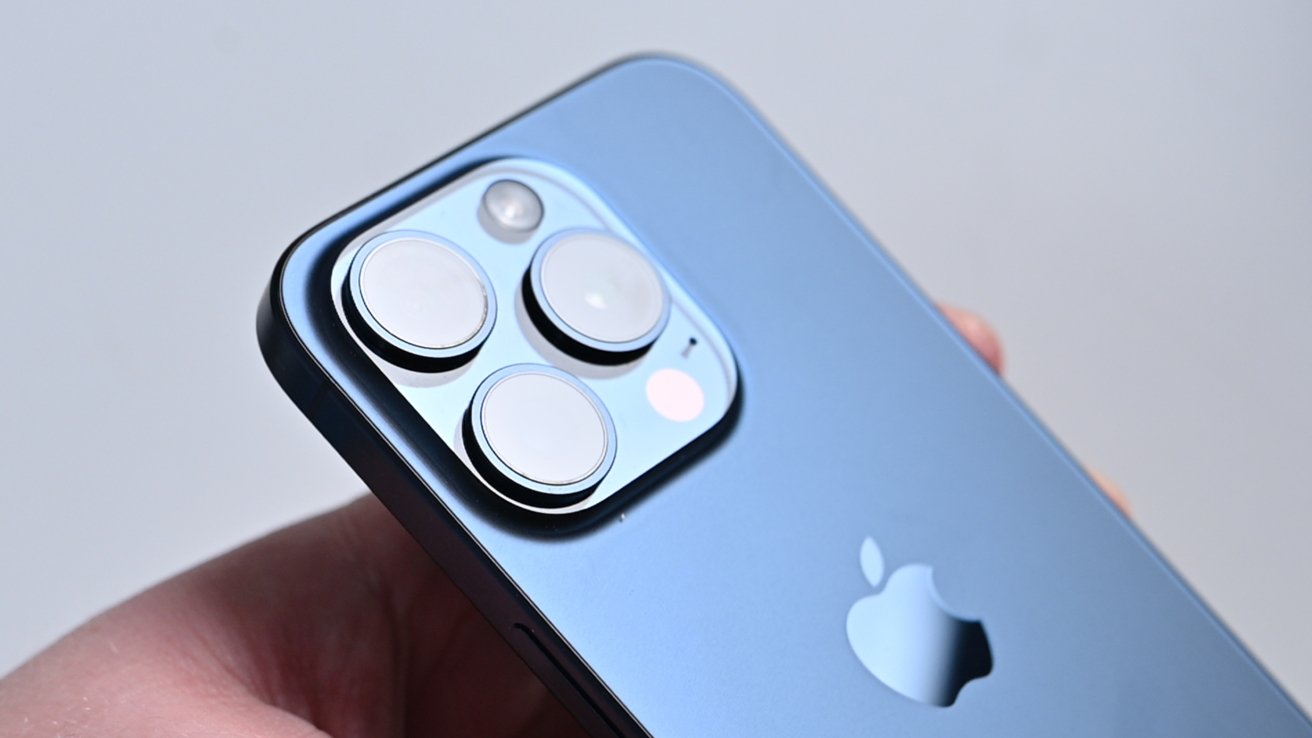
Buying refurbished tech is one of the easiest ways to save cash, cut waste, and still score a great iPhone, but, if you're not careful, you can lose your money. Here's what to look out for, and how to keep yourself safe.
I personally love buying refurbished gear. My M2 MacBook Air was a refurb that I snagged from NewEgg.
Not only did I save money, but I also managed to keep a device out of the landfill, which is kind of a big deal for me. And as I'm notoriously slow to upgrade my devices, it'll have a long, happy life in my home.
Everything is getting more expensive, and it's getting harder to justify going for the newest, the biggest, or the best. So, there's no better time than the present to offer you a few tips and tricks on buying refurbished iPhones — though, really, these tips apply to buying any secondhand tech.
Newegg
If you're a tech enthusiast who is at least 35 years old, you probably are aware of Newegg. It's still out there, and it's still a solid place to start your refurbished iPhone Quest.
Newegg
Newegg has been selling refurbished tech for ages, and the folks over there are good at what they do. I feel extremely confident in recommending this as the place to buy from.
Searching is easy. The iPhone refurbished page gives you everything you need at a glance: the price, the condition, the model with its storage size, and any carrier restrictions.
The only downside of Newegg is that the prices can be on the higher side for the refurbished market. If you're a confident buyer who thinks you can get a better deal elsewhere, it doesn't hurt to check a few other sites out, either.
But, if you're willing to pay a little extra because you don't feel confident, or if you're just not willing to spend hours comparing product listings across sites, Newegg is probably the place you'll want to go.
Amazon
When I've bought refurbished iPhones in the past, Amazon is usually where I got mine. Like any secondhand marketplace, how well your experience goes depends on how much time and effort you're willing to put in.
Amazon
Amazon is one of the easiest places to find listings for the iPhone you want. Unfortunately, the trade-off is that sometimes you'll run across someone selling a used iPhone with stock photos and no close-ups of the device you get.
That's why I'd suggest heading to the Amazon Renewed section for your purchase. Things sold from Amazon Renewed are 100% backed by Amazon, whereas Amazon Marketplace can be a bit like the Wild West.
Yeah, you'll probably pay a bit more at Amazon Renewed. However, for many, the peace of mind and satisfaction guaranteed promise are worth it in the long run.
Woot
I'd be remiss to not mention Woot — which actually was the very first place I ever started buying open-box and refurbished gear. Of course, back in my day, it wasn't owned by Amazon, so there was a much larger difference between what you'd find on each.
Woot is also a bit weird. You can't search it, and there isn't an iPhone specific category. You'll have to dig through the electronics > smartphone section.
That being said, Woot can be a treasure trove, especially if you're looking for dead stock. Dead stock, for those in the know, is devices that didn't survive the retail cycle for one reason or another.

Woot
They're almost always brand new, often in sealed or open box condition, and have never been owned by anyone prior. If you are squeamish about the idea of owning an iPhone that had a previous life, I'd suggest going to Woot to see if they're selling deadstock.
Woot calls these deals "black box" deals, and they're hard to argue with. I'd suggest checking this out if you want a new version of an older iPhone.
Prices on Woot are a mixed bag, and sales are often on small lots of items, meaning that there's an excellent chance the item could sell out before you decide. You may also need to wait for those items to go on sale in the first place, so it may wind up being a waiting game.
eBay
If you're smart about where you look, you'll probably be able to get the best deal on eBay. While I primarily sell things on eBay, I have purchased refurbished tech from eBay in the past and have yet to be burned.
And, eBay has a decent track record with ensuring customers get what they paid for or get their money back. I feel pretty confident suggesting eBay as a place to look.
eBay
Searching on eBay is annoying. It's always been a smattering of jumbled titles that you'll need to click on to make sure it's what you actually want.
Both fortunately and unfortunately, this is the biggest downside of eBay. Pour yourself a cozy drink and a text document or spreadsheet to keep track of listings in, if you plan on using eBay.
When I purchase anything from eBay, I spend a fair amount of time checking the seller ratings and reading item descriptions. It can be a bit arduous, but putting in the work early minimizes the chances of headaches in the future.
Most eBay sellers know that they'll need to disclose any and all defects. If not, they risk going through a lengthy back-and-forth that could result in giving the customer a refund and having to relist.
Check the pictures, check to see what the item write-up is, and double-check the seller's rating. Ideally, if you're going to buy something like second-hand tech, you want a seller who's been in the business for a while — especially if you're buying refurbished gear and not open-box.
While you might be tempted to save money by buying a device from a smaller seller, I'd suggest weighing the pros versus cons. Larger sellers know what they have; they've usually put the work in to do the job correctly.
Sometimes, smaller sellers might be offering their devices up, hoping to get some money back on an expensive purchase. It might be their first or second time selling something on eBay.
They might not know much about the device that they're selling, either. Maybe they didn't turn off Find My, Activation Lock, or Mobile Device Management. Maybe they're unaware of how bad the battery life on their device is.
Its difficult — if not outright impossible — to double or triple check these issues remotely. Even with an IMEI, it's still hard to tell if everything is good to go. I do, however, suggest you check the Due Diligence section I've included below.
I won't say that you can't go with smaller sellers. I'm just saying be careful.
Don't be afraid to ask questions and engage in a bit of back and forth. A lot of eBay sellers are quick to respond.
While I've only ever seen this scam from the seller's side, there are a fair number of people offering to "save you money" by requesting that you pay via a third-party app, rather than through eBay. Don't do that.
Facebook Marketplace
I personally don't suggest buying electronics from Facebook Marketplace. Devices there are often of questionable origin, which can create hidden risks.
Facebook Marketplace
Dealing with an owner-seller can also be tricky. Many of them tend to overvalue their items, making negotiations frustrating.
However, if you decide that you really want to buy an iPhone off the Facebook marketplace, I can't stop you. But at the very least, I can help you mitigate as much risk as possible.
Don't use third-party payment options
Currently, the most common scam on Facebook Marketplace is when a seller requests that a buyer use a third-party, peer-to-peer payment option. This can include options like Zelle, Venmo, and Cash App.
By doing this, you forfeit any protection that Facebook could theoretically give you. Most peer-to-peer payment options don't offer any kind of fraud protection, so if you get scammed, you're out of luck.
Sticking with Facebook's first-party payment solution or something like PayPal Goods and Services is much safer. These offer a decent amount of fraud protection — though you may need to put in a significant amount of work to get your money back.
And, for the love of all things iPhone, don't do a wire transfer.
Safe locations, always
Location is critical. For a small item like an iPhone, there are really no restrictions on where you could meet.
Always meet somewhere extremely public. A farmers market, a busy shopping center, a mall, and a coffee shop are all excellent places to meet up. Even the library is a good choice, provided you're respectful to library patrons.
If possible, try to meet up somewhere during the day. This ensures that there will be more people in the area, which is always a plus.
Don't agree to meet someone at their home, and under no circumstances should you let them come to yours. Not only is this common sense, but it's also discouraged by Facebook.
Never agree to meet anyone in a remote location. This includes isolated parking lots, parking garages, in front of a closed store, or even a public park.
It is critical that you avoid meeting up in low- or no-population areas. Not only does that give the seller an upper hand by allowing them to intimidate you, but it could also be genuinely dangerous.
Avoid any last-minute changes of locale, too. This is a fairly common tactic for scammers, who know you'll be more likely to feel pressured to buy in an unfamiliar location.
Their currency is urgency
If someone is pressuring you into buying something as soon as possible, just walk away. I can't tell you the number of times someone I've known has been scammed into buying a less-than-stellar product because of time pressure.
The Knockoff Gamble
Admittedly, there's probably not a ton of knock-off iPhones floating around your city's Facebook Marketplace. Usually, that sort of scam is reserved for something like AirPods.
Still, it's important to go in knowing what you're looking at. Take the time to carefully examine the item, and if anything feels weird, walk away.
Doing your due diligence
If you're buying an iPhone in person, you may actually want to walk through the process of disabling the phone with the seller, rather than having them bring the phone already reset.
This makes it a little easier to inspect it before committing to buying.
Request that they remove any case that may be on the phone either before meeting up or at the time of meeting. Once the case is removed, give it a good, thurrough once — or twice — over.
Look for any subtle bends, any chipped corners, any deep screen scratches. Some wear and tear is expected, but there's a limit you should be willing to accept.
The goal is to make sure you're not buying a device that has been excessively abused.
After you check for damage, ensure the iPhone doesn't have any Mobile Device Management (MDM) profiles attached to it. There are a couple of ways to check this.
How to use a Serial/IMEI checker before buying an iPhone
- Open Settings
- Tap General
- Tap About
- Find the IMEI
- Using your current device, visit a third-party IMEI checker, such as https://imei24.com
- Follow the instructions to check the IMEI
Every IMEI checker is a little different, but it should tell you what services are currently active on the device. This includes any Apple Care information, any warranty status, whether or not the device is a Loaner — which means it's being mobile device managed, or if it's been replaced by Apple.
If it says the device is a loaner or otherwise indicates that it's being managed remotely via MDM, you'll need to have the owner remove that. They will need to get in contact with the administrator of the phone to do so.
The benefit of using an IMEI checker is that it looks for multiple services at once. You can also use this method remotely — which is a great idea if you're buying from somewhere like eBay.
You can also view the status of MDM via Settings.
How to view Mobile Device Management status on iPhone
- Open Settings
- Tap About
- Scroll down and tap VPN & Device Management or Profiles & Device Management
If there are no profiles attached — great! That's one less hurdle to get over.
If there is a profile listed, tap on it. This will bring up information about who is managing the phone.
Again, this means the owner will need to get the MDM flag removed. They will need to do this, most likely, by speaking to the administrator.
Now, you can get into the easier stuff. You'll want to check for replaced parts, battery health, and do some basic checks.
Checking for replaced parts
- Open Settings
- Tap General
- Tap About
Once there, check the iOS version. If the phone is running iOS 15.2 or later, you may see a Parts and Service History section after the serial number.
If the part is labeled as "Genuine Apple Part," then it's been replaced with a genuine Apple part and installed following Apple's protocol.
If it is labeled as "Unknown Part," there's a chance that it's a non-genuine part. There's also a chance that it's been installed incorrectly, was previously installed in another iPhone, or may not be functioning properly.
Another smart move is to check the battery health — especially if you're buying an iPhone that is a few generations old.
Check the battery health
- Open Settings
- Tap Battery
- Tap Battery Health & Charging
You'll be able to view the battery's maximum capacity and any important messages, such as if the battery health has degraded significantly.
And then, obviously, you'll want to test the camera, speakers, and microphone. Fortunately, you should be able to test all three by recording a short video and playing it back.
Once you've done that, and if everything else seems right, you can decide whether or not buying the iPhone seems like a smart idea.
If so, you'll want to walk through the process of resetting the phone with the original owner.