
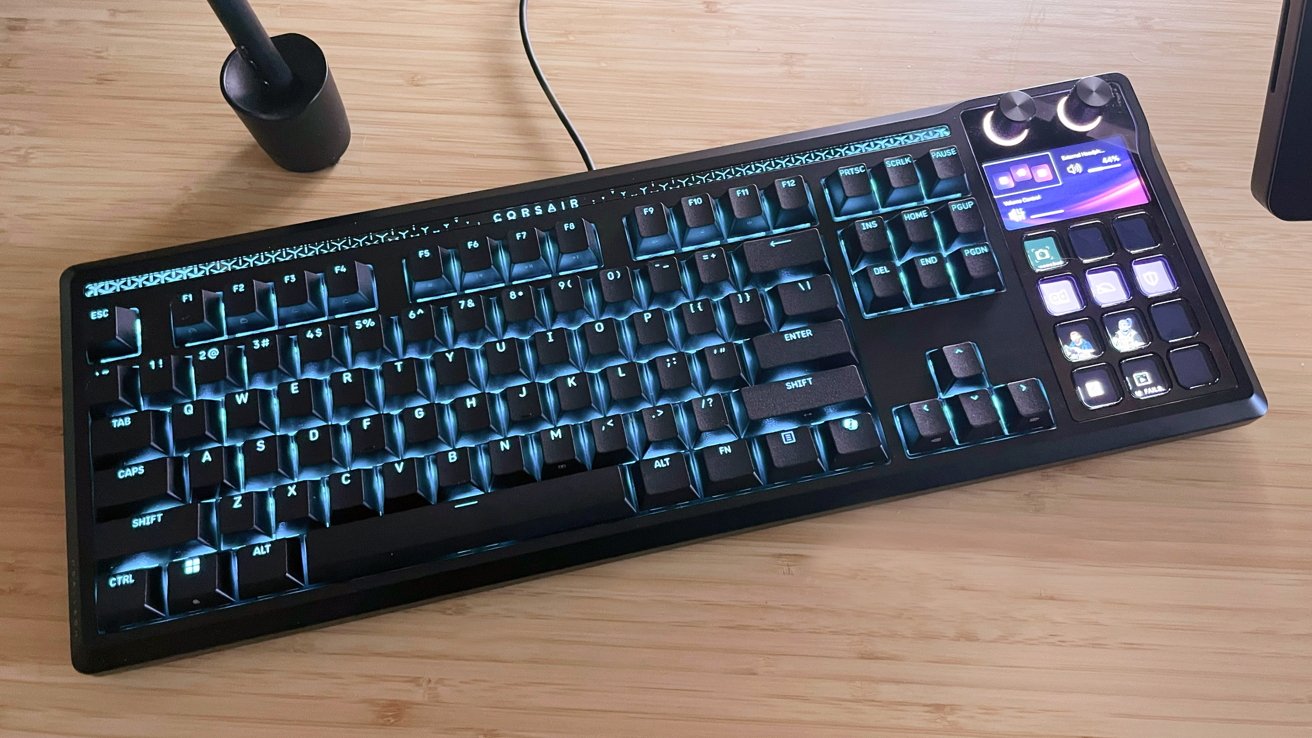
The Corsair Galleon 100 SD combines a keyboard with the Stream Deck, producing a two-in-one productivity-focused peripheral that Mac users should really consider.
Corsair subsidiary Elgato stands out as one of the leading manufacturers of peripherals and equipment tailored to the ever-growing market of streaming. From microphones to chairs to Stream Decks, Elgato is synonymous with top-tier equipment and streams across Twitch and YouTube.
Its latest offering, the Galleon 100 SD, sees Elgato taking a leap of faith. One to fully integrate the functionality of its rock-solid Stream Decks into a sturdy mechanical keyboard for work and play, bringing an all-in-one experience to streamers and multitaskers everywhere.
Elgato sent over a Galleon, and I put it to work as my daily-use keyboard, all to see if its quality and the leap into something new holds up to its deep catalogue of products.
Corsair Galleon 100 SD review: Unboxing
The Galleon arrives in a sturdy black box with the excellent graphics and styling that Elgato is known for. The keyboard and accessories are packaged in heavy foam cutouts for maximum travel safety.
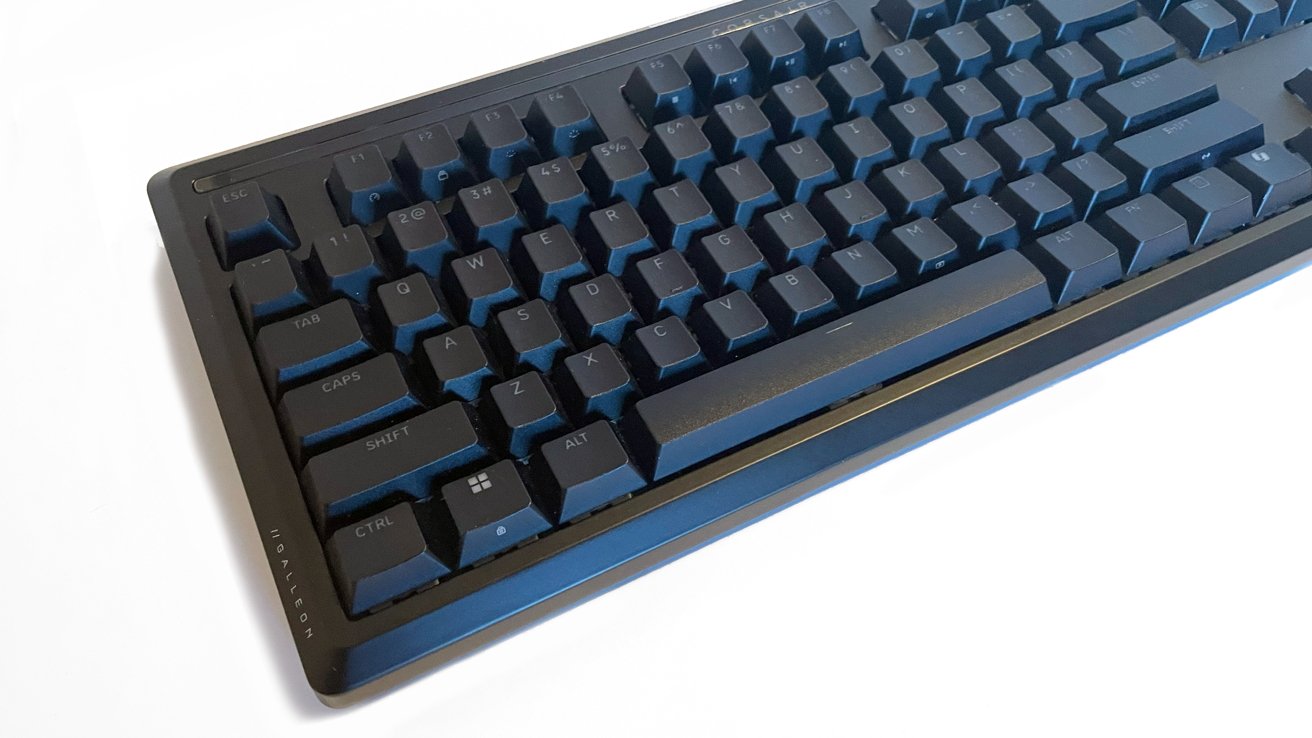
Elgato Galleon 100 SD review: Light-free, it's a fairly standard keyboard
Elgato does not include a manual with the Galleon, which I find a little odd. Instead, it opts for a QR code that takes you to the Elgato support website.
For first-time Elgato users, I suppose this makes sense as you will need to download the Stream Deck software as well. However, I'm old school and I like a tactile user manual inside the box.
Inside the box:
- Corsair Galleon 100 SD
- Wrist rest
- 2 USB-C to USB-A cables (1.8m | 6 ft.)
- Keycap and switch puller tool
Elgato Galleon 100 SD review: Specifications
- Keyboard type: Mechanical
- Switches: CORSAIR MLX Pulse linear (pre-lubed), 45g actuation, 2.0mm actuation, 3.6mm travel, 80m durability
- Keycaps: PBT Double shot, ABS single shot
- Form factor: 87 (US) / 88 (UK) / 88 (FR) / 88 (DE) / 88 (IT) / 88 (ND) / 88 (ES) / 88 (CH) layouts, plus 12 Stream Deck keys and 2 dials
- Layout: 95 percent (if you consider the Stream Deck keys as a number pad)
- Dimensions: 159 448 42 mm | 6.26 17.64 1.65 inches (keyboard)89 448 21 mm / 3.50 17.64 0.83 inches (wrist rest)
- Connectivity: USB only
- USB Report rate: Up to 8khz hyper-polling with CORSAIR AXON
- Matrix: NKRO with anti-ghosting
- Wireless connectivity: No
- Compatibility: Mac OS/Windows
- Hot swappable: Yes
- Lighting: North-facing dynamic RGB
- Weight: 1,392 g | 49.09 oz (keyboard)
Corsair Galleon 100 SD review: Build quality
Out of the box, the Galleon is an incredibly sturdy full-size mechanical keyboard. One with an aluminum case, solid PBT double-shot and ABS single-shot keycaps.
The Galleon utilizes the proprietary Corsair MLX pulse linear switches as standard. With the inclusion of a keycap/switch puller tool, the Galleon will accept 3-pin and 5-pin switches for added customization options.
RGB-backlit lighting is delivered via North-facing lights under the keycaps, as is the standard for most mechanical keyboards. This is in addition to a backlit strip along the top of the keyboard with Corsair branding and graphical elements.
An optional, branded wrist rest is included for extra comfort, and the bottom of the Galleon offers flip-down legs for added angle, each flipping into one of two angle options. The wrist rest and flip-down legs are a nice touch for gamers and writers battling during long play or writing sessions.
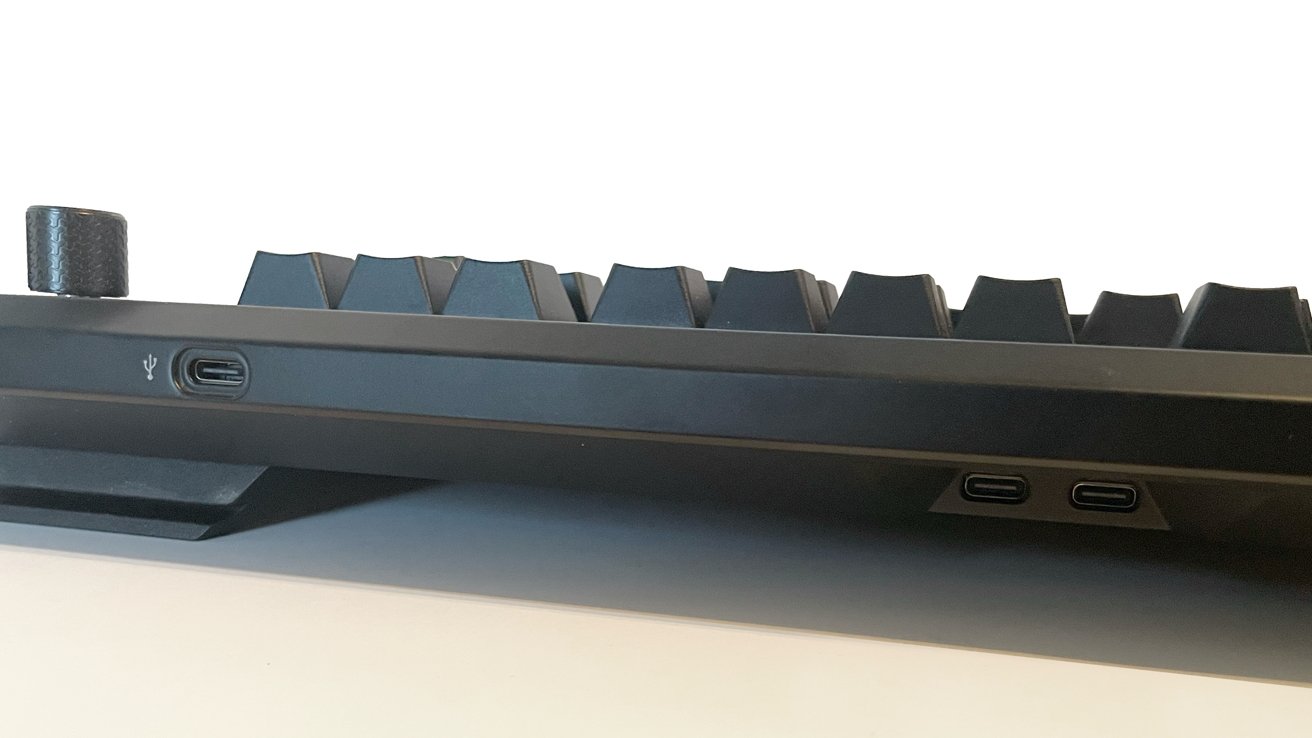
Elgato Galleon 100 SD review: USB-C ports to the rear
The back of the Galleon has two extra USB-C ports (for a total of three USB-C ports) for extra peripherals like mice and drives. Again, this is a nice optional feature to have for moments when you need an extra USB-C port.
The defining feature of the Galleon is the 12-key Stream Deck, and a 5-inch LCD display built into the right-hand side of the keyboard. This replaces the standard number pad.
Above the LCD display are two chunky, textured dials that are also backlit and solid.
Corsair Galleon 100 SD review: Customization
Setting up the Galleon for basic, out-of-the-box use requires only a few moments, as it is plug-and-play with no Bluetooth or wireless option. But if you want to take full advantage of what this keyboard offers, you will need to download and install the Elgato Stream Deck software and visit the Corsair Web Hub.
The proprietary Corsair web-based tool allows you to update the firmware of the Galleon and change everything from keymapping to the internal RGB lights, custom macros, and more.
The web hub is deep, and I love the range of options it delivers. But I still do not like that deeper customization options on a keyboard like this requires an internet connection to access the online-only tools.
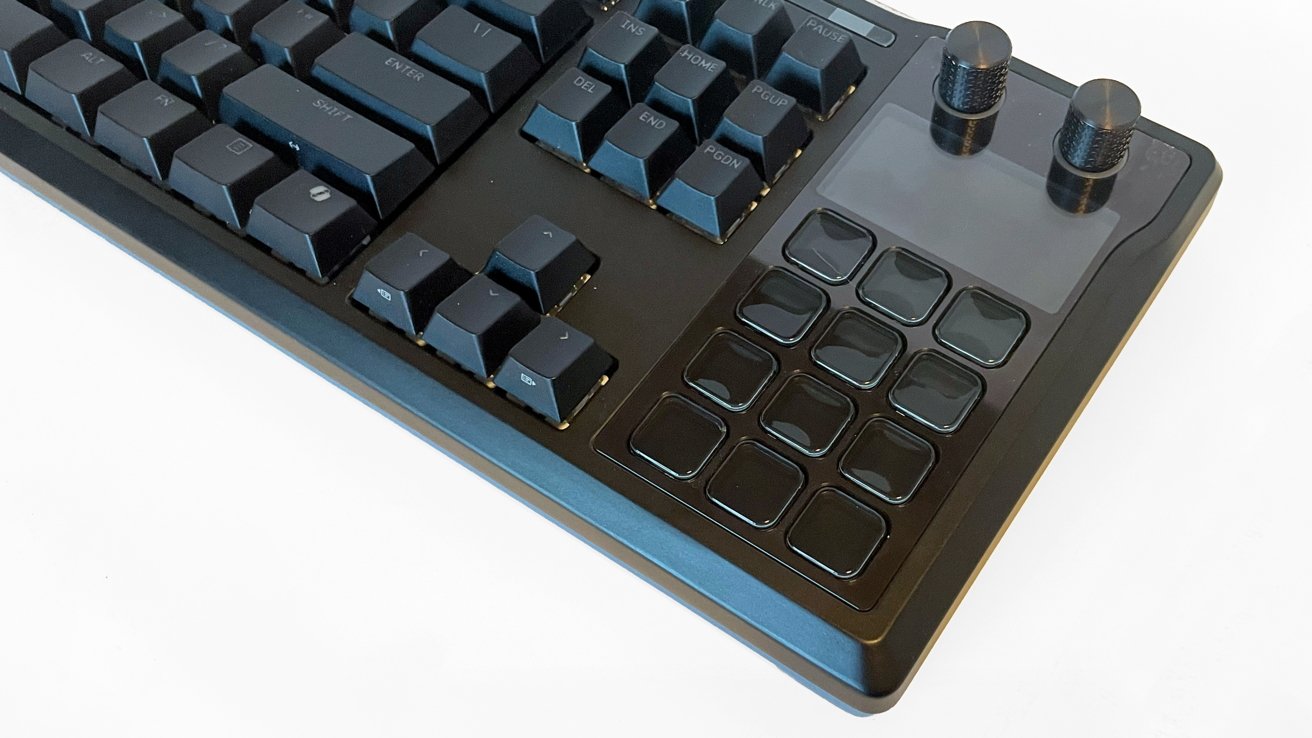
Elgato Galleon 100 SD review: The display and knob section on the right.
Additionally, the Corsair Web Hub is not compatible with Safari, and only works with Google Chrome, Microsoft Edge, or Opera. I'd love to see more Safari or even Firefox compatibility in the future.
That said, the RGB backlighting and LCD screens are gorgeous, and the web hub allows you to make them as bright and dynamic as you want.
The Galleon utilizes the proprietary Corsair MLX pulse linear switches, but 3-pin and 5-pin switches can be hot swapped for added customization.
I like the sound of the MLX switches. They offer a satisfying "thok-thok-thok" that isn't terribly loud like a rifle rapport, but for my personal preference, I will absolutely swap these out for a quieter, buttery option soon.
Corsair Galleon 100 SD review: In use
For weeks, I have used the Galleon as a daily use keyboard for both my Mac Studio workspace and my gaming PC, and the Galleon delivers.
As a cartoonist and illustrator in a digital workspace, I have always preferred low-profile keyboards for my left hand to use key commands, and I did not expect to like the mechanical keys of the Galleon as much as I do.
Working long hours with the Galleon, I did not have any added fatigue, and the 8K polling rate eliminated any noticeable input delays. Typing and playing on the Galleon is a great experience.
As a mechanical keyboard, the Galleon works very well, but there are a few issues.
This keyboard is not lightweight. If you need to slide or move your keyboard often, as I do with my drawing tablet workspace, the Galleon requires effort.
Everything is stable and rock solid, but at 49 ounces, you will not toss this keyboard around casually.
There is also no wireless connectivity for the Galleon. This keyboard operates with USB-C connectivity only.
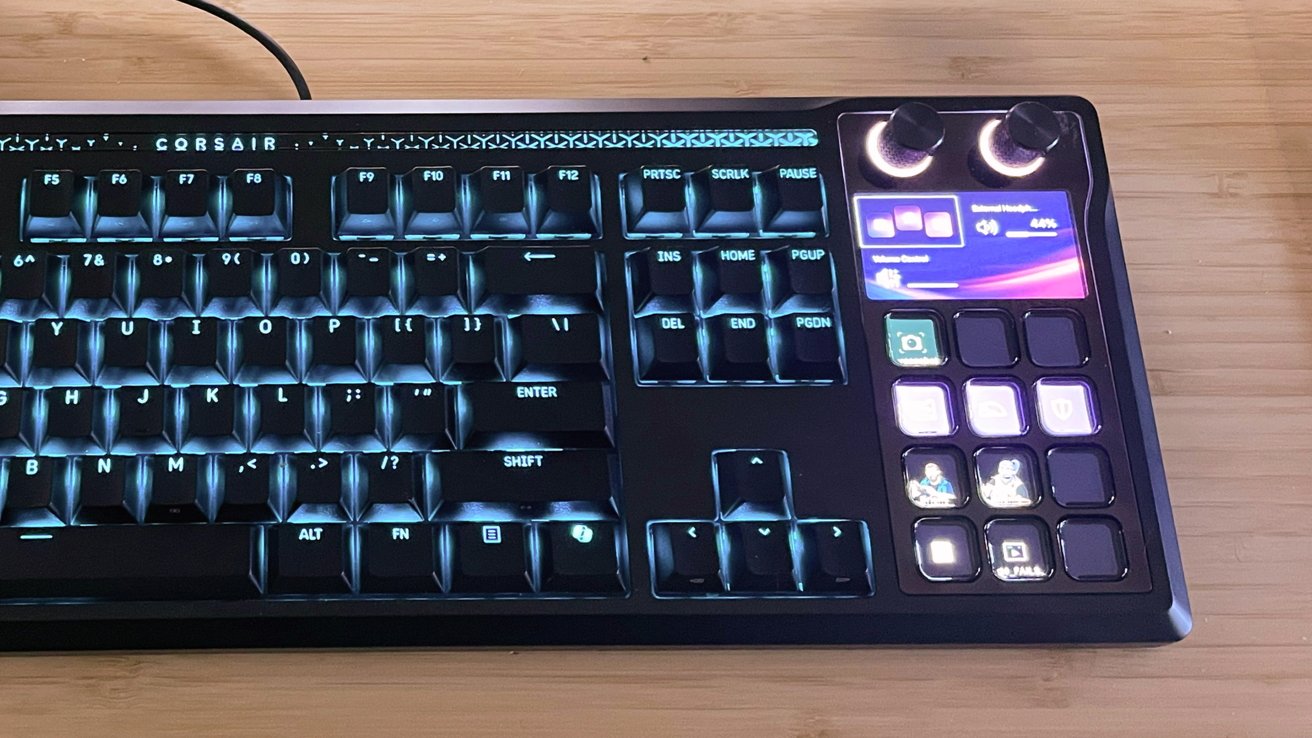
Elgato Galleon 100 SD review: The main draw is the Stream Deck section on the right.
Elgato includes two USB-C cables, but there is no Bluetooth or 2.4Ghz connectivity, so a bit of cable management is required.
Ordinarily, I would lament the lack of wireless connection for the price tag of a keyboard like the Galleon. But with the Stream Deck integration, a wired connection is necessary.
With the Elgato Stream Deck software not running, the Galleon provides basic functions like volume controls, app launching, and numbers to take the place of the missing number pad.
With the software running, everything works exactly like a stand-alone Stream Deck with an insanely deep level of customization.
I used the Galleon for a few of my recent Twitch streams, and I loved the experience. Having my most used commands and scenes closer to my keyboard/hands really allowed me to keep some sounds and bits at top of my mind in the moment.
Having a quick key set up to mute certain sounds and lock down chat (if needed) at a moment's notice feels great.
The only issue I encountered was the need to copy and paste commands from your Stream Deck profile to the Galleon Stream Deck profile in the software.
I get that in a perfect world, there would not be an overlap, and each would be its own thing. But I would love a Copy Profile option in the software from a Stream Deck to the Galleon profile.
Outside of that, everything runs very smoothly, and I am excited to play with more fun options and uses for applications outside of streaming.
To be thorough, I did use the streaming integrations and Stream Deck functions on my Mac Studio and on a Windows PC. I had zero issues with either, and everything worked wonderfully.
Corsair Galleon 100 SD review: Quality for high investment
The overall quality of the Galleon is amazing. It is an incredibly solid mechanical keyboard by its own standards, and the integration of the Stream Deck pushes it into a new category of versatile all-in-one options I would love to see more of in the future.
The biggest potential downside to the Galleon is the price tag. At a standard retail price of $349, this is not an inexpensive keyboard.
At this price, you are making an investment, likely as a streamer to begin streaming, upgrade your existing equipment, or to consolidate precious desktop real estate by moving away from multiple peripherals taking up space.
You can build what the Galleon does in piecemeal fashion, of course. The market is filled with dozens of solid mechanical keyboards that do what the Galleon does for a lower cost of entry.
Then there's Elgato's products, including Stream Deck Classic (15-key build) for $149 and the Classic (6-key build) for $59.
It can be done, but that isn't the point Elgato is trying to make with the Galleon. With this keyboard, you are getting everything in one comprehensive package, seamless software integrations, and amazing build quality with deep customization options.
Making the investment in the Galleon 100 SD for your streaming setup or workspace, it is worth it for the return.
Corsair Galleon 100 SD pros
- High build quality
- Comfortable wrist rest
- Amazing all-in-one option
- Excellent customization options in software
- Excellent stream deck software integration
- Hot swappable and keycap customization
Corsair Galleon 100 SD cons
- Steep entry cost
- Corsair Web Hub does not support Safari
- Lack of wireless connectivity
- Larger keyboard not suited for small spaces or travel
- Right-handed user focus only
Rating 4 out of 5
Where to buy the Corsair Galleon 100 SD
The Galleon 100 SD is available direct from Corsair for $349.99 and via the Corsair store on Amazon.