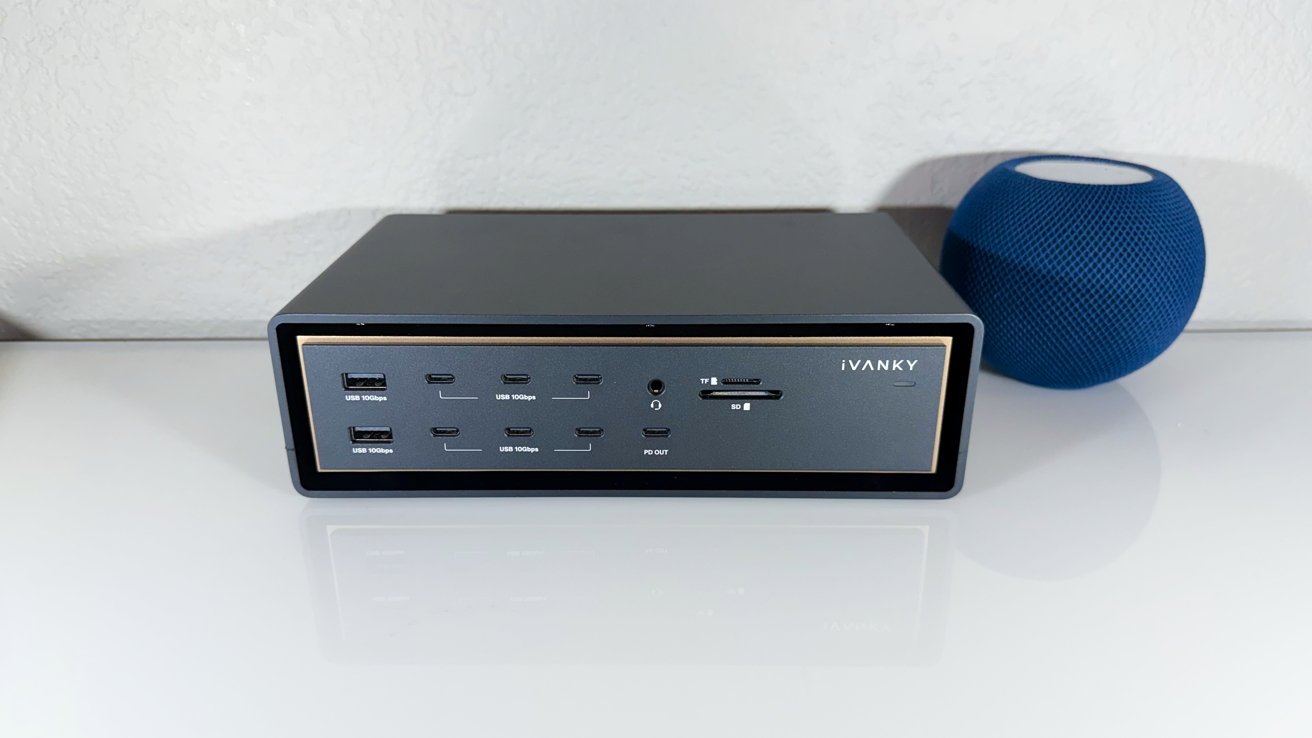
The iVanky FusionDock Ultra adds a massive 26 ports, supports up to four displays if your Mac can, and is a formidable Thunderbolt 5 dock that improves on the original in utility as well as value for money.
In March 2024, AppleInsider reviewed the iVanky FusionDock Max 1. While we enjoyed the massive amount of ports, but its nosebleed pricing at the time and very limited selection of ideal host computers made it not the best option.
A lot has happened since then, not the least of which is Thunderbolt 5 on Mac.
So, in 2026, iVanky is trying the concept again with an updated model. The iVanky FusionDock Ultra is another stab at the super-sized do-everything dock.
This time, more ports, more connectivity, a wider selection of good host Macs, and cheaper than the first try. This time, the dock matches the price on the tag.
iVanky FusionDock Ultra review: Physical design
The Max 1 was a striking design in that it had a floating appearance. Just the same it was a typical metal box design, with a L-shaped desktop stand, giving an appearance of the main section levitating in space.
It was a design trick that certainly elevated what would otherwise be a fairly standard dock design.
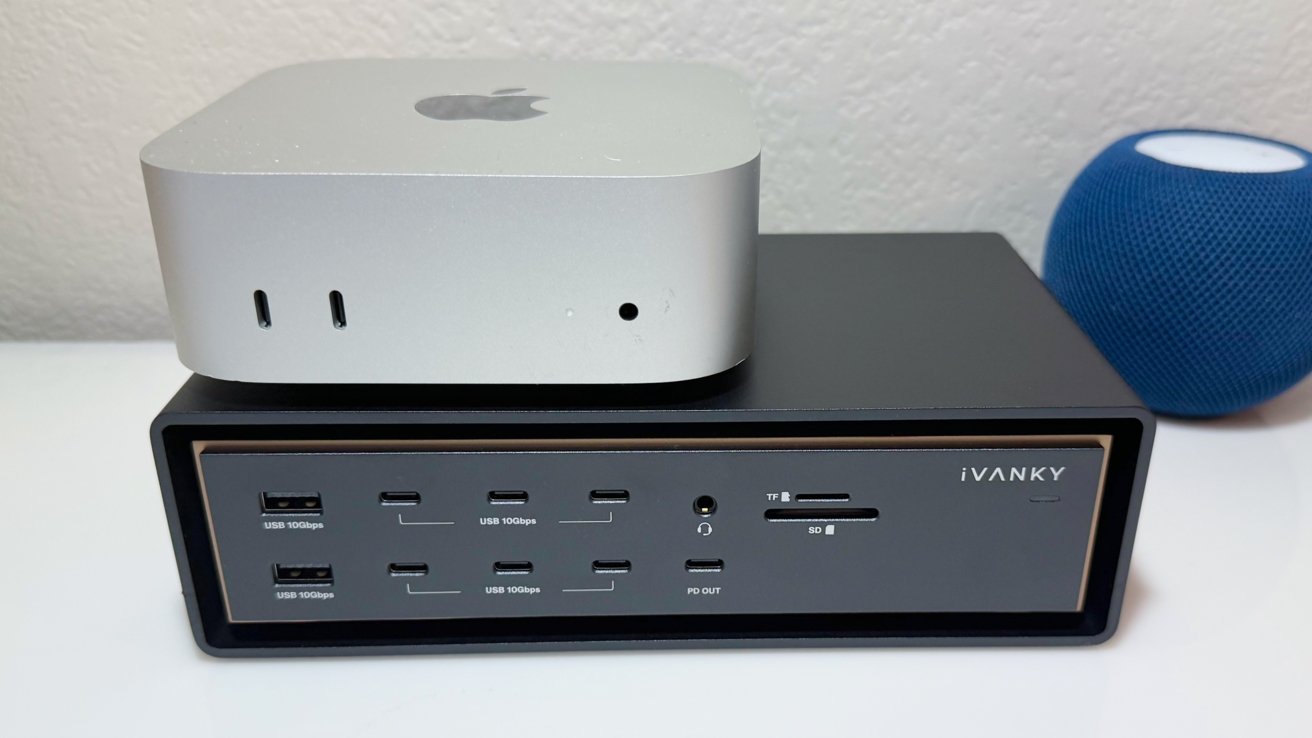
iVanky FusionDock Ultra review: Mac mini M4 for scale
When it comes to the Ultra, iVanky kept with the spirit of the floating aspect, but in a less obvious way. This time, it's a secondary enclosure that surrounds the dock on four sides, with the main body pinned in the middle.
It doesn't sell the effect quite as well, but it's still nice, with an excellent build quality. The brass-like edging of the main enclosure is a nice colorful touch, which sets it apart from most other utilitarian docks.
Last time, the company said the floating helped with heat dissipation. This really didn't make any sense, as there was as much dock surface area exposed to air as a dock using rubber feet. It's almost the same here, too, with a crucial difference.
The Max 1 didn't have a fan, but the Ultra has two of them. It's not immediately apparent where they are, but there's a hole in the sides that suck and blow air through the main aluminum enclosure into the surrounding airgap.
This is a smart design choice, hiding the fan holes. When the dock is loaded, though, you can hear it. To test this, we put the dock in our 41.1 DBa office space.
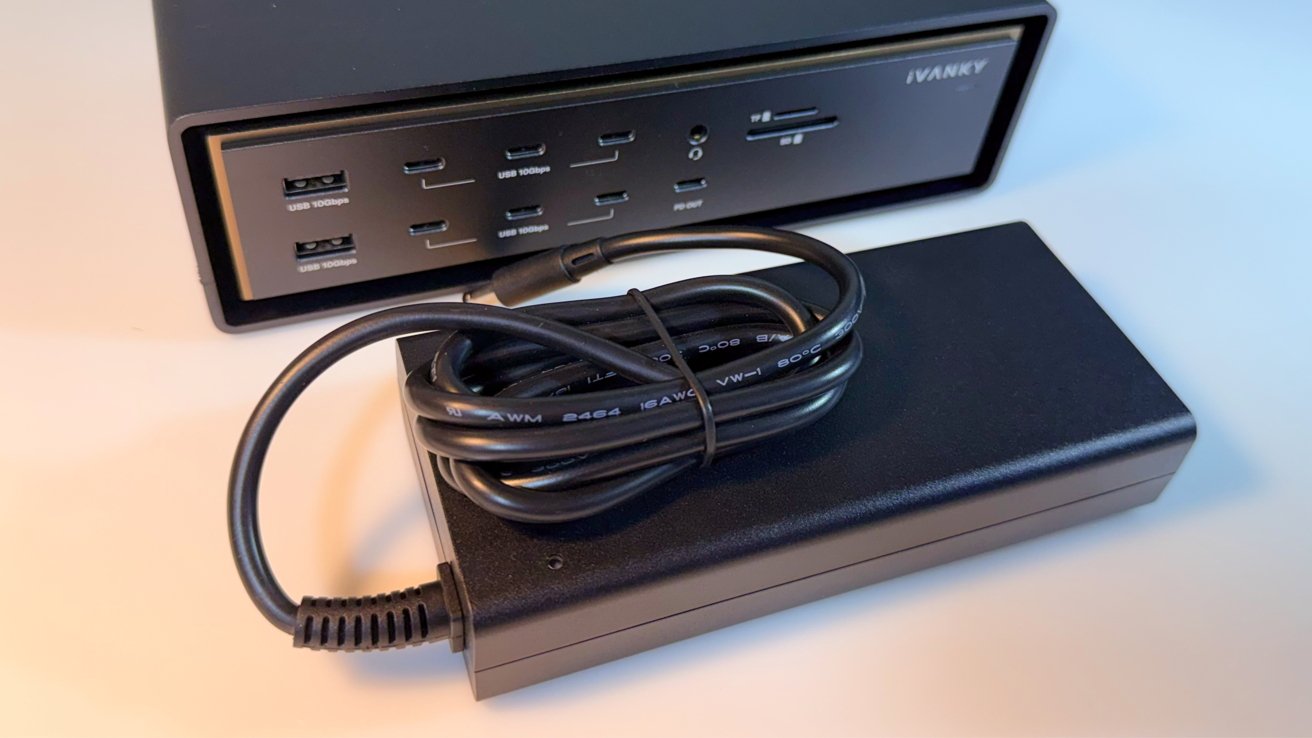
iVanky FusionDock Ultra review: The power brick
I connected the dock to the maximum number of 4K and 5K monitors, and slammed it with I/O from other sources. Using our trusty and newly-calibrated noise meter, we hit a peak of 48.7 DBa. Not terrible, but not silent either.
At 8.3 inches long and 4.9 inches deep, it's not taking a massive amount of desk space. Its 2.4-inch thickness and 3.6 pound weight is consistent with some of the larger docks we've tried, but this isn't really a dock you throw in your laptop bag and get on that flight.
That all said, it could've been a little bit shorter and lighter if it didn't have its special surround.
iVanky FusionDock Ultra review: Connectivity
The main point of the FusionDock Ultra is port count. While the Max 1 had a massive 20 ports available, the Ultra goes better with 26 of them.
At the front, there are two USB-A 10-gig ports, along with seven USB-C 10Gbps ports. There's also a headphone jack and an SD and TF 4.0 memory card reader.
We got about 240 megabytes per second on the card reader. Good enough.
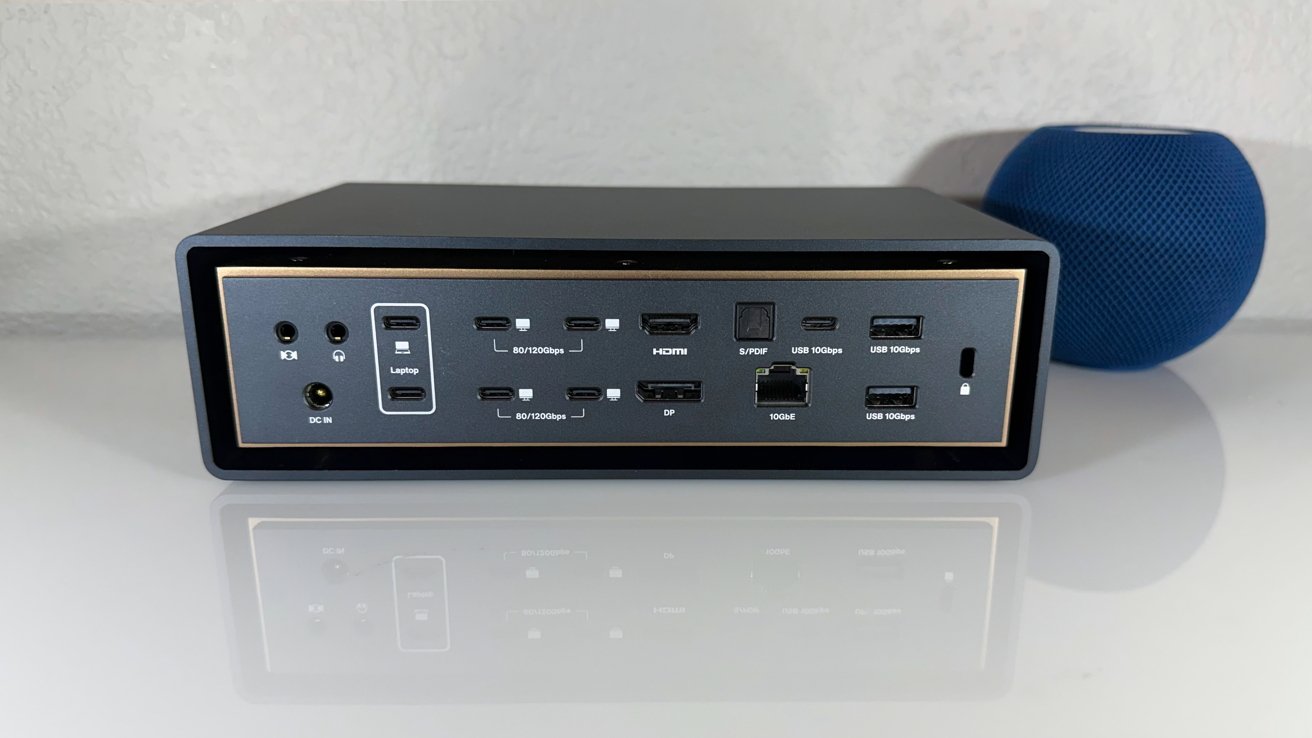
iVanky FusionDock Ultra review: From the back
Around the back, there are four USB-C 80/120Gbps downstream ports, effectively a quartet of Thunderbolt 5 connections. There is one more USB-C 10Gbps port, two USB-A 10Gbps ports, an optical audio connection, separate 3.5mm audio in and out jacks, HDMI, DisplayPort 2.1, and a 10Gbps Ethernet connection.
The back also has the power port and a security slot.
The connection to your Mac is handled via a pair of Thunderbolt 80/120Gbps host ports, with both used for data. Again, this is effectively the use of two Thunderbolt 5 connections on a modern Mac.
To get the most out of the massive bandwidth, iVanky uses a dual-chip architecture. It's as it sounds, in that it uses a pair of chips to handle all of the devices and video functions, instead of relying on one to get the job done.
Included in the box are cables for USB-C and Thunderbolt 5, but the end intended to connect to the Mac is actually held together by magnets. You can pull the cables apart to plug into separate ports on a Mac Studio, for example, but you could also leave them connected if you're using it with a MacBook Pro, for example.
When it comes to power delivery, those upstream ports can push up to 140W, which can easily recharge a MacBook Pro. Other ports provide 15W or 7.5W to devices, with the exception of one front USB-C port, which can go up to 45W.

iVanky FusionDock Ultra review: Rear view, out of the box
This is a large number of ports, certainly, and the inclusion of more Thunderbolt 5-speed ports is very nice to see for users with high bandwidth needs. While it can fall into the trap of not having enough bandwidth to satisfy all ports at full speed, there's still more than enough available from the upstream Thunderbolt 5 to keep users happy.
One thing that is missing from the dock is an internal drive, or space to include one. Not everyone wants that sort of functionality, sure, but it would've been nice to see at this price range and with this much bandwidth available.
iVanky FusionDock Ultra review: Monitor support
Docks often include the ability to run a display through them, and sometimes two or even three. This was a big selling point of the Max 1, and the Ultra does the same.
The Ultra is designed for a native quad-display workflow. In short, that means being able to run up to four displays using the dock, without requiring any extra software or configuration.
This upper limit of four displays is possible on some M5 Max MacBook Pro models. However, as always, it will only allow as many displays to be used as Apple officially supports for a specific chip or piece of hardware.
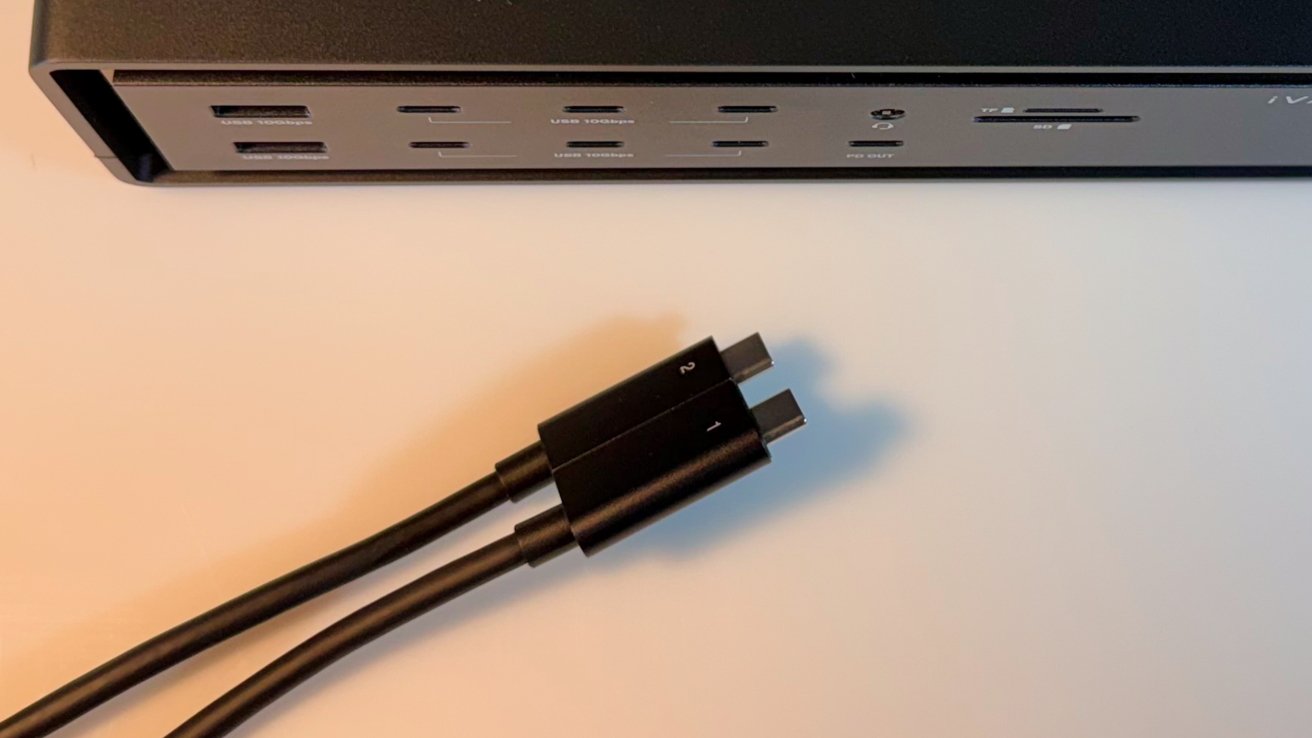
iVanky FusionDock Ultra review: The combined cable is held together magnetically
For an M1, M2, or M3 model MacBook Air or MacBook Pro, it will work with a single 6K screen at up to 60Hz, for example. The count goes to two displays for the Pro chip versions.
Going up the specifications list, Max models could work with three 4K 60Hz screens, or possibly two 6K 60Hz and one 4K 60Hz for a count of three.
The aforementioned M5 Max can handle up to four 4K 60Hz screens. In some combinations, you can go as high as 8K, or even have a refresh rate of 144Hz on four 4K screens.
There's also support for the Apple Studio Display XDR at 120Hz, when running on a Mac using macOS 26.3 or later.
The big thing here is that this is native support. You're not using DisplayLink or any other third-party software to compress the signal, so you don't run into any lag at the higher resolutions and refresh rates.
For anyone working in graphics or video, this is actually a really handy feature, since you're not going to be worrying about any graphical issues when hooking up multiple monitors.
iVanky FusionDock Ultra review: More ports, more value
When we first looked at the FusionDock Max 1, it was priced at launch for $549, which was a lot of money. Quite frankly, it still is.
While you could get it for $399 at launch if you had a coupon code, it was still a very expensive dock when compared to the rest of the market.
Two years later, and things have changed a bit. For a start, the smaller brother to the Max, the Max 2, is being $449 or $399 with a discount, which is quite a bit of an improvement from the previous coupon-supported release.
This is less of a case for the FusionDock Ultra, as it is still very much a premium dock at $749.99, discounted to $649.99. Yes, it's the premium option, hence the name, but the considerable port additions and quad display support works in its favor.
The other is pricing, as the market has matured considerably. A quick search on Amazon for Thunderbolt 5 docks will bring up some that are in an elevated price bracket of $500 or more, such as the $500 CalDigit TS5 Plus.
This time around, though, that price is worth it for the connectivity. Add the fancy magnetic Thunderbolt cable, where you had to invest in two separate cables if you wanted to use it on anything other than a MacBook Pro, and this
There's no escaping the fact that it's a premium dock with a massive amount of ports aimed at power users. It's very clearly aimed at customers who are likely to make use of the extreme connectivity here, and have storage needs covered in other ways.
If you're looking for port multiplication for your Mac mini, look elsewhere. If you have a single desk where multiple users can use your higher-end monitors, bringing their own device, this is the dock for you, without question.
iVanky FusionDock Ultra pros
- Neat styling
- Masses of ports
- Quad video support
iVanky FusionDock Ultra cons
- Premium pricing
- It could be smaller if it didn't have the extra enclosure surround
Rating: 4 out of 5
Where to buy the iVanky FusionDock Ultra
The iVanky FusionDock Ultra is available from iVanky directly, at $649.99.
It's also available from Amazon, priced at $649.99 for Prime users.